

The months‑long, year‑after‑year shouting match between “Team Windows” and “Team Linux” has become a ritual that wastes time and energy — not because the arguments lack passion, but because the question most keyboard warriors are fighting over is the wrong one. People rarely use operating systems as tribal identity alone; they use them to get work done. A more useful conversation is about how Windows and Linux actually complement each other, what each does uniquely well, and practical ways to combine them so you and your organization benefit from both ecosystems.
The perceived rivalry between Windows and Linux goes back decades, but the computing landscape has matured into a multi‑platform environment where interoperability matters more than purity. Linux powers the infrastructure of the modern internet, dominates high‑performance computing, and remains the de facto choice for servers and cloud workloads. Windows, meanwhile, retains overwhelming dominance on the traditional desktop and in application ecosystems — especially for mainstream office productivity, creative suites, and many commercial vertical applications. Those are empirical, measurable facts that frame the debate more usefully than slogans about “freedom” or “vendor lock‑in.”
This piece accepts that both platforms exist and asks: how should users, hobbyists, IT pros, and advocates speak about them? The short answer: stop pretending it’s binary and start treating the two systems as complementary tools.
Why hasn't that tipping point arrived?
If the goal is to increase Linux use, persuasion works better than shaming:
If you want to move the conversation forward, start with one practical act: pick a common task you or your colleagues do today, and show how that same task could be done better, differently, or more cheaply using Linux tooling — but provide a fallback path that preserves productivity. That single, empathetic step converts abstract debate into tangible benefit.
Source: How-To Geek The "Windows vs. Linux" debate is a waste of time: Here’s a better approach
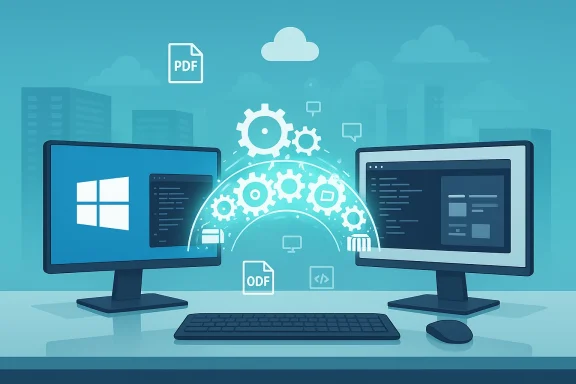 Background / overview
The perceived rivalry between Windows and Linux goes back decades, but the computing landscape has matured into a multi‑platform environment where interoperability matters more than purity. Linux powers the infrastructure of the modern internet, dominates high‑performance computing, and remains the de facto choice for servers and cloud workloads. Windows, meanwhile, retains overwhelming dominance on the traditional desktop and in application ecosystems — especially for mainstream office productivity, creative suites, and many commercial vertical applications. Those are empirical, measurable facts that frame the debate more usefully than slogans about “freedom” or “vendor lock‑in.”This piece accepts that both platforms exist and asks: how should users, hobbyists, IT pros, and advocates speak about them? The short answer: stop pretending it’s binary and start treating the two systems as complementary tools.
Why the “Windows vs. Linux” debate is the wrong question
Most modern computing is heterogeneous. A typical business uses a mix of Windows desktops, macOS laptops, Linux servers, cloud VMs, containers, and smartphone OSes — and that mix is driven by workloads, not ideology.- Developers and infrastructure teams often prefer Linux for server tooling, scripting, containers, and direct access to the kernel and package ecosystems.
- Creatives and many office users stay on Windows because the commercial application ecosystem (Adobe, Autodesk, Microsoft Office features, specialized engineering tools) remains Windows‑centric.
- Gamers historically favored Windows because of native DirectX support and developer focus; that gap is narrowing but is not gone.
Linux plays well with others — and that’s by design
One of Linux’s core strengths is interoperability. From the early days, Unix‑like systems were built on open networking standards (TCP/IP) and open file formats, which made it straightforward to exchange data and run mixed environments.- The server/web stack overwhelmingly runs on Linux: large slices of public cloud infrastructure and many web hosts use Linux variants because of stability, tooling, and cost. Those are not marketing claims — they’re visible in industry surveys and topology data.
- For people on Windows who need Linux tools, Microsoft’s Windows Subsystem for Linux (WSL) provides a practical bridge: a native‑integrated Linux environment that runs on Windows without the friction of dual‑boot or heavyweight VMs. In recent years WSL evolved from an experimental compatibility layer into a first‑class developer product; Microsoft has even made large parts of the WSL project open‑source, letting the community contribute and inspect the implementation. That makes cross‑platform cooperation easier and more trustworthy.
- Use WSL when you want Linux command‑line tools, package managers, or Linux‑native dev workflows on a Windows machine.
- Use standard protocols (SMB, NFS, SSH, HTTP) and cross‑platform file formats to minimize lock‑in.
- Don’t see Linux and Windows as mutually exclusive choices — they’re teammates.
Where Linux genuinely shines
Servers, cloud, and the internet backbone
Linux is ubiquitous in server and cloud environments. From container orchestration to web hosting and database servers, Linux distributions are the default for many cloud vendors and devops teams. The reasons are straightforward: customization, a huge ecosystem of server‑grade packages, strong automation tooling, and broad hardware support in data centers. Public surveys and infrastructure studies show Linux dominating cloud VMs, container hosts, and supercomputing installations.Supercomputing and research
The fastest supercomputers in the world run Linux variants because researchers need the flexibility, schedulers, and kernel tunability that Linux provides. If your metric of “importance” is where the heavy compute is, Linux punches far above its desktop share.Development, scripting, and tooling
Linux remains the environment where many interpreters, compilers, and server tooling appear first and where package managers and shells are mature and ubiquitous. Developers who work on cloud services, backend systems, container images, or low‑level software often find Linux to be the most productive environment. Surveys of developer tooling and platform usage consistently show significant Linux adoption — and, importantly, steady uptake of hybrid setups where developers run Windows desktops but use WSL or remote Linux hosts for builds and deployments.Efficiency on constrained hardware and hobbyist labs
For low‑power devices, Raspberry Pi projects, home labs, or headless appliances, Linux is the pragmatic choice. Lightweight distributions and mature server‑grade packages let hobbyists and pros squeeze more life and capability out of older hardware.Where Windows still matters — and why that’s fine
Linux’s technical advantages do not automatically translate into mass‑market desktop adoption. There are three practical reasons Windows remains dominant on the consumer and creative desktop:- Application availability and commercial software ecosystems
- Major creative and design toolchains — Adobe Creative Cloud (Photoshop, Premiere), Autodesk AutoCAD and similar engineering suites — remain natively focused on Windows and macOS. For many creative professionals, these apps are the workflow; changing operating systems would mean losing access to critical features, plugins, or certified drivers, or investing in retraining and workflow migration. Those are real costs, not ideological ones.
- Gaming and DirectX ecosystem
- Windows remains the primary target for game development and the system that offers the broadest compatibility and performance for the largest set of titles and anti‑cheat systems. That reality is changing — Valve’s Proton and Steam Deck have moved many Windows titles to run acceptably on Linux — but the transition is gradual and uneven, particularly for new-release AAA titles and proprietary anti‑cheat. Linux is gaining ground in gaming, but it is not yet a practical, drop‑in replacement for every gamer.
- Enterprise vertical apps and device ecosystems
- Many organizations use line‑of‑business software — custom ERP clients, medical or architectural tools, shop‑floor controls — that are only supported on Windows. That creates real constraints that IT teams must manage; changing the OS can require costly vendor relationships, revalidation, or even hardware changes.
The myth of the “Year of the Linux Desktop” — why it keeps failing (and what that means)
For decades, pundits have predicted a tipping point — the “Year of the Linux Desktop.” The pattern repeats: a headline claims momentum, a few distribution installs tick up, an enthusiastic blog post appears, and then adoption plateaus.Why hasn't that tipping point arrived?
- Hardware and application ecosystems are sticky. People buy computers with Windows preinstalled; they learn a suite of apps (Office, Photoshop, a favorite game) and optimize their workflows around them.
- Measurement blurs reality. Desktop market share depends on how you measure (web usage, shipments, Steam users), and different methods tell different stories. StatCounter and Steam survey data show Linux growth in pockets — notably among developers and gamers using SteamOS/Steam Deck — but global desktop market share remains modest compared to Windows. Those incremental gains matter, but they’re not the sudden revolution some expect.
Stop shaming Windows users — persuasion beats proselytizing
There’s an unhelpful strain in parts of the Linux community that equates technical virtue with moral superiority. That’s counterproductive. People pick operating systems to solve problems: to run a workplace app, edit video, manage finances, or game. For many, Windows is not a political statement — it’s a pragmatic choice.If the goal is to increase Linux use, persuasion works better than shaming:
- Demonstrate value. Show how Linux powers the internet and explain how that same openness lets users avoid vendor lock‑in for certain workloads. Many Windows desktops already run open‑source apps (Firefox, VLC, GIMP, Thunderbird, Notepad++). These are natural ambassadors.
- Make adoption low friction. Offer dual‑boot, VM, or WSL options. Teach people to run a Linux live image or a Linux VM in Hyper‑V/VirtualBox so they can test without committing.
- Solve real problems. Help friends and coworkers use Linux to reduce costs for servers, automate routine tasks, or recover older hardware. Practical value speaks louder than ideology.
Practical how‑to: mix Windows and Linux without the drama
If you want to move away from tribal arguments and into practical steps, here’s a starter playbook for individuals and small teams.- Start with WSL for Windows users who need Linux tools.
- Install WSL (it’s included in modern Windows builds) and pick a distribution (Ubuntu, Debian, Fedora). Use the Windows Terminal and integrate VS Code with its WSL remote features to get a near‑native Linux development flow while staying on Windows. WSL is now an established, open‑source project with broad vendor and community support.
- Use virtualization for safe experimentation.
- Hyper‑V, VirtualBox, or a Type‑2 hypervisor lets you try distros without repartitioning. For performance‑sensitive workloads, use a dedicated machine or a lightweight dual‑boot.
- For homelabs and servers, default to Linux but design for compatibility.
- Use containerization (Docker, podman) and configuration management (Ansible, Terraform) so workloads are portable and reproducible across cloud providers. For services that must remain Windows‑only (Active Directory–centric tools, specific Windows services), isolate them to VMs or containerized Windows Server images.
- Use open file formats and cross‑platform apps.
- Standardize on formats like ODF, PDF, or cross‑platform tools (VS Code, LibreOffice, Firefox) when migration is a future possibility.
- Educate with empathy.
- Provide migration guides that show how to accomplish a familiar task in Linux (e.g., photo editing, spreadsheet work) and where practical gaps remain.
Risks, trade‑offs, and caveats — be honest about limitations
No platform is perfect. Here are the realistic limits and trade‑offs teams should assess before declaring allegiance.- Fragmentation and support: Linux’s distribution diversity is a strength for choice but a challenge for standardization. For enterprise deployment, pick a supported distro (RHEL, Ubuntu LTS, SUSE) and plan for lifecycle and vendor support.
- Application compatibility gaps: Professional creative, CAD, and certain industry apps are still Windows‑first. Migration often requires re‑validation of workflows and retraining.
- Hardware drivers and peripherals: While driver support has improved, certain niche hardware (specialized audio interfaces, licensed dongles, some printers/scanners) can be harder to get working on Linux.
- Security myths: No OS is immune. Linux’s model reduces some classes of threats, but endpoints and misconfiguration remain attack vectors. Security is an organizational practice, not a checkbox provided by any single kernel.
- The “never‑drop” fallacy: Predicting the eventual demise of major apps or platforms is risky. Historically, “killer apps” have decided platform battles — Lotus 1‑2‑3 and Excel is a classic example — but timelines are long and messy. Treat long‑term predictions cautiously and plan around current realities. (I could not verify any reliable timeline claiming the desktop dominance of one OS will end imminently; such claims should be treated as speculative.)
What advocates on both sides should do differently
For Linux advocates:- Show value by solving specific user pain points.
- Stop guilt‑shaming people who rely on Windows for livelihoods.
- Invest in packaging, documentation, and hardware partnerships that make migration frictionless.
- Acknowledge Linux’s role in the backbone of modern computing.
- Embrace interoperability: better native support for popular open source tooling benefits everyone.
- Design for heterogeneity. Pick the right OS for each role, automate deployments, and use containers and infrastructure‑as‑code to minimize long‑term lock‑in.
- Measure ROI. Choose platform decisions based on workflow impact, not ideology.
Conclusion — a better debate, a better set of outcomes
The “Windows vs. Linux” rhetoric often reduces a complex, pragmatic set of trade‑offs into a duel. That duel hurts both sides because it ignores how most people actually use operating systems: as tools to achieve goals. Linux powers the internet, supercomputers, and developer toolchains. Windows powers the desktop and a wide swath of enterprise and creative workflows. The pragmatic playbook is to use each where it fits best, to build bridges (WSL, containers, shared tooling), and to persuade through value rather than proselytize through shame.If you want to move the conversation forward, start with one practical act: pick a common task you or your colleagues do today, and show how that same task could be done better, differently, or more cheaply using Linux tooling — but provide a fallback path that preserves productivity. That single, empathetic step converts abstract debate into tangible benefit.
Source: How-To Geek The "Windows vs. Linux" debate is a waste of time: Here’s a better approach
