

Windows app development on Microsoft’s platform has become a study in fragmentation, and the result is visible in the daily experience of ordinary users: more RAM eaten by “simple” desktop apps, more battery drain, more startup overhead, and more confusion about what a “native” Windows app is supposed to mean anymore. The recurring shift from one framework to another has pushed developers toward browser-based runtimes like Electron, while Microsoft’s own app stack has continued to evolve in ways that often feel strategic on paper but unstable in practice. That is the core complaint behind the MakeUseOf piece, and it is echoed by broader WindowsForum coverage that describes Windows UI and app development as a long-running accumulation of abandoned paths, identity churn, and framework overlap rather than a clean modernization story.
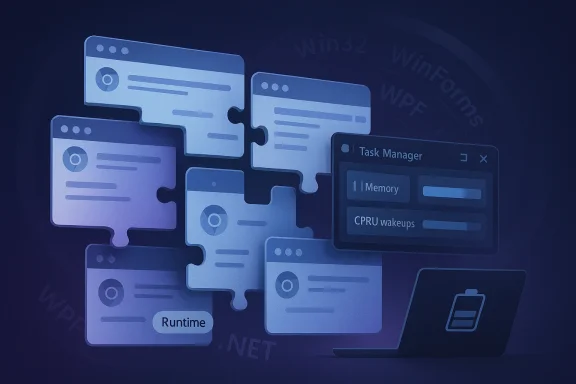
If you open Task Manager on a modern Windows PC, the biggest memory users are often not the heavy apps you expect. Messaging clients, collaboration tools, code editors, and even some productivity suites can sit high in the list even when they are “idle,” because the application is really a packaged browser engine with its own runtime, rendering pipeline, and service layers. That is not a random accident; it is the practical outcome of years of platform churn and a market that rewarded the fastest way to ship across Windows, macOS, and Linux instead of betting on a stable Windows-only path.
The MakeUseOf argument centers on a simple but uncomfortable thesis: Microsoft repeatedly told developers to move to the next Windows framework before the previous one had matured into a dependable long-term bet. Windows developers were asked, in succession, to trust Win32, MFC, WinForms, WPF, WinRT/XAML, UWP/XAML, and then WinUI 3, with each shift creating a fresh learning curve and a fresh risk that the “future” might become yesterday’s dead end. That instability pushed many teams toward technologies that let them avoid choosing a Microsoft-native path altogether.
The result is not just aesthetic clutter or philosophical disappointment. It is measurable in memory, responsiveness, and update burden. A browser-wrapped app can be perfectly legitimate engineering, but it carries a cost: duplicated browser engines, duplicated JavaScript runtimes, duplicated GPU and networking subsystems, and duplicated background processes. When those apps proliferate across the desktop, the Windows machine starts to feel less like a single operating environment and more like a stack of semi-independent mini-browsers competing for resources.
That dynamic also helps explain why so many Windows conversations now sound defensive. Users complain about RAM use, developers complain about fragmentation, Microsoft complains about developer inertia, and everyone ends up talking past one another. The deeper issue is not that one framework is bad or one team made the wrong call; it is that the platform’s long-term messaging has been inconsistent enough that trust itself became an architectural constraint.
Microsoft’s history on the desktop has repeatedly mixed innovation with mixed signals. Win32 remained the durable core, but the company kept introducing “new” paths that were supposed to modernize the app model. Some of those paths were genuinely useful, yet they often arrived with strong marketing and weaker continuity, which made them feel like policy shifts rather than dependable evolution.
The practical effect is easy to miss if you only look at a single app. Over time, the ecosystem stops converging on one obvious answer and instead fragments into a collection of best-effort choices. That is when developers start asking whether it is safer to use a browser runtime, a cross-platform toolkit, or some mix of both rather than commit to the newest Microsoft stack.
The answer, for many vendors, was to choose predictability over purity. Electron, despite its reputation for bloat, offered a stable developer experience and a cross-platform story that did not require decoding the latest Microsoft framework hierarchy. In that sense, Electron is not simply a technological trend; it is a market verdict on uncertainty.
The article’s criticism is that each Electron app effectively brings its own copy of Chromium-like machinery. That means a machine with Discord, Slack, Teams, and Visual Studio Code may be running several browser engines at once, each with its own memory footprint and background activity. Even when individual apps seem reasonable in isolation, the cumulative cost can become surprisingly heavy.
This is where the user-facing pain becomes impossible to ignore. The startup lag, the battery drain, the background CPU wakeups, and the memory footprint all reinforce the sense that Windows software has become less efficient than it should be. The issue is not just “Electron bad.” The issue is that the market selected Electron because the alternative looked less predictable.
The broader lesson is uncomfortable: when the native ecosystem is unclear, the market substitutes browser tech for certainty. That swap can be rational for vendors and costly for users at the same time. It is a classic individual optimization, collective inefficiency problem.
This is the sort of tradeoff that seems harmless until you look at the downstream effects. A developer building a tiny utility can end up shipping a much larger package than expected because the runtime, garbage collector, and base libraries must come along for the ride. Even if the individual app is small, the distribution model is no longer small.
The result is not just bloat; it is psychological friction. Developers want to know that the runtime they adopt will be supported, easy to deploy, and consistent across Windows versions. If they do not get that confidence, they are more likely to treat .NET as a dependency to contain rather than a platform to embrace.
The MakeUseOf article’s complaint is really about friction at scale. One app bundling a runtime is manageable. Hundreds of apps doing so turns the desktop into a distribution maze. In that world, a “simple” launcher or utility becomes a disproportionately heavy object.
That matters because the error misleads users into troubleshooting the wrong layer. Instead of thinking about token state or account sync, they check Wi‑Fi routers, restart modems, and chase a network issue that does not exist. The bug does not merely block access; it warps diagnosis.
The architectural lesson is clear: when many apps depend on shared identity plumbing, the platform becomes more cohesive but also more brittle. A single weak point can make an entire suite appear unstable, even if the applications themselves are healthy. That is a very modern Windows problem.
Enterprise environments are somewhat more insulated because Microsoft Entra ID follows different paths and the support note explicitly said those business authentication flows were not affected. Still, enterprises are not immune from the confusion that such bugs create, especially on hybrid devices or employee-owned PCs. The cost shifts from direct outage to support complexity.
That is why tooling announcements often land as “kind of” fixes. They can smooth the path without changing the road. Developers may appreciate the convenience, yet still build cautiously because the ecosystem’s strategic direction remains less stable than they would like.
This distinction matters. Good tooling lowers the cost of iteration; stable platform commitments lower the cost of trust. Those are related, but not interchangeable. Windows needs both if it wants to reverse the flight from native development.
It would also require Microsoft to resist the temptation to market each new framework as the answer to the last framework’s flaws. That pattern is part of the trust problem. Developers notice when a platform keeps renaming the future before the present has fully landed.
The problem compounds when several high-use apps share the same underlying model. If chat, productivity, collaboration, and editor tools all rely on the same broad architecture, the device ends up running multiple browser-like environments in parallel. On paper, each app is independent; in practice, the machine is carrying several copies of similar infrastructure.
This is why the argument is bigger than one framework or one vendor. It is about system-level efficiency in an ecosystem where convenience has outcompeted resource discipline. That tradeoff may be acceptable on a desktop tower, but it is much less attractive on ultraportables and older PCs.
That fuzziness is not inherently bad. Cross-platform development has obvious advantages, and users benefit when vendors can ship features everywhere without long delays. But the cost is that a lot of “desktop” software now behaves like a browser tab with extra privileges. That is a real change in the user experience, not a sentimental complaint.
Another concern is that identity dependence makes every bug more frightening. If login state becomes the hinge that connects cloud storage, productivity, AI features, and profile continuity, then even a small authentication defect can look like a platform failure. That raises support costs and erodes user trust faster than traditional app bugs do.
There is also a near-term question around runtime and packaging strategy. If Windows keeps shipping an old .NET baseline while modern apps depend on much newer runtimes, developers will keep making the same pragmatic choice: bundle, wrap, or escape into browser tech. That outcome may be efficient for individual vendors, but it is not efficient for the ecosystem as a whole.
Source: MakeUseOf Windows app development is broken and it's affecting every program you use
 Overview
If you open Task Manager on a modern Windows PC, the biggest memory users are often not the heavy apps you expect. Messaging clients, collaboration tools, code editors, and even some productivity suites can sit high in the list even when they are “idle,” because the application is really a packaged browser engine with its own runtime, rendering pipeline, and service layers. That is not a random accident; it is the practical outcome of years of platform churn and a market that rewarded the fastest way to ship across Windows, macOS, and Linux instead of betting on a stable Windows-only path.The MakeUseOf argument centers on a simple but uncomfortable thesis: Microsoft repeatedly told developers to move to the next Windows framework before the previous one had matured into a dependable long-term bet. Windows developers were asked, in succession, to trust Win32, MFC, WinForms, WPF, WinRT/XAML, UWP/XAML, and then WinUI 3, with each shift creating a fresh learning curve and a fresh risk that the “future” might become yesterday’s dead end. That instability pushed many teams toward technologies that let them avoid choosing a Microsoft-native path altogether.
The result is not just aesthetic clutter or philosophical disappointment. It is measurable in memory, responsiveness, and update burden. A browser-wrapped app can be perfectly legitimate engineering, but it carries a cost: duplicated browser engines, duplicated JavaScript runtimes, duplicated GPU and networking subsystems, and duplicated background processes. When those apps proliferate across the desktop, the Windows machine starts to feel less like a single operating environment and more like a stack of semi-independent mini-browsers competing for resources.
That dynamic also helps explain why so many Windows conversations now sound defensive. Users complain about RAM use, developers complain about fragmentation, Microsoft complains about developer inertia, and everyone ends up talking past one another. The deeper issue is not that one framework is bad or one team made the wrong call; it is that the platform’s long-term messaging has been inconsistent enough that trust itself became an architectural constraint.
The Framework Graveyard
The phrase “framework graveyard” is harsh, but it captures the sense that Windows development has had too many almost-successes. Each generation came with real technical merit, yet each also left behind a trail of developers who had to maintain old code while learning the new stack. That is expensive in time, talent, and product planning, and it makes any new Microsoft recommendation feel provisional rather than authoritative.Why churn matters more than syntax
Framework churn is not just about APIs changing names. It is about whether a company can credibly promise that what you build today will still be a sensible foundation five or ten years from now. When that promise weakens, engineering teams become cautious, and cautious teams do not eagerly replatform unless they see a stable payoff.Microsoft’s history on the desktop has repeatedly mixed innovation with mixed signals. Win32 remained the durable core, but the company kept introducing “new” paths that were supposed to modernize the app model. Some of those paths were genuinely useful, yet they often arrived with strong marketing and weaker continuity, which made them feel like policy shifts rather than dependable evolution.
The practical effect is easy to miss if you only look at a single app. Over time, the ecosystem stops converging on one obvious answer and instead fragments into a collection of best-effort choices. That is when developers start asking whether it is safer to use a browser runtime, a cross-platform toolkit, or some mix of both rather than commit to the newest Microsoft stack.
What developers lost
When Microsoft pivots too often, developers lose more than tooling. They lose confidence in support timelines, documentation continuity, and the likelihood that today’s “recommended” API will still be the company’s preferred story in two product cycles. That makes long-term investment harder to justify, especially for smaller teams that cannot afford to rewrite a desktop app every time the platform changes direction.The answer, for many vendors, was to choose predictability over purity. Electron, despite its reputation for bloat, offered a stable developer experience and a cross-platform story that did not require decoding the latest Microsoft framework hierarchy. In that sense, Electron is not simply a technological trend; it is a market verdict on uncertainty.
- Predictability became more valuable than ideological “native” purity.
- Cross-platform reach became a business requirement, not a luxury.
- Maintenance risk made repeated Microsoft migrations unattractive.
- Documentation drift raised the cost of betting on new Windows APIs.
- Developer trust eroded each time a framework was repositioned or superseded.
Why Electron Became the Default Escape Hatch
Electron’s rise is often mocked by users who hate seeing browser engines sitting in Task Manager, but the framework became dominant because it solved a real business problem. It gave developers one codebase, one UI model, and one deployment story across three desktop platforms. That is a very attractive deal when the native Windows landscape looks fragmented and uncertain.The appeal of shipping once
For product teams, Electron reduces decision fatigue. HTML, CSS, and JavaScript are widely known, talent is easier to hire, and the development workflow resembles the web stack that many engineers already use every day. In that environment, “native” becomes a tradeoff against schedule, staffing, and reach rather than an absolute good.The article’s criticism is that each Electron app effectively brings its own copy of Chromium-like machinery. That means a machine with Discord, Slack, Teams, and Visual Studio Code may be running several browser engines at once, each with its own memory footprint and background activity. Even when individual apps seem reasonable in isolation, the cumulative cost can become surprisingly heavy.
This is where the user-facing pain becomes impossible to ignore. The startup lag, the battery drain, the background CPU wakeups, and the memory footprint all reinforce the sense that Windows software has become less efficient than it should be. The issue is not just “Electron bad.” The issue is that the market selected Electron because the alternative looked less predictable.
Why users pay the bill
Users do not get to opt out of the platform economics. They just see a system with more RAM being consumed than the old desktop model used to require, and they reasonably ask why messaging apps now feel heavier than old-school local programs ever did. That question lands hardest on midrange laptops and aging desktops where memory pressure translates directly into sluggishness.The broader lesson is uncomfortable: when the native ecosystem is unclear, the market substitutes browser tech for certainty. That swap can be rational for vendors and costly for users at the same time. It is a classic individual optimization, collective inefficiency problem.
- Lower developer friction favored Electron.
- Cross-platform consistency mattered more than native elegance.
- Memory duplication became the hidden user tax.
- Battery and thermal costs rose as apps shared less and bundled more.
- Task Manager visibility made the problem impossible to ignore.
The .NET Problem Still Isn’t Solved
One of the sharpest parts of the MakeUseOf criticism is the .NET split. Windows 11 ships with .NET 4.8.1, but modern .NET development now centers on far newer releases, and that mismatch forces awkward choices on developers and users. You either require a newer runtime download or bundle the runtime with the app, which inflates size and adds another layer of deployment complexity.Compatibility versus progress
Microsoft’s reason for shipping the older runtime is understandable: legacy compatibility. If the operating system is the default platform for millions of older business and consumer apps, the vendor has to preserve the old framework to avoid breaking the installed base. That is a rational support decision, but it also creates a two-speed platform where the old path is native to Windows and the new path is something developers must drag in themselves.This is the sort of tradeoff that seems harmless until you look at the downstream effects. A developer building a tiny utility can end up shipping a much larger package than expected because the runtime, garbage collector, and base libraries must come along for the ride. Even if the individual app is small, the distribution model is no longer small.
The result is not just bloat; it is psychological friction. Developers want to know that the runtime they adopt will be supported, easy to deploy, and consistent across Windows versions. If they do not get that confidence, they are more likely to treat .NET as a dependency to contain rather than a platform to embrace.
Why runtime packaging matters
Runtime packaging sounds like a minor detail, but for end users it changes file sizes, installation behavior, patch cadence, and update logic. A bundled runtime means more bytes, more security surface, and more opportunities for version drift between what the app expects and what the OS provides. That is especially relevant for enterprises trying to standardize deployment images.The MakeUseOf article’s complaint is really about friction at scale. One app bundling a runtime is manageable. Hundreds of apps doing so turns the desktop into a distribution maze. In that world, a “simple” launcher or utility becomes a disproportionately heavy object.
- Legacy compatibility keeps old .NET on the box.
- Modern apps must fetch or bundle newer runtimes.
- Small utilities can end up shipping unexpectedly large packages.
- Enterprise deployment gets harder when every app has its own runtime assumptions.
- Version drift becomes a real operational concern.
Windows App Development Is Also an Identity Problem
A second-order effect of the framework chaos is that more Windows apps now depend on shared identity layers, cloud tokens, and account sign-in rather than local execution alone. That means a bug in authentication can make multiple apps appear broken at once, even if the app code itself is fine. WindowsForum’s March 2026 coverage of Microsoft account sign-in regressions shows exactly how broad the blast radius can become.When the login layer becomes the product
Modern Windows has increasingly turned identity into the glue that holds the experience together. OneDrive, Edge, Teams Free, Microsoft 365 Copilot, Word, and Excel can all depend on Microsoft account state in ways that make a login problem feel like a platform outage. Microsoft’s own support coverage noted that affected users could see a false “You’ll need the Internet” message even while the PC remained online.That matters because the error misleads users into troubleshooting the wrong layer. Instead of thinking about token state or account sync, they check Wi‑Fi routers, restart modems, and chase a network issue that does not exist. The bug does not merely block access; it warps diagnosis.
The architectural lesson is clear: when many apps depend on shared identity plumbing, the platform becomes more cohesive but also more brittle. A single weak point can make an entire suite appear unstable, even if the applications themselves are healthy. That is a very modern Windows problem.
Consumer versus enterprise
The consumer impact is usually worse because consumer sign-in is more tightly coupled to daily Windows behavior. Home users rely on Microsoft account authentication for sync, purchases, profiles, and often the first-run setup of apps and devices. If that layer fails, the whole machine feels suspicious.Enterprise environments are somewhat more insulated because Microsoft Entra ID follows different paths and the support note explicitly said those business authentication flows were not affected. Still, enterprises are not immune from the confusion that such bugs create, especially on hybrid devices or employee-owned PCs. The cost shifts from direct outage to support complexity.
- Consumers feel the breakage immediately in daily app use.
- Enterprises face support tickets, triage time, and update hesitation.
- Identity failures are harder to diagnose than crashes.
- Cloud-linked apps magnify a local bug’s visible impact.
- Misleading errors waste troubleshooting time.
Microsoft’s Tooling Helps, but It Does Not Heal the Stack
Microsoft has not ignored the pain. The Windows App Development CLI, introduced in early 2026, is intended to simplify the app development lifecycle across frameworks and toolchains. That is a useful move, but it addresses the tooling surface rather than the deeper issue of whether Windows now has a clear, durable, universally trusted app model.Better tools, same uncertainty
A better CLI can reduce friction, standardize commands, and make it easier to work across frameworks. That helps developers who are already committed to Windows. But it does not answer the harder question: which framework is the one that Microsoft will still care about in five years?That is why tooling announcements often land as “kind of” fixes. They can smooth the path without changing the road. Developers may appreciate the convenience, yet still build cautiously because the ecosystem’s strategic direction remains less stable than they would like.
This distinction matters. Good tooling lowers the cost of iteration; stable platform commitments lower the cost of trust. Those are related, but not interchangeable. Windows needs both if it wants to reverse the flight from native development.
What a real fix would require
A real repair would likely need several things at once: fewer framework pivots, clearer long-term support promises, more consistent runtime story across Windows versions, and a packaging model that does not punish either users or developers for building modern apps. That is a much harder task than shipping a new command-line utility.It would also require Microsoft to resist the temptation to market each new framework as the answer to the last framework’s flaws. That pattern is part of the trust problem. Developers notice when a platform keeps renaming the future before the present has fully landed.
- Tooling improvements help adoption.
- Framework continuity helps trust.
- Runtime clarity helps deployment.
- Packaging discipline helps user experience.
- Stable messaging helps the ecosystem commit.
The Hidden Cost to Performance, Battery, and Responsiveness
The consumer consequence of all this is straightforward: Windows feels heavier than it should. The issue is not that every app is badly written; it is that many apps are now layered on top of browser engines, shared identity services, or runtime bundles that duplicate work the operating system already does. The cost becomes visible in memory pressure and background activity.Memory is only the beginning
RAM use is the easiest symptom to spot, but it is not the only one. Browser-based desktops often incur extra rendering layers, additional subprocesses, more GPU compositing overhead, and more network wakeups. That can turn a quiet laptop into a device that feels noisy, warm, and less responsive than the hardware spec would suggest.The problem compounds when several high-use apps share the same underlying model. If chat, productivity, collaboration, and editor tools all rely on the same broad architecture, the device ends up running multiple browser-like environments in parallel. On paper, each app is independent; in practice, the machine is carrying several copies of similar infrastructure.
This is why the argument is bigger than one framework or one vendor. It is about system-level efficiency in an ecosystem where convenience has outcompeted resource discipline. That tradeoff may be acceptable on a desktop tower, but it is much less attractive on ultraportables and older PCs.
Why the old native ideal still matters
Native Windows applications used to mean leaner startup, lower overhead, and fewer duplicated subsystems. That ideal was never perfect, but it created a strong expectation that desktop software should feel local, fast, and integrated. As more applications move toward web runtimes, the definition of “local” becomes fuzzier.That fuzziness is not inherently bad. Cross-platform development has obvious advantages, and users benefit when vendors can ship features everywhere without long delays. But the cost is that a lot of “desktop” software now behaves like a browser tab with extra privileges. That is a real change in the user experience, not a sentimental complaint.
- Startup time often gets worse.
- Background memory consumption rises.
- Battery life can drop on mobile devices.
- Thermals become more noticeable on thin laptops.
- Perceived responsiveness suffers when the system is under load.
Strengths and Opportunities
Despite the criticism, there are still real strengths in the current Windows ecosystem, and some opportunities are easy to miss if the conversation stops at outrage. Microsoft’s ecosystem is still broad enough to support serious desktop software, and its developer base remains large enough that meaningful repair is possible if the company chooses consistency over novelty. The current mess is a sign of weakness, but also of the size of the prize.- Cross-platform tooling lets teams ship faster than they could with pure native rewrites.
- Microsoft’s openness to open-source tooling lowers barriers for some developers.
- A large installed base still makes Windows the most important desktop target for many vendors.
- Better servicing tools can reduce support friction even if architecture reform takes longer.
- Acknowledged bugs and workarounds show Microsoft is at least willing to document problems instead of pretending they do not exist.
- Enterprise demand for stability gives Microsoft a business reason to improve the foundation.
- User awareness of resource-heavy apps can push vendors toward efficiency.
Risks and Concerns
The biggest risk is that framework churn becomes normalized. Once developers assume that every Windows modernization wave will be followed by another pivot, they stop investing in the deepest integration layers and settle for the fastest path to market. That is rational in the short term and damaging in the long term.Another concern is that identity dependence makes every bug more frightening. If login state becomes the hinge that connects cloud storage, productivity, AI features, and profile continuity, then even a small authentication defect can look like a platform failure. That raises support costs and erodes user trust faster than traditional app bugs do.
- More framework churn could further discourage native development.
- Electron dependency could deepen if Windows remains strategically unclear.
- Identity-layer bugs could keep causing broad user-visible outages.
- Update distrust may lead users and enterprises to delay patches.
- Resource bloat could become the default expectation for Windows software.
- Support complexity rises when problems are ambiguous and cross-service.
- Platform fatigue could weaken Windows’ appeal against simpler competitors.
Looking Ahead
The next phase is less about whether Electron exists and more about whether Microsoft can make native Windows development feel credible again. The company has enough talent, enough distribution, and enough institutional memory to fix parts of the problem, but it will have to prove that the next framework recommendation is not just another stop on the way to a future rewrite. That means more than cleaner marketing or better tooling; it means a long commitment to stability.There is also a near-term question around runtime and packaging strategy. If Windows keeps shipping an old .NET baseline while modern apps depend on much newer runtimes, developers will keep making the same pragmatic choice: bundle, wrap, or escape into browser tech. That outcome may be efficient for individual vendors, but it is not efficient for the ecosystem as a whole.
- Will Microsoft narrow the framework story to a smaller number of long-lived choices?
- Will future Windows releases reduce runtime duplication and app overhead?
- Will Microsoft improve diagnostics so identity failures are clearer to users?
- Will developers regain confidence in native Windows app paths?
- Will Electron remain the default hedge against platform uncertainty?
Source: MakeUseOf Windows app development is broken and it's affecting every program you use
