

Microsoft's Windows team is under pressure: long‑running complaints about performance, compatibility, and in‑OS promotions have metastasized into a broader credibility problem that Microsoft’s Windows leadership — led publicly by Pavan Davuluri — can no longer ignore. The company has acknowledged concrete user frustration and begun to adjust how it introduces AI features and device‑level innovations, but the remedies promised so far are a mix of tactical rollbacks, opt‑ins, and process commitments rather than a full, transparent program of repair.
Windows has been the substrate for enterprise and consumer computing for decades, but the platform’s recent evolution has exposed fault lines between marketing ambitions (an “agentic” or AI‑first operating system) and day‑to‑day expectations for stability, control, and predictable updates. Many users and developers now say Windows 11 has underdelivered on several fronts: demanding hardware requirements, surprising regressions after updates, and a perception that the OS increasingly nudges people toward Microsoft services. These tensions burst into public view in 2024–2025 as Microsoft rolled out Copilot‑centric initiatives and new Copilot+ PCs while also shipping frequent feature updates that occasionally introduced high‑impact problems. The timing matters: Windows 10 reached its end of standard support on October 14, 2025, leaving many users faced with a difficult choice — upgrade to Windows 11 (and accept compatibility hurdles), pay for extended security updates, or migrate to a different ecosystem. That reality has amplified tension around Windows 11’s perceived shortcomings.
Source: russpain.com The future of Windows is uncertain: Users demand change while Microsoft searches for answers
 Background / Overview
Windows has been the substrate for enterprise and consumer computing for decades, but the platform’s recent evolution has exposed fault lines between marketing ambitions (an “agentic” or AI‑first operating system) and day‑to‑day expectations for stability, control, and predictable updates. Many users and developers now say Windows 11 has underdelivered on several fronts: demanding hardware requirements, surprising regressions after updates, and a perception that the OS increasingly nudges people toward Microsoft services. These tensions burst into public view in 2024–2025 as Microsoft rolled out Copilot‑centric initiatives and new Copilot+ PCs while also shipping frequent feature updates that occasionally introduced high‑impact problems. The timing matters: Windows 10 reached its end of standard support on October 14, 2025, leaving many users faced with a difficult choice — upgrade to Windows 11 (and accept compatibility hurdles), pay for extended security updates, or migrate to a different ecosystem. That reality has amplified tension around Windows 11’s perceived shortcomings. What Microsoft has acknowledged (and what it changed)
Davuluri’s public admission and follow‑ups
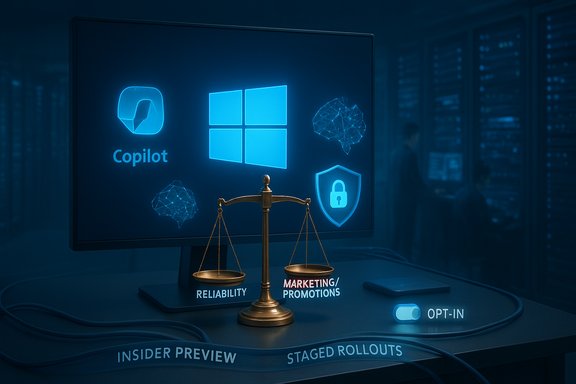
Pavan Davuluri (Corporate Vice President, Windows + Devices) has publicly responded to user outcry after messaging that framed Windows’ future as an “agentic OS” provoked strong criticism from power users and developers. In follow‑up communications his team explicitly acknowledged areas needing work — reliability, performance, and developer ergonomics — and pledged to listen to feedback. Those statements have been followed by tactical changes in feature rollouts: notably, the controversial “Recall” preview for Copilot+ PCs was moved to an opt‑in model and limited preview, and Microsoft delayed its broad rollout to gather Insider feedback.Concrete product changes and policy shifts
- Recall (the on‑device snapshot and activity timeline feature) was made opt‑in and restricted to Insider previews so the Windows team could redesign security and privacy controls before wider availability.
- Microsoft has signaled changes to release hygiene: more staged rollouts, heavier reliance on Insider telemetry, and promises to reinforce quality‑assurance capacity inside Windows engineering teams. These process shifts are public commitments, but they stop short of a detailed, auditable timetable or external metrics for success.
Where the criticism comes from: three structural complaints
1) Hardware and upgrade friction
Windows 11’s minimum system requirements — UEFI, Secure Boot, and TPM 2.0, plus a restricted CPU compatibility list — created a high barrier for many otherwise capable PCs. Microsoft’s processor compatibility checks and OEM lists (which have shifted over time) left large groups of users with machines that cannot upgrade via Windows Update, even when the hardware could run Windows 11 acceptably in practice. Those decisions have real consequences because they force hardware refreshes for many users or require them to stay on an unsupported OS. Why it matters:- Enterprises and power users prize determinism. When an OS suddenly moves the compatibility line, IT planning and asset refresh cycles are disrupted.
- Consumers perceive the change as planned obsolescence when functional machines are blocked from an official upgrade channel.
2) Update regressions and reliability concerns
The cadence of continuous updates — small, frequent feature releases plus monthly security patches — has made it easier for regressions to slip through and to reach broad audiences. High‑visibility examples in 2025 showed the problem: the October 14, 2025 cumulative update (KB5066835) introduced regressions that disabled USB input inside the Windows Recovery Environment (WinRE) and caused local HTTP/2/localhost failures for some developer tooling. Microsoft publicly marked those regressions as Known Issues and shipped an out‑of‑band fix days later, but the incident crystallized a core fear: that critical recovery paths and developer workflows can be impaired by routine patches. Why it matters:- Breaks in recovery tooling (WinRE) are particularly dangerous because they reduce users’ ability to repair systems without external media or vendor help.
- Developer productivity suffers when local web servers, IIS, and debugging workflows are intermittently broken by OS updates.
3) Perception of monetization inside the OS
Many users report that Windows increasingly promotes first‑party services — Edge, OneDrive, Microsoft 365 and Microsoft Store apps — by surfacing suggestions, recommendations, or preinstalled promotions. While these are often toggleable, the default visibility of suggested apps and tips has eroded trust for users who expect the OS to be neutral infrastructure rather than a marketing surface. Practical controls exist (Settings toggles, Group Policy, registry changes), but having to hunt down and apply them reinforces the perception that Microsoft is prioritizing services revenue over user control.Cross‑checked technical facts and verification
- Windows 10 end of standard support: Microsoft’s lifecycle timeline and major technology press outlets confirm October 14, 2025 as the end date for standard free support for Windows 10; Extended Security Updates programs exist but require planning and sometimes fees.
- Windows 11 hardware checks and TPM/CPU rules: Microsoft’s published system requirements and supported CPU lists document the requirement for TPM 2.0, UEFI, and specific processor families; community audits and vendor notices confirm tightened OEM guidance and periodic pruning of supported CPU lists.
- Recall privacy changes and preview model: Microsoft’s Windows Experience Blog (authored by Pavan Davuluri) announced the Recall preview changes and the opt‑in approach; independent press coverage and follow‑ups corroborate the opt‑in decision and the rationale (privacy and security concerns).
- October 2025 update regressions: Microsoft’s Release Health / Known Issues pages documented WinRE USB input failures tied to KB5066835 and show that a resolution (out‑of‑band update KB5070773) was released, with independent outlets reporting the same chain of events.
- Public reporting and some media items say Microsoft intends to scale back deep AI integration and hire more quality control specialists. There is evidence Microsoft is pacing some AI features and making Recall opt‑in, but no single public Microsoft document commits to a specific headcount increase or a formal de‑emphasis of AI across all roadmap items. Treat those staffing and strategy claims as plausible but not fully verifiable without an explicit Microsoft statement. Flag: unverifiable/partial.
Why this matters to different audiences
Consumers and enthusiasts
- Short term: expect a mixed experience if you upgrade a legacy PC. Upgrading may require new hardware due to compatibility checks, and in‑OS promotions and AI features may be visible by default. If you value predictability, delaying non‑critical updates and turning off “suggested content” toggles will reduce friction.
Developers
- Tooling and debug workflows can be affected by kernel‑level regressions (HTTP.sys) and by changes to the platform’s pre‑boot environment (WinRE). Enterprises should maintain robust test rings for Windows builds and be ready to apply Known Issue Rollbacks (KIR) or hold updates during critical development windows.
IT administrators and enterprises
- The end of Windows 10’s standard support forces choices: upgrade paths, ESU purchases, or OS migration. Enterprises must treat Windows 11 update deployments conservatively — pilot groups, staged rollouts, and KIR/Group Policy options are now table stakes. Microsoft’s continued investment in release health dashboards and KIR mechanisms helps, but it doesn’t replace careful testing.
Critical analysis — strengths, realistic fixes, and risks
Strengths Microsoft still brings to the table
- Deep engineering resources and partnerships with silicon vendors (Intel, AMD, Qualcomm) enable device‑level innovations — for example, Copilot+ PC initiatives that tightly integrate NPUs and security processors. These partnerships create capability opportunities that no other mainstream PC OS vendor can match at scale.
- A massive installed base and enterprise footprint give Microsoft visibility into a huge corpus of telemetry and use cases that, if used carefully, can help prioritize reliability and backward compatibility.
Effective, credible fixes Microsoft can and has started to use
- Move controversial features to explicit opt‑in and secure the defaults (done with Recall).
- Expand staged previews via Insider channels to expose features to real‑world scenarios earlier.
- Use Known Issue Rollback and out‑of‑band hotfixes when regressions occur (e.g., KB5070773 to resolve WinRE USB problems).
Remaining risks and governance failures
- Release cadence and testing: the architecture of continuous innovation increases the surface area for regressions; without stronger automated and manual QA, the user experience will continue to see occasional high‑impact breakages. The October 2025 update incident is a cautionary case.
- Trust and monetization: continuing to present first‑party promotions by default will continue to erode trust among power users and enterprise customers unless Microsoft is explicit about opt‑out ease and provides enterprise‑grade controls. Community outrage in forums and social channels shows this is a non‑technical, cultural problem as much as an engineering one.
- Privacy surface: AI features that persistently ingest local context (screen captures, activity timelines) create nontrivial policy, legal, and perception risk — especially for regulated industries and privacy‑sensitive users. Microsoft’s opt‑in approach for Recall lessens the risk but does not eliminate skepticism.
Practical guidance: what users and admins should do now
For regular users (short checklist)
- Back up before upgrading — create a full system image and a bootable recovery USB.
- Delay non‑urgent feature updates for 2–4 weeks after release and check forums/Release Health for reports.
- Disable suggested/promotional content if you find it intrusive: Settings > Personalization > Start and turn off “Show recommendations” (or use enterprise policies to disable consumer experiences).
For developers and power users
- Maintain a test machine with the latest Insider or release candidate builds to vet changes before pushing them to the main workstation.
- If you rely on local web servers or IIS, test updates in a safe staging environment and have a rollback plan (system restore point, image) and the known registry mitigations for HTTP/2 issues if needed.
For IT administrators
- Use phased deployment rings and Known Issue Rollback (KIR) policies for enterprise update management.
- Audit hardware inventory now — verify which PCs qualify for Windows 11 and which will need replacement or ESU enrollment ahead of future OS lifecycle milestones.
Recommendations Microsoft should consider (journalistic assessment)
- Publicly commit to measurable reliability goals: publish clear targets and metrics (e.g., “reduce patch‑introduced regression incidents by X% within 12 months”) and report progress quarterly to the community. Transparency will rebuild trust faster than marketing statements. This is a governance fix, not just an engineering one.
- Rebalance the default experience: default to less surface‑level promotion of services in consumer SKUs, and provide clear enterprise‑grade policies to lock down promotional content. Make opt‑out immediate and persistent across major upgrades.
- Invest in release engineering and QA visibility: expand canary testing, multiply automated end‑to‑end test coverage for core recovery paths (WinRE), and require staged driver/firmware injections to be validated on a broader set of OEM images before SafeOS updates roll out.
- Treat AI integration as a tiered capability: where features that capture context, personal activity, or screen content must be opt‑in and accompanied by on‑device controls, audit logs, and enterprise policy controls.
Conclusion
Windows sits at an inflection point. Microsoft’s investment in AI as a platform and chip‑level optimization is real and can yield unique productivity gains, but the community backlash of 2024–2025 shows that capability alone won’t sustain a platform if reliability, predictable behavior, and user trust are in decline. Microsoft’s leadership has acknowledged the problem and made some welcome tactical reversals (Recall opt‑ins, hotfixes for regressions, expanded Insider previews), yet the deeper work — process reform, measurable quality targets, and clearer limits on in‑OS monetization — remains to be done. The coming 12–24 months will be critical: whether Microsoft delivers visible, measurable improvements to stability and user control will determine whether Windows remains the default choice for professionals and power users, or becomes an accelerating source of migration to alternative ecosystems.Source: russpain.com The future of Windows is uncertain: Users demand change while Microsoft searches for answers
