

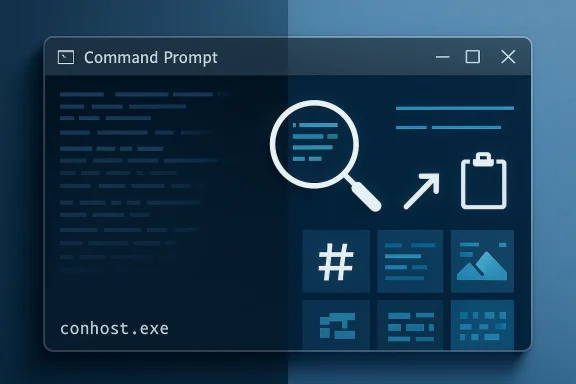
Microsoft is quietly doing something that longtime Windows power users have wanted for years: it is folding some of the best Windows Terminal capabilities back into the classic Windows Console Host, the engine behind Command Prompt and other legacy console apps. The update does not turn Command Prompt into a full Terminal clone, but it does modernize the underlying experience with features like Sixel graphics, regular expression search, improved clipboard handling, and better scrolling performance. For admins, developers, and recovery scenarios where Terminal is unavailable, that matters more than it might first appear.
For decades, Windows command-line users lived with a split personality. The shell might be Command Prompt, PowerShell, or a Linux environment under WSL, but the host layer underneath was traditionally conhost.exe, the Windows Console Host. That architecture was functional, but it also reflected an older era of text-only interactions, modest accessibility expectations, and limited rendering ambitions. Microsoft’s own documentation and developer blog history make clear that the Console was always more than a dumb window, yet it also carried a lot of legacy behavior that modern terminals had already outgrown.
The turning point came when Microsoft open-sourced both Windows Terminal and large parts of the Console stack. That move changed the cadence of improvements. Features that had once taken years to trickle into Windows could now arrive through the open-source project first, then migrate back into the boxed operating system experience. Microsoft has repeatedly described this as a back-and-forth flow between the open-source Terminal codebase and the built-in Windows components, which is exactly why today’s upgrade is so important.
Windows Terminal, meanwhile, became the flagship for the modern command-line experience on Windows. It added tabs, panes, GPU-accelerated rendering, Unicode improvements, and a far richer settings model. In Microsoft’s own framing, Terminal became the place where the modern command line lived, while the Console Host remained the compatibility layer that let older apps keep working. That division made sense, but it also meant the default built-in Command Prompt kept feeling like a second-class citizen.
What makes the latest Console Host upgrade notable is that Microsoft is not merely adding cosmetic polish. It is importing a set of behaviors that reduce friction for real work: search tools that behave more like what users expect from modern editors, clipboard behavior that better preserves pasted content, and rendering paths that can improve responsiveness in demanding scenarios. In other words, this is not just about eye candy. It is about bringing the baseline Windows command-line experience closer to the expectations set by Terminal and by modern cross-platform terminals elsewhere.
That approach also reflects the reality of enterprise Windows. Many organizations still rely on built-in tools, recovery environments, and stripped-down images where Windows Terminal may not be installed. Improving the Console Host itself means Microsoft can raise the floor for everyone, not just enthusiasts who manually install newer tools. That is a subtle but meaningful shift in strategy.
These upgrades matter because the Console Host is still the fallback layer for countless workflows. Recovery consoles, minimal server setups, and environments where Terminal is absent all depend on it. If that layer becomes more capable, users get a better experience even when they are not using the latest standalone terminal app. That is especially valuable for administrators who need consistent behavior across both modern desktops and constrained environments.
The less flashy changes may prove just as important. Microsoft says it improved paste reliability, fixed a longstanding Alt+Numpad / code page issue, repaired rectangular copy behavior, and improved the compatibility of pop-up dialogs with screen readers and other assistive technologies. These are the sort of fixes users often notice only when they are broken, but they are also the changes that remove daily annoyance.
A few specific details stand out:
Microsoft’s update also shows that the company is still trying to harmonize its old and new command-line worlds rather than replace one with the other. Command Prompt is staying Command Prompt. Terminal remains the feature-rich front end. But the shared engine underneath is getting smarter, faster, and more compatible. That is a deliberately incremental path, and it is likely the only one that avoids breaking legacy workloads.
That evolution matters because it explains the Console Host migration. The open-source Terminal codebase has become a proving ground for features that can then flow back into Windows itself. Microsoft has already used this model with other capabilities, including the modern ConPTY architecture that helps bridge legacy Windows console apps with newer terminal emulators. The current update is a continuation of that philosophy.
There is also a strategic benefit to this approach. By testing features in Terminal first, Microsoft can iron out rough edges in an environment that is already optional. Once the idea is mature, it can backport the useful parts to the Console Host without forcing every user to jump to a new app. That reduces risk and broadens adoption. It is practical modernisation, not a flashy rewrite.
That distinction is healthy. Users who want a streamlined, built-in command window get a better baseline. Users who want a full-featured terminal emulator still have Windows Terminal. Microsoft avoids confusing the two experiences while still lifting the floor for everyone. In software terms, that is a fairly elegant compromise.
This matters because enterprise deployment is rarely about best-case conditions. It is about the machine that boots into recovery mode, the remote session with limited tooling, or the offline workflow where Terminal was never installed. If the console itself gains better search, better clipboard behavior, and more reliable rendering, then troubleshooting becomes less fragile. That can reduce operational friction in subtle but real ways.
The enterprise audience will also appreciate the accessibility angle. Rewriting pieces of MSAA and UI Automation support is not glamorous, yet it has broad impact in large organizations where accessibility compliance matters. Better support for screen readers and related tools can make the command line more usable for more employees, which is both a legal and operational improvement.
A few enterprise-relevant benefits stand out:
The likely enterprise result is not a dramatic migration wave. Rather, it is fewer reasons to complain about the built-in stack. That can be just as important. Small usability wins in foundational tools often save more time than large headline features because they affect every workflow, every day.
The graphics angle is more interesting than it might look. Sixel support is niche, but niche features often matter to the people who push the platform hardest. Power users, developers, and terminal hobbyists are the ones most likely to notice that Windows is finally catching up to capabilities long associated with more flexible terminal ecosystems.
There is also a psychological benefit. When Windows’ native tools feel modern, users are less likely to treat them as disposable legacy baggage. That can nudge more people toward learning basic command-line skills, which in turn broadens the pool of users who can troubleshoot their own systems. Microsoft has been trying to encourage that kind of fluency for years.
A few user-facing improvements stand out:
That makes compatibility especially important. Microsoft’s tweaks to snap-on-input behavior, clipboard handling, and rendering are the kind of changes that make advanced workflows more reliable without forcing users to change habits. That is the best kind of platform upgrade: the one that improves things without demanding attention every time you use it.
Accessibility is often where old UI stacks show their age first. If focus management, announcement timing, or control semantics are inconsistent, assistive technologies can become unreliable. By revisiting those areas, Microsoft is making the console more sustainable for users who depend on accessibility tooling day to day.
The same logic applies to scrolling performance. Speed improvements are not just about benchmarks; they reduce the chance that large buffers feel frozen or unusable. Microsoft’s claim of up to roughly 10x faster scrolling in some scenarios suggests the old path could become a real bottleneck under heavy output.
The competition is not just with other operating systems. It is also with third-party terminal emulators that have historically offered better rendering, customization, and protocol support on Windows than the built-in console did. By backporting mature features into the native environment, Microsoft makes it harder for skeptics to dismiss the stock Windows experience as obsolete.
It also raises the bar for rivals. If the default Windows console can support graphics, regex search, clipboard protocols, and improved rendering without user intervention, then optional terminal replacements have to justify themselves on ergonomics, workflow depth, or specialized features. That is a more competitive landscape than Windows had a few years ago.
That dual-track strategy is smart. Microsoft gets to modernize the stock experience without cannibalizing the reason Terminal exists. Meanwhile, users get to choose between convenience and sophistication rather than between old and slightly less old. That is a better competitive posture for Windows overall.
This also creates a better on-ramp for newer Windows users. If the stock tools feel modern, there is less intimidation in exploring PowerShell, batch files, or WSL. That kind of soft adoption can have outsized effects over time.
There is also the risk that experimental rendering paths and newer protocols introduce edge cases. Any time you modernize an old compatibility layer, you have to balance progress against the chance of regressions in obscure but important scenarios. The registry-gated UseDx path suggests Microsoft is aware of that risk and is deliberately keeping some changes opt-in for now.
There is also a usability risk in introducing powerful features without enough discoverability. If users do not know regex search exists, or if they never learn that the clipboard pipeline has improved, then the real-world benefit is muted. That is why communication matters almost as much as engineering.
It will also be worth watching whether Microsoft continues to blur the line between Terminal and conhost in future updates. The current release keeps the UI split intact, but the underlying engine alignment could deepen over time. That might eventually bring more of Terminal’s polish to the built-in Windows command-line environment without changing the familiar look of CMD.
In the end, this upgrade is less about making Command Prompt glamorous and more about making it trustworthy in 2026. That may sound modest, but it is exactly the kind of change that reshapes user expectations over time. If Microsoft keeps closing the gap between legacy console behavior and the modern terminal standard, the built-in Windows command line could become one of the platform’s quiet success stories.
Source: Windows Central Windows 11's Command Prompt is getting a major upgrade soon
 Background
For decades, Windows command-line users lived with a split personality. The shell might be Command Prompt, PowerShell, or a Linux environment under WSL, but the host layer underneath was traditionally conhost.exe, the Windows Console Host. That architecture was functional, but it also reflected an older era of text-only interactions, modest accessibility expectations, and limited rendering ambitions. Microsoft’s own documentation and developer blog history make clear that the Console was always more than a dumb window, yet it also carried a lot of legacy behavior that modern terminals had already outgrown.The turning point came when Microsoft open-sourced both Windows Terminal and large parts of the Console stack. That move changed the cadence of improvements. Features that had once taken years to trickle into Windows could now arrive through the open-source project first, then migrate back into the boxed operating system experience. Microsoft has repeatedly described this as a back-and-forth flow between the open-source Terminal codebase and the built-in Windows components, which is exactly why today’s upgrade is so important.
Windows Terminal, meanwhile, became the flagship for the modern command-line experience on Windows. It added tabs, panes, GPU-accelerated rendering, Unicode improvements, and a far richer settings model. In Microsoft’s own framing, Terminal became the place where the modern command line lived, while the Console Host remained the compatibility layer that let older apps keep working. That division made sense, but it also meant the default built-in Command Prompt kept feeling like a second-class citizen.
What makes the latest Console Host upgrade notable is that Microsoft is not merely adding cosmetic polish. It is importing a set of behaviors that reduce friction for real work: search tools that behave more like what users expect from modern editors, clipboard behavior that better preserves pasted content, and rendering paths that can improve responsiveness in demanding scenarios. In other words, this is not just about eye candy. It is about bringing the baseline Windows command-line experience closer to the expectations set by Terminal and by modern cross-platform terminals elsewhere.
Why this matters now
The timing is no accident. Microsoft has spent the last several years treating command-line tooling as a first-class platform surface again. The company has pushed improvements in Terminal, conhost, WSL, and related developer tools, and the pace has accelerated in recent release cycles. The result is a Windows command-line stack that is finally being modernized layer by layer rather than only through optional sidecar apps.That approach also reflects the reality of enterprise Windows. Many organizations still rely on built-in tools, recovery environments, and stripped-down images where Windows Terminal may not be installed. Improving the Console Host itself means Microsoft can raise the floor for everyone, not just enthusiasts who manually install newer tools. That is a subtle but meaningful shift in strategy.
What Microsoft Is Changing
The headline changes are easy to summarize, but the implications are broader than the bullet list suggests. Microsoft says the new Console Host update will bring graphics support, including Sixel images, as well as clipboard enhancements, bold font rendering, regular expression search, and much better scrolling performance. It is also adding a new optional Atlas/Direct3D rendering path behind a registry key, which suggests the company is still experimenting with the best way to accelerate the old console pipeline.These upgrades matter because the Console Host is still the fallback layer for countless workflows. Recovery consoles, minimal server setups, and environments where Terminal is absent all depend on it. If that layer becomes more capable, users get a better experience even when they are not using the latest standalone terminal app. That is especially valuable for administrators who need consistent behavior across both modern desktops and constrained environments.
The feature set in plain English
At a practical level, the update includes several important pieces. Sixel support enables terminal-based graphical output, which can be useful in visual utilities and demos. OSC 52 clipboard support allows terminal applications to write selection data to the clipboard in a more standardized way, while regex search makes it easier to find exactly what you need in long console histories.The less flashy changes may prove just as important. Microsoft says it improved paste reliability, fixed a longstanding Alt+Numpad / code page issue, repaired rectangular copy behavior, and improved the compatibility of pop-up dialogs with screen readers and other assistive technologies. These are the sort of fixes users often notice only when they are broken, but they are also the changes that remove daily annoyance.
A few specific details stand out:
- UseDx is an optional new Direct3D rendering path enabled through a registry key.
- Bold font rendering now works in the original rendering engine.
- Scrolling performance can improve dramatically, with Microsoft citing gains of up to roughly 10x in some cases.
- Accessibility updates include rewrites to legacy MSAA integration and parts of UI Automation support.
- Snap-on-input behavior is now more conservative by default, improving reliability in VT-enabled sessions.
Why these are not just “nice-to-haves”
Terminal users tend to think of tabs, panes, and themes as the defining features of a modern shell experience. But the truth is that the hidden plumbing matters just as much. Rendering quality, clipboard fidelity, and search behavior are the things that determine whether an environment feels trustworthy under pressure. That is particularly true when you are troubleshooting, running scripts, or working remotely over less forgiving channels.Microsoft’s update also shows that the company is still trying to harmonize its old and new command-line worlds rather than replace one with the other. Command Prompt is staying Command Prompt. Terminal remains the feature-rich front end. But the shared engine underneath is getting smarter, faster, and more compatible. That is a deliberately incremental path, and it is likely the only one that avoids breaking legacy workloads.
How This Fits Into Windows Terminal’s Evolution
The Windows Terminal project has been moving steadily from novelty to infrastructure. Early releases focused on basics like tabs, profiles, and layout flexibility, but later releases emphasized the command-line features that power users actually live in: search, shell integration, better rendering, and more nuanced protocol support. Microsoft’s recent release notes make it clear that features such as sixel support and enhanced search are no longer experimental side projects; they are now part of the product’s core identity.That evolution matters because it explains the Console Host migration. The open-source Terminal codebase has become a proving ground for features that can then flow back into Windows itself. Microsoft has already used this model with other capabilities, including the modern ConPTY architecture that helps bridge legacy Windows console apps with newer terminal emulators. The current update is a continuation of that philosophy.
The open-source feedback loop
The company’s own wording acknowledges that many of these updates came from Windows Insiders and community contributors. That is not just a courtesy note. It reflects a development model where public testing, GitHub issues, and community pressure now shape the core command-line experience more directly than they used to. The command line has become one of Microsoft’s more successful open-source feedback loops.There is also a strategic benefit to this approach. By testing features in Terminal first, Microsoft can iron out rough edges in an environment that is already optional. Once the idea is mature, it can backport the useful parts to the Console Host without forcing every user to jump to a new app. That reduces risk and broadens adoption. It is practical modernisation, not a flashy rewrite.
A split that still makes sense
Even with these changes, the split between Console Host and Windows Terminal remains meaningful. Command Prompt itself still will not get the tabbed UI, multi-pane workflows, or rich customization that define Terminal. Those are still exclusive to the modern app, and that separation is intentional. The host layer is being improved, not merged wholesale into the Terminal interface.That distinction is healthy. Users who want a streamlined, built-in command window get a better baseline. Users who want a full-featured terminal emulator still have Windows Terminal. Microsoft avoids confusing the two experiences while still lifting the floor for everyone. In software terms, that is a fairly elegant compromise.
Enterprise Impact
For enterprise IT, the biggest win is consistency. Many organizations still standardize on built-in utilities for imaging, recovery, automation, and remediation. In those environments, a better Console Host means fewer awkward gaps between what administrators can do on a fully provisioned desktop and what they can do in a stripped-down support session.This matters because enterprise deployment is rarely about best-case conditions. It is about the machine that boots into recovery mode, the remote session with limited tooling, or the offline workflow where Terminal was never installed. If the console itself gains better search, better clipboard behavior, and more reliable rendering, then troubleshooting becomes less fragile. That can reduce operational friction in subtle but real ways.
Admins care about trust, not just features
Administrators tend to value stability over novelty. A new graphics feature is interesting, but the more important question is whether the console keeps behaving predictably under script-heavy workloads, older code pages, and mixed-shell environments. Microsoft’s emphasis on paste reliability, accessibility, and scroll performance suggests it understands that reality.The enterprise audience will also appreciate the accessibility angle. Rewriting pieces of MSAA and UI Automation support is not glamorous, yet it has broad impact in large organizations where accessibility compliance matters. Better support for screen readers and related tools can make the command line more usable for more employees, which is both a legal and operational improvement.
A few enterprise-relevant benefits stand out:
- More predictable behavior in recovery and repair scenarios.
- Better compatibility with legacy automation and older applications.
- Improved usability for assistive technologies.
- Reduced risk of clipboard corruption during copy-and-paste workflows.
- Faster scrolling in logs, which is useful during incident response.
The hidden value of terminal parity
A more modern Console Host also helps Microsoft reduce one of Windows’ old perception gaps. For years, the command line on Windows was compared unfavorably to the experience on Unix-like systems and in modern cross-platform terminals. Even when the criticism was overstated, it still shaped opinion among developers and sysadmins. Bringing core console behavior closer to contemporary expectations helps erase that reputational drag.The likely enterprise result is not a dramatic migration wave. Rather, it is fewer reasons to complain about the built-in stack. That can be just as important. Small usability wins in foundational tools often save more time than large headline features because they affect every workflow, every day.
Consumer and Power User Impact
For home users and enthusiasts, the update is partly about convenience and partly about polish. Command Prompt remains a blunt instrument compared with Windows Terminal, but many users still invoke it for quick tasks, batch files, and troubleshooting. If the console is faster, easier to search, and less likely to mishandle pasted text, the whole experience feels less dated.The graphics angle is more interesting than it might look. Sixel support is niche, but niche features often matter to the people who push the platform hardest. Power users, developers, and terminal hobbyists are the ones most likely to notice that Windows is finally catching up to capabilities long associated with more flexible terminal ecosystems.
Why casual users should still care
Even casual users benefit when Windows’ built-in tools become less brittle. A cleaner copy-and-paste experience reduces the odds that a command is mangled. Better scrolling helps if you are reading logs or long output in a support session. And improved search makes it easier to find that one line of output you need before you close the window.There is also a psychological benefit. When Windows’ native tools feel modern, users are less likely to treat them as disposable legacy baggage. That can nudge more people toward learning basic command-line skills, which in turn broadens the pool of users who can troubleshoot their own systems. Microsoft has been trying to encourage that kind of fluency for years.
A few user-facing improvements stand out:
- Regex search makes long history scans much more precise.
- Better rendering helps the console feel less sluggish.
- Clipboard fixes reduce weird paste failures.
- Bold font support makes emphasis and output formatting clearer.
- Rectangular selection fixes improve text capture for copying snippets.
Power users will notice the difference first
If there is a group that will feel this upgrade immediately, it is the group that already lives in terminals all day. They are the ones who use PowerShell, WSL, and CMD interchangeably, often within the same workflow. For them, the Console Host is not a legacy artifact; it is part of a layered toolkit.That makes compatibility especially important. Microsoft’s tweaks to snap-on-input behavior, clipboard handling, and rendering are the kind of changes that make advanced workflows more reliable without forcing users to change habits. That is the best kind of platform upgrade: the one that improves things without demanding attention every time you use it.
Accessibility and Reliability
The accessibility updates may be the most consequential part of the release, even if they are the least flashy. Microsoft says it has rewritten legacy MSAA integration and parts of UI Automation support, and it has also adjusted how pop-up dialogs behave so they work better with screen readers and terminal emulators. That is a substantial sign that the Console Host is no longer being maintained as merely a compatibility shell.Accessibility is often where old UI stacks show their age first. If focus management, announcement timing, or control semantics are inconsistent, assistive technologies can become unreliable. By revisiting those areas, Microsoft is making the console more sustainable for users who depend on accessibility tooling day to day.
Reliability is a feature
One of the best parts of this update is that it treats reliability as a product feature rather than a footnote. The paste reliability improvement is a good example. A console that silently drops characters on paste can create subtle, hard-to-diagnose problems, especially when commands are copied from documentation or when non-ASCII text is involved.The same logic applies to scrolling performance. Speed improvements are not just about benchmarks; they reduce the chance that large buffers feel frozen or unusable. Microsoft’s claim of up to roughly 10x faster scrolling in some scenarios suggests the old path could become a real bottleneck under heavy output.
Accessibility and reliability highlights
- Screen-reader compatibility is improving through updated automation support.
- Paste behavior is becoming less error-prone across code pages.
- Scrolling large outputs should feel much more responsive.
- Dialogs like F7, F2, and F4 are being made more compatible.
- Console interaction is being aligned more closely with modern terminal expectations.
Competitive Implications
This update also has competitive significance, even if Microsoft would never present it that way. On one level, it reduces the gap between Windows and the more polished terminal ecosystems users can find on macOS, Linux, and third-party Windows tools. On another, it strengthens Microsoft’s own developer story by making the built-in stack feel less like a compromise.The competition is not just with other operating systems. It is also with third-party terminal emulators that have historically offered better rendering, customization, and protocol support on Windows than the built-in console did. By backporting mature features into the native environment, Microsoft makes it harder for skeptics to dismiss the stock Windows experience as obsolete.
The strategic message to rivals
The message is simple: Windows is no longer treating the command line as a static legacy subsystem. It is evolving it in public, with community input, open-source contributions, and rapid feature flow between products. That makes the platform more credible to developers who compare environments closely before choosing where to work.It also raises the bar for rivals. If the default Windows console can support graphics, regex search, clipboard protocols, and improved rendering without user intervention, then optional terminal replacements have to justify themselves on ergonomics, workflow depth, or specialized features. That is a more competitive landscape than Windows had a few years ago.
What still differentiates Terminal
Of course, Windows Terminal still retains the premium experience. It offers the tabbed interface, advanced layout options, and broader customization that the Console Host will not attempt to replicate. That separation preserves a market for advanced terminal apps while also improving the default baseline.That dual-track strategy is smart. Microsoft gets to modernize the stock experience without cannibalizing the reason Terminal exists. Meanwhile, users get to choose between convenience and sophistication rather than between old and slightly less old. That is a better competitive posture for Windows overall.
Strengths and Opportunities
This upgrade is strongest when viewed as a platform quality story. Microsoft is not chasing a gimmick; it is addressing long-standing friction in the default command-line path, and that creates room for broader adoption and better user sentiment. The opportunity is to make the built-in Windows console good enough that it stops being a punchline and starts being dependable infrastructure.- Better baseline experience for every Windows installation.
- Improved recovery workflows where Terminal may not be available.
- Lower friction for administrators and support staff.
- More accessible command-line interfaces for screen-reader users.
- Better clipboard fidelity in mixed-language and mixed-code-page scenarios.
- Faster scrolling for logs, long outputs, and script diagnostics.
- Greater parity with modern terminal capabilities without forcing a full app migration.
The big strategic opportunity
The biggest opportunity is trust. When users trust the built-in console to behave sensibly, they are more willing to use it for everyday work. That can reinforce the entire Windows developer ecosystem because the first impression of command-line work becomes cleaner, faster, and less error-prone.This also creates a better on-ramp for newer Windows users. If the stock tools feel modern, there is less intimidation in exploring PowerShell, batch files, or WSL. That kind of soft adoption can have outsized effects over time.
Risks and Concerns
The main concern is fragmentation. When features arrive first in Terminal, then later in the Console Host, users may not always know which environment supports what. That can lead to confusion, especially when documentation or tutorials assume one host but users are on another. Microsoft will need to keep the messaging clear.There is also the risk that experimental rendering paths and newer protocols introduce edge cases. Any time you modernize an old compatibility layer, you have to balance progress against the chance of regressions in obscure but important scenarios. The registry-gated UseDx path suggests Microsoft is aware of that risk and is deliberately keeping some changes opt-in for now.
- Feature confusion between Terminal and Console Host.
- Potential regressions in legacy scripts or niche workflows.
- Accessibility fixes that must remain stable across updates.
- Registry-gated features that may confuse less technical users.
- Diverging behavior across Windows builds and Insider channels.
- Support burden if users expect Terminal-grade features from CMD.
- Documentation lag that could make new behaviors hard to discover.
A measured rollout is essential
Microsoft is rolling these changes out first to Windows Insiders in the Canary Channel, which is the right place to surface bugs before broad release. Still, preview channels do not eliminate the possibility that edge cases appear once millions of users are exposed to the new code. The best outcome is that Microsoft keeps iterating fast and resists the temptation to declare victory too early.There is also a usability risk in introducing powerful features without enough discoverability. If users do not know regex search exists, or if they never learn that the clipboard pipeline has improved, then the real-world benefit is muted. That is why communication matters almost as much as engineering.
What to Watch Next
The key thing to watch is how quickly these Console Host improvements move from Insider preview to broader Windows 11 releases. Microsoft has a history of gradually surfacing terminal features in preview before bringing them into mainstream builds, and the pace of that rollout will tell us how confident the team is in the new code. If the Canary feedback is strong, the broader rollout could come relatively quickly.It will also be worth watching whether Microsoft continues to blur the line between Terminal and conhost in future updates. The current release keeps the UI split intact, but the underlying engine alignment could deepen over time. That might eventually bring more of Terminal’s polish to the built-in Windows command-line environment without changing the familiar look of CMD.
Specific signs to monitor
- How widely UseDx is adopted after Insider testing.
- Whether Sixel support appears in more built-in Windows scenarios.
- How Microsoft handles documentation for new console behaviors.
- Whether additional accessibility improvements follow quickly.
- If future updates expand the search and clipboard features further.
In the end, this upgrade is less about making Command Prompt glamorous and more about making it trustworthy in 2026. That may sound modest, but it is exactly the kind of change that reshapes user expectations over time. If Microsoft keeps closing the gap between legacy console behavior and the modern terminal standard, the built-in Windows command line could become one of the platform’s quiet success stories.
Source: Windows Central Windows 11's Command Prompt is getting a major upgrade soon
