

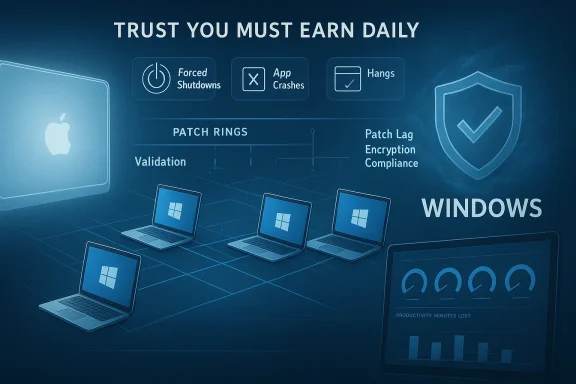
Microsoft’s latest reliability narrative is not really about a single update or one vendor’s telemetry chart. It is about a larger pattern: Windows in enterprise environments is being judged less as a desktop operating system and more as a managed service that must earn trust every day. That matters because the reported gaps in crashes, forced shutdowns, hangs, and delayed patching are the kind of friction that IT teams feel immediately, even when the underlying causes are complex. Omnissa’s findings, as reflected in the materials provided, suggest that reliability, security hygiene, and lifecycle management are now inseparable parts of the Windows conversation.
For years, Windows has carried a dual identity. To consumers, it is the familiar PC platform that powers everyday work, gaming, and school. To enterprises, it is something much more demanding: the foundation of identity, policy enforcement, endpoint management, and remote access. Those two roles have always coexisted, but in the cloud-managed era they increasingly collide, because every update can affect both local usability and the enterprise control plane at the same time.
That shift explains why reliability reports now resonate more deeply than they once did. A crash on a personal laptop is annoying. A crash across a managed fleet can become a service ticket storm, a support cost spike, and a sign that the organization’s deployment process needs work. When a system hangs, reboots unexpectedly, or fails to start properly, the issue is no longer just technical. It becomes operational, financial, and in some cases contractual.
The Omnissa-related material in the uploaded files frames the problem in exactly those terms. It ties Windows reliability to digital employee experience and argues that a poor user journey has measurable productivity consequences, especially when authentication, update cadence, or device health interferes with daily work. That is a much broader lens than the old “blue screen” story, because it treats reliability as a business metric rather than a purely engineering one.
At the same time, Microsoft’s recent servicing behavior shows why enterprises remain cautious. The platform has seen recurring update-related issues across 2025 and early 2026, including authentication failures, post-update regressions, and the need for out-of-band fixes. In practice, that means Windows administrators are not just managing software; they are managing risk windows, validation rings, rollback plans, and user confidence.
The material also suggests that each incident carries real productivity cost, with the report estimating up to 24 minutes of lost productivity per disruption. That kind of figure is powerful because it converts an abstract quality problem into a budget problem. Even a modest monthly instability rate can become expensive when multiplied across thousands of users and repeated over time.
The competitive implication is simple but important: Windows does not need to be perfect to remain dominant, but it does need to be boring in the best possible way. When it becomes unpredictable at scale, rival platforms gain rhetorical leverage. That does not automatically trigger mass migration, but it absolutely affects how IT leaders talk about platform strategy in budget meetings.
The broader insight is that enterprise computing now lives or dies by friction management. Users expect fast sign-in, reliable syncing, stable apps, and predictable patching. If one of those steps fails, the help desk becomes the fallback. If several fail at once, the organization starts paying twice: once in lost labor, and again in support overhead.
The provided material notes that more than half of Windows and Android devices in regulated environments can be five major OS versions behind. That is not just a versioning statistic. It is a sign that update programs are struggling to keep pace with operational constraints, legacy applications, or weak governance. When platforms are this far behind, the issue is no longer merely user choice; it is institutional inertia.
Shorter Windows hardware lifecycles also tend to amplify fleet management complexity. More replacements mean more imaging work, more asset tracking, more procurement coordination, and more interruptions for users. That does not mean Windows is inherently inefficient, but it does suggest that organizations running large Windows estates may be paying a hidden operational tax.
That is why the report’s emphasis on aging fleets matters. The platform may not be failing because Windows is uniquely brittle. It may be failing because organizations keep too much old hardware in circulation, then ask it to handle modern workloads, modern security expectations, and modern collaboration software. The result is a reliability problem that looks like an OS problem but is often a systems problem.
This is where Microsoft’s ecosystem strength remains obvious. Identity, management, endpoint security, and productivity apps all reinforce one another. For many agencies and contractors, that stack is simply easier to standardize around than a heterogeneous alternative, even if the underlying endpoints are not always the most reliable.
That kind of response is important for two reasons. First, it reduces the duration of the failure. Second, it reassures administrators that the vendor is paying attention and is willing to correct course. In the enterprise world, transparent remediation is not a courtesy; it is part of the product.
That does not mean enterprises will suddenly switch platforms en masse. Most organizations are too invested in Windows applications, management tools, and support models for that. But the comparison still matters because it shapes buying psychology. A platform that feels calmer is easier to recommend, easier to defend, and easier to renew.
Source: Windows Report https://windowsreport.com/report-shows-windows-enterprise-devices-suffer-more-crashes-and-failures/
 Background
For years, Windows has carried a dual identity. To consumers, it is the familiar PC platform that powers everyday work, gaming, and school. To enterprises, it is something much more demanding: the foundation of identity, policy enforcement, endpoint management, and remote access. Those two roles have always coexisted, but in the cloud-managed era they increasingly collide, because every update can affect both local usability and the enterprise control plane at the same time.That shift explains why reliability reports now resonate more deeply than they once did. A crash on a personal laptop is annoying. A crash across a managed fleet can become a service ticket storm, a support cost spike, and a sign that the organization’s deployment process needs work. When a system hangs, reboots unexpectedly, or fails to start properly, the issue is no longer just technical. It becomes operational, financial, and in some cases contractual.
The Omnissa-related material in the uploaded files frames the problem in exactly those terms. It ties Windows reliability to digital employee experience and argues that a poor user journey has measurable productivity consequences, especially when authentication, update cadence, or device health interferes with daily work. That is a much broader lens than the old “blue screen” story, because it treats reliability as a business metric rather than a purely engineering one.
At the same time, Microsoft’s recent servicing behavior shows why enterprises remain cautious. The platform has seen recurring update-related issues across 2025 and early 2026, including authentication failures, post-update regressions, and the need for out-of-band fixes. In practice, that means Windows administrators are not just managing software; they are managing risk windows, validation rings, rollback plans, and user confidence.
What the Report Is Really Saying
The headline numbers matter because they are stark. The report cited in the provided material says Windows devices experienced more forced shutdowns, more application crashes, and more application hangs than macOS devices in enterprise use. Even if the exact percentage varies by environment, the message is unmistakable: managed Windows fleets appear to be carrying more day-to-day instability than their Apple counterparts.Stability as a business signal
Stability is no longer just an engineering virtue. It is a procurement signal, a support signal, and a morale signal. If users repeatedly encounter freezes or app failures, they learn to distrust the platform, and that distrust spreads through the organization faster than any formal report can capture. The point of the Omnissa-style analysis is not simply that Windows crashes more; it is that these incidents reduce confidence in the workplace computing stack.The material also suggests that each incident carries real productivity cost, with the report estimating up to 24 minutes of lost productivity per disruption. That kind of figure is powerful because it converts an abstract quality problem into a budget problem. Even a modest monthly instability rate can become expensive when multiplied across thousands of users and repeated over time.
Why comparisons with macOS keep surfacing
Comparisons with macOS keep appearing because Apple has spent years positioning its hardware and software stack as tightly integrated and operationally predictable. That does not mean macOS is flawless. It does mean that in managed environments, Apple often benefits from a perception of lower friction, longer device life, and fewer reliability surprises. The provided material reflects that narrative directly, including the claim that macOS posts a much stronger DEX good score.The competitive implication is simple but important: Windows does not need to be perfect to remain dominant, but it does need to be boring in the best possible way. When it becomes unpredictable at scale, rival platforms gain rhetorical leverage. That does not automatically trigger mass migration, but it absolutely affects how IT leaders talk about platform strategy in budget meetings.
Reliability, Productivity, and the Cost of Small Failures
The most interesting part of this story is how ordinary the failures are. Forced shutdowns, app crashes, and hangs are not exotic bugs. They are the sort of problems that, when frequent enough, quietly destroy the rhythm of work. That is why the report’s productivity angle matters more than a simple reliability ranking.The hidden cost of interruption
A few seconds here and there do not sound dramatic. But when a user loses focus, reopens a failed app, rechecks a document, or waits for a system to recover, the real cost often sits in the interruption itself. Those micro-delays compound across departments, especially in organizations where employees spend their day in browser tabs, collaboration tools, ERP systems, and remote desktop sessions.The broader insight is that enterprise computing now lives or dies by friction management. Users expect fast sign-in, reliable syncing, stable apps, and predictable patching. If one of those steps fails, the help desk becomes the fallback. If several fail at once, the organization starts paying twice: once in lost labor, and again in support overhead.
Why one bad morning matters so much
A single bad morning can distort the way users perceive an entire platform. People remember the day their machine froze during a meeting more vividly than they remember ten flawless weeks. That is why reliability incidents are so sticky: they become stories, and stories travel further than metrics. Trust, once damaged, is hard to restore with a patch alone.- Forced reboots are especially costly because they interrupt active work.
- App hangs are worse than crashes in one sense, because they leave users waiting without clarity.
- Repeated failures encourage users to self-censor and avoid opening certain apps.
- Help desk tickets cluster around instability because users need immediate relief.
- Productivity losses scale nonlinearly when the same issue affects many employees at once.
Security Gaps and Patch Lag
The report’s concerns are not limited to crashes. It also raises a broader security and patching issue: many devices remain several major OS versions behind, which increases exposure to vulnerabilities. That is a familiar enterprise problem, but it becomes more serious when combined with a platform already perceived as less stable.When patch delay becomes risk debt
Patch lag is often framed as a process failure, but it is really a form of accumulated risk debt. Every month that a machine remains behind, the organization carries the burden of known issues that may already be solved upstream. In regulated industries, that delay can become especially painful because compliance, auditability, and security posture all depend on timely updates.The provided material notes that more than half of Windows and Android devices in regulated environments can be five major OS versions behind. That is not just a versioning statistic. It is a sign that update programs are struggling to keep pace with operational constraints, legacy applications, or weak governance. When platforms are this far behind, the issue is no longer merely user choice; it is institutional inertia.
Enterprise security hygiene is uneven
The report also points to education-sector devices that reportedly lack encryption at high rates. That is a red flag because unenforced encryption is not a niche mistake; it is a basic control failure. In practice, this kind of gap increases exposure when devices are lost, repurposed, or compromised, and it weakens any narrative that the fleet is truly modern and managed.- Delayed OS adoption increases the patch surface exposed to attackers.
- Incomplete encryption weakens the protection value of endpoint hardware.
- Fragmented fleet governance makes remediation slower and more expensive.
- Security tooling cannot compensate for missing baseline discipline.
- Slow adoption often reflects a deeper organizational inability to standardize.
Device Lifecycle and Total Cost of Ownership
One of the more striking claims in the material is that macOS devices tend to stay in use for around six years, while Windows hardware averages about three years. If that pattern holds in the environments surveyed, it has major implications for replacement cycles, depreciation planning, and support budgets.Why lifecycle matters more than sticker price
Hardware purchasing is often discussed in terms of upfront price. Enterprise IT, however, cares more about total cost of ownership, and lifecycle is a huge part of that calculation. A cheaper machine that must be replaced sooner can end up costing more once labor, imaging, deployment, and support are included.Shorter Windows hardware lifecycles also tend to amplify fleet management complexity. More replacements mean more imaging work, more asset tracking, more procurement coordination, and more interruptions for users. That does not mean Windows is inherently inefficient, but it does suggest that organizations running large Windows estates may be paying a hidden operational tax.
The aging fleet problem
Aging hardware is one of the hardest issues to solve because it creates a compound problem. Older systems are more likely to struggle with modern software loads, more likely to miss newer security features, and more likely to feel slow even when they are technically healthy. In that sense, stability complaints and lifecycle complaints often reinforce one another.That is why the report’s emphasis on aging fleets matters. The platform may not be failing because Windows is uniquely brittle. It may be failing because organizations keep too much old hardware in circulation, then ask it to handle modern workloads, modern security expectations, and modern collaboration software. The result is a reliability problem that looks like an OS problem but is often a systems problem.
Government, Education, and Regulated Industries
The material also highlights sector-specific differences, which are important because not all enterprise environments behave the same way. Government adoption of Windows is reportedly growing, while regulated industries and education appear to face stubborn security and device-management challenges. That tells us the market is not moving in one direction; it is fragmenting by use case.Why government keeps leaning on Windows
Government environments usually prioritize compatibility, policy control, and established procurement relationships. That makes Windows hard to displace, even when reliability concerns exist. In other words, adoption can rise even while user satisfaction remains mixed, because the buying decision is driven by infrastructure continuity as much as by UX quality.This is where Microsoft’s ecosystem strength remains obvious. Identity, management, endpoint security, and productivity apps all reinforce one another. For many agencies and contractors, that stack is simply easier to standardize around than a heterogeneous alternative, even if the underlying endpoints are not always the most reliable.
Education and compliance pressure
Education is a different story. Devices are often numerous, budget-constrained, and shared across many users, which makes encryption, patching, and lifecycle management harder to maintain consistently. When over half of devices reportedly lack encryption, the problem is not just technical debt; it is a governance weakness with real privacy implications.- Government adoption can rise because standardization outweighs user friction.
- Education fleets are vulnerable to budget pressure and inconsistent management.
- Regulated sectors magnify the cost of delayed patching.
- Shared-device environments complicate identity and encryption policies.
- Compliance failures often reveal broader management weaknesses, not single-point bugs.
Microsoft’s Reliability Response
Microsoft’s recent behavior matters because it shows how the company is trying to respond to this broader trust problem. The uploaded material references specific out-of-band fixes, including KB5078127 for January 2026 authentication issues, and separate updates aimed at sign-in problems for enterprise and home users. That indicates Microsoft is still leaning on rapid corrective releases when core workflows break.Why out-of-band fixes matter
Out-of-band updates are a strong signal. Microsoft does not ship them casually, because they interrupt the normal patch rhythm and require admins to react quickly. When the company uses that channel for authentication or remote-connection failures, it is effectively admitting that the issue is serious enough to threaten daily operations.That kind of response is important for two reasons. First, it reduces the duration of the failure. Second, it reassures administrators that the vendor is paying attention and is willing to correct course. In the enterprise world, transparent remediation is not a courtesy; it is part of the product.
Why authentication bugs hit harder than app glitches
Login and credential failures are especially damaging because they block access before work even begins. A broken app can sometimes be bypassed. A broken sign-in flow can halt an entire morning. The material in the file set makes that point repeatedly, and for good reason: identity problems are no longer edge cases in Windows; they are central operational risks.- Authentication bugs undermine trust more quickly than ordinary UI defects.
- Out-of-band patches are valuable because they compress the time-to-fix.
- Enterprise IT treats sign-in issues as business continuity events.
- Windows App, Azure Virtual Desktop, and Windows 365 make identity failures more visible.
- A cumulative fix is preferable because it preserves security improvements while restoring functionality.
Competitive Pressure on Windows
Windows still dominates enterprise desktops, but dominance is not the same as immunity. Every reliability story invites comparison with rivals, and the platform’s reputation increasingly depends on whether it feels dependable under cloud-managed conditions. That is a meaningful shift from the days when Windows only had to win on compatibility.macOS as the comparison point
The report’s comparison with macOS is revealing because it highlights a different value proposition. Apple’s pitch in enterprise has never been that everything is perfect. It is that the stack is integrated, the hardware tends to last longer, and users often experience fewer disruptive incidents. If Windows is seen as more crash-prone and more maintenance-heavy, Apple gains leverage even without changing its market share dramatically.That does not mean enterprises will suddenly switch platforms en masse. Most organizations are too invested in Windows applications, management tools, and support models for that. But the comparison still matters because it shapes buying psychology. A platform that feels calmer is easier to recommend, easier to defend, and easier to renew.
Trust as a competitive feature
The deeper competitive issue is trust. Microsoft knows this, which is why release-health pages, fast fixes, and candid issue tracking have become part of the product story. In a cloud-first world, users do not just evaluate features; they evaluate whether the vendor tells the truth quickly when things go wrong.- Reliability now influences platform strategy conversations.
- Competitive comparisons are shaped by perception as much as by raw capability.
- Transparency can soften the reputational damage of a bad patch.
- Device longevity strengthens Apple’s business case in some fleets.
- Windows wins on ecosystem breadth but can lose points on day-to-day predictability.
Strengths and Opportunities
The encouraging part of this story is that the platform problem is visible, measurable, and at least partly addressable. Microsoft has already demonstrated that it can ship targeted fixes quickly when sign-in or update regressions hit core enterprise workflows, and that gives IT teams a practical response path. The Omnissa-style report also creates an opening for organizations to audit device health, patch latency, and hardware age more honestly than they may have done before.- Transparent issue reporting helps organizations make informed deployment decisions.
- Out-of-band remediation shortens the window of business impact.
- Telemetry-driven management can identify unstable segments before they become widespread.
- Lifecycle refresh programs can reduce the drag from aging devices.
- Better patch validation can improve trust in monthly servicing.
- Security enforcement can close the gap on delayed updates and missing encryption.
- User-experience metrics like DEX can help IT justify modernization budgets.
Risks and Concerns
The downside is that reliability defects tend to leave a long memory. Once users believe an update might break their work, they become slower to install fixes, slower to trust IT guidance, and more likely to blame the platform for every subsequent problem. That reluctance can create a vicious cycle in which stability issues make patching harder, and patching delays create additional security risk.- Trust erosion can outlast the original bug by months.
- Patch hesitancy may increase exposure to security vulnerabilities.
- Help desk load spikes when login or crash issues hit at scale.
- Hardware age can be mistaken for software failure, complicating diagnosis.
- Compliance gaps in encryption and update lag create audit risk.
- Mixed fleets make standardization harder for enterprise IT.
- Competitive perception may shift even if market share does not.
Looking Ahead
The next phase of this story will not be determined by one report alone. It will be shaped by whether Microsoft can keep shortening fix cycles, whether enterprises can tighten patch validation, and whether organizations are willing to retire older hardware before it becomes a reliability liability. If those three things improve together, the narrative around Windows stability may start to soften. If they do not, the platform will keep facing the same trust questions in slightly different form.What to watch next
- whether Microsoft continues shipping rapid out-of-band corrections for core workflow issues
- whether enterprise patch rings become more cautious after each reliability incident
- whether device replacement cycles shorten further in Windows-heavy fleets
- whether DEX-style metrics gain more influence in procurement and renewal decisions
- whether more organizations treat encryption and OS currency as non-negotiable baseline controls
Source: Windows Report https://windowsreport.com/report-shows-windows-enterprise-devices-suffer-more-crashes-and-failures/
Last edited:
