

Microsoft’s 2025 refresh of Windows 11 — version 25H2 — is less a headline-hunting feature release than a deliberate operational reset, and Microsoft is now using its update pipeline to compel a large share of consumer PCs forward when a consumer build reaches end of servicing.
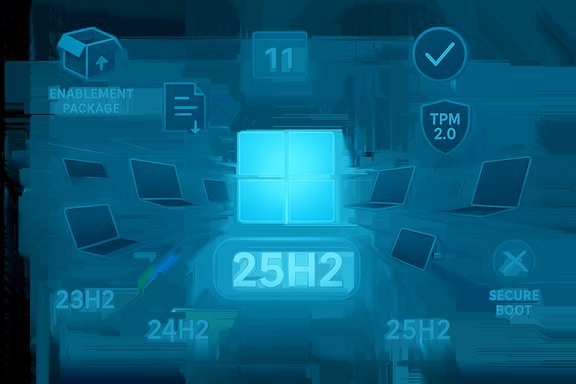
Windows 11 25H2 is delivered primarily as an enablement package for devices already on Windows 11 version 24H2: most of the code is staged in prior cumulative updates and the eKB flips dormant feature flags on with a small download and a single restart for fully patched systems. That delivery model reduces downtime and simplifies adoption for modern, supported hardware.
At the same time Microsoft’s servicing calendar enforces lifecycle rules: consumer Home and Pro builds have finite servicing windows. When a consumer build such as Windows 11, version 23H2 reaches its end of consumer servicing, Microsoft will prioritize and, in many cases, automatically deliver the next supported consumer release (here, 25H2) to unmanaged Home and Pro devices so they remain eligible for monthly security updates. That consumer cut‑off for 23H2 was set for November 11, 2025.
This distinction matters: Enterprise and Education SKUs often receive longer servicing windows and are exempt from the same automatic consumer rollout until their later end‑of‑servicing date (commonly November 10, 2026 in this case), preserving admin control for corporate IT departments.
Important implementation details to note:
A few additional hardware notes that surfaced in testing and community reporting:
At the same time, the policy tightens provider control over installed endpoints. For enthusiasts and privacy‑minded users, the loss of indefinite choice represents a significant philosophical shift: systems that previously remained static by choice will now be paged forward to preserve protection, sometimes overriding a user’s preferred cadence. The result is a managed computing posture where the platform provider exerts greater control to achieve broader security goals. That trade‑off between collective security and individual autonomy is central to the current debate.
This argument has practical consequences:
Consequently, the following operational implications matter:
Practical closing checklist:
Source: igor´sLAB Windows 11 25H2, Microsoft’s gentle compulsion to enforce common sense | igor´sLAB
 Background
Windows 11 25H2 is delivered primarily as an enablement package for devices already on Windows 11 version 24H2: most of the code is staged in prior cumulative updates and the eKB flips dormant feature flags on with a small download and a single restart for fully patched systems. That delivery model reduces downtime and simplifies adoption for modern, supported hardware.At the same time Microsoft’s servicing calendar enforces lifecycle rules: consumer Home and Pro builds have finite servicing windows. When a consumer build such as Windows 11, version 23H2 reaches its end of consumer servicing, Microsoft will prioritize and, in many cases, automatically deliver the next supported consumer release (here, 25H2) to unmanaged Home and Pro devices so they remain eligible for monthly security updates. That consumer cut‑off for 23H2 was set for November 11, 2025.
This distinction matters: Enterprise and Education SKUs often receive longer servicing windows and are exempt from the same automatic consumer rollout until their later end‑of‑servicing date (commonly November 10, 2026 in this case), preserving admin control for corporate IT departments.
What 25H2 actually is — and isn’t
The technical anatomy
- Delivery model: enablement package (eKB) for 24H2 → 25H2 activation; full feature upgrade where device is on older builds such as 23H2 or earlier.
- Prerequisites: Microsoft’s servicing guidance names specific cumulative updates that must be present before the eKB can activate; recent reporting identifies the August 29, 2025 cumulative update (listed in community reads as KB5064081 or later LCUs) as a prerequisite for the 25H2 enablement flow in some configurations.
- Reported product label and builds: preview snapshots and Release Preview builds were observed in the 26200.* series (example: Build 26200.5074) during validation windows.
Visible changes and limitations
25H2 brings polish and under‑the‑hood hardening rather than blockbuster consumer features. Visible items include Start menu and shell refinements, File Explorer AI actions in limited form, and removal of several legacy components such as PowerShell 2.0 and WMIC. Heavier, Copilot‑gated capabilities and on‑device AI features remain selectively enabled on certified Copilot+ hardware (e.g., devices with NPU support), meaning the full AI story is still a premium, hardware‑dependent experience.How Microsoft is enforcing upgrades: mechanics and policy
Microsoft’s rollout is staged and telemetry‑driven: rather than an all‑or‑nothing global flip, distribution expands in waves to devices that meet hardware, compatibility, and telemetry heuristics. For consumer Home and Pro devices on 23H2 that are unmanaged, the update transitions from an optional offer to an automatic delivery once the installed release passes its consumer end‑of‑servicing date. Users can defer restarts briefly, but the window for permanent opt‑out on an unsupported consumer build is effectively closed once servicing lapses.Important implementation details to note:
- Automatic delivery applies to unmanaged Home and Pro machines; domain‑joined or MDM‑controlled devices remain under admin policy and are not forcibly upgraded outside organizational rules.
- Windows 10 devices are not being forcibly upgraded en masse to Windows 11 25H2 by this mechanism; Windows 10 remains an opt‑in migration path and customers still have ESU options where available.
- Hardware compatibility checks remain a gating factor: TPM 2.0, UEFI with Secure Boot, and other platform features such as recommended CPU instruction sets can block upgrades; Microsoft has clarified and in places tightened expectations around device encryption, WinRE configuration, and PCR7 binding.
Minimum requirements and the compatibility cliff
Microsoft’s long‑standing Windows 11 hardware prerequisites — TPM 2.0, UEFI with Secure Boot, supported CPU family, minimum RAM and storage thresholds — remain intact as practical enforcers of compatibility. Recent servicing and documentation shifts have made certain previously “strongly recommended” safeguards (for example, usable TPM, correctly configured WinRE with PCR7 support for automatic device encryption) operational prerequisites for specific upgrade and encryption flows. In practice, that means some older, but still functional machines, will be blocked from the automatic upgrade path unless users deliberately bypass checks or accept unsupported configurations.A few additional hardware notes that surfaced in testing and community reporting:
- Modern builds increasingly assume CPU support for instruction sets such as SSE4.2 and POPCNT; chips lacking those instructions are difficult or impossible to support reliably on current Windows 11 builds.
- Devices with known compatibility issues may be placed on safeguard holds until vendor fixes or driver updates clear the block. Microsoft continues to use compatibility holds to prevent problematic upgrades.
Security case vs. user autonomy: the trade-offs
Microsoft frames this enforcement as a lifecycle and security imperative: when consumer builds stop receiving monthly security updates, the number of unpatched devices in the ecosystem begins to rise, increasing exposure to new vulnerabilities and active exploit campaigns. From an ecosystem stewardship perspective, migrating consumer devices to a supported branch reduces patch fragmentation and systemic risk.At the same time, the policy tightens provider control over installed endpoints. For enthusiasts and privacy‑minded users, the loss of indefinite choice represents a significant philosophical shift: systems that previously remained static by choice will now be paged forward to preserve protection, sometimes overriding a user’s preferred cadence. The result is a managed computing posture where the platform provider exerts greater control to achieve broader security goals. That trade‑off between collective security and individual autonomy is central to the current debate.
This argument has practical consequences:
- For everyday users: automatic upgrades improve baseline security but can introduce unexpected compatibility problems; the recommended posture is to maintain backups and ensure critical drivers and apps are updated.
- For power users and hobbyists: the path to preserve older setups typically involves deliberate measures (blocking updates, using modified install media, or accepting unsupported states) that carry long‑term security trade‑offs.
Real‑world risk: regressions and the “WinRE” incident
The upgrade program’s practicality is illustrated by real incidents where small servicing changes produced outsized problems. In October 2025 a cumulative update temporarily broke USB mouse and keyboard functionality in the Windows Recovery Environment (WinRE) on affected 24H2/25H2 systems, impairing recovery operations and prompting an out‑of‑band emergency fix. The episode demonstrates two truths: even minor platform changes can regress critical recovery paths, and staged rollouts plus rapid emergency fixes are necessary but not foolproof safeguards.Consequently, the following operational implications matter:
- Staged rollouts and pilot rings remain essential for larger fleets to catch regressions before mass exposure.
- Users should maintain current backups and tested recovery images; if an incident hits, a tested image is the fastest path to restore productivity.
Strengths of Microsoft’s approach
- Security uplift at scale: migrating consumer devices off unsupported builds reduces the population of unpatched endpoints and improves the overall security posture of the Windows ecosystem.
- Low friction for modern devices: for fully patched 24H2 machines the enablement package model keeps downtime minimal — a small download and a single reboot in many cases. That makes the upgrade experience fast and tolerable for most consumers.
- Operational predictability for IT: a predictable lifecycle reset and a clearer servicing baseline make image hygiene and driver certification more straightforward for administrators.
Risks, side effects, and externalities
- Hardware obsolescence and e‑waste pressure: strict enforcement of platform requirements (TPM 2.0, SSE4.2, Secure Boot) effectively leaves some older but usable hardware without a supported upgrade path, increasing the odds of device replacement. This raises environmental and cost concerns for households and small organizations.
- Loss of user agency: automatic upgrades to consumer devices limit the ability of users to pin their systems to a known good state for long periods; enthusiasts and certain specialized setups may find the new posture intrusive.
- Regression window: even with staged rollouts and emergency fixes, zero‑day regressions (especially in recovery components) expose users to windows of vulnerability or loss of functionality, underscoring the importance of backups and pilot testing.
- Fragmentation in feature availability: hardware- and license‑gated AI features (Copilot+, on‑device models) will create varied user experiences that complicate support and expectations management.
Practical playbook — what to do now
For individual users (Home consumers)
- Verify Windows version: open Settings → System → About to see whether you’re on 23H2, 24H2, or later. Devices running 23H2 (Home/Pro) lost consumer servicing on November 11, 2025 and are prioritized for automatic moves to 25H2.
- Back up immediately: copy important files to an external drive or trusted cloud, and consider taking a disk image or system snapshot before the update lands.
- Inventory drivers and critical apps: ensure antivirus, backup agents, and key peripherals are updated; check vendor support pages for known 25H2 compatibility notes.
- If you want more control: use the Windows Update pause and deferral options to buy time while preparing, but understand these are temporary measures for consumer SKUs once a build is unsupported.
For IT administrators and small businesses
- Pilot first: validate 25H2 in a release‑preview or pilot ring across representative hardware, including Copilot+ and ARM64 devices if present.
- Use Windows Update for Business (WUfB), WSUS, or Intune to retain control over scheduling and to keep unsupported machines out of the automatic consumer waves. Domain‑joined and MDM‑managed devices are exempt from the consumer automatic push.
- Inventory legacy dependencies: remove or replace usage of deprecated components (PowerShell 2.0, WMIC) and update scripts to newer management frameworks to avoid breakages.
- Ensure restoration processes are tested: snapshot images, file‑level backups, and documented rollback procedures reduce downtime when an upgrade hits an unexpected snag.
Where claims need caution: what cannot be fully verified
Some of the more political or strategic interpretations — for example, that Microsoft’s moves are primarily a disguised effort to gain control over user systems — are plausible readings of behavior but are inherently interpretive and not solely facts. The technical facts (end‑of‑servicing dates, enablement package delivery, hardware checks, and emergency regressions) are verifiable; motives assigned beyond the publicly stated security and lifecycle rationales are analytic, and should be treated as opinion rather than documented corporate policy. Readers should separate the provable operational details from normative conclusions about intent.Longer‑term implications
- Expect Microsoft to continue using lifecycle enforcement and staged enablement packages to shepherd consumer devices toward supported baselines; as the platform evolves, the leverage provided by the update channel will likely remain central to Microsoft’s risk‑management strategy.
- Feature fragmentation will persist: premium AI capabilities gated by hardware and licensing will fragment the user base and complicate expectations for help desks and vendors.
- The politics of platform sovereignty will intensify: regulators, enterprise procurement teams, and consumer advocates will scrutinize how vendor update policies intersect with right‑to‑repair, device longevity, and e‑waste concerns. The tension between collective security and individual autonomy will be a recurring theme as servicing models mature.
Final analysis and recommendations
Windows 11 25H2 is a pragmatic, operationally focused release delivered in a manner that prioritizes security and manageability over consumer spectacle. For most up‑to‑date 24H2 systems the upgrade will be fast and uneventful. For devices still on 23H2 (Home/Pro), November 11, 2025 marked the consumer servicing cutoff and Microsoft has begun to widen its automatic rollout to ensure those machines receive continued security updates. Administrators retain tools to control timing for managed fleets, but home users should assume the system will be moved forward unless active measures — and realistic acceptance of attendant risks — are taken.Practical closing checklist:
- Confirm your Windows version and backing up strategy immediately.
- Use staging/pilot rings and maintain up‑to‑date drivers in managed environments.
- Treat premium AI features as gated and variable; do not assume feature parity across all devices.
- Recognize the trade‑offs: automatic upgrades reduce systemic security risk but constrain long‑term user control and may accelerate hardware churn for older machines.
Source: igor´sLAB Windows 11 25H2, Microsoft’s gentle compulsion to enforce common sense | igor´sLAB
