

Retired Microsoft engineer Dave Plummer has declared what many Windows enthusiasts already grumble about in private: Windows has drifted from a lean, deterministic toolkit toward an experience that too often second‑guesses the user — and he’s proposed a set of pragmatic, engineer‑grade fixes, chief among them a single, system‑wide “hardcore mode” plus radical transparency around telemetry, centralized controls, and safer update behavior.
At the same time, historical regulatory interventions — including reviews and rulings by European privacy authorities — demonstrate that telemetry opacity has real legal consequences. Microsoft has evolved its tooling (Diagnostic Data Viewer, policy controls) in response, but the process has been incremental and sometimes reactive. Plummer’s framing — a social contract of clear defaults and durable controls — dovetails with those legal and reputational pressures.
Source: theregister.com Former Microsoft engineer explains why Windows 'sucks' now
 Background
Who is Dave Plummer and why his voice matters
Dave Plummer is widely known inside the Windows community as the author of components that shaped the platform in the 1990s and 2000s — most notably the classic Windows Task Manager, the ZIP‑folders support, and the NT port of Space Cadet Pinball. His history at Microsoft and his technical credibility give weight to a critique that is both practical and engineering‑centred. Plummer’s perspective is rooted in old‑school Windows engineering: small teams shipping code that had to run within the constraints of diverse hardware. That heritage explains why he’s blunt about predictable behavior, clear configuration, and respect for a user’s explicit choices.Why this conversation is timely
Windows has become a broader platform over the last decade: more bundled services, tighter cloud integration, UI nudges, and new AI/assistant features. Those changes have delivered capabilities, but they have also exposed tension between the needs of power users and the default behaviour optimized for mainstream consumers. The topic matters for individual users, enterprises managing fleets, and regulators worried about privacy and opaque telemetry. public discussion around telemetry and update reliability has been active for years, and Plummer’s proposals arrive into that long debate with practical remedies rather than slogans.What Plummer actually said — the core proposals
1) A first‑class, system‑wide “hardcore mode”
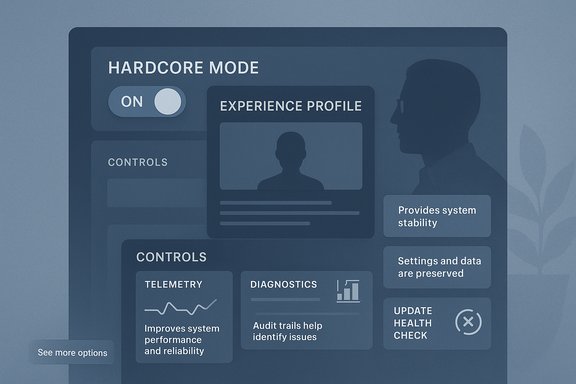
Plummer asks for “a first‑class system‑wide setting that flips the operating characteristics of the OS from safe and chatty to deterministic and terse.” The idea is simple: a single toggle — selected during setup or in Settings — that stops the OS from nudging, recommending, or re‑configuring things based on what Microsoft thinks is best. This mode would:- Remove promotional content and sponsored app suggestions from the Start menu.
- Stop product nudges (e.g., persistent suggestions to switch to Edge) and adaptive UX that overwrites explicit user choices.
- Disable unsolicited cloud‑led features and search fallbacks unless the user explicitly enables them.
2) Centralized, transparent controls
Plummer calls for a single control center where every system option is discoverable and clearly explained, avoiding "scavenger hunting" across Settings, Group Policy, and Registry. When a setting is toggled, the UI should show exactly what changes, which subsystems are affected, and what telemetry or network activity might follow. The expectation: one authoritative place to govern the OS behavior surface.3) Radical transparency and per‑packet telemetry reasons
Rather than abolish telemetry, Plummer recommends radical transparency: every packet the OS wants to send should be recorded with a plain‑English “why” and a link to documentation. He also suggests categories of telemetry be muteable and that muting should persist through updates without silent re‑enablement. This reframes the telemetry debate from “on/off” to accountability and control.4) Safer updates: health checks and automatic rollback
Plummer argues for a new “social contract” on updates: no surprise reboots, better health checks, and automatic rollback when an update degrades system health. The goal is to make updates safer and reversible for the common case of an update that breaks device functionality or third‑party drivers.Context — what already exists and where Plummer’s ideas intersect with current Windows features
Telemetry today
Microsoft documents diagnostic data tiers (required vs optional, previously Basic/Full/Enhanced/ Security) and provides a Diagnostic Data Viewer so users can inspect some of what is sent. In practice, consumer SKUs cannot fully disable all telemetry: required diagnostic signals remain necessary for receiving updates and some cloud features. Enterprise SKUs have stricter controls via Group Policy and MDM tools. This means Plummer’s transparency ask is not a pure invention — Microsoft has parts of the infrastructure — but the difference is the clarity and user control he requests.Existing “modes” and centralization attempts
Microsoft ships purpose‑specific modes such as S Mode (locked to Store apps) and Developer Mode, and Microsoft has gradually improved Settings and administrative tooling. However, those are siloed features. Plummer’s call is for a unified, discoverable toggle — an approach distinct from the existing scattershot solution set. Tech previews and community wish lists have been pushing for consolidated advanced settings, but a global “hardcore” profile is still absent.Update rollback and recovery
Windows includes recovery mechanisms (System Restore, uninstalling quality updates, and WinRE recovery tools) and can in some cases uninstall problematic updates. Enterprise tooling for staged rollouts and update rings already exists to reduce blast radius. Plummer’s ask — automatic, reliable rollback when a health check detects a problem — is conceptually consistent with enterprise practices but would require Microsoft to push rollback behavior into the consumer update pipeline in a robust, predictable way. Community reports show update regressions remain a pain point for users and admins alike.Evaluating the proposals — strengths, feasibility, and risks
Strengths: pragmatic, user‑centric, and low‑friction wins
- Clarity of intent. A global “hardcore mode” is an easy mental model for power users and reduces surprise UX behaviors.
- Actionable telemetry reform. Requiring per‑packet explanations would materially improve trust and help regulators and users assess risk.
- Engineering simplicity of many fixes. Several recommendations (disable promotional prompts for toggled features, add a durable flag for power users, implement clearer Diagnostics UI) are primarily UI/policy changes rather than deep kernel rewrites.
- Aligns with regulatory direction. European data authorities and independent investigations have criticized lack of telemetry transparency; Plummer’s transparency emphasis addresses these exact concerns.
Feasibility: what Microsoft could reasonably ship
- Expose a single “Experience Profile” in Settings with predefined profiles (Consumer, Work, Power, S Mode). Each profile would set a bundle of related settings (telemetry level, promotional nudges, default app suggestions, automatic updates policy).
- Add persistent telemetry mute per category with enterprise‑grade assurances that updates cannot silently re‑enable them (backed by signed manifest and clear audit trail).
- Improve the Diagnostic Data Viewer UI to include explicit human‑readable reasons for each telemetry item and a link to documentation of the schema.
Risks and trade‑offs Microsoft must weigh
- Supportability vs control. Telemetry and optional diagnostic data help Microsoft detect device failures and compatibility regressions across millions of hardware configurations. Stripping those signals increases time‑to‑diagnose for hardware/driver issues and could produce regressions that remain undetected in the field.
- Security trade‑offs. Some telemetry contributes to security telemetry (threat detection and rapid response). Reducing that data might delay detection of live threats on the platform.
- Compatibility and third‑party ecosystems. Disabling recommendation workflows and product nudges must not silently block functionality that other Microsoft services rely on (e.g., licensing checks, entitlement flows).
- Regulatory complexity. While transparency helps, the OS must also manage legal obligations across jurisdictions; per‑packet human readable reasons will need careful legal/engineering review to avoid over‑promising or under‑disclosing sensitive backend processing details.
Implementation blueprint — how Microsoft could deliver a “power profile” responsibly
Phase 1 — Design and policy
- Define and publish an “Experience Profile” spec (Consumer, Work, Power, Locked). Each profile maps to precise telemetry categories, update behavior, promotional exposure, and account requirements.
- Publish dev and ISV guidance so third‑party drivers and apps know which signals will be available under each profile.
Phase 2 — UI and transparency
- Ship a Settings experience that:
- Shows the active profile prominently during OOBE and in Settings.
- For each profile, lists the exact policies applied (telemetry set to Optional/Required, promotional surfaces disabled, update ring).
- Extend the Diagnostic Data Viewer to show intended recipients, data schemas, and “why” statements for each telemetry emission in plain English.
Phase 3 — Update & rollback model
- Integrate a consumer‑facing “health check” for feature updates that:
- Verifies boot and core service availability post‑update.
- Defers forced reboots until user‑approved windows (no surprise reboots).
- Automatically rolls back an update if health checks fail, with a clear notification and opt‑in telemetry to report the failure.
Phase 4 — Hardening and auditing
- Provide an audit trail that records when Microsoft or apps change policy flags; expose this trail in Settings for power users and enterprise admins.
- Implement signed policy manifests so updates cannot toggle telemetry categories without user consent (or documented enterprise policy).
Community reaction and real‑world evidence
Longstanding community threads and technical posts show these concerns are not isolated: power users have iterated workarounds, scripts, and third‑party tools to reduce telemetry, debloat the OS, and stop promotional intrusions. Those grassroots efforts illustrate demand for durable, supported OS features that do the same job cleanly and safely — which is exactly what Plummer asks for.At the same time, historical regulatory interventions — including reviews and rulings by European privacy authorities — demonstrate that telemetry opacity has real legal consequences. Microsoft has evolved its tooling (Diagnostic Data Viewer, policy controls) in response, but the process has been incremental and sometimes reactive. Plummer’s framing — a social contract of clear defaults and durable controls — dovetails with those legal and reputational pressures.
A candid conclusion: practical, not petulant
Plummer’s critique is sharp because it is technical and constructive. He praises the parts of Windows that remain world‑class — the kernel, the storage stack, and new developer tools like WSL and Windows Terminal — but he’s angry at the cosmetic and policy layers that erode user trust. His prescription is not a call to dismantle Windows; it’s a blueprint to restore discipline: respect explicit user intent, centralize control, make telemetry honest and auditable, and make updates reversible when they break the user experience. If Microsoft wants to retain its most technical and loyal users, it can do so without sacrificing mainstream features. The path is to offer choice that matters — durable profiles and verifiable transparency — and to treat consent and attention as precious commodities, not monetizable inputs. Implemented well, Plummer’s “hardcore mode” would not be a niche toggle for tinkerers; it would be a statement of user sovereignty that critics, regulators, and engineers can all endorse.Actionable takeaways for Windows users and admins
- For power users: review Diagnostics & feedback settings and use Group Policy (Pro/Enterprise) to harden telemetry; audit the Diagnostic Data Viewer to see what’s actually sent.
- For IT admins: continue to enforce staged update rings, validate updates in a test ring, and keep recovery media ready — automatic rollback proposals are promising but not yet ubiquitous.
- For Microsoft watchers: look for product plans that consolidate advanced settings into a discoverable profile; that will be the clearest sign Plummer’s ideas are being taken seriously.
Source: theregister.com Former Microsoft engineer explains why Windows 'sucks' now
