

Microsoft's latest push to harden Windows touches nearly every layer of the platform — from how admin privileges are handled to how drives are encrypted and how devices recover after failures — and IT administrators must prepare now or risk disruption when these changes reach their production rings.
Over the last 18 months Microsoft has accelerated a multi-pronged strategy to make Windows more secure by default and to raise the baseline for enterprise resilience. That strategy combines policy-driven hardening changes, platform features that alter how elevated privileges work, a resiliency effort to reduce downtime after failures, and hardware-aware improvements such as a new hardware-accelerated BitLocker mode that moves encryption workloads into silicon. These initiatives are part of a broader Secure Future Initiative and the Windows Resiliency Initiative, and they reflect Microsoft’s pivot toward secure-by-default and resilient-by-design principles for Windows 11 and supported Windows Server releases.
What’s different today is that many of these changes cross the boundary between optional features and enforced behaviors. Microsoft has been publishing a timeline for phased hardening, preview programs, and administrative controls — but some enforcement steps are scheduled to flip to default behavior as updates roll through 2025 into 2026. That means IT teams should treat this as an operational project, not an optional “tune later” activity.
For IT administrators, the practical takeaway is simple: start now. Inventory hardware and admin-use applications, escrow recovery keys, validate endpoint protection vendors, and run targeted pilots that exercise Administrator Protection, BitLocker behavior, and domain hardening scenarios. Do this proactively and you’ll convert the short-term operational cost of compatibility testing into long-term gains in security, reliability, and manageability. Done reactively, these platform-level shifts will create helpdesk headaches and potential outages — and that avoidable disruption is the real cost of waiting.
Source: Neowin https://www.neowin.net/amp/microsof...secure-here-is-how-it-admins-need-to-prepare/
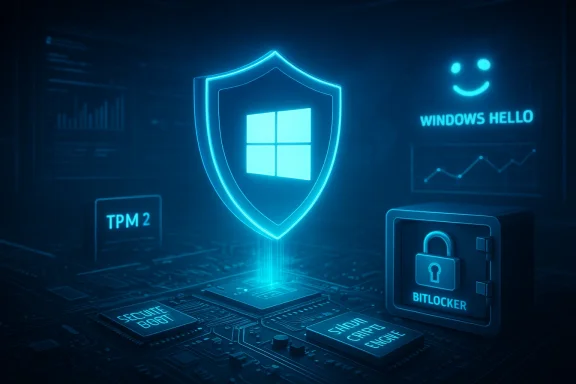 Background
Over the last 18 months Microsoft has accelerated a multi-pronged strategy to make Windows more secure by default and to raise the baseline for enterprise resilience. That strategy combines policy-driven hardening changes, platform features that alter how elevated privileges work, a resiliency effort to reduce downtime after failures, and hardware-aware improvements such as a new hardware-accelerated BitLocker mode that moves encryption workloads into silicon. These initiatives are part of a broader Secure Future Initiative and the Windows Resiliency Initiative, and they reflect Microsoft’s pivot toward secure-by-default and resilient-by-design principles for Windows 11 and supported Windows Server releases.What’s different today is that many of these changes cross the boundary between optional features and enforced behaviors. Microsoft has been publishing a timeline for phased hardening, preview programs, and administrative controls — but some enforcement steps are scheduled to flip to default behavior as updates roll through 2025 into 2026. That means IT teams should treat this as an operational project, not an optional “tune later” activity.
What Microsoft is changing — an overview of the major items IT needs on their radar
1. Administrator Protection (a redesign of elevation and UAC)
- Microsoft is introducing Administrator Protection, a platform change that isolates administrative elevation into a system-managed, separate profile and issues just-in-time admin tokens rather than persistent elevated tokens.
- The feature ties elevations to interactive Windows Hello authentication and removes many forms of auto-elevation, increasing transparency and decreasing the attack surface for UAC bypasses.
- Expect more elevation prompts and behavior differences for applications that historically relied on silent or auto-elevation.
2. Windows hardening timeline and mandatory enforcement phases
- Microsoft’s hardening guidance documents include a timeline that phases in enforcement for a range of protocol and boot protections (for example, Secure Boot revocation, PAC validation, Kerberos adjustments).
- Some hardening steps have already moved to enforcement and others were scheduled for enforcement “January 2025 or later” and into 2026 — meaning these are not theoretical: they will affect authentication, domain joins, and boot protections in the wild.
3. Windows Resiliency Initiative (WRI) and endpoint platform changes
- WRI bundles improvements aimed at preventing incidents, managing them when they occur, and accelerating recovery.
- A key product change is a new Windows endpoint security platform that enables antivirus and endpoint protection vendors to run significant parts of their products outside the kernel (reducing kernel-driver dependency), coupled with higher MVI (Microsoft Virus Initiative) requirements for partners.
4. Hardware-accelerated BitLocker
- Microsoft has announced a new hardware-accelerated BitLocker mode for modern SoCs/CPUs that offloads bulk cryptography to a dedicated crypto engine and hardware-wraps keys at the silicon level.
- The expected benefits are: much lower CPU overhead for encryption, significantly improved I/O speed on NVMe drives compared to software-only BitLocker, and reduced battery usage for mobile devices — but it requires hardware that exposes the offload capability.
5. Windows Backup for Organizations — restore at first sign-in
- Windows Backup for Organizations will add a first sign-in restore experience that gives users a “second chance” to restore settings and Microsoft Store app lists if they missed the OOBE restore option. This expands restore coverage to Microsoft Entra hybrid-joined devices, multi-user setups, and Windows 365 Cloud PCs.
Why these changes matter to IT admins
These are not cosmetic or optional additions — they alter the behavior of the platform in ways that will surface across imaging, identity, driver compatibility, and endpoint protection:- Security posture changes: Administrator Protection and enforced hardening close long-standing privilege escalation and authentication gaps that attackers exploit. Organizations will benefit from fewer silent elevation paths and stronger defaults.
- Compatibility churn: Profile-separated elevations, removed auto-elevations, kernel-to-user mode shifts for security products, and hardware-specific BitLocker behaviors will create compatibility issues if apps, installers, or security agents assume legacy behaviors.
- Operational risk and helpdesk impact: More elevation prompts, differences in where elevated apps save files or registry keys, and possible BitLocker recovery screens during changes could raise initial helpdesk volume unless proactively managed.
- Hardware dependency for performance/security: Hardware-accelerated BitLocker offers performance and security advantages, but it will only be available on select future silicon. Expect a mixed fleet where some devices benefit and others continue with software BitLocker.
- Recovery and resiliency gains: Features like first sign-in restore and quick machine recovery (QMR) aim to reduce downtime. Properly configured, these reduce helpdesk toil and speed recovery from incidents.
Critical technical details admins must verify now
Below are specific technical checks every IT admin should perform. These items are actionable and will reduce surprises during rollouts.- Verify hardware baseline across fleet:
- Ensure devices have TPM 2.0, UEFI with Secure Boot, and virtualization extensions where features (VBS, isolation) depend on them.
- Identify which devices, if any, are likely candidates for hardware-accelerated BitLocker — this will be set by OEM/CPU support. Do not assume TPM = hardware-accelerated BitLocker; additional crypto offload capability is required.
- Inventory privileged-account usage and automation:
- Catalog tools, installers, and scripts that rely on auto-elevation or run elevated silently.
- Identify services or scheduled tasks that create files or registry entries in user profiles; Administrator Protection changes the profile under which elevated code runs and can change file/registry mapping.
- Test endpoint protection and kernel drivers:
- Work with security vendors to confirm MVI 3.0 readiness and compatibility with the new Windows endpoint security platform.
- Validate anti-malware drivers and kernel-mode components in a test ring; vendors are being asked to provide user-mode alternatives where possible.
- Review domain and authentication infrastructure:
- Confirm domain controllers and clients apply PAC validation and Kerberos hardening updates in a coordinated fashion to avoid authentication failures.
- Follow Microsoft’s hardening guidance for registry keys that temporarily allow Compatibility modes during phased rollouts, but plan to remove reliance on compatibility as enforcement hits.
- Update imaging and provisioning workflows:
- Adjust golden images and Autopilot/Pre-provisioning flows for the new first sign-in restore UX and for Administrator Protection semantics.
- If using ephemeral or multi-user devices, confirm behavior for first sign-in restore in your scenarios.
Actionable preparation plan for IT teams
Below is a pragmatic, prioritized playbook you can apply over the next 60–120 days to prepare for enforced hardening and feature changes.- Immediate inventory and risk triage
- Run hardware and TPM inventories, focusing on UEFI, Secure Boot, and TPM 2.0 status.
- Produce an app/installer inventory of items that require elevation or that modify shared user resources.
- Build test rings and acceptance criteria
- Establish a small pilot/Canary ring for each major change: Administrator Protection, endpoint security platform, BitLocker hardware tests, and the first sign-in restore flow.
- Define acceptance criteria: user login flows, installer behavior, registry/file access expectations, and performance baselines.
- Engage vendors and partners
- Contact antivirus/EDR vendors to confirm MVI 3.0 compliance and compatibility plans.
- Ask OEM hardware partners for lists of supported hardware for hardware-accelerated BitLocker and whether firmware/driver updates are needed.
- Update policies and baselines
- Review Group Policy and Intune configuration policies for BitLocker, Windows Backup for Organizations, and UAC. Prepare policy overrides for phased enforcement windows but plan to sunset them once enforcement completes.
- Update security baselines to include Administrator Protection where available and adjust baseline imaging to incorporate Windows Hello enrollment requirements if Administrator Protection is enforced.
- Communicate and train
- Notify helpdesk and application owners about expected behavior changes, such as the potential increase in elevation prompts, file placement differences for elevated apps, and BitLocker recovery considerations.
- Prepare short user-facing guidance and scripts for common elevation tasks or for re-linking files between user profiles.
- Run a compatibility sweep
- Use the test rings to identify apps that fail under Administrator Protection: installers that assume shared profile artifacts, or apps that silently elevated in the past.
- Work with vendors to produce updated installers or MSIX packages; prioritize remediation for widely deployed internal apps.
- Plan phased rollout and rollback strategies
- Implement ring-based deployment: Canary → Pilot → Broad → Wide. Maintain telemetry and quick rollback plans for each stage.
- For driver or security agent issues, use targeted policies to defer enforcement until vendor fixes are validated.
Technical checklist — what to validate for each major change
- Administrator Protection
- Confirm supported Windows builds (Administrator Protection previews require Windows 24H2+ at GA; Server editions are not supported).
- Test Windows Hello enrollment and recovery in hybrid/Intune-managed scenarios.
- Validate file access and registry behavior for your top 20 admin-run applications.
- Hardening enforcement (PAC, Secure Boot disallow lists, Kerberos changes)
- Confirm domain controllers and clients installed required updates before switching enforcement modes.
- Use audit logs to detect clients that would be blocked after enforcement and correct them proactively.
- Windows endpoint security platform & MVI changes
- Ensure EDR/AV vendors confirm compatibility and provide deployment guidance for user-mode endpoint agents if kernel drivers change.
- Test failover and incident recovery in sandboxed environments.
- Hardware-accelerated BitLocker
- For devices you intend to acquire with new silicon, confirm OEMs have published support statements.
- Test manage-bde -status outputs and BitLocker behavior on a small set of candidate devices. Expect differences in reported encryption method (hardware vs software).
- Ensure recovery key escrow policies are strict: keys must be backed up to Azure AD/Entra or an approved key escrow for all devices to avoid helpdesk issues.
- Windows Backup for Organizations — first sign-in restore
- Validate existing autopilot/OOBE restore workflows and understand how first sign-in restore will be presented.
- Update documentation and Autopilot images for pre-staging and pre-provisioning scenarios.
Risks, pitfalls, and mitigations
- Risk: Unexpected application breakage from Administrator Protection
- Mitigation: Prioritize a compatibility sweep, modernize installers to MSIX, and avoid installers that require early elevation. Engage app vendors early.
- Risk: Authentication failures after PAC/Kerberos enforcement flips
- Mitigation: Follow Microsoft’s hardening guidance: update all domain controllers and clients, use audit modes, and remediate systems flagged by audit events before enforcement.
- Risk: BitLocker recovery prompts and encryption mismatches
- Mitigation: Ensure recovery keys are properly escrowed and documented. Confirm which devices will use hardware-accelerated BitLocker vs software mode and update runbooks for recovery.
- Risk: Endpoint protection instability during kernel-to-user-mode transitions
- Mitigation: Validate vendor support for the Windows endpoint security platform and run extended soak testing on pilot rings.
- Risk: User confusion with more elevation prompts and profile separation
- Mitigation: Publish short user-facing FAQ and helpdesk scripts. Train Tier-1 support on the file/registry differences between elevated and unelevated contexts.
Benefits and trade-offs — candid analysis
Microsoft’s changes deliver clear security and resilience benefits but come with operational trade-offs.- Real benefits:
- Reduced attack surface: Removing auto-elevations and isolating admin tokens fundamentally reduces avenues for UAC bypass attacks.
- Improved resilience: QMR and first sign-in restore give admins new recovery tools to reduce downtime and manual rebuilds.
- Performance and security gains on modern hardware: Hardware-accelerated BitLocker can materially improve performance while increasing key protection.
- Important trade-offs:
- Compatibility work: Apps and drivers that rely on legacy behaviors require remediation; expect vendor coordination to take time.
- Mixed fleet complexity: Not all devices will support hardware offload, leading to mixed behaviors and policy complexity.
- Temporary helpdesk load: Changes in prompts and file locations will spike support calls unless communicated and mitigated.
Example deployment timeline (90 days)
Below is an example timeline you can adapt for your organization. Treat this as a template — adjust timing to your change control windows and compliance needs.- Week 1–2: Inventory hardware, TPM status, current BitLocker policies, app list; identify pilot candidate hardware.
- Week 3–4: Stand up canary rings; enable Administrator Protection preview on test devices; enroll security vendors into pilot.
- Week 5–6: Run application compatibility tests, installers, and service workflows under Administrator Protection; capture errors and remediation tickets.
- Week 7–8: Validate PAC/Kerberos audit logs after applying hardening updates on a staging domain; fix domain issues.
- Week 9–10: Test hardware-accelerated BitLocker on OEM-provided candidate devices; confirm manage-bde results and performance.
- Week 11–12: Test first sign-in restore flows in Autopilot and pre-provisioned images; update device provisioning scripts.
- Week 13: Post-pilot review, remediate open issues, finalize deployment runbooks, and prepare broad rollout.
Final recommendations — a succinct checklist for immediate action
- Inventory and classify devices by hardware capability (TPM, Secure Boot, crypto offload).
- Escrow BitLocker recovery keys centrally (Azure AD/Entra/approved key vault).
- Run a prioritized compatibility sweep for elevated applications and installers.
- Confirm vendor readiness for EDR/AV changes and plan vendor validation windows.
- Update imaging and Autopilot processes for first sign-in restore and Administrator Protection.
- Publish helpdesk guidance and a short user FAQ explaining why prompts/behavior might change.
- Use Microsoft’s audit modes and phased enforcement guidance as a bridge to safe deployment — but plan to remove compatibility exceptions once remediation is complete.
Conclusion
Microsoft’s recent Windows security and resiliency changes are substantive and enterprise-focused: they reduce real attack surfaces, improve recovery, and — with hardware support — deliver tangible performance and security advantages for encryption. But these benefits will not be automatic. They require careful inventory, compatibility testing, vendor coordination, and a staged rollout plan.For IT administrators, the practical takeaway is simple: start now. Inventory hardware and admin-use applications, escrow recovery keys, validate endpoint protection vendors, and run targeted pilots that exercise Administrator Protection, BitLocker behavior, and domain hardening scenarios. Do this proactively and you’ll convert the short-term operational cost of compatibility testing into long-term gains in security, reliability, and manageability. Done reactively, these platform-level shifts will create helpdesk headaches and potential outages — and that avoidable disruption is the real cost of waiting.
Source: Neowin https://www.neowin.net/amp/microsof...secure-here-is-how-it-admins-need-to-prepare/
