

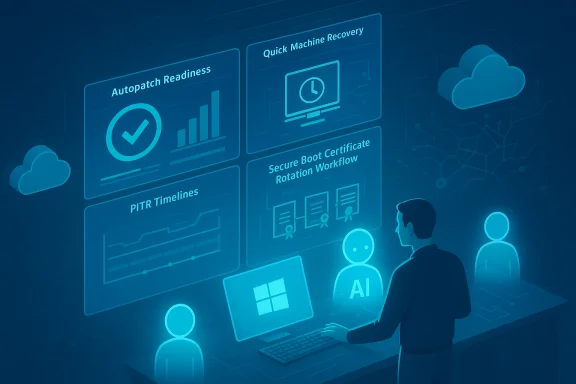
Microsoft Ignite’s November wave turned Windows from a familiar desktop OS into a coordinated resilience and cloud-managed platform — one that pairs automated recovery, tighter update controls, and deeper security telemetry with new cloud-first device models and agentic AI primitives for admins and developers alike. The announcements span practical additions you can deploy today — improved Windows Autopatch readiness and Known Issue Rollback tooling — through medium-term operational changes you must plan for now, such as Secure Boot certificate rotation timelines and native Sysmon telemetry arriving as an in-box feature.
Background and overview
Microsoft framed the collection of updates at Ignite as part of a broader Windows Resiliency Initiative: reduce mean time to repair (MTTR), make recovery flows auditable and remote-controllable, and make enterprise-grade telemetry and AI-driven management part of the core Windows platform. This represents a shift from a patch-and-image world toward a managed recovery surface that blends WinRE, Intune/Autopatch, Windows 365, and cloud storage for settings and backups. The goal is clear — keep people productive while preserving security and control — but execution demands new operational practices and deeper coordination with OEMs and cloud policy.What’s new in update and device management
Windows Autopatch: readiness, automation, and controls
Autopatch now surfaces update readiness telemetry and pre-deployment checks so IT can see which devices are likely to fail an update before they’re targeted. The feature includes automated checks, device update journey maps, actionable alerts, and guided remediation to reduce surprise rollouts. This readiness telemetry ties directly into Autopatch’s orchestration, enabling admins to remediate blockers (for example missing telemetry, BitLocker escrow issues, or missing firmware prerequisites) before mass deployment.- Key capabilities introduced:
- Pre-flight readiness dashboards that flag policy/telemetry blockers.
- Integration with Autopatch approval flows for controlled deployment.
- Reporting and automation hooks to remediate at-scale.
Quick Machine Recovery (QMR) and WinRE networking
Quick Machine Recovery evolves WinRE from a static toolkit into a network-aware remediation surface. QMR can detect repeated boot failures, establish network connectivity from WinRE, upload scoped diagnostics, query a cloud remediation catalog, and apply targeted fixes — all without a technician’s physical presence. Management controls for QMR are exposed via Intune and Autopatch so enterprises can approve remediations, set schedules, and monitor outcomes.- Practical notes:
- Wired Ethernet support is widely available; staged enterprise Wi‑Fi/certificate support is rolling out and may require driver injection into WinRE for some chipsets.
- Diagnostic telemetry flows to Microsoft during remediation — confirm your telemetry and privacy policies before enabling cloud-assisted remediations.
Point‑in‑Time Restore (PITR) and Cloud Rebuild
PITR lets you restore a PC to an earlier working state using restore points preserved on the device (and surfaced to WinRE/Intune). The aim is to return the OS, apps, settings and some local files to a previous point quickly — effectively a broader, faster alternative to full reimaging for recent regressions. PITR entered preview channels for Insiders shortly after Ignite, with Microsoft describing frequent capture intervals and short retention windows in previews; the exact retention and storage model remains provisional and should be validated in your test rings before production adoption.Cloud Rebuild complements PITR: it’s a zero‑touch, remote reinstall triggered from Intune that downloads Windows media, reprovisions via Autopilot, and rehydrates apps and data through OneDrive and Windows Backup for Organizations. This option is intended for devices that cannot be recovered through QMR or PITR.
Known Issue Rollback (KIR) — surgical mitigations
Known Issue Rollback remains the most pragmatic service-plane mitigation when a deployment breaks behavior for a subset of devices. KIR toggles runtime feature flags or conditional code paths so you can flip the behavior back to a known-good state without uninstalling cumulative updates or losing security fixes. Enterprises should keep KIR MSI policy workflows ready, but also treat KIR as a temporary mitigation while engineers produce a permanent patch.Security highlights and operational urgencies
Secure Boot certificate rotation — a must‑do before June 2026
This is an operational headline you cannot ignore: Microsoft’s firmware-level CA certificates provisioned around 2011 will begin expiring in mid‑2026, with the Microsoft Corporation KEK CA 2011 and Microsoft UEFI CA 2011 scheduled to start expiring in June 2026, and a Windows boot‑manager production PCA from 2011 expiring in October 2026. Microsoft and OEMs are rolling a 2023 family of certificates to replace the expiring CAs; devices must get these replacements (in the firmware KEK/DB/DBX slots) before the old certificates expire or they risk losing the ability to receive boot-time security updates — and in some strict firmware configurations, could refuse to boot new signed pre‑OS components. Inventory and pilot now.- Recommended immediate actions:
- Build a firmware-aware inventory: OEM, model, firmware/UEFI version, Secure Boot state, and whether the device allows OS-initiated UEFI variable writes.
- Contact OEMs to map minimum BIOS versions that accept the 2023 CA family and plan firmware rollouts.
- Pilot certificate rotation on representative hardware (WWAN/docked systems, dual-boot machines, recovery media).
- Rebuild and validate recovery media and PXE images with the new boot manager signatures before applying DBX revocations; DBX changes can be effectively irreversible on many platforms.
Native Sysmon coming to Windows
Microsoft will ship Sysmon‑class telemetry as an optional, native Windows feature (Windows 11 and Windows Server 2025), serviced through Windows Update and manageable via existing controls. This reduces operational friction: no more packaging community Sysmon binaries for every host, and Microsoft will provide official support for the in‑box telemetry. Administrators will still be able to use custom XML configuration files and the same event channel semantics, preserving most existing SIEM and detection engineering investments. Validate schema parity in your lab before wide adoption and test performance and storage implications for high-fidelity event streams.- Benefits:
- Faster forensic readiness across fleets.
- Fewer configuration and update gaps.
- Formal Microsoft servicing and support for Sysmon functionality.
- Risks and validation points:
- Clarify SKU availability and default enablement behavior at GA (early 2026 targets have been indicated, but details are pending).
- Test ingestion and storage impact on SIEM and log-retention budgets.
Windows Cloud Keyboard Input Protection and passkeys
Microsoft previewed Windows Cloud Keyboard Input Protection (public preview) that encrypts keystrokes at the kernel level and decrypts them only inside the remote virtual environment for Windows 365 Cloud PCs and Azure Virtual Desktop hosts. This closes a key remote-input surface against local keyloggers, providing kernel-level confidentiality for streamed input. Also, Windows 11 now includes native support for passkey managers in the November security update, enabling administrators and users to choose Microsoft Password Manager or third‑party passkey managers. Both are useful forward steps — but organizations should confirm compatibility with existing credential and DLP policies before deployment.AI and agentic tooling: what it means for admins and makers
Copilot, agent primitives, and Copilot+ PCs
Windows is moving toward built-in agent-like functions and richer Copilot integrations. Expect device-level agents in Windows, new Copilot tools on Windows, and hardware‑accelerated Copilot+ PCs that pair local acceleration with cloud models. Microsoft also announced early access paths: Windows Insider Program and Targeted Release in Microsoft 365 admin center for tenants. These capabilities are designed to augment both end-user productivity and admin automation tasks; however, they raise governance and cost questions around model access, telemetry, and tenancy.Windows 365 AI-enabled Cloud PCs and Windows 365 for Agents
Windows 365 AI-enabled Cloud PCs bring AI acceleration to Cloud PCs for faster information discovery while maintaining enterprise controls. Separately, Windows 365 for Agents is in public preview and exposes APIs for agent makers to manage compute and integrate workflows. These APIs will be important for ISVs and partners building management automation and for IT teams automating recovery and scale operations. Plan integration pilots early to identify licensing, performance, and compliance implications.Intune’s agentic and chat-based assists
Intune is adding assistive, chat-based admin experiences and agentic tasks — centralized views for high-priority items and automation to reduce noise and speed remediation. These features aim to help admins make smarter decisions and reduce risk through guided automation. As with other AI features, governance, auditability, and the fidelity of suggested actions must be validated before relying on automation in production.Productivity and UX changes
- Start menu: two new views — Category view (groups apps by type and highlights frequently used items) and Grid view (alphabetical, wider layout). Larger displays will show more pinned apps and recommendations by default, improving discoverability for enterprise images with broad app estates.
- Battery UX: system-tray battery icons now use color to show charging state and battery level, and these icons now appear on the lock screen for at-a-glance status. These small changes reduce minor helpdesk friction and improve user experience for frontline and kiosk scenarios.
- Agenda and taskbar calendar: Microsoft is bringing a Windows 10–style Agenda into the notification center with Outlook and Copilot hooks in preview; this will be judged on privacy defaults and third‑party calendar parity when it arrives.
Windows Server, lifecycle, and management cadence
- Windows Server 2025: a Boolean Configure Start Pins policy lets admins apply Start menu pins during first use while preserving user changes thereafter. API support is being added for NIST post‑quantum algorithms ML‑KEM and ML‑DSA in accordance with FIPS 203/204 standards. Windows Admin Center virtualization mode (vMode) entered Public Preview to manage Hyper‑V at scale, bridging on‑prem with Azure Arc.
- Lifecycle milestones: Windows 11, version 23H2 (Home/Pro) reached end of servicing on November 11, 2025; Enterprise/Education receive updates through November 10, 2026 per Modern Lifecycle Policy. Windows 10 ESU enrollment fixes were released in November to address consumer enrollment issues for supported devices. WINS is officially deprecated and will be removed after Windows Server 2025. Configuration Manager (ConfigMgr) will transition to an annual release cadence starting with version 2609. These timelines demand concrete project planning for migrations and ESU enrollment where still required.
Actionable operational checklists
Secure Boot certificate rotation (priority: high)
- Inventory fleet for Secure Boot state, firmware version, and whether the firmware allows OS-initiated UEFI writes. Use Get‑SecureBootUEFI and msinfo32 for sampling.
- Contact OEMs for per-model minimum firmware that accepts the 2023 CA family. Obtain vendor-specific guidance and BIOS updates.
- Pilot rotation on representative models, validate recovery media, and confirm BitLocker recovery workflows. Avoid applying DBX revocations until all images and third‑party bootloaders are re-signed.
- For air‑gapped or locked environments, prepare offline MSU/DISM deployment scripts and test in lab equipment.
WinRE / QMR / PITR adoption (priority: medium)
- Enable WinRE networking in a controlled pilot; validate Ethernet and Wi‑Fi driver behavior in WinRE and ensure recovery flows have network access in target locations.
- Confirm BitLocker key escrow works for devices that will use cloud-assisted recovery.
- Test PITR restore points in lab, measure restore RTO/RPO, and understand what local files are included in restores; treat any early retention windows as provisional until GA documentation is confirmed.
Telemetry and detection (priority: medium)
- Plan a Sysmon validation: test the native Sysmon feature in an Insider ring; verify event schemas, ingestion pipelines, and storage sizing for high-volume event telemetry.
- Tune and version custom XML configurations; validate that existing SIEM parsers work without major retuning.
Critical analysis — strengths, weaknesses, and risks
Strengths
- Operational resilience is now a platform priority. QMR, PITR, Cloud Rebuild and Autopatch readiness materially reduce the need for on-site reimages and speed recovery for distributed workforces.
- Security telemetry becomes easier to adopt. Native Sysmon should dramatically increase baseline coverage across fleets and reduce the operational gap that historically hampered investigations.
- Targeted mitigations preserve security posture. Known Issue Rollback lets admins preserve security fixes while limiting regressions for affected scenarios, a practical balance between security and reliability.
Weaknesses and operational risks
- Firmware dependency — the Secure Boot rotation is messy. The certificate rollover requires OEM firmware cooperation and careful sequencing to avoid irreversible DBX revocations that could brick recovery media or block boot of third‑party loaders. This is a cross-supply-chain problem, not just a Windows update.
- Cloud dependencies and privacy footing. QMR and Cloud Rebuild increase reliance on cloud access and telemetry; organizations with strict data policies or air‑gapped environments will need alternate plans.
- AI and agentic tooling raise governance concerns. Copilot agent primitives and admin-assistive AI are powerful, but they require clear audit trails, opt-out controls, and governance to avoid automation mistakes in production. Validate governance before scale adoption.
- Version and SKU ambiguity for new features. Several announcements (Sysmon in-box, PITR retention policies, Copilot+ PC roadmaps) carry provisional timelines or GA targets and will require checking product documentation for SKU-level availability at GA. Treat timelines as targets, not firm commitments.
Closing assessment
November’s Ignite announcements are more than feature releases; they mark a strategic pivot where Windows is being re-architected for resilient, cloud-manageable operations and enterprise-grade telemetry. For IT teams, this means three simultaneous imperatives: inventory and firmware readiness (especially Secure Boot), pilot and validate new recovery and telemetry features (QMR, PITR, native Sysmon), and evolve governance for AI and cloud-assisted remediation. The potential operational upside — fewer site visits, faster RTO, better detection — is real, but realizing it will require disciplined rollouts, vendor coordination, and careful policy design.Plan immediate pilots for Secure Boot rotation and WinRE networking, validate native Sysmon in a test ring to align your SIEM, and update runbooks to incorporate KIR and Autopatch readiness checks. These steps will let you capture the resilience and security benefits now while reducing the risk of mid‑2026 surprises.
Source: Microsoft - Message Center Windows news you can use: November 2025 - Windows IT Pro Blog
