Windows innstalled on wrong hard drive

Robin Birkeland

New Member
Joined
Nov 26, 2015
Messages
4
Hi, I don`t know if I am posting this in the rigth post, so sorry if it is not.

I reinstalled windows 10 on my computer and now the installation is on my HDD drive instead of the SSD drive, so my computer boot up slowly now.

I want windows to be installed on my ssd for better performance, so how to I install windows on my ssd disk?
 

Solution
When you install a system in MBR mode, it puts the active partition on the primary hard drive then places the OS where you tell it to. If you want to install on disk 1, the 168 GB drive, you need to set it as the primary drive in the Bios. While installing, make sure and check where the partitions are going to be created.

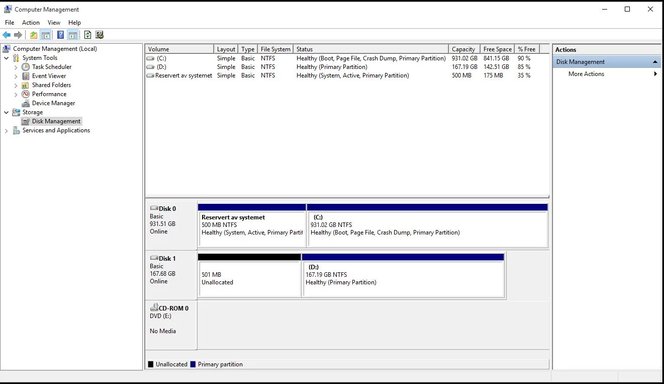
I am having some problems with the language, but I assume Aktiv means Active, and Oppstart means OS? Currently it looks like you have the 500 MB System Reserved partition with the boot files and the 931 GB partition where the OS is.
The easiest way is to remove the other drive when doing an install. Depending on your type of system, how the drives are set or what was previously on the drives could be important.

Attaching a snipping tool picture of your Disk Management window would help us see what might be happening. Attach using the upload a file or the More Options button.
 

The easiest way is to remove the other drive when doing an install. Depending on your type of system, how the drives are set or what was previously on the drives could be important.

Attaching a snipping tool picture of your Disk Management window would help us see what might be happening. Attach using the upload a file or the More Options button.
Here is a screenshot of my Disk management window. I don`t feel comfortable with opening my computer, but unless you have some other good suggestions i may do it that way.
An image from 'Windows innstalled on wrong hard drive'. Disk Management window showing two disks with partitions, capacities, and file system details.
 

Last edited by a moderator:
When you install a system in MBR mode, it puts the active partition on the primary hard drive then places the OS where you tell it to. If you want to install on disk 1, the 168 GB drive, you need to set it as the primary drive in the Bios. While installing, make sure and check where the partitions are going to be created.

I am having some problems with the language, but I assume Aktiv means Active, and Oppstart means OS? Currently it looks like you have the 500 MB System Reserved partition with the boot files and the 931 GB partition where the OS is.
 

Solution
When you install a system in MBR mode, it puts the active partition on the primary hard drive then places the OS where you tell it to. If you want to install on disk 1, the 168 GB drive, you need to set it as the primary drive in the Bios. While installing, make sure and check where the partitions are going to be created.

I am having some problems with the language, but I assume Aktiv means Active, and Oppstart means OS? Currently it looks like you have the 500 MB System Reserved partition with the boot files and the 931 GB partition where the OS is.


Aktiv means Activ, and Oppstart means Startup.
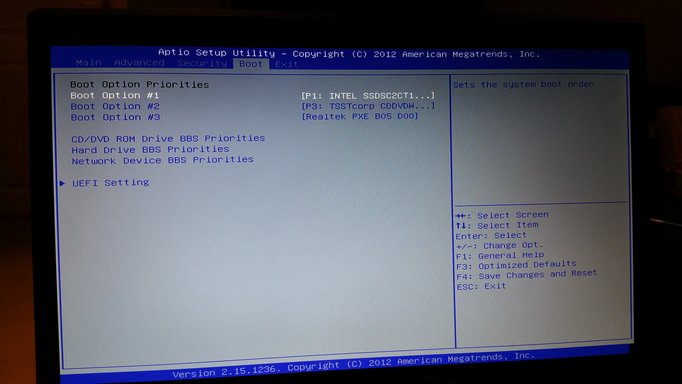
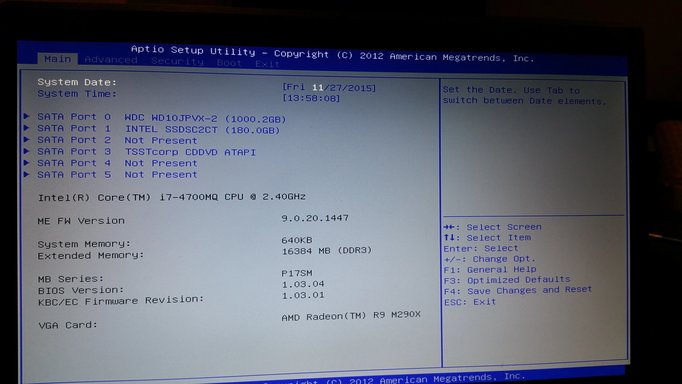
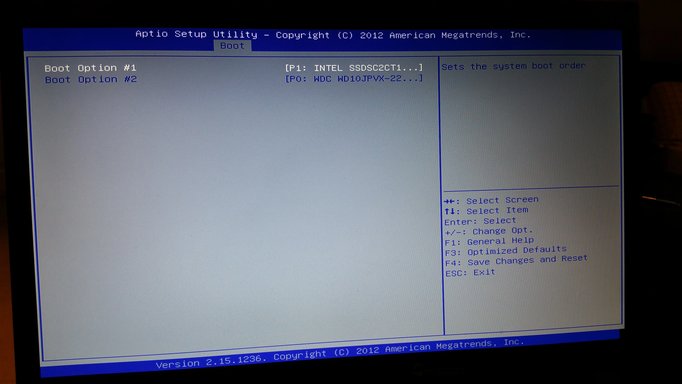
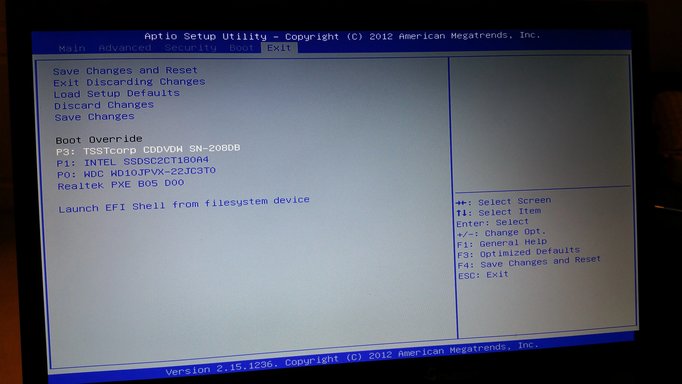
I have some pictures from my BIOS settings. Is this the correct settings? And can i just install windows over again while i make sure and check where the partitions are going to be created?
 

Attachments

  • Skjermbilde disk eng.webp
    Skjermbilde disk eng.webp
    48.9 KB · Views: 333
  • 20151127_135842.webp
    20151127_135842.webp
    3.3 MB · Views: 306
  • 20151127_135851.webp
    20151127_135851.webp
    1.8 MB · Views: 309
  • 20151127_135918.webp
    20151127_135918.webp
    3.1 MB · Views: 311
  • 20151127_135943.webp
    20151127_135943.webp
    3.3 MB · Views: 295
In the bios on the Boot tab, there is a Hard Drive BBS priority. Can you check this one to see if the SSD is listed first?

Selecting a drive as first Boot priority may not actually set it to primary. These options are normally done in different sections.

The listing on the Main tab probably just shows which SATA port the drive is on. The Boot override usually just temporarily boots directly to the device chosen.
 

Back
Top