Windows Insider Canary Split: 28000 Feature Preview vs 29500 Platform Development

  • Thread Author
Microsoft today offered Canary‑channel Windows Insiders a clear choice: stay on the existing 28000‑series preview path focused on 26H1 feature exploration, or opt into a new, optional platform‑development path that will move participating devices to Windows 11 Insider Preview Build 29531.1000 and begin a new 29500‑series of flights.

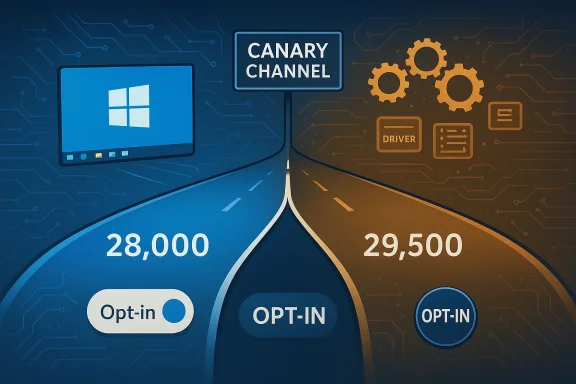
Canary Windows Insider hub with a glowing Windows logo and build panels.Background / Overview​

The Windows Insider Program posted the announcement on February 18, 2026, describing an optional update that appears under Settings > Windows Update > Advanced options > Optional updates. The post explains that the Canary Channel will now operate on two parallel update paths: the existing 28000‑series builds (devoted to feature previews in the 26H1 timeframe) and the new 29500‑series builds (an active platform development branch). Microsoft warns that moving to the 29500 path is a one‑way trip without a clean OS reinstall: devices that opt into 29531.1000 cannot later switch back to the 28000 series without a clean installation of Windows 11. The existing Canary build identified for many Insiders today is Build 28020.1611, and that flight will continue to service feature previews for 26H1 while the 29500 stream pursues lower‑level platform work. Recent Canary flights — including 28020.x — have been used to introduce experimental platform changes such as in‑box developer tooling (for example, Sysmon appearing as an optional Windows feature) and other targeted platform plumbing.

What Microsoft announced in plain terms​

  • Starting February 18, 2026, Canary Insiders see an optional update to Build 29531.1000. Opting in changes your device’s active development stream to the new 29500 series and will make future Canary builds show as 295xx builds.
  • The existing Canary build path (28000 series) remains available and continues to receive 26H1 feature previews such as Build 28020.1611.
  • Microsoft explicitly cautions that the 29500 path is focused on platform development and therefore may temporarily remove or break features present on typical consumer builds. Some features will return; others may be reworked or abandoned as Microsoft experiments.
  • Insiders cannot move back to a lower build number channel without doing a clean install of Windows 11. This technical limitation is consistent with previous channel and branch shifts in the Insider program.

Why Microsoft is doing this (technical rationale)​

Microsoft’s Canary Channel is the earliest public testbed for platform work — kernel, driver interface, hardware enablement, and foundational plumbing for new silicon and OS subsystems. Historically, Microsoft has used Canary to validate low‑level changes that are risky or disruptive if deployed broadly. Separating the channel into two parallel update paths gives engineering teams and partners the ability to:
  • Test platform‑level changes (29500 stream) without altering the experience and expectations of Insiders who want to preview user‑facing features (28000 stream).
  • Ship more frequent, focused platform experiments to a subset of devices, letting Microsoft gather telemetry and feedback while minimizing exposure.
  • Avoid mixing breaking platform trials with consumer UX previews, which helps keep the early feature previews more stable and predictable for Insiders who prefer that experience. This approach echoes previous Canary flights used as a “platform baseline” for new silicon and plumbing.

Who should (and shouldn’t) opt in​

Who should consider the 29500 path​

  • Developers, driver authors, and OEM partners who need early access to platform changes or want to validate hardware and drivers against upcoming operating‑system plumbing.
  • Power users and tinkerers who enjoy spotting and testing early platform experiments, can tolerate instability, and are prepared to clean‑install Windows if they want to revert.
  • Testers focused on performance, compatibility, and diagnostics, where early visibility into platform changes is valuable.

Who should stick with the 28000 path​

  • Insiders who want to preview features and UX changes for Windows 11, especially those tied to 26H1, and who prefer a comparatively predictable test environment.
  • Casual testers, daily‑driver laptop users, and those who cannot afford downtime or feature regressions.
  • Enterprise testers who need a stable preview that more closely resembles the consumer release cadence.
Microsoft itself recommends staying on the path you’re already on to preserve stability and predictability within each build population. The new option exists to give power users and partners the choice to get the earliest platform work.

The one‑way migration: what it practically means​

Microsoft’s announcement is explicit: once you take the optional update to Build 29531.1000, you cannot return to the 28000 series without a clean installation of Windows 11. This is not a policy flourish — it’s a technical constraint stemming from how flighting, build signing, and platform servicing are structured across branches. Historically, moving from an active development branch back to an earlier servicing branch has required wiping and reinstalling because of differences in flight signing, enablement packages, and system binaries. If you rely on a specific set of apps or customizations, you should plan backups and a rollback strategy before opting in.
Practical steps to prepare before opting in:
  • Create a full system image or backup your user data and application settings.
  • Note product keys, BitLocker recovery keys, and organization‑managed configurations.
  • Ensure you have installation media and a recovery plan to perform a clean install if you decide to return to 28000 series or the release version of Windows.

What to expect after you opt in (stability, features, telemetry)​

Microsoft warns that the 29500 path will emphasize platform development and may temporarily remove features present on normal Canary builds. Expect:
  • Temporary regressions in UI features, settings, and app behavior.
  • Reduced documentation and fewer explicit release notes for some changes — Canary flights are often released with limited public documentation while engineers validate behavior.
  • Features in the 29500 stream may never ship to consumers; some experiments will be dropped, reworked, or ultimately absorbed into future releases. This experimental nature is a standard characteristic of Canary testing.
Telemetry and gating
  • Microsoft will likely use selective rollouts (Control Feature Rollout) and telemetry to ramp experiments gradually. Many Canary Channel features are delivered to a subset of Insiders first and then scaled up based on telemetry and feedback, which limits blast radius while giving Microsoft representative signals.

Recent precedents and context from prior Canary flights​

The Canary Channel has a long track record of being used as a platform testbed. Recent examples highlight how Microsoft uses Canary for both low‑level plumbing and discrete feature previewing:
  • Build 28020.1611 included notable platform and security integrations — such as adding Sysmon as an optional in‑box Windows feature — which demonstrates Microsoft’s willingness to fold advanced tooling into Insider builds for early validation. That build remains part of the 28000 series and continues to be a primary preview path for 26H1 work.
  • Earlier 28000‑series flights were used as a platform baseline to enable next‑generation Arm silicon and to gate previously staged features, showing that Microsoft often separates interface and plumbing changes across multiple build series to reduce risk.
Those precedents make the split announced on February 18, 2026, a logical extension of Microsoft’s Canary strategy: keep feature previews accessible while providing a separate, more aggressive lane for platform engineering.

Technical and operational risks (what could go wrong)​

Opting into a platform branch like 29531.1000 carries real risks you should weigh seriously.
  • Data loss and service disruption: Because the build is experimental, there’s higher risk of data corruption, device instability, or driver incompatibility. Back up before you opt in.
  • Feature regressions and missing functionality: Microsoft warns that some features you rely on today may temporarily disappear or behave differently until they are reintroduced or redesigned for the new platform baseline. Expect that some things may never return exactly as they were.
  • Incompatibility with security and management tooling: Corporate policies, device management agents, antivirus, and security tools may assume stable kernel and service behavior. Active platform experiments can break management agents, cause unexpected crashes, or otherwise interfere with enforcement controls.
  • No automatic downgrade: The inability to switch back to a lower build number without a full clean installation means recovery is more expensive than simply rolling back an update. This raises operational costs for IT departments and hobbyists alike.
  • Limited documentation: Canary builds are often released with sparse public notes. That increases the burden on testers to diagnose and report issues without detailed engineering guidance.
These are not hypothetical concerns; they are the normal tradeoffs when running early platform code and are consistent with Microsoft’s historical messaging about Canary channel stability.

How this affects developers, OEMs, and enterprise testers​

Developers and OEMs should treat the 29500 stream as an early compatibility and validation lane:
  • Driver and firmware testing: OEMs and driver vendors can validate their code against upcoming platform changes earlier, reducing last‑minute compatibility work as new Windows releases near public availability.
  • App compatibility: App developers may detect behavioral differences in system calls, scheduler behavior, or driver interfaces and can file targeted Feedback Hub reports to help Microsoft address regressions.
  • Enterprise validation: IT teams that manage fleets should not put 29500 into production validation without strict controls. Use isolated test devices and lab environments to observe behavior before considering broader exposure.
For all groups, telemetry and proactive feedback submission will be critical in shaping which experiments survive the Canary trial and which are dropped or reworked.

How to opt in (step‑by‑step)​

If you understand the risks and want to try the 29500 path, follow Microsoft’s opt‑in flow:
  • Open Settings > Windows Update.
  • Go to Advanced options > Optional updates.
  • Look for the listed optional update that moves the device to Build 29531.1000 and choose to install it.
  • After the update completes, confirm your build using winver from the Windows search box (About Windows will show the exact build number and version).
  • Monitor device behavior carefully, and file Feedback Hub reports for any bugs or regressions.
If optional updates do not appear, make sure your device is enrolled in the Canary Channel and that Update settings permit optional developer flights.

Feedback and telemetry: what to report and how to prioritize​

Because the new path is a platform development track, clear, diagnostic feedback is most useful:
  • Prioritize actionable repros: steps to reproduce, expected vs actual behavior, logs, and screenshots.
  • Include system information: machine model, driver versions, Event Viewer entries, and whether the issue affects peripherals or just core OS functionality.
  • Attach crash dumps and diagnostic traces where possible; platform teams rely heavily on quantitative signals to triage low‑level issues.
  • Use Feedback Hub’s categories and tags judiciously — well‑organized reports improve the chances of rapid triage.
Microsoft intends to use this feedback to iterate quickly; the faster and more specific your reports, the more likely Microsoft can act on them.

What Microsoft promises — and what it doesn’t​

Microsoft is transparent that:
  • Canary builds may be unstable and delivered with limited documentation.
  • Experiments in Canary may never ship to consumers; features can be changed, removed, or replaced.
  • Localization and polish may lag while features are finalized.
  • Some features might appear first in Dev or Beta before Canary — build assignment across channels is not strictly linear.
These disclaimers line up with how Microsoft has historically used Insider rings to test ideas and gather feedback: Canary is the exploratory lane, and not all experiments survive.

Practical recommendations for Insiders and IT pros​

  • If you value new UI features and relative stability: stay on the 28000 series and continue to sample 26H1‑focused flights like Build 28020.1611.
  • If you need early platform visibility: opt into 29531.1000 on test devices only, and prepare a backup/clean‑install plan.
  • Enterprise IT should create a dedicated Canary lab that mirrors typical fleet hardware to catch regressions before they impact production.
  • Keep a record of the build number (winver) before opting into the new path so you can track regressions and file feedback with precise build references.
  • Expect some features to be gated and rolled out using control feature rollout tech — not everyone will see every change immediately.

Editorial analysis: why this matters for Windows’ future​

Splitting Canary into two parallel lanes is a pragmatic recognition that modern OS development operates on multiple frontiers simultaneously: user experience and foundational platform changes. By separating those lanes, Microsoft can:
  • Reduce noise for feature‑focused Insiders who want to test UI and consumer features without platform instability.
  • Allow the platform engineering teams to move faster, trial aggressive changes, and interact with OEM and driver ecosystems sooner.
This model also reflects an industry‑wide tension: balancing rapid innovation with the need for reliability. Microsoft’s split-channel strategy is a measured attempt to let both objectives proceed without repeatedly colliding. For Windows’ long‑term health, giving platform teams an early, isolated runway is positive — provided the company maintains clear communication with partners and gives Insiders adequate tools and guidance to manage risk.
However, the one‑way migration and limited documentation raise concerns about discoverability and recovery for less technical Insiders. Microsoft must ensure optional updates are clearly labeled, risk is emphasized, and that recovery guidance is prominent — otherwise, well‑intentioned testers could find themselves in a costly position requiring full reinstallations.

Final thoughts and what to watch next​

The February 18, 2026 announcement gives the Windows Insider community a meaningful choice. For testers and partners focused on the plumbing under Windows, the 29500 path will be an exciting, early view of what Microsoft is building. For most Insiders and everyday testers, the existing 28000 series will remain the safer, more feature‑focused route.
What to watch in the coming weeks:
  • Whether Microsoft documents specific platform experiments in the 29531.1000 flight in subsequent blog posts.
  • Early telemetry and community feedback: is the 29500 stream producing actionable telemetry, or are the experiments too noisy to iterate quickly?
  • Any significant incompatibilities reported by OEMs or driver vendors that could signal deeper platform changes.
If you plan to try Build 29531.1000, back up your system, opt in on a dedicated test device, and prepare for an exploratory experience — this is Canary at its most experimental. For those who prefer the smoother preview ride, the 28000 series will continue to deliver the feature previews tied to Windows 11, version 26H1.

Conclusion
Microsoft’s dual‑path approach to the Canary Channel is a practical, if risky, evolution of its Insider testing infrastructure. It gives platform engineers and early adopters a faster feedback loop while protecting the experience of Insiders focused on feature previews. The choice to opt in to Build 29531.1000 should be deliberate: make a backup, use test hardware, and be ready for the tradeoffs that come with running the bleeding edge of platform development. Failure to plan for those tradeoffs can leave you stuck on a build stream that you cannot easily abandon without a full clean install.

Source: Microsoft - Windows Insiders Blog Announcing New Optional Windows 11 Insider Preview Build for Canary Channel 29531.1000
 

Microsoft has quietly changed the trajectory of the Windows Insider Canary Channel: beginning February 18, 2026, Canary will no longer be a single, monolithic stream but will offer two parallel update paths — the familiar 28000-series feature preview path and a new 29500-series platform-development path that starts with optional Windows 11 Insider Preview Build 29531.1000. This is a meaningful shift for testers, OEM partners, and IT pros because it separates rapid feature previews from lower‑level platform plumbing, and Microsoft is explicitly treating the 29500 stream as an opt‑in, one‑way path that can temporarily remove features while delivering very early platform changes. ([blogs.windows.com]s.com/windows-insider/2026/02/18/announcing-new-optional-windows-11-insider-preview-build-for-canary-channel-29531-1000/)

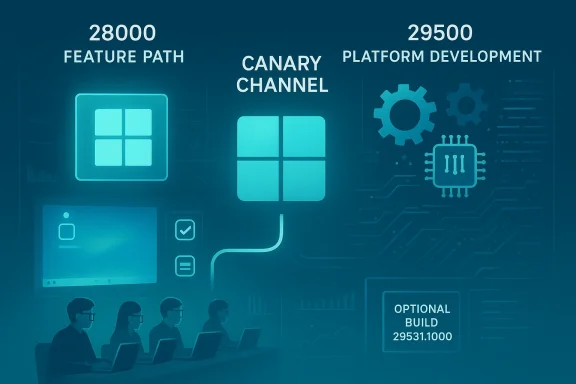
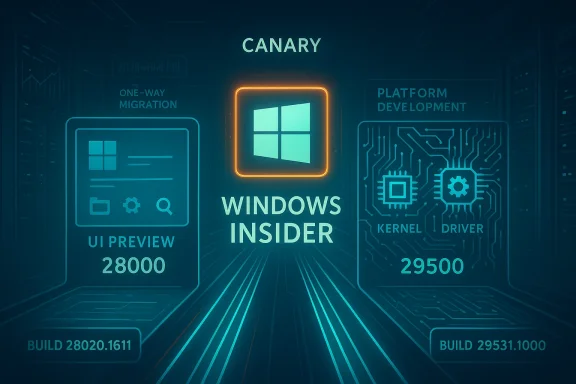
A teal-toned tech roadmap showing feature path, canary channel, and platform development.Background / Overview​

The Windows Insider Program has used multiple channels for years to let Microsoft test at different risk levels: Dev for early feature work, Beta for more stable previews, Release Preview for near‑ship releases, and Canary as the experimental front line for low‑level platform changes. Historically, Canary has been a single channel where builds were frequently plumbing heavy and sometimes barely documented. That model worked for rapid iteration but mixed two distinct engineering goals: previewing user‑facing features and validating kernel/driver/platform plumbing. Splitting Canary into two parallel build families is Microsoft’s attempt to untangle those goals and give each a clearer development cadence.
  • The continuing 28000-series will remain focused on feature previews and consumer-facing experiments aligned to the visible Windows 11 version 26H1 baseline.
  • The new 29500-series — kicked off by optional Build 29531.1000 — is described by Microsoft as an active development build that prioritizes platform-level work and partner / hardware enablement over immediate user-facing polish.
Microsoft is also changing how it communicates Canary flights: each Canary build going forward will be announced individually so Insiders can see what to expect from whichever stream they are on. That change aims to reduce confusion among Insiders who historically had to infer build intent from small release notes or community reports.

What Microsoft announced (plain terms)​

The headline facts​

  • Microsoft published an official Canary‑channel blog post announcing Build 29531.1000 and the new dual‑path approach; the build is optional and appears under Settings > Windows Update > Advanced options > Optional updates.
  • The 28000 path continues to carry feature previews and will remain the natural choice for Insiders who want to test 26H1 experiences.
  • The 29500 path is explicitly focused on platform development and may temporarily remove some features; moving a device into the 29500 stream is effectively a one‑way trip unless you do a clean install to revert.
  • Microsoft warns tilds may cause temporary feature loss and instability — a familiar Canary caveat, now concentrated in a distinct stream.

Why this matters now​

Canary historically carried the highest engineering volatility: kernel tweaks, driver plumbing, scheduler and power‑management experiments, and early support for new silicon often appeared there first. By splitting the stream, Microsoft is making an explicit trade: allow faster, risk‑tolerant platform testing for partners and early testers while maintaining a separate stream where user‑visible feature previews remain reasonably intact. That helps partners validate drivers and OEM images earlier without forcing every Canary Insider to endure the same level of platform churn. Community discussion has already framed the split as a practical attempt to reduce confusion and make testing priorities more transparent.

Technical anatomy of the split​

Build numbering and version strings​

Microsoft will mark future platform‑development flights as 29500-series builds and future feature‑preview Canary flights as 28000-series continues. You can verify which build family your machine is on by running winver or checking About Windows. The 29531.1000 flight is the initial anchor for the new 29500 family. Moving to the 29500 path changes the device’s active development baseline — and that baseline determines what future flights you receive.

Switching rules and the one‑way constraint​

This change preserves a longstanding technical constraint: Insiders cannot move to a channel that is receiving lower build numbers without doing a clean installation of Windows 11. That means if you opt into the 29500 path and later want to return to the 28000 series, you’ll need to perform a clean install of a lower build — a non‑trivial step for many testers and for managed devices. Microsoft calls this out clearly in the announcement because it prevents accidental downgrades and the complex servicing problems that come with them.

What kinds of changes will appear in 29500 builds?​

Expect platform‑level changes such as:
  • Kernel, scheduler, and power‑management experiments
  • Driver and hardware enablement for upcoming silicon and partner devices
  • Early plumbing for features that might later be surfaced to users as part of higher‑level releases
  • Temporary removal or rework of UI features as Microsoft validates plumbing and interactions
These changes can be invisible to end users until they’re staged behind feature enablement flags or tied to future Dev/Beta releases. Historically, Canary has contained content precisely like this; the split simply makes the intent explicit.

For Windows Insiders: how to decide and how to opt in​

Which path is right for you?​

  • Choose the 28000-series if you want to preview and give feedback on user‑facing features tied to the visible Windows version (26H1) without excessive platform volatility.
  • Choose the 29500-series if you are an OEM, ISV, driver developer, or power tester who needs to validate low‑level platform changes early and can tolerate temporary loss of features or increased instability.

How to opt into the 29500 path (step-by-step)​

  • Open Settings > Windows Update.
  • Select Advanced options.
  • Under Optional updates, look for the Canary optional update to Build 29531.1000 and choose to install.
  • Confirm you understand the consequences (notably that returning to the 28000 path will require a clean install).
  • After installation, verify your build with winver.
Follow the Windows Insider blog and the build’s release notes closely after opting in — Microsoft will announce each Canary build separately, so you’ll want to check what’s changed in the specific stream you pick.

Benefits and the engineering rationale​

Why this is a reasonable move​

  • Separation of concerns. Splitting feature previews and platform development reduces ambiguity about why certain changes exist in Canary builds and who should be on them.
  • Partner enablement. OEMs and silicon partners often need very early access to platform work; a dedicated 29500 stream accelerates that validation without simultaneously disrupting feature‑preview Insiders.
  • Cleaner communication. Announcing each Canary build individually and labeling streams by series removes guesswork for Insiders and reporters trying to interpret mixed signals from a single channel.
  • Faster feedback for the right audience. Engineers can get quicker, more targeted feedback on platform plumbing from people who opted into that work, while other Insiders can continue testing UI/UX changes without as much breakage.

Tangible short‑term benefits​

  • Device manufacturers can integrate and validate drivers and firmware earlier in the cycle.
  • Microsoft can iterate on kernel and scheduler experiments at a higher cadence without impacting feature discovery testers.
  • Debugging and telemetry n audience that knowingly opted into higher risk, improving signal-to-noise for platform teams.

Risks, tradeoffs and what to watch for​

Real user risks​

  • Feature erosion: Some features present on the 28000 path may temporarily disappear in the 29500 path while plumbing is reworked. Users who depend on particular behaviors should avoid the platform stream.
  • One‑way install complexity: Reverting to a lower‑numbered stream requires a clean install. For testers with long custom setups or corporate device images, this is a material operational cost.
  • Update fragmentation: Having two Canary streams increases the number of distinct Insider populations Microsoft must support and may create fragmentation in community feedback unless Microsoft and the community clearly label reports by build family.

Engineering and ecosystem tradeoffs​

  • Telemetry separation: Microsoft will need to ensure telemetry from the two streams is segmented correctly, otherwise platform signals could be muddied or misattributed.
  • Documentation burden: Canary historically featured sparse docs; Microsoft’s promise to announce each Canary build individually is important, but it increases the content and support burden on the Windows Insider team.
  • Third‑party compatibility: Driver and app vendors will need to track the new family if they want to test compatibility early — another surface of fragmentation.

Security implications​

Early platform changes often touch low‑level components such as kernel scheduling or device drivers, which increases the importance of careful vetting. While Insiders expect risk, enterprise teams managing test fleets shstream as a specialized test bed, not a general compatibility test for business apps. Organizations should avoid enrolling production devices in 29500 builds and instead use controlled lab machines.

Practical guidance for IT, OEMs, and developers​

For IT administrators​

  • Do not enroll production or user machines in the 29500 stream.
  • Use dedicated lab hardware for platform validation and driver certification.
  • If you must test, keep full system backups and image snapshots; reverting to a lower build series requires a clean install, which is time‑consuming and error‑prone if not planned.
  • Track build numbers exactly and record which test images ran which stream; this will make triage and root cause analysis far easier when odd regressions surface.

For OEMs and hardware partners​

  • The 29500 stream is useful for validating firmware and silicon changes earlier. Coordinate with Microsoft and internal driver teams to ensure telemetry and debug logs are captured consistently.
  • Use the optional nature of the build to stage partner machines and capture field telemetry before wide OS image staging.

For developers and ISVs​

  • If your app depends on specific kernel behavior or unusual driver interfaces, test against the 29500 stream in a controlled environment early to detect incompatibilities.
  • Pay attention to Microsoft’s per‑build announcements so you can correlate regressions to exact platform changes.

Community reaction and media framing​

Reaction from the Windows enthusiast and testing community has been mixed but generally pragmatic. Some long‑time Insiders welcomed the clarity: feature preview hunters can remain on a stable‑ish path for UI experiments while platform specialists can move to the 29500 stream for early validation. Others are cautious about the one‑way nature of the change and the practical cost to revert if the platform stream proves unusable for an extended period. Community threads and forum posts highlight both the need for this split and the operational friction it introduces.
Tech press coverage often frames the Canary Channel as the “weird” or “bleeding edge” tier; commentary that Canary is “getting even weirder” reflects a community perception that Microsoft continues to experiment with how it surfaces very early engineering work to the public. Splitting the stream arguably makes Canary more predictable at the population level while preserving the underlying weirdness for those who opt in.

What this means for Windows 11’s broader development lifecycle​

Separating platform plumbing from feature previews is consistent with an engineering practice known as separation of concerns. It allows teams to iterate on low‑level changes independently from UI and experience work, reducing accidental coupling between experiments. In the medium term, this could:
  • Improve the reliability of feature rollouts by preventing platform regressions from unintentionally stomping on user‑facing features during early testing.
  • Speed partner validation fordevices by giving them a clearer, faster path to early platform builds.
  • Make telemetry and feedback more actionable for teams because the signal will come from a more homogenous tester population for each type of work.
The tradeoff is short‑term fragmentation and an increased need for clear, machine‑readable build labeling and release notes. Microsoft’s commitment to a separate blog post per Canary build is therefore not cosmetic — it’s an operational necessity to help Insiders and partners understand the intent behind each flight.

How to stay safe and keep testing useful​

  • If you’re a casual Insider or you rely on Windows as a daily driver, remain on the 28000 stream for feature previews and avoid the 29500 stream unless you need platform validation.
  • If you opt into 29531.1000, do it on a secondary or lab machine and keep a tested recovery path (full disk image or restore plan) in case you need to return to a lower build family.
  • When reporting bugs, always include the exact build number and whether you’re on the 28000 or 29500 path — that context will dramatically improve triage speed for Microsoft and the community.

Final analysis — strengths, risks, and likely outcomes​

Strengths​

  • The split is a pragmatic, engineering‑driven decision that clarifies testing intent and enables partner work without forcing every Canary Insider to accept the same level of risk.
  • It should improve signal quality for platform teams and speed validation for OEMs and silicon partners.
  • Microsoft's promise to publish per‑build announcements reduces an important communication gap that historically plagued Canary flights.

Risks and downsides​

  • The one‑way upgrade path is operationally painful for some Insiders and could lead to reluctance or accidental lock‑in if expectations are not clearly communicated.
  • More streams equal more surface area for fragmentation in both telemetry and third‑party testing coverage.
  • If documentation remains sparse for the 29500 stream, the very purpose of the split (clarity) could be undermined. Microsoft will need to follow through on the promise to announce each build and produce at least minimal, accurate notes for the platform population.

Likely outcome​

If Microsoft executes on build‑level announcements and clearly labels telemetry and Flight Hub entries, the split will likely be beneficial: partners will get earlier platform validation without disturbing the experience of Insiders who want to preview features. In the short term, expect noise in forums and news coverage as testers adjust and as the community catalogs what appears or disappears in the 29500 stream. Over months, the split should settle into a predictable rhythm if Microsoft maintains clear communication and technical isolation between the streams.

Conclusion​

Microsoft’s introduction of an optional 29500‑series platform path in the Canary Channel — starting with Build 29531.1000 — is a consequential, engineering‑first change to how Windows 11 is flighted to Insiders. It formalizes a distinction many Insiders already experienced informally: the difference between feature preview and platform plumbing. For OEMs, driver developers, and power testers, this is a welcome, purpose‑built path; for daily drivers and casual Insiders, it is a reminder to choose your channel deliberately and to treat Canary‑tier flights as experimental by design. Proceed with caution, read the per‑build notes, and test on non‑production hardware if you opt into the new 29500 stream.

Source: Neowin Microsoft splits Canary Channel into two with new Windows 11 build 29531.1000
Source: Thurrott.com The Canary Channel is Somehow Getting Even Weirder
 

Microsoft has split the Windows 11 Canary Channel into two parallel update paths with the release of optional Windows 11 Insider Preview Build 29531.1000, creating a one-way, opt‑in 29500-series stream focused on early platform development while retaining the existing 28000-series stream for feature previews and ongoing 26Hx work.

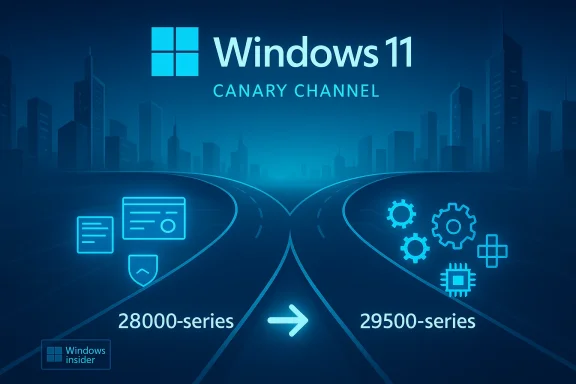
Windows 11 Canary Channel road splits into 28,000-series and 29,500-series with tech icons.Background​

The Windows Insider Program has long served as Microsoft’s laboratory for testing features, plumbing, and compatibility prior to broad rollout. Over the years the program evolved from “rings” such as Fast and Slow to the current channel model — Dev, Canary, Beta, and Release Preview — and it has experimented with side‑streams previously, notably the now‑retired Skip Ahead concept. The decision to create two Canary paths echoes that history: Microsoft says the split will allow it to validate platform changes at different stages while continuing to deliver new features and experiences to Insiders.
Why this matters: the Canary Channel is the place for “hot off the presses” work — builds here can include early ideas, unpolished implementations, or low-level platform work that might never ship. Splitting that channel into a feature-focused 28000-series and a platform-focused 29500-series is a structural change to how Microsoft surfaces and segments risk, telemetry, and feedback from testers. The move is explicitly opt‑in: Insiders who want the earliest platform changes can accept an optional update that migrates their device into the 29500-series stream, but doing so may temporarily disable or revert features while deep platform work lands.

What changed in Build 29531.1000​

Two Canary update paths: what Microsoft announced​

Microsoft’s blog post for this release states that Canary will "move forward on two update paths" and that Insiders can opt into a new active development build identified as 29531.1000, after which subsequent updates will appear as 29500-series builds. The company frames the change as a way to “experiment, learn quickly, and incorporate feedback” before platform changes move further along the development pipeline.
The official notes for Build 29531.1000 are intentionally minimal: the single line in “What’s new” reads that the update “includes platform changes in moving to a new active development build.” Microsoft warns that this path may temporarily remove some features while the underlying platform work is validated.

How this differs from the 28000-series​

The existing Canary stream — represented recently by 28020 and other 28000-series builds — will continue to emphasize feature previews tied to the Windows 11 user experience and higher‑level UX innovations (Microsoft references the 28000 path in relation to Windows 11 versioning in its announcements). The 29500 path, by contrast, is described as a platform development track where stability and compatibility tradeoffs are more likely as deep system changes are tested early.

How to opt in (and the one‑way nature of the change)​

Microsoft made the opt‑in mechanics straightforward: go to Settings > Windows Update > Advanced options > Optional updates and choose the update that moves your device to the 29500-series. Once you take this optional update, future builds on that device will appear with 29500-series build numbers. Microsoft also explicitly warns that you cannot migrate back to a lower build number channel without performing a clean install of Windows 11 due to technical setup requirements. That makes the change effectively one-way unless you’re prepared to reimage the device.
Practical step-by-step (as documented in the announcement):
  • Open Settings → Windows Update.
  • Select Advanced options.
  • Choose Optional updates.
  • Accept the optional update to migrate to Build 29531.1000 (then reboot as required).
  • Confirm your build with winver (About Windows) to see the exact build number.
Note: Optional updates are a Windows mechanism used to deliver driver updates, preview fixes, and opt‑in builds; historically some systems have had trouble opening the Optional updates page in Settings, so Insiders should be aware of potential UI hiccups when attempting to opt in.

The reasoning: platform testing vs feature preview​

Why separate platform and feature testing?​

Splitting the Canary Channel into two paths gives Microsoft a clearer telemetry and rollout boundary between two kinds of work:
  • Feature preview stream (28000-series): experiments focused on UI, app-level features, and UX changes that are easier to toggle, rollback, or gate with Control Feature Rollout (CFR) mechanisms. This path is better for Insiders who want to see new features without frequent low‑level regressions.
  • Platform development stream (29500-series): deeper changes to kernels, drivers, foundational services, and other low‑level components that can affect compatibility and reliability. This path accelerates testing of platform plumbing where early feedback from hardware partners and power users is critical. Microsoft explicitly warns that some features may be temporarily removed on the 29500 path while the underlying platform work is validated.
This separation allows Microsoft to target telemetry collection and rollout strategies more precisely, and to contain the blast radius for experiments that could have cross-cutting effects across Windows subsystems.

Control Feature Rollout (CFR) and staged deployments​

Microsoft already uses staged mechanisms like CFR to ramp features to subsets of Insiders and production devices. The split complements CFR: CFR remains useful for feature gating, but true platform plumbing often requires a distinct build stream where the only way to test changes is to run a different active build. The Windows support documentation emphasizes that Microsoft leverages staged updates to determine how changes land across devices, and the new 29500 stream is a natural extension of that approach.

Historical context: rings, Skip Ahead, and the return of a side‑stream​

Microsoft has tried variants of this model before. The old ring-based program included a Skip Ahead option that allowed some Insiders to jump forward into future development waves. Skip Ahead was discontinued in 2019 when Microsoft consolidated its testing streams, but its spirit — giving a subset of testers early access to higher‑risk work — is echoed by the new 29500 opt‑in. The difference now is explicit: rather than a single Skip Ahead silo arbitrarily assigned, Microsoft provides a documented opt‑in path with clear build numbering and a one‑way migration requirement.

What’s not in the release notes (and why that matters)​

Microsoft’s release notes for 29531.1000 are minimal: the only listed change is the platform rebase itself. That’s telling in two ways:
  • It demonstrates that the 29500-series is not about immediate feature rollouts but about validating foundational work where the visible user‑facing changes may be limited or intentionally turned off in the short term.
  • It leaves Insiders without a granular public changelog for what specific low-level platform changes are being tested, which raises support and reporting challenges for testers and device partners. Because platform changes can affect drivers, firmware, and complex subsystems, the lack of detailed notes means more digging — repro steps, Feedback Hub logs, and telemetry correlation — will be required when issues arise.
When Microsoft introduces a build with broad platform changes but sparse public notes, Insiders who opt in should be prepared to document and report behaviors thoroughly and to accept that recovery might require a clean install if things go sideways.

Implications and analysis​

For Windows Insiders (enthusiasts and power users)​

  • Choice and clarity: Insiders can now choose the risk profile they prefer — stay on the 28000 feature preview stream or opt into the early platform stream. That clarity is positive for testers who want predictable behavior from their devices.
  • One‑way decision: The requirement to perform a clean install to revert is significant. Insiders should not opt into 29500 on work machines, primary systems, or any device that would be costly to reimage. Microsoft is explicit about this technical constraint.
  • Potential feature loss: Because platform work can require disabling or reverting UI features temporarily, some Insiders may find a less rich experience on 29500 devices. If you want to validate specific feature flows (e.g., Widgets, Taskbar alignments, or Copilot behavior), the 28000 stream is likely a safer bet.

For developers, ISVs, and OEMs​

  • Earlier platform validation: Device manufacturers, independent software vendors, and driver authors who opt devices into 29500 can get earlier sightlines into plumbing changes that could impact driver compatibility or hardware interaction. That can be invaluable for catching regressions before the changes reach broader channels.
  • Fragmentation risk: The split increases the number of active Insider build families to monitor. For vendors juggling validation across Dev, Canary‑28000, Canary‑29500, Beta, and Release Preview, the testing matrix becomes more complex. Prioritization will be required: not every OEM will be able to validate against every stream.

For enterprises and IT pros​

  • Not for production: The one‑way migration and the potential for feature regressions reaffirm that the Canary split is not intended for managed production environments. IT pros should continue to rely on Beta and Release Preview channels for safe pre‑release validation and stick to supported release channels for staged deployments.
  • Opportunity for compatibility testing: Organizations that maintain specialized hardware or critical drivers may choose to test specific devices on the 29500 path in lab environments to catch regressions early, but must treat this as an isolated test scenario, not a broad pilot.

Risks and challenges​

Increased chance of instability and missing features​

Platform builds by definition touch deep system components. Microsoft warns that Insiders on the 29500 path may experience temporary loss of features; the work may also surface incompatibilities with drivers, firmware, and third‑party low‑level software. Insiders taking the optional update must be ready for more breakage than they’d expect on a typical feature preview build.

Rollback friction​

Because migrating back to the 28000 stream requires a clean install, the practical cost of opting into 29500 is high. Users who underestimate this can find themselves needing to back up and reinstall — a time‑consuming process that may be disruptive if they didn’t plan ahead. Microsoft’s guidance is explicit on this point.

Communication and observability gaps​

Minimal release notes and limited public detail about the exact platform changes make diagnosing regressions harder. Insiders and partners will need robust feedback practices (Feedback Hub reproducible steps, logs, and thread correlation) to help Microsoft act on issues. The onus for clear reporting falls on testers, and the burden increases for problems that cross hardware and software boundaries.

Fragmented testing matrix​

The addition of a second Canary path increases the combinations that Microsoft and partners must consider for validation. While segmentation helps isolate risk, it also increases coordination overhead for vendors who support many device SKUs and configurations.

Practical advice for Insiders and testers​

  • Back up before you opt in. Create a system image or a full backup snapshot and export important data before migrating to the 29500 path. If you’re not comfortable with a potential clean‑install rollback, stay on the 28000 stream.
  • Use a spare device or VM. If you want to explore 29500 without risking your main machine, use a dedicated test device, Hyper‑V virtual machine (with supported virtualization of the required features), or an external drive image.
  • Document repro steps. When you hit an issue, collect logs, reproduce steps, and submit clear Feedback Hub reports. Because public notes are sparse, detailed reports speed investigation. Microsoft will likely rely on direct feedback to iterate quickly.
  • Validate drivers and firmware. OEMs and hardware partners should test firmware, drivers, and firmware interfaces against 29500 builds early to identify compatibility regressions and report them as early as possible.
  • Be cautious with productivity devices. Don’t opt into 29500 on machines you rely on for work or critical tasks unless you have a fast reimage plan and full backups. The one‑way nature of the opt‑in makes this especially important.

What to expect next​

Microsoft says that going forward, each Canary Channel build will be announced in its own blog post so Insiders can know which path they’re on and what to expect from the build they receive. That should help Insiders and partners match expectations to the device’s build series. Monitor the Windows Insider blog for build announcements and Flight Hub for a complete look at where builds are landing.
Keep an eye on these signals over the coming weeks:
  • Whether Microsoft provides more granular details about the kinds of platform changes being validated in the 29500 stream. The current release notes are sparse, and more technical notes would help partners triage issues faster.
  • The pace of 29500 builds and how Microsoft stages CFRs from that stream into broader channels or feature rollouts. Will platform changes be merged forward into Dev/Beta/28000 features, or will Microsoft treat 29500 as a long‑lived experimental lane for some types of plumbing?
  • Community feedback patterns: if many Insiders run into driver or peripheral problems on 29500, Microsoft may surface additional guidance, recovery tools, or finer‑grained opt‑out mechanisms. For now the company’s stance is clear: a clean install is required to go back to the lower build path.

Strengths of Microsoft’s approach​

  • Clarity of intent: Microsoft’s separation of feature and platform work is explicit and documented. This clarity helps Insiders make better decisions about risk tolerance.
  • Targeted validation: Platform-level changes often require different telemetry and partner engagement than UI features. The new path lets Microsoft accelerate plumbing work with early testers who explicitly accept the tradeoffs.
  • Reduced collateral impact for feature testers: Feature testers who don’t want to run deep platform experiments can remain on the 28000 stream and receive more stable feature previews. This reduces the cross‑pollination of volatility.

Weaknesses and open questions​

  • Rollback friction is severe. The requirement for a clean install to revert is a blunt instrument and will deter many Insiders from experimenting with the 29500 stream. While there are technical reasons for this limitation, Microsoft might consider a less costly rollback path in the future if demand and capability permit.
  • Sparse release notes create uncertainty. Minimal public detail about what platform changes are present in 29531.1000 increases friction for debugging and triage, especially for ISVs and OEMs who need to scope test coverage quickly.
  • Testing matrix complexity. The split increases the number of distinct build families for partners to validate against, potentially stretching QA resources and making cross‑device certification more complex.

Verdict: a pragmatic but imperfect step​

Microsoft’s split of the Canary Channel via Build 29531.1000 is a pragmatic attempt to separate two fundamentally different kinds of experimentation: features and platform plumbing. For Insiders who want to help validate deep system changes, the 29500 series offers early access and a clearer expectation of risk. For those who prefer feature previews with fewer low‑level side effects, the 28000 series remains the proper home.
That said, the one‑way migration, limited public notes, and potential for missing UI features on the platform path make this a decision that requires thought and preparation. Back up, use spare hardware or VMs, and treat 29500 as a lab lane rather than a personal daily driver. With careful handling and good feedback from Insiders and partners, the split could accelerate platform quality and reduce surprise regressions in later channels — but Microsoft and its ecosystem will need to iterate on communication and rollback ergonomics to make this approach sustainable at scale.

Conclusion​

The release of Windows 11 Insider Preview Build 29531.1000 formalizes a bifurcation of the Canary Channel into a 28000-series feature preview lane and a 29500-series platform development lane. The change gives Insiders and partners greater control over the kinds of updates they receive and sharpens Microsoft’s ability to validate different classes of changes. However, the practical one‑way opt‑in, sparse public notes, and increased testing complexity mean participants should proceed deliberately. For testers who value early platform visibility and are prepared to recover from breakage, 29500 is now the place to see the deepest changes first; for everyone else, the 28000 path preserves predictability and feature continuity.

Source: Neowin Microsoft splits Canary Channel into two with new Windows 11 build 29531.1000
 

Microsoft has split the Windows 11 Canary Channel into two parallel update paths and published an optional Insider build — Build 29531.1000 — that migrates opted‑in devices onto a new 29500-series platform stream while the existing 28000-series continues as a feature‑preview path for 26H1 work.

A bright yellow canary stands on a glowing circuit floor between two blue holographic server panels.Background​

Microsoft’s Windows Insider Program has historically used the Canary Channel as the earliest public testbed for experimental platform work — low‑level kernel and driver plumbing, early silicon enablement, and risky architectural changes that are not yet ready for broader testing. Recently the company has progressively split other channels (Dev and Beta) to separate different development objectives, and now the Canary Channel itself will run two distinct series in parallel.
In plain terms, devices that remain on the 28000-series will continue to receive feature preview builds aimed at Windows 11, version 26H1, while devices that accept the optional update to Build 29531.1000 will move onto a 29500-series path focused on platform development. Microsoft says the latter path may temporarily remove or break features while foundational platform changes are validated. The move is explicitly opt‑in and, importantly, effectively one‑way: returning to the lower build series requires a clean installation of Windows 11.

What Microsoft actually shipped (the facts)​

  • Microsoft published an official Windows Insider post on February 18, 2026 announcing the new optional Canary build 29531.1000 and the two‑path approach. The build is available through Settings > Windows Update > Advanced options > Optional updates.
  • The company states that current Canary installs — widely deployed as Build 28020.1611 at the time of announcement — will continue to serve as the feature preview stream for 26H1. That build (28020.1611) also introduced platform features such as a built‑in Sysmon (System Monitor) option exposed as an Optional Feature.
  • Microsoft warns that Canary builds can be unstable and may be released with limited documentation. It also makes explicit that Insiders cannot switch to a channel that is receiving builds with lower build numbers without doing a clean installation of Windows 11.
These official points are the core, verifiable facts; the rest of this article analyzes the operational, testing, and ecosystem implications of the change and offers practical guidance for Insiders, IT pros, and OEM/partner teams.

Why Microsoft split the Canary Channel (technical rationale)​

Two different engineering objectives​

Separating feature previews from platform plumbing clarifies expectations for two different testing audiences:
  • The 28000-series will emphasize visible UI, consumer features, and experience experiments that can be gated by feature flags and Control Feature Rollout (CFR) systems.
  • The 29500-series will accelerate safer and more targeted testing for low‑level platform work: kernel changes, driver stacks, hardware enablement, and other plumbing that may affect compatibility or temporarily disable user features.
This helps Microsoft gather focused telemetry and reduce cross‑pollination of noisy telemetry between distinctly different experiments. It also allows platform teams to iterate faster without forcing every Canary device to suffer the same risk profile as platform‑intensive testbeds.

Historical precedent​

Microsoft has used similar separations before: the Dev and Beta channels have diverged in the past to reflect different release objectives and build series. The Canary split follows the same engineering logic — separating workstreams helps manage rollout risk and communication.

What this means for Insiders and testers​

Practical consequences​

  • Opting into Build 29531.1000 is done through Settings → Windows Update → Advanced options → Optional updates; it is an opt‑in flow. Once installed, subsequent builds on that device will appear as 295xx builds.
  • Because of how Microsoft signs and sequences builds, you cannot revert to the 28000‑series or any lower build series without performing a clean install of Windows 11. This is a technical constraint rooted in flighting and servicing mechanics. Plan accordingly.
  • Microsoft will now announce each Canary build separately and label the stream it belongs to, which should give Insiders clearer expectations about what they are running. This is an explicit change in Microsoft’s communication cadence.

Who should opt in — and who should not​

  • Consider opting in if you are:
  • An OEM, driver developer, or silicon partner needing early platform plumbing to validate firmware and drivers.
  • An advanced tester or security researcher who explicitly wants to test early kernel or service‑level changes and can tolerate regressions.
  • Running test or disposable hardware where a clean OS reinstall is a viable recovery path.
  • Avoid opting in if you are:
  • Running a primary productivity machine or laptop you rely on daily.
  • An organization that manages devices through corporate update policies (Canary builds do not belong in managed production estates).
  • Not prepared to perform a clean install or restore from full system images if the need arises.
These recommendations reflect Microsoft’s explicit warnings and the one‑way nature of the migration.

The immediate technical example: Sysmon moves into Windows​

One of the concrete platform changes appearing in Canary prior to this split was the decision to make Sysmon a built‑in, optional feature in Windows 11 (exposed via Settings > System > Optional features > More Windows features), rather than an external Sysinternals download. That change landed on the 28020-series builds and illustrates how Canary mixes platform and feature work — and why splitting those responsibilities can make sense.
Built‑in Sysmon remains disabled by default and requires explicit enabling via the Settings UI or DISM commands; existing standalone Sysmon installs must be removed before enabling the built‑in variant. The presence of this kind of platform tool in Canary underscores the different risk profiles between application/UX changes and foundational plumbing.

Benefits — why this split can be a positive step​

1) Better risk segmentation​

Separating platform experiments from UI/feature previews reduces the chance that a low‑level change will accidentally break seemingly unrelated user experiences for Insiders who are only interested in new features.

2) Faster partner validation​

OEMs, silicon vendors, and driver authors can get earlier, targeted platform builds to validate firmware and drivers against platform changes without subjecting all feature‑preview Insiders to the same churn.

3) Clearer communication​

Microsoft will publish discrete build posts for Canary flights, making it easier to know which stream you’re on and what to expect. That reduces the guesswork that has sometimes frustrated testers and reporters when a single Canary flight contains both UI features and platform plumbing.

4) More targeted telemetry​

Telemetry from platform experiments can be gathered from devices that explicitly opted into that risk profile, improving the signal‑to‑noise ratio and leading to better engineering decisions faster.

Risks and downsides — why confusion and fragmentation are real threats​

Confusion for Insiders and the public​

A split Canary Channel creates an additional decision point for Insiders and increases the complexity of documentation and community discussion. Users who casually follow Canary flight notes might not immediately realize which build series a reported issue belongs to, causing misattribution of bugs and inconsistent guidance across forums and support channels.

Difficulty of rollback​

The one‑way nature of the migration is the most important operational downside: uninstalling an optional update will not move you back to a lower build series. This is not just an inconvenience — for many testers this requires a full OS reimage, which is time‑consuming and disruptive. Organizations and testers must be prepared with full system images and recovery media before opting in.

Fragmentation of test coverage​

If only a subset of Insiders opt into the 29500 stream, Microsoft may face the opposite problem: not enough test population across the installed base to catch rare regressions on certain hardware combinations. That could slow the discovery of cross‑platform incompatibilities unless OEM and partner participation is high. This is a plausible concern; Microsoft’s blog suggests the company expects partners and power users to occupy the new stream, but adoption rates are uncertain.

Documentation and localization lag​

Microsoft already warned that some Canary builds ship with limited documentation and incomplete localization. Running platform‑intensive builds without clear guidance increases the risk of misconfiguration, especially for less‑technical Insiders.

What IT pros and lab managers should do (practical checklist)​

  • Do not run Canary builds on production endpoints. Treat the Canary Channel as an experimental testbed only.
  • Use dedicated test hardware or virtual machines for any device that will opt into Build 29531.1000 or subsequent 29500-series flights.
  • Before opting in:
  • Create a full disk image or system backup (image-based) and verify restore media.
  • Export BitLocker recovery keys, document product keys, and note any corporate provisioning steps.
  • Verify that drivers and essential management agents can be reinstalled after a clean image if necessary.
  • Plan a rollback strategy: because you cannot switch back without a clean install, maintain an up‑to‑date reference image of the OS you want to return to.
  • Track build announcements and Flight Hub entries every time a new Canary build posts; Microsoft will signal which build series you’re running in each blog post.

How OEMs and ISVs should react​

  • OEMs should make the 29500 stream available internally for firmware and driver validation, ensuring a steady feedback loop to platform engineers. Partner participation will determine how fast Microsoft can surface and fix platform regressions.
  • ISVs producing kernel‑mode drivers or performance‑sensitive applications should run reproducible test suites on the 29500 stream early to detect ABI and driver model regressions. This is especially important for virtualization, security software, and device drivers for peripherals.
  • If you’re an ISV shipping enterprise management agents, plan thorough compatibility testing: the one‑way migration means early adoption might be costly for your enterprise customers if you don’t thoroughly vet compatibility.
These partner actions mirror the stated intent Microsoft described in the Canary announcement: the 29500 stream is purpose‑built for this very kind of partner validation.

Community reaction and reporting​

Early media coverage framed the split two ways: as a sensible engineering move to separate high‑risk platform tests from user‑facing feature previews, and as a potential source of confusion for Insiders who now must make an explicit choice with permanent consequences. Technical outlets emphasized the one‑way migration caveat and the likelihood of temporary feature loss when moving to the 29500 stream. Community threads and forum posts echoed both appreciation for clearer boundaries and frustration at added complexity.

Scenarios and case studies (hypothetical, with caveats)​

  • Scenario A — An OEM partner needs early firmware validation for a new SoC. Migrating a small lab of test devices to 29531.1000 gives the OEM targeted platform telemetry without disrupting tens of thousands of consumer beta testers. This is a direct win for platform readiness.
  • Scenario B — A power user on a primary laptop opts into 29531.1000 and encounters a missing consumer feature (for example, an app integration temporarily disabled due to a platform refactor). Because the only way back is a clean install, the user loses time and productivity — this is the risk Microsoft warns about.
Note: The above scenarios are plausible outcomes derived from Microsoft’s published guidance and historical Insider program behavior. They are illustrative rather than definitive predictions. Treat these as operational examples rather than guaranteed outcomes.

Best practices for journalists, forum moderators, and community managers​

  • Always include the build series (28000 vs 29500) and exact build number (e.g., 28020.1611 or 29531.1000) when reporting Canary issues or instructions. The series determines whether the report belongs to the feature or platform stream and changes the expected troubleshooting steps.
  • Remind readers frequently that migrating is opt‑in and one‑way; repeat the clean‑install rollback caveat in banners or sticky posts for visibility.
  • When aggregating issues across the Canary Channel, separate reports by series to avoid conflating platform regressions with feature‑level bugs.

A brief verification of key technical claims​

  • The optional build that introduces the 29500-series path is Build 29531.1000, released to the Canary Channel as an optional update on February 18, 2026. Microsoft published a Windows Insider blog post announcing the change and explaining the opt‑in steps.
  • The existing Canary flight — Build 28020.1611 — remains the primary feature preview path and includes items like built‑in Sysmon and OneDrive sharing flow changes. Microsoft documented these items in the official release notes for that build.
  • Microsoft’s official guidance explicitly states that leaving the Canary Channel or switching to a channel with a lower build number requires a clean install of Windows 11 due to technical setup requirements. This is a firm constraint Insiders must plan for.
If any of these claims appear elsewhere in the media, they align with Microsoft’s own blog and multiple independent coverage pieces; where media reported additional interpretation, those items were clearly labeled as analysis or community reaction rather than Microsoft statements.

Final assessment — practical verdict for readers​

The decision to split the Canary Channel into 28000 (feature preview) and 29500 (platform development) series is a logical engineering step to compartmentalize risk and give partners faster, safer access to low‑level changes. For OEMs, driver teams, and advanced testers this is a helpful evolution: you now have a clear way to opt into the earliest platform plumbing.
However, the one‑way nature of the migration, the increased decision burden on Insiders, and the possibility of fragmentation across test populations introduce real operational costs. Microsoft’s warnings are explicit: only opt in on disposable or test hardware, maintain full system images and recovery media, and expect temporary feature loss on the 29500 stream. For the broader Insider community, Microsoft’s change to per‑build announcements for Canary flights should help reduce ambiguity — but community moderators, journalists, and support teams will need to enforce better reporting hygiene (include build series and numbers) to avoid confusion.

Quick reference — how to opt in and how to prepare​

  • How to opt in to the 29500 path:
  • Open Settings → Windows Update.
  • Select Advanced options.
  • Choose Optional updates.
  • Look for the optional Canary update to Build 29531.1000 and install.
  • Verify your build with winver (About Windows).
  • Preparation checklist:
  • Full disk image + verified recovery media.
  • BitLocker recovery keys and licensing/product keys documented.
  • Test hardware (not your daily driver).
  • A plan to perform a clean install if you decide to revert.

Microsoft’s Canary Channel change is both pragmatic and consequential: pragmatic because it aligns engineering goals with testing audiences and consequential because opting in creates an operational commitment. For power users and partners this is an opportunity to influence platform work early; for casual Insiders it’s a cautionary tale — read the fine print, backup your systems, and treat Canary as a lab rather than a living environment.
Conclusion
The two‑path Canary model is a deliberate acknowledgment that not all “early Windows” testing is the same. By separating feature exploration from platform plumbing, Microsoft reduces accidental fallout between very different classes of experiments — at the cost of increased complexity for Insiders. The change will pay dividends only if partners, Microsoft, and the community coordinate: partners must adopt the new stream, Microsoft must keep its per‑build communications clear, and Insiders must exercise caution and good operational hygiene when opting in. The technical trade‑offs are visible today; how well the ecosystem adapts will determine whether the split becomes a neat engineering win or an avoidable source of fragmentation.

Source: Windows Report https://windowsreport.com/windows-1...o-two-update-paths-with-a-new-optional-build/
 

Microsoft has quietly split the Windows Insider Canary Channel into two separate development paths, offering Insiders an opt‑in route for very early platform work while leaving the existing Canary feature stream intact — a move that reshapes how Microsoft will validate low‑level, architecture‑level changes for the next generation of Windows.

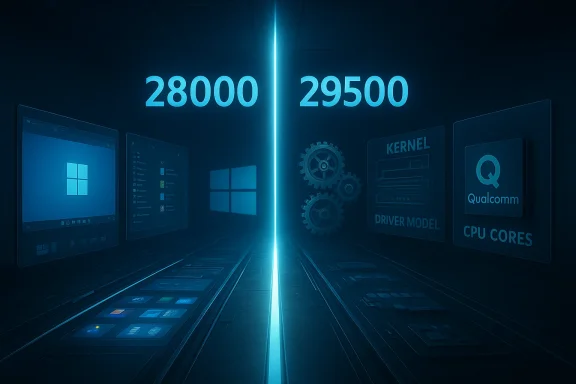
Futuristic blue split-screen compares 28,000 vs 29,500 CPU performance benchmarks.Background / Overview​

Microsoft published an announcement on February 18, 2026, offering Windows Insiders a new, optional Canary build identified as Build 29531.1000. The company described this update as the start of a new 29500‑series active development stream focused on platform development rather than surface features. Insiders who remain on the existing Canary path will continue to receive the 28000‑series builds (for example, Build 28020.1611), which will keep acting as the rapid feature‑preview track for Windows 11 version 26H1 and related enablement work.
The new 29500 path is available only via an explicit opt‑in: go to Settings → Windows Update → Advanced options → Optional updates and choose the Windows Insider optional update that moves the device to the 29500 series. Microsoft warns that opting in is effectively a one‑way decision: devices moved to the higher build series cannot return to the lower 28000 path without performing a clean reinstall of Windows 11. The blog post also cautions Insiders that platform‑focused flights may temporarily lack features they expect, because user‑facing features are primarily developed and stabilized on the currently shipping platform baseline.
This split mirrors the old “Skip Ahead” concept in spirit — enabling a subset of testers to get access to next‑generation platform plumbing — but Microsoft now implements it as an optional update inside the Windows Update flow rather than an explicit channel switch. The company also committed to announcing each Canary build in its own blog post going forward so Insiders know which stream they are on.

What changed, in practical terms​

  • Two parallel Canary paths: the 28000 series remains for feature experimentation aligned with 26H1/26H2 enablement work; the new 29500 series is a platform‑development stream for foundational changes that will underpin future major releases.
  • Optional opt‑in: the 29531.1000 build does not auto‑push to existing Canary testers. You must install it yourself from Optional updates.
  • One‑way migration: due to flighting/signing and build sequencing mechanics, moving to the 29500 stream is reversible only via a clean OS reinstall.
  • Temporary feature gaps: because platform teams focus on plumbing, the 29500 builds may visibly lose or defer features that are still being developed against the shipping platform baseline.
  • Separate announcements: Microsoft will publish distinct release notes for each Canary build to reduce confusion about what a given device is testing.
These are not cosmetic changes: they alter the relationship between feature engineering teams and platform engineers, and they signal Microsoft’s intent to separate user‑visible feature work from deep platform rework earlier in the lifecycle.

Why Microsoft is doing this: engineering and ecosystem reasons​

1. Faster, safer platform iteration​

Platform work — kernel scheduler changes, driver model updates, hardware abstraction refinements, and new power/thermal policies — typically requires a narrower, more controlled population for validation. Separating those experiments into an opt‑in stream lets Microsoft push lower‑level changes to devices where testers expect instability and can tolerate regressions, while preserving a broader feature preview lane for Insiders who want daily‑driver functionality.

2. Better OEM and silicon partner testing​

With OEMs and silicon vendors releasing next‑generation SoCs (notably Qualcomm’s Snapdragon X2 family), Microsoft needs early platform validation on partner hardware and firmware. An opt‑in platform stream surfaces early regressions for driver and firmware teams before those changes ripple into the mainstream feature channel.

3. Avoiding feature churn on unstable cores​

Historically, Microsoft develops surface features on top of a stable, shipping platform baseline. When the base itself is in flux, that can add complexity and delay to feature delivery. This dual‑track approach lets feature teams remain productive on the stable baseline while platform engineers iterate aggressively.

The current platform landscape and why it matters​

Windows 11 development in 2026 is running on more than one internal platform baseline. The shipping H2 releases (24H2, 25H2 and the forthcoming 26H2 for many PCs) are being maintained on the platform internally referred to as Germanium. Microsoft used a separate platform branch for the special 26H1 release that ships on Snapdragon X2 hardware; industry reporting links that 26H1 baseline with the Bromine branch.
This context explains the Canary split. Microsoft is preparing a new platform baseline — a change that, when introduced early, requires testing by a smaller group of Insiders and partners because of greater risk to drivers, kernel extensions, and low‑level subsystems. The 29500 series looks intentionally designed to host those experiments: Insiders who choose it will see lower‑level changes roll in sooner than the 28000 feature path.

What Insiders and testers should expect from 29500 builds​

  • Less visible UX progress: you may not see flashy new Windows features in 29500 builds. Many user‑facing features continue to be developed on the shipping Germanium baseline and are merged in later.
  • Platform plumbing experiments: expect kernel tweaks, scheduler and power management tests, driver model changes, NPU/NPU‑offload plumbing for local AI workloads, and other infrastructure work.
  • Missing or disabled features: Microsoft explicitly warns some features may be temporarily removed or unavailable while platform changes land and stabilize.
  • Higher instability risk: such builds are more likely to cause boot, driver, or feature regressions — suitable for test hardware, not production machines.
  • Telemetry emphasis: Microsoft will likely collect more diagnostic feedback and partner telemetry to validate platform engineering assumptions.

Who should (and should not) opt in​

Should opt in if you are:​

  • An OEM, driver developer, silicon partner, or hardware validation engineer who needs early access to platform plumbing.
  • An advanced Windows tester or security researcher with spare, non‑production hardware and the ability to perform clean reinstalls if needed.
  • An IT pro or sysadmin running isolated test images, lab machines, or CI/CD pipelines that require early compatibility validation for upcoming platform changes.

Should not opt in if you are:​

  • Running a primary laptop or desktop you depend upon for daily work.
  • Responsible for managing production endpoints in an organization; Canary streams do not belong in managed production estates.
  • Uncomfortable performing a full clean reinstall if you need to revert.

Operational and compatibility risks — what to watch closely​

Driver compatibility and signing​

Platform updates can change driver interfaces or expected behaviors. Kernel‑mode drivers, custom filter drivers, firmware interactions (ACPI), and vendor‑supplied drivers are at highest risk. If you rely on third‑party drivers — printers, VPN clients, virtualization drivers — test them in an isolated environment first.

Storage and recovery​

Some Canary flights in the past have exposed issues with Windows Recovery Environment or imaging. Before opting into 29500 builds, produce a full system image or backup (not just file backup) and confirm your ability to restore. Test booting into Safe Mode and WinRE for recovery validation.

Boot/UEFI and Secure Boot interactions​

Low‑level platform experiments can surface interactions with firmware-level features. Ensure firmware is up to date, but avoid upgrading firmware on production devices until compatibility is proven. If your device is under warranty or managed by IT, coordinate with the vendor.

Enterprise management and policies​

Group Policy and MDM admins should not deploy 29500 builds broadly. Expect differences in available settings and possible incompatibilities with device compliance agents, AV/endpoint protection, and patching tools.

Feature parity and user expectations​

Because platform streams deprioritize surface features, expect functionality gaps. If you’re joining these builds hoping to test new UI features, you’ll likely be disappointed; this stream isn’t intended for that.

Practical preparatory checklist (before opting in)​

  • Create a full system image using your preferred imaging tool and verify the restore process on test hardware.
  • Export critical configuration (BitLocker recovery keys, product keys, VPN profiles, certificates).
  • Update firmware and device drivers to the latest published vendor releases — on a separate test device first.
  • Ensure you have a bootable external recovery drive and clean install media for Windows 11 if you need to revert.
  • Use a disposable profile or virtual machine where feasible; some platform features are kernel/hypervisor sensitive and cannot be fully evaluated in VM scenarios.
  • Document current installed build and app inventory — including kernel‑mode drivers and low‑level agents — before upgrade.

How this affects OEMs, ISVs, and partner testing​

  • OEMs and silicon vendors gain a controlled channel to validate new firmware/driver interactions at a much earlier stage, which can reduce costly fixes later in the shipping cycle.
  • Independent software vendors with kernel dependencies (antivirus, VPNs, virtualization extensions) must accelerate compatibility testing on the 29500 stream to avoid issues when the platform release surfaces more broadly.
  • Hardware certification programs will need to update test matrices to include the new platform branch, and partners should expect a staggered certification window as Microsoft converges different platform lines in future releases.

Long‑term implications for Windows release cadence and fragmentation​

Splitting Canary into feature and platform streams effectively acknowledges that Windows can no longer be treated as a single linear progression across every piece of hardware. The union of rapid silicon innovation (heterogeneous cores, NPUs, fused power domains) with Windows’ need to support a global installed base means Microsoft must sometimes run platform variants in parallel.
This creates short‑term fragmentation risk — OEMs, partners, and administrators must track platform baselines closely. In the medium to long term, Microsoft’s plan appears to be to converge these branches on a single platform release (industry reporting points to a unification around a 27H2 cycle in 2027). But until that convergence happens, organizations with diverse hardware will need to map OS baselines to their device fleets and adjust testing/patching workflows accordingly.

Security and research opportunities​

For security researchers and defenders, a platform‑first stream is a rich source of insight. Kernel and platform changes are where new attack surfaces can appear — and where mitigations may also be prototyped. Early access allows:
  • Validation of driver hardening and exploit mitigations.
  • Testing of enterprise security tools under new scheduling and memory models.
  • Assessment of NPU and on‑device AI data paths for privacy or data‑handling concerns.
However, such builds can also expose vulnerabilities or regressions. If you choose to test for security research, follow responsible disclosure practices and coordinate with vendors where appropriate.

What Microsoft is communicating — and what remains unclear​

Microsoft’s official messaging is clear on the mechanics of the split: the 29500 stream is optional, platform‑focused, and one‑way to revert. It also clarifies that Insiders should expect instability and limited documentation for these flights.
Less clear — and appropriately guarded — are the exact codenames and timing for future platform releases that will ship broadly. Industry reporting and community analysis have floated names and timelines for future baselines, and commentators have speculated that early Canary 295xx builds will feed into a platform release targeted at a 2027 “27H2” cadence. Those predictions are plausible and consistent with Microsoft’s public support documents about 26H1 being a hardware‑optimized release, but internal code names and specific ship windows for future platform releases should be treated as speculative until Microsoft makes formal announcements.

Recommendations for the Windows community​

  • Read the release note: confirm whether the build you’re installing is 28000‑series or 29500‑series. The winver dialog shows exact build numbers and version strings.
  • Avoid production machines: don’t install 29500 builds on devices you rely on for work or essential tasks.
  • Use isolated lab hardware: opt for a spare device, VM (where applicable), or dedicated test systems with verified recovery workflows.
  • Coordinate with vendors: if you’re an IT admin, check vendor advisories and driver compatibility before running platform flights in your environment.
  • Backup comprehensively: a full disk image is essential; file backups alone are not enough when kernel or platform regressions require clean reinstalls.
  • Report issues responsibly: use Feedback Hub and partner channels to surface driver and firmware regressions so Microsoft and OEMs can prioritize fixes.

Conclusion​

Microsoft’s decision to split the Canary Channel is a deliberate engineering maneuver that acknowledges the increasing complexity of Windows’ platform surface. By introducing a dedicated platform development lane (the 29500 series) and keeping a separate feature preview lane (the 28000 series), Microsoft gains the ability to iterate on deep plumbing — kernel, scheduler, NPU integration, and other architecture‑level changes — without jeopardizing the day‑to‑day testing and feedback stream for user‑visible features.
For Insiders this is both an opportunity and a responsibility. The 29500 series is a chance to shape foundational work that will determine the behavior of Windows on next‑gen silicon, but it requires careful risk management: test hardware, solid backups, and an understanding that you may encounter missing features or regressions. For partners and enterprise teams, the split demands tighter coordination across firmware, driver, certification, and deployment processes to ensure that the platform‑level work being validated today converges cleanly into mainstream releases down the road.
In short, the Canary split signals a Windows engineering model that treats platform and feature development as distinct yet complementary tracks — a pragmatic response to the demands of heterogenous silicon and a faster, more modular release landscape. If you plan to opt in, prepare accordingly; if you don’t, you’ll still be able to preview new features without being exposed to the inevitable turbulence of early platform validation.

Source: Windows Central https://www.windowscentral.com/micr...g-next-major-os-platform-release-build-29531/
 

Microsoft has quietly split the Windows Insider Canary channel into two parallel development paths — an opt‑in, platform‑focused stream that begins with Build 29531.1000, and the existing 28000‑series path that will continue to preview surface features — a move that appears to mark the start of deep under‑the‑hood work Microsoft plans to fold into a future Windows 11 release (widely expected to be the 27H2 cadence) and that has major implications for Arm and x86 device convergence, driver stability, and how Microsoft validates fundamental OS platform changes. ([blogs.windows.com]s.com/windows-insider/2026/02/18/announcing-new-optional-windows-11-insider-preview-build-for-canary-channel-29531-1000/)

Windows Insider Canary: Platform Stream (blue) vs. Feature Path (green).Background: what Microsoft actually announced​

Microsoft’s Windows Insider team published a short, explicit update on February 18, 2026, explaining that Canary will now support two active development paths. The existing Canary builds (the 28000 series) will continue to emphasize early feature previews tied to Windows 11 version 26H1 and related work, while an optional update — visible under Settings > Windows Update > Advanced options > Optional updates — will move opted‑in devices to a new 29500‑series stream starting with Build 29531.1000. Microsoft warns that the 29500 stream focuses on platform development, may temporarily remove or disable features, and that build series is effectively a one‑way trip requiring a clean install to return to the lower series.
Put simply: Microsoft is separating low‑level, architecture and driver plumbing work from user‑facing feature validation inside the Canary channel so each workstream can proceed without blocking the other. That is the official, verifiable fact; everything beyond this — codenames, which specific release the 29500 stream will become, and timing — remains interpretative or speculative, albeit informed by public signals and community reporting.

Overview: why this matters now​

Microsoft’s Canary channel has long been the earliest public testbed for platform changes — kernel tweaks, driver model experiments, scheduler and power management plumbi enablement. Historically, when platform foundations shift while features continue to land on top, it becomes difficult to separate regressions caused by feature logic from those caused by the base platform. The dual‑track Canary split is a pragmatic engineering response: let feature teams keep iterating on a stable baseline while platform teams change the cellar without immediately forcing features to adaeparation is significant for two connected reasons that are timely in 2026:
  • Microsoft has been shipping and testing distinct platform baselines in parallel — notably the Germanium baseline (the in‑market platform used for recent H2 releases) and a Bromine baseline used for early Arm (Snapdragon X2) devices. The split makes it clearer how those baselines will be validated and eventually unified.
  • The 29500‑series work looks like the scaffold for a larger platform update (community reporting and coverage suggest this work may feed into an eventual 27H2 release / a new platform baseline sometimes referenced in coverage as “Strontium”), which would be the place Microsoft attempts to reconcile Arm and x86 platform differences and improve Windows 11’s fundamentals. That ambition raises expectations — and risks — at scale.

What the new Canary split actually does (practical mechanics)​

  • Opt‑in only: the 29531.1000 flight will not push automatically to existing Canary machines; Insiders must install it via Optional updates. Once installed, that device will receive subsequent 29500‑series builds.
  • One‑way migration: because of the way Microsoft signs and sequences builds, returning to the 28000 series requires a clean OS reinstall. That is a delibesoft’s notes and a real operational constraint Insiders must treat seriously.
  • Feature gaps expected: Microsoft explicitly warns that features may temporarily disappear or behave differently on the platform stream while low‑level work is validated; they will be restored once those platform changes stabilize. That trade‑off is cen.
These mechanics are short, simple, and consequential. For power testers this is controllable; for casual Insiders or OEM partner fleets the one‑way migration and temporary gaps present real risk if devices are used for production tasks.

The platform story: Germanium, Bromine, and the hoped‑for unification​

Context is everything here. Microsoft’s internal platform baselines — names like Germanium and Bromine — have surfaced in Insider signals and reporting across 2025–2026. The public facts we can verify are:
  • Microsoft used a Bromine baseline for targeted, device‑first support of next‑generation Arm silicon (notably Snapdragon X2). That platform was delivered as a device‑specific image rather than as a universal in‑place update.
  • Germanium is the platform Microsoft has used for mainstream H2 releases and is the stable baseline many non‑Arm PCs continue to use.
  • The 29500‑series platform flight now in Canary looks intended to host major platform rework that may eventually unify these divergent baselines. Community reporting and a number of independent outlets suggest this unification will be part of a future H2 release sometimes referred to in the press as 27H2 (and informally discussed under codenames such as Strontium). These latter points are plausible and widely reported — but are not a direct Microsoft confirmation. Treat the codename and timeline as informed reporting rather than definitive Microsoft statements.
Why unify? The engineering case is straightforward: maintaining multiple platform baselines (separate kernel/abi/driver assumptions for Arm vs x86) increases complexity for Microsoft, OEMs, ISVs, drivity teams. A single unified platform simplifies driver models, security updates, and feature enablement across architectures — if it can be done without breaking existing drivers and peripherals. That “if” is the practical mountain Microsoft has to climb.

Strengths of Microsoft’s approach — what’s working for them​

  • Focused validation: splitting platform work into a distinct, opt‑in stream reduces noise for feature testing and keeps the main feature preview path productive. This should shorten iteration cycles for feature teams and reduce cross‑contamination of low‑level regressions into feature signals.
  • Early partner visibility: OEMs and silicon partners can validate drivers and power/NPU integration earlier and in isolation, improving the likelihood that hardware brings a stable platform to market. The device‑first Bromine experience for Snapdragon X2 is a prior example where manufacturer‑shipped images were used to gate new silicon.
  • Communication clarity: Microsoft committed to announcing each Canary build separately and labeling which stream it belongs to. That reduces earlier confusiont tried to serve both feature and platform experiments concurrently. Clearer signals make triage and feedback more effective for Insiders and partners.

Risks and failure modes — why the community is nervous​

  • Driver compatibility and regressions
  • Platform‑level changes touch kernel APIs, driver dispatch, and power management. Any change has the potential to break device drivers that assume the Germanium ABI. Broken drivers mean blue screens, broken peripherals, or degraded battery life for end users. Those are high‑impact failures for broad distribution.
  • Poor QA leaking into public builds
  • Microsoft has vowed to make Windows 11 “less buggy and more performant.” That aspiration depends on improved QA, not just platform rework. Historically, there have been notable regressions that reached near‑public builds; unless Microsoft tightens preflight testing and partner signoffs, platform churn could create more visible instability in Beta/Release Candidate waves. Community reporting and Insider complaints about buggy release candidates since 24H2 underscore this concern.
  • Fragmentation fatigue for ISVs and administrators
  • If features are developed against one platform baseline while another baseline ships in devices, ISVs may have to maintain compatibility shims for both. Enterprises managing large fleets already frustrated by frequent feature toggles may face extra complexity. The opt‑in, one‑way migration hazard amplifies this: unexpected device behavior on the platform stream could cascade into IT support headaches.
  • Re‑introducing feature debt
  • Microsoft’s note that features may temporarily disappear on the platform stream is candid — but feature regression during a foundational rework can erode user trust. If popular capabilities are curtailed or re‑architected slowly, the public perception could be “we broke features to fix the plumbing,” a message Microsoft cannot afford if it expects goodwill when the unified platform lands.
  • Timing, expectations, and marketing risk
  • Community outlets have begun to attach a “27H2 / Strontium” label to the 29500 work. If Microsoft doesn’t meet public or partner expectations for a smooth unification, the narrative could be framed as a failed attempt to fix Windows — damaging for product perception. For Microsoft, the safest path is to under‑promise and over‑deliver, but leaks and early reporting make that harder.

What Microsoft must do to make this work​

  • Tighten partner QA and driver signoff: require OEM and ISV driver certification against the 29500 stream early and often, and provide robust emulation and regression validation tools for driver authors.
  • Publish clear ABI stability guarantees and driver guidance: the fewer implicit assumptions driver authors must guess about, the less breakage there will be. Microsoft should document any deprecated or changed kernel interfaces and offer compatibility shims where practical.
  • Increase staged rollouts and telemetry‑driven rollbacks: don’t push broad enablement until telemetry shows healthy signals across a diversity of hardware and OEM images.
  • Improve Insider and public communications: label flights clearly, explain known feature gaps, and make rollback paths (or at least full‑image recoveries) simple and documented for testers and enterprises.
  • Invest in automated regression suites for peripheral/device ecosystems: printers, USB audio, VPN clients, virtualization drivers and GPU drivers should be high‑priority coverage areas. The smallest driver families often induce the largest outage clusters in the field.
These are operational imperatives; failing to implement them at scale is the single biggest failure vector for a platform rework of this magnitude.

Recommendations for audiences​

For Windows Insiders (power testers and hobbyists)​

  • If you depend on your device for daily work, stay on the 28000 feature stream unless you have spare devices and the appetite for troubleshooting. The 29500 path is explicitly experimental and may remove features temporarily.
  • If you opt into 29531.x, create a full system image backup first and be prepared to do a clean install to revert. Understand that telemetry and feedback you provide during this phase will materially influence how fast platform issues are resolved.

For OEMs and silicon partners​

  • Treat 29500 testers as early platform beta partners: use these flights to validate drivers, power management, NPU and scheduler interactions, and to harden firmware interactions.
  • Coordinate driver package rollouts with Microsoft early and ask for explicit guidance on forced compatibility shims where real‑world breakage appears.

For enterprise IT and system admins​

  • Postpone wide deployment of 27H2‑era builds until Microsoft publishes stabilized servicing lanes and validates long‑term support contracts for driver/firmware issues.
  • Engage with Microsoft’s partner channels and the Windows Insider for Business constructs to get early guidance and test images in controlled environments.

What to watch next (milestones and signals)​

  • Subsequent 295xx blog posts and flight notes: Microsoft committed to announcing each Canary build separately; watch for explicit details about what platform changes each 295xx build introduces (driver model changes, scheduler updates, NPU integration, or new security hardening).
  • OEM driver packages certified against 295xx: broad OEM participation is a sign the platform changare ecosystems.
  • Beta and Release Candidate telemetry showing reduced driver regressions and improved reliability: once platform changes graduate toward Beta, telemetry should indicate fewer audio, display, storage and networking regressions than previous major launches. If not, expect delays.
  • Microsoft’s messaging about 27H2 (or whatever public label they use): only Microsoft can confirm the final version label and public timeline. Until Microsoft does, community codenames are best not official roadmaps.

A measured verdict: cautious optimism, with a large caveat​

The engineering idea behind splitting Canary is sound: separate platform plumbing from feature innovation, reduce noisy feedback loops, and let specialist teams iterate without dragging other teams into unnecessary churn. That approach, when paired with rigorous partner validation and improved QA systems, can make future Windows updates less risky and more performant.
However, the devil is the delivery. Platform reworks are high‑risk by design because they sit below everything users rely on: drivers, security, and core UX responsiveness. Microsoft has the resources to do this right, but success depends on disciplined partner coordination, aggressive regression testing, and conservative rollout gating. If Microsoft accelerates feature marketing while platform foundations remain unstable, the public experience could worsen before it improves — and that would undo confidence that careful engineering work is trying to restore.

Practical checklist for readers who want to act now​

  • Check winver and your Insider flight before deciding to opt in. If your build is in the 28000 series, you will remain in the feature preview path by default. Switching to 29531 is opt‑in and one‑way without a clean install.
  • Back up system images and create recovery media before attempting 29531 installs. Expect transient feature regressions and some missing UI behaviors while platform changes land.
  • Report class‑specific bugs: if you test 295xx builds, prioritize reporting driver/peripheral failures (graphics, audio, virtualization, VPNs) because these are the highest‑value signals for stabilizing the platform.
  • For IT teams: set up a small pilot fleet to validate platform changes across representative hardware before any broader rollouts. Document rollback processes for affected endpoints.

Conclusion​

Microsoft’s Canary split and the optional 29531.1000 flight mark a clear inflection point in Windows engineering: platform work is being surfaced earlier and validated in isolation from user‑visible feature work. That is the right engineering idea for an OS that must support a growing diversity of silicon and use cases. But the scale and gravity of platform change mean this is a high‑stakes effort: driver compatibility, partner coordination, and improved QA must follow in lockstep.
If Microsoft pairs this new development model with stronger partner testing, clearer communications, and conservative rollouts, the 27H2 era could be the point where Windows finally tightens its foundations and becomes demonstrably more reliable across Arm and x86 devices. If not, users and enterprises will rightly remember any regression‑heavy launch. The work begins in Canary, but the consequences will be felt by hundreds of millions of users when the unified platform reaches mainstream channels — and that’s why attentive, methodical execution matters more than ever.

Source: TechRadar https://www.techradar.com/computing...-be-the-update-that-saves-the-os-or-dooms-it/
 

Microsoft’s Canary Channel for Windows 11 no longer behaves like a single experimental stream — as of February 18, 2026 the Canary Channel has been split into two parallel update paths: the long-standing 28000 series, which will remain the default feature‑preview line, and a new 29500 series that begins with Windows 11 Insider Preview Build 29531.1000 and is explicitly dedicated to earlier, lower‑level platform development. The change is surfaced as an optional update under Settings > Windows Update > Advanced options > Optional updates, and Insiders who opt in to the 29500 track will move onto a testing cadence that prioritizes plumbing and architecture changes over day‑to‑day feature continuity — with the tradeoffs that implies.

Diverging lanes illustrate Windows Canary Channel opt-ins: 28,000 blue vs 29,500 orange.Background / Overview​

For years Microsoft has used multiple Insider channels to balance rapid experimentation with system stability. Traditionally those channels — Dev, Beta, Release Preview and, more recently, Canary — served distinct roles: incubating concepts, polishing features for general release, or validating near‑shipping updates. What Microsoft formally introduced in February 2026 is an evolution in that model: a split within a channel.
The Canary Channel, historically the earliest public testbed for platform work, will now present two simultaneous branches:
  • 28000 series — the default Canary path that continues to preview new features and user‑facing experiences (previous Canary builds in this series were identified by numbers such as the 28020 family).
  • 29500 series — a new, opt‑in lane designed for earlier stage platform development, starting with Build 29531.1000. This lane intentionally exposes testers to deeper, lower‑level changes and is expected to temporarily lose or revert features as engineers work through platform plumbing.
Microsoft’s stated rationale is straightforward: by separating platform‑level change validation from feature previewing, the company can accelerate risky under‑the‑hood engineering work without making the entire Canary population bear the same level of instability. Practically, this creates two different risk profiles under the same “Canary” label.

What changed in Build 29531.1000 and the 29500 track​

Build 29531.1000 is not a typical feature release. Its release notes are minimal: the build exists primarily to transition opted‑in devices to a new active development branch identified as the 29500 series. Expect the following characteristics from that lane:
  • Platform‑first content: Low‑level changes to kernel subsystems, driver interfaces, power and firmware interactions, and other plumbing that often precede visible features.
  • Feature churn: Features present in 28000 (or on current devices) may be temporarily missing, degraded, or behave inconsistently as platform engineering progresses and is validated.
  • One‑way opt‑in: Because of branch divergence and build numbering, moving from 28000 to 29500 via the optional update is effectively irreversible without performing a clean reinstall of Windows (you cannot simply “roll back” to a lower‑numbered build).
  • Targeted feedback: Reports from devices on 29500 will more reliably indicate platform issues, while 28000 feedback remains more feature‑focused.
This transition alters how Insider data should be interpreted: a crash, driver failure, or performance regression reported from a 29500 device is far more likely to be tied to intentional low‑level work than a transient UI or app bug that would normally surface in the 28000 line.

Why Microsoft did this — engineering and program design rationale​

Separating platform development from feature previewing inside a single channel mirrors how professional software teams operate internally. It gives Microsoft multiple advantages:
  • Risk segmentation: Engineers can push risky plumbing changes to a smaller, opt‑in population rather than forcing every Canary participant into deeper instability.
  • Faster validation: Platform fixes and architectural changes need rapid, real‑world validation on diverse hardware; the 29500 lane provides a concentrated audience for that purpose.
  • Cleaner telemetry: With branch attribution, telemetry and Feedback Hub submissions gain stronger signal‑to‑noise ratios. A regression in the platform lane is not accidentally conflated with feature experimentation.
  • Operational parity with internal branches: The split lets Microsoft align public Insider branches more closely with internal staging or feature branches, improving continuous integration and deployment workflows.
Viewed strategically, it’s a modest but meaningful shift: Canary becomes less monolithic and more like a tiered pipeline that echoes professional release engineering best practices.

Who should consider moving to 29500 — and who should not​

This split is effectively a choice of cadence and risk. Here’s how different user types should think about it.
  • People who should consider opting into 29500:
  • Driver and kernel testers: Hardware partners, driver developers, and performance teams that need early visibility into kernel or driver‑level changes.
  • Enterprise edge testers: IT and ops teams validating deployment tools, imaging processes, or firmware interactions on a lab fleet.
  • Power users and build researchers: Insiders who want to catch regressions and architectural changes as early as humanly possible.
  • OEM and silicon partners: Device makers with a need to exercise firmware and low‑level stacks on incoming silicon.
  • People who should probably remain on 28000:
  • Everyday productivity users: Anyone who relies on stable app behavior, UI continuity, and predictable workflows on their daily machine.
  • App compatibility testers who prioritize surface features: Testers focused on user‑facing features rather than kernel or driver plumbing.
  • Less technical Insiders: Those who prefer a lighter churn experience and fewer reversions.
Choosing 28000 provides continuity. Choosing 29500 offers early warning for systemic platform problems — but it comes with substantial volatility and a possible temporary loss of polished features.

How to opt in (steps) — and the rollback implications​

Microsoft has made the 29500 path a voluntary migration available in the Canary Channel. Here’s how to move, and what to know before you do:
  • Open Settings.
  • Go to Windows Update.
  • Select Advanced options.
  • Open Optional updates.
  • Choose the optional update that will move your device to Build 29531.1000 (29500 series) and apply it.
Important caveats:
  • Once you install the 29531.1000 optional update, future builds will continue on the 29500 series numbering. Because of build numbering and internal setup, you cannot switch back to a lower‑numbered Canary stream (like 28000) without a clean installation of Windows 11.
  • Optional updates like this one are intentionally marked as opt‑in to ensure testers understand the level of commitment and potential disruption.
  • If you depend on specific apps, drivers, or peripherals, verify that you have adequate backups and test images before switching.
Treat 29500 as a lab lane unless you’re prepared to perform clean reinstalls and reproduce workspace setups when needed.

What this split means for feedback, telemetry, and bug triage​

The branch split improves how Microsoft and the community will triage problems:
  • Higher signal for platform bugs: Because 29500 is specifically platform‑focused, bug reports tied to crashes, kernel panics, device‑specific driver failures, or firmware anomalies will be easier to categorize and prioritize.
  • Reduced false positives in feature work: Feature regressions and UI feedback from 28000 will no longer be muddied by platform experiments that intentionally modify underlying behavior.
  • Faster root‑cause mapping: Engineers can correlate failures to branch‑specific commits more reliably, speeding investigation and remediation.
  • Feedback Hub discipline: Testers should include the build series in their feedback descriptions and tags to avoid misrouting reports.
For the broader Insider program, this means Microsoft can accelerate under‑the‑hood changes without sacrificing the interpretability of reports from feature testers.

Technical implications for drivers, OEMs, and enterprise​

The 29500 track will be particularly relevant to five technical domains:
  • Driver signing and compatibility: Early platform changes can affect driver models and expectations. OEMs and ISVs should test drivers on 29500 hardware if they want to catch regressions early.
  • Firmware and UEFI interaction: Power and boot plumbing that interacts with UEFI and firmware will likely be exercised in 29500; OEM BIOS teams should prioritize these flights for validation.
  • Virtualization and hypervisor behavior: Changes in CPU feature handling, virtualization extensions, and power states can impact hypervisors and virtual appliances.
  • Deployment tooling: Imaging, provisioning and update orchestration — especially systems using Windows Update for Business or WSUS — need to account for branch divergence in lab testing.
  • Security and attack surface: While early platform work is not inherently less secure, the surface area for regressions is larger. Security teams should consider targeted fuzzing and red‑team validation on 29500 devices.
For most enterprises, the immediate takeaway is to test in a lab rather than race to deploy. OEM partners will also want to confirm how 29500 changes map to shipping device expectations.

Operational guidance and mitigation strategies​

If you manage devices, drivers, or corporate fleets, consider the following best practices:
  • Maintain a dedicated lab fleet for 29500 testing: Keep at least one isolated image per platform you support to reproduce and debug issues.
  • Version control your driver deployments: Ensure you can back out by tracking driver package versions and storing installers locally.
  • Use virtualization and snapshots: Where possible test 29500 in VMs or with snapshot capabilities so you can rollback without a full clean reinstall.
  • Document known issues and heuristics: Keep a shared triage board that distinguishes platform‑lane problems from feature lane problems to avoid wasted investigation.
  • Communicate with stakeholders: Inform help desks and internal users that 29500 testing is intended to be disruptive and that daily productivity should not be expected.
These processes reduce churn in support teams and keep your production users insulated from the instability inherent to platform‑level testing.

How this fits into Microsoft’s long‑term delivery strategy​

Splitting the Canary Channel into two lanes is consistent with a broader pattern: Microsoft has increasingly refined Insider delivery to better mirror internal engineering flows. The company’s channel changes since 2023 moved from simple rings toward more nuanced channels (Dev/Beta/Canary distinctions, and feature rollouts controlled through staged technologies). The 29500/28000 split takes that a step farther by introducing branch‑level segmentation inside a single public channel.
Strategically this serves several goals:
  • Faster architectural iterations: Internal teams can iterate on plumbing without stalling surface feature delivery.
  • Reduced blast radius: Only an opt‑in subset sees the most experimental platform work.
  • Better partner coordination: OEMs and silicon partners have a clearer lane to validate architecture changes prior to broader releases.
  • Improved public telemetry: Microsoft can collect higher‑quality signals that are easier to map to specific engineering changes.
Viewed through the lens of release engineering, Microsoft is externalizing part of its internal branch strategy to public Insiders, making the program more useful to technical partners while protecting mainstream previewers from unnecessary churn.

Strengths and potential risks — a balanced assessment​

Strengths
  • Targeted validation: The split gives Microsoft a concentrated population to validate platform changes, improving engineering feedback loops.
  • Clearer telemetry: Branch-specific data improves root‑cause analysis.
  • Opt‑in control: Insiders choose their risk profile, preserving the Canary Channel for both adventurous testers and more cautious users.
  • Easier partner engagement: OEMs and driver teams can align test schedules to the platform lane to find regressions earlier.
Risks and tradeoffs
  • Fragmented perception: Casual Insiders may be confused by the “Canary” label now representing two very different experiences, increasing help requests and forum noise.
  • Recovery friction: The inability to revert to 28000 without a clean install raises the cost of a mistaken opt‑in and may deter casual testers.
  • Documentation lag: Platform lanes traditionally provide limited public documentation, so testers will sometimes be asked to interpret low‑level behavior without full context.
  • Potential for duplicate triage: If the Feedback Hub doesn’t make branch reporting prominent, teams may still receive mixed reports that complicate debugging.
  • Wider compatibility hazard: If platform changes on 29500 leak into broader servicing paths prematurely, there could be compatibility regressions for third‑party vendors.
On balance, the move favors engineering velocity and better signal, but it requires discipline in documentation, triage tools, and Insider communication to minimize confusion.

Practical recommendations for Insiders, developers and IT pros​

For everyday Insiders:
  • If your device is your primary productivity machine, do not opt into the 29500 path. Stay on 28000 to preserve usability.
  • If you have a spare PC or a VM and you like experimenting, opt into 29500 to see how platform changes expose compatibility problems.
For driver authors and OEMs:
  • Add 29500 images to your validation matrix immediately if you ship hardware or drivers that interact closely with kernel, power, or firmware layers.
  • Use telemetry and crash dumps from 29500 to pre‑empt regressions before features are rolled to broader channels.
For IT professionals:
  • Bake 29500 testing into your pre‑deployment validation. Use isolated labs and snapshots to reduce recovery overhead.
  • Document any 29500‑specific workarounds and mark them clearly so they are not accidentally migrated to production.

What to watch next​

The initial 29531.1000 release functions as a branch transition; the meaningful signal will be what Microsoft chooses to test and validate there over the coming weeks and months. Key signals to monitor:
  • Frequency and scope of 29500 commits: Rapid, deep changes indicate aggressive platform engineering; sparse changes suggest a narrow validation window.
  • Feature reappearance pattern: Watch how and when temporarily removed features return to 29500; that will indicate stability progress.
  • Feedback Hub volume and category: A surge in kernel, driver, or power reports tied to 29500 will validate the lane’s purpose and help engineers prioritize fixes.
  • Migration of fixes to 28000: If important platform fixes proven in 29500 begin to appear in the default lane, that demonstrates the pipeline’s effectiveness.
These signals will show whether the 29500 lane remains a specialized, early‑warning environment or becomes another general feature delivery path over time.

Conclusion​

Microsoft’s split of the Windows 11 Canary Channel into 28000 (feature preview) and 29500 (platform development) lanes is a pragmatic, engineering‑driven adjustment to Insider flighting. It reduces the blast radius for risky platform work while giving technical partners and power testers an earlier, clearer view into under‑the‑hood changes. For Insiders it creates a deliberate tradeoff: choose continuity (28000) or choose early platform visibility (29500). For Microsoft and its ecosystem partners, the split promises better telemetry, faster iteration, and cleaner triage — provided Microsoft and the community invest in clear communication, targeted documentation, and disciplined feedback tagging.
If you care about stability and day‑to‑day compatibility, remain on the default 28000 series. If you are responsible for drivers, firmware, or deployment edge cases — or you simply love being first to spot plumbing regressions — spin up a lab device, opt into the 29531.1000 optional update, and begin testing. Either way, the two‑lane Canary represents a subtle but important shift: Microsoft is increasingly treating the Insider program as an externalized staging pipeline, and that shift will reshape how Insiders, OEMs, and enterprise teams engage with early Windows development going forward.

Source: WinBuzzer Windows 11 Canary Channel Splits in Two With New Build 29531
 

Back
Top