• Thread Author
Microsoft quietly pushed a pair of modest but strategically significant updates to two of Windows’ most familiar utilities, Notepad and Paint, making both apps slightly smarter and notably more AI-capable for Windows Insiders in the Canary and Dev channels. Notepad gains tighter Markdown parity, a first‑run welcome experience, and improved streaming support for its AI writing tools, while Paint adds a precision-focused fill tolerance slider and an AI‑generated Coloring book workflow — the latter gated to Copilot+ hardware and a signed‑in Microsoft account.

A digital visualization related to the article topic.Background​

Microsoft has been iteratively modernizing its in‑box apps for several release cycles, shifting them from minimalist utilities into lightweight creative and productivity surfaces that also double as public testbeds for Copilot‑style experiences. Notepad's journey from plain text editor to Markdown‑aware authoring surface and Paint’s steady addition of layers, generative tools, and a Copilot menu are part of a coherent product strategy: add low‑friction AI primitives where they can amplify everyday tasks and measure user impact via the Windows Insider program. This January Insider flight continues that pattern. The January 21 rollout (Insider Canary and Dev) includes two specific app versions that matter for testers and administrators: Notepad 11.2512.10.0 and Paint 11.2512.191.0. Those package numbers appear in the official Windows Insider announcement and have been repeated in independent coverage.

What changed in Notepad​

Quick summary​

  • Version: Notepad 11.2512.10.0.
  • Key additions: strikethrough Markdown, nested lists, a first‑run “What’s New” welcome pane, and streaming results for AI text actions (Write, Rewrite, Summarize).
Notepad’s new items are pragmatic feature fills rather than an overhaul: Microsoft is expanding Markdown fidelity (so Notepad behaves more like a modern lightweight editor) and smoothing the AI experience so replies appear sooner and feel interactive. Those changes are explicitly targeted at Insiders first; the company uses this staged approach to collect telemetry and feedback before wider distribution.

Markdown: what’s actually new​

The app’s lightweight formatting already supported headings, bold, italics, simple lists, and links. The current update expands that set to include:
  • Strikethrough formatting (commonly used for task lists and editorial edits).
  • Nested lists (improved list structure for outlines and tasks).
These additions are surfaced via the formatting toolbar, keyboard shortcuts, and native Markdown syntax (so you can keep working in plain text mode if you prefer). For people who use Notepad as a quick notes tool or as a bridge between plain text and other Markdown‑aware apps, this reduces friction when moving content between tools.

Welcome experience​

Notepad shows a new first‑run “What’s New” dialog to highlight recent improvements; the dialog is dismissible and re-openable via a toolbar megaphone icon. It’s the sort of small UX investment product teams use to improve feature discoverability for long‑tail users who rarely read changelogs.

Streaming AI results: why that matters​

Notepad’s AI actions — Write, Rewrite, and Summarize — already existed as part of Microsoft’s push to add generative assistance to everyday apps. The key experiential change here is streaming results:
  • Instead of waiting for a full block of text, users will now see partial tokens or lines appearing earlier in the response, giving a usable preview that can be interacted with or refined sooner.
  • Microsoft states the streamed output may be produced locally or in the cloud depending on configuration and device capability, and a Microsoft account is required to use these features.
Streaming improves perceived latency and supports rapid iteration (stop, refine prompt, re‑generate). Practically, that’s a clear UX win for writers who want to shape output interactively rather than wait for monolithic results. Independent coverage has emphasized the same benefit.

What changed in Paint​

Quick summary​

  • Version: Paint 11.2512.191.0.
  • Key additions: Coloring book (AI‑generated line art from text prompts, Copilot+ device gated) and a fill tolerance slider for precise bucket fills.
Paint’s update is deliberately split between a creative, Copilot‑gated feature (Coloring book) and a practical UI improvement usable across qualifying Insiders (fill tolerance).

Coloring book — prompt → printable pages​

The Coloring book flow is simple and approachable:
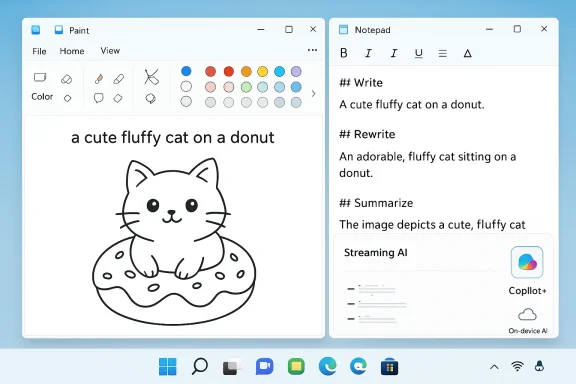
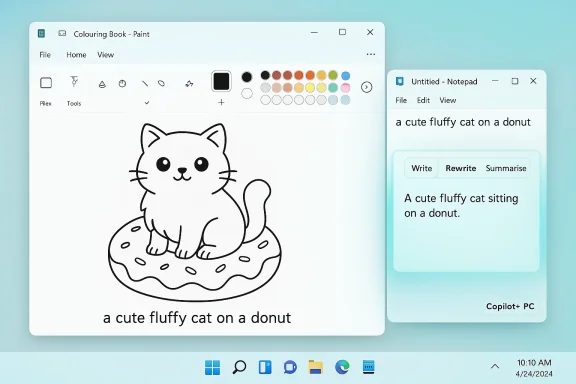
  • Open Paint’s Copilot menu, choose Coloring book, and type a short descriptive prompt (for example, “a cute fluffy cat on a donut”).
  • Hit Generate; Paint returns several line‑art pages suitable for printing or coloring.
  • Add a chosen page to the canvas or save/copy it.
Coloring book is explicitly limited to Copilot+ PCs (devices with NPU capabilities and the Copilot+ hardware profile) and requires signing in with a Microsoft account. That gating mirrors Microsoft’s strategy of using on‑device inference on capable hardware while testing cloud/edge placement for other devices.

Fill tolerance slider — small change, big payoff​

The new fill tolerance slider sits next to the Fill tool and lets users dial how aggressively the bucket tool spreads color. Lower tolerance produces tight, detailed drawings); higher tolerance makes broader fills (beneficial for quick blocks of color). This is the kind of small control that reduces cleanup work and makes Paint more usable for hobby artists and classroom scenarios.

Cross‑checking the facts​

The Windows Insider blog post (January 21, 2026) is the authoritative announcement for these specific changes and the version numbers — Notepad 11.2512.10.0 and Paint 11.2512.191.0. Independent outlets corroborated the story: industry coverage summarized the same features and the Copilot+/MSA gating, confirming that these are staged Insider flights rather than general availability releases. Use the official Insider blog for install guidance and the media coverage for impact and broader context. A few prior Insider updates are relevant context: Notepad added broader lightweight formatting and streaming support in earlier flights (tables, headings, etc., and Paint has been receiving generative capabilities in staged rollouts for months. Those earlier posts make Microsoft’s trajectory clear: incremental feature rollouts, hardware gating for local AI, and iterative telemetry‑driven expansion.

Strengths: why these updates matter​

  • Low‑friction AI adoption: Notepad and Paint are apps users already open multiple times a day. Adding AI to those surfaces increases the chance the tools will be useful rather than ignored. The interface choices prioritize brevity and approachability over complexity.
  • Better Markdown parity in Notepad: Strikethrough and nested lists are high‑utility items for notes and task lists; they reduce the need to switch to a heavier editor for small structured tasks.
  • Perceived responsiveness through streaming: Tokenized/streaming output reduces the cognitive friction of waiting for results and supports conversational refinement. That’s especially valuable for short form drafting and iterative editing.
  • Practical Paint improvements: The fill tolerance slider is a quality‑of‑life improvement that will appeal to casual creators and educators; Coloring book gives quick access to printable art and classroom content generation.
  • Measured rollout strategy: Gating Copilot+ features to hardware capable of local inference is pragmatic — it reduces latency for users with NPUs and gives Microsoft a controlled environment to tune model placement.

Risks, unknowns, and governance concerns​

While the updates are small, they raise recurring questions that enterprise and privacy‑conscious users should weigh.

Model runtime and data egress ambiguityy​

Microsoft’s messaging notes that streaming may come from local or cloud models depending on configuration, but the announcement does not publish a comprehensive runtime provenance table (which models run where and when). That ambiguity matters for compliance teams: “on‑device” does not automatically mean “no data left the machine” if hybrid fallbacks exist. Administrators should treat claims of full on‑device execution as provisional until Microsoft publishes explicit documentation.

Account gating and enterprise policy implications​

AI features require an MSA sign‑in for Notepad and Paint actions referenced in the announcement. For organizations that restrict personal Microsoft account use or require Azure AD‑only sign‑in, this dependency creates friction. IT teams will need to plan policy, Intune controls, and DLP rules to govern feature availability and telemetry.

Fragmented availability and user confusion​

Copilot+ gating plus Canary/Dev staging means the features will be visible to some users and invisible to others across the same estate. That fragmenting can increase helpdesk load and confusion in mixed fleets. Expect questions about why one person sees Coloring book while another with the same app version does not.

Content quality, hallucination, and copyright risks​

Generative outputs — text or image — are best treated as drafts or creative starting points. Image generation has long posed copyright provenance questions, and Microsoft’s earlier guidance has not always covered all edge cases. For professional content pipelines, outputs should be validated and audited before publication.

Monetization and credit models: uncertain territory​

Past experiments have attached credit systems to AI features in certain markets. The January 21 notes do not mention credits for these specific features, but historical precedent suggests region‑dependent monetization remains a possibility. Treat statements about long‑term free access as provisional until Microsoft provides formal terms.

Practical guidance: how Insiders and admins should test​

For Insiders who want to evaluate the updates safely, and for IT teams that need to vet the new features, follow these steps.
  • Confirm you’re in the Canary or Dev channel and have the updated packages installed. Look for:
  • Notepad 11.2512.10.0
  • Paint 11.2512.191.0.
  • Sign in with a Microsoft account to unlock AI features — this is mandatory for the Write/Rewrite/Summarize flows and Coloring book.
  • If you care about on‑device inference, test on a Copilot+ PC and compare behavior to a non‑Copilot device to observe performance and potential network activity differences.
  • Monitor network traffic and telemetry (on a non‑production test device) to determine whether prompt or generated content is leaving the LAN. Capture flows at the process and packet level if your compliance rules require it.
  • Use the Feedback Hub (WIN + F) under Apps > Notepad or Apps > Paint to submit issues; Microsoft explicitly requests feedback for these flights.
  • For enterprise deployment planning, draft Intune policies to control:
  • MSA sign‑in enforcement or disablement
  • App update approval for Canary/Dev channel apps
  • DLP rules for data leaving endpoints
  • End‑user guidance: treat AI outputs as drafts, include review steps

Developer and power‑user notes​

  • Notepad’s Markdown change preserves the app’s design goal: remain a lightweight editor with optional formatting. Users who prefer working in raw Markdown can continue to do so; the formatting toolbar is additive.
  • The streaming approach in Notepad mirrors best practices for interactive LLM experiences: early tokens for preview and refinement, then a completed result. This reduces wasted waiting and makes the tool feel conversational.
  • Paint’s Coloring book is tuned for line‑art generation rather than photorealistic illustration; outputs are intended for printing, coloring, and crafts — not as direct replacements for professional vector assets. Expect further iteration based on Insider feedback.

How this fits into Microsoft’s broader strategy​

These updates are incremental, but intentional. Microsoft is embedding generative AI primitives into widely used entry points (in‑box apps) to normalize AI assistance as part of everyday workflows. The company pairs this with conservative hardware and account gating (Copilot+ and MSA sign‑in) so it can tune latency, cost, and privacy outcomes across different device classes.
In short, the company is balancing capability and control: ship accessible experiences to many users, but gate the heaviest workloads to devices that can run them locally and cheaply. That approach reduces cloud costs and latency for qualifying users while giving Microsoft telemetry to refine fallback cloud routing. Expect additional documentation from Microsoft on runtime provenance, telemetry controls, and enterprise‑grade governance as these previews roll toward Beta and Stable channels.

Final assessment​

The January Insider updates to Notepad and Paint are not revolutionary, but they are illustrative. They highlight Microsoft’s two‑track strategy: make everyday utilities incrementally more powerful with AI, while using the Windows Insider program and Copilot+ hardware gating to control risk and iterate quickly. For everyday users the changes are tangible and helpful: better Markdown fidelity and faster, more interactive AI responses in Notepad; a useful fill tolerance control and a playful Coloring book generator in Paint. For enterprises and privacy‑conscious users, the updates underline the need for measured testing: confirm runtime behavior, define sign‑in and DLP policy, and treat AI outputs as draft content pending verification.
If Microsoft follows its usual staging pattern, Insiders in Canary and Dev will provide early feedback; a successful pilot should expand to Beta/Release Preview and then to general availability with clearer documentation about model placement and telemetry. Until Microsoft publishes more explicit runtime provenance and enterprise controls, conservative internal testing remains the prudent path for managed environments.
The updates make one thing clear: even the smallest apps in Windows are now part of the Copilot era. These changes will matter most to the people who open Notepad and Paint every day — students, hobbyists, classroom teachers, and the many users who rely on quick, dependable utilities. The trick for Microsoft going forward will be keeping those experiences reliable, explainable, and controllable as AI capability spreads across the OS.
Source: Thurrott.com Notepad and Paint Add New Features for Insiders
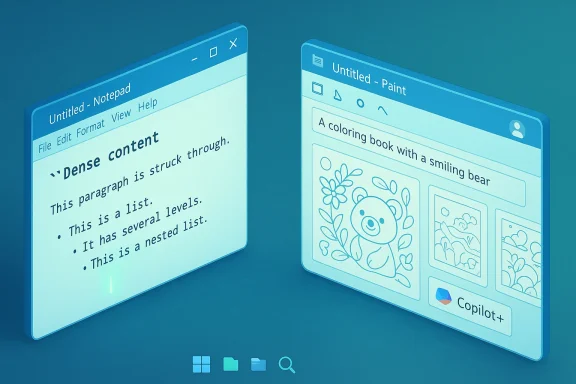
 

Microsoft is steadily turning two of Windows’ most familiar utilities — Notepad and Paint — into capable, AI-aware productivity and creativity tools, with the latest Insider updates adding richer Markdown-style formatting, nested lists and strikethrough in Notepad and new AI-driven features such as a Coloring book generator and refined fill controls in Paint.

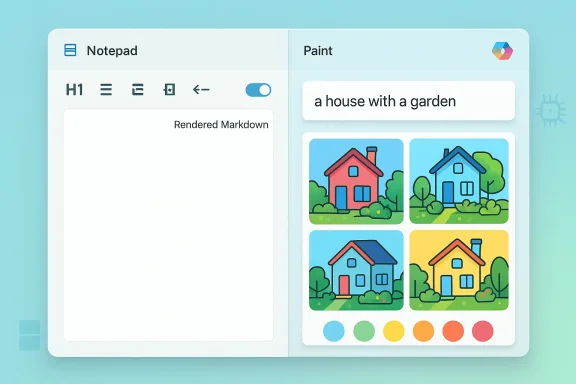
A split-screen UI: Notepad on the left for Markdown, Paint on the right with a “house with a garden” image set.Background​

Microsoft has been iteratively modernizing Windows’ inbox apps for several years, moving beyond the ultra-minimalist roots of Notepad and the one-trick simplicity of Paint. What began as cosmetic and performance updates — dark mode, tabbed windows, and faster launch times — has evolved into functional feature additions and integrated generative AI capabilities. Those changes have been rolled out first to Windows Insiders in Canary, Dev, Beta and Release Preview channels before broader distribution. The current wave of updates continues that trajectory: Notepad’s lightweight formatting and AI text tools are being expanded, while Paint is receiving targeted generative tools that lean on Microsoft’s Copilot infrastructure and device-side AI acceleration on Copilot+ machines. These releases are part of Microsoft’s larger strategy to embed AI across Windows apps while giving users controls to enable or disable the features.

What’s new in Notepad: formatting meets generative AI​

Expanded lightweight formatting​

Notepad’s latest Insider build extends the lightweight Markdown-style formatting introduced earlier with additional syntax features including strikethrough and nested lists. The app now exposes these options through a formatting toolbar and supports toggling between the rendered Markdown view and the raw Markdown text view. Users who prefer the old plain-text Notepad can clear formatting on the fly or disable the feature entirely in settings. These formatting additions are deliberately restrained: Microsoft is focusing on lightweight, interoperable markup rather than proprietary binary formats. Files can be edited using Markdown syntax or via toolbar buttons, preserving portability and the simple textual nature that made Notepad useful for quick notes and cross-platform transfers.

Tables, toolbar UX, and a guided welcome​

Earlier builds introduced table support, allowing users to insert tables via the formatting toolbar and perform right-click edits for rows and columns. The newest build also adds a welcome / What’s New experience in Notepad to help users discover features such as formatting, AI tools, and shortcuts. These UI additions aim to bridge the gap between a traditional text editor and modern, discoverable app experiences.

Generative AI: Write, Rewrite, Summarize and streaming results​

Notepad’s generative features — Write, Rewrite, and Summarize — have been expanded to improve responsiveness and capability. The update adds streaming results, so AI-generated text appears progressively instead of waiting for the entire response, improving perceived latency and interactivity. The AI operations require a Microsoft account sign-in for use in Notepad. Important implementation detail: some AI behaviors run locally on devices equipped with dedicated NPUs (the so-called Copilot+ PCs), which permits on-device inference without routing every prompt to the cloud. Where local models are available, streaming for certain operations (such as Rewrite) uses the device’s neural hardware; other features may still use cloud-based models. This mixed architecture is intended to balance responsiveness, privacy, and capability.

What’s new in Paint: creative AI additions​

Coloring book: generative pages from text prompts​

Paint’s headline addition in the latest Insider drop is Coloring book, an AI-powered feature that generates coloring-book-style line art from a text prompt. The feature is accessed from the Copilot menu: enter a prompt like “a house with a garden and fence,” then generate multiple variants and add any selection to the canvas. Coloring book is positioned as a quick creative workflow for users and educators. Coloring book is currently gated to Copilot+ PCs and requires a Microsoft account sign-in. That means the feature is available only on devices qualified for Copilot+ hardware acceleration, where models can run (or be orchestrated) efficiently and securely on-device.

Fill tolerance slider and improved fill behavior​

A more modest but practical update is a fill tolerance slider added to Paint’s Fill tool. This gives artists and casual users better control over color replacement behavior, letting them tune how aggressively the Fill tool expands across similarly colored regions. The slider can help achieve cleaner fills on hand-drawn artwork or noisy scanned images.

Continued evolution of generative tools​

Paint’s prior updates also introduced Generative Fill, Sticker Generator, Generative Erase, and Object Select, as well as updates to Cocreator and Image Creator — features that produce or edit imagery from prompts, remove objects intelligently, or generate stickers. Some of these features are region-limited or hardware-limited; generative fill and advanced on-device functions typically require Copilot+ hardware or specific Windows versions.

Technical requirements, channels and availability​

  • The current updates are rolling out to Windows Insiders in the Canary and Dev channels, with some features extended to Beta and Release Preview channels depending on the rollout phase. Broader public availability follows but is not guaranteed on a fixed calendar.
  • Several AI-specific features require a Microsoft account sign-in; some advanced tools are limited to Copilot+ PCs (devices with neural processing units certified for Copilot+). Expect a mix of cloud and on-device processing depending on the feature and the device.
  • Where applicable, usage of certain cloud-backed AI features may rely on AI credits or subscription tiers such as Copilot Pro or Microsoft 365 credits; Microsoft’s documentation and Insider posts indicate a mixed licensing approach for expensive compute tasks. Users should consult their region and subscription status to understand restrictions.
Caveat: rollout timelines, region availability and exact licensing terms have shifted during past Insider rollouts; users should treat channel availability as the authoritative indicator until Microsoft publishes general availability dates.

Privacy, control and enterprise management​

Data handling and on-device inference​

Microsoft’s dual local/cloud strategy for AI in Notepad and Paint has clear privacy implications. On Copilot+ PCs, local inference keeps prompt data on the device for supported operations, limiting cloud transmission. For cloud-backend scenarios, prompts and content are handled under Microsoft’s cloud terms for Copilot and Azure OpenAI services. Determining which path is used for a particular request depends on device hardware, user sign-in, and feature settings.

Admin controls for managed machines​

Enterprises and IT administrators are not left without tools. Microsoft publishes administrative templates (ADMX) and Group Policy/Intune controls to manage Notepad and Copilot features, including a dedicated policy to disable Notepad AI features (DisableAIFeaturesInNotepad) and broader controls for Copilot and the Copilot app. Administrators can also use AppLocker, Intune configuration profiles, or policies to prevent installation or execution of specific apps. These controls vary by Windows version and require correct ADMX import and device configuration. Recent Insider updates have also introduced a Group Policy that lets admins remove the Copilot app under specific conditions, reflecting Microsoft’s response to enterprise demands for tighter control over AI components. These measures are incremental, and some restrictions (such as conditions on when the Copilot app can be removed) can complicate wholesale removal.

Practical enterprise guidance​

  • Import thehe Notepad ADMX templates and configure Device/Group Policy settings to disable AI features where required.
  • Use Intune or AppLocker to prevent unwanted app installations on managed devices.
  • Validate whether on-device inference is acceptable for compliance needs; if not, restrict features that rely on cloud-based Copilot.

Benefits for everyday users and creators​

  • Faster drafting and editing: Write, Rewrite and Summarize can accelerate note taking, drafting emails, or producing boilerplate text without switching apps. Streaming results improve responsiveness and reduce waiting time.
  • Lightweight structured documents: Markdown support plus tables, headings and lists make Notepad a more capable quick-authoring tool that retains text portability. This is useful for developers, writers, and admins who prefer plain-text file formats.
  • Creative shortcuts in Paint: AI generators, sticker and coloring-book tools let casual creators produce assets rapidly, useful for educators, hobbyists, or social content creators who need quick visuals without learning complex design software.

Risks, trade-offs and community concerns​

Feature bloat vs. app identity​

A frequent critique across the community is that Notepad is losing the minimalism that made it invaluable. Adding toolbars, formatting and AI changes the app’s identity and may introduce cognitive overhead. Some users prefer the guaranteed simplicity and consistency of a true plain-text editor. Microsoft has mitigations — the ability to disable formatting and AI — but the friction of learning and managing new behaviors remains.

Privacy and telemetry​

When AI features leverage cloud services, they necessarily send content and usage data to Microsoft infrastructure. While on-device inference reduces that risk, not every machine can run local models. Users and admins must weigh convenience against privacy policy and regulatory needs. Microsoft’s enterprise guidance gives admins tools to manage or disable features, but configuring those controls requires proactive policy work.

Licensing and access complexity​

The provenance of a specific feature — whether it is free, requires AI credits, or is gated behind Copilot Pro or Microsoft 365 tiers — can be confusing. Some Insider announcements indicate mixed licensing and region limitations; until Microsoft publishes broader rollout and licensing clarity, users may encounter unexpected prompts or limitations. This uncertainty is especially problematic for organizations planning deployments.

Hallucination and content quality​

Generative features are not perfect: they can hallucinate, misinterpret prompts, or create inappropriate or incorrect content. Users should treat AI outputs as drafts that require human verification, especially in contexts demanding accuracy like technical documentation or legal wording. This is an operational risk when Notepad’s outputs are used without review.

How to try, tune or opt out (practical steps)​

  • Join the Windows Insider program and enroll a test device in Canary or Dev to receive preview builds. Expect features to appear progressively across channels.
  • Sign in with your Microsoft account to enable AI features; understand your subscription and AI credit status if prompted.
  • To disable Notepad AI features on a personal device: open Notepad settings and toggle AI and formatting options off. For managed devices, import the Notepad ADMX and set DisableAIFeaturesInNotepad via Group Policy or Intune.
  • On Copilot+ PCs you can expect on-device acceleration for supported AI tasks; non-Copilot+ machines will generally use cloud models for the same features. Validate behavior in a lab before rolling features out broadly.

Critical analysis: where Microsoft gains and where caution is warranted​

Microsoft’s incremental approach allows the company to test user responses in Insider channels and tune features before full release. Turning Notepad into a flexible writing tool with Markdown, tables and AI can reduce app switching and streamline simple content workflows. Paint’s new generative tools lower the barrier to entry for creative tasks and demonstrate how AI can augment hobbyist creativity.
That said, the larger strategy raises two persistent issues. First, the balance between enhancing utility and eroding an app’s original value proposition is delicate; Notepad’s original charm is its predictability and minimalism, which Ivy League developers, sysadmins, and power users still appreciate. Second, integration of cloud-dependent AI features creates governance and privacy demands that many organizations are not ready to manage without clear policies and MDM configurations.
From an enterprise perspective, Microsoft has provided meaningful controls — ADMX templates, Intune guidance, and Copilot management policies — but these require administrators to be proactive and technically competent. The partial ability to remove Copilot or block AI components is progress, yet the conditionality of some controls (for example, removal constraints) underscores the complexity of truly opt-out experiences. Finally, the hardware-gated model (Copilot+ PCs) makes performance and privacy better where available, but it also fragments the user experience across the installed base. Organizations must plan for mixed-device environments where some users have local models and others rely on cloud inference.

Conclusion​

The latest Notepad and Paint updates mark a clear shift: Microsoft is embedding richer formatting and AI capabilities into core Windows apps while providing administrators and users tools to manage those features. For end-users, the combination of Markdown-first formatting and generative workflows makes these utilities more productive and creative. For IT teams, the additions introduce policy, privacy, and deployment considerations that require planning.
The evolution will be welcomed by many who want convenience and modern capabilities inside lightweight apps, but it will also fuel debate among users who prefer the original, minimal Notepad and Paint experiences. The technical and administrative controls Microsoft has released — ADMX templates, Intune integration, and policy settings — are essential, but they are only effective when organizations take the time to evaluate and configure them before enabling AI-driven features at scale. Note of caution: channel-based rollouts, region restrictions, and licensing details have varied across Insider announcements; verify the precise availability and licensing conditions for your device and region before relying on specific features for production workflows.
Source: Neowin https://www.neowin.net/news/microsoft-updates-notepad-with-more-formatting-tools-paint-gets-more-ai/
 

Microsoft has begun rolling a targeted set of updates to Notepad and Paint for Windows Insiders, bringing deeper Markdown support, faster streaming AI responses in Notepad, and a new Copilot-powered Coloring book generator and improved fill controls in Paint — changes that illustrate Microsoft’s steady effort to fold lightweight markup and generative AI into even the smallest inbox apps.

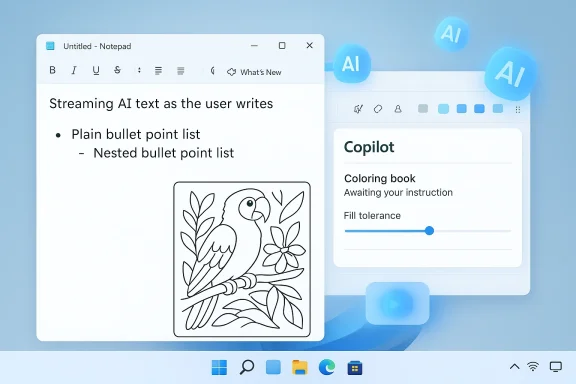
AI-assisted writing in Notepad on a Windows desktop, with a parrot coloring image and Copilot panel.Background / Overview​

Microsoft’s recent Insider flight (Canary and Dev channels) is part of a multi‑stage strategy to incrementally modernize Windows’ classic inbox utilities. Notepad has been moving from a minimal plaintext scratchpad toward a Markdown-first authoring surface with simple formatting, table support and AI actions; Paint has likewise accumulated generative features under a Copilot menu, including generative erase, Image Creator, and now a Coloring book workflow for quick line-art generation. The Windows Insider blog post announcing the January 2nd as version 11.2512.10.0 and Paint as 11.2512.191.0 for this wave. These additions are modest in isolation but significant in aggregate: they show Microsoft’s product playbook of using the Insider program to test UI and AI primitive features to Copilot+ hardware when on‑device inference is required, and require a Microsoft account for AI flows while leaving users the option to disable formatting and AI within app settings. (blogs.windows.comtive wins.** Paint’s Coloring book and fill tolerance slider are immediately useful: teachers, parents and casual creators get on‑demand printable line art and finer editing controls without heavy toolchains. [*]Hybrid privacy-performance model. Gating some features to Copilot+ hardware makes it possible to run models on-device (lower latency, greater privacy) while retaining cloud options for heavier workloads — a pragmatic balance between capability and data governance. [/LIST]

Risks, trade‑offs and things to watch​

  • Privacy and telemetry opacity. AI flows require a Microsoft account and, in many cases, will call cloud services. Administrators and privacy-minded users should demand clear, machine‑readable documentation about what is sent to Microsoft, when on‑device inference is used, and what telemetry persists. Microsoft’s blog post and independent coverage note the account requirement and mixed runtime, but finer provenance and data retention details remain sparse in consumer documentation. Treat those gaps as meaningful.
  • Feature bloat vs. original simplicity. Notepad’s fans pri and tiny, deterministic footprint. Adding toolbars, WYSIWYG renderers and AI actions risks alienating users who depend on Notepad’s simple, unformatted output for scripts, config files and forensic copying. Outlets like PC Gamer have already called attention to that tension. Microsoft mitigates this with toggle settings and the option to clear/disable formatting, but the UX drift is real and will continue to provoke debate.
  • Enterprise controls and compliance. Organizations will want admin controls for: disabling AI features, enforcing local-only inference, capturing telemetry for audits, and blocking account‑based features. Until Microsoft publishes robust enterprise policy controls around these inbox AI features, cautious admins should treat Notepad/ Paint AI as unapproved on production systems.
  • Model provenance and safety limits. While the apps implement conventional guardrails, generative outputs can still be unpredictable. Educational use-cases (like Coloring book pages) reduce risk, but any pipeline that can output text or images must be evaluated for hallucinations, copyright or privacy leakage — especially in corporate or regulated environments. Independent coverage flags the mixed runtime model as another variable affecting risk surface.
  • Hardware gating fragmentation. Tying features to Copilot+ devices improves on‑device privacy and speed, but it also fragments the feature set across users. Some users on older or non‑Copilot hardware will see an inferior experience or no access at all, complicating helpdesk and documentation.

Practical how‑to (for Insiders and testers)​

  • Enroll a non‑critical machine in the Windows Insider Program (Canary/Dev) and update Notepad / Paint via the Microsoft Store to get the listed builds.
  • Confirm app versions in the Microsoft Store or app About page: Notepad 11.2512.10.0, Paint 11.2512.191.0.
  • Sign in with a Microsoft account to enable AI features. Note that some AI behavior requires Copilot+ hardware (on‑device models) to stream or run locally.
  • To disable formatting or AI in Notepad: open Settings within Notepad and toggle the lightweight formatting or AI features off; use the megaphone icon to view “What’s New” again.
  • For Paint’s Coloring book: open the Copilot menu, select Coloring book, enter a prompt and generate variants; add chosen line art to the canvas or save for printing (Copilot+ required).

Recommendations for users and IT managers​

  • Individual users should test features on a secondary device and confirm that toggling formatting off returns truly plain Markdown/ TXT output for workflows that depend on exact text fidelity.
  • Educators and parents can experiment with Coloring book as a quick content generator for activities, but review generated pages before printing for age‑appropriate content and to ensure no unexpected artifacts appear.
  • IT administrators should:
  • Treat Insider builds as testing grounds, not production updates.
  • Set policy guardrails (where available) to disable Copilot AI features on managed endpoints until model runtime, telemetry, and data residency are fully documented.
  • Validate that on‑device Copilot+ models behave as expected under corporate compliance regimes before enabling them broadly.
  • Security teams should capture network and telemetry traces on test devices to determine what endpoints are contacted during AI operations and to validate any data minimization promises. Independent reporting already suggests mixed cloud/on‑device behavior; an empirical validation is necessary to close the governance loop.

Larger product and platform implications​

These updates reveal Microsoft’s layered approach to integrating AI across Windows: start with small, discoverable conveniences (formatting toolbar, table insert), add AI actions to amplify common tasks, and gate higher‑privacy or performance‑sensitive features to Copilot+ hardware for on‑device inference. That pattern enables experimentation at scale while offering a path to local-first AI when device silicon and models reach sufficient maturity. There’s an editorial tension baked into the approach: inbox apps are now both utility tools and public testbeds for Copilot experiences. The benefit is faster user exposure to innovation; the cost is increased variance in the user experience and a steeper management surface for IT teams. How Microsoft balances discoverability, explicit user consent, and enterprise policy controls will determine whether this pattern is broadly embraced or narrowly adopted.

Caveats and unverifiable points​

  • Exact on‑device model families, weights and the list of NPUs guaranteed to support local inference are not exhaustively documented in the public release notes. Claims that a particular chip or OEM will always run a specific local model are subject to change and require OEM and Microsoft certification details — treat these specifics as subject to future clarification.
  • Microsoft’s blog and independent reports confirm the account requirement and mixed runtime, but the fine‑grained telemetry collection behavior (what is logged, for how long, and where it is stored) will need separate verification via Microsoft’s enterprise guidance or support channels. Until that detail is published, assume conservative risk.

Conclusion​

The January Insider update for Notepad and Paint is emblematic of Microsoft’s incremental, pragmatic approach to modernizing the Windows inbox app set: small features that matter — richer Markdown parity, Markdown‑first tables, streaming AI, and creative generative tools — combined with a cautious hybrid architecture that balances cloud capability with on‑device privacy for Copilot+ PCs. These changes improve everyday productivity and open new, low‑friction creative workflows, but they also raise legitimate questions about privacy, enterprise control, and the evolving identity of cherished legacy apps.
For users, the immediate payoff is tangible: faster AI-assisted writing in Notepad and creative, printable output from Paint’s Coloring book. For administrators and privacy-conscious users, the prudent path is deliberate testing, policy planning, and demand for transparent telemetry and model provenance. Microsoft’s staged Insider rollout gives those stakeholders an opportunity to evaluate the features while the company refines UX, runtime behavior, and documentation — and that process deserves careful attention as these seemingly small apps become primary surfaces for Copilot experiences.
Source: Windows Report https://windowsreport.com/microsoft...-ai-upgrades-paint-app-gets-ai-coloring-book/
 

Microsoft has quietly expanded two of Windows’ oldest inbox utilities — Notepad and Paint — adding richer Markdown-style formatting, improved AI writing flows, and new generative creativity tools that are currently rolling to Windows Insiders in the Canary and Dev channels.

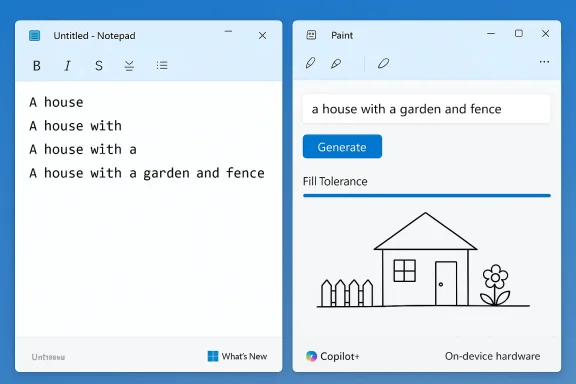
Two side-by-side windows: Notepad with a house prompt on the left, and Paint with a garden-house sketch on the right.Background​

Microsoft’s long-running strategy for Windows’ built-in apps has shifted from “stable, minimal utilities” toward "lightweight productivity and creativity surfaces" that also act as testbeds for Copilot-style AI features. Over the last two years Notepad and Paint have received incremental modernizations — tabbed windows, spell check, a formatting toolbar, and selective AI actions — and the latest Insider flight continuityues that incremental evolution with focused usability and generative additions.
These builds are being validated through the Windows Insider program before any broad release. That staged approach allows Microsoft to test user experience, telemetry, and on-device inference behaviors (on Copilot+ PCs) while giving everyday users tools to opt in or disable the features.

Notepad: from scratchpad to Markdown-aware composer​

Notepad’s role is changing in small, careful steps. The app remains fundamentally a plain-text editor at heart, but Microsoft has been layering a toggleable “lightweight formatting” mode that renders Markdown and surfaces common authoring tools. This update adds several important pieces of that roadmap: expanded Markdown parity, table support refinements, a short first-run welcome experience, and streaming AI outputs for its Write / Rewrite / Summarize actions.

Expanded Markdown fidelity​

Notepad’s lightweight formatting now recognizes additional Markdown constructs that many users expect from modern note apps:
  • Strikethrough formatting for editorial markup and task lists.
  • Nested lists (multiple indentation levels), useful for outlines and complex checklists.
These are exposed via the formatting toolbar, keyboard shortcuts, or by typing raw Markdown directly; the underlying document remains plain Markdown text, preserving portability and compatibility with version control or other Markdown-aware tools. The choice to keep storage as readable Markdown is deliberate — Microsoft aims to add convenience without converting Notepad into a closed, binary-format editor.

Tables, toolbar UX and discoverability​

A visual table inserter — first introduced in prior Insider builds — continues to be supported and has been refined for routine use. The Table button offers a grid picker for quick insertion and simple right-click or toolbar edits for rows and columns. Notepad keeps table data as pipe-delimited Markdown when formatting is toggled off, which keeps the feature light and portable rather than a spreadsheet replacement.
Microsoft has also added a small first-run “What’s New” welcome pane (reopenable via a megaphone icon) to improve discoverability for casual users who don’t read release notes. This is a practical usability move: incremental features are only valuable if people can find them.

Streaming AI: interactive, token-by-token results​

One of the most meaningful UX changes in this build is streaming AI results for Notepad’s generative actions (Write, Rewrite, Summarize). Instead of waiting for a full block of generated text to appear, users now see partial output token-by-token — essentially a live-typing preview. Streaming reduces perceived latency, lets users interrupt or refine prompts mid-response, and generally makes short generative edits feel more conversational and less disruptive to a writing flow.
Important technical notes about the AI implementation:
  • AI flows require a Microsoft account sign-in to use.
  • Some streaming behaviors — particularly Rewrite — are limited to on-device models on Copilot+ PCs; other flows may use cloud-based models depending on device capability and settings. This hybrid architecture is intended to balance responsiveness, privacy, and capability.

Versions and rollout​

The Insider package numbers for this flight are reported as Notepad 11.2512.10.0 (Canary/Dev). These builds are staged for Insiders first; wider general availability is expected only after telemetry and feedback confirm readiness. Administrators and testers should therefore treat these as pre-release — not production — builds.

Paint: practical controls meet generative play​

Paint’s latest Insider update takes a two-pronged approach: practical UI refinements for everyday editing and a light-touch generative workflow aimed at creatives, parents, and teachers.

Coloring book: prompt → printable line art​

The headline generative feature is Coloring book, a Copilot-driven workflow that generates line-art pages from a short text prompt. The flow is intentionally simple: type a description such as “a house with a garden and fence,” hit Generate, and Paint returns several line-art variants that can be added to the canvas, printed, or colored digitally.
This feature is pitched as a teacher- and parent-friendly capability — quick printable pages for classroom use or family activities — and follows Paint’s ongoing integration of generative tools under the Copilot menu.

Fill tolerance slider: small control, big payoff​

Beyond generative additions, Paint also gains a fill tolerance slider adjacent to the bucket tool. This slider lets users dial how aggressively the bucket spreads color:
  • Low tolerance for tight, detail-oriented fills.
  • High tolerance for broad, rapid color blocks.
It’s a small, practical control that significantly reduces cleanup work and improves Paint’s usability for hobbyists and educators.

Gating and requirements​

Coloring book and some other generative options are gated to Copilot+ PCs (machines with supported NPUs and Copilot+ certification) and require signing in with a Microsoft account. The gating reflects Microsoft’s hybrid strategy: take advantage of device-side neural hardware when available for faster, private inference while falling back to cloud models for other devices. The Paint build tied to this flight is reported as Paint 11.2512.191.0.

How the AI actually runs: on-device vs cloud, streaming, and privacy​

Microsoft’s design for these features follows a hybrid pattern:
  • On-device inference is used where possible, primarily on Copilot+ hardware with NPUs. On-device models reduce latency and can keep sensitive data local.
  • Cloud-based inference remains necessary for more capable or up-to-date models and for devices without specialized hardware. These flows require network connectivity and a signed-in Microsoft account.
  • Streaming is supported for many AI results, making interaction feel immediate. However, specific streaming behaviors can be limited to local models for certain actions (Rewrite being a frequently cited example).
From an enterprise, privacy, and compliance perspective, these are the most important operational signals:
  • Microsoft account sign-in is required for AI features; enterprises should consider how that intersects with corporate identity and conditional access policies.
  • Where possible, on-device inference reduces telemetry and cloud routing; still, organizations should evaluate telemetry capture and data flows using their standard Windows telemetry and compliance tools before broad deployment.

Practical impact: who benefits and how​

These changes bring tangible benefits for several user groups:
  • Writers and note-takers get faster, more natural generative assistance and richer Markdown support in a near-instant editor.
  • Teachers and parents gain quick ways to generate printable coloring pages without relying on third-party sites or manual tracing.
  • Hobby artists and students get smaller but meaningful UX improvements (e.g., fill tolerance) that reduce friction during creative tasks.
  • Power users and developers benefit from Markdown parity and plain-text continuity: Notepad preserves Markdown storage so text remains usable across tools.
At the same time, the updates preserve an important opt-out: users who prefer a pure plain-text experience can disable the lightweight formatting layer or clear formatting on demand, maintaining Notepad’s core value as a predictable, portable text tool.

Enterprise and admin considerations​

For IT teams and administrators, these updates pose a set of verification tasks before recommending broad deployment:
  • Validate the feature set and runtime behavior on a non-critical test image (Insider Canary/Dev builds are pre-release).
  • Evaluate the interplay between Microsoft account requirements and enterprise sign-in or conditional access policies.
  • Confirm telemetry and network behavior for AI flows using enterprise monitoring tools — particularly for cloud-based model calls.
  • Test on both Copilot+ hardware and standard Windows devices to observe differences in latency, streaming behavior, and model placement.
  • Review app settings and MDM/Group Policy controls (when available) for disabling AI features or formatting for users who must not use them.
Administrators should treat these Insider builds as previews and avoid rapid forced rollouts until Microsoft publishes finalized enterprise guidance and deployable policy controls.

Critical analysis: strengths, trade-offs, and risks​

Microsoft’s approach here is deliberate and incremental: add real-world conveniences, measure impact with Insiders, and iterate. That strategy has clear strengths and predictable trade-offs.

Strengths​

  • Tangible UX wins: Streaming AI and small editing controls (fill tolerance, nested lists) directly reduce friction in common tasks.
  • Preservation of portability: Notepad’s Markdown-first design keeps data human-readable and transportable; formatting is a layer, not a proprietary storage format.
  • Hybrid inference model: Leveraging Copilot+ hardware for on-device inference where possible improves latency and may limit cloud exposure for sensitive data.
  • Accessible creativity: Paint’s Coloring book is a low-friction way to introduce generative art to nontechnical users and classroom settings.

Trade-offs and risks​

  • Feature creep vs. simplicity: Notepad’s incremental expansion is pragmatic, but there’s a cultural tension: some users treasure Notepad’s no-frills predictability and may view continued additions as bloat. The balance between modern features and the original utility’s identity is delicate.
  • Account and telemetry requirements: AI features require a Microsoft account and produce telemetry. For privacy-conscious users and regulated industries, that introduces policy and compliance questions that need answering before broad adoption.
  • Hardware gating complexity: Copilot+ gating gives Microsoft a path to enable on-device inference, but it also fragments the experience between devices that have NPUs and those that do not. Users may be confused about which features are available on their machine.
  • Potential monetization ambiguity: Some reporting and commentary have suggested Microsoft could monetize advanced AI features through Microsoft 365 or Copilot tiers. That framing appears in community discussion and earlier analyses, but the specific paywall or credit model for the features in this particular Insider flight is not definitively confirmed and should be treated with caution until Microsoft publishes explicit pricing or licensing guidance. This claim is therefore flagged as unverified pending an official announcement.

How to test and adopt (step-by-step)​

For enthusiasts, testers, and administrators who want to evaluate these updates, follow this pragmatic sequence:
  • Enroll a non-production test device in the Windows Insider program (Canary or Dev channel) and ensure you have a full system backup.
  • Install the reported package versions (Insider builds): Notepad 11.2512.10.0 and Paint 11.2512.191.0, and confirm the app versions in the Microsoft Store or package manager.
  • Sign in with a test Microsoft account and exercise the AI features (Write, Rewrite, Summarize in Notepad; Coloring book in Paint) to observe network calls and latency.
  • Test the same flows on a Copilot+ device (if available) to compare on-device inference and streaming behavior versus a standard device. Note where streaming is limited to local models (e.g., Rewrite).
  • Use enterprise monitoring and packet inspection tools to identify cloud endpoints and telemetry behavior for internal compliance assessment.
  • Evaluate the UI fallback: confirm that users who disable formatting or AI see the classic plain-text behavior to ensure no accidental changes to workflows.
  • Collect feedback from pilot users and monitor Insider feedback channels and Microsoft’s official guidance for final policies and administrative controls.

Final verdict: practical updates with important caveats​

The updates to Notepad and Paint are not revolutionary, but they are purposeful and pragmatic. Notepad is becoming a more useful lightweight authoring surface — now with better Markdown parity and more responsive AI assistance — while Paint adds both useful editing controls and an approachable generative workflow for quick, printable coloring pages. These are the sorts of incremental changes that, when aggregated, materially improve everyday productivity and casual creativity.
At the same time, organizations and privacy-minded users should treat the AI flows as guarded functionality: they require Microsoft account sign-in, they may route to cloud services unless executed on-device, and their telemetry and policy implications merit testing before broad deployment. Where some public commentary suggests subscription gating or monetization, that remains unconfirmed for this specific flight and should be awaited from Microsoft’s official channels.
These Insider builds demonstrate Microsoft’s larger product playbook: modernize classic utilities incrementally, embed Copilot experiences where they add value, and validate customer impact through staged Insider releases. For most users, the changes mean better tools without giving up Notepad’s portability or Paint’s approachability — but the trade-offs around account requirements, telemetry, and device fragmentation remain the essential considerations before adopting these features at scale.


Source: Neowin https://www.neowin.net/amp/microsoft-updates-notepad-with-more-formatting-tools-paint-gets-more-ai/
 

Microsofthe has quietly shipped a pair of deliberate, user-facing updates to two of Windows 11’s oldest inbox apps — Notepad and Paint — adding richer Markdown handling and streaming AI text in Notepad, and an on-device, Copilot‑gated Coloring Book plus improved fill control in Paint, with the initial rollout targeted at Windows Insiders in the Canary and Dev channels.

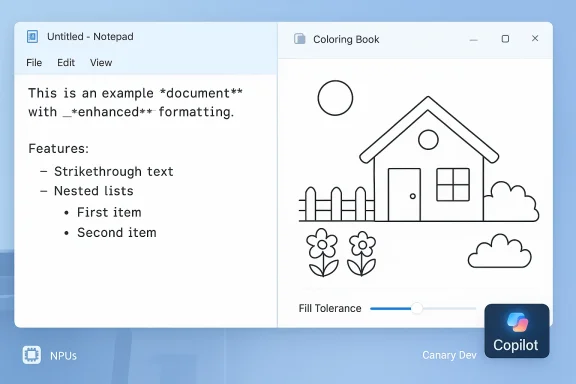
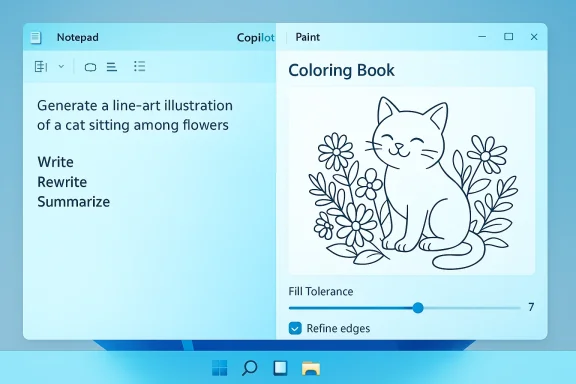
Split-screen desktop: Notepad on the left and a line-art coloring book on the right.Background​

Notepad and Paint started life as ultra‑minimal utilities but have been steadily modernized into lightweight, capable tools that also serve as experimentation surfaces for Microsoft’s Copilot integrations. Over the last year Microsoft has layered formatting, tabbing, and generative AI primitives into these apps and used the Windows Insider program to stage and refine changes before broader availability. The January Insider flight continues that pattern: focused, incremental enhancements that target discoverability and usability while expanding on‑device AI where hardware supports it. These changes are part of a broader product strategy that is increasingly obvious: embed generative AI into everyday surfaces without turning those surfaces into monolithic, cloud‑only experiences. Notepad’s move toward Markdown parity and Paint’s introduction of NPU-accelerated creative generators are practical examples of that approach. Independent coverage and prior Insider posts confirm the timeline and feature family Microsoft has been pursuing.

What Microsoft announced (high‑level)​

  • Notepad (version 11.2512.10.0) gains expanded Markdown support (strikethrough, nested lists), a new Welcome / What’s New experience to surface feature updates, and streaming AI results for the Write, Rewrite, and Summarize actions. A Microsoft account sign‑in is required to use Notepad’s AI functions.
  • Paint (version 11.2512.191.0) adds an AI‑powered Coloring Book mode that generates outline-style pages from text prompts (available on Copilot+ PCs using local NPUs), and an adjustable fill‑tolerance slider to give finer control over how the Fill tool applies color. Paint’s Coloring Book also requires a Microsoft account and is gated to supported Copilot+ hardware.
  • Both builds are being rolled out first to Windows Insiders in the Canary and Dev channels and will reach general Windows 11 users in the coming weeks via app updates rather than a full OS feature update.

Notepad: deeper Markdown, discoverability, and streaming AI​

Expanded Markdown support and UI parity​

Notepad’s lightweight formatting layer, which already included headings, bold, italics and simple lists, now supports strikethrough and nested lists, and these controls are available both through keyboard/Markdown input and via a formatting toolbar. That means users who prefer raw Markdown can keep typing, while others can visually apply formatting without memorizing syntax. Microsoft explicitly frames this as a move toward interoperability — adding markup features while preserving plaintext portability. Why this matters: Notepad is often used for quick notes, TODOs and small doc fragments. Adding nested lists and strikethrough aligns Notepad with common Markdown workflows used for task management and lightweight documentation, reducing friction when content moves between Notepad and other Markdown-aware tools.

Welcome Experience (What’s New)​

A small but practical UX addition is a dismissible "Welcome" or "What’s New" panel that appears after feature updates. Microsoft intends this dialog to increase discoverability for casual users who don’t track Insider posts or release notes. The dialog can be re-opened from a megaphone icon in the toolbar. This is classic product-management UX: make incremental additions visible to reduce feature‑discovery friction.

Streaming AI text generation: perception vs. latency​

Notepad’s Write, Rewrite, and Summarize features now support streaming results so generated text appears progressively (a live‑typing experience) rather than waiting for the entire generation to complete. The technical effect is mainly perceptual: users see content sooner and can react or stop the generation earlier, improving interactivity even if total generation time is unchanged. Microsoft notes streaming applies whether generation runs locally on Copilot+ NPUs or in the cloud. Independent reporting has emphasized this UX benefit: streaming reduces perceived latency and makes generative features feel integrated rather than interruptive. At the same time, streaming requires careful UI design to avoid confusing partially generated text with final content, and Microsoft’s incremental rollout suggests it’s testing those boundaries.

Account and regional considerations​

Notepad AI actions require a Microsoft account sign‑in; prior Insider posts and third‑party coverage show Microsoft continues to gate some AI capabilities by account, subscription, region, or device capabilities (Copilot+). Users should expect differing behavior depending on whether a local NPU model is available, whether the user is signed in, and whether cloud models or credits are required. Where local on‑device models exist, Microsoft has previously allowed use without a subscription; where local models are absent, cloud capability and account/subscription policies apply.

Paint: Coloring Book, fill tolerance, and on‑device creativity​

Coloring Book: generative outline art for Copilot+ PCs​

Paint’s headline addition in this flight is Coloring Book, an AI‑powered generator that produces line-art coloring pages from text prompts. Users open Paint, choose Coloring Book from the Copilot menu, provide a prompt (for example, “a house with a garden and fence”), and Paint generates multiple outline variants which can then be added to the canvas, copied, or saved for printing. Critically, Coloring Book is limited to Copilot+ PCs and uses the device’s NPU to perform generation on device. This is a textbook example of on‑device generative workflows: modest artifact (monochrome outlines) that are low-overhead to generate and useful in offline or privacy‑sensitive scenarios (classroom printable pages, quick prototyping). By targeting outline art rather than photorealistic imagery, Microsoft keeps the feature light, fast, and well‑suited to the simplified inference budgets of local NPUs.

Fill tolerance slider: practical improvement for creators​

The Fill tool now exposes a tolerance slider, enabling users to tune how aggressively the fill algorithm fills adjacent pixels. Lower tolerance reduces bleed into neighboring areas, which is especially useful for detailed sketches and for coloring book outlines where precision matters. This is the sort of incremental but practical UI control that improves everyday workflows for both casual users and hobbyists.

Hardware gating and the Copilot+ story​

Coloring Book is gated to Copilot+ PCs, a designation Microsoft uses for machines certified for higher‑performance on‑device AI. That gating aligns with Microsoft’s strategy of offering local model execution on appropriately equipped hardware while still providing cloud fallbacks where necessary. The tradeoff for users is clear: on‑device inference offers lower latency and different privacy implications, while cloud generation may be more capable in some scenarios but involves remote processing and account gating.

Availability and rollout details​

Microsoft is distributing these changes via app updates to Insiders in the Canary and Dev channels, with broader distribution to Windows 11 users via the Microsoft Store in the coming weeks. Notepad’s build is listed as 11.2512.10.0 and Paint as 11.2512.191.0 in the official Windows Insider post announcing the flight. If you don’t participate in the Insider program, expect these features to arrive through normal Store updates after validation. Testing via Insiders remains the canonical path to try features early, but because these are app updates they can appear independently from OS feature updates — keep the Microsoft Store and the Inbox Apps up to date. Feedback should be filed through Feedback Hub under Apps > Notepad and Apps > Paint as Microsoft explicitly requests tester input.

Why these changes matter (and why they’re conservative)​

Microsoft’s approach here is pragmatic rather than revolutionary.
  • The Notepad updates reduce friction for lightweight documentation workflows by aligning Notepad’s feature set with common Markdown expectations. That makes Notepad more useful for short-form authoring without forcing users into heavier editors.
  • The streaming AI change is a UX refinement with real productivity implications: perceivable responsiveness often matters more than raw throughput for short writing tasks.
  • Paint’s Coloring Book is deliberately constrained — line art that’s cheap to generate and useful in real‑world scenarios (education, quick creative play). The feature demonstrates on‑device generative capability without the overhead or moderation complexity of full‑scale image generation.
These are the kind of small, broadly useful improvements that compound over time: better discoverability, better parity with modern formats, and a clearer path to on‑device AI where the hardware is present.

Risks, tradeoffs, and open questions​

While the updates are well scoped, there are meaningful considerations for users and IT administratorelemetry**: AI features that run in the cloud send user inputs to remote models; Microsoft has documented mixed architectures where some flows run locally and others do not. The Windows Insider posts and independent reporting indicate account gating and mixed local/cloud behavior, but full runtime provenance and telemetry details are thin in the consumer announcement. Admins should treat these as features requiring validation in privacy‑sensitive environments.
  • Microsoft account requirement: AI features in Notepad and Paint require signing in with a Microsoft account. That creates a barrier for users who prefer local accounts and can complicate deployments in some enterprise environments. It also centralizes activity under Microsoft’s account ecosystem, which may have policy or compliance implications.
  • Hardware fragmentation and Copilot+ gating: Coloring Book on Copilot+ PCs is a good demo of local inference but increases fragmentation: not all PCs will support the feature, and user experience will differ based on device class. Expect questions about which devices are Copilot+ certified and how vendors communicate that to buyers.
  • Model prov: Generative features around images and text raise questions about moderation, copyright, and provenance. Microsoft applies moderation and safety layers, but the announcements leave many details to future documentation and product pages. Users whose workflows require strict provenance or that rely on licensed content should be cautious until Microsoft provides clearer model and training data disclosures.
  • Perceptual UX pitfalls: Streaming partial outputs is powerful, but it can also be confusing if intermediate tokens mislead users into treating half‑generated text as final. Expect iterative UX tweaks based on Insider feedback.
Where exact runtime or telemetry details are missing, those are flagged as areas for administrators and privacy‑conscious users to test directly — run traffic captures, evaluate enterprise policies, and file feedback with Microsoft if tighter controls or documentation are required.

Practical guidance: how to try these features and what to test​

  • Join Windows Insider (Canary or Dev) if you want early access; otherwise wait for Store updates in the coming weeks.
  • Keep the Microsoft Store and the Inbox Apps updated; these are app updates, not OS feature drops.
  • Sign in with a Microsoft account to unlock AI features; verify regional availability if something doesn’t appear.
  • On Copilot+ hardware, test local/ on‑device behavior: check whether generated content stays local and compare latency against cloud generation. Use network captures and Feedback Hub to report anomalies.
  • For Paint Coloring Book, try a range of prompts (simple objects, scenes, abstract prompts) and test the Add to canvas / save / print flows. Evaluate outline complexity and whether generated art is suitable for classroom or printing at scale.

Administration and security checklist​

  • Validate the presence and scope of telemetry when AI features are used; capture traffic and logs on a test device.
  • Confirm sign‑in requirements and account policies for managed devices; decide whether Microsoft account use is acceptable.
  • Test feature behavior on non‑Copilot hardware and Copilot+ machines to understand functionality differences.
  • Review corporate policies for content generation and intellectual property where AI editing might alter or generate new designs or text.
  • Ensure Feedback Hub reporting is enabled for Insider testers to route issues and feature requests directly to Microsoft.

Critical takeaways​

  • Microsoft continues to fold useful, pragmatic AI capabilities into long‑standing Windows utilities rather than building entirely new standalone apps. Notepad’s Markdown additions and streaming AI improve everyday productivity; Paint’s Coloring Book demonstrates a careful, device‑aware approach to generative creativity.
  • The most important user experience win here is discoverability — the Welcome experience and toolbar parity reduce the friction for everyday users who might otherwise miss incremental improvements. That small UX detail matters because it amplifies the value of otherwise modest feature changes.
  • From a policy standpoint, the mixed local/cloud model and Microsoft account gating are the two items enterprises and privacy‑conscious users must assess most thoroughly. Where on‑device models are available, privacy and latency benefits are real; where cloud models are necessary, organizations should validate telemetry and data flow.

Final thoughts​

These Notepad and Paint updates are emblematic of Microsoft’s incremental, hardware-aware strategy for embedding AI across Windows: practical, discoverable, and progressively rolled out to limit surprises. They’re not headline‑grabbing breakthroughs, but their cumulative effect is meaningful — turning trusted, familiar tools into more capable, contextual assistants without abandoning the core simplicity users expect. For those who live in Windows every day, that combination of conservative design and selective innovation is precisely the kind of evolution that will change workflows quietly but persistently.

Source: gHacks Technology News Microsoft Previews New Windows 11 Features For Notepad And Paint - gHacks Tech News
 

Microsoft has quietly upgraded two of Windows 11’s oldest built-in apps — Notepad and Paint — with another round of formatting options and AI tricks, and it’s doing so in a way that makes clear where Microsoft thinks the future of everyday desktop tools is headed: closer to Copilot, closer to cloud or on‑device AI, and further from the “plain text only” simplicity many users relied on for decades.

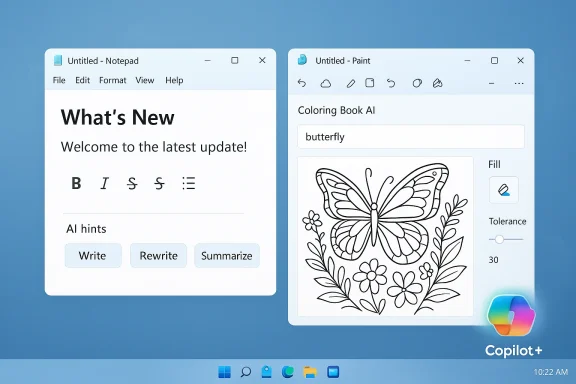
Two floating Windows apps: Notepad with AI hints and Paint featuring a butterfly coloring page.Background​

Notepad began life as a tiny, no‑frills text editor whose primary job was to strip formatting and hold plain text. Over the last year Microsoft has transformed it into an intermediate editor: lightweight formatting, Markdown rendering, and now more markdown features plus AI writing tools have been added to the core app distributed with Windows 11. These features are rolling out first to Windows Insiders in the Canary and Dev channels, with a broader public rollout expected later. Paint, once the simplest bitmap tool in Windows, has followed a similar trajectory: more creative tooling, improved selection/fill controls, and AI‑powered generation features — some of which are limited to the new class of Copilot+ PCs that ship with dedicated NPUs. Microsoft labels a number of the new experiences as Copilot or Copilot+ features, and requires Microsoft account sign‑in for access to certain AI operations.

What changed in Notepad: a concise summary​

  • Notepad version 11.2512.10.0 adds a What’s New first‑run/welcome experience that appears at startup, and a megaphone icon in the toolbar to re-open it.
  • The editor’s Markdown support is expanded to include strikethrough formatting and nested lists in the lightweight renderer and formatting toolbar.
  • AI text features (Write, Rewrite, Summarize) now support streaming results: partial or incremental output is shown sooner so users can interact with the preview before the full result completes. AI features require a Microsoft account to use.
These changes build on earlier updates that added Markdown support and basic formatting (bold, italic, headings, links) and table support added in late 2025. If you’re tracking Notepad’s evolution, you can see the pattern: incremental formatting features, then tables, then richer Markdown and AI enhancements.

What's new in Paint: short summary​

  • Paint version 11.2512.191.0 introduces Coloring book, an AI feature that turns a text prompt into a line‑art “coloring book” page you can add to the canvas, save, or copy. This tool is restricted to Copilot+ PCs and requires a Microsoft account.
  • A fill tolerance slider provides finer control over the Fill tool so users can adjust how the bucket behaves and reach cleaner fills or creative effects.
These are not minor visual tweaks — they explicitly lean on on‑device NPU acceleration when available, and on cloud services otherwise. The Copilot+ designation signals Microsoft’s growing hardware/software segmentation for “AI‑aware” Windows experiences.

Why Microsoft is making these changes (the company rationale)​

Microsoft frames these updates as part of a bigger push to make Windows apps more productive and discoverable. The new What’s New dialog in Notepad is explicitly a discovery tool: it’s meant to highlight features users may not find on their own, reduce the learning curve for formatting tools, and surface AI capabilities built into the app. The streaming AI preview is pitched as a responsiveness improvement so users don’t wait for a complete cloud or local model run before seeing usable output. From Microsoft’s perspective this is sensible: built‑in tools that can do more reduce friction for non‑technical users, and integrating AI into default apps creates a consistent UX for generative features across the OS. Coupling some features to Copilot+ hardware is also an attempt to show tangible value from the higher‑end NPU class of machines.

Strengths: what’s genuinely useful here​

  • Improved discoverability and onboarding. The What’s New dialog reduces reliance on external documentation and helps users locate features quickly. For many casual users the megaphone‑driven welcome guide will beat hunting through menus.
  • Markdown in a system app is practical. Having markdown support inside Notepad means you can open and quickly preview README files and docs without installing a third‑party editor. That’s a legitimate productivity uplift for developers and writers who keep simple text notes. The incremental additions — strikethrough and nested lists — close functional gaps with common Markdown dialects.
  • Faster perceived AI output. Streaming AI output — whether the model runs locally on Copilot+ hardware or in the cloud — will make the Write/Rewrite/Summarize features feel snappier and more interactive. That’s a better UX than waiting several seconds for a single block of generated text to appear.
  • Creative automation in Paint. The Coloring book feature will appeal to casual creators, educators, and families who want quick, printable line art. The Fill tolerance slider addresses a persistent Paint UX gripe and is a pragmatic, non‑controversial enhancement.

Risks, trade‑offs and practical concerns​

  • Feature bloat vs. “single‑purpose” simplicity. Notepad’s historic utility came from being a minimal, predictable text container. As formatting, Markdown rendering, and AI features accumulate, the app increasingly behaves like a small word processor. That trajectory will please many users, but it also risks alienating users who want a simple plain‑text tool without extra layers or accidental formatting. The option to disable formatting exists, but the defaults matter.
  • Account gating and fragmentation. Many AI features require sign‑in with a Microsoft account, and several Paint features are limited to Copilot+ PCs — a small subset of Windows devices with NPUs and elevated hardware specs. That creates a tiered experience: the baseline user gets some features, signed‑in users get more, Copilot+ owners get yet more. Fragmentation in utility across devices and accounts can confuse users and complicate IT policy.
  • Privacy and telemetry ambiguity. Streaming AI responses may be generated locally on Copilot+ hardware or in the cloud. Microsoft states some Copilot+ experiences process data locally and that NPUs enable on‑device inference, but cloud fallback paths still exist for non‑Copilot+ devices or for workloads that need larger models. For organizations and privacy‑sensitive users, the exact telemetry, inputs retained, and logs forwarded to Microsoft services need clarity. Microsoft’s Copilot+ documentation explains on‑device processing and encryption for certain features, but not every app scenario is covered in equal detail. Users and admins should verify on a per‑feature basis whether data is processed locally or sent to cloud models.
  • Stability, update cadence, and regressions. As Microsoft adds capabilities at pace, the risk of regressions or compatibility problems increases. There have been instances where rapid updates to Windows or its inbox apps correlated with post‑update bugs; mainstream users depend on predictable behavior from built‑in utilities. Rolling these features out first via the Insider channels is intended to catch issues, but broader releases sometimes still ship with rough edges.
  • Product differentiation and third‑party displacement. Long‑standing third‑party apps that offered focused Markdown editing or tiny pixel‑perfect painting may see fewer new installs if core apps continue to onboard features that replicate that functionality. That’s not an outright negative, but it reshapes the ecosystem and may reduce choice for power users who prefer modular tools.

The privacy question, handled practically​

Microsoft claims some Copilot+ features run on‑device using the NPU, and where on‑device processing is used data is meant to stay local and be protected by device encryption and TPM/Windows Hello mechanisms. That’s the textbook privacy advantage of Copilot+ hardware. However, the AI fallback to cloud models, and the requirement to sign in for some functions, means users cannot assume all Notepad/ Paint AI activity is local without checking the feature’s specifics. Practical steps for privacy‑minded users and admins:
  • Check whether your device is a Copilot+ PC (hardware requirements and NPU presence are documented by Microsoft). If it is, determine whether the feature explicitly states on‑device inference.
  • Require organizational guidance or policy before allowing Microsoft account sign‑in for Windows inbox apps on corporate devices. Many AI features are gated behind sign‑in, which means personal or corporate Microsoft Accounts will be used as the identity vector.
  • Audit network traffic and telemetry if you operate at enterprise scale — verify whether prompts or documents are leaving the endpoint for cloud processing in your environment. Where in‑house data governance is critical, consider restricting AI features until controls are in place.

User control: how to keep Notepad simple (practical tips)​

  • If you want plain‑text Notepad behavior, the app provides a way to disable formatting in settings and to clear formatting from documents. Use the toggle between formatted and syntax/raw Markdown views to keep files in raw text if you prefer.
  • If AI features are undesirable, avoid signing in to Notepad with a Microsoft account; most of the Write/Rewrite/Summarize/streaming behaviors require sign‑in and often appear in the Copilot menu. For organizations, block or limit Microsoft account sign‑in on managed devices where necessary.
  • Keep Windows Updates under admin control if you want to delay new inbox app features until they’ve matured. Insider channels (Canary/Dev) will get features first; staying on Release Preview or the Stable channel buys time and avoids early regressions.

Developer and power‑user implications​

  • The addition of Markdown rendering and formatting in Notepad lowers the barrier for casual documentation and note‑taking. It’s not a full substitute for a dedicated Markdown editor or a code IDE, but it’s now a reasonable lightweight fallback for quick edits and previews.
  • For extension authors and third‑party tool vendors, expect Microsoft’s inbox apps to continue absorbing user‑facing functionality. Developers should focus on differentiators — extensibility, plugins, advanced syntax, automation, and export/import capabilities — to keep their apps relevant.
  • If building apps that can leverage on‑device acceleration, Microsoft’s Copilot+ and Windows ML guidance clarifies how NPUs are used and how developers can access accelerated inference. This is a practical advantage for developers targeting high‑end Windows devices.

How Microsoft is positioning Copilot+ and why it matters​

Copilot+ PCs are designed around the idea that some AI should be fast, private, and local. Microsoft documents that NPUs delivering 40+ TOPS enable on‑device processing for certain Copilot experiences, reducing latency and potentially improving data security for those workloads. However, not all devices are Copilot+, and the presence of cloud fallback paths means the experience and privacy model will vary depending on hardware, user settings, and the specific feature invoked. That matters for enterprise deployments and for users who want consistent guarantees about where their data is processed.

The optics and community reaction​

Reactions from the community and outlets have been mixed. Coverage ranges from pragmatic explanations of the new tools to sharper critique about “enriching” or “bloating” formerly lightweight utilities. Some long‑time Notepad and Paint users resent having to navigate features they never wanted, while other users welcome richer defaults that reduce the need to install third‑party tools. The Register’s tone, for example, emphasized concern over creeping complexity and linked this to a broader skepticism about Microsoft’s Copilot‑first direction. That divergence in sentiment highlights a fundamental tension: modern convenience vs. minimalist predictability.

Recommended posture for users and IT teams​

  • Casual users: try the What’s New dialog and the new formatting tools, but if you prefer classic Notepad behavior, disable formatting in settings and skip signing in to Notepad.
  • Power users and developers: test the Markdown renderer on a few real‑world README or documentation files before relying on it; compatibility with advanced Markdown constructs is improving but not exhaustive. Keep your trusted third‑party tools available for workflows that require advanced features.
  • IT administrators: evaluate sign‑in policies, Copilot+ hardware rollout plans, and telemetry configuration. Consider staging the Notepad/Paint updates in a test ring before broad deployment to catch any compatibility or policy issues. Review Microsoft’s documentation about Copilot+ and on‑device processing for guidance on data protection.

What to watch next​

  • How Microsoft handles enterprise controls for AI features in built‑in apps: will tenant admins be able to centrally manage which AI features are enabled, and will there be explicit on‑device vs. cloud toggles?
  • The public rollout cadence: features are currently in the Canary/Dev channels; watch the Release Preview and Stable channels for wider availability and any last‑minute regressions.
  • Third‑party responses: expect niche Markdown editors and lightweight paint apps to sharpen their value propositions around control, extensibility, and lightweight performance.

Conclusion​

Microsoft’s latest Notepad and Paint updates demonstrate the company’s steady push to fold AI and richer formatting into the baseline Windows experience. The changes bring clear benefits — discoverability, faster AI previews, practical Markdown additions, and fun creative tools in Paint — but they also add fragmentation, account dependencies, and potential privacy or stability trade‑offs. For people who simply want plain text or tiny pixel edits, the landscape is becoming more complicated; for those who welcome on‑device or cloud AI in their daily apps, the additions are likely to feel like overdue improvements.
The sensible middle path for individuals and organizations is to treat these changes as optional productivity upgrades: try them in a controlled way, enable or disable features according to policy, and keep using dedicated tools where precision or privacy guarantees are mandatory. The new Notepad and Paint are more capable today than they were last year — and their next updates will likely deepen the divide between “simple” and “smart” Windows apps, for better and for worse.
Source: theregister.com Microsoft adds AI features and What's New screen to Notepap
 

Microsoft has quietly pushed a significant set of AI and usability upgrades into two of Windows 11’s longest‑running inbox apps — Notepad and Paint — rolling them out to Windows Insiders in the Canary and Dev channels as part of the January Insider flight and signaling a continued strategy to fold Copilot‑style capabilities into everyday desktop utilities.

Background / Overview​

For decades Notepad and Paint served as the minimalist end of Windows’ built‑in toolset: lightweight, fast, and intentionally undecorated. Over the last several Windows Insider cycles those apps have been modernized incrementally — tabbing, Markdown rendering, performance improvements and early generative features — and tend that work with both deeper Markdown and streaming AI in Notepad and new generative and precision tools in Paint. The changes are distributed via app updates (Notepad version 11.2512.10.0 and Paint version 11.2512.191.0) rather than a full OS feature update, and they are gated to Insiders first. These releases continue the product direction Microsoft has been pursuing: integrate AI where it amplifies productivity and creativity, support on‑device inference on certified hardware (the Copilot+ PC class), and still allow fallback to cloud models when necessary. That hybrid approach affects responsiveness, privacy trade‑offs, and administrative planning for organizations.

What’s new in Notepad​

Deeper Markdown parity and discoverability​

Notepad’s lightweight formatting receives targeted additions to better match modern Markdown workflows. The update explicitly adds:
  • Strikethrough formatting (keyboard shortcut and toolbar).
  • Nested lists support (visual toolbar and raw Markdown).
  • A dismissible Welcome / What’s New experience that appears on first launch and can be reopened via a megaphone icon in the toolbar.
These changes are small but meaningful: they let Notepad serve as a more capable scratchpad for task lists, notes and lightweight documentation without converting files into proprietary formats. Users can still type raw Markdown, use the toolbar, or toggle between raw and rendered views.

Streaming AI: Write, Rewrite, Summarize​

The headline AI additions for Notepad are the three Copilot‑style actions — Write, Rewrite, and Summarize — now enhanced with streaming results so that generated text appears progressively (a live‑type preview) rather than waiting for the full generation to finish. The practical effect is a perception of much faster responsiveness and the ability to interact with intermediate output sooner. These AI actions require signing in with a Microsoft account when used inside Notepad. Technical and policy nuance:
  • Where a device is a certified Copilot+ PC with appropriate NPU hardware, some generations can run locally on the device’s neural hardware, reducing cloud round‑trips and improving latency. Where local models aren’t available, the features rely on cloud models. This hybrid design is explicitly referenced in Microsoft’s rollout notes.
  • Earlier Insider messaging and third‑party reporting show Microsoft sometimes pairs cloud‑delivered AI with account gating, and some advanced uses in prior flights referenced the use of AI credits or Microsoft 365 subscriptions for particular scenarios — an important distinction for enterprise planning and cost visibility. That subscription/credits detail varies by feature, region and release, and should be verified against Microsoft’s current product documentation for specific enterprise deployments.

Why the streaming model matters​

Streaming reduces perceived latency and makes the AI feel more like part of the text editor rather than an external service. It also introduces UI design challenges — partial outputs can be confusing if users assume the preview is final — so Microsoft’s measured Insider rollout appears intended to tune the experience. From a user standpoint, the change primarily improves iterative writing: shorter rewrites and summary cycles are faster and more conversational.

What’s new in Paint​

Coloring book — generative line art from text prompts​

Paint’s major addition in this flight is Coloring book, a Copilot‑driven tool that generates outline‑style, printable coloring pages from plain‑language prompts. Users open the Coloring book option from the Copilot menu, enter a description (for example, “a cute fluffy cat on a donut”), and Paint returns multiple line‑art variants that can be added to the canvas, copied, or saved.
Important constraints: Coloring book is explicitly available only on Copilot+ PCs (to leverage on‑device inference and hardware acceleration) and requires the user to sign in with a Microsoft account. That gating means many Windows 11 users will not see the feature unless they have qualifying hardware or access through Microsoft’s Copilot program.

Fill tolerance slider and improved Fill behavior​

A practical, frequently requested usability improvement is the fill tolerance slider added to Paint’s Fill tool. The slider appears on the left side of the canvas when the Fill tool is active and allows the user to tune how aggressively the color flood fills adjacent regions — valuable for scanned drawings, noisy hand‑drawn art, or intricate line art where precise fills matter. This is a clear quality‑of‑life improvement for hobbyists and educators who use Paint for printable art.

Paint’s ongoing AI trajectory​

Paint has already been receiving a steady stream of generative features across 2024–2025: Generative Fill, Generative Erase, Sticker Generator, Cocreator, and support for project files and opacity sliders in prior Insider updates. Coloring book fits naturally into that family: it’s a low‑barrier, creative entry point aimed at broad audiences (kids, teachers, casual creators) while also exercising on‑device AI pipelines.

Technical requirements, channels and availability​

  1. Initial rollout: Windows Insiders in the Canary and Dev channels. Public availability will follow in stages via app updates when Microsoft judges the feature ready.
  2. Notepad version: 11.2512.10.0 in this flight. Paint version: 11.2512.191.0. Confirmed in the official Windows Insider blog post published January 21, 2026.
  3. Copilot+ hardware: Several generative features (notably Paint’s Coloring book and certain on‑device model inferences) are limited to Copilot+ PCs — devices Microsoft certifies with NPUs or other acceleration for on‑device AI. Where local models aren’t available, cloud models provide fallback.
  4. Sign‑in requirement: A Microsoft account sign‑in is required to use Notepad’s AI actions and Paint’s Coloring book in this flight.

Practical implications for users and administrators​

For everyday users​

  • These updates make Notepad and Paint more capable without radically changing workflows: Notepad still reads/writes plain text, but with better Markdown handling and optional AI assistance; Paint still opens as an approachable image editor, with added generative and precision tools.
  • Users who want the new AI features should ensure they are on the latest app versions via the Microsoft Store or Windows Update channels and be prepared to sign in with a Microsoft account to access AI actions.

For power users and creatives​

  • Painting and generative outputs that once required specialist tooling are becoming available in the default OS surface. Coloring book provides fast, printable outlines suitable for education or rapid prototyping.
  • The Fill tolerance slider is a welcome addition for those doing more careful raster work in Paint rather than moving immediately to heavier editors.

For IT admins and enterprise teams​

  • Account gating and mixed local/cloud model execution mean administrators should evaluate telemetry, data residency and corporate policy implications before broadly enabling AI features across managed fleets. Some features have previously referenced AI credits or Microsoft 365 gating for certain cloud‑based operations in earlier Insider messaging — verify the current licensing terms for your environment before enabling.
  • Copilot+ hardware segmentation can create a mixed‑capability fleet where only some machines can run on‑device models. That disparity affects training, support, and internal documentation.

Privacy, telemetry and security considerations​

The Copilot/AI integrations raise several predictable but important concerns:
  • Local vs cloud inference: When models run locally on Copilot+ hardware, latency and some privacy advantages accrue because input doesn’t have to leave the device. When features use cloud models, prompts and content may be routed to Microsoft services for inference. Microsoft’s Insider notes acknowledge this hybrid architecture but do not publish detailed telemetry flows for every feature in the blog post; administrators should consult Microsoft’s enterprise privacy documentation for definitive answers.
  • Account gating: Because a Microsoft account is required for AI actions in this flight, personal identity is tied to AI use in these apps. That has implications for audit trails and corporate compliance if personal accounts are mixed with corporate data in shared environments.
  • Unverifiable or shifting claims: Prior reporting over the last year has sometimes described subscription or AI‑credit gating for specific AI flows; those details can shift between Insider flights and public releases. Any claim that a particular AI capability is permanently free or permanently behind a paywall should be treated with caution and verified against current Microsoft licensing and product documentation because Microsoft has varied how it handles AI credits, subscriptions and on‑device access across releases.

UX and usability analysis​

Notepad: minimalism preserved, capabilities expanded​

Notepad’s approach is sensible: expand Markdown fidelity and provide AI tools as opt‑in assistants rather than forcing heavy formatting on every user. The welcome dialog and megaphone icon are small but effective discoverability improvements for mainstream users who don’t follow Insider blogs. Streaming AI improves perceived responsiveness and fits naturally into quick rewrite/summarize workflows. The potential downside is increased user expectation that Notepad is now an “AI writing tool”; Microsoft must ensure settings and clear labels exist so users understand when content has been AI‑generated.

Paint: creative playground with hardware caveats​

Coloring book is a smart feature to introduce generative line art to broad audiences: it’s relatively low risk (line art copyright concerns are lower than photorealistic generation) and directly useful in schools and homes. The decision to gate it to Copilot+ hardware is defensible from a performance and cost perspective, but it fragments the user experience: two users on the same Windows build may have very different Paint experiences depending on hardware. The fill tolerance slider is an excellent, pragmatic addition that demonstrates Microsoft is still listening to classic tool‑improvement requests.

How to test, enable and disable these features (practical steps)​

  1. Join Windows Insider (optional): Enroll a test device in the Canary or Dev channel to receive these builds early.
  2. Update apps: Open Microsoft Store or check Windows Update for app updates to get Notepad 11.2512.10.0 and Paint 11.2512.191.0.
  3. Sign in: Use a Microsoft account to unlock AI actions in Notepad and Coloring book in Paint.
  4. Disable AI features (if desired): Both apps include settings to disable Copilot/AI features; administrators can also control feature availability through endpoint management policies and group policy where supported. Confirm the specific setting locations in the App’s settings or Microsoft’s admin documentation for the current flight.

Competitive and industry context​

Microsoft is not alone in embedding AI into default OS apps: other platform vendors and third‑party editors increasingly expose generative features in basic tools. The strategy is twofold:
  • Provide immediate value in low‑friction surfaces (Notepad for quick drafts, Paint for printable art).
  • Seed users into the broader Copilot ecosystem where higher‑end, cloud‑extensive features can be monetized or further integrated with Microsoft 365.
Notepad’s and Paint’s changes are evolutionary rather than revolutionary, but cumulative small improvements across widely used apps can materially shift user behavior over time. The real question for power users and organizations is whether these AI features will augment and accelerate workflows or add complexity and data‑control headaches; the answer depends on deployment choices, device hardware and administrative guardrails.

Strengths, weaknesses and risks — critical analysis​

  • Strengths:
    • Practical feature additions that improve everyday productivity (Markdown fidelity, fill tolerance) without forcibly changing file formats.
    • Streaming AI meaningfully improves perceived responsiveness for short writing/editing tasks.
    • On‑device inference on Copilot+ PCs reduces latency and can improve privacy posture for local generations.
  • Weaknesses:
    • Hardware gating fragments capabilities across the Windows install base; not all users will access the full experience.
    • Account gating and licensing complexity can confuse users and administrators — the product messaging across Insider flights has shown variability in which AI flows require subscriptions or credits. Treat monetization claims cautiously and verify current licensing.
  • Risks:
    • Data flow ambiguity: Without clear, accessible documentation for every enterprise, it’s difficult to know what is processed on‑device vs. in the cloud and what telemetry is collected. Administrators should validate telemetry and opt‑out options before enabling features fleet‑wide.
    • Expectation mismatch: Users may assume AI outputs are authoritative; UI cues and labeling need to be robust so users treat AI suggestions as drafts to refine.

Final take​

These Notepad and Paint updates are emblematic of Microsoft’s incremental, hardware‑aware strategy for embedding AI across the Windows experience: practical, user‑facing improvements delivered first to Insiders, with the heavier generative workloads gated to certified, accelerated hardware. For most people the changes will feel like sensible upgrades — better Markdown support, faster AI previews, an easy way to generate printable coloring pages, and improved fill controls — but organizations should evaluate privacy, licensing and hardware fragmentation before broad adoption. The net result is clear: Microsoft is steadily turning two of Windows’ simplest utilities into more capable, AI‑aware tools that fit a wider set of modern workflows.

Source: filmogaz.com Microsoft Enhances Notepad and Paint with Advanced AI Features
 

Microsoft has quietly pushed a significant set of AI and usability upgrades into two of Windows 11’s longest‑running inbox apps — Notepad and Paint — rolling them out to Windows Insiders in the Canary and Dev channels as part of the January Insider flight and signaling a continued strategy to fold Copilot‑style capabilities into everyday desktop utilities.

Background / Overview​

For decades Notepad and Paint served as the minimalist end of Windows’ built‑in toolset: lightweight, fast, and intentionally undecorated. Over the last several Windows Insider cycles those apps have been modernized incrementally — tabbing, Markdown rendering, performance improvements and early generative features — and tend that work with both deeper Markdown and streaming AI in Notepad and new generative and precision tools in Paint. The changes are distributed via app updates (Notepad version 11.2512.10.0 and Paint version 11.2512.191.0) rather than a full OS feature update, and they are gated to Insiders first. These releases continue the product direction Microsoft has been pursuing: integrate AI where it amplifies productivity and creativity, support on‑device inference on certified hardware (the Copilot+ PC class), and still allow fallback to cloud models when necessary. That hybrid approach affects responsiveness, privacy trade‑offs, and administrative planning for organizations.

What’s new in Notepad​

Deeper Markdown parity and discoverability​

Notepad’s lightweight formatting receives targeted additions to better match modern Markdown workflows. The update explicitly adds:
  • Strikethrough formatting (keyboard shortcut and toolbar).
  • Nested lists support (visual toolbar and raw Markdown).
  • A dismissible Welcome / What’s New experience that appears on first launch and can be reopened via a megaphone icon in the toolbar.
These changes are small but meaningful: they let Notepad serve as a more capable scratchpad for task lists, notes and lightweight documentation without converting files into proprietary formats. Users can still type raw Markdown, use the toolbar, or toggle between raw and rendered views.

Streaming AI: Write, Rewrite, Summarize​

The headline AI additions for Notepad are the three Copilot‑style actions — Write, Rewrite, and Summarize — now enhanced with streaming results so that generated text appears progressively (a live‑type preview) rather than waiting for the full generation to finish. The practical effect is a perception of much faster responsiveness and the ability to interact with intermediate output sooner. These AI actions require signing in with a Microsoft account when used inside Notepad. Technical and policy nuance:
  • Where a device is a certified Copilot+ PC with appropriate NPU hardware, some generations can run locally on the device’s neural hardware, reducing cloud round‑trips and improving latency. Where local models aren’t available, the features rely on cloud models. This hybrid design is explicitly referenced in Microsoft’s rollout notes.
  • Earlier Insider messaging and third‑party reporting show Microsoft sometimes pairs cloud‑delivered AI with account gating, and some advanced uses in prior flights referenced the use of AI credits or Microsoft 365 subscriptions for particular scenarios — an important distinction for enterprise planning and cost visibility. That subscription/credits detail varies by feature, region and release, and should be verified against Microsoft’s current product documentation for specific enterprise deployments.

Why the streaming model matters​

Streaming reduces perceived latency and makes the AI feel more like part of the text editor rather than an external service. It also introduces UI design challenges — partial outputs can be confusing if users assume the preview is final — so Microsoft’s measured Insider rollout appears intended to tune the experience. From a user standpoint, the change primarily improves iterative writing: shorter rewrites and summary cycles are faster and more conversational.

What’s new in Paint​

Coloring book — generative line art from text prompts​

Paint’s major addition in this flight is Coloring book, a Copilot‑driven tool that generates outline‑style, printable coloring pages from plain‑language prompts. Users open the Coloring book option from the Copilot menu, enter a description (for example, “a cute fluffy cat on a donut”), and Paint returns multiple line‑art variants that can be added to the canvas, copied, or saved.
Important constraints: Coloring book is explicitly available only on Copilot+ PCs (to leverage on‑device inference and hardware acceleration) and requires the user to sign in with a Microsoft account. That gating means many Windows 11 users will not see the feature unless they have qualifying hardware or access through Microsoft’s Copilot program.

Fill tolerance slider and improved Fill behavior​

A practical, frequently requested usability improvement is the fill tolerance slider added to Paint’s Fill tool. The slider appears on the left side of the canvas when the Fill tool is active and allows the user to tune how aggressively the color flood fills adjacent regions — valuable for scanned drawings, noisy hand‑drawn art, or intricate line art where precise fills matter. This is a clear quality‑of‑life improvement for hobbyists and educators who use Paint for printable art.

Paint’s ongoing AI trajectory​

Paint has already been receiving a steady stream of generative features across 2024–2025: Generative Fill, Generative Erase, Sticker Generator, Cocreator, and support for project files and opacity sliders in prior Insider updates. Coloring book fits naturally into that family: it’s a low‑barrier, creative entry point aimed at broad audiences (kids, teachers, casual creators) while also exercising on‑device AI pipelines.

Technical requirements, channels and availability​

  1. Initial rollout: Windows Insiders in the Canary and Dev channels. Public availability will follow in stages via app updates when Microsoft judges the feature ready.
  2. Notepad version: 11.2512.10.0 in this flight. Paint version: 11.2512.191.0. Confirmed in the official Windows Insider blog post published January 21, 2026.
  3. Copilot+ hardware: Several generative features (notably Paint’s Coloring book and certain on‑device model inferences) are limited to Copilot+ PCs — devices Microsoft certifies with NPUs or other acceleration for on‑device AI. Where local models aren’t available, cloud models provide fallback.
  4. Sign‑in requirement: A Microsoft account sign‑in is required to use Notepad’s AI actions and Paint’s Coloring book in this flight.

Practical implications for users and administrators​

For everyday users​

  • These updates make Notepad and Paint more capable without radically changing workflows: Notepad still reads/writes plain text, but with better Markdown handling and optional AI assistance; Paint still opens as an approachable image editor, with added generative and precision tools.
  • Users who want the new AI features should ensure they are on the latest app versions via the Microsoft Store or Windows Update channels and be prepared to sign in with a Microsoft account to access AI actions.

For power users and creatives​

  • Painting and generative outputs that once required specialist tooling are becoming available in the default OS surface. Coloring book provides fast, printable outlines suitable for education or rapid prototyping.
  • The Fill tolerance slider is a welcome addition for those doing more careful raster work in Paint rather than moving immediately to heavier editors.

For IT admins and enterprise teams​

  • Account gating and mixed local/cloud model execution mean administrators should evaluate telemetry, data residency and corporate policy implications before broadly enabling AI features across managed fleets. Some features have previously referenced AI credits or Microsoft 365 gating for certain cloud‑based operations in earlier Insider messaging — verify the current licensing terms for your environment before enabling.
  • Copilot+ hardware segmentation can create a mixed‑capability fleet where only some machines can run on‑device models. That disparity affects training, support, and internal documentation.

Privacy, telemetry and security considerations​

The Copilot/AI integrations raise several predictable but important concerns:
  • Local vs cloud inference: When models run locally on Copilot+ hardware, latency and some privacy advantages accrue because input doesn’t have to leave the device. When features use cloud models, prompts and content may be routed to Microsoft services for inference. Microsoft’s Insider notes acknowledge this hybrid architecture but do not publish detailed telemetry flows for every feature in the blog post; administrators should consult Microsoft’s enterprise privacy documentation for definitive answers.
  • Account gating: Because a Microsoft account is required for AI actions in this flight, personal identity is tied to AI use in these apps. That has implications for audit trails and corporate compliance if personal accounts are mixed with corporate data in shared environments.
  • Unverifiable or shifting claims: Prior reporting over the last year has sometimes described subscription or AI‑credit gating for specific AI flows; those details can shift between Insider flights and public releases. Any claim that a particular AI capability is permanently free or permanently behind a paywall should be treated with caution and verified against current Microsoft licensing and product documentation because Microsoft has varied how it handles AI credits, subscriptions and on‑device access across releases.

UX and usability analysis​

Notepad: minimalism preserved, capabilities expanded​

Notepad’s approach is sensible: expand Markdown fidelity and provide AI tools as opt‑in assistants rather than forcing heavy formatting on every user. The welcome dialog and megaphone icon are small but effective discoverability improvements for mainstream users who don’t follow Insider blogs. Streaming AI improves perceived responsiveness and fits naturally into quick rewrite/summarize workflows. The potential downside is increased user expectation that Notepad is now an “AI writing tool”; Microsoft must ensure settings and clear labels exist so users understand when content has been AI‑generated.

Paint: creative playground with hardware caveats​

Coloring book is a smart feature to introduce generative line art to broad audiences: it’s relatively low risk (line art copyright concerns are lower than photorealistic generation) and directly useful in schools and homes. The decision to gate it to Copilot+ hardware is defensible from a performance and cost perspective, but it fragments the user experience: two users on the same Windows build may have very different Paint experiences depending on hardware. The fill tolerance slider is an excellent, pragmatic addition that demonstrates Microsoft is still listening to classic tool‑improvement requests.

How to test, enable and disable these features (practical steps)​

  1. Join Windows Insider (optional): Enroll a test device in the Canary or Dev channel to receive these builds early.
  2. Update apps: Open Microsoft Store or check Windows Update for app updates to get Notepad 11.2512.10.0 and Paint 11.2512.191.0.
  3. Sign in: Use a Microsoft account to unlock AI actions in Notepad and Coloring book in Paint.
  4. Disable AI features (if desired): Both apps include settings to disable Copilot/AI features; administrators can also control feature availability through endpoint management policies and group policy where supported. Confirm the specific setting locations in the App’s settings or Microsoft’s admin documentation for the current flight.

Competitive and industry context​

Microsoft is not alone in embedding AI into default OS apps: other platform vendors and third‑party editors increasingly expose generative features in basic tools. The strategy is twofold:
  • Provide immediate value in low‑friction surfaces (Notepad for quick drafts, Paint for printable art).
  • Seed users into the broader Copilot ecosystem where higher‑end, cloud‑extensive features can be monetized or further integrated with Microsoft 365.
Notepad’s and Paint’s changes are evolutionary rather than revolutionary, but cumulative small improvements across widely used apps can materially shift user behavior over time. The real question for power users and organizations is whether these AI features will augment and accelerate workflows or add complexity and data‑control headaches; the answer depends on deployment choices, device hardware and administrative guardrails.

Strengths, weaknesses and risks — critical analysis​

  • Strengths:
    • Practical feature additions that improve everyday productivity (Markdown fidelity, fill tolerance) without forcibly changing file formats.
    • Streaming AI meaningfully improves perceived responsiveness for short writing/editing tasks.
    • On‑device inference on Copilot+ PCs reduces latency and can improve privacy posture for local generations.
  • Weaknesses:
    • Hardware gating fragments capabilities across the Windows install base; not all users will access the full experience.
    • Account gating and licensing complexity can confuse users and administrators — the product messaging across Insider flights has shown variability in which AI flows require subscriptions or credits. Treat monetization claims cautiously and verify current licensing.
  • Risks:
    • Data flow ambiguity: Without clear, accessible documentation for every enterprise, it’s difficult to know what is processed on‑device vs. in the cloud and what telemetry is collected. Administrators should validate telemetry and opt‑out options before enabling features fleet‑wide.
    • Expectation mismatch: Users may assume AI outputs are authoritative; UI cues and labeling need to be robust so users treat AI suggestions as drafts to refine.

Final take​

These Notepad and Paint updates are emblematic of Microsoft’s incremental, hardware‑aware strategy for embedding AI across the Windows experience: practical, user‑facing improvements delivered first to Insiders, with the heavier generative workloads gated to certified, accelerated hardware. For most people the changes will feel like sensible upgrades — better Markdown support, faster AI previews, an easy way to generate printable coloring pages, and improved fill controls — but organizations should evaluate privacy, licensing and hardware fragmentation before broad adoption. The net result is clear: Microsoft is steadily turning two of Windows’ simplest utilities into more capable, AI‑aware tools that fit a wider set of modern workflows.

Source: filmogaz.com Microsoft Enhances Notepad and Paint with Advanced AI Features
 

Microsoft has quietly pushed a significant set of AI and usability upgrades into two of Windows 11’s longest‑running inbox apps — Notepad and Paint — rolling them out to Windows Insiders in the Canary and Dev channels as part of the January Insider flight and signaling a continued strategy to fold Copilot‑style capabilities into everyday desktop utilities.

Background / Overview​

For decades Notepad and Paint served as the minimalist end of Windows’ built‑in toolset: lightweight, fast, and intentionally undecorated. Over the last several Windows Insider cycles those apps have been modernized incrementally — tabbing, Markdown rendering, performance improvements and early generative features — and tend that work with both deeper Markdown and streaming AI in Notepad and new generative and precision tools in Paint. The changes are distributed via app updates (Notepad version 11.2512.10.0 and Paint version 11.2512.191.0) rather than a full OS feature update, and they are gated to Insiders first. These releases continue the product direction Microsoft has been pursuing: integrate AI where it amplifies productivity and creativity, support on‑device inference on certified hardware (the Copilot+ PC class), and still allow fallback to cloud models when necessary. That hybrid approach affects responsiveness, privacy trade‑offs, and administrative planning for organizations.

What’s new in Notepad​

Deeper Markdown parity and discoverability​

Notepad’s lightweight formatting receives targeted additions to better match modern Markdown workflows. The update explicitly adds:
  • Strikethrough formatting (keyboard shortcut and toolbar).
  • Nested lists support (visual toolbar and raw Markdown).
  • A dismissible Welcome / What’s New experience that appears on first launch and can be reopened via a megaphone icon in the toolbar.
These changes are small but meaningful: they let Notepad serve as a more capable scratchpad for task lists, notes and lightweight documentation without converting files into proprietary formats. Users can still type raw Markdown, use the toolbar, or toggle between raw and rendered views.

Streaming AI: Write, Rewrite, Summarize​

The headline AI additions for Notepad are the three Copilot‑style actions — Write, Rewrite, and Summarize — now enhanced with streaming results so that generated text appears progressively (a live‑type preview) rather than waiting for the full generation to finish. The practical effect is a perception of much faster responsiveness and the ability to interact with intermediate output sooner. These AI actions require signing in with a Microsoft account when used inside Notepad. Technical and policy nuance:
  • Where a device is a certified Copilot+ PC with appropriate NPU hardware, some generations can run locally on the device’s neural hardware, reducing cloud round‑trips and improving latency. Where local models aren’t available, the features rely on cloud models. This hybrid design is explicitly referenced in Microsoft’s rollout notes.
  • Earlier Insider messaging and third‑party reporting show Microsoft sometimes pairs cloud‑delivered AI with account gating, and some advanced uses in prior flights referenced the use of AI credits or Microsoft 365 subscriptions for particular scenarios — an important distinction for enterprise planning and cost visibility. That subscription/credits detail varies by feature, region and release, and should be verified against Microsoft’s current product documentation for specific enterprise deployments.

Why the streaming model matters​

Streaming reduces perceived latency and makes the AI feel more like part of the text editor rather than an external service. It also introduces UI design challenges — partial outputs can be confusing if users assume the preview is final — so Microsoft’s measured Insider rollout appears intended to tune the experience. From a user standpoint, the change primarily improves iterative writing: shorter rewrites and summary cycles are faster and more conversational.

What’s new in Paint​

Coloring book — generative line art from text prompts​

Paint’s major addition in this flight is Coloring book, a Copilot‑driven tool that generates outline‑style, printable coloring pages from plain‑language prompts. Users open the Coloring book option from the Copilot menu, enter a description (for example, “a cute fluffy cat on a donut”), and Paint returns multiple line‑art variants that can be added to the canvas, copied, or saved.
Important constraints: Coloring book is explicitly available only on Copilot+ PCs (to leverage on‑device inference and hardware acceleration) and requires the user to sign in with a Microsoft account. That gating means many Windows 11 users will not see the feature unless they have qualifying hardware or access through Microsoft’s Copilot program.

Fill tolerance slider and improved Fill behavior​

A practical, frequently requested usability improvement is the fill tolerance slider added to Paint’s Fill tool. The slider appears on the left side of the canvas when the Fill tool is active and allows the user to tune how aggressively the color flood fills adjacent regions — valuable for scanned drawings, noisy hand‑drawn art, or intricate line art where precise fills matter. This is a clear quality‑of‑life improvement for hobbyists and educators who use Paint for printable art.

Paint’s ongoing AI trajectory​

Paint has already been receiving a steady stream of generative features across 2024–2025: Generative Fill, Generative Erase, Sticker Generator, Cocreator, and support for project files and opacity sliders in prior Insider updates. Coloring book fits naturally into that family: it’s a low‑barrier, creative entry point aimed at broad audiences (kids, teachers, casual creators) while also exercising on‑device AI pipelines.

Technical requirements, channels and availability​

  1. Initial rollout: Windows Insiders in the Canary and Dev channels. Public availability will follow in stages via app updates when Microsoft judges the feature ready.
  2. Notepad version: 11.2512.10.0 in this flight. Paint version: 11.2512.191.0. Confirmed in the official Windows Insider blog post published January 21, 2026.
  3. Copilot+ hardware: Several generative features (notably Paint’s Coloring book and certain on‑device model inferences) are limited to Copilot+ PCs — devices Microsoft certifies with NPUs or other acceleration for on‑device AI. Where local models aren’t available, cloud models provide fallback.
  4. Sign‑in requirement: A Microsoft account sign‑in is required to use Notepad’s AI actions and Paint’s Coloring book in this flight.

Practical implications for users and administrators​

For everyday users​

  • These updates make Notepad and Paint more capable without radically changing workflows: Notepad still reads/writes plain text, but with better Markdown handling and optional AI assistance; Paint still opens as an approachable image editor, with added generative and precision tools.
  • Users who want the new AI features should ensure they are on the latest app versions via the Microsoft Store or Windows Update channels and be prepared to sign in with a Microsoft account to access AI actions.

For power users and creatives​

  • Painting and generative outputs that once required specialist tooling are becoming available in the default OS surface. Coloring book provides fast, printable outlines suitable for education or rapid prototyping.
  • The Fill tolerance slider is a welcome addition for those doing more careful raster work in Paint rather than moving immediately to heavier editors.

For IT admins and enterprise teams​

  • Account gating and mixed local/cloud model execution mean administrators should evaluate telemetry, data residency and corporate policy implications before broadly enabling AI features across managed fleets. Some features have previously referenced AI credits or Microsoft 365 gating for certain cloud‑based operations in earlier Insider messaging — verify the current licensing terms for your environment before enabling.
  • Copilot+ hardware segmentation can create a mixed‑capability fleet where only some machines can run on‑device models. That disparity affects training, support, and internal documentation.

Privacy, telemetry and security considerations​

The Copilot/AI integrations raise several predictable but important concerns:
  • Local vs cloud inference: When models run locally on Copilot+ hardware, latency and some privacy advantages accrue because input doesn’t have to leave the device. When features use cloud models, prompts and content may be routed to Microsoft services for inference. Microsoft’s Insider notes acknowledge this hybrid architecture but do not publish detailed telemetry flows for every feature in the blog post; administrators should consult Microsoft’s enterprise privacy documentation for definitive answers.
  • Account gating: Because a Microsoft account is required for AI actions in this flight, personal identity is tied to AI use in these apps. That has implications for audit trails and corporate compliance if personal accounts are mixed with corporate data in shared environments.
  • Unverifiable or shifting claims: Prior reporting over the last year has sometimes described subscription or AI‑credit gating for specific AI flows; those details can shift between Insider flights and public releases. Any claim that a particular AI capability is permanently free or permanently behind a paywall should be treated with caution and verified against current Microsoft licensing and product documentation because Microsoft has varied how it handles AI credits, subscriptions and on‑device access across releases.

UX and usability analysis​

Notepad: minimalism preserved, capabilities expanded​

Notepad’s approach is sensible: expand Markdown fidelity and provide AI tools as opt‑in assistants rather than forcing heavy formatting on every user. The welcome dialog and megaphone icon are small but effective discoverability improvements for mainstream users who don’t follow Insider blogs. Streaming AI improves perceived responsiveness and fits naturally into quick rewrite/summarize workflows. The potential downside is increased user expectation that Notepad is now an “AI writing tool”; Microsoft must ensure settings and clear labels exist so users understand when content has been AI‑generated.

Paint: creative playground with hardware caveats​

Coloring book is a smart feature to introduce generative line art to broad audiences: it’s relatively low risk (line art copyright concerns are lower than photorealistic generation) and directly useful in schools and homes. The decision to gate it to Copilot+ hardware is defensible from a performance and cost perspective, but it fragments the user experience: two users on the same Windows build may have very different Paint experiences depending on hardware. The fill tolerance slider is an excellent, pragmatic addition that demonstrates Microsoft is still listening to classic tool‑improvement requests.

How to test, enable and disable these features (practical steps)​

  1. Join Windows Insider (optional): Enroll a test device in the Canary or Dev channel to receive these builds early.
  2. Update apps: Open Microsoft Store or check Windows Update for app updates to get Notepad 11.2512.10.0 and Paint 11.2512.191.0.
  3. Sign in: Use a Microsoft account to unlock AI actions in Notepad and Coloring book in Paint.
  4. Disable AI features (if desired): Both apps include settings to disable Copilot/AI features; administrators can also control feature availability through endpoint management policies and group policy where supported. Confirm the specific setting locations in the App’s settings or Microsoft’s admin documentation for the current flight.

Competitive and industry context​

Microsoft is not alone in embedding AI into default OS apps: other platform vendors and third‑party editors increasingly expose generative features in basic tools. The strategy is twofold:
  • Provide immediate value in low‑friction surfaces (Notepad for quick drafts, Paint for printable art).
  • Seed users into the broader Copilot ecosystem where higher‑end, cloud‑extensive features can be monetized or further integrated with Microsoft 365.
Notepad’s and Paint’s changes are evolutionary rather than revolutionary, but cumulative small improvements across widely used apps can materially shift user behavior over time. The real question for power users and organizations is whether these AI features will augment and accelerate workflows or add complexity and data‑control headaches; the answer depends on deployment choices, device hardware and administrative guardrails.

Strengths, weaknesses and risks — critical analysis​

  • Strengths:
    • Practical feature additions that improve everyday productivity (Markdown fidelity, fill tolerance) without forcibly changing file formats.
    • Streaming AI meaningfully improves perceived responsiveness for short writing/editing tasks.
    • On‑device inference on Copilot+ PCs reduces latency and can improve privacy posture for local generations.
  • Weaknesses:
    • Hardware gating fragments capabilities across the Windows install base; not all users will access the full experience.
    • Account gating and licensing complexity can confuse users and administrators — the product messaging across Insider flights has shown variability in which AI flows require subscriptions or credits. Treat monetization claims cautiously and verify current licensing.
  • Risks:
    • Data flow ambiguity: Without clear, accessible documentation for every enterprise, it’s difficult to know what is processed on‑device vs. in the cloud and what telemetry is collected. Administrators should validate telemetry and opt‑out options before enabling features fleet‑wide.
    • Expectation mismatch: Users may assume AI outputs are authoritative; UI cues and labeling need to be robust so users treat AI suggestions as drafts to refine.

Final take​

These Notepad and Paint updates are emblematic of Microsoft’s incremental, hardware‑aware strategy for embedding AI across the Windows experience: practical, user‑facing improvements delivered first to Insiders, with the heavier generative workloads gated to certified, accelerated hardware. For most people the changes will feel like sensible upgrades — better Markdown support, faster AI previews, an easy way to generate printable coloring pages, and improved fill controls — but organizations should evaluate privacy, licensing and hardware fragmentation before broad adoption. The net result is clear: Microsoft is steadily turning two of Windows’ simplest utilities into more capable, AI‑aware tools that fit a wider set of modern workflows.

Source: filmogaz.com Microsoft Enhances Notepad and Paint with Advanced AI Features
 

Microsoft has begun rolling AI directly into two of Windows 11’s most familiar utilities — Notepad and Paint — with a staged Insider release that grafts generative features and richer formatting into otherwise lightweight apps, while also tying some capabilities to Copilot+ hardware and Microsoft account sign‑ins.

Background​

For decades Notepad and Paint have embodied Windows’ “small, fast, do-one-thing-well” philosophy. Over the last two years Microsoft has shifted strategy: rather than leaving these inbox apps frozen in nostalgia, the company is incrementally modernizing them as low-friction surfaces for productivity and creative experimentation. The Windows Insider program continues to be the primary staging ground for those experiments, with Canary and Dev channel flights used to collect feedback and telemetry before wider rollouts. This latest wave — Notepad version 11.2512.10.0 and Paint version 11.2512.191.0 — extends that trajectory by adding both UI-level enhancements (Markdown fidelity, a welcome/What’s New experience, fill tolerance controls) and generative AI features (streaming text generation in Notepad; an AI “Coloring book” generator in Paint). Microsoft’s announcement makes clear the company is pursuing a hybrid runtime model: some AI operations can run locally on Copilot+ machines that include NPUs, while others will rely on cloud services. Access to many AI features requires a Microsoft account and may depend on region, subscription, or device capabilities.

What’s new in Notepad​

Notepad’s January Insider update tightens its Markdown support, improves AI responsiveness with streaming output, and adds a discoverability layer intended for non‑power users.

Expanded Markdown and formatting tools​

Notepad’s lightweight formatting now covers more Markdown syntax: users can apply strikethrough and create nested lists, either by typing Markdown or using the formatting toolbar and keyboard shortcuts. These additions close usability gaps for people who use Notepad as a quick note, todo manager, or Markdown drafting surface before porting content to other editors. The change preserves Notepad’s core plaintext portability while offering a visual pathway for less technical users. Key UI polish:
  • Formatting toolbar with buttons for new Markdown elements.
  • Toggle between raw Markdown and rendered views.
  • Welcome / “What’s New” first-run dialog with a megaphone icon to revisit help content.

Streaming AI: Write, Rewrite, Summarize​

Notepad’s AI actions — Write, Rewrite, and Summarize — now deliver streaming results, so generated text begins appearing before the full response completes. That live-typing effect reduces perceived latency and lets users interact with previews earlier in the generation process. Microsoft highlights that streaming applies regardless of where the model runs (locally on Copilot+ NPUs or in the cloud). A Microsoft account sign‑in is required to use these AI features. Why streaming matters:
  • Faster perceived responsiveness when composing or transforming short text.
  • Ability to stop, edit, or discard content sooner.
  • Improved interactivity for iterative prompts and refinements.
Technical note: streaming for certain operations (for example, Rewrite) may be available only when the inference runs on-device; other operations may still use cloud-hosted models depending on capability and policy. Organizations and privacy-conscious users should validate where data and prompts are processed on their devices.

Practical impact for everyday users​

For writers, developers, and note-takers, these features reduce friction in small workflow loops:
  • Draft a quick paragraph with Write and immediately see an insertion preview.
  • Highlight a sentence and use Rewrite to produce tone- or length‑adjusted alternatives with streaming so choices appear faster.
  • Summarize long notes or logs inline without leaving the editor.
Notepad retains the option to disable AI features in app settings for users who prefer the classic, offline plaintext experience. Prior updates also left room for local model usage on Copilot+ hardware, underscoring Microsoft’s mixed architecture approach.

What’s new in Paint​

Paint’s update is more visually oriented: an AI-driven Coloring book generator and a practical fill tolerance slider are the headline changes, while prior updates have already added project files and opacity controls for brushes.

Coloring book: generative line art from text​

The Coloring book feature turns a simple text prompt into multiple line‑art coloring pages users can add to the canvas, copy, or save. Access is via the Copilot menu; after entering a description (for example, “a fluffy cat on a donut”), Paint generates variants that can be applied directly to a canvas. This capability is positioned for educators, parents, and casual creatives who want printable coloring pages or quick outline art to stylize and color. Important constraints:
  • Coloring book is gated to Copilot+ PCs (devices with dedicated NPUs and validated on‑device acceleration).
  • A Microsoft account sign‑in is required to use the feature.
  • Generated content is presented as selectable variants, allowing users to pick and refine the result before committing to the canvas.

Fill tolerance slider and other tool refinements​

The new fill tolerance slider gives artists fine control over how aggressively the Fill (bucket) tool spreads color across regions with similar hues. The slider lives on the left of the canvas when the Fill tool is active and supports experimentation to produce cleaner fills on hand-drawn work or to achieve painterly effects on scanned art. This is a subtle but practical addition that improves precision without changing the core simplicity of Paint. Earlier Paint updates already added:
  • Project file support (.paint) to save editable documents.
  • Opacity sliders for Pencil and Brush tools.
  • Cocreator, Sticker Generator, Generative Fill/Erase and other AI helpers — some gated to Copilot+ devices.

Technical requirements, availability, and rollout​

The Insider flight described for these builds targets Windows Insiders in the Canary and Dev channels. Microsoft’s blog post and independent reporting list the exact app versions of interest: Notepad 11.2512.10.0 and Paint 11.2512.191.0. Broader distribution to mainstream Windows 11 users typically follows after the Insider feedba app updates rather than a full OS servicing package. Hardware and account gating:
  • Copilot+ PC: Devices with on-device NPU acceleration unlock certain on-device model capabilities and Copilot+‑only features (for example, Coloring book and some streaming behaviors).
  • Microsoft account: Required for Write, Rewrite, Summarize in Notepad and for Coloring book in Paint, among other AI features.
  • Region/subscription/credits: Some earlier and related AI features in Paint and Notepad have been tied to region availability and Microsoft 365/Copilot Pro subscriptions or AI credits. Users should consult their Microsoft account and region flags if an Insiders build shows features as unavailable.

Cross-checks and independent confirmation​

Microsoft’s Windows Insider Blog post announcing these updates provides the authoritative feature list and the product manager’s explanation, including notes about streaming and the welcome experience. Independent outlets have reported on the same changes and confirm the overall behavior:
  • Windows Central summarizes expanded Markdown support and the Coloring book generator, describing the same account and Copilot+ gating.
  • The Verge and TechRadar have previously documented Notepad’s AI features such as Rewrite and Summarize, and called out the mix of local and cloud processing as well as the account requirements. Those independent write-ups align with Microsoft’s Cloud/On-device hybrid model and the rollout strategy.
The user-supplied article (the uploaded bulletin) also matches Microsoft’s official description on the core points (versions, features, Copilot+ gating and sign-in requirements), serving as additional corroboration from community reporting.
Caveat on direct quotes: some third‑party articles paraphrase Microsoft staff quotes differently; when quoting product managers verbatim, rely on Microsoft’s blog text as the primary source. If any media outlets attribute slightly different direct phrasing (for example, a short quote like “Results for Write, Rewrite, and Summarize will appear sooner”), that language should be treated as paraphrase unless it matches Microsoft’s published blog post verbatim.

Strengths: meaningful, practical gains​

  • Tangible productivity improvements: Streaming AI in Notepad reduces perceived latency and helps users iterate on drafts faster. The incremental approach addresses real, small‑task productivity rather than grandiose promises.
  • Low barrier to adoption: Putting AI into familiar, preinstalled apps lowers the friction for everyday users to try generative tools. Many users already have Notepad or Paint open for short tasks; integrating assistance there is ergonomically sensible.
  • Hybrid compute model: Supporting on‑device inference on Copilot+ hardware alongside cloud services helps balance responsiveness, cost, and privacy. Where local models run, organizations can keep certain data on-premises.
  • Real creative utility in Paint: The Coloring book generator addresses a straightforward creative need (printable outlines and line art) and can be useful in education and quick content creation. The fill tolerance slider demonstrates attention to artist workflow details.

Risks, trade-offs, and areas of concern​

  • Feature gating fragments user experience: Hardware gating (Copilot+), account requirements, subscription/credits, and regional limits will produce inconsistent experiences across devices and users. The classic simplicity of these apps risks becoming fragmented into “basic” vs “AI‑enhanced” experiences.
  • Privacy and telemetry: When AI runs in the cloud, organizations must understand what telemetry leaves the device. Even with local models, UI events and metadata might be uploaded for quality and safety. Administrators should validate telemetry paths and apply policy controls as needed.
  • Perceived bloat and change to identity: Notepad in particular has vocal fans who prefer its minimalism. Adding formatting, rendering layers, and generative functions risks alienating that group and igniting debates about software bloat. Independent coverage has already noted pushback in the community.
  • Moderation and content safety: Generative image and text models can produce biased, inappropriate, or copyrighted content. Microsoft’s server-side and local moderation measures mitigate risk, but users and educators relying on new features (like Coloring book for kids) should remain vigilant. Earlier Paint updates referenced built-in moderation filters for Cocreator and Image Creator.
  • Subscription and credits complexity: Even where local models run without a paid subscription, other AI features or expanded quotas may use a credits model tied to Microsoft 365 or Copilot Pro, creating license management overhead. Earlier announcements referenced use of AI credits in certain regions and subscription tiers; users will need to reconcile expectations.

Guidance for users and IT administrators​

For users who want to try these updates:
  1. Join the Windows Insider program and opt into the Canary or Dev channels if willing to test preview features.
  2. Update the Notepad and Paint apps through Microsoft Store or wait for the Insider rollout to land on the device. Verify app versions: Notepad 11.2512.10.0 and Paint 11.2512.191.0 are the targeted builds for this flight.
  3. Sign in with a Microsoft account to enable AI features. On Copilot+ devices expect additional on‑device capabilities.
  4. Try the features in low-risk scenarios: Summarize safe text, use Rewrite on non-sensitive content, and generate Coloring book pages with benign prompts.
For IT administrators and policy owners:
  1. Assess whether AI features comply with corporate privacy and data handling policies. Validate whether Entra ID support and conditional access cover the expected population (Entra ID support has been rolled out for specific app versions in prior updates).
  2. Use group policy and app configuration to disable AI features where necessary, or block Microsoft account sign‑ins on managed machines if organizational policy requires it. Prior Windows Insider documentation indicates controls exist to disable or limit AI features in apps.
  3. Pilot on a small set of Copilot+ devices to review local model behavior, telemetry, and moderation artifacts before enterprise-wide deployment. Log test cases and collect feedback via Feedback Hub.

How to provide feedback and track changes​

Microsoft explicitly invites feedback through the Windows Feedback Hub (WIN + F), with channels under Apps > Notepad and Apps > Paint. The Insider program remains the mechanism for staged rollouts; expect iterative changes as Microsoft refines streaming behaviors, moderation, and UI affordances based on community input.

Broader strategy and what this means for Windows​

Embedding generative features in ubiquitous inbox apps is a deliberate move: it normalizes AI assistance across daily touchpoints rather than siloing capabilities into a handful of premium products. The strategy has pragmatic merits. It lowers the barrier for mass adoption, demonstrates on-device inference at scale, and lets Microsoft test hybrid architectures across millions of varied devices.
At the same time, the approach introduces complexity: heterogeneous behavior across devices, account gating, and mixed subscription models risk confusing users and fragmenting the Windows experience. How Microsoft addresses discoverability, consent, and consistent behavior across hardware tiers will determine whether these updates are perceived as quietly helpful or as creeping product bloat. Independent reporting and Insider feedback in recent weeks has already captured both enthusiasm and critique on these fronts.

Conclusion​

The Notepad and Paint updates represent a careful, incremental push to make everyday Windows apps feel smarter and more capable without forcing users into wholly new workflows. Streaming AI in Notepad and the Coloring book generator in Paint target clearly defined micro‑workflows: quicker drafting, simpler rewriting, fast summarization, and instant outline art generation. Those gains are concrete and immediately useful for many users.
However, the mixed architecture (local vs cloud), Microsoft account gating, Copilot+ hardware requirements, and region/subscription nuances introduce real trade‑offs. Privacy, telemetry, and experience fragmentation are the central risks. Administrators and cautious users should pilot, validate, and control these features where governance requires it. For the curious and experimental, these updates lower the barrier to trying generative AI in low‑risk creative and productivity contexts.
Ultimately, turning Notepad and Paint into surfaces for Copilot-style features is a logical next step in Microsoft’s Windows strategy: small, pragmatic feature additions that nudge everyday workflows toward AI assistance — provided the company preserves clear opt-outs, transparent data handling, and consistent user expectations across devices.
Source: filmogaz.com Microsoft Enhances Notepad and Paint with Advanced AI Features
 

Microsoft has begun rolling AI directly into two of Windows 11’s most familiar utilities — Notepad and Paint — with a staged Insider release that grafts generative features and richer formatting into otherwise lightweight apps, while also tying some capabilities to Copilot+ hardware and Microsoft account sign‑ins.

Background​

For decades Notepad and Paint have embodied Windows’ “small, fast, do-one-thing-well” philosophy. Over the last two years Microsoft has shifted strategy: rather than leaving these inbox apps frozen in nostalgia, the company is incrementally modernizing them as low-friction surfaces for productivity and creative experimentation. The Windows Insider program continues to be the primary staging ground for those experiments, with Canary and Dev channel flights used to collect feedback and telemetry before wider rollouts. This latest wave — Notepad version 11.2512.10.0 and Paint version 11.2512.191.0 — extends that trajectory by adding both UI-level enhancements (Markdown fidelity, a welcome/What’s New experience, fill tolerance controls) and generative AI features (streaming text generation in Notepad; an AI “Coloring book” generator in Paint). Microsoft’s announcement makes clear the company is pursuing a hybrid runtime model: some AI operations can run locally on Copilot+ machines that include NPUs, while others will rely on cloud services. Access to many AI features requires a Microsoft account and may depend on region, subscription, or device capabilities.

What’s new in Notepad​

Notepad’s January Insider update tightens its Markdown support, improves AI responsiveness with streaming output, and adds a discoverability layer intended for non‑power users.

Expanded Markdown and formatting tools​

Notepad’s lightweight formatting now covers more Markdown syntax: users can apply strikethrough and create nested lists, either by typing Markdown or using the formatting toolbar and keyboard shortcuts. These additions close usability gaps for people who use Notepad as a quick note, todo manager, or Markdown drafting surface before porting content to other editors. The change preserves Notepad’s core plaintext portability while offering a visual pathway for less technical users. Key UI polish:
  • Formatting toolbar with buttons for new Markdown elements.
  • Toggle between raw Markdown and rendered views.
  • Welcome / “What’s New” first-run dialog with a megaphone icon to revisit help content.

Streaming AI: Write, Rewrite, Summarize​

Notepad’s AI actions — Write, Rewrite, and Summarize — now deliver streaming results, so generated text begins appearing before the full response completes. That live-typing effect reduces perceived latency and lets users interact with previews earlier in the generation process. Microsoft highlights that streaming applies regardless of where the model runs (locally on Copilot+ NPUs or in the cloud). A Microsoft account sign‑in is required to use these AI features. Why streaming matters:
  • Faster perceived responsiveness when composing or transforming short text.
  • Ability to stop, edit, or discard content sooner.
  • Improved interactivity for iterative prompts and refinements.
Technical note: streaming for certain operations (for example, Rewrite) may be available only when the inference runs on-device; other operations may still use cloud-hosted models depending on capability and policy. Organizations and privacy-conscious users should validate where data and prompts are processed on their devices.

Practical impact for everyday users​

For writers, developers, and note-takers, these features reduce friction in small workflow loops:
  • Draft a quick paragraph with Write and immediately see an insertion preview.
  • Highlight a sentence and use Rewrite to produce tone- or length‑adjusted alternatives with streaming so choices appear faster.
  • Summarize long notes or logs inline without leaving the editor.
Notepad retains the option to disable AI features in app settings for users who prefer the classic, offline plaintext experience. Prior updates also left room for local model usage on Copilot+ hardware, underscoring Microsoft’s mixed architecture approach.

What’s new in Paint​

Paint’s update is more visually oriented: an AI-driven Coloring book generator and a practical fill tolerance slider are the headline changes, while prior updates have already added project files and opacity controls for brushes.

Coloring book: generative line art from text​

The Coloring book feature turns a simple text prompt into multiple line‑art coloring pages users can add to the canvas, copy, or save. Access is via the Copilot menu; after entering a description (for example, “a fluffy cat on a donut”), Paint generates variants that can be applied directly to a canvas. This capability is positioned for educators, parents, and casual creatives who want printable coloring pages or quick outline art to stylize and color. Important constraints:
  • Coloring book is gated to Copilot+ PCs (devices with dedicated NPUs and validated on‑device acceleration).
  • A Microsoft account sign‑in is required to use the feature.
  • Generated content is presented as selectable variants, allowing users to pick and refine the result before committing to the canvas.

Fill tolerance slider and other tool refinements​

The new fill tolerance slider gives artists fine control over how aggressively the Fill (bucket) tool spreads color across regions with similar hues. The slider lives on the left of the canvas when the Fill tool is active and supports experimentation to produce cleaner fills on hand-drawn work or to achieve painterly effects on scanned art. This is a subtle but practical addition that improves precision without changing the core simplicity of Paint. Earlier Paint updates already added:
  • Project file support (.paint) to save editable documents.
  • Opacity sliders for Pencil and Brush tools.
  • Cocreator, Sticker Generator, Generative Fill/Erase and other AI helpers — some gated to Copilot+ devices.

Technical requirements, availability, and rollout​

The Insider flight described for these builds targets Windows Insiders in the Canary and Dev channels. Microsoft’s blog post and independent reporting list the exact app versions of interest: Notepad 11.2512.10.0 and Paint 11.2512.191.0. Broader distribution to mainstream Windows 11 users typically follows after the Insider feedba app updates rather than a full OS servicing package. Hardware and account gating:
  • Copilot+ PC: Devices with on-device NPU acceleration unlock certain on-device model capabilities and Copilot+‑only features (for example, Coloring book and some streaming behaviors).
  • Microsoft account: Required for Write, Rewrite, Summarize in Notepad and for Coloring book in Paint, among other AI features.
  • Region/subscription/credits: Some earlier and related AI features in Paint and Notepad have been tied to region availability and Microsoft 365/Copilot Pro subscriptions or AI credits. Users should consult their Microsoft account and region flags if an Insiders build shows features as unavailable.

Cross-checks and independent confirmation​

Microsoft’s Windows Insider Blog post announcing these updates provides the authoritative feature list and the product manager’s explanation, including notes about streaming and the welcome experience. Independent outlets have reported on the same changes and confirm the overall behavior:
  • Windows Central summarizes expanded Markdown support and the Coloring book generator, describing the same account and Copilot+ gating.
  • The Verge and TechRadar have previously documented Notepad’s AI features such as Rewrite and Summarize, and called out the mix of local and cloud processing as well as the account requirements. Those independent write-ups align with Microsoft’s Cloud/On-device hybrid model and the rollout strategy.
The user-supplied article (the uploaded bulletin) also matches Microsoft’s official description on the core points (versions, features, Copilot+ gating and sign-in requirements), serving as additional corroboration from community reporting.
Caveat on direct quotes: some third‑party articles paraphrase Microsoft staff quotes differently; when quoting product managers verbatim, rely on Microsoft’s blog text as the primary source. If any media outlets attribute slightly different direct phrasing (for example, a short quote like “Results for Write, Rewrite, and Summarize will appear sooner”), that language should be treated as paraphrase unless it matches Microsoft’s published blog post verbatim.

Strengths: meaningful, practical gains​

  • Tangible productivity improvements: Streaming AI in Notepad reduces perceived latency and helps users iterate on drafts faster. The incremental approach addresses real, small‑task productivity rather than grandiose promises.
  • Low barrier to adoption: Putting AI into familiar, preinstalled apps lowers the friction for everyday users to try generative tools. Many users already have Notepad or Paint open for short tasks; integrating assistance there is ergonomically sensible.
  • Hybrid compute model: Supporting on‑device inference on Copilot+ hardware alongside cloud services helps balance responsiveness, cost, and privacy. Where local models run, organizations can keep certain data on-premises.
  • Real creative utility in Paint: The Coloring book generator addresses a straightforward creative need (printable outlines and line art) and can be useful in education and quick content creation. The fill tolerance slider demonstrates attention to artist workflow details.

Risks, trade-offs, and areas of concern​

  • Feature gating fragments user experience: Hardware gating (Copilot+), account requirements, subscription/credits, and regional limits will produce inconsistent experiences across devices and users. The classic simplicity of these apps risks becoming fragmented into “basic” vs “AI‑enhanced” experiences.
  • Privacy and telemetry: When AI runs in the cloud, organizations must understand what telemetry leaves the device. Even with local models, UI events and metadata might be uploaded for quality and safety. Administrators should validate telemetry paths and apply policy controls as needed.
  • Perceived bloat and change to identity: Notepad in particular has vocal fans who prefer its minimalism. Adding formatting, rendering layers, and generative functions risks alienating that group and igniting debates about software bloat. Independent coverage has already noted pushback in the community.
  • Moderation and content safety: Generative image and text models can produce biased, inappropriate, or copyrighted content. Microsoft’s server-side and local moderation measures mitigate risk, but users and educators relying on new features (like Coloring book for kids) should remain vigilant. Earlier Paint updates referenced built-in moderation filters for Cocreator and Image Creator.
  • Subscription and credits complexity: Even where local models run without a paid subscription, other AI features or expanded quotas may use a credits model tied to Microsoft 365 or Copilot Pro, creating license management overhead. Earlier announcements referenced use of AI credits in certain regions and subscription tiers; users will need to reconcile expectations.

Guidance for users and IT administrators​

For users who want to try these updates:
  1. Join the Windows Insider program and opt into the Canary or Dev channels if willing to test preview features.
  2. Update the Notepad and Paint apps through Microsoft Store or wait for the Insider rollout to land on the device. Verify app versions: Notepad 11.2512.10.0 and Paint 11.2512.191.0 are the targeted builds for this flight.
  3. Sign in with a Microsoft account to enable AI features. On Copilot+ devices expect additional on‑device capabilities.
  4. Try the features in low-risk scenarios: Summarize safe text, use Rewrite on non-sensitive content, and generate Coloring book pages with benign prompts.
For IT administrators and policy owners:
  1. Assess whether AI features comply with corporate privacy and data handling policies. Validate whether Entra ID support and conditional access cover the expected population (Entra ID support has been rolled out for specific app versions in prior updates).
  2. Use group policy and app configuration to disable AI features where necessary, or block Microsoft account sign‑ins on managed machines if organizational policy requires it. Prior Windows Insider documentation indicates controls exist to disable or limit AI features in apps.
  3. Pilot on a small set of Copilot+ devices to review local model behavior, telemetry, and moderation artifacts before enterprise-wide deployment. Log test cases and collect feedback via Feedback Hub.

How to provide feedback and track changes​

Microsoft explicitly invites feedback through the Windows Feedback Hub (WIN + F), with channels under Apps > Notepad and Apps > Paint. The Insider program remains the mechanism for staged rollouts; expect iterative changes as Microsoft refines streaming behaviors, moderation, and UI affordances based on community input.

Broader strategy and what this means for Windows​

Embedding generative features in ubiquitous inbox apps is a deliberate move: it normalizes AI assistance across daily touchpoints rather than siloing capabilities into a handful of premium products. The strategy has pragmatic merits. It lowers the barrier for mass adoption, demonstrates on-device inference at scale, and lets Microsoft test hybrid architectures across millions of varied devices.
At the same time, the approach introduces complexity: heterogeneous behavior across devices, account gating, and mixed subscription models risk confusing users and fragmenting the Windows experience. How Microsoft addresses discoverability, consent, and consistent behavior across hardware tiers will determine whether these updates are perceived as quietly helpful or as creeping product bloat. Independent reporting and Insider feedback in recent weeks has already captured both enthusiasm and critique on these fronts.

Conclusion​

The Notepad and Paint updates represent a careful, incremental push to make everyday Windows apps feel smarter and more capable without forcing users into wholly new workflows. Streaming AI in Notepad and the Coloring book generator in Paint target clearly defined micro‑workflows: quicker drafting, simpler rewriting, fast summarization, and instant outline art generation. Those gains are concrete and immediately useful for many users.
However, the mixed architecture (local vs cloud), Microsoft account gating, Copilot+ hardware requirements, and region/subscription nuances introduce real trade‑offs. Privacy, telemetry, and experience fragmentation are the central risks. Administrators and cautious users should pilot, validate, and control these features where governance requires it. For the curious and experimental, these updates lower the barrier to trying generative AI in low‑risk creative and productivity contexts.
Ultimately, turning Notepad and Paint into surfaces for Copilot-style features is a logical next step in Microsoft’s Windows strategy: small, pragmatic feature additions that nudge everyday workflows toward AI assistance — provided the company preserves clear opt-outs, transparent data handling, and consistent user expectations across devices.
Source: filmogaz.com Microsoft Enhances Notepad and Paint with Advanced AI Features
 

Microsoft has begun rolling AI directly into two of Windows 11’s most familiar utilities — Notepad and Paint — with a staged Insider release that grafts generative features and richer formatting into otherwise lightweight apps, while also tying some capabilities to Copilot+ hardware and Microsoft account sign‑ins.

Background​

For decades Notepad and Paint have embodied Windows’ “small, fast, do-one-thing-well” philosophy. Over the last two years Microsoft has shifted strategy: rather than leaving these inbox apps frozen in nostalgia, the company is incrementally modernizing them as low-friction surfaces for productivity and creative experimentation. The Windows Insider program continues to be the primary staging ground for those experiments, with Canary and Dev channel flights used to collect feedback and telemetry before wider rollouts. This latest wave — Notepad version 11.2512.10.0 and Paint version 11.2512.191.0 — extends that trajectory by adding both UI-level enhancements (Markdown fidelity, a welcome/What’s New experience, fill tolerance controls) and generative AI features (streaming text generation in Notepad; an AI “Coloring book” generator in Paint). Microsoft’s announcement makes clear the company is pursuing a hybrid runtime model: some AI operations can run locally on Copilot+ machines that include NPUs, while others will rely on cloud services. Access to many AI features requires a Microsoft account and may depend on region, subscription, or device capabilities.

What’s new in Notepad​

Notepad’s January Insider update tightens its Markdown support, improves AI responsiveness with streaming output, and adds a discoverability layer intended for non‑power users.

Expanded Markdown and formatting tools​

Notepad’s lightweight formatting now covers more Markdown syntax: users can apply strikethrough and create nested lists, either by typing Markdown or using the formatting toolbar and keyboard shortcuts. These additions close usability gaps for people who use Notepad as a quick note, todo manager, or Markdown drafting surface before porting content to other editors. The change preserves Notepad’s core plaintext portability while offering a visual pathway for less technical users. Key UI polish:
  • Formatting toolbar with buttons for new Markdown elements.
  • Toggle between raw Markdown and rendered views.
  • Welcome / “What’s New” first-run dialog with a megaphone icon to revisit help content.

Streaming AI: Write, Rewrite, Summarize​

Notepad’s AI actions — Write, Rewrite, and Summarize — now deliver streaming results, so generated text begins appearing before the full response completes. That live-typing effect reduces perceived latency and lets users interact with previews earlier in the generation process. Microsoft highlights that streaming applies regardless of where the model runs (locally on Copilot+ NPUs or in the cloud). A Microsoft account sign‑in is required to use these AI features. Why streaming matters:
  • Faster perceived responsiveness when composing or transforming short text.
  • Ability to stop, edit, or discard content sooner.
  • Improved interactivity for iterative prompts and refinements.
Technical note: streaming for certain operations (for example, Rewrite) may be available only when the inference runs on-device; other operations may still use cloud-hosted models depending on capability and policy. Organizations and privacy-conscious users should validate where data and prompts are processed on their devices.

Practical impact for everyday users​

For writers, developers, and note-takers, these features reduce friction in small workflow loops:
  • Draft a quick paragraph with Write and immediately see an insertion preview.
  • Highlight a sentence and use Rewrite to produce tone- or length‑adjusted alternatives with streaming so choices appear faster.
  • Summarize long notes or logs inline without leaving the editor.
Notepad retains the option to disable AI features in app settings for users who prefer the classic, offline plaintext experience. Prior updates also left room for local model usage on Copilot+ hardware, underscoring Microsoft’s mixed architecture approach.

What’s new in Paint​

Paint’s update is more visually oriented: an AI-driven Coloring book generator and a practical fill tolerance slider are the headline changes, while prior updates have already added project files and opacity controls for brushes.

Coloring book: generative line art from text​

The Coloring book feature turns a simple text prompt into multiple line‑art coloring pages users can add to the canvas, copy, or save. Access is via the Copilot menu; after entering a description (for example, “a fluffy cat on a donut”), Paint generates variants that can be applied directly to a canvas. This capability is positioned for educators, parents, and casual creatives who want printable coloring pages or quick outline art to stylize and color. Important constraints:
  • Coloring book is gated to Copilot+ PCs (devices with dedicated NPUs and validated on‑device acceleration).
  • A Microsoft account sign‑in is required to use the feature.
  • Generated content is presented as selectable variants, allowing users to pick and refine the result before committing to the canvas.

Fill tolerance slider and other tool refinements​

The new fill tolerance slider gives artists fine control over how aggressively the Fill (bucket) tool spreads color across regions with similar hues. The slider lives on the left of the canvas when the Fill tool is active and supports experimentation to produce cleaner fills on hand-drawn work or to achieve painterly effects on scanned art. This is a subtle but practical addition that improves precision without changing the core simplicity of Paint. Earlier Paint updates already added:
  • Project file support (.paint) to save editable documents.
  • Opacity sliders for Pencil and Brush tools.
  • Cocreator, Sticker Generator, Generative Fill/Erase and other AI helpers — some gated to Copilot+ devices.

Technical requirements, availability, and rollout​

The Insider flight described for these builds targets Windows Insiders in the Canary and Dev channels. Microsoft’s blog post and independent reporting list the exact app versions of interest: Notepad 11.2512.10.0 and Paint 11.2512.191.0. Broader distribution to mainstream Windows 11 users typically follows after the Insider feedba app updates rather than a full OS servicing package. Hardware and account gating:
  • Copilot+ PC: Devices with on-device NPU acceleration unlock certain on-device model capabilities and Copilot+‑only features (for example, Coloring book and some streaming behaviors).
  • Microsoft account: Required for Write, Rewrite, Summarize in Notepad and for Coloring book in Paint, among other AI features.
  • Region/subscription/credits: Some earlier and related AI features in Paint and Notepad have been tied to region availability and Microsoft 365/Copilot Pro subscriptions or AI credits. Users should consult their Microsoft account and region flags if an Insiders build shows features as unavailable.

Cross-checks and independent confirmation​

Microsoft’s Windows Insider Blog post announcing these updates provides the authoritative feature list and the product manager’s explanation, including notes about streaming and the welcome experience. Independent outlets have reported on the same changes and confirm the overall behavior:
  • Windows Central summarizes expanded Markdown support and the Coloring book generator, describing the same account and Copilot+ gating.
  • The Verge and TechRadar have previously documented Notepad’s AI features such as Rewrite and Summarize, and called out the mix of local and cloud processing as well as the account requirements. Those independent write-ups align with Microsoft’s Cloud/On-device hybrid model and the rollout strategy.
The user-supplied article (the uploaded bulletin) also matches Microsoft’s official description on the core points (versions, features, Copilot+ gating and sign-in requirements), serving as additional corroboration from community reporting.
Caveat on direct quotes: some third‑party articles paraphrase Microsoft staff quotes differently; when quoting product managers verbatim, rely on Microsoft’s blog text as the primary source. If any media outlets attribute slightly different direct phrasing (for example, a short quote like “Results for Write, Rewrite, and Summarize will appear sooner”), that language should be treated as paraphrase unless it matches Microsoft’s published blog post verbatim.

Strengths: meaningful, practical gains​

  • Tangible productivity improvements: Streaming AI in Notepad reduces perceived latency and helps users iterate on drafts faster. The incremental approach addresses real, small‑task productivity rather than grandiose promises.
  • Low barrier to adoption: Putting AI into familiar, preinstalled apps lowers the friction for everyday users to try generative tools. Many users already have Notepad or Paint open for short tasks; integrating assistance there is ergonomically sensible.
  • Hybrid compute model: Supporting on‑device inference on Copilot+ hardware alongside cloud services helps balance responsiveness, cost, and privacy. Where local models run, organizations can keep certain data on-premises.
  • Real creative utility in Paint: The Coloring book generator addresses a straightforward creative need (printable outlines and line art) and can be useful in education and quick content creation. The fill tolerance slider demonstrates attention to artist workflow details.

Risks, trade-offs, and areas of concern​

  • Feature gating fragments user experience: Hardware gating (Copilot+), account requirements, subscription/credits, and regional limits will produce inconsistent experiences across devices and users. The classic simplicity of these apps risks becoming fragmented into “basic” vs “AI‑enhanced” experiences.
  • Privacy and telemetry: When AI runs in the cloud, organizations must understand what telemetry leaves the device. Even with local models, UI events and metadata might be uploaded for quality and safety. Administrators should validate telemetry paths and apply policy controls as needed.
  • Perceived bloat and change to identity: Notepad in particular has vocal fans who prefer its minimalism. Adding formatting, rendering layers, and generative functions risks alienating that group and igniting debates about software bloat. Independent coverage has already noted pushback in the community.
  • Moderation and content safety: Generative image and text models can produce biased, inappropriate, or copyrighted content. Microsoft’s server-side and local moderation measures mitigate risk, but users and educators relying on new features (like Coloring book for kids) should remain vigilant. Earlier Paint updates referenced built-in moderation filters for Cocreator and Image Creator.
  • Subscription and credits complexity: Even where local models run without a paid subscription, other AI features or expanded quotas may use a credits model tied to Microsoft 365 or Copilot Pro, creating license management overhead. Earlier announcements referenced use of AI credits in certain regions and subscription tiers; users will need to reconcile expectations.

Guidance for users and IT administrators​

For users who want to try these updates:
  1. Join the Windows Insider program and opt into the Canary or Dev channels if willing to test preview features.
  2. Update the Notepad and Paint apps through Microsoft Store or wait for the Insider rollout to land on the device. Verify app versions: Notepad 11.2512.10.0 and Paint 11.2512.191.0 are the targeted builds for this flight.
  3. Sign in with a Microsoft account to enable AI features. On Copilot+ devices expect additional on‑device capabilities.
  4. Try the features in low-risk scenarios: Summarize safe text, use Rewrite on non-sensitive content, and generate Coloring book pages with benign prompts.
For IT administrators and policy owners:
  1. Assess whether AI features comply with corporate privacy and data handling policies. Validate whether Entra ID support and conditional access cover the expected population (Entra ID support has been rolled out for specific app versions in prior updates).
  2. Use group policy and app configuration to disable AI features where necessary, or block Microsoft account sign‑ins on managed machines if organizational policy requires it. Prior Windows Insider documentation indicates controls exist to disable or limit AI features in apps.
  3. Pilot on a small set of Copilot+ devices to review local model behavior, telemetry, and moderation artifacts before enterprise-wide deployment. Log test cases and collect feedback via Feedback Hub.

How to provide feedback and track changes​

Microsoft explicitly invites feedback through the Windows Feedback Hub (WIN + F), with channels under Apps > Notepad and Apps > Paint. The Insider program remains the mechanism for staged rollouts; expect iterative changes as Microsoft refines streaming behaviors, moderation, and UI affordances based on community input.

Broader strategy and what this means for Windows​

Embedding generative features in ubiquitous inbox apps is a deliberate move: it normalizes AI assistance across daily touchpoints rather than siloing capabilities into a handful of premium products. The strategy has pragmatic merits. It lowers the barrier for mass adoption, demonstrates on-device inference at scale, and lets Microsoft test hybrid architectures across millions of varied devices.
At the same time, the approach introduces complexity: heterogeneous behavior across devices, account gating, and mixed subscription models risk confusing users and fragmenting the Windows experience. How Microsoft addresses discoverability, consent, and consistent behavior across hardware tiers will determine whether these updates are perceived as quietly helpful or as creeping product bloat. Independent reporting and Insider feedback in recent weeks has already captured both enthusiasm and critique on these fronts.

Conclusion​

The Notepad and Paint updates represent a careful, incremental push to make everyday Windows apps feel smarter and more capable without forcing users into wholly new workflows. Streaming AI in Notepad and the Coloring book generator in Paint target clearly defined micro‑workflows: quicker drafting, simpler rewriting, fast summarization, and instant outline art generation. Those gains are concrete and immediately useful for many users.
However, the mixed architecture (local vs cloud), Microsoft account gating, Copilot+ hardware requirements, and region/subscription nuances introduce real trade‑offs. Privacy, telemetry, and experience fragmentation are the central risks. Administrators and cautious users should pilot, validate, and control these features where governance requires it. For the curious and experimental, these updates lower the barrier to trying generative AI in low‑risk creative and productivity contexts.
Ultimately, turning Notepad and Paint into surfaces for Copilot-style features is a logical next step in Microsoft’s Windows strategy: small, pragmatic feature additions that nudge everyday workflows toward AI assistance — provided the company preserves clear opt-outs, transparent data handling, and consistent user expectations across devices.
Source: filmogaz.com Microsoft Enhances Notepad and Paint with Advanced AI Features
 

Microsoft has quietly turned two of Windows’ oldest utilities — Notepad and Paint — into more capable, AI-aware tools, rolling out expanded Markdown support and streaming AI text features in Notepad alongside a generative “Coloring book” and a refined Fill tolerance control in Paint to Windows Insiders in the Canary and Dev channels as of January 21, 2026.

Background​

Microsoft’s long-running effort to modernize built‑in Windows utilities has steadily progressed from cosmetic and performance improvements into functional, AI‑integrated features. Over the past two years those incremental changes — adding Markdown, tables, and early AI functions — have matured into a clear product strategy: embed Copilot‑style AI capability into the inbox apps while providing staged rollouts through program. The January 21, 2026 Insider flight continues that trajectory, with Notepad updated to version 11.2512.10.0 and Paint to version 11.2512.191.0 for testers in Canary and Dev.

What changed: Quick overview​

  • Notepad (11.2512.10.0)
    • AI tools: Write, Rewrite, Summarize now present streaming results (partial output appears sooner).
    • Markdown: Expanded syntax support, including strikethrough and nested lists; formatting toolbar and keyboard shortcuts added.
    • UX: New first‑run “What’s New” / Welcome screen and a megaphone icon to revisit it.
  • Paint (11.2512.191.0)
    • Coloring book: AI‑powered generator that creates multiple coloring‑page line art variants from a text prompt (Add to canvas / copy / save).
    • Fill tolerance slider: New slider when Fill tool is active to adjust how the bucket fills regions for cleaner or more artistic results.
    • Availability: Coloring book is limited to Copilot+ PCs and requires Microsoft account sign‑in.
These updates are rolling to Insiders first; broader availability will be determined after telemetry and feedback.

In‑depth: Notepad’s AI and formatting upgrades​

AI features: Write, Rewrite, Summarize with streaming​

Notepad’s trio of generative tools — Write, Rewrite, and Summarize — receive a usability upgrade that changes how output appears to users: instead of waiting for a full block of generated text, Notepad now provides streaming results so partial text appears progressively. This reduces perceived latency, helps users decide earlier whether the output is useful, and enables quicker prompt refinement. Using these features requires signing in with a Microsoft account. Streaming has two practical implications:
  • Faster feedback loop — users can accept, discard, or refine output sooner.
  • Perceived interactivity — previews that appear token‑by‑token feel more conversational and responsive.
Microsoft’s documentation and Insider blog note that streaming for some operations may be handled locally on Copilot+ devices when local models are available; otherwise, cloud models provide the responses. This hybrid architecture is explicitly intended to balance responsiveness, capability, and privacy. Administrators and privacy‑conscious users should note that the feature requires account sign‑in and that behavior may differ depending on whether generation occurs on‑device or in the cloud.

Expanded Markdown: Practical, not bloated​

Notepad’s lightweight formatting is moving closer to common Markdown workflows without sacrificing portability. The update adds:
  • Strikethrough support (useful for task lists or editorial passes).
  • Nested lists (better outline and task management).
  • Toolbar buttons and keyboard shortcuts to insert or toggle formatting.
  • A toggle between rendered Markdown and raw Markdown text.
The focus remains on text-first editing: Notepad still stores plain text (Markdown syntax) rather than adopting proprietary binary formats. That design preserves Notepad’s traditional role as a quick note/transfer tool while offering modern conveniences.

Usability and discoverability​

A small but important UX change is the new Welcome / What’s New first‑run dialog and a megaphone icon in the toolbar to reopen it. This reflects a deliberate effort to surface incremental updates to users who rarely consult changelogs, improving feature discoverability across a broad Windows user base.

In‑depth: Paint’s creative AI and tool refinements​

Coloring book: generative line art from text​

Paint’s Coloring book is an AI generator that accepts a text prompt and returns multiple coloring‑page style illustrations (line art) users can add to the canvas, save, or copy. The workflow is accessible from the Copilot menu’s Coloring book option and aimed squarely at casual creatives, educators, parents, and hobbyists who want printable or digital coloring pages quickly. Microsoft emphasizes simple (for example, “a cute fluffy cat on a donut”), generate variants, then add the one you like to the canvas. Important limits:
  • Coloring book is available only on Copilot+ PCs (machines with device AI acceleration as marketed by Microsoft) and requires a Microsoft account to use. This gating reflects Microsoft’s segmentation between regular Windows 11 systems and AI‑optimized Copilot+ hardware.

Fill tolerance slider: small control, big effect​

The Fill tool gains a tolerance slider on the left side of the canvas when active. This lets users fine‑tune how aggressively the Fill tool expands to nearby pixels, improving color fills near anti‑aliased edges or when working with imported scans or line art. Practical outcomes:
  • Cleaner fills for crisp line art.
  • Controlled, softer fills for painterly or textured images.
  • Easier masking and selection workflows prior to more advanced edits.
This affordance is a classic example of precision UX that disproportionately benefits power users while remaining accessible for novices.

Continued evolution: transparency and project file support​

Recent Paint updates prior to this Insider flight already added support for Photoshop‑like project files and opacity sliders for Pencil and Brush tools, signaling that Paint’s roadmap is moving beyond its historical simplicity into more capable, layered workflows. The Coloring book addition sits naturally on that continuum.

Where the AI runs: Copilot+ PCs, local models, and cloud fallbacks​

Microsoft’s Insider notes and subsequent coverage make the architectural choices explicit: when a Copilot+ device has the required NPU and local models, the system can run some AI operations on‑device, improving responsiveness and keeping data on the machine. Where local inference isn’t available, cloud models are used instead. This mixed approach aims to provide:
  • Performance and low latency on Copilot+ machines.
  • Broader capability via cloud models where local resources are insufficient.
  • Optionality for users to prefer local mode when possible.
For enterprise deployments, this hybrid model raises operational questions around telemetry, data residency, and whether prompts or partial outputs are logged or routed via Microsoft services. Administrators should evaluate this against organizational compliance needs.

Strengths: Why these updates matter​

  • Low friction, high utility: Adding streaming AI in Notepad and creative AI in Paint turns quick actions into productive, low‑friction workflows without forcing users to leave the app.
  • Accessibility and education: Coloring book opens creative possibilities for teachers and families by generating printable, age‑friendly materials fast.
  • Discoverability: The Welcome dialog and toolbar shortcuts reduce the learning curve for casual users.
  • Modernization without bloat: Notepad retains a text‑first philosophy by using Markdown, not proprietary formats.
  • Device-aware optimization: On‑device inference on Copilot+ PCs can preserve privacy and improve responsiveness where available.

Risks and tradeoffs: What to watch for​

Privacy and telemetry concerns​

  • Account requirement: AI features require Microsoft account sign‑in. Users and admins should evaluate what data is sent to Microsoft when features operate in cloud mode and whether prompts or content are stored for model improvement. The Insider announcements do not enumerate telemetry details; organizations should request explicit runtime provenance from Microsoft before broad rollout.

Feature gating and hardware segmentation​

  • Copilot+ exclusivity: Restricting some AI features (like Coloring book) to Copilot+ hardware fragments the Windows experience and may frustrate users whose devices are otherwise fully capable. This hardware segmentation can complicate deployment roadmaps in managed environments.

Dependence on cloud models and costs​

  • Where local models aren’t available, cloud generation will be used. The Insider blog notes sign‑in is required but does not fully detail costs, quotas, or credit systems in every region. Some earlier updates referenced AI credits and subscription modalities; those policies have evolved and vary by region and feature. Claims about specific credit allocations or paywalls should be treated cautiously until Microsoft publishes definitive terms. Any historical mention of credits or exact pricing should be verified against current Microsoft policy for your account/region.

Security and enterprise controls​

  • Enterprises must ask how prompts, generated content, and model inputs are handled by endpoint telemetry. Until Microsoft provides detailed enterprise controls and runtime logs for AI features, conservative staged testing in controlled environments is prudent.

Practical guidance: How to try or test these features today​

  1. Enroll a test machine in the Windows Insider program (Canary or Dev channel).
  2. Update Windows 11 and install the latest Store updates for Notepad and Paint.
  3. Confirm Notepad version 11.2512.10.0 and Paint version 11.2512.191.0 are installed.
  4. Sign in with a Microsoft account to enable AI features.
  5. On Copilot+ hardware, test local behavior and on a non‑Copilot device test cloud fallback for comparison.
  6. File feedback in Feedback Hub (WIN + F) under Apps > Notepad or Apps > Paint.
Quick checklist (bullet):
  • Ensure test devices include at least one Copilot+ machine to evaluate on‑device behavior.
  • Capture network logs while testing to validate whether prompts are routed externally.
  • Test with representative, non‑sensitive content to avoid exposing confidential data to cloud models.

Recommendations for IT and power users​

  • For IT admins: stage the rollout in test rings and require explicit opt‑in for AI features until telemetry and data‑handling policies are clear. Use Group Policy and Intune to control Microsoft account sign‑in and app update behavior where possible.
  • For power users and creators: experiment with the Fill tolerance slider and Coloring book on Copilot+ hardware; the new tools are most useful for rapid prototyping, lesson materials, and hobby projects.
  • For privacy‑conscious users: disable AI features in app settings if you don’t want content to be processed by cloud models or sign in with a secondary Microsoft account used for non‑sensitive testing.
  • For educators: Coloring book is an immediately useful teaching aid — but validate outputs for IP and content safety before distributing to minors.

Verification, caveats, and unverifiable claims​

  • The Windows Insider Blog entry published January 21, 2026, is the authoritative source for the versions, feature descriptions, and sign‑in requirements cited throughout this piece.
  • Independent coverage by The Verge and Windows Central corroborates the feature list and Copilot+ gating, offering additional context about usability and availability.
  • Some earlier reporting and community posts referenced AI credit systems, regional differences, or specific free/access promises tied to Copilot+ hardware or Microsoft 365 subscriptions. Those details have shifted across releases; where a specific claim (for example, an explicit credit allotment or a subscription lock) cannot be found in the current Microsoft announcement, it is flagged as unverified and readers should consult Microsoft’s official terms for the current policy. Treat claims about pricing, fixed credit amounts, or permanent paywall decisions as provisional until Microsoft publishes a final policy.

The strategic angle: Why Microsoft is doing this​

Embedding AI into Notepad and Paint serves multiple strategic goals:
  • It brings generative capabilities to the largest possible user base by integrating them into apps that run on every Windows machine.
  • It makes Copilot and Copilot+ hardware more tangible by showcasing device‑accelerated features that justify hardware segmentation.
  • It lowers the barrier to AI adoption by offering immediate productivity gains in tiny, familiar contexts — a smart distribution play that increases daily exposure to Microsoft’s AI stack.
For users, the shift translates into incremental productivity wins that, added together, can change daily workflows. For Microsoft, the payoff is ecosystem stickiness and a clearer path to monetizing advanced AI features in a controlled, staged manner.

Final assessment​

These January Insider updates are not revolutionary on a headline level, but they are strategically significant. Notepad’s streaming AI and richer Markdown make it a more credible lightweight authoring tool, while Paint’s Coloring book and improved Fill control expand what casual creators can do without third‑party software. The key strengths are low friction, discoverability, and device‑aware optimization; the primary risks revolve around privacy, feature fragmentation across hardware tiers, and unclear long‑term billing or credit models in some markets.
Users and administrators should view this flight as the next step in a phased rollout: test it, measure telemetry, and adopt controls before enabling these AI features widely in production environments. Feedback via the Feedback Hub will shape how Microsoft refines these capabilities prior to any broad release.
Microsoft’s approach with these updates continues to demonstrate a familiar product playbook: roll useful, accessible AI into everyday apps first; gather feedback and telemetry through Insiders; then iterate. The result is a subtle but steady redefinition of what “inbox apps” are — shifting them from single‑purpose utilities into lightweight, AI‑augmented assistants that aim to reduce friction in writing and creating on Windows.

Source: filmogaz.com Microsoft Enhances Notepad and Paint with Advanced AI Features
 

Microsoft has quietly turned two of Windows’ oldest utilities — Notepad and Paint — into more capable, AI-aware tools, rolling out expanded Markdown support and streaming AI text features in Notepad alongside a generative “Coloring book” and a refined Fill tolerance control in Paint to Windows Insiders in the Canary and Dev channels as of January 21, 2026.

Background​

Microsoft’s long-running effort to modernize built‑in Windows utilities has steadily progressed from cosmetic and performance improvements into functional, AI‑integrated features. Over the past two years those incremental changes — adding Markdown, tables, and early AI functions — have matured into a clear product strategy: embed Copilot‑style AI capability into the inbox apps while providing staged rollouts through program. The January 21, 2026 Insider flight continues that trajectory, with Notepad updated to version 11.2512.10.0 and Paint to version 11.2512.191.0 for testers in Canary and Dev.

What changed: Quick overview​

  • Notepad (11.2512.10.0)
    • AI tools: Write, Rewrite, Summarize now present streaming results (partial output appears sooner).
    • Markdown: Expanded syntax support, including strikethrough and nested lists; formatting toolbar and keyboard shortcuts added.
    • UX: New first‑run “What’s New” / Welcome screen and a megaphone icon to revisit it.
  • Paint (11.2512.191.0)
    • Coloring book: AI‑powered generator that creates multiple coloring‑page line art variants from a text prompt (Add to canvas / copy / save).
    • Fill tolerance slider: New slider when Fill tool is active to adjust how the bucket fills regions for cleaner or more artistic results.
    • Availability: Coloring book is limited to Copilot+ PCs and requires Microsoft account sign‑in.
These updates are rolling to Insiders first; broader availability will be determined after telemetry and feedback.

In‑depth: Notepad’s AI and formatting upgrades​

AI features: Write, Rewrite, Summarize with streaming​

Notepad’s trio of generative tools — Write, Rewrite, and Summarize — receive a usability upgrade that changes how output appears to users: instead of waiting for a full block of generated text, Notepad now provides streaming results so partial text appears progressively. This reduces perceived latency, helps users decide earlier whether the output is useful, and enables quicker prompt refinement. Using these features requires signing in with a Microsoft account. Streaming has two practical implications:
  • Faster feedback loop — users can accept, discard, or refine output sooner.
  • Perceived interactivity — previews that appear token‑by‑token feel more conversational and responsive.
Microsoft’s documentation and Insider blog note that streaming for some operations may be handled locally on Copilot+ devices when local models are available; otherwise, cloud models provide the responses. This hybrid architecture is explicitly intended to balance responsiveness, capability, and privacy. Administrators and privacy‑conscious users should note that the feature requires account sign‑in and that behavior may differ depending on whether generation occurs on‑device or in the cloud.

Expanded Markdown: Practical, not bloated​

Notepad’s lightweight formatting is moving closer to common Markdown workflows without sacrificing portability. The update adds:
  • Strikethrough support (useful for task lists or editorial passes).
  • Nested lists (better outline and task management).
  • Toolbar buttons and keyboard shortcuts to insert or toggle formatting.
  • A toggle between rendered Markdown and raw Markdown text.
The focus remains on text-first editing: Notepad still stores plain text (Markdown syntax) rather than adopting proprietary binary formats. That design preserves Notepad’s traditional role as a quick note/transfer tool while offering modern conveniences.

Usability and discoverability​

A small but important UX change is the new Welcome / What’s New first‑run dialog and a megaphone icon in the toolbar to reopen it. This reflects a deliberate effort to surface incremental updates to users who rarely consult changelogs, improving feature discoverability across a broad Windows user base.

In‑depth: Paint’s creative AI and tool refinements​

Coloring book: generative line art from text​

Paint’s Coloring book is an AI generator that accepts a text prompt and returns multiple coloring‑page style illustrations (line art) users can add to the canvas, save, or copy. The workflow is accessible from the Copilot menu’s Coloring book option and aimed squarely at casual creatives, educators, parents, and hobbyists who want printable or digital coloring pages quickly. Microsoft emphasizes simple (for example, “a cute fluffy cat on a donut”), generate variants, then add the one you like to the canvas. Important limits:
  • Coloring book is available only on Copilot+ PCs (machines with device AI acceleration as marketed by Microsoft) and requires a Microsoft account to use. This gating reflects Microsoft’s segmentation between regular Windows 11 systems and AI‑optimized Copilot+ hardware.

Fill tolerance slider: small control, big effect​

The Fill tool gains a tolerance slider on the left side of the canvas when active. This lets users fine‑tune how aggressively the Fill tool expands to nearby pixels, improving color fills near anti‑aliased edges or when working with imported scans or line art. Practical outcomes:
  • Cleaner fills for crisp line art.
  • Controlled, softer fills for painterly or textured images.
  • Easier masking and selection workflows prior to more advanced edits.
This affordance is a classic example of precision UX that disproportionately benefits power users while remaining accessible for novices.

Continued evolution: transparency and project file support​

Recent Paint updates prior to this Insider flight already added support for Photoshop‑like project files and opacity sliders for Pencil and Brush tools, signaling that Paint’s roadmap is moving beyond its historical simplicity into more capable, layered workflows. The Coloring book addition sits naturally on that continuum.

Where the AI runs: Copilot+ PCs, local models, and cloud fallbacks​

Microsoft’s Insider notes and subsequent coverage make the architectural choices explicit: when a Copilot+ device has the required NPU and local models, the system can run some AI operations on‑device, improving responsiveness and keeping data on the machine. Where local inference isn’t available, cloud models are used instead. This mixed approach aims to provide:
  • Performance and low latency on Copilot+ machines.
  • Broader capability via cloud models where local resources are insufficient.
  • Optionality for users to prefer local mode when possible.
For enterprise deployments, this hybrid model raises operational questions around telemetry, data residency, and whether prompts or partial outputs are logged or routed via Microsoft services. Administrators should evaluate this against organizational compliance needs.

Strengths: Why these updates matter​

  • Low friction, high utility: Adding streaming AI in Notepad and creative AI in Paint turns quick actions into productive, low‑friction workflows without forcing users to leave the app.
  • Accessibility and education: Coloring book opens creative possibilities for teachers and families by generating printable, age‑friendly materials fast.
  • Discoverability: The Welcome dialog and toolbar shortcuts reduce the learning curve for casual users.
  • Modernization without bloat: Notepad retains a text‑first philosophy by using Markdown, not proprietary formats.
  • Device-aware optimization: On‑device inference on Copilot+ PCs can preserve privacy and improve responsiveness where available.

Risks and tradeoffs: What to watch for​

Privacy and telemetry concerns​

  • Account requirement: AI features require Microsoft account sign‑in. Users and admins should evaluate what data is sent to Microsoft when features operate in cloud mode and whether prompts or content are stored for model improvement. The Insider announcements do not enumerate telemetry details; organizations should request explicit runtime provenance from Microsoft before broad rollout.

Feature gating and hardware segmentation​

  • Copilot+ exclusivity: Restricting some AI features (like Coloring book) to Copilot+ hardware fragments the Windows experience and may frustrate users whose devices are otherwise fully capable. This hardware segmentation can complicate deployment roadmaps in managed environments.

Dependence on cloud models and costs​

  • Where local models aren’t available, cloud generation will be used. The Insider blog notes sign‑in is required but does not fully detail costs, quotas, or credit systems in every region. Some earlier updates referenced AI credits and subscription modalities; those policies have evolved and vary by region and feature. Claims about specific credit allocations or paywalls should be treated cautiously until Microsoft publishes definitive terms. Any historical mention of credits or exact pricing should be verified against current Microsoft policy for your account/region.

Security and enterprise controls​

  • Enterprises must ask how prompts, generated content, and model inputs are handled by endpoint telemetry. Until Microsoft provides detailed enterprise controls and runtime logs for AI features, conservative staged testing in controlled environments is prudent.

Practical guidance: How to try or test these features today​

  1. Enroll a test machine in the Windows Insider program (Canary or Dev channel).
  2. Update Windows 11 and install the latest Store updates for Notepad and Paint.
  3. Confirm Notepad version 11.2512.10.0 and Paint version 11.2512.191.0 are installed.
  4. Sign in with a Microsoft account to enable AI features.
  5. On Copilot+ hardware, test local behavior and on a non‑Copilot device test cloud fallback for comparison.
  6. File feedback in Feedback Hub (WIN + F) under Apps > Notepad or Apps > Paint.
Quick checklist (bullet):
  • Ensure test devices include at least one Copilot+ machine to evaluate on‑device behavior.
  • Capture network logs while testing to validate whether prompts are routed externally.
  • Test with representative, non‑sensitive content to avoid exposing confidential data to cloud models.

Recommendations for IT and power users​

  • For IT admins: stage the rollout in test rings and require explicit opt‑in for AI features until telemetry and data‑handling policies are clear. Use Group Policy and Intune to control Microsoft account sign‑in and app update behavior where possible.
  • For power users and creators: experiment with the Fill tolerance slider and Coloring book on Copilot+ hardware; the new tools are most useful for rapid prototyping, lesson materials, and hobby projects.
  • For privacy‑conscious users: disable AI features in app settings if you don’t want content to be processed by cloud models or sign in with a secondary Microsoft account used for non‑sensitive testing.
  • For educators: Coloring book is an immediately useful teaching aid — but validate outputs for IP and content safety before distributing to minors.

Verification, caveats, and unverifiable claims​

  • The Windows Insider Blog entry published January 21, 2026, is the authoritative source for the versions, feature descriptions, and sign‑in requirements cited throughout this piece.
  • Independent coverage by The Verge and Windows Central corroborates the feature list and Copilot+ gating, offering additional context about usability and availability.
  • Some earlier reporting and community posts referenced AI credit systems, regional differences, or specific free/access promises tied to Copilot+ hardware or Microsoft 365 subscriptions. Those details have shifted across releases; where a specific claim (for example, an explicit credit allotment or a subscription lock) cannot be found in the current Microsoft announcement, it is flagged as unverified and readers should consult Microsoft’s official terms for the current policy. Treat claims about pricing, fixed credit amounts, or permanent paywall decisions as provisional until Microsoft publishes a final policy.

The strategic angle: Why Microsoft is doing this​

Embedding AI into Notepad and Paint serves multiple strategic goals:
  • It brings generative capabilities to the largest possible user base by integrating them into apps that run on every Windows machine.
  • It makes Copilot and Copilot+ hardware more tangible by showcasing device‑accelerated features that justify hardware segmentation.
  • It lowers the barrier to AI adoption by offering immediate productivity gains in tiny, familiar contexts — a smart distribution play that increases daily exposure to Microsoft’s AI stack.
For users, the shift translates into incremental productivity wins that, added together, can change daily workflows. For Microsoft, the payoff is ecosystem stickiness and a clearer path to monetizing advanced AI features in a controlled, staged manner.

Final assessment​

These January Insider updates are not revolutionary on a headline level, but they are strategically significant. Notepad’s streaming AI and richer Markdown make it a more credible lightweight authoring tool, while Paint’s Coloring book and improved Fill control expand what casual creators can do without third‑party software. The key strengths are low friction, discoverability, and device‑aware optimization; the primary risks revolve around privacy, feature fragmentation across hardware tiers, and unclear long‑term billing or credit models in some markets.
Users and administrators should view this flight as the next step in a phased rollout: test it, measure telemetry, and adopt controls before enabling these AI features widely in production environments. Feedback via the Feedback Hub will shape how Microsoft refines these capabilities prior to any broad release.
Microsoft’s approach with these updates continues to demonstrate a familiar product playbook: roll useful, accessible AI into everyday apps first; gather feedback and telemetry through Insiders; then iterate. The result is a subtle but steady redefinition of what “inbox apps” are — shifting them from single‑purpose utilities into lightweight, AI‑augmented assistants that aim to reduce friction in writing and creating on Windows.

Source: filmogaz.com Microsoft Enhances Notepad and Paint with Advanced AI Features
 

Microsoft has quietly turned two of Windows’ oldest utilities — Notepad and Paint — into more capable, AI-aware tools, rolling out expanded Markdown support and streaming AI text features in Notepad alongside a generative “Coloring book” and a refined Fill tolerance control in Paint to Windows Insiders in the Canary and Dev channels as of January 21, 2026.

Background​

Microsoft’s long-running effort to modernize built‑in Windows utilities has steadily progressed from cosmetic and performance improvements into functional, AI‑integrated features. Over the past two years those incremental changes — adding Markdown, tables, and early AI functions — have matured into a clear product strategy: embed Copilot‑style AI capability into the inbox apps while providing staged rollouts through program. The January 21, 2026 Insider flight continues that trajectory, with Notepad updated to version 11.2512.10.0 and Paint to version 11.2512.191.0 for testers in Canary and Dev.

What changed: Quick overview​

  • Notepad (11.2512.10.0)
    • AI tools: Write, Rewrite, Summarize now present streaming results (partial output appears sooner).
    • Markdown: Expanded syntax support, including strikethrough and nested lists; formatting toolbar and keyboard shortcuts added.
    • UX: New first‑run “What’s New” / Welcome screen and a megaphone icon to revisit it.
  • Paint (11.2512.191.0)
    • Coloring book: AI‑powered generator that creates multiple coloring‑page line art variants from a text prompt (Add to canvas / copy / save).
    • Fill tolerance slider: New slider when Fill tool is active to adjust how the bucket fills regions for cleaner or more artistic results.
    • Availability: Coloring book is limited to Copilot+ PCs and requires Microsoft account sign‑in.
These updates are rolling to Insiders first; broader availability will be determined after telemetry and feedback.

In‑depth: Notepad’s AI and formatting upgrades​

AI features: Write, Rewrite, Summarize with streaming​

Notepad’s trio of generative tools — Write, Rewrite, and Summarize — receive a usability upgrade that changes how output appears to users: instead of waiting for a full block of generated text, Notepad now provides streaming results so partial text appears progressively. This reduces perceived latency, helps users decide earlier whether the output is useful, and enables quicker prompt refinement. Using these features requires signing in with a Microsoft account. Streaming has two practical implications:
  • Faster feedback loop — users can accept, discard, or refine output sooner.
  • Perceived interactivity — previews that appear token‑by‑token feel more conversational and responsive.
Microsoft’s documentation and Insider blog note that streaming for some operations may be handled locally on Copilot+ devices when local models are available; otherwise, cloud models provide the responses. This hybrid architecture is explicitly intended to balance responsiveness, capability, and privacy. Administrators and privacy‑conscious users should note that the feature requires account sign‑in and that behavior may differ depending on whether generation occurs on‑device or in the cloud.

Expanded Markdown: Practical, not bloated​

Notepad’s lightweight formatting is moving closer to common Markdown workflows without sacrificing portability. The update adds:
  • Strikethrough support (useful for task lists or editorial passes).
  • Nested lists (better outline and task management).
  • Toolbar buttons and keyboard shortcuts to insert or toggle formatting.
  • A toggle between rendered Markdown and raw Markdown text.
The focus remains on text-first editing: Notepad still stores plain text (Markdown syntax) rather than adopting proprietary binary formats. That design preserves Notepad’s traditional role as a quick note/transfer tool while offering modern conveniences.

Usability and discoverability​

A small but important UX change is the new Welcome / What’s New first‑run dialog and a megaphone icon in the toolbar to reopen it. This reflects a deliberate effort to surface incremental updates to users who rarely consult changelogs, improving feature discoverability across a broad Windows user base.

In‑depth: Paint’s creative AI and tool refinements​

Coloring book: generative line art from text​

Paint’s Coloring book is an AI generator that accepts a text prompt and returns multiple coloring‑page style illustrations (line art) users can add to the canvas, save, or copy. The workflow is accessible from the Copilot menu’s Coloring book option and aimed squarely at casual creatives, educators, parents, and hobbyists who want printable or digital coloring pages quickly. Microsoft emphasizes simple (for example, “a cute fluffy cat on a donut”), generate variants, then add the one you like to the canvas. Important limits:
  • Coloring book is available only on Copilot+ PCs (machines with device AI acceleration as marketed by Microsoft) and requires a Microsoft account to use. This gating reflects Microsoft’s segmentation between regular Windows 11 systems and AI‑optimized Copilot+ hardware.

Fill tolerance slider: small control, big effect​

The Fill tool gains a tolerance slider on the left side of the canvas when active. This lets users fine‑tune how aggressively the Fill tool expands to nearby pixels, improving color fills near anti‑aliased edges or when working with imported scans or line art. Practical outcomes:
  • Cleaner fills for crisp line art.
  • Controlled, softer fills for painterly or textured images.
  • Easier masking and selection workflows prior to more advanced edits.
This affordance is a classic example of precision UX that disproportionately benefits power users while remaining accessible for novices.

Continued evolution: transparency and project file support​

Recent Paint updates prior to this Insider flight already added support for Photoshop‑like project files and opacity sliders for Pencil and Brush tools, signaling that Paint’s roadmap is moving beyond its historical simplicity into more capable, layered workflows. The Coloring book addition sits naturally on that continuum.

Where the AI runs: Copilot+ PCs, local models, and cloud fallbacks​

Microsoft’s Insider notes and subsequent coverage make the architectural choices explicit: when a Copilot+ device has the required NPU and local models, the system can run some AI operations on‑device, improving responsiveness and keeping data on the machine. Where local inference isn’t available, cloud models are used instead. This mixed approach aims to provide:
  • Performance and low latency on Copilot+ machines.
  • Broader capability via cloud models where local resources are insufficient.
  • Optionality for users to prefer local mode when possible.
For enterprise deployments, this hybrid model raises operational questions around telemetry, data residency, and whether prompts or partial outputs are logged or routed via Microsoft services. Administrators should evaluate this against organizational compliance needs.

Strengths: Why these updates matter​

  • Low friction, high utility: Adding streaming AI in Notepad and creative AI in Paint turns quick actions into productive, low‑friction workflows without forcing users to leave the app.
  • Accessibility and education: Coloring book opens creative possibilities for teachers and families by generating printable, age‑friendly materials fast.
  • Discoverability: The Welcome dialog and toolbar shortcuts reduce the learning curve for casual users.
  • Modernization without bloat: Notepad retains a text‑first philosophy by using Markdown, not proprietary formats.
  • Device-aware optimization: On‑device inference on Copilot+ PCs can preserve privacy and improve responsiveness where available.

Risks and tradeoffs: What to watch for​

Privacy and telemetry concerns​

  • Account requirement: AI features require Microsoft account sign‑in. Users and admins should evaluate what data is sent to Microsoft when features operate in cloud mode and whether prompts or content are stored for model improvement. The Insider announcements do not enumerate telemetry details; organizations should request explicit runtime provenance from Microsoft before broad rollout.

Feature gating and hardware segmentation​

  • Copilot+ exclusivity: Restricting some AI features (like Coloring book) to Copilot+ hardware fragments the Windows experience and may frustrate users whose devices are otherwise fully capable. This hardware segmentation can complicate deployment roadmaps in managed environments.

Dependence on cloud models and costs​

  • Where local models aren’t available, cloud generation will be used. The Insider blog notes sign‑in is required but does not fully detail costs, quotas, or credit systems in every region. Some earlier updates referenced AI credits and subscription modalities; those policies have evolved and vary by region and feature. Claims about specific credit allocations or paywalls should be treated cautiously until Microsoft publishes definitive terms. Any historical mention of credits or exact pricing should be verified against current Microsoft policy for your account/region.

Security and enterprise controls​

  • Enterprises must ask how prompts, generated content, and model inputs are handled by endpoint telemetry. Until Microsoft provides detailed enterprise controls and runtime logs for AI features, conservative staged testing in controlled environments is prudent.

Practical guidance: How to try or test these features today​

  1. Enroll a test machine in the Windows Insider program (Canary or Dev channel).
  2. Update Windows 11 and install the latest Store updates for Notepad and Paint.
  3. Confirm Notepad version 11.2512.10.0 and Paint version 11.2512.191.0 are installed.
  4. Sign in with a Microsoft account to enable AI features.
  5. On Copilot+ hardware, test local behavior and on a non‑Copilot device test cloud fallback for comparison.
  6. File feedback in Feedback Hub (WIN + F) under Apps > Notepad or Apps > Paint.
Quick checklist (bullet):
  • Ensure test devices include at least one Copilot+ machine to evaluate on‑device behavior.
  • Capture network logs while testing to validate whether prompts are routed externally.
  • Test with representative, non‑sensitive content to avoid exposing confidential data to cloud models.

Recommendations for IT and power users​

  • For IT admins: stage the rollout in test rings and require explicit opt‑in for AI features until telemetry and data‑handling policies are clear. Use Group Policy and Intune to control Microsoft account sign‑in and app update behavior where possible.
  • For power users and creators: experiment with the Fill tolerance slider and Coloring book on Copilot+ hardware; the new tools are most useful for rapid prototyping, lesson materials, and hobby projects.
  • For privacy‑conscious users: disable AI features in app settings if you don’t want content to be processed by cloud models or sign in with a secondary Microsoft account used for non‑sensitive testing.
  • For educators: Coloring book is an immediately useful teaching aid — but validate outputs for IP and content safety before distributing to minors.

Verification, caveats, and unverifiable claims​

  • The Windows Insider Blog entry published January 21, 2026, is the authoritative source for the versions, feature descriptions, and sign‑in requirements cited throughout this piece.
  • Independent coverage by The Verge and Windows Central corroborates the feature list and Copilot+ gating, offering additional context about usability and availability.
  • Some earlier reporting and community posts referenced AI credit systems, regional differences, or specific free/access promises tied to Copilot+ hardware or Microsoft 365 subscriptions. Those details have shifted across releases; where a specific claim (for example, an explicit credit allotment or a subscription lock) cannot be found in the current Microsoft announcement, it is flagged as unverified and readers should consult Microsoft’s official terms for the current policy. Treat claims about pricing, fixed credit amounts, or permanent paywall decisions as provisional until Microsoft publishes a final policy.

The strategic angle: Why Microsoft is doing this​

Embedding AI into Notepad and Paint serves multiple strategic goals:
  • It brings generative capabilities to the largest possible user base by integrating them into apps that run on every Windows machine.
  • It makes Copilot and Copilot+ hardware more tangible by showcasing device‑accelerated features that justify hardware segmentation.
  • It lowers the barrier to AI adoption by offering immediate productivity gains in tiny, familiar contexts — a smart distribution play that increases daily exposure to Microsoft’s AI stack.
For users, the shift translates into incremental productivity wins that, added together, can change daily workflows. For Microsoft, the payoff is ecosystem stickiness and a clearer path to monetizing advanced AI features in a controlled, staged manner.

Final assessment​

These January Insider updates are not revolutionary on a headline level, but they are strategically significant. Notepad’s streaming AI and richer Markdown make it a more credible lightweight authoring tool, while Paint’s Coloring book and improved Fill control expand what casual creators can do without third‑party software. The key strengths are low friction, discoverability, and device‑aware optimization; the primary risks revolve around privacy, feature fragmentation across hardware tiers, and unclear long‑term billing or credit models in some markets.
Users and administrators should view this flight as the next step in a phased rollout: test it, measure telemetry, and adopt controls before enabling these AI features widely in production environments. Feedback via the Feedback Hub will shape how Microsoft refines these capabilities prior to any broad release.
Microsoft’s approach with these updates continues to demonstrate a familiar product playbook: roll useful, accessible AI into everyday apps first; gather feedback and telemetry through Insiders; then iterate. The result is a subtle but steady redefinition of what “inbox apps” are — shifting them from single‑purpose utilities into lightweight, AI‑augmented assistants that aim to reduce friction in writing and creating on Windows.

Source: filmogaz.com Microsoft Enhances Notepad and Paint with Advanced AI Features
 

Microsoft’s latest Insider flight quietly turns two of Windows’ humblest utilities into active testbeds for on-device and cloud-backed AI, adding a prompt-driven AI Coloring book to Paint and deeper Markdown and streaming AI capabilities to Notepad—features currently rolling out to Windows Insiders in the Canary and Dev channels.

A cute fluffy cat sitting on a donut drawn in Paint, with a Notepad document open beside.Background​

Microsoft has steadily repositioned Windows’ built‑in apps as low-friction surfaces for Copilot-style assistance, combining small, pragmatic UI improvements with heavier investments in on-device inference where hardware allows. The new Paint and Notepad updates continue that approach: incremainental, discoverable changes delivered first to Insiders while Microsoft observes telemetry and feedback before a broader release. The company frames many of these features as hybrid—able to run locally on certified Copilot+ PCs or fall back to cloud models when needed. These Insider updates are packaged as app version releases rather than full OS feature updates: Note.0 and Paint version 11.2512.191.0 appear in the Canary and Dev channels as Microsoft tests both UX and runtime behavior. Independent reporting confirms the rollout and the core behaviors.

What’s in the update — at a glance​

  • Notepad
  • Expanded lightweight Markdown rendering: strikethrough and nested lists added.
  • Formatting toolbar, keyboard shortcuts, and indentation remain supported.
  • Streaming previews for AI features Write, Rewrite, and Summarize so generated text appears progressively.
  • New first‑run Welcome / What’s New experience to surface updates.
  • AI features require Microsoft account sign‑in.
  • Paint
  • Coloring book: an AI-powered generator that converts a short text prompt into multiple simplified line‑art pages suitable for printing or digital coloring.
  • Fill tolerance slider: on-canvas control that adjusts how aggressively the Fill (bucket) tool expands into adjacent pixels.
  • Coloring book access is gated to Copilot+ PCs and requires a Microsoft account sign‑in.
These are not cosmetic tweaks; they alter how content is generated, where inference happens, and how users interact with partial outputs.

Paint: AI Coloring book and practical polish​

What the Coloring book does​

The new Coloring book mode converts a plain-English text prompt into multiple line‑art variants that you can add to the canvas, copy, or save. The flow is simple: open Paint, select Coloring book from the Copilot menu, type a prompt (for example, “a cute fluffy cat on a donut”), click Generate, then choose one of the returned pages to add to the canvas or export. The generated output is intentionally simplified—designed for coloring rather than photorealism. This feature is explicitly pitched at families, educators, and casual creators who need printable, child-friendly line art quickly, but it also functions as a rapid prototyping tool for designers who want stylized outlines to color or annotate.

Fill tolerance slider: small change, big UX impact​

The Fill tolerance slider appears when the Fill tool is active and lets users control how wide the bucket tool’s search for “like” pixels extends. Lower tolerance confines the fill to a tighter region (good for staying inside lines); higher tolerance expands the fill into nearby shades for painterly or forgiving fills. This control reduces the classic bucket‑tool frustrations—especially when working with scanned or AI‑generated line art that contains stray pixels or gaps.

Hardware and access gating: Copilot+ PCs & Microsoft account​

Microsoft has gated Coloring book to Copilot+ PCs—machines certified to run on-device models using dedicated NPUs (neural processing units). That means not every Windows 11 PC will get Coloring book even once the app update reaches general availability; the feature is limited by device capability. A Microsoft account sign‑in is also required to use Coloring book. These constraints mirror Microsoft’s broader policy to shift heavier inference workloads to validated hardware while providing cloud fallback for other devices.

Practical strengths​

  • Ease of use: natural-language prompt → immediate, printable line art.
  • On-device potential: Copilot+ devices can generate content with lower latency and reduced cloud reliance.
  • Exportabilitybe saved and printed, making the feature directly useful for offline activities.

Risks and limitations​

  • Hardware fragmentation: gating to Copilot+ PCs means a split experience across Windows users; not everyone will see the feature at first.
  • Account and privacy considerations: because Microsoft requires sign‑in, organizations and privacy-conscious users must examine telemetry and data routing (on‑device vs cloud) before enabling the feature enterprise-wide.
  • Model output quality: simplified line art is perfect for coloring books, but users seeking finer control or stylized art may find generator outputs basic. Iteration controls (such as style or complexity sliders) aren’t highlighted in this flight.

Notepad: Markdown parity and streaming AI​

Expanded Markdown support​

Notepad’s lightweight formatting layer is expanding its Markdown coverage with two often‑requested features: strikethrough and nested lists. These are available via the formatting toolbar, keyboard shortcuts, or by typing raw Markdown. Crucially, the app remains plaintext under the hood—formatted views are renderings of Markdown rather than a proprietary document format—so files remain portable and interoperable. Why this matters: nested lists and strikethrough are staples for note-taking, task lists, and editorial workflows. Adding them reduces friction when moving content between Notepad and Markdown-centric tools like Obsidian, Visual Studio Code, or Git repositories.

AI features: Write, Rewrite, Summarize with streaming​

Notepad’s AI trio—Write, Rewrite, and Summarize—now use streaming previews, meaning generated text begins to appear progressively rather than waiting for a complete response. The practical effect is perceptual: users see content earlier, can accept or stop generation sooner, and iterate faster. Microsoft notes streaming behaves the same whether generation runs locally on Copilot+ NPUs or in the cloud, though certain flows may stream only when on-device inference is available. A Microsoft account sign‑in is required to use these AI actions.

UX and discoverability​

Notepad adds a first‑run “What’s New” welcome experience that highlights changes after an update and can be reopened via a megaphone icon—an approachable way to surface incremental features to casual users who do not follow Insider posts. This is an important product‑management detail: discoverability matters when small changes disperse across many users.

Benefits for workflows​

  • Faster iteration: streaming reduces perceived latency for short text generations.
  • Flexible editing: Write and Rewrite speed up drafting and tone adjustments inline.
  • Maintained portability: because formatted content remains Markdown plaintext, files retain compatibility with other tools.

Trade-offs and caution points​

  • Account requirement: AI features need a Microsoft account sign‑in, which may not be acceptable in certain enterprise contexts.
  • On-device vs cloud differences: behavior, latency, and privacy characteristics depend on whether inference runs locally or in the cloud; administrators should validate paths for sensitive data.
  • Partial output ambiguity: streaming must be designed carefully to avoid confusing incomplete text with final output; Microsoft’s staged rollout suggests they are testing UI responses to streaming content.

Privacy, security, and enterprise considerations​

Where the work happens matters​

Microsoft’s stated hybrid approach—on-device inference on Copilot+ NPUs where available, with cloud fallback otherwise—changes the privacy calculus. On-device inference means prompts and outputs can remain local to the device, reducing data sent to Microsoft datacenters. Conversely, cloud-based generation increases exposure and may be subject to different logging, retention, and compliance regimes. The Windows Insider blog and Microsoft support documentation emphasize this hybrid model for Copilot+ features.

Sign‑in gating and enterprise policy​

Both apps require Microsoft account sign-in for AI features. Enterprises that rely on Azure AD, conditional access, or have strict data governance policies need to assess:
  • Whether Microsoft account sign‑in can be controlled or restricted by policy.
  • How prompts and generated outputs are logged on-device and server-side.
  • Whether organizational controls exist to prevent cloud inference or to require on-device-only processing on certified hardware.
Until Microsoft publishes detailed enterprise guidance and data governance specifics for these exact features, administrators should treat AI-inferred app behavior as a configuration and compliance risk that needs validation. Independent commentary has flagged subscription- or monetization-based gating in other Copilot flows; for this Insider flight, those claims remain unconfirmed and should be treated cautiously.

Recommendations for IT teams​

  • Inventory Windows 11 endpoints and flag Copilot+ hardware.
  • Trial features in a controlled Insider ring to observe data flows and telemetry.
  • Validate whether AI inference occurs on-device or in the cloud for your configurations.
  • Use group policy, Intune, or other management tools to disable or limit AI features until governance checks pass.

Accessibility and practical usage​

Microsoft’s approach keeps the entry bar very low: Paint’s Coloring book requires nothing more than a short text prompt, and Notepad’s formatting improvements are discoverable via toolbar buttons or simple Markdown. These changes make both apps more useful for users with varying familiarity with markup or creative tools.
From an accessibility perspective, streaming AI responses can benefit users who rely on progressive rendering (screen readers, slow networks), since partial text appears sooner. Conversely, the live-typing effect may confuse some assistive workflows unless the UI signals “draft” vs “final” clearly—an area Microsoft must get right in UI affordances and assistive labels.

How to try these features now (Insider steps)​

  • Join the Windows Insider Program andCanary or Dev** channel.
  • Update Windows 11 to the latest Insider build and open Microsoft Store to update Paint and Notepad to their latest app versions.
  • Sign in with your Microsoft account to unlock AI features.
  • For Paint’s Coloring book:
  • Open Paint.
  • Choose Coloring book from the Copilot menu.
  • Enter a descriptive prompt and click Generate.
  • Select a generated page to Add to canvas, Copy, or Save.
  • For Notepad’s AI and Markdown:
  • Open Notepad.
  • Explore the formatting toolbar for strikethrough and nested list controls.
  • Use Write, Rewrite, or Summarize from the Copilot menu, and watch for streaming previews.
  • File feedback using Feedback Hub (WIN + F) under the Apps category to report issues or suggestions.

How these moves compare with third‑party alternatives​

  • AI art tools (web-based) typically offer richer style controls, higher resolution PNG/SVG exports, and broader model options. Paint’s Coloring book is optimized for outline simplicity and integration with the Paint canvas, not photorealistic output.
  • Markdown editors (Obsidian, VS Code) maintain richer syntactic fidelity, plugins, and file-sync ecosystems. Notepad’s changes aim for lightweight, portable Markdown rendering rather than feature parity with heavy editors.
  • On-device inference remains a differentiator: where Copilot+ hardware is present, Microsoft can offer lower-latency, offline-capable experiences compared with cloud-only tools—an advantage for privacy-sensitive or offline-first workflows.

What’s missing, and what to watch next​

  • Iteration controls for Coloring book: the current flow generates multiple variants but does not yet expose detailed style, complexity, or compositional controls in this Insider flight.
  • Administraumentation: enterprises need explicit guidance on telemetry, logs, and administrative toggles for AI in inbox apps.
  • Clarity on subscription or monetization: public commentary has speculated about subscription gating in other Copilot experiences; this particular update’s flight does not confirm monetization and that point requires Microsoft’s public clarification.
  • Accessibility refinements for streaming: UI signals that distinguish partial vs final generated outputs will be important for usability and assistive tech compatibility.

Final analysis: practical, incremental, and cautious​

These updates reflect a pragmatic strategy: bring AI into everyday Windows surfaces where it reduces friction, but do so incrementally and with hardware-aware gating. Paint’s Coloring book is a clear example of product thinking calibrated to a use case—fast, printable line art for families and casual creators—while the fill tolerance change addresses a decades-old pain point. Notepad’s expanded Markdown coverage and streaming AI are smaller in scope but high in practical impact, smoothing common note-taking and drafting workflows.
Strengths
  • Low-friction creativity in Paint: prompt → printable page in a few clicks.
  • Improved productivity in Notepad: deeper Markdown and faster perceived AI responses.
  • On-device capability via Copilot+ hardware reduces latency and (potentially) cloud exposure.
Risks
  • Fragmented availability across hardware (Copilot+ gating) and account requirements may confuse users and complicate enterprise deployments.
  • Data governance ambiguity remains until Microsoft publishes more detailed enterprise guidance about where prompts and outputs are processed and logged.
  • Potential UI confusion from streaming outputs if partial text is not clearly labeled or controllable.
For Windows users and admins, the short takeaway is clear: these are sensible, usable upgrades that nudge small, widely-used apps into modern workflows—but reasonable caution is warranted around privacy settings, hardware capability, and administrative control before enabling them broadly in managed environments.
Microsoft’s official Windows Insider post outlines the changes and the update flow for Insiders, and independent reporting confirms the core behaviors and gating to Copilot+ hardware—details readers should consult when planning to test or deploy these features.
Source: Gadgets 360 https://www.gadgets360.com/ai/news/...wn-features-windows-11-released-10869264/amp/
 

Microsignificantoft has quietly begun delivering a targeted set of upgrades to two of Windows 11’s oldest inbox apps — Notepad and Paint — to Windows Insiders in the Canary and Dev channels, adding expanded Markdown support and streaming AI in Notepad and new generative, on-device image tools and polish in Paint. These changes are being shipped through the Microsoft Store so Microsoft can iterate faster and test features with Insiders before a wider rollout, and the initial flight includes explicit hardware and account gating for certain AI capabilities.

Blue split-screen Copilot UI with Notepad prompts on the left and a cat coloring page on the right.Background​

Microsoft’s strategy over the past few years has been to modernize classic inbox utilities incrementally and use the Windows Insider program as a staging ground for new UI and AI-driven experiences. Notepad and Paint started as minimal, single-purpose tools; recent updates have repositioned them as lightweight productivity and creative surfaces that can host Copilot-style features without turning into monolithic cloud-only services. The current Insider flight (announced for January 21, 2026) follows that same playbook: small, pragmatic enhancements that expand utility while keeping the apps recognizable and fast.

What changed — high level​

  • Notepad (reported package version 11.2512.10.0) receives richer Markdown parity, a new welcome/what’s-new UX, and streaming AI responses for Write/Rewrite/Summarize tools. The AI features require a Microsoft account sign-in and may run locally on Copilot+ hardware or fall back to cloud models.
  • Paint (reported package version 11.2512.191.0) adds an AI-powered Coloring book generator that produces line-art pages from text prompts (gated to Copilot+ PCs), improvements to generative erase/background removal, and a new Fill tolerance slider for more precise bucket fills. Certain generative workflows are optimized to use on-device neural processing units where available.
Both apps are being rolled out gradually to Insiders on the Canary and Dev channels as controlled feature flights; not every Insider will see every capability immediately. Microsoft is collecting telemetry and feedback from these early deployments.

Notepad: from scratchpad to modern mini-editor​

Deepened Markdown support and UI polish​

Notepad’s formatting layer has steadily grown from basic headings and bold/italic to a fuller, Markdown-friendly experience. The latest Insider package expands this further by adding:
  • Strikethrough markup support.
  • Nested lists for better outline and task structures.
  • A formatting toolbar and keyboard shortcuts that mirror Markdown input.
  • A first-run What’s New dialog and a megaphone icon to resurface recent changes.
These features preserve plain-text portability (files still save as Markdown/plain text) while reducing friction for users who rely on quick structured notes, to-do lists, or lightweight documentation workflows. The UX changes are intentionally small but practical: they improve discoverability without turning Notepad into a full IDE or heavy editor.

AI features: Write, Rewrite, Summarize with streaming​

Notepad’s generative tools — Write, Rewrite, and Summarize — now support streamed output, meaning partial results appear progressively rather than waiting for a full block of text. Streaming reduces perceived latency and lets a user decide sooner whether to accept, refine, or regenerate output. Microsoft notes that streaming may occur locally on Copilot+ devices when local models are available; otherwise, the generation runs in the cloud. Using these AI tools requires signing in with a Microsoft account.
Practical benefits from streaming include:
  • Faster feedback for short edits and summaries.
  • More interactive prompt refinement.
  • Better perceived responsiveness for casual use-cases (notes, email drafts, IDE scratchpads).
Administrators and privacy-conscious users should be aware that runtime behavior (local vs cloud) can vary by device and region; telemetry and runtime provenance details remain important considerations for enterprise deployments.

Character counting, performance, and stability​

The Insider notes and independent coverage report improved performance and stability, particularly around handling larger files and the general responsiveness of the app. A visible character count (for selected text or the whole document) is now available, which benefits writers and developers who need quick metrics without switching tools. These are incremental but useful quality-of-life improvements.

Paint: smarter edits and generative creativity​

Coloring Book: generative line-art for quick prints and play​

Paint now includes a Coloring Book generator accessible from the Copilot menu. Users type a text prompt (for example, “forest animals in a whimsical style”) and get multiple printable line-art pages optimized for coloring. This feature is targeted at Copilot+ PCs where on-device NPUs can accelerate generation; it's gated by hardware capability and requires a Microsoft account sign-in. The decision to deliver line-art is deliberate: it’s lower risk for content moderation and immediately useful for families, teachers, and creators.

Generative Erase and background removal improvements​

Earlier Paint updates added Generative Fill and Generative Erase; the current flight improves the underlying algorithms to yield cleaner cut-outs and better edge detection when removing objects or backgrounds. These refinements make quick image cleanup and compositing simpler without the need for more complex apps. Some of these tasks can run on-device where NPUs are present; otherwise, they use cloud-backed models.

Fill tolerance slider and other UX refinements​

A small but immediately useful addition is a Fill tolerance slider for the bucket tool, enabling finer control for pixel-art, scanned art, and anti-aliased edges. Alongside UI polish and performance tuning, the update improves Paint’s utility for casual designers and quick content creators.

Why Microsoft is updating apps via the Microsoft Store​

Moving Notepad and Paint updates through the Microsoft Store enables Microsoft to:
  • Deliver features faster without bundling them into major OS releases.
  • Iterate quickly based on Insider telemetry and feedback.
  • Experiment safely with hardware-gated experiences (Copilot+ PCs) and account-based features before broad rollout.
This strategy decouples app lifecycles from the broader Windows release cadence, letting Microsoft test UI/AI patterns in narrow flights and then expand when ready. Insiders are the natural first audience for these experiments.

Availability, gating, and Insider notes​

  • The rollout is gradual to Windows Insiders in the Canary and Dev channels. Not all Insiders will see the features immediately due to staged feature flags and controlled rollouts.
  • Copilot+ hardware gating: Some generative features in Paint (and parts of Notepad AI streaming) are optimized for or restricted to Copilot+ PCs with local NPUs. This allows heavier inference to happen on-device for lower latency and better privacy, but it also fragments the experience across the device base.
  • Microsoft account requirement: AI workflows generally require signing in with a Microsoft account; behavior and availability may vary by region and subscription status. Some generative services have, historically, been tied to credits or subscription tiers, though exact billing/credit models for these specific flights are not uniformly confirmed and should be treated as subject to Microsoft’s published terms.
If you’re an Insider, check the Microsoft Store for app updates and use the Feedback Hub to report issues under Apps > Notepad or Apps > Paint. Administrators should stage these updates in test groups before broader deployment.

Critical analysis — strengths​

  • Practical UX improvements: The Notepad Markdown additions and Paint fill slider are small changes with outsized daily impact. They improve discoverability, reduce friction for common workflows, and preserve the apps’ lightweight character.
  • Performance-conscious AI: Microsoft’s hybrid approach — running models locally on Copilot+ hardware when possible and falling back to cloud models otherwise — balances latency, capability, and privacy concerns more effectively than a cloud-only rollout. On-device inference reduces network dependency and can keep sensitive data local when hardware allows.
  • Faster iteration: Shipping app updates through the Microsoft Store and staging features via the Insider program lets Microsoft collect real-world telemetry quickly and pivot based on observed behavior. This is a sensible route for experimental AI features.
  • Low-risk generative demos: Paint’s Coloring Book focuses on line art — a lower-moderation-risk output that still showcases generative capabilities and has immediate utility for printing and sharing. Gating it to Copilot+ devices keeps heavier compute local for early testing.

Critical analysis — risks and limitations​

  • Privacy and telemetry transparency: The AI features require sign-in and may split runtime between local and cloud models. For enterprise and privacy-conscious users, incomplete runtime provenance or unclear telemetry disclosure can be a blocker. Administrators should ask for explicit documentation of what is sent to Microsoft and when generation happens locally versus in the cloud. Until Microsoft publishes clearer operational details, organizations will have to test and infer behavior.
  • Account- and hardware-based fragmentation: Gating features by Microsoft account and Copilot+ hardware produces a mixed experience across users. Some will get local, low-latency AI; others will be routed to cloud models or see no feature at all. This fragmentation complicates support, training, and policy development in mixed-device environments.
  • Subscription/credit ambiguity: Several outlets and community posts reference credit-based or subscription-tied generative services in Microsoft’s ecosystem. For these specific Notepad and Paint Insider flights, public details on billing or credit usage are not fully confirmed. That ambiguity warrants caution: users should not assume unlimited free generation and administrators should clarify licensing before enabling features at scale. Flagging this as unverified until Microsoft publishes explicit billing terms is prudent.
  • Model provenance and content safety: Generative tools raise the usual concerns about hallucination, copyright, and content safety. Even with lower-risk outputs (line art), moderation and provenance controls are important, especially in professional and educational contexts. Microsoft’s staged approach helps surface problems early but does not remove the need for governance.

Recommendations for Insiders and administrators​

  • Test on non-critical devices first. Install the Insider updates on a dedicated test machine (preferably a Copilot+ device if you plan to test on-device generation). Capture network and telemetry during common flows to understand what data leaves the device.
  • Verify Microsoft account and licensing status. Confirm whether your organization’s Microsoft Accounts, Azure AD accounts, or Copilot subscriptions impose limits or require credits for generative usage before enabling broadly. Treat any subscription/credit claims as unverified until Microsoft’s documentation confirms them.
  • Use MDM/Intune controls and ADMX where available. Microsoft has published admin controls and guidance around Copilot and AI features; apply them to manage who can access generative features and to define acceptable telemetry settings. Plan for mixed-device environments where not all users have Copilot+ hardware.
  • Train users and set expectations. Document what the new Notepad Markdown features mean for file portability and teach users how to toggle formatting. For Paint, provide guidance on generative workflows versus legacy editing techniques to avoid confusion.
  • Provide feedback through Feedback Hub. The Insider program exists to collect feedback; report edge cases, misbehaving AI outputs, or UX pain points to help shape the final rollout.

What this implies for Windows users​

Microsoft’s continued investment in core apps such as Notepad and Paint signals a broader push to embed AI into everyday productivity surfaces rather than confine it to standalone Copilot products. For everyday consumers, this trend delivers tangible convenience — faster writing assistance, easier image cleanups, and built-in creative primitives — inside tools they already open dozens of times a day. For organizations, it raises governance questions that must be addressed proactively. The staged Insider rollout provides a measured path forward, but it places the onus on IT to validate and control the experience.

Future expectations​

Expect Microsoft to use Insider telemetry and community feedback to refine both the UX and the policy/administrative controls around these features. Possible next steps include:
  • Clearer public documentation on telemetry and runtime provenance (local vs cloud).
  • More granular admin controls and MDM templates for AI features.
  • Broader rollout to stable channels once model safety and performance thresholds are satisfied.
  • Potential adjustments to billing/credit models based on usage patterns and support costs.
Until Microsoft issues explicit confirmations around billing, model usage, and telemetry, cautious testing and staged rollouts remain the prudent path for both consumers and enterprises.

Conclusion​

The latest Insider updates to Notepad and Paint are emblematic of Microsoft’s product strategy: modernize foundational tools incrementally, embed useful AI primitives where they amplify productivity or creativity, and iterate with the Windows Insider community before broad release. The changes are practical and well-scoped — deeper Markdown in Notepad, streaming AI for more responsive writing assistance, and Paint’s generative Coloring Book plus improved fill controls — and they deliver demonstrable daily value.
At the same time, the updates underscore important trade-offs: account and hardware gating, unclear billing signals in some reports, and the need for clearer telemetry and governance for enterprises. Insiders and administrators should test these features on non-critical devices, verify licensing, and use available management controls to align rollouts with organizational policy.
For casual users, the updates make Notepad and Paint noticeably more capable without abandoning the apps’ original simplicity. For IT professionals, they provide an early view of how AI will continue to be woven directly into Windows’ most-frequented surfaces — a change that will require planning, documentation, and active management as these features move toward general availability.

Source: thewincentral.com Notepad and Paint Updates Begin Rolling Out to Windows Insiders
 

Microsoft’s newest Paint and Notepad updates for Windows 11 fold a surprising amount of modern AI capability into two of the OS’s most humble, long‑running apps — and the results are more useful, and more consequential, than you might expect. The headline: Paint now includes a generative Colouring Book mode that turns simple text prompts into clean, printable line art, while Notepad gains richer Markdown support and streaming AI text tools; both features are rolling out to Windows Insiders in the Canary and Dev channels and are gated to Microsoft’s new Copilot+ PC experience in key scenarios.

A cute fluffy cat sitting on a donut drawn in Paint on a Windows desktop.Background / Overview​

For decades Microsoft Paint and Notepad have been fixtures of Windows — small, low‑friction tools people open for a quick edit, a sketch, or a scratchpad. Microsoft’s current strategy is to preserve that immediacy while weaving in AI to speed up common tasks, rather than replace users’ workflows with entirely new complex apps.
The recent updates arriving to Insiders are a clear example of this approach: computational creativity and language models are being embedded into everyday tools so a parent, teacher, or casual creator can produce a personalized colouring sheet in seconds, or a writer can get a streaming preview while an AI “Rewrite” runs. These changes are initially available to testers in the Canary and Dev channels and — crucially — many of the new AI experiences either run locally on modern Copilot+ hardware or require a Microsoft account sign‑in to enable the feature set.

Microsoft Paint: Colouring Book and finer Fill controls​

What the Colouring Book does​

The new Colouring Book mode in Paint transforms a short natural‑language prompt into simplified black‑and‑white line art ready for digital or printed colouring. Users type a prompt such as “a cute fluffy cat on a donut” and Paint generates multiple simplified outline pages that are optimized for filling and printing. The function is exposed through the Paint Copilot menu and is presented as a one‑click, low‑friction creative generator aimed at families, educators, and hobbyists.
This is not a plugin: the feature is integrated into Paint’s UI so that generated pages can be immediately edited with familiar tools (bucket fill, pen, eraser), saved as standard image files, or printed as coloring book pages.

Fill tolerance slider: small change, big difference​

Alongside the generative mode, Paint receives a Fill tolerance slider for the Fill (bucket) tool. This slider adjusts how permissive the fill algorithm is when determining which adjacent pixels belong to the target region — effectively tuning how much colour “bleeds” through gaps in line art or textured edges. For users working with delicate line work or scanned sketches, this slider can dramatically reduce frustration: lower tolerance keeps colour tightly within lines, higher tolerance fills through minor gaps. It’s the sort of quality‑of‑life improvement that quietly makes Paint feel more robust for art tasks beyond the most basic edits.

Hardware and account gating: Copilot+ PCs and Microsoft sign‑in​

Microsoft is deliberately tying some Paint AI features to Copilot+ PCs — devices with dedicated on‑device AI acceleration (NPUs) and firmware/software tuned for local model execution. Where available, generation can occur locally on the device, which improves speed and enables offline or lower‑latency workflows. Microsoft also requires a Microsoft account sign‑in to enable the AI features in many cases; that sign‑in can be a trigger for enabling telemetry, personalization and the company’s service policies. These gating choices affect who can use Colouring Book today and how the feature will behave on different machines.

Why it matters: use cases and immediate benefits​

  • Families and caregivers can produce themed, personalized activity pages on the fly — birthday‑themed pages, holiday scenes, or specific character combinations — without needing artistic skill.
  • Teachers get a fast way to create printable classroom materials customized to lessons.
  • Hobbyists and prototypers can generate simple line art to iterate composition or create stencils.
  • Quick wins: the Fill tolerance slider reduces the manual cleanup typically required when preparing scanned sketches for colouring.
These are practical, real‑world benefits that turn what was once a toy app into a lightweight creative assistant.

Risks, limits and privacy considerations​

  • Data flows: Microsoft’s announcement mentions both local generation and cloud options but provides limited granular detail in the initial notes about when content is processed locally versus in the cloud. For users handling sensitive images or prompts, that ambiguity matters; the safest approach is to assume prompts may be processed by Microsoft services unless the UI explicitly confirms local-only generation. Flag: verify exact data handling in the app’s settings before sending sensitive content.
  • Hardware fragmentation: gating features to Copilot+ PCs means many existing devices won’t see the full experience, creating a split between “legacy” and “AI‑enabled” Windows users.
  • Content moderation and copyright: generative line art can inadvertently reproduce styles or content that raise copyright or safety questions; Microsoft’s standard content filters will apply, but creators should be cautious about producing derivative works of protected IP.

Notepad: Markdown plus streaming AI text​

Markdown where you’ll actually use it​

Notepad’s updates are deceptively substantive. Microsoft expanded Markdown support to include strikethrough, nested lists, and richer keyboard shortcuts, with the options accessible through a formatting toolbar or direct markdown typing. This turns Notepad into a lightweight, markdown‑aware editor that’s more useful for quick documentation, note taking, and even small‑scale content drafting without leaving a fast, minimal interface.
For many users, the upgrade means Notepad can replace a small set of niche editors for everyday tasks: quick READMEs, TODO lists, and plain‑text drafts that benefit from basic structure and inline formatting.

AI tools with streaming previews​

Notepad’s AI features — Write, Rewrite, and Summarise — now include streaming previews, meaning generated text appears progressively as it is produced rather than in a single delayed block. That streaming behaviour makes interactions feel more like a conversation and less like a batch job, improving perceived responsiveness and enabling quicker iterative editing. Microsoft notes that streaming for certain operations is currently limited to local generation on Copilot+ PCs, reinforcing the hardware dependency for the snappier experience.

Workflow impact and practical advantages​

  • Writers and editors can watch a rewrite generate in real time and stop or iterate sooner if the output drifts.
  • Developers and technical writers can get quick markdown‑formatted snippets, or summaries of code comments and file contents, without switching to heavier tooling.
  • The lightweight UI keeps Notepad fast while adding features that reduce friction around basic document structure and AI help.

Limits and cautionary notes​

  • Like any generative feature, Write/Rewrite/Summarise can hallucinate or offer inaccurate paraphrases. Always treat AI outputs as drafts, not authoritative text, especially for technical or legal content.
  • Streaming previews improve UX but don’t change the underlying model limitations: partial outputs may be misleading if prematurely accepted without review.
  • As with Paint, Microsoft account sign‑in is required to use AI features in many cases, and Copilot+ hardware may be necessary for local streaming; users should review sign‑in, privacy, and sync settings before using the tools with private content.

Technical context: Copilot+ PCs, local AI, and Microsoft’s broader strategy​

What is a Copilot+ PC?​

A Copilot+ PC is Microsoft’s designation for devices architected to run modern on‑device AI workloads via specialized NPUs and tuned firmware. The Copilot+ label bundles hardware, drivers, and built‑in software capabilities so certain Copilot features can run locally for speed, privacy, and offline capability. Microsoft’s Surface announcements and Windows IT blogs have repeatedly framed Copilot+ as a way to deliver faster, more private AI experiences on new hardware.

Why local models matter for Paint and Notepad​

Local execution reduces latency (useful for streaming text and image generation), offers potential privacy benefits (since raw prompts and data can stay on‑device), and allows features to function without a continuous cloud connection. For Paint’s colouring book, local generation on a Copilot+ PC can make the simple “type and generate” flow feel instantaneous; for Notepad, streaming results that are produced locally deliver the sense of a live assistant. However, the availability of local models depends on the installed hardware, drivers, and Microsoft’s rollout plan.

Enterprise and management considerations​

Microsoft’s enterprise messaging indicates Entra ID (corporate identity) integration is coming to Paint and Notepad in previews, enabling commercial customers to access Cocreator and other AI tools under managed policies. That’s a significant step: it lets IT teams control which AI features are available to knowledge workers and ensures AI features can meet corporate compliance requirements where needed. Administrators should expect new policy controls and deployment notes as Microsoft expands the previews.

Practical how‑to (Insider testers and early adopters)​

  • Join the Windows Insider Program and opt into the Canary or Dev channel (expected) to receive the earliest builds.
  • Ensure your PC is recognized as a Copilot+ PC if you want local generation and streaming support — new Surface devices and certain OEM models are labeled accordingly.
  • Sign in with your Microsoft account to unlock Copilot‑driven features in Paint and Notepad.
  • In Paint: open the app, access the Copilot menu, select Colouring Book, type a prompt, and hit Generate. Edit or save the generated outlines using the usual Paint tools; use the Fill tool with the new Fill tolerance slider for precise colouring.
  • In Notepad: open the app, sign in, and use the Write/Rewrite/Summarise commands. Watch for streaming preview behaviour as generation proceeds.
These steps reflect the Insider‑channel experience described in Microsoft’s community releases and independent reporting; availability and exact UI text may change as Microsoft iterates during the preview.

Strengths: why this upgrade is notable​

  • Immediate utility: Colouring Book is a pragmatic, family‑friendly use of generative AI that produces tangible artefacts — printable pages — in one or two clicks.
  • Low friction: embedding features in Paint and Notepad preserves the minimal, immediate nature of those apps while increasing capability.
  • Local AI support: Copilot+ hardware and local generation improve latency and potentially privacy for on‑device workloads.
  • Incremental improvements: the Fill tolerance slider and extended Markdown support are small but meaningful refinements that improve daily usability.
  • Enterprise readiness: Microsoft’s Entra ID integration signals the company intends these features to be controllable and managed in business environments, not only consumer toys.

Potential risks and open questions​

  • Privacy and data handling: Microsoft’s public notes mention local and cloud processing but lack granular, per‑feature guarantees; users should treat the default as mixed processing until more explicit controls are provided. This is particularly important for educators and enterprises handling student or customer data.
  • Hardware inequality: gating advanced features to Copilot+ devices creates an ecosystem split that may leave millions of Windows 11 PCs with basic functionality while the newest machines receive significantly enhanced capabilities.
  • Dependence and complacency: as simple tools become “smart,” users may rely on AI to draft, summarize, or generate visual assets without digging into quality, provenance, or copyright, which can promote errors or unintentional misuse.
  • Content safety and IP: generative models may produce outputs that resemble copyrighted characters or protected art styles. Microsoft will apply content filters, but creators should be cautious when using generated art commercially.
  • Transparency of local vs cloud paths: the UI should, and currently does not always, make it crystal clear whether a particular generation occurred entirely on‑device or required cloud processing; that transparency is necessary for trust.

Where this fits in the bigger picture of Windows 11 and AI​

Microsoft’s move to add generative and streaming AI into Paint and Notepad is emblematic of a larger shift: instead of confining AI to monolithic products or developer APIs, Microsoft is integrating it into the fabric of the OS and its smallest utilities. This “AI everywhere” approach means that everyday tasks — writing a quick note, creating a class handout, or generating a simple sketch — become opportunities for AI assistance.
That said, Microsoft balances capability with control: Copilot+ PCs, Entra ID support, and enterprise policy hooks indicate the company is positioning these features for both consumer delight and corporate governance. The net effect could be to accelerate adoption of AI‑enabled workflows across a wider demographic than traditional productivity or design apps alone.

Recommendations for users and IT administrators​

  • For parents and teachers: test Colouring Book on a non‑critical device and review output for age‑appropriateness and privacy settings before distributing pages to children or students.
  • For writers and coders: use Notepad’s streaming AI as a drafting aid, but always verify facts and technical accuracy; treat AI output as a first pass.
  • For IT admins: evaluate Copilot+ PC rollout plans carefully and test Entra ID integrations in a controlled environment. Expect new policy templates and update guidance from Microsoft as these features move beyond the Insider channels.
  • For privacy‑conscious users: review app permissions and Microsoft account settings; prefer local generation on Copilot+ devices when available and avoid entering sensitive data into generative prompts until data‑handling specifics are confirmed.

Final analysis: small apps, strategic significance​

The Paint Colouring Book and Notepad upgrades are modest on the surface but strategically meaningful. They show how AI can be embedded into the smallest, most frequently used tools to produce immediate utility: a printable colouring page, a clean markdown snippet, or a streaming rewrite. Microsoft’s emphasis on Copilot+ hardware and Entra ID integration reveals a dual approach that targets both fast, private on‑device experiences and manageable, policy‑controlled enterprise deployments.
For casual users, the changes are delightful and pragmatic; for IT and privacy teams, they raise important governance questions that will require updated policies and testing. As these features escape the Insider channels, the real test will be whether Microsoft clarifies data processing pathways, provides adequate controls for organizations, and avoids creating a two‑tier Windows ecosystem where only the newest hardware enjoys the full benefits of built‑in AI.
The result is a new, more capable Paint and a smarter Notepad — simple tools given practical, everyday AI — and an early look at Microsoft’s vision for how intelligence will be threaded through the next generation of Windows experiences.

Source: punemirror.com Microsoft Paint AI colouring book shockingly powerful upgrade for Windows 11
 

Back
Top