

Microsoft is making one of the most consequential Windows Insider Program reforms in years, and it does more than tidy up a confusing menu. The company is collapsing the old four-track structure into a simpler two-channel model, while also promising that users will eventually be able to move in and out of the program without wiping their PCs. For enthusiasts, IT admins, and anyone who has ever hesitated before joining an early-access build, that is a meaningful shift in both convenience and risk.
The timing matters too. Microsoft has been steadily trying to make Windows development feel more intentional, more transparent, and less chaotic, with Pavan Davuluri signaling a stronger focus on Windows quality in late March 2026. The Insider changes are part of that broader message: fewer entry points, fewer surprises, and a clearer sense of what each channel is actually for. That does not make preview builds safer in any absolute sense, but it does make the system easier to understand.
Microsoft’s Windows Insider Program has always served two masters. On one side, it is a testing ground where the company can validate new code, measure telemetry, and collect feedback from people willing to live on the bleeding edge. On the other, it is a marketing and community engine that gives enthusiasts the thrill of seeing what is coming next. Those goals often overlap, but they do not always align, and the channel structure has historically reflected that tension.
For years, the Insider model relied on distinct rings that signaled different levels of stability and timing. Beta was meant to be closer to release, Dev was the place where Microsoft could experiment more aggressively, and Canary sat even farther out at the edge of platform development. In practice, the naming conventions were never as intuitive as Microsoft hoped, and many users struggled to tell whether a given build represented imminent release code or a speculative feature branch.
That confusion became especially visible once Microsoft began releasing the same builds to more than one channel at once. In 2025 and again in late 2025, the company used the overlap between Dev and Beta to give Insiders a temporary window to switch back and forth while both channels were aligned on the same underlying version. That was already a sign that the old structure was becoming less useful as a mental model.
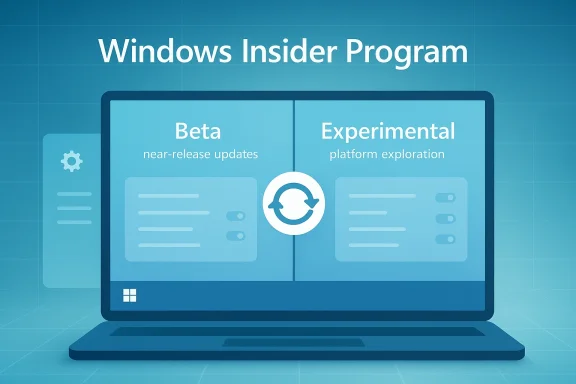
The new approach goes further. Microsoft’s late-March 2026 blog post says it wants a “simpler, more transparent Windows Insider Program,” and the coming changes are the practical expression of that goal. Instead of four primary channels, Microsoft is moving to two broader tracks: Beta for imminent updates and Experimental for earlier, more fluid development work. The company says the transition will roll out over the coming weeks.
That is a very Windows-specific problem. Unlike a browser beta or a mobile app preview, Insider builds often touch the entire desktop stack: drivers, shell behavior, system services, update plumbing, and user profile state. A clean install is not just inconvenient; it can be a serious barrier to participation. Making channel changes reversible should broaden the pool of testers, especially among advanced users who want to sample builds without permanently tying their machine to a dev branch.
It also acknowledges a reality Microsoft has spent years learning the hard way. Many enthusiasts want to test new features, but they do not want to become unwilling custodians of unfinished platform code. By reducing the cost of backing out, Microsoft is effectively saying that participation should feel more like a controlled experiment and less like a one-way door. That is good product design, even if the implementation is more complex behind the scenes.
Beta will become the channel for imminent releases, and Microsoft says it is ditching gradual feature rollouts there. In plain English, that means Beta Insiders should expect newly announced tools to appear as soon as Microsoft exposes them, rather than waiting for staged activation. That is a meaningful departure from the older “toggle plus gradual rollout” structure that made Beta feel like a mixed bag of early access and controlled experimentation.
Experimental replaces Dev and Canary as the umbrella for the farthest-out work. Microsoft says the channel will include features earlier than Beta, but with the explicit warning that those features may change, slip, or never ship. That language matters because it gives Microsoft more room to move platform ideas around without implying a guarantee that every idea seen there will survive.
Microsoft’s message is also designed to reduce accidental overcommitment. If a user wants the earliest possible access, they can choose the Future Platforms option inside Experimental. But Microsoft simultaneously says people who want early access to features that are aligned to retail code should remain on a version that maps to a retail build. That is subtle but important, because it separates “earliest platform work” from “earliest feature exposure.”
In practical terms, this may help Microsoft keep the right kind of feedback in the right place. Beta testers can focus on usability, regressions, and polish. Experimental testers can validate architectural shifts, shell plumbing, and platform behavior that is not yet intended for broad consumption. That separation should improve signal quality, which is exactly what a preview program is supposed to do.
This is especially significant because the Insider Program has often been harsh on anyone who wanted to step back. If a build became too unstable, or if a user simply wanted to return to a safer channel, the escape hatch could be brutal. Microsoft previously warned in earlier Insider guidance that once certain rollback windows closed, a clean install might be the only route back. That made channel experimentation feel like a gamble.
Now Microsoft is promising a more civilized process. It says the move will take longer to install because the system has to migrate data, settings, and tools, but that extra time is intended to save time overall. That is a classic engineering tradeoff: more work during the transition so the end result is less destructive and more recoverable.
There is also a trust component. Windows enthusiasts are sophisticated enough to know that preview software is imperfect, but they still need a sense that Microsoft respects their time and their device state. Preserving configurations and applications is a signal that the company is trying to reduce the transactional cost of participation. That can improve goodwill even among skeptics.
The caveat, of course, is that the migration itself must be robust. Preserving settings across a channel change is easy to promise and hard to execute flawlessly. If Microsoft mishandles package state, driver compatibility, or update metadata, the experience could become worse than a clean install because users would be left with a half-moved system and no obvious recovery path.
Microsoft is also being careful about what this visibility does and does not mean. The company notes that less visible changes, such as bug fixes and system improvements, may not appear in those feature flags. That distinction matters because it prevents users from assuming that every change has a switch or label attached to it. Not every improvement in Windows can be neatly exposed through a visible toggle.
This is a smart move from an ecosystem perspective. If Insiders can more easily identify what is new, they can also give more precise feedback. That reduces the “something changed somewhere” problem that has long made preview feedback noisy and inconsistent. Better visibility should translate into better reporting, and better reporting should translate into better product decisions.
For Microsoft, this also creates a cleaner path to A/B-style validation. If a feature is clearly announced and clearly surfaced, the company can measure how it behaves in the real world without forcing testers to play detective. That should improve the quality of bug reports and may even shorten the time between a feature’s internal debut and its public refinement.
Still, there is a risk of overpromising. Insiders often interpret a visible toggle as a sign of imminent release, when in reality the feature may still be evolving or may never become broadly available. Microsoft will need to keep messaging tight so the new visibility layer does not create false confidence about readiness.
The move to two broader channels is also a sign that Microsoft wants to reduce the mental overhead of participation. The average enthusiast should not need a release-management handbook to decide where to enroll. A simpler hierarchy is easier to support, easier to document, and easier to explain to journalists, MVPs, and forum communities that help translate the program for everyone else.
That does not mean Microsoft is reducing complexity in the codebase. In fact, the opposite may be true. The company is trying to hide some of the messy realities of staged platform development behind a more understandable user interface. That is not deception; it is product maturity. But it is still a balancing act.
That is a substantial improvement over older models where the line between “near release” and “far out” could be blurry. It also mirrors how Microsoft has been thinking about other software surfaces, including the recent push to reduce unnecessary Copilot entry points in apps like Notepad and Snipping Tool. The broader theme is that the company wants fewer redundant decisions and fewer cluttered touch points.
For enterprise observers, this is encouraging because it suggests Microsoft is trying to professionalize experimentation. Businesses may never love preview branches, but they do like predictability. A program that is easier to categorize and easier to exit is a better fit for structured testing environments.
Enthusiasts will likely appreciate the clearer channel semantics even more than casual testers. Many already understand the risks of preview code, but they have been forced to decode the difference between build branches that did not always map neatly to real-world usefulness. Beta and Experimental are less technically granular than the old labels, but they are arguably more human.
There is also a social dimension here. Windows communities thrive on shared testing, screenshots, and feature spotting. When a channel is easier to describe, discussion becomes easier to follow. That could make forum posts, videos, and how-to guides more useful to the broader audience that watches Insider developments from the outside.
That makes the rollout period critical. If Microsoft’s migration works smoothly, the company may win long-term trust from a notoriously demanding audience. If it fails in edge cases, those same users will document the problems in detail and amplify them quickly. The reputation stakes are therefore high.
Consumer impact will also depend on how aggressively Microsoft separates visible features from underlying fixes. If testers feel they are getting clear, obvious novelty, they will be more engaged. If the program becomes too subtle, or if feature flags feel incomplete, the average enthusiast may lose interest and treat Beta as little more than a semi-stable preview.
The strongest enterprise benefit is governance. If a channel switch no longer implies a destructive reinstall, IT teams can use Insider participation more flexibly. That does not mean they should do so casually, but it does mean they can test a wider range of scenarios without treating every enrollment decision as a one-way migration project.
There may also be value in Microsoft’s clearer distinction between early platform work and nearer-term feature work. Enterprises care about feature timing, but they care even more about predictability and compatibility. The new structure may help admins decide whether a given test group belongs in Beta or Experimental, based on whether the goal is product validation or architectural exploration.
It could also reduce friction in managed pilot programs. If Microsoft’s migration machinery behaves as advertised, admins may be more willing to place a small cohort of machines in higher-risk channels, knowing they have a less disruptive exit path. That is not the same as safety, but it is an important improvement in reversibility.
The caveat is that enterprise trust is earned slowly. One failed migration in a production-adjacent test ring can erase a lot of goodwill. Microsoft will need strong documentation, predictable behavior, and enough logging for admins to understand what changed during a channel move.
This is important because Windows has often been criticized for accreting complexity faster than it resolves it. New surfaces arrive, old ones linger, and competing guidance makes the OS feel heavier than it should. The Insider redesign is one of the clearest signs that Microsoft sees simplification itself as a product feature, not merely a cleanup task.
It also fits with the company’s recent willingness to prune redundant entry points, including those tied to Copilot in apps such as Notepad and Snipping Tool. Even if those changes are incremental, they reveal a broader preference for fewer distractions and more coherent pathways. That is likely to continue shaping Windows in both consumer and enterprise contexts.
That can be a good thing for everyone involved. Users get fewer confusing options. Microsoft gets cleaner feedback. And the company can still push platform changes at the pace it needs, but with a more legible system for deciding where those changes belong.
Still, simplification is only successful if it feels genuine in use. If the new labels hide internal complexity without reducing user confusion, the initiative will look cosmetic. If the migration process and channel behavior are reliable, however, this could become one of those rare Windows changes that is both invisible in day-to-day use and deeply valuable underneath.
There is also a broader test ahead for Microsoft’s Windows messaging. The company wants to make the platform feel more coherent, more secure, and less cluttered, while still preserving the excitement that keeps enthusiasts engaged. That is a hard balance to strike, and it will take more than one Insider Program refresh to prove the point.
What to watch next:
Source: PCMag Australia Attention, Early Adopters. Microsoft Just Simplified the Windows Insider Program
The timing matters too. Microsoft has been steadily trying to make Windows development feel more intentional, more transparent, and less chaotic, with Pavan Davuluri signaling a stronger focus on Windows quality in late March 2026. The Insider changes are part of that broader message: fewer entry points, fewer surprises, and a clearer sense of what each channel is actually for. That does not make preview builds safer in any absolute sense, but it does make the system easier to understand.
 Overview
Microsoft’s Windows Insider Program has always served two masters. On one side, it is a testing ground where the company can validate new code, measure telemetry, and collect feedback from people willing to live on the bleeding edge. On the other, it is a marketing and community engine that gives enthusiasts the thrill of seeing what is coming next. Those goals often overlap, but they do not always align, and the channel structure has historically reflected that tension.For years, the Insider model relied on distinct rings that signaled different levels of stability and timing. Beta was meant to be closer to release, Dev was the place where Microsoft could experiment more aggressively, and Canary sat even farther out at the edge of platform development. In practice, the naming conventions were never as intuitive as Microsoft hoped, and many users struggled to tell whether a given build represented imminent release code or a speculative feature branch.
That confusion became especially visible once Microsoft began releasing the same builds to more than one channel at once. In 2025 and again in late 2025, the company used the overlap between Dev and Beta to give Insiders a temporary window to switch back and forth while both channels were aligned on the same underlying version. That was already a sign that the old structure was becoming less useful as a mental model.
The new approach goes further. Microsoft’s late-March 2026 blog post says it wants a “simpler, more transparent Windows Insider Program,” and the coming changes are the practical expression of that goal. Instead of four primary channels, Microsoft is moving to two broader tracks: Beta for imminent updates and Experimental for earlier, more fluid development work. The company says the transition will roll out over the coming weeks.
Why this matters now
The most important part of the change is not the branding. It is the operational promise that users will be able to leave or change Insider channels without reinstalling Windows from scratch. Microsoft says updates will take a bit longer because they need to preserve data, settings, and tools, but the tradeoff is obvious: less pain, less downtime, and far less anxiety about committing to an experimental build.That is a very Windows-specific problem. Unlike a browser beta or a mobile app preview, Insider builds often touch the entire desktop stack: drivers, shell behavior, system services, update plumbing, and user profile state. A clean install is not just inconvenient; it can be a serious barrier to participation. Making channel changes reversible should broaden the pool of testers, especially among advanced users who want to sample builds without permanently tying their machine to a dev branch.
It also acknowledges a reality Microsoft has spent years learning the hard way. Many enthusiasts want to test new features, but they do not want to become unwilling custodians of unfinished platform code. By reducing the cost of backing out, Microsoft is effectively saying that participation should feel more like a controlled experiment and less like a one-way door. That is good product design, even if the implementation is more complex behind the scenes.
The New Channel Structure
The most visible change is the simplification itself. Microsoft is replacing the old four-channel vocabulary with two headline options: Beta and Experimental. That shift makes the program easier to explain, easier to navigate in Settings, and less likely to scare off users who previously saw Dev and Canary as adjacent but not clearly distinct options.Beta will become the channel for imminent releases, and Microsoft says it is ditching gradual feature rollouts there. In plain English, that means Beta Insiders should expect newly announced tools to appear as soon as Microsoft exposes them, rather than waiting for staged activation. That is a meaningful departure from the older “toggle plus gradual rollout” structure that made Beta feel like a mixed bag of early access and controlled experimentation.
Experimental replaces Dev and Canary as the umbrella for the farthest-out work. Microsoft says the channel will include features earlier than Beta, but with the explicit warning that those features may change, slip, or never ship. That language matters because it gives Microsoft more room to move platform ideas around without implying a guarantee that every idea seen there will survive.
What the labels really signal
The new naming scheme is not just cosmetic. Beta now communicates “near-term productization,” while Experimental communicates “platform exploration.” That distinction is easier for new Insiders to understand than the old Dev-versus-Canary split, which often required reading release notes carefully to infer whether a build was stable, semi-stable, or essentially a research branch.Microsoft’s message is also designed to reduce accidental overcommitment. If a user wants the earliest possible access, they can choose the Future Platforms option inside Experimental. But Microsoft simultaneously says people who want early access to features that are aligned to retail code should remain on a version that maps to a retail build. That is subtle but important, because it separates “earliest platform work” from “earliest feature exposure.”
In practical terms, this may help Microsoft keep the right kind of feedback in the right place. Beta testers can focus on usability, regressions, and polish. Experimental testers can validate architectural shifts, shell plumbing, and platform behavior that is not yet intended for broad consumption. That separation should improve signal quality, which is exactly what a preview program is supposed to do.
- Beta is now the channel for near-release work.
- Experimental absorbs the old Dev and Canary roles.
- Future Platforms is the earliest tier inside Experimental.
- Microsoft is reducing ambiguity around what each channel is for.
- The change should make the program easier to explain to newcomers.
Migration Without Reinstalling
The headline feature for many users is the ability to switch between Insider states without wiping the machine. That is the kind of change that sounds small until you remember how many hours a clean install can consume once you include app reinstalls, cloud sync issues, device-specific settings, and the inevitable hunt for one missing license key. Microsoft is signaling that the upgrade path should increasingly preserve the user’s working environment.This is especially significant because the Insider Program has often been harsh on anyone who wanted to step back. If a build became too unstable, or if a user simply wanted to return to a safer channel, the escape hatch could be brutal. Microsoft previously warned in earlier Insider guidance that once certain rollback windows closed, a clean install might be the only route back. That made channel experimentation feel like a gamble.
Now Microsoft is promising a more civilized process. It says the move will take longer to install because the system has to migrate data, settings, and tools, but that extra time is intended to save time overall. That is a classic engineering tradeoff: more work during the transition so the end result is less destructive and more recoverable.
Why Microsoft is doing this
The strategic logic is easy to see. If joining an Insider channel no longer feels like a permanent commitment, more people are likely to try it. That means more feedback, more telemetry, and more opportunities for Microsoft to catch regressions before they land in retail builds. The company gets a broader testing net without having to rely solely on power users who are willing to reinstall their PCs at a moment’s notice.There is also a trust component. Windows enthusiasts are sophisticated enough to know that preview software is imperfect, but they still need a sense that Microsoft respects their time and their device state. Preserving configurations and applications is a signal that the company is trying to reduce the transactional cost of participation. That can improve goodwill even among skeptics.
The caveat, of course, is that the migration itself must be robust. Preserving settings across a channel change is easy to promise and hard to execute flawlessly. If Microsoft mishandles package state, driver compatibility, or update metadata, the experience could become worse than a clean install because users would be left with a half-moved system and no obvious recovery path.
- Users should expect longer installation times.
- Data and settings migration is the core technical challenge.
- Fewer people may hesitate before testing Insider builds.
- The new model could reduce the stigma of leaving a channel.
- Reliability will matter more than the headline promise.
Feature Flags and Visibility
Another notable change is the way Microsoft plans to surface new features in Settings. The company says it will start enabling feature flags for visible new features announced in Windows Insider Program builds, which should make it easier for testers to spot what is new. That sounds mundane, but discoverability is a major pain point in preview software, especially when features are scattered across app updates, shell components, and system toggles.Microsoft is also being careful about what this visibility does and does not mean. The company notes that less visible changes, such as bug fixes and system improvements, may not appear in those feature flags. That distinction matters because it prevents users from assuming that every change has a switch or label attached to it. Not every improvement in Windows can be neatly exposed through a visible toggle.
This is a smart move from an ecosystem perspective. If Insiders can more easily identify what is new, they can also give more precise feedback. That reduces the “something changed somewhere” problem that has long made preview feedback noisy and inconsistent. Better visibility should translate into better reporting, and better reporting should translate into better product decisions.
Better discovery, better feedback
The settings page can now serve as a lightweight changelog for the most visible additions. That helps both power users and less technical testers, because it lowers the cognitive cost of participating. Instead of hunting through blog posts, users can identify what has been enabled and decide whether to test it.For Microsoft, this also creates a cleaner path to A/B-style validation. If a feature is clearly announced and clearly surfaced, the company can measure how it behaves in the real world without forcing testers to play detective. That should improve the quality of bug reports and may even shorten the time between a feature’s internal debut and its public refinement.
Still, there is a risk of overpromising. Insiders often interpret a visible toggle as a sign of imminent release, when in reality the feature may still be evolving or may never become broadly available. Microsoft will need to keep messaging tight so the new visibility layer does not create false confidence about readiness.
- Visible feature flags should improve discoverability.
- Bug fixes may not appear in the same way.
- Better labeling should improve feedback quality.
- Clearer status indicators can reduce confusion.
- Messaging must avoid implying that every feature is final.
The Copycat Problem Microsoft Is Trying to Solve
The Insider Program has not just been an engineering tool; it has also been a communication problem. When channel names are too abstract, or when the same build appears in multiple places, people begin to infer meaning from the wrong signals. Microsoft appears to have concluded that the old structure created more confusion than value, especially for users who do not track build numbers obsessively.The move to two broader channels is also a sign that Microsoft wants to reduce the mental overhead of participation. The average enthusiast should not need a release-management handbook to decide where to enroll. A simpler hierarchy is easier to support, easier to document, and easier to explain to journalists, MVPs, and forum communities that help translate the program for everyone else.
That does not mean Microsoft is reducing complexity in the codebase. In fact, the opposite may be true. The company is trying to hide some of the messy realities of staged platform development behind a more understandable user interface. That is not deception; it is product maturity. But it is still a balancing act.
From insider rings to clearer intent
A cleaner model also helps Microsoft manage expectations around compatibility. If Beta is the place for imminent work, then most testers can expect a higher degree of continuity. If Experimental is the place for future platform experiments, then users have less reason to be surprised when something appears unfinished or changes abruptly. The channel itself becomes part of the disclosure.That is a substantial improvement over older models where the line between “near release” and “far out” could be blurry. It also mirrors how Microsoft has been thinking about other software surfaces, including the recent push to reduce unnecessary Copilot entry points in apps like Notepad and Snipping Tool. The broader theme is that the company wants fewer redundant decisions and fewer cluttered touch points.
For enterprise observers, this is encouraging because it suggests Microsoft is trying to professionalize experimentation. Businesses may never love preview branches, but they do like predictability. A program that is easier to categorize and easier to exit is a better fit for structured testing environments.
- Simpler categories reduce user confusion.
- Channel intent becomes clearer.
- Documentation burden should improve.
- Compatibility expectations are easier to set.
- Enterprise testers may find the new structure more manageable.
Consumer and Enthusiast Impact
For consumers, the benefit is straightforward: less fear of getting trapped. Many technically literate Windows users are willing to test experimental software, but they still want a clear retreat path if the build misbehaves. The promise of no-reinstall channel switching lowers the barrier to entry and may increase participation from users who previously stayed on the sidelines.Enthusiasts will likely appreciate the clearer channel semantics even more than casual testers. Many already understand the risks of preview code, but they have been forced to decode the difference between build branches that did not always map neatly to real-world usefulness. Beta and Experimental are less technically granular than the old labels, but they are arguably more human.
There is also a social dimension here. Windows communities thrive on shared testing, screenshots, and feature spotting. When a channel is easier to describe, discussion becomes easier to follow. That could make forum posts, videos, and how-to guides more useful to the broader audience that watches Insider developments from the outside.
What this means for power users
Power users are likely to benefit most from the reversible migration model. They are also the most likely to notice when migration does not preserve a driver, a registry setting, or a workflow-specific tool chain. In other words, they will judge the feature not by the announcement but by whether their customized environment survives the move intact.That makes the rollout period critical. If Microsoft’s migration works smoothly, the company may win long-term trust from a notoriously demanding audience. If it fails in edge cases, those same users will document the problems in detail and amplify them quickly. The reputation stakes are therefore high.
Consumer impact will also depend on how aggressively Microsoft separates visible features from underlying fixes. If testers feel they are getting clear, obvious novelty, they will be more engaged. If the program becomes too subtle, or if feature flags feel incomplete, the average enthusiast may lose interest and treat Beta as little more than a semi-stable preview.
- Lower barrier to entry for cautious testers.
- Better alignment between channel name and risk level.
- Stronger community discussion around visible features.
- Greater demand for reliable migration and rollback.
- More users may be willing to test early without fear of reinstalling.
Enterprise and IT Admin Implications
Enterprises usually approach Insider builds with more skepticism than consumers, and for good reason. A preview channel that touches operating system behavior can disrupt image baselines, application testing, and support workflows. Microsoft’s simplification should not eliminate those concerns, but it can make the program easier to model inside a lab or validation ring.The strongest enterprise benefit is governance. If a channel switch no longer implies a destructive reinstall, IT teams can use Insider participation more flexibly. That does not mean they should do so casually, but it does mean they can test a wider range of scenarios without treating every enrollment decision as a one-way migration project.
There may also be value in Microsoft’s clearer distinction between early platform work and nearer-term feature work. Enterprises care about feature timing, but they care even more about predictability and compatibility. The new structure may help admins decide whether a given test group belongs in Beta or Experimental, based on whether the goal is product validation or architectural exploration.
Lab testing becomes more practical
In practical terms, this should make lab environments less disposable. A test machine that can be moved between Insider states without a full reinstall is a more efficient validation asset. That matters for organizations that need to compare how upcoming builds interact with security tools, device management, or line-of-business applications.It could also reduce friction in managed pilot programs. If Microsoft’s migration machinery behaves as advertised, admins may be more willing to place a small cohort of machines in higher-risk channels, knowing they have a less disruptive exit path. That is not the same as safety, but it is an important improvement in reversibility.
The caveat is that enterprise trust is earned slowly. One failed migration in a production-adjacent test ring can erase a lot of goodwill. Microsoft will need strong documentation, predictable behavior, and enough logging for admins to understand what changed during a channel move.
- Lab machines become easier to repurpose.
- Pilot groups may be easier to maintain.
- Channel choice becomes more aligned to testing goals.
- Reversibility improves operational confidence.
- Documentation and logging will be crucial for admin adoption.
Microsoft’s Broader Windows Strategy
The Insider changes should be read alongside Microsoft’s broader effort to tighten Windows quality and streamline the experience around it. In its March 20 post, the company emphasized reducing complexity and improving the underlying platform. That includes both visible UX changes and less visible engineering work, a combination that suggests Microsoft wants to be seen as refining Windows, not just adding features to it.This is important because Windows has often been criticized for accreting complexity faster than it resolves it. New surfaces arrive, old ones linger, and competing guidance makes the OS feel heavier than it should. The Insider redesign is one of the clearest signs that Microsoft sees simplification itself as a product feature, not merely a cleanup task.
It also fits with the company’s recent willingness to prune redundant entry points, including those tied to Copilot in apps such as Notepad and Snipping Tool. Even if those changes are incremental, they reveal a broader preference for fewer distractions and more coherent pathways. That is likely to continue shaping Windows in both consumer and enterprise contexts.
A signal about product maturity
Program simplification often happens when a platform has reached a point where the old scaffolding no longer matches the work being done. In that sense, the Insider overhaul is a sign of maturity. Microsoft is not abandoning experimentation; it is reorganizing it so the public-facing structure better reflects how the engineering teams actually operate.That can be a good thing for everyone involved. Users get fewer confusing options. Microsoft gets cleaner feedback. And the company can still push platform changes at the pace it needs, but with a more legible system for deciding where those changes belong.
Still, simplification is only successful if it feels genuine in use. If the new labels hide internal complexity without reducing user confusion, the initiative will look cosmetic. If the migration process and channel behavior are reliable, however, this could become one of those rare Windows changes that is both invisible in day-to-day use and deeply valuable underneath.
- Windows is being repositioned as a cleaner platform.
- Simplification is becoming a product feature.
- The Insider redesign mirrors broader UX pruning.
- Internal engineering and user-facing structure are being aligned.
- Success depends on behavior, not just naming.
Strengths and Opportunities
Microsoft’s changes have several clear upsides, especially for users who want early access without long-term commitment. The company is addressing a real pain point, and it is doing so in a way that could broaden participation while improving the quality of feedback. If the rollout works as intended, this could make the Insider Program feel far more approachable without turning it into a watered-down preview track.- Channel switching should become less destructive.
- The program is easier to understand at a glance.
- Beta and Experimental map better to user expectations.
- Feature visibility should improve discovery.
- More users may be willing to test early builds.
- Enterprises gain a more flexible validation model.
- Microsoft may collect cleaner, more actionable feedback.
Risks and Concerns
The biggest risk is that the promise of easy migration could collide with the messy realities of Windows state management. Preserving apps, settings, and data across channel changes is technically difficult, especially when those channels may diverge more sharply over time. If Microsoft gets the edge cases wrong, the new process could frustrate the very users it is meant to help.- Migration bugs could damage trust quickly.
- Experimental still sounds risky, and it is.
- Feature flags may create false expectations.
- Simpler labels may hide real complexity.
- Some users may misread Beta as “safe.”
- Enterprise admins will need better documentation.
- Reversible does not mean consequence-free.
Looking Ahead
The next few weeks will tell us whether this is a branding refresh or a genuine operational improvement. Microsoft says the changes are rolling out in the coming weeks, with current Insiders moving to the closest matching version of the new structure. The key question is not whether the labels look cleaner, but whether the new channel behavior actually reduces friction for real users.There is also a broader test ahead for Microsoft’s Windows messaging. The company wants to make the platform feel more coherent, more secure, and less cluttered, while still preserving the excitement that keeps enthusiasts engaged. That is a hard balance to strike, and it will take more than one Insider Program refresh to prove the point.
What to watch next:
- Whether channel migration truly avoids clean installs.
- How Microsoft defines the Beta versus Experimental boundary in practice.
- Whether feature flags make Insider builds easier to understand.
- How many users are migrated automatically from Dev and Canary.
- Whether enterprise testers adopt the new structure more readily.
- Whether Microsoft continues trimming redundant Windows entry points.
Source: PCMag Australia Attention, Early Adopters. Microsoft Just Simplified the Windows Insider Program
Last edited:
