

Microsoft is making one of its most consequential Windows Insider adjustments in years, and the shift is designed to solve two long-running frustrations at once: channel confusion and feature rollout unpredictability. In a new April 10, 2026 Insider blog post, the company says it is collapsing the old Dev, Canary, and Beta structure into two primary channels — Experimental and Beta — while also ending gradual feature rollouts in Beta so announced features appear consistently once the update is installed. The change is more than cosmetic. It redefines how enthusiasts, testers, and commercial users will experience Windows previews, and it signals a broader effort to make the Insider Program feel more understandable, more trustworthy, and more useful for feedback-driven development. Microsoft’s own March and April guidance on Windows quality and Insider meetups shows this is part of a larger reboot, not a one-off tweak. (blogs.windows.com)
Microsoft has spent the past year trying to repair the relationship between Windows and its most engaged testers. The company’s March 20, 2026 “commitment to Windows quality” post framed the effort as a push toward performance, reliability, and craft, and explicitly called out a “simpler, more transparent Windows Insider Program” as one of the initial areas for improvement. That earlier message also promised clearer channel definitions, easier access to new features, and better visibility into how feedback shapes Windows. The April 10 announcement is the concrete follow-through on that promise. (blogs.windows.com)
This matters because the Insider Program has become both a testing ground and a trust test. For years, Microsoft’s preview ecosystem has been defined by a mix of rapid experimentation, selective rollout, and unclear expectations. Users often joined Insider builds specifically to get early access to new features, only to discover that a feature mentioned in a blog post was present on one device and absent on another, even when both devices were on the same build. Microsoft now appears to be admitting that this tension has become the program’s biggest credibility problem. (blogs.windows.com)
The company’s April 8 Insider meetup announcement reinforces that this is not happening in a vacuum. Microsoft has resumed in-person community events, starting in Seattle and then expanding to New York, Hyderabad, Taipei, San Francisco, and London. That meetup series is a strong signal that Microsoft wants more direct, less mediated feedback from the people who actually run preview builds every day. It also suggests the company understands that software confidence is not built solely by code; it is built through visible responsiveness and repeated human contact. (blogs.windows.com)
At the same time, Microsoft has continued to tighten its broader Windows update model. Official support guidance still describes Controlled Feature Rollout, or CFR, as the mechanism used to stage features gradually across devices, and the company notes that users can opt in to receive the latest non-security updates as soon as they are ready for their device. The new Insider design appears to be part of a larger move toward more explicit control, rather than a quiet abandonment of staged delivery altogether.
That context matters because the April 10 changes are not simply about preview builds. They also reflect Microsoft’s broader attempt to make Windows feel more predictable at a time when the platform’s complexity has been increasing across consumer, enterprise, and AI-driven experiences. If Microsoft can make the Insider program easier to understand, it can improve not just engagement but the quality of the telemetry and feedback it receives from the people most likely to spot rough edges first. (blogs.windows.com)
The second problem is arguably more important: feature anticipation was being undermined by staggered delivery. If Microsoft announced a feature in a blog post, many Insiders expected to see it immediately after installing the build. Instead, Controlled Feature Rollout meant the same feature might be present for one machine and missing on another, even though both were technically “up to date.” That mismatch was not just annoying; it eroded trust in the preview process itself. (blogs.windows.com)
Microsoft’s new stance is essentially that preview users should be able to predict what they will get. That is an important philosophical shift. Instead of treating gradual rollout as part of the Insider experience, Microsoft is trying to reserve that uncertainty for specific experimental spaces and remove it from the more stable preview path. That is far easier to explain to the average user, and it is likely to reduce the “why don’t I have the thing you just announced?” complaints that have defined Insider discussion for years. (blogs.windows.com)
The company is also making an implicit distinction between experimentation and previewing. Those are not the same thing, even though the old channel setup often blurred them together. Experimental work is for unstable, early-stage ideas; preview work is for features Microsoft expects to ship soon. By separating those experiences more cleanly, Microsoft is trying to give each audience a clearer contract. (blogs.windows.com)
It also suggests that Microsoft has learned a hard lesson: a preview program cannot succeed if it is too opaque for the people volunteering time to test it. The more serious the company gets about feedback-driven development, the more important it becomes to make the feedback surface coherent. In that sense, the new channel model is as much a product decision as a communications decision. (blogs.windows.com)
That distinction is not just semantic. Microsoft says Beta will no longer use gradual feature rollouts, which means if the company announces a feature in a Beta update and you install it, you get the feature. There may still be small variations inside that feature during testing, but the feature itself is supposed to be present on the device. For users who were tired of reading about features they could not actually find, this is a meaningful improvement. (blogs.windows.com)
That makes Experimental the natural home for enthusiasts, power testers, and users who want their feedback to influence design decisions as early as possible. The tradeoff is obvious: higher access comes with lower certainty. The upside is equally obvious: if you want to help shape Windows rather than merely sample it, Experimental is where your signal matters most. (blogs.windows.com)
For many users, this will likely become the default recommendation. If you want stability with enough freshness to matter, Beta now appears designed to be the “just right” option. That is a useful simplification because it aligns channel choice with user intent: do you want the earliest possible look, or do you want the near-term release path? (blogs.windows.com)
This layered structure is smart because it avoids forcing one audience into another audience’s risk profile. The earliest platform testers still get a place to work, but the majority of Insiders are no longer expected to decode a multi-channel maze just to find the right balance of novelty and reliability. That should reduce confusion without depriving Microsoft of a deeply experimental lane. (blogs.windows.com)
For users, this is a big deal. It turns preview participation from passive reception into a more interactive role. Instead of waiting for Microsoft to decide what your device should expose, you can selectively engage with specific features that matter to you. That should make experimentation feel more intentional and more rewarding, especially for users who are testing for a particular workflow or accessibility scenario. (blogs.windows.com)
That should improve feedback quality as well. If users can intentionally enable a specific feature, Microsoft can get a cleaner signal from people who are actually exercising that capability rather than from people who merely happened to receive it incidentally. Cleaner signal usually means better bug reports, better telemetry interpretation, and better design iteration. (blogs.windows.com)
That restraint is sensible because too much user-facing complexity would recreate the very confusion Microsoft is trying to eliminate. The company seems to understand that feature choice is useful only when it is understandable. If the settings page becomes another maze, the reform will have missed its goal. (blogs.windows.com)
For years, one of the biggest barriers to trying Insider builds has been the fear of being trapped by them. If leaving a channel required a full wipe and reinstall, many users simply avoided experimentation altogether or hesitated to leave once they had joined. Microsoft’s new approach lowers that cost dramatically, at least for the channels and versions that support the same underlying core. (blogs.windows.com)
It also makes channel switching more useful for people who simply misjudge their tolerance for instability. Not everyone knows in advance whether they will find a given channel too rough or too conservative. Being able to move without a reset makes the whole system feel more humane, and in Windows land that is not a small thing. (blogs.windows.com)
That means the new flexibility is real, but not universal. Users who choose the deepest experimental track should expect the old level of commitment. Everyone else, however, is getting a far more forgiving exit ramp, and that should reduce anxiety around channel choice considerably. (blogs.windows.com)
This will matter to enterprises because the needs of IT departments are not the same as those of enthusiast testers. Businesses tend to care less about being first and more about being safe, manageable, and predictable. Release Preview serves that purpose well, and Microsoft’s decision to keep its content stable while reorganizing the broader channel map is a sign that the company does not want to disrupt commercial workflows unnecessarily. (blogs.windows.com)
The Release Preview lane also gives Microsoft a safer place to validate near-final behavior before public rollout. That should reduce surprise when production updates arrive, especially for organizations that want to test the final state of a build without absorbing the full churn of earlier preview branches. (blogs.windows.com)
That separation is a reminder that Windows is no longer one preview ecosystem but several overlapping ones. Consumer testers, commercial Insider users, and server audiences all have different tolerance levels and different reasons for participating. Microsoft’s revised approach seems to respect that diversity rather than flatten it into one generic preview model. (blogs.windows.com)
That should immediately reduce frustration. The old behavior made Beta feel less like a preview and more like a lottery, which is not what most people expect when they intentionally sign up for a named channel. Microsoft still reserves the right to vary small elements inside a feature, but the feature itself is now supposed to be consistent. (blogs.windows.com)
It also helps Microsoft internally. A more predictable Beta ring should make feedback cleaner because testers are reacting to the same surface, not to a patchwork of partially exposed variations. That should make it easier to separate bugs from rollout artifacts. (blogs.windows.com)
In other words, Microsoft is not merely changing a rollout policy. It is changing how people talk about preview Windows. That could pay off faster than any single feature improvement, because better expectations lead to better participation. (blogs.windows.com)
That clarity should also make community discussion healthier. Right now, a lot of Insider debate is wasted on basic questions like why one user sees a feature and another does not. When the channel contract is clearer, participants can spend more time discussing quality, behavior, and usefulness — which is exactly where feedback should be going. (blogs.windows.com)
The new feature flag mechanism may also make users feel more valued. If people can control which visible features they test, they are more likely to feel like collaborators rather than passive recipients. That matters in a program built on voluntary effort and goodwill. (blogs.windows.com)
That is a smart move because the Insider Program only works if the company can turn community participation into product quality. If the program feels random, users disengage. If it feels coherent, users stay involved and the signal gets better. (blogs.windows.com)
The second thing to watch is how the new Feature flags page evolves. If Microsoft limits it to the most visible features and keeps the interface simple, it could become one of the most useful additions to the program in years. But if the page grows cluttered or inconsistent, it could recreate the same confusion the company is trying to eliminate. (blogs.windows.com)
The third key variable is migration quality. If in-place upgrades really do let most users hop between Experimental, Beta, and Release Preview without a wipe, the psychological cost of participating in Insider testing will fall sharply. That could increase participation, improve feedback quality, and make the whole program more sustainable. (blogs.windows.com)
In the end, that may be the real story behind the April 10 announcement. The channel names are changing, the rollout rules are changing, and the upgrade paths are changing — but the deeper shift is philosophical. Microsoft is trying to make Windows feel less arbitrary and more like a platform that tells users what it is doing, why it is doing it, and what they can expect next. If the company can keep that promise, the Windows Insider experience will finally start to feel like a mature feedback system rather than an obstacle course.
Source: Microsoft - Windows Insiders Blog Improving your Windows Insider experience
 Background
Microsoft has spent the past year trying to repair the relationship between Windows and its most engaged testers. The company’s March 20, 2026 “commitment to Windows quality” post framed the effort as a push toward performance, reliability, and craft, and explicitly called out a “simpler, more transparent Windows Insider Program” as one of the initial areas for improvement. That earlier message also promised clearer channel definitions, easier access to new features, and better visibility into how feedback shapes Windows. The April 10 announcement is the concrete follow-through on that promise. (blogs.windows.com)This matters because the Insider Program has become both a testing ground and a trust test. For years, Microsoft’s preview ecosystem has been defined by a mix of rapid experimentation, selective rollout, and unclear expectations. Users often joined Insider builds specifically to get early access to new features, only to discover that a feature mentioned in a blog post was present on one device and absent on another, even when both devices were on the same build. Microsoft now appears to be admitting that this tension has become the program’s biggest credibility problem. (blogs.windows.com)
The company’s April 8 Insider meetup announcement reinforces that this is not happening in a vacuum. Microsoft has resumed in-person community events, starting in Seattle and then expanding to New York, Hyderabad, Taipei, San Francisco, and London. That meetup series is a strong signal that Microsoft wants more direct, less mediated feedback from the people who actually run preview builds every day. It also suggests the company understands that software confidence is not built solely by code; it is built through visible responsiveness and repeated human contact. (blogs.windows.com)
At the same time, Microsoft has continued to tighten its broader Windows update model. Official support guidance still describes Controlled Feature Rollout, or CFR, as the mechanism used to stage features gradually across devices, and the company notes that users can opt in to receive the latest non-security updates as soon as they are ready for their device. The new Insider design appears to be part of a larger move toward more explicit control, rather than a quiet abandonment of staged delivery altogether.
That context matters because the April 10 changes are not simply about preview builds. They also reflect Microsoft’s broader attempt to make Windows feel more predictable at a time when the platform’s complexity has been increasing across consumer, enterprise, and AI-driven experiences. If Microsoft can make the Insider program easier to understand, it can improve not just engagement but the quality of the telemetry and feedback it receives from the people most likely to spot rough edges first. (blogs.windows.com)
Why Microsoft Is Changing the Insider Model
The clearest reason for the overhaul is that the old structure had become hard to explain. Microsoft says Insiders repeatedly told the company they could not easily tell which channel was right for them, and that confusion was compounded by the fact that channel names no longer cleanly described the kind of risk or feature timing each one represented. In practical terms, a channel label that should have been a guide had become a source of uncertainty. (blogs.windows.com)The second problem is arguably more important: feature anticipation was being undermined by staggered delivery. If Microsoft announced a feature in a blog post, many Insiders expected to see it immediately after installing the build. Instead, Controlled Feature Rollout meant the same feature might be present for one machine and missing on another, even though both were technically “up to date.” That mismatch was not just annoying; it eroded trust in the preview process itself. (blogs.windows.com)
The problem with “same build, different experience”
This is one of those situations where technical sophistication becomes a user-experience liability. CFR is a sensible engineering practice, because it limits blast radius and lets Microsoft measure impact before going wide. But from the perspective of an Insider participant, it can make the program feel arbitrary. You read the blog, you install the build, and the feature is still absent. The result is frustration that feels like a broken promise, even when the rollout model is behaving exactly as designed.Microsoft’s new stance is essentially that preview users should be able to predict what they will get. That is an important philosophical shift. Instead of treating gradual rollout as part of the Insider experience, Microsoft is trying to reserve that uncertainty for specific experimental spaces and remove it from the more stable preview path. That is far easier to explain to the average user, and it is likely to reduce the “why don’t I have the thing you just announced?” complaints that have defined Insider discussion for years. (blogs.windows.com)
The company is also making an implicit distinction between experimentation and previewing. Those are not the same thing, even though the old channel setup often blurred them together. Experimental work is for unstable, early-stage ideas; preview work is for features Microsoft expects to ship soon. By separating those experiences more cleanly, Microsoft is trying to give each audience a clearer contract. (blogs.windows.com)
What this means strategically
Strategically, the Insider overhaul serves two masters. On one hand, it lowers friction for enthusiasts who want the earliest possible look at Windows. On the other hand, it makes the program more legible for commercial users and enterprise teams that need predictable behavior from test devices. That dual benefit is one reason the announcement feels significant rather than merely administrative. (blogs.windows.com)It also suggests that Microsoft has learned a hard lesson: a preview program cannot succeed if it is too opaque for the people volunteering time to test it. The more serious the company gets about feedback-driven development, the more important it becomes to make the feedback surface coherent. In that sense, the new channel model is as much a product decision as a communications decision. (blogs.windows.com)
Experimental and Beta: The New Two-Channel Core
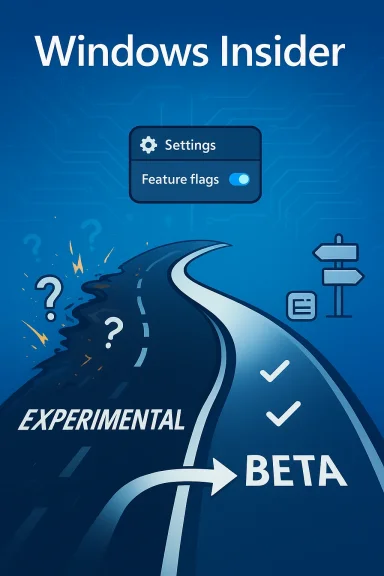
The most visible change is the introduction of Experimental and Beta as the two main Insider channels. Experimental replaces what were previously Dev and Canary, and Microsoft is explicit that this is the home for active development where features can change, delay, or disappear before shipping. Beta, by contrast, is now positioned as the more stable preview lane for features Microsoft plans to ship in the coming weeks. (blogs.windows.com)That distinction is not just semantic. Microsoft says Beta will no longer use gradual feature rollouts, which means if the company announces a feature in a Beta update and you install it, you get the feature. There may still be small variations inside that feature during testing, but the feature itself is supposed to be present on the device. For users who were tired of reading about features they could not actually find, this is a meaningful improvement. (blogs.windows.com)
Experimental is for active development
Experimental is the channel for users who want to see ideas earlier, tolerate more volatility, and accept that features may never ship. Microsoft’s wording is deliberately direct here. This is not simply a faster Beta; it is a place where the company expects to test under-construction work and get more immediate feedback from people comfortable living closer to the edge. (blogs.windows.com)That makes Experimental the natural home for enthusiasts, power testers, and users who want their feedback to influence design decisions as early as possible. The tradeoff is obvious: higher access comes with lower certainty. The upside is equally obvious: if you want to help shape Windows rather than merely sample it, Experimental is where your signal matters most. (blogs.windows.com)
Beta becomes the practical preview channel
Beta is where Microsoft is trying to restore a more conventional preview experience. In the company’s new framing, Beta previews what it plans to ship soon and does so with less surprise and more consistency. That should make Beta better suited to people who want to see what is coming without constantly wondering whether they have been dropped into the middle of an unfinished experiment. (blogs.windows.com)For many users, this will likely become the default recommendation. If you want stability with enough freshness to matter, Beta now appears designed to be the “just right” option. That is a useful simplification because it aligns channel choice with user intent: do you want the earliest possible look, or do you want the near-term release path? (blogs.windows.com)
Future Platforms and advanced versions
Microsoft is also keeping an advanced option for users who want to pick specific Windows core versions compatible with their hardware. Most people will see versions such as 25H2 or 26H1, but the Experimental channel will also include a Future Platforms option that is not aligned to a retail version of Windows. That is an important escape hatch for the most technical users, but Microsoft is also clear that it is intended for people who want the earliest platform work rather than a retail-adjacent preview. (blogs.windows.com)This layered structure is smart because it avoids forcing one audience into another audience’s risk profile. The earliest platform testers still get a place to work, but the majority of Insiders are no longer expected to decode a multi-channel maze just to find the right balance of novelty and reliability. That should reduce confusion without depriving Microsoft of a deeply experimental lane. (blogs.windows.com)
Feature Flags and User Control
Perhaps the most interesting change in the announcement is the new Feature flags page inside Windows Insider Program settings. Microsoft says Experimental users will gain the ability to enable or disable specific features from there, starting with visible new features announced in Windows Insider blogs. That is a notable shift because it moves some feature choice from Microsoft’s backend rollout system into the user-facing settings surface. (blogs.windows.com)For users, this is a big deal. It turns preview participation from passive reception into a more interactive role. Instead of waiting for Microsoft to decide what your device should expose, you can selectively engage with specific features that matter to you. That should make experimentation feel more intentional and more rewarding, especially for users who are testing for a particular workflow or accessibility scenario. (blogs.windows.com)
Why this is a better Insider model
The old model often conflated “being in a channel” with “seeing everything the blog mentioned.” In practice, that created confusion because users assumed channel membership was enough to guarantee feature availability. Feature flags introduce a more direct contract: if you want to test an announced feature, you should be able to opt into its visibility more explicitly, at least for the visible items Microsoft chooses to surface. (blogs.windows.com)That should improve feedback quality as well. If users can intentionally enable a specific feature, Microsoft can get a cleaner signal from people who are actually exercising that capability rather than from people who merely happened to receive it incidentally. Cleaner signal usually means better bug reports, better telemetry interpretation, and better design iteration. (blogs.windows.com)
The limits are just as important
Microsoft is careful to say that not every kind of change will appear in Feature flags. Less visible changes, including bug fixes and system improvements, may not be surfaced there. That limitation is reasonable, but it also means the page is not a universal control panel for all Insider behavior. Users should think of it as a targeted visibility tool, not a complete switchboard for Windows quality. (blogs.windows.com)That restraint is sensible because too much user-facing complexity would recreate the very confusion Microsoft is trying to eliminate. The company seems to understand that feature choice is useful only when it is understandable. If the settings page becomes another maze, the reform will have missed its goal. (blogs.windows.com)
Moving Between Channels Without Wiping the PC
Microsoft also says it is re-engineering Insider builds to support in-place upgrade transitions between channels on the same Windows core version. In most cases, this should let users move between Experimental, Beta, and Release Preview, or leave the Insider Program altogether, without doing a clean install. That is a major quality-of-life improvement and one of the most practical parts of the announcement. (blogs.windows.com)For years, one of the biggest barriers to trying Insider builds has been the fear of being trapped by them. If leaving a channel required a full wipe and reinstall, many users simply avoided experimentation altogether or hesitated to leave once they had joined. Microsoft’s new approach lowers that cost dramatically, at least for the channels and versions that support the same underlying core. (blogs.windows.com)
Why IPU matters to ordinary users
An in-place upgrade is not just a technical convenience. It changes the emotional economics of preview testing. If you know you can leave without losing your apps, settings, and data, you are far more likely to try a channel you might otherwise avoid. That can widen the Insider base and produce better feedback across more realistic usage scenarios. (blogs.windows.com)It also makes channel switching more useful for people who simply misjudge their tolerance for instability. Not everyone knows in advance whether they will find a given channel too rough or too conservative. Being able to move without a reset makes the whole system feel more humane, and in Windows land that is not a small thing. (blogs.windows.com)
The one major exception
There is one important exception: Experimental Future Platforms will still require a clean install to leave or switch away from, because that path does not align to a retail Windows build. Microsoft is being transparent about this limitation, and rightly so. The earliest platform testing can afford to be more disruptive because it is aimed at a narrower audience that explicitly wants to live on the frontier. (blogs.windows.com)That means the new flexibility is real, but not universal. Users who choose the deepest experimental track should expect the old level of commitment. Everyone else, however, is getting a far more forgiving exit ramp, and that should reduce anxiety around channel choice considerably. (blogs.windows.com)
Release Preview and Commercial Customers
Microsoft says Release Preview remains an advanced option aimed at commercial customers and Insiders who want early access to production builds in the days before broad release. Its content is unchanged, but users now need to enable it through Advanced Options. That is a subtle detail, yet it reinforces the idea that Release Preview is no longer the star of the Insider structure; it is a specialized lane for validation, especially in business contexts. (blogs.windows.com)This will matter to enterprises because the needs of IT departments are not the same as those of enthusiast testers. Businesses tend to care less about being first and more about being safe, manageable, and predictable. Release Preview serves that purpose well, and Microsoft’s decision to keep its content stable while reorganizing the broader channel map is a sign that the company does not want to disrupt commercial workflows unnecessarily. (blogs.windows.com)
Business users want clarity, not novelty
The biggest enterprise value in this change is legibility. If channel definitions are clearer, administrators can better explain to pilot groups what kind of builds they are running and why. That matters when you are balancing validation, support overhead, and employee expectations around features and fixes. (blogs.windows.com)The Release Preview lane also gives Microsoft a safer place to validate near-final behavior before public rollout. That should reduce surprise when production updates arrive, especially for organizations that want to test the final state of a build without absorbing the full churn of earlier preview branches. (blogs.windows.com)
Server stays separate
Microsoft says Windows Insider Program for Windows Server remains unchanged. That is not surprising, but it is worth noting because it shows the company is intentionally limiting the blast radius of this redesign. Server testing has its own cadence, audience, and risk profile, and there is no obvious reason to merge it into a consumer-centric channel redesign. (blogs.windows.com)That separation is a reminder that Windows is no longer one preview ecosystem but several overlapping ones. Consumer testers, commercial Insider users, and server audiences all have different tolerance levels and different reasons for participating. Microsoft’s revised approach seems to respect that diversity rather than flatten it into one generic preview model. (blogs.windows.com)
The End of Gradual Rollouts in Beta
The most user-visible policy change in the new system is Microsoft’s decision to stop gradual feature rollouts in Beta. This means Beta will no longer behave like a partial-exposure ring where feature visibility varies significantly across devices on the same build. If a feature is announced for Beta and your machine gets that build, the feature should be there. (blogs.windows.com)That should immediately reduce frustration. The old behavior made Beta feel less like a preview and more like a lottery, which is not what most people expect when they intentionally sign up for a named channel. Microsoft still reserves the right to vary small elements inside a feature, but the feature itself is now supposed to be consistent. (blogs.windows.com)
Why this matters for trust
Trust is the hidden currency of the Insider Program. If users can’t predict whether an announced feature will actually be on their device, they stop treating the program as a reliable source of information. The new Beta policy is Microsoft’s way of making the channel mean something again. (blogs.windows.com)It also helps Microsoft internally. A more predictable Beta ring should make feedback cleaner because testers are reacting to the same surface, not to a patchwork of partially exposed variations. That should make it easier to separate bugs from rollout artifacts. (blogs.windows.com)
Beta becomes less mysterious
There is a second-order benefit here: documentation and support should get simpler. If Beta means the feature is actually present, support conversations become more straightforward, screenshots become more comparable, and community troubleshooting becomes less confusing. That kind of consistency may not sound dramatic, but it is exactly what improves a platform’s day-to-day usability. (blogs.windows.com)In other words, Microsoft is not merely changing a rollout policy. It is changing how people talk about preview Windows. That could pay off faster than any single feature improvement, because better expectations lead to better participation. (blogs.windows.com)
What This Means for the Windows Insider Community
For the Insider community, the practical impact will be a clearer ladder of participation. Experimental becomes the place for early, often messy feature work. Beta becomes the near-term preview lane with more predictable contents. Release Preview remains the final staging area for production builds. That structure is much easier to explain to new users and much easier to defend to existing ones. (blogs.windows.com)That clarity should also make community discussion healthier. Right now, a lot of Insider debate is wasted on basic questions like why one user sees a feature and another does not. When the channel contract is clearer, participants can spend more time discussing quality, behavior, and usefulness — which is exactly where feedback should be going. (blogs.windows.com)
The community feedback loop gets tighter
Microsoft’s April meetup series is important because it suggests the company is not trying to solve this purely through settings and build mechanics. It also wants more face-to-face interaction, which can expose pain points that telemetry alone will miss. That is a welcome recognition that preview programs are social systems as much as technical systems. (blogs.windows.com)The new feature flag mechanism may also make users feel more valued. If people can control which visible features they test, they are more likely to feel like collaborators rather than passive recipients. That matters in a program built on voluntary effort and goodwill. (blogs.windows.com)
More useful feedback, less wasted effort
A better Insider structure should improve the quality of bug reports and feature opinions alike. People tend to write better feedback when they are sure what they are looking at and when they know their report maps to a clearly defined experience. Microsoft’s new design is explicitly aimed at making that path more transparent. (blogs.windows.com)That is a smart move because the Insider Program only works if the company can turn community participation into product quality. If the program feels random, users disengage. If it feels coherent, users stay involved and the signal gets better. (blogs.windows.com)
Strengths and Opportunities
Microsoft’s new Insider structure has several obvious strengths, and most of them point in the same direction: clarity improves participation. The company is not just renaming channels; it is tightening the contract between what it promises and what testers actually receive. That should make the program more approachable for new users and more satisfying for long-time Insiders who have felt burned by rollout uncertainty. (blogs.windows.com)- Clearer channel definitions reduce confusion for newcomers and power users alike.
- Beta consistency makes announced features feel real rather than theoretical.
- Feature flags give Experimental users more direct control over what they test.
- In-place upgrades lower the barrier to entry and exit.
- Release Preview stability remains intact for commercial validation.
- More direct feedback loops should produce better bug reports and better prioritization.
- Meetup engagement gives Microsoft a richer stream of qualitative feedback.
Risks and Concerns
The overhaul is promising, but it is not without risk. The most obvious concern is that any channel redesign can create temporary confusion as users migrate from old labels to new ones. Microsoft is moving quickly, and fast transitions often produce edge cases that no amount of blog language can fully anticipate. (blogs.windows.com)- Channel renaming may confuse users during the transition period.
- Feature flags could be underused if the interface is not intuitive.
- Beta consistency may still leave room for small variations that frustrate users.
- Future Platforms will continue to require clean installs, which limits flexibility.
- In-place upgrade behavior may not be uniform across all hardware and version combinations.
- Overpromising clarity could backfire if rollout timing still feels inconsistent in practice.
- Commercial users may expect more control than the current advanced options ultimately provide.
Looking Ahead
The next few weeks will determine whether this is a true reset or merely a tidy rebranding exercise. The most important thing to watch is how quickly the new channel structure reaches Insiders and whether Beta really does become the predictable preview lane Microsoft says it will be. If the company follows through, it could substantially reduce the noise around Insider participation and make build announcements far more meaningful. (blogs.windows.com)The second thing to watch is how the new Feature flags page evolves. If Microsoft limits it to the most visible features and keeps the interface simple, it could become one of the most useful additions to the program in years. But if the page grows cluttered or inconsistent, it could recreate the same confusion the company is trying to eliminate. (blogs.windows.com)
The third key variable is migration quality. If in-place upgrades really do let most users hop between Experimental, Beta, and Release Preview without a wipe, the psychological cost of participating in Insider testing will fall sharply. That could increase participation, improve feedback quality, and make the whole program more sustainable. (blogs.windows.com)
- Watch for channel migration rollout and whether it works cleanly across common hardware.
- Watch for Feature flags expansion beyond the first wave of visible features.
- Watch for Beta build consistency to see if announced features reliably appear.
- Watch for Experimental/Future Platforms to remain the true edge-case lane.
- Watch for commercial Insider guidance to evolve as Microsoft gathers feedback.
In the end, that may be the real story behind the April 10 announcement. The channel names are changing, the rollout rules are changing, and the upgrade paths are changing — but the deeper shift is philosophical. Microsoft is trying to make Windows feel less arbitrary and more like a platform that tells users what it is doing, why it is doing it, and what they can expect next. If the company can keep that promise, the Windows Insider experience will finally start to feel like a mature feedback system rather than an obstacle course.
Source: Microsoft - Windows Insiders Blog Improving your Windows Insider experience
