

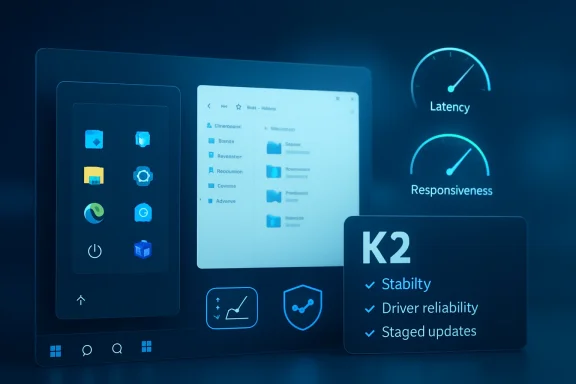
Microsoft’s reported Windows K2 initiative marks a striking shift in tone for Windows 11: less spectacle, more discipline. After years of complaints about inconsistent updates, sluggish shell components, driver instability, and AI features arriving faster than core fixes, Microsoft is now signaling that performance, reliability, and craft will define the next phase of Windows. If the company follows through, 2026 could become the year Windows 11 stops feeling like a moving target and starts feeling like a mature platform again.
Windows 11 launched in October 2021 with a cleaner visual language, a centered Start menu, new hardware security requirements, and a promise to modernize the Windows experience. But the operating system quickly became a balancing act between modernization and legacy compatibility. Microsoft wanted Windows to feel fresh, while enterprise customers and power users still expected decades of applications, drivers, peripherals, scripts, management tools, and workflows to continue working.
That tension has defined much of the Windows 11 era. The OS has improved in important ways, but it has also developed a reputation for uneven polish. Users have criticized slow File Explorer behavior, inconsistent dark mode coverage, forced or disruptive updates, web-heavy shell components, intrusive recommendations, and an expanding collection of Copilot entry points that sometimes felt more like promotion than productivity.
The reported K2 effort appears to be Microsoft’s answer to that credibility problem. It is not described as a single Windows release, nor as a marketing label likely to appear on a retail box. Instead, it looks like an internal reset: a program meant to change how Windows features are built, tested, staged, measured, and communicated before they reach normal users.
This matters because Windows 11 is no longer fighting only Windows 10 inertia. It is competing with SteamOS and Linux-based gaming systems, increasingly capable macOS laptops, ChromeOS in education and budget computing, and user expectations shaped by phones and consoles that update more quietly. In that environment, “good enough” Windows is not good enough.
That is a major cultural change for a product that has often been judged by what it adds rather than what it fixes. Windows users do not open Settings hoping to admire a roadmap. They want the Start menu to open instantly, Bluetooth to reconnect properly, search to return useful results, and updates to stop interrupting work.
K2’s reported priorities can be reduced to a few practical promises:
That is why the reported focus on WinUI 3 and lower interaction latency matters. Windows 11 has carried a mix of old Win32 interfaces, modern XAML components, web-backed surfaces, and transitional UI layers. The user may see one operating system, but underneath it are multiple generations of Windows architecture trying to present a unified face.
A practical performance reset should target the places where friction is most visible:
This also has economic implications. Memory prices and AI-driven hardware demand have made upgrades more expensive in some markets, while many thin-and-light laptops are not user-upgradable. If Windows 11 can lower its baseline memory footprint, it extends the useful life of existing PCs and reduces pressure on consumers to buy new hardware prematurely.
The challenge is that search is no longer just a box that looks through filenames. It can involve metadata, file contents, OneDrive placeholders, enterprise policies, Start menu results, app indexing, and privacy boundaries. Making it fast without making it noisy requires careful engineering.
A better Explorer search experience should deliver:
That is why K2’s success should be measured by mundane tasks. Can Explorer open large directories without stalling? Do context menus appear consistently? Are network folders less fragile? Does the shell recover gracefully when a device disconnects? These questions matter more than another widget panel.
The driver component may be even more consequential. Display drivers, Bluetooth stacks, USB controllers, printers, webcams, audio devices, docking stations, and biometric sensors all sit at the messy boundary between Windows and the hardware world. A bad driver can make Windows look broken even when the fault lies elsewhere.
The reported idea of applying some display driver updates only during reboot is a good example of conservative engineering. Hot-swapping graphics components can reduce downtime, but it can also create instability if the system is under load or if applications rely on the existing driver state. Sometimes the less glamorous approach is the safer one.
A stronger Windows update model should follow a clear sequence:
Telemetry can tell Microsoft that a feature is crashing. It may not explain that the feature feels disrespectful, noisy, or badly timed. Community feedback fills that gap, especially when it comes from power users who understand Windows deeply enough to describe not just what broke, but why it matters.
A better Insider Program needs more than enthusiasm. It needs structure:
A healthier approach would make AI optional, contextual, and removable. If Copilot can summarize a document, assist accessibility workflows, troubleshoot a device, or automate a repetitive task with clear consent, many users will welcome it. If AI appears as a persistent layer over basic computing, users will resist it.
Microsoft should distinguish between three categories:
That means any future Windows AI layer must be transparent. Users should know what data is processed locally, what leaves the device, what can be disabled, and what enterprise administrators can control. Without that clarity, K2’s trust repair mission will be undermined by the very features Microsoft wants to showcase.
The Xbox Full Screen Experience concept is important because it addresses both usability and performance. A controller-first shell can hide desktop complexity, reduce background activity, and make a Windows handheld feel closer to a console. But Microsoft must avoid building only a launcher skin over the same underlying friction.
For gaming, K2 should target the fundamentals players actually notice:
The question is whether Windows can reduce its overhead without compromising what makes it Windows. If Microsoft can deliver a lighter gaming state, better power management, and smoother graphics scheduling, it can blunt the SteamOS narrative. If it only changes the interface, Linux-based handhelds will keep gaining mindshare.
Microsoft’s emphasis on driver reliability, Windows Hello improvements, update predictability, and enterprise policy control is therefore more than housekeeping. It is a direct response to the operational burden Windows can create when change is too fast or too opaque.
Enterprise benefits could include:
This is why Microsoft must separate enterprise and consumer messaging. Businesses want reliability and governance. Consumers want responsiveness and fewer annoyances. K2 can serve both, but only if Microsoft avoids turning every improvement into a subscription or AI upsell.
Linux and SteamOS attack Windows from another direction. They appeal to users tired of telemetry, forced accounts, background services, and heavy interfaces. In gaming, Proton has transformed Linux from a niche experiment into a credible option for many players.
ChromeOS and web-first computing apply pressure at the low end. Schools, basic productivity users, and cloud-centric businesses may not need the full Windows stack. If Windows feels heavy or intrusive, lighter platforms become more appealing.
Microsoft’s competitive response should focus on Windows’ strongest natural advantages:
The most important milestones will likely arrive through Insider builds, monthly cumulative updates, and staged feature rollouts rather than a single branded release. That makes communication critical. Microsoft should explain what changed, which users are included, what problems remain, and how feedback altered the rollout.
Key signs to watch include:
Source: Mezha Microsoft changes approach to Windows 11 - Windows K2 initiative promises faster system and fewer bugs
 Background
Windows 11 launched in October 2021 with a cleaner visual language, a centered Start menu, new hardware security requirements, and a promise to modernize the Windows experience. But the operating system quickly became a balancing act between modernization and legacy compatibility. Microsoft wanted Windows to feel fresh, while enterprise customers and power users still expected decades of applications, drivers, peripherals, scripts, management tools, and workflows to continue working.That tension has defined much of the Windows 11 era. The OS has improved in important ways, but it has also developed a reputation for uneven polish. Users have criticized slow File Explorer behavior, inconsistent dark mode coverage, forced or disruptive updates, web-heavy shell components, intrusive recommendations, and an expanding collection of Copilot entry points that sometimes felt more like promotion than productivity.
The reported K2 effort appears to be Microsoft’s answer to that credibility problem. It is not described as a single Windows release, nor as a marketing label likely to appear on a retail box. Instead, it looks like an internal reset: a program meant to change how Windows features are built, tested, staged, measured, and communicated before they reach normal users.
This matters because Windows 11 is no longer fighting only Windows 10 inertia. It is competing with SteamOS and Linux-based gaming systems, increasingly capable macOS laptops, ChromeOS in education and budget computing, and user expectations shaped by phones and consoles that update more quietly. In that environment, “good enough” Windows is not good enough.
Why Windows K2 Matters
The reported K2 initiative lands at a moment when Windows 11 has finally become the default Windows platform for many users, helped by Windows 10’s end-of-support pressure and new PC sales. That gives Microsoft an opportunity, but also a responsibility. Once users have fewer practical reasons to stay on Windows 10, every Windows 11 problem becomes harder to excuse.A Trust Repair Program, Not Just a Feature Plan
The most important part of K2 is not any single feature. It is the implied admission that Windows needs operational quality as much as innovation. Faster Start menu launches and better File Explorer search are useful, but the broader point is that Microsoft appears to be re-centering Windows around daily feel.That is a major cultural change for a product that has often been judged by what it adds rather than what it fixes. Windows users do not open Settings hoping to admire a roadmap. They want the Start menu to open instantly, Bluetooth to reconnect properly, search to return useful results, and updates to stop interrupting work.
K2’s reported priorities can be reduced to a few practical promises:
- Make Windows feel faster in the places users touch every day.
- Reduce update disruption without weakening security.
- Improve driver and hardware reliability across a fragmented PC ecosystem.
- Slow down feature rollout until quality signals are stronger.
- Rebuild Insider feedback loops so previews catch problems earlier.
- Treat gaming performance as a platform priority, not a side project.
The Performance Problem Microsoft Can No Longer Ignore
Windows performance complaints are difficult because they often sound subjective. One user says File Explorer is slow; another says it works fine. One PC feels snappy after an update; another becomes unstable because of a driver, background service, or shell regression.Responsiveness Is the Real Benchmark
The key issue is not only raw speed. It is responsiveness, the gap between a user action and visible system reaction. A Start menu that takes half a second too long, a context menu that hesitates, or a search box that stutters can make a powerful PC feel oddly cheap.That is why the reported focus on WinUI 3 and lower interaction latency matters. Windows 11 has carried a mix of old Win32 interfaces, modern XAML components, web-backed surfaces, and transitional UI layers. The user may see one operating system, but underneath it are multiple generations of Windows architecture trying to present a unified face.
A practical performance reset should target the places where friction is most visible:
- Start menu launch time
- Search result ranking and response
- File Explorer navigation
- Context menu rendering
- Settings page loading
- Taskbar reliability
- Clipboard history responsiveness
- Wake-from-sleep consistency
The 8 GB RAM Reality
Optimizing Windows 11 for devices with 8 GB of RAM is especially important. Enthusiasts may treat 16 GB as the minimum for comfort, but millions of mainstream laptops still ship with 8 GB, often with integrated graphics sharing system memory. On those machines, background overhead is not an abstract metric; it is the difference between smooth multitasking and constant paging.This also has economic implications. Memory prices and AI-driven hardware demand have made upgrades more expensive in some markets, while many thin-and-light laptops are not user-upgradable. If Windows 11 can lower its baseline memory footprint, it extends the useful life of existing PCs and reduces pressure on consumers to buy new hardware prematurely.
File Explorer and Search Become Test Cases
File Explorer is one of the oldest and most important parts of Windows. It is also one of the most complained-about components in Windows 11, because it sits directly between the user and their files. When Explorer feels slow, the entire system feels slow.Search Must Feel Local Again
The reported promise of near-instant file search in Explorer strikes at a long-running Windows frustration. Users expect local file search to be fast, predictable, and relevant. Too often, Windows search has felt caught between local indexing, cloud integration, web suggestions, and inconsistent ranking behavior.The challenge is that search is no longer just a box that looks through filenames. It can involve metadata, file contents, OneDrive placeholders, enterprise policies, Start menu results, app indexing, and privacy boundaries. Making it fast without making it noisy requires careful engineering.
A better Explorer search experience should deliver:
- Immediate local results for common file names and folders.
- Clear separation between local, cloud, and web-backed results.
- Reliable indexing controls that ordinary users can understand.
- Lower CPU spikes during indexing and search operations.
- Better behavior on large folders and external drives.
Copy, Move, and Context Menus Still Matter
Modern Windows has sometimes seemed more excited about cloud intelligence than basic file operations. Yet copying a folder, renaming files, opening properties, and right-clicking a document remain daily actions for millions of users. These are not legacy edge cases; they are the operating system’s core vocabulary.That is why K2’s success should be measured by mundane tasks. Can Explorer open large directories without stalling? Do context menus appear consistently? Are network folders less fragile? Does the shell recover gracefully when a device disconnects? These questions matter more than another widget panel.
Updates, Drivers, and the New Quality Bar
Windows Update has long been both a strength and a source of irritation. It keeps a vast installed base patched, but it can also interrupt workflows, introduce regressions, and trigger anxiety before Patch Tuesday. K2 reportedly attempts to reduce that tension by raising the quality threshold before changes reach Insider channels and then normal users.Fewer Surprises, Better Staging
Microsoft’s public messaging already points toward a single monthly reboot model and more control over update timing. That is a sensible direction. Users can tolerate updates when they are predictable, understandable, and recoverable; they become hostile when updates feel like ambushes.The driver component may be even more consequential. Display drivers, Bluetooth stacks, USB controllers, printers, webcams, audio devices, docking stations, and biometric sensors all sit at the messy boundary between Windows and the hardware world. A bad driver can make Windows look broken even when the fault lies elsewhere.
The reported idea of applying some display driver updates only during reboot is a good example of conservative engineering. Hot-swapping graphics components can reduce downtime, but it can also create instability if the system is under load or if applications rely on the existing driver state. Sometimes the less glamorous approach is the safer one.
A stronger Windows update model should follow a clear sequence:
- Validate internally across representative hardware, workloads, and driver combinations.
- Release gradually to tightly scoped Insider audiences with clear rollback paths.
- Measure telemetry and feedback before expanding availability.
- Communicate known issues in plain language before broad rollout.
- Pause or withdraw updates quickly when serious regressions appear.
Insider Program Reboot and Community Repair
The Windows Insider Program was once one of Microsoft’s best examples of open development. Enthusiasts felt involved, engineers received early feedback, and Windows gained a public testing culture. Over time, however, many users became confused about channel meaning, feature availability, A/B testing, and whether feedback genuinely affected decisions.The Community Pillar
K2 reportedly includes a stronger community component, including renewed in-person Insider meetings and more direct engagement from Windows team members. That may sound sentimental, but it has practical value. A healthy enthusiast community finds regressions early, explains confusing behavior, and gives Microsoft a human signal that telemetry cannot provide.Telemetry can tell Microsoft that a feature is crashing. It may not explain that the feature feels disrespectful, noisy, or badly timed. Community feedback fills that gap, especially when it comes from power users who understand Windows deeply enough to describe not just what broke, but why it matters.
A better Insider Program needs more than enthusiasm. It needs structure:
- Clear channel definitions that match real risk levels.
- Transparent feature rollout notes for controlled experiments.
- Better Feedback Hub discoverability and duplicate handling.
- Visible engineering responses to high-impact reports.
- Easier movement between channels without unnecessary reinstall pain.
- Stronger minimum quality bars before builds reach public testers.
AI Pullback and the End of “Agent OS” Overreach
Few Windows 11 debates have been as heated as Microsoft’s AI push. Copilot, Recall, AI-powered app features, and assistant-style entry points have arrived amid user concerns about privacy, bloat, performance, and unwanted promotion. The reported K2 shift suggests Microsoft may be moving away from the most aggressive vision of Windows as an “agent OS,” at least in the near term.From Everywhere AI to Useful AI
The problem was never that AI could not help Windows. It was that Microsoft sometimes appeared to prioritize AI visibility over user control. When Copilot buttons and AI prompts show up in places where users expected simple tools, the operating system starts to feel like an advertising surface.A healthier approach would make AI optional, contextual, and removable. If Copilot can summarize a document, assist accessibility workflows, troubleshoot a device, or automate a repetitive task with clear consent, many users will welcome it. If AI appears as a persistent layer over basic computing, users will resist it.
Microsoft should distinguish between three categories:
- Assistive AI that improves accessibility, troubleshooting, or productivity.
- Creative AI that helps in apps like Photos, Paint, Notepad, and Clipchamp.
- Promotional AI that mainly drives engagement with Microsoft services.
Privacy and Performance Must Lead
AI features also carry performance and privacy costs. Background models, indexing, screenshots, semantic search, and cloud calls can all create user concern, especially in enterprise environments. Even when Microsoft designs safeguards, the perception problem remains serious.That means any future Windows AI layer must be transparent. Users should know what data is processed locally, what leaves the device, what can be disabled, and what enterprise administrators can control. Without that clarity, K2’s trust repair mission will be undermined by the very features Microsoft wants to showcase.
Gaming, SteamOS, and the Handheld Threat
Windows remains the dominant PC gaming platform, but its position is less comfortable than it once was. SteamOS, Proton, and Linux gaming improvements have made non-Windows gaming more credible, especially on handheld devices. The Steam Deck proved that many players will accept Linux if the experience is console-like, fast, and predictable.Windows Needs a Console Mode That Actually Works
Microsoft’s reported gaming focus under K2 includes reducing background load and testing a more console-style interface. That aligns with the needs of handheld gaming PCs, where Windows often feels powerful but awkward. A desktop OS designed for keyboards, mice, pop-ups, background services, and multiwindow workflows does not naturally fit a seven-inch screen.The Xbox Full Screen Experience concept is important because it addresses both usability and performance. A controller-first shell can hide desktop complexity, reduce background activity, and make a Windows handheld feel closer to a console. But Microsoft must avoid building only a launcher skin over the same underlying friction.
For gaming, K2 should target the fundamentals players actually notice:
- Frame-time consistency instead of only average FPS.
- Lower background CPU wakeups during gameplay.
- Better shader and driver behavior around game launches.
- Predictable power profiles for handhelds and laptops.
- Controller-friendly setup and authentication
- Less intrusive notifications while games are running.
SteamOS-Level Performance Is a High Bar
The reported goal of reaching SteamOS-level performance within two years should be treated as ambitious. SteamOS benefits from a controlled environment, a gaming-first shell, and a Linux compatibility stack that has improved dramatically. Windows benefits from native game support, driver breadth, anti-cheat compatibility, and decades of developer targeting.The question is whether Windows can reduce its overhead without compromising what makes it Windows. If Microsoft can deliver a lighter gaming state, better power management, and smoother graphics scheduling, it can blunt the SteamOS narrative. If it only changes the interface, Linux-based handhelds will keep gaining mindshare.
Enterprise Impact: Stability Over Shiny Features
Enterprise customers view Windows differently from enthusiasts. They care about productivity, security, manageability, predictable servicing, compatibility, and support costs. For them, K2’s most valuable promise is not a faster Start menu; it is fewer regressions and clearer update control.IT Departments Want Boring Excellence
A stable Windows release is an economic asset. Every failed update, broken printer, driver conflict, sign-in issue, or VPN regression becomes a ticket. Multiply that by thousands of endpoints, and quality failures become real money.Microsoft’s emphasis on driver reliability, Windows Hello improvements, update predictability, and enterprise policy control is therefore more than housekeeping. It is a direct response to the operational burden Windows can create when change is too fast or too opaque.
Enterprise benefits could include:
- Reduced help desk volume from fewer update regressions.
- Improved device uptime through better driver validation.
- More predictable maintenance windows with fewer surprise restarts.
- Better security compliance through clearer servicing behavior.
- More confidence in Windows 11 migrations after Windows 10 retirement.
- Improved WSL governance for developer workstations.
Consumers Need a Different Kind of Win
Consumer users will judge K2 more emotionally. They want Windows to feel fast, quiet, respectful, and familiar. They may not know what WinUI 3 is, but they will know whether the Start menu opens quickly and whether their laptop stops stuttering after login.This is why Microsoft must separate enterprise and consumer messaging. Businesses want reliability and governance. Consumers want responsiveness and fewer annoyances. K2 can serve both, but only if Microsoft avoids turning every improvement into a subscription or AI upsell.
Competitive Pressure From Apple, Linux, and the Web
Microsoft’s Windows business has always lived in a unique competitive position. It dominates traditional desktop computing, yet faces pressure from every direction. K2 is best understood as a defensive and offensive move at the same time.Rivals Are Attacking Different Weak Points
Apple attacks Windows through integrated hardware, battery life, performance per watt, and premium consistency. Affordable MacBook Air pricing has made that challenge more relevant to mainstream buyers, not just creative professionals. The Mac is still less flexible for some workloads, but its simplicity is a real advantage.Linux and SteamOS attack Windows from another direction. They appeal to users tired of telemetry, forced accounts, background services, and heavy interfaces. In gaming, Proton has transformed Linux from a niche experiment into a credible option for many players.
ChromeOS and web-first computing apply pressure at the low end. Schools, basic productivity users, and cloud-centric businesses may not need the full Windows stack. If Windows feels heavy or intrusive, lighter platforms become more appealing.
Microsoft’s competitive response should focus on Windows’ strongest natural advantages:
- Hardware choice across every price and performance tier.
- Backward compatibility with decades of software.
- Gaming library depth and broad peripheral support.
- Enterprise management maturity
- Developer flexibility through Windows, WSL, and cloud tooling.
- Local productivity power beyond browser-only workflows.
Strengths and Opportunities
The biggest opportunity in K2 is that Microsoft appears to be addressing the right layer of the Windows problem. Users have not been asking for fewer ideas; they have been asking for better execution. A quality-first Windows strategy could turn frustration into renewed confidence if Microsoft sustains it beyond one update cycle.- Performance improvements in Start, Explorer, Search, and Settings could make Windows 11 feel meaningfully faster on existing hardware.
- Lower memory usage could extend the life of 8 GB laptops and improve budget PC satisfaction.
- Better update control could reduce one of the longest-running sources of Windows resentment.
- Driver reliability work could improve daily stability across docks, GPUs, printers, cameras, audio devices, and Bluetooth accessories.
- A stronger Insider Program could restore enthusiast trust and catch regressions before they reach production.
- Gaming mode improvements could help Windows handhelds compete more directly with SteamOS devices.
- A more restrained AI strategy could make Copilot feel useful rather than unavoidable.
Risks and Concerns
K2 also carries real risk because Microsoft has promised Windows quality improvements before. The company must prove that this is a durable engineering shift, not a temporary response to criticism. If users see more ads, more forced services, and more unstable updates while hearing more quality messaging, the backlash will be sharper than before.- Unverified internal claims may create expectations that public builds cannot immediately meet.
- Gradual rollout complexity can confuse users when features appear on some PCs but not others.
- AI monetization pressure could conflict with the promise of a cleaner, calmer Windows experience.
- Legacy compatibility constraints may slow UI modernization and keep old inconsistencies visible.
- Driver ecosystem fragmentation remains difficult because Microsoft does not control every vendor’s quality.
- Gaming optimization promises may disappoint if they improve handheld UI but not actual frame-time stability.
- Insider fatigue could persist if Microsoft asks for feedback without visibly acting on it.
Looking Ahead
The next six to twelve months will show whether K2 is real in the only way that matters: in daily use. Users should look for improvements that are measurable but also tactile, such as faster shell response, smoother Explorer navigation, fewer update interruptions, and better behavior after sleep or docking. Microsoft does not need one dramatic launch moment; it needs a steady reduction in the small failures that make Windows feel unreliable.The most important milestones will likely arrive through Insider builds, monthly cumulative updates, and staged feature rollouts rather than a single branded release. That makes communication critical. Microsoft should explain what changed, which users are included, what problems remain, and how feedback altered the rollout.
Key signs to watch include:
- Start menu and File Explorer benchmarks on both high-end and low-end PCs.
- Windows Update policy changes that give users real control without weakening security.
- Driver servicing behavior around GPU, Bluetooth, USB, printer, and audio stacks.
- Gaming handheld improvements that reduce background overhead and improve controller-first workflows.
- Copilot placement changes that show Microsoft is prioritizing user intent over engagement metrics.
Source: Mezha Microsoft changes approach to Windows 11 - Windows K2 initiative promises faster system and fewer bugs
