

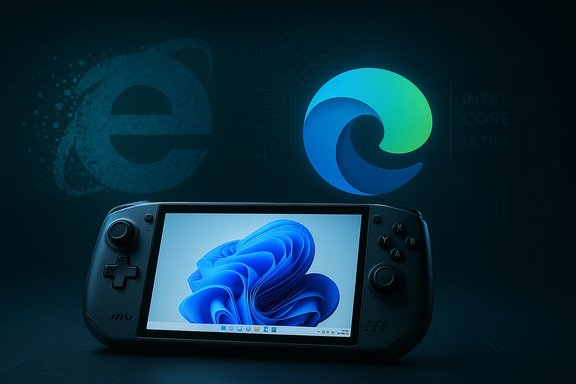
Nearly four years after Microsoft began steering users away from its once-ubiquitous blue "e," the ripples of Internet Explorer’s retirement are still reshaping the Windows ecosystem — and the landscape around it. In the span of a few headlines last week we saw the anniversary-style eulogies for Internet Explorer 11, fresh hardware competition in the handheld gaming market with Intel Core Ultra‑powered devices, a surge in Windows-to-Linux migrations that’s now measurable in the millions, and fresh app and image chatter around Windows 11 that illustrate how the platform continues to evolve. Taken together, these stories sketch a single theme: Windows is moving on, and users, enterprises, and hardware makers are racing to catch up or pivot.
The end-of-life of Internet Explorer 11 (IE11) has been a long, staged process rather than a single event. Microsoft announced the retirement of the IE11 desktop application for several Windows 10 channels on June 15, 2022, and has since consolidated legacy compatibility into Microsoft Edge’s IE mode, which Microsoft has committed to supporting through at least 2029. Those commitments are documented in Microsoft’s lifecycle pages and the IE/Edge lifecycle FAQ, and they remain the single most important operational fact for enterprises still running IE‑dependent apps. At the same time, Microsoft’s push to modernize Windows and prioritize Windows 11 has nudged hardware makers, app developers, and users to reconsider long-standing assumptions — from which browser to trust for enterprise compatibility to whether a traditional desktop OS is the right long-term choice for every device. Those shifts intersect with two other currents: the rise of ARM and heterogeneous SoC designs in PCs (and handhelds), and a measurable increase in migrations to Linux distributions designed to look and feel familiar to Windows users. The combination of those forces is driving palpable change across the Windows ecosystem.
One of the stories that caught attention recently involved a third‑party Windows 11 app gaining specific Qualcomm support. That kind of collaboration — where a major silicon vendor ties optimizations to a particular ecosystem app — is emblematic of the new era in Windows: platform, silicon, and app ecosystems aligning to deliver performance boosts for certain scenarios on modern hardware. The practical takeaway is simple: when you choose hardware (Intel, AMD, Qualcomm) and software together, you can unlock optimizations that aren’t available on mismatched stacks.
(Readers should treat claims about single‑vendor performance benefits as context‑dependent; verify the device SKU and the app version before assuming universal gains.
The technical transitions are underway, but the human and organizational transitions — planning, procurement, retraining, and acceptance — are the slow, decisive work that will determine whether the changes yield renewed resilience or a new layer of fragmentation. The next few years will test whether the Windows ecosystem can modernize without leaving customers or legacy applications behind — and whether users choose to stay, upgrade, or move elsewhere.
Source: BetaNews https://betanews.com/article/get-re...wnloads-since-the-end-of-windows-10-support/]
 Background
The end-of-life of Internet Explorer 11 (IE11) has been a long, staged process rather than a single event. Microsoft announced the retirement of the IE11 desktop application for several Windows 10 channels on June 15, 2022, and has since consolidated legacy compatibility into Microsoft Edge’s IE mode, which Microsoft has committed to supporting through at least 2029. Those commitments are documented in Microsoft’s lifecycle pages and the IE/Edge lifecycle FAQ, and they remain the single most important operational fact for enterprises still running IE‑dependent apps. At the same time, Microsoft’s push to modernize Windows and prioritize Windows 11 has nudged hardware makers, app developers, and users to reconsider long-standing assumptions — from which browser to trust for enterprise compatibility to whether a traditional desktop OS is the right long-term choice for every device. Those shifts intersect with two other currents: the rise of ARM and heterogeneous SoC designs in PCs (and handhelds), and a measurable increase in migrations to Linux distributions designed to look and feel familiar to Windows users. The combination of those forces is driving palpable change across the Windows ecosystem.Internet Explorer 11: The last chapter and the road ahead
What actually happened — the timeline, in plain numbers
- Microsoft announced the retirement plan for the Internet Explorer 11 desktop application on June 15, 2022. That action applied to many Windows 10 channels; some server and LTSC editions were exceptions.
- Microsoft consolidated legacy compatibility into IE mode inside Microsoft Edge and publicly committed to support that mode through at least 2029, with at least one year of advance notice before IE mode’s retirement.
- Over the following months and years Microsoft progressively disabled the standalone IE runtime in most consumer channels, redirected IE launch actions to Edge, and offered tooling for IT to migrate site lists and preserve compatibility where necessary.
Why Microsoft made the call
The technical reasons for the retirement are consistent and recurring: decades of legacy compatibility (ActiveX, BHOs, multiple document modes) created a brittle engine and enlarged the attack surface. Modern browsers ship updates and mitigations at a cadence impossible to match when a browser’s patches are coupled to OS servicing. By migrating the company’s effort into a Chromium‑based Edge, Microsoft gained the ability to deliver faster security fixes, improved modern web compatibility, and a sustainable engineering model. The compromise — IE mode in Edge — preserves enterprise continuity while letting Microsoft consolidate security protections onto modern surfaces.The security and compliance aftershocks
A critical shift came when Microsoft clarified that some older, in‑process runtime protections once provided inside Internet Explorer are being decommissioned in favor of modern surface protections. For example, SmartScreen checks that used to happen in the IE runtime have been refocused to run in Edge and the Windows Shell; the legacy SmartScreen codepaths tied to older binaries were removed on Windows 11 to reduce maintenance and attack-surface risk. Practically, that means:- External browsing should be done in Microsoft Edge for full SmartScreen URL and download blocking.
- IE mode should be limited to trusted, enterprise-managed legacy sites. Files saved from IE mode still carry Mark‑of‑the‑Web (MoTW) metadata and are subject to platform protections on execution, but the runtime will no longer surface URL interstitials in legacy contexts. Administrators must therefore be explicit about site lists and scope.
What this means for consumers, IT pros, and developers
For consumers and small businesses
Most consumers have already migrated to modern browsers. If a device is on Windows 10 or Windows 11, the recommended path is Microsoft Edge for day-to-day browsing and IE mode only when truly necessary. For older devices that can’t run Windows 11, there are still lifecycle windows and possible ESU options, but relying on unpatched legacy code is increasingly risky. Microsoft’s guidance and tooling make migration straightforward — export favorites, import passwords, and use Edge’s built-in IE mode when needed — but users should make the move proactively rather than waiting for forced updates.For enterprises and line-of-business apps
The operational checklist is straightforward but non-trivial:- Inventory legacy web apps and determine which truly require IE-specific behaviors.
- Use Edge’s IE mode with enterprise site lists as a stopgap, but treat that stopgap as time-limited.
- Plan modernization budgets and timelines — the convenience of IE mode comes with the risk that it facilitates indefinite postponement of refactoring. Long‑term cost and security wins come from modernizing web apps to current standards.
For developers
IE’s formal retirement is an opportunity to stop supporting obsolete document modes and conditional hacks. Developers should confirm telemetry and analytics to identify remaining IE users, drop IE-only shims from new projects, and ensure compatibility testing across modern browsers. The industry payoff is less test matrix strain and a cleaner codebase.Windows 11: apps, images, and an attention-grabbing addition from Qualcomm
Windows 11 images and the visual story
Conversations around Windows 11 imagery and the OS’s look-and-feel continue to percolate on campuses and community sites. Whether the topic is the default wallpapers, image packs for deployment, or OEM custom images, Windows 11 remains a living platform that vendors and admins tailor tightly to branding and provisioning needs. The smaller items in the newsfeed — new image packs and community-created assets — may not move policy, but they matter to admins who manage large device fleets and to power users who care about presentation.One of the stories that caught attention recently involved a third‑party Windows 11 app gaining specific Qualcomm support. That kind of collaboration — where a major silicon vendor ties optimizations to a particular ecosystem app — is emblematic of the new era in Windows: platform, silicon, and app ecosystems aligning to deliver performance boosts for certain scenarios on modern hardware. The practical takeaway is simple: when you choose hardware (Intel, AMD, Qualcomm) and software together, you can unlock optimizations that aren’t available on mismatched stacks.
(Readers should treat claims about single‑vendor performance benefits as context‑dependent; verify the device SKU and the app version before assuming universal gains.
Gaming handhelds: MSI’s Claw and the first wave of Core Ultra handhelds
Why handheld PCs matter to Windows users
Handheld Windows PCs — devices with integrated game controls and a tiled form factor — are not a niche anymore. They represent a convergence of PC gaming, mobility, and the mainstreaming of high-efficiency SoCs. MSI’s Claw lineup was one of the earliest high-profile entries that used Intel’s Core Ultra family to bring desktop-class features into handheld form factors, running Windows 11 and offering a genuine alternative to Valve’s Steam Deck and AMD-powered handhelds.MSI Claw: capabilities and market position
MSI states the Claw is the “world’s first gaming handheld with Core™ Ultra,” and its hardware specifications underline the company’s intent: modern Xe graphics, LPDDR5 memory, NVMe storage, a 7‑inch 120‑Hz FHD touchscreen, and aggressive thermal design. The device is designed to run Windows 11 Home or Pro and supports a mix of native Windows titles and streaming/Android bridge apps. MSI’s engineering choices — dual fans, heat pipes, and branded thermal flows — target sustained performance rather than short turbo bursts.Competitive dynamics and vendor signals
MSI’s push is important because it signals OEM confidence in heterogeneous silicon — Intel, AMD, and now specialized mobile‑class chips — as a strategy to diversify the handheld market. Intel’s messaging around Panther Lake and subsequent Core Ultra successors suggests continued collaboration with OEMs, which will keep pushing price-to-performance and battery efficiency tradeoffs. This ongoing competition benefits consumers: more options, quicker iterations, and a faster cadence of upgrades. However, fragmentation is a real risk — a handful of hardware options plus multiple OS/driver stacks increases driver support burdens and complicates long-term maintenance for buyers who want a consistent experience.Linux gains: a 2‑million download milestone and the Windows migration story
The headline: a Windows-like distro hits the mainstream
One of the most consequential items in the week’s batch of news is that a Windows‑styled Linux distribution has reported more than two million downloads since Windows 10 mainstream support ended. That milestone is not just a vanity number — it’s a measurable signal that a non-trivial segment of Windows users are actively testing or switching to Linux when the upgrade to Windows 11 is either impossible or undesirable. Coverage indicates that a majority of those downloads came from Windows users seeking to extend hardware life or to avoid forced platform changes tied to new Windows features. Independent reporting corroborates the scale and timing of this migration.Why Linux is suddenly a practical alternative
Several practical factors are converging:- Windows 11’s hardware requirements excluded a tranche of existing PCs, making migration unattractive or impossible without hardware changes.
- Modern Linux desktops (Zorin, Linux Mint, Ubuntu derivatives) offer polished migrations, OneDrive/Cloud integration pathways, and application compatibility tooling (Wine/Proton).
- For many home users, the total cost of ownership to stay secure on aging Windows installations is higher than switching to a supported Linux distribution.
Practical implications for the Windows ecosystem
- OEMs should expect demand for Windows-free factory images to become more visible in some markets.
- Microsoft’s value proposition for Windows 11 must increasingly emphasize features and services that justify upgrade friction.
- For IT departments, the existence of viable Linux alternatives complicates device lifecycle and OS planning; in some contexts, allowing Linux migrations will be the cheaper, lower‑risk path than buying new hardware or paying ESU fees.
The week in apps, images, and oddities
- “Best Windows apps” roundups continue to be a useful barometer for user-facing innovation. These lists encourage exploration of high-quality utilities and foster a richer ecosystem of third‑party tools that coax extra value from Windows 11’s features. They matter because the app layer is where daily productivity and user sentiment are formed.
- Niche items — from updated wallpapers and OEM image packs to single‑vendor app optimizations — show that the Windows experience is still being refined incrementally. Administrators who manage large fleets should expect frequent small updates that change default visuals or add telemetry/agent behavior.
- Odd cultural fragments — including viral pieces and satirical commentaries in the wider press — illustrate how Windows remains culturally central even as its technical shape shifts. These items rarely change configuration or policy, but they shape public impressions that can accelerate or slow migration decisions.
Strengths, risks, and the balance of modernization
Notable strengths in the current transition
- Practical compatibility bridge: IE mode in Edge is a pragmatic compromise that preserves costly enterprise investments while allowing Microsoft to move the platform forward.
- Hardware innovation: The shift to modern SoCs and renewed competition in handheld PC design is accelerating the availability of more capable and energy‑efficient devices.
- Viable alternatives exist: A maturing Linux desktop ecosystem offers credible, migration‑friendly options for users and organizations unwilling to upgrade hardware or Windows.
Key risks and open questions
- Compatibility complacency risk: The existence of IE mode through 2029 can encourage procrastination; organizations may rely on compatibility crutches instead of investing in modern web standards. That accrues technical debt and security risk over time.
- Fragmentation burden: Multiple SoC families and custom OEM features create a fragmented driver and firmware ecosystem that complicates enterprise support and long-term maintenance.
- Security‑policy friction: Moving smart protections (like SmartScreen) off legacy runtimes into platform services assumes administrators will adopt updated policies and that end users will follow guidance — a non-trivial operational coordination problem. Misconfigurations can expose legacy sites to higher risk.
- Perception and market risk: If many users migrate to Linux or alternative platforms at scale, Microsoft’s bargaining power with OEMs and ISVs could shift, particularly in markets where hardware replacement cycles are slow. This is a medium-term strategic risk rather than an immediate technical one.
Practical recommendations (for power users, IT, and managers)
- Inventory and classify browser dependencies now. Separate public web usage from intranet and LOB usage.
- For IT: implement Edge as the default browser and migrate site lists to IE mode only when necessary. Schedule modernization projects for legacy web assets with concrete timelines.
- For consumers: migrate to a modern browser and back up bookmarks/passwords. If a device cannot run Windows 11 and you want to stay secure, consider supported Linux distributions that target Windows migrants.
- For hardware buyers: compare the tradeoffs between Intel‑based handhelds (Core Ultra) and AMD or ARM alternatives — prioritize thermal configuration, driver support, and battery life for real workloads rather than headline clock speeds.
Conclusion
The week’s cluster of headlines — the lingering death of Internet Explorer, the emergence of Intel Core Ultra handhelds, and a multi‑million download surge for a Windows‑like Linux distribution — are not isolated curiosities. They are connected symptoms of a larger reorder: Windows is modernizing, the hardware ecosystem is diversifying, and users have practical alternatives that didn’t exist a decade ago. For users and IT teams the practical response is clear: treat compatibility tools as a bridge, not a destination; choose hardware with attention to long-term maintainability; and be prepared to act on the migration choices that best align security, cost, and functionality.The technical transitions are underway, but the human and organizational transitions — planning, procurement, retraining, and acceptance — are the slow, decisive work that will determine whether the changes yield renewed resilience or a new layer of fragmentation. The next few years will test whether the Windows ecosystem can modernize without leaving customers or legacy applications behind — and whether users choose to stay, upgrade, or move elsewhere.
Source: BetaNews https://betanews.com/article/get-re...wnloads-since-the-end-of-windows-10-support/]
