

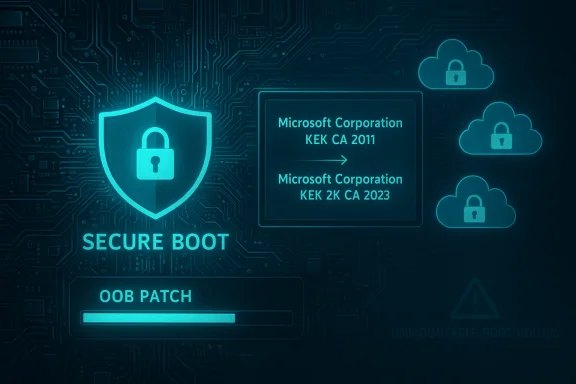
Microsoft pushed a string of Windows updates over the weekend that try to clean up several regressions introduced by the January Patch Tuesday rollouts — and at the same time have started a phased, OS-driven refresh of Windows' Secure Boot certificates that will touch millions of devices ahead of a looming mid‑2026 expiry window. The net result is a mixed bag: a targeted out‑of‑band (OOB) fix for applications that stopped responding with cloud‑backed files, an automated delivery of new Key Exchange Key (KEK) material into UEFI on selected machines, and a fresh set of reported post‑patch problems (including new boot failures) that Microsoft is actively investigating.
Background / Overview
Secure Boot certificates, the Windows servicing pipeline, and cumulative updates are tightly intertwined in modern Windows maintenance. Secure Boot uses a small set of certificates stored in UEFI firmware variables — PK, KEK, DB, and DBX — to validate pre‑OS components. Several Microsoft‑issued certificates created in 2011 are scheduled to begin expiring in June 2026, with a related production PCA following in October 2026. To avoid a calendar‑driven failure where firmware no longer trusts legitimately signed boot components, Microsoft and OEM partners prepared a replacement “2023” CA family and began routing those replacements through Windows servicing in January. That process is deliberately phased and telemetry‑gated to reduce blast radius.At the same time, the January 2026 cumulative updates — rolled out on Patch Tuesday and distributed further through the month — included broad security fixes, removal of some legacy in‑box modem drivers, and a handful of quality improvements. Unfortunately, some of those fixes introduced regressions affecting application reliability (notably when files are opened from or saved to cloud‑backed services) and, in isolated reports, more severe boot failures. Microsoft has published release‑health notices and followed up with an out‑of‑band cumulative update that tries to address the application hangs.
What Microsoft released this weekend: high‑level summary
- An out‑of‑band cumulative update intended to resolve cases where applications stopped responding or threw errors when interacting with cloud‑backed storage (for example, OneDrive or Dropbox). The same problem reportedly caused Outlook to hang when PST files resided on OneDrive.
- A phased replacement of Secure Boot certificates, beginning with the Key Exchange Key (KEK): the certificate named Microsoft Corporation KEK CA 2011 is being replaced by Microsoft Corporation KEK 2K CA 2023. That KEK update is required because KEK signs updates to DB/DBX and governs how new signers are accepted by firmware. Microsoft is initially targeting the KEK change and will continue with the DB/DBX and other replacements in coordination with OEM firmware updates.
- A growing set of investigations into other post‑patch issues, including reports of Windows machines failing to boot with UNMOUNTABLE_BOOT_VOLUME errors after applying January patches — an issue Microsoft is looking into. These boot problems appear in some Windows 11 24H2 and 25H2 installs and may stem from the January update family rather than the Secure Boot certificate replacement process.
The out‑of‑band update: what was broken and what’s fixed
The problem
Administrators and users reported that after installing the January patches they could encounter applications that:- Became unresponsive when opening or saving files that are stored on cloud‑backed locations such as OneDrive or Dropbox.
- Threw unexpected errors on file I/O involving those sync clients.
- Experienced hangs in Outlook when a PST file resided on OneDrive.
The fix Microsoft shipped
Microsoft published an OOB cumulative patch that is cumulative (it includes the January security fixes and the corrective code) and covers a broad set of SKUs: Windows 11 25H2/24H2 and 23H2, Windows 10 ESU, Windows Server 2025/23H2/2022, and relevant LTSC builds and Azure editions. The update addresses the cloud‑file I/O regressions and should restore normal open/save behavior for affected applications. The bulletin for this corrective package emphasizes its cumulative nature and that it covers multiple releases.What to watch for after installing the fix
- Because the package is cumulative, reinstalling it on a system already patched by January updates should be safe — but always plan for standard testing in managed environments before broad rollout.
- If problems persist after the OOB patch, administrators should capture application and sync‑client logs (for OneDrive/Dropbox and the affected app), test in a clean profile, and consider temporarily moving large or frequently changing PST/data files off cloud‑synced folders until diagnosis completes.
Secure Boot certificate replacement: why this matters and how Microsoft is proceeding
What’s expiring and the timeline
Microsoft documented that several widely deployed Microsoft CA certificates issued in 2011 will begin expiring in June 2026, with a related Windows production PCA expiring in October 2026. Left unaddressed, that expiry would eventually prevent firmware from trusting new signatures for pre‑OS components and block future Secure Boot‑level updates. Microsoft’s replacement family (the “2023” certificates) includes new KEK and DB/DBX CA certificates crafted to replace the 2011 anchors.The initial replacement: KEK first
The current servicing flow begins by replacing the KEK in firmware: Microsoft Corporation KEK CA 2011 → Microsoft Corporation KEK 2K CA 2023. The KEK is important because it authorizes changes to the DB and DBX databases (trusted and revoked signatures). Microsoft is initially targeting the KEK replacement, which will then allow the OS to publish the new DB entries safely and, eventually, to swap in the new Windows boot manager binaries signed under the 2023 PCA where required.Why Microsoft is using Windows Update (and not just firmware updates)
A simple firmware update would be the straightforward path for many devices, but millions of systems in the field vary by OEM, BIOS/UEFI versions, and policy settings. Microsoft chose a combination approach:- Use Windows servicing to deliver and inject new certificate entries into UEFI for devices where OS‑initiated enrollment is permitted and telemetry signals indicate a safe path.
- Coordinate with OEM firmware updates where the platform does not allow OS writes or where the OEM prefers a firmware‑first approach.
- Phase the rollout and gate it based on device readiness to reduce the risk of mass boot disruptions.
Possible user experience: unexpected restarts and prompts
Some devices receiving the OS‑driven KEK update may require a restart to complete enrollment. Administrators should expect a small number of machines to prompt for reboot out of the normal update cadence. Microsoft has engineered the flow to replace DB entries and the KEK before replacing boot manager binaries to avoid creating an invalid trust chain, but reboot prompts remain possible as part of the enrollment and swap steps.The emerging problems: UNMOUNTABLE_BOOT_VOLUME and other post‑patch regressions
Reports and scope
Following the January patch family — and in some cases after the subsequent OOB fixes — administrators began reporting devices that failed to boot with the UNMOUNTABLE_BOOT_VOLUME message. These reports primarily involve Windows 11 24H2 and 25H2 machines and have been surfaced via admin posts and monitoring of Microsoft’s Release Health channels. Microsoft has acknowledged investigations into boot failures and is treating the issue as separate from the KEK replacement, since affected systems show the problem after applying January security updates.Potential causes (what the evidence suggests)
- File system or storage driver regressions introduced by January changes that manifest during boot‑time mount operations.
- Interactions between boot‑time components and third‑party drivers or storage stacks that are sensitive to signature or driver load ordering.
- Less likely (based on current signals): direct failure caused by KEK/DB changes, since reported boot problems often occur immediately after the January patches and before certificate enrollment steps that require firmware writes and reboots. Microsoft’s public comments and telemetry gating suggest the KEK replacement was rolled out carefully to minimize immediate boot‑level risk.
How to respond if a device fails to boot with UNMOUNTABLE_BOOT_VOLUME
- Boot to recovery environment (WinRE) and attempt automatic startup repair.
- If Repair fails, use the command prompt in WinRE to run CHKDSK against the boot volume and, if available, validate boot configuration with bootrec /fixmbr and bootrec /fixboot.
- If disk corruption is evident or CHKDSK cannot complete, consider recovering from known‑good backups or performing an offline image recovery.
- For enterprises: contact Microsoft Support and open a case — collect full system logs, event traces, storage controller firmware versions, and update history to accelerate root cause analysis.
What this means for administrators and power users: concrete guidance
Immediate checklist (recommended)
- Pause broad deployment of the January cumulative update across critical production rings until you’ve validated the OOB fix and monitored for boot issues in a pilot cohort. Apply the OOB patch to your pilot/dev systems first.
- Inventory Secure Boot state on representative hardware. Check Secure Boot State in System Information and use vendor guidance or PowerShell checks to verify whether the 2023 certificates are already present in firmware on devices you manage. Systems manufactured in 2024+ are more likely to already include the replacements; older devices may require explicit firmware or OS enrollment.
- Validate firmware readiness and publish a minimum BIOS/UEFI revision list per OEM for devices in your fleet. Work with OEM advisories to identify models that require manual firmware intervention.
- Isolate critical data files (Outlook PSTs, virtual disks) from cloud‑synced folders until you confirm fixes are effective for your environment. For mail archives and other large files, keep local copies outside of OneDrive/Dropbox during testing.
- Plan for reboots: expect some forced or prompted restarts as part of the KEK/DB enrollment sequence. Schedule maintenance windows accordingly.
Longer‑term and architectural actions
- Test recovery plans thoroughly: ensure server and workstation recovery images are updated and tested to accept the new certificate chain, especially for air‑gapped or offline fleets that may not receive automatic OS‑driven enrollment.
- Apply Servicing Stack Updates (SSUs) early in your ring progression — SSUs improve the reliability of subsequent cumulative patches and reduce the chance of incomplete or corrupted patch cycles. The January servicing included SSUs that should remain part of your baseline.
- Assess legacy driver exposure: Microsoft removed several in‑box legacy modem drivers in the January updates. If you rely on legacy hardware tied to those drivers, identify replacements or plan hardware refreshes. These removals will not be rolled back easily because the drivers were removed from the Windows image.
Risk analysis: strengths and potential downsides of Microsoft’s approach
Notable strengths
- Proactive certificate migration avoids a hard expiration cliff in mid‑2026 that could otherwise prevent devices from receiving critical boot‑level fixes or trusting future boot binaries.
- Telemetry‑gated rollout reduces the chance of mass failures because Microsoft only injects certificates into devices that demonstrate update health signals and firmware readiness.
- Rapid OOB remediation for application hangs demonstrates operational responsiveness: when regressions were detected after January patches, Microsoft shipped a cumulative OOB package rather than waiting until the next monthly update.
Potential risks and tradeoffs
- OS‑driven firmware writes are sensitive: the process of writing CA entries into UEFI variables varies across OEM firmware implementations. Devices with older or non‑standard firmware may not accept OS‑initiated writes, creating uneven coverage that requires manual OEM intervention. That heterogeneity is the core reason Microsoft is gating the rollout.
- Unintended regressions: as seen with the cloud I/O issues and reported UNMOUNTABLE_BOOT_VOLUME instances, large cumulative updates can interact with diverse third‑party drivers and unusual configurations in unpredictable ways. Any phased, automated change at the firmware/trust anchor level increases the complexity of diagnosis when things go wrong.
- Operational friction for managed environments: enterprise fleets with air‑gapped servers, reduced telemetry, or strict firmware write policies may require manual orchestration to ensure certificate enrollment before the expiry window, adding overhead to IT programs.
- User‑experience issues for home users: some consumer machines may prompt unexpectedly for reboots or show anti‑cheat or boot compatibility issues in gaming environments if a device or a vendor component does not accept the new chain gracefully. Microsoft and game publishers are coordinating on mitigations, but end users may still experience transient problems.
Practical troubleshooting recipes
If your apps hang with files on OneDrive / Dropbox
- Confirm Windows Update history and whether the OOB cumulative patch is applied.
- Temporarily move the affected file(s) to a non‑synced local folder and test for hangs.
- Update the sync client (OneDrive/Dropbox) to the latest version and check client logs for errors.
- If the OOB patch is applied but the problem remains, collect ETW traces and app hangs reports and escalate to Microsoft Support with logs.
If a machine fails to boot (UNMOUNTABLE_BOOT_VOLUME)
- Boot to WinRE and run Automatic Repair.
- Run CHKDSK /f on the boot volume from the recovery prompt; if CHKDSK reports errors that it cannot repair, prepare to restore from a known‑good image.
- Collect firmware/BIOS version, storage controller driver versions, and the exact update KB history before reapplying patches. Engage OEM support for storage/firmware edge cases.
Recommended policy for Windows Update cadence in January–March 2026
- Apply the OOB patch to a pilot ring (test/dev) immediately to validate fixes for cloud I/O regressions.
- Hold production rings for 3–7 days while monitoring pilot telemetry for both app regressions and boot anomalies.
- Require a firmware inventory check before broad KEK/DB enrollment is allowed in managed rings. If OEM firmware updates are required, sequence firmware before the KB that triggers OS‑side enrollment where necessary.
- Maintain robust backup and recovery testing; ensure offline recovery media accept the new boot manager signatures or that you have images to roll back to pre‑patch state if necessary.
What remains unclear and items Microsoft needs to clarify
- The exact list of OEM models that will or will not accept OS‑initiated certificate writes without firmware intervention. Microsoft pointed to OEM advisories and vendor lists, but operations teams still need per‑model confirmation for large fleets. This is a planning gap that IT should close by checking vendor support pages.
- The root cause of the UNMOUNTABLE_BOOT_VOLUME cases remains under investigation. Early signals point at interactions between January update changes and particular storage/driver stacks, but until Microsoft publishes technical findings we must treat causes as speculative. Administrators recovering affected devices should follow standard forensic steps and engage Microsoft if recovery is not straightforward.
- Whether any further out‑of‑band fixes will be necessary as certificate enrollment scales. If telemetry uncovers interoperability issues at scale, Microsoft may need to pause or adjust the phasing; administrators should watch Release Health for updates.
Final assessment and recommended next steps
Microsoft’s approach to replacing expiring Secure Boot certificates via a phased, telemetry‑gated Windows Update flow is the pragmatic path to avoiding a hard expiry in mid‑ to late‑2026. The decision to start the KEK replacement ahead of the expiry window is the correct strategic move — it buys time and gives administrators a clear migration path. At the same time, the January patch cycle demonstrates that large cumulative updates interacting with varied third‑party components and firmware versions will continue to produce regressions that require rapid corrective action. The OOB fix for cloud I/O hangs is a positive example of responsive servicing; the reported boot failures, however, underline the importance of cautious, staged deployments and robust recovery testing.For Windows power users and IT administrators, the practical path forward is clear:
- Treat this month as a high‑priority operational window: pilot widely, monitor closely, and sequence firmware and OS updates where vendor guidance requires it.
- Keep user data redundantly backed up and avoid placing critical data (mail archives, VM disks) exclusively under cloud‑synced folders until your environment is validated.
- Maintain communications with OEMs and Microsoft support teams, and be ready to provide telemetry and logs if you encounter UNMOUNTABLE_BOOT_VOLUME or other boot‑critical failures.
In short: install the OOB patch in test rings promptly, inventory Secure Boot and firmware readiness, stage deployments carefully, and be prepared to recover systems that show storage or boot failures after applying January updates. The next few weeks are the critical window to prove that the KEK/DB migration can be executed without turning a necessary security maintenance task into a crisis.
Source: heise online Windows Updates: New Boot Certificates, Error Fixes, and New Problems
