

Microsoft’s latest Windows reset is as much an admission as it is a product strategy shift: the company is preparing to remove a set of unnecessary Copilot entry points while redirecting Windows engineering toward performance, reliability, and more visible user control. The move lands at a sensitive moment, because Microsoft spent the past two years embedding AI more deeply into Windows and then discovered that more AI does not automatically translate into better Windows. Public skepticism toward AI remains high, which gives this pivot additional weight. (techcommunity.microsoft.com)
The immediate significance of the change is not simply that Microsoft is trimming a few buttons from a few apps. It is that the company appears to be recalibrating how Windows itself should feel in the Copilot era, moving away from scattershot prompts and toward a more restrained model of integration. In practical terms, that means fewer AI touchpoints in places such as Snipping Tool, Photos, Widgets, and Notepad, at least according to reporting on the new direction.
That is a notable reversal from Microsoft’s earlier posture. In 2024 and 2025, the company was aggressively framing Copilot as the connective tissue of a more modern Windows, with Windows features like AI actions in File Explorer, Copilot Vision, and Copilot-driven experiences in inbox apps all promoted as part of a broader platform shift. Microsoft’s own blog posts described Windows AI as something meant to follow users across workflows, not merely sit behind a single app icon. (techcommunity.microsoft.com)
Now the language has changed. The emphasis is on being “more intentional” and integrating AI where it is “genuinely useful and well crafted,” a phrase that reads like a product critique of the last phase of rollout. That matters because it suggests Microsoft is not just responding to isolated complaints; it is responding to a broader sense that the company may have over-rotated on AI branding before proving consistent value.
The timing is also politically and commercially relevant. Pew Research Center’s March 12 analysis found that half of U.S. adults feel more concerned than excited about AI’s increasing role in daily life, while only 10% feel more excited than concerned. In other words, Microsoft is not correcting course in a vacuum; it is doing so in a market where users are increasingly wary of AI being forced into ordinary computing tasks. (pewresearch.org)
The first wave was easy to understand: AI should help with search, accessibility, image editing, and writing. Windows features such as Recall, live captions, Windows Studio Effects, and AI-assisted tools in Photos and Notepad all fit that narrative. Microsoft’s own descriptions stressed speed, convenience, and lower friction, while highlighting the NPU-powered hardware underneath. (techcommunity.microsoft.com)
The second wave was more controversial. By 2025, AI had begun showing up in a wider range of Windows surfaces, including Snipping Tool capture workflows, File Explorer actions, and the main Copilot on Windows app anchored to the taskbar. Some of this was genuinely useful, especially for power users and accessibility scenarios. But some of it felt like product sprawl, where the same assistant appeared too often without always solving a meaningful problem. (blogs.windows.com)
That distinction matters. Users rarely object to AI when it removes a real pain point; they object when it becomes a decorative layer or a marketing nudge. The phrase “unnecessary Copilot entry points” is important precisely because it concedes that not every AI integration has earned its place. That is an unusually candid acknowledgment from a company that has spent much of the last two years insisting Windows AI is central to the platform story.
Historically, Microsoft has gone through similar cycles before. Windows has repeatedly oscillated between adding more shell surface area and later simplifying it after user backlash. The current AI reset feels similar in spirit: first expand aggressively, then prune in response to feedback, telemetry, and the unavoidable reality that not every feature deserves a permanent home on the desktop. (techcommunity.microsoft.com)
The affected apps are telling. Snipping Tool is a legitimate place for AI assistance because it sits close to screenshots, text extraction, and visual workflows. Photos also makes sense because image editing and enhancement are obvious AI use cases. Widgets and Notepad, by contrast, are more mixed: one is an information hub, the other a lightweight writing surface, and neither needs constant AI choreography to remain useful. (blogs.windows.com)
There is also a trust issue. Users are much more likely to embrace AI when they feel in control of it, and Microsoft’s own product language has increasingly leaned toward choice, opt-in behavior, and “more intentional” placement. That makes sense after a period in which AI sometimes seemed to arrive in Windows as a default assumption rather than a deliberate decision. (techcommunity.microsoft.com)
File Explorer is a particularly meaningful symbol. It is one of the most heavily used parts of Windows, and any perception that it is slow or unreliable hits the platform’s credibility hard. If Microsoft can make Explorer feel snappier and more dependable, the payoff may be greater than another round of AI shortcuts nobody asked for.
This is where the strategic logic becomes clearer. Users can forgive a lot if the OS is stable, fast, and respectful. They are far less forgiving when it feels slow and overdesigned, or when performance problems are paired with features they never wanted in the first place. Microsoft seems to know that the latter combination is dangerous.
Enterprise buyers, however, will evaluate the change differently. Businesses tend to care less about the branding of AI and more about whether the platform is manageable, secure, and consistent across fleets. Microsoft has already framed Copilot in Windows as a matter of choice and control for commercial organizations, which suggests the company understands that enterprise adoption depends on governance as much as capability. (techcommunity.microsoft.com)
That said, businesses could also worry that Microsoft is quietly trimming AI ambition after overpromising in earlier cycles. If the company pulls back on visible features but continues to charge premium prices elsewhere in the Copilot ecosystem, some IT leaders may wonder whether the user experience is being cleaned up while the monetization strategy stays intact.
The issue is not anti-technology sentiment. Users are not rejecting AI wholesale; they are rejecting lazy AI and uninvited AI. When Microsoft inserts Copilot in contexts that feel forced, the feature risks becoming a symbol of overreach rather than a productivity booster. (pewresearch.org)
Microsoft’s challenge is to prove that restraint can be a feature. If users feel that Copilot appears only when it is genuinely helpful, the brand becomes more credible. If it appears everywhere, it begins to resemble the very category of software bloat that Windows users have complained about for years.
Linux does not need to win the desktop war to benefit from Windows missteps. It only needs to remain visible as the platform for users who value control, minimalism, and transparency. If Microsoft overplays its hand with AI, it hands competitors a narrative advantage, even if the actual migration numbers remain modest.
There is also a branding complication. Microsoft wants Windows to feel modern, intelligent, and AI-native, but it also wants to avoid the stigma of AI everywhere. Linux distributions, by contrast, can market themselves on the absence of that tension. That contrast alone can be useful to rivals trying to attract disillusioned power users.
The opportunity is to turn this from a retreat into a refinement. A Windows that surfaces AI only when the context is strong could feel smarter than one that pushes Copilot everywhere. If Microsoft gets the balance right, it may end up with a more trusted product and a better story for both consumers and enterprises.
There is also the danger of mixed signals. On one hand, Microsoft is reducing unnecessary AI integrations; on the other, it is still deeply invested in Copilot across Windows, Microsoft 365, and its broader AI portfolio. If the company does not explain the product philosophy clearly, users may see a contradiction rather than a correction. That would be costly.
The more revealing test will be how Microsoft talks about AI over the next two quarters. A product philosophy built around craft and focus will need to show up in release notes, app design, and update behavior, not just in one blog post or memo. That is where credibility is won or lost.
Source: AI Business Microsoft Cuts Back on Unnecessary Copilot AI in Windows
 Overview
The immediate significance of the change is not simply that Microsoft is trimming a few buttons from a few apps. It is that the company appears to be recalibrating how Windows itself should feel in the Copilot era, moving away from scattershot prompts and toward a more restrained model of integration. In practical terms, that means fewer AI touchpoints in places such as Snipping Tool, Photos, Widgets, and Notepad, at least according to reporting on the new direction.That is a notable reversal from Microsoft’s earlier posture. In 2024 and 2025, the company was aggressively framing Copilot as the connective tissue of a more modern Windows, with Windows features like AI actions in File Explorer, Copilot Vision, and Copilot-driven experiences in inbox apps all promoted as part of a broader platform shift. Microsoft’s own blog posts described Windows AI as something meant to follow users across workflows, not merely sit behind a single app icon. (techcommunity.microsoft.com)
Now the language has changed. The emphasis is on being “more intentional” and integrating AI where it is “genuinely useful and well crafted,” a phrase that reads like a product critique of the last phase of rollout. That matters because it suggests Microsoft is not just responding to isolated complaints; it is responding to a broader sense that the company may have over-rotated on AI branding before proving consistent value.
The timing is also politically and commercially relevant. Pew Research Center’s March 12 analysis found that half of U.S. adults feel more concerned than excited about AI’s increasing role in daily life, while only 10% feel more excited than concerned. In other words, Microsoft is not correcting course in a vacuum; it is doing so in a market where users are increasingly wary of AI being forced into ordinary computing tasks. (pewresearch.org)
Background
Microsoft has been steadily reshaping Windows around AI for longer than many users realize. In May 2024, the company described Copilot+ PCs as the beginning of “a new generation of Windows experiences,” presenting AI as a platform layer rather than an optional feature. That same message positioned Windows as a place where AI could live inside the OS, in the app shell, and in the everyday flow of desktop work. (blogs.windows.com)The first wave was easy to understand: AI should help with search, accessibility, image editing, and writing. Windows features such as Recall, live captions, Windows Studio Effects, and AI-assisted tools in Photos and Notepad all fit that narrative. Microsoft’s own descriptions stressed speed, convenience, and lower friction, while highlighting the NPU-powered hardware underneath. (techcommunity.microsoft.com)
The second wave was more controversial. By 2025, AI had begun showing up in a wider range of Windows surfaces, including Snipping Tool capture workflows, File Explorer actions, and the main Copilot on Windows app anchored to the taskbar. Some of this was genuinely useful, especially for power users and accessibility scenarios. But some of it felt like product sprawl, where the same assistant appeared too often without always solving a meaningful problem. (blogs.windows.com)
That distinction matters. Users rarely object to AI when it removes a real pain point; they object when it becomes a decorative layer or a marketing nudge. The phrase “unnecessary Copilot entry points” is important precisely because it concedes that not every AI integration has earned its place. That is an unusually candid acknowledgment from a company that has spent much of the last two years insisting Windows AI is central to the platform story.
Historically, Microsoft has gone through similar cycles before. Windows has repeatedly oscillated between adding more shell surface area and later simplifying it after user backlash. The current AI reset feels similar in spirit: first expand aggressively, then prune in response to feedback, telemetry, and the unavoidable reality that not every feature deserves a permanent home on the desktop. (techcommunity.microsoft.com)
Why this matters now
The most important context is that AI enthusiasm in the consumer market is not the same as AI adoption in the Windows UI. Pew’s data shows that Americans are open to AI for some tasks, but they remain wary of how it affects creativity, relationships, jobs, and daily life. That means Microsoft’s challenge is not to introduce AI; it is to convince people that the assistant is worth noticing. (pewresearch.org)The Copilot Reset
Microsoft’s reported plan to reduce Copilot entry points is significant because it changes the emotional tone of Windows. Copilot is no longer being positioned everywhere simply because Microsoft wants it to be visible. Instead, the company appears to be asking where AI actually improves the workflow and where it only adds clutter. That is a healthier product question, even if it comes late.The affected apps are telling. Snipping Tool is a legitimate place for AI assistance because it sits close to screenshots, text extraction, and visual workflows. Photos also makes sense because image editing and enhancement are obvious AI use cases. Widgets and Notepad, by contrast, are more mixed: one is an information hub, the other a lightweight writing surface, and neither needs constant AI choreography to remain useful. (blogs.windows.com)
What Microsoft seems to be fixing
This is not just about removing buttons. It is about reducing the number of moments where Windows tries to persuade users to think about AI when they came to do something else. That kind of interruption is small in isolation, but death by a thousand prompts can shape how a platform feels over time.There is also a trust issue. Users are much more likely to embrace AI when they feel in control of it, and Microsoft’s own product language has increasingly leaned toward choice, opt-in behavior, and “more intentional” placement. That makes sense after a period in which AI sometimes seemed to arrive in Windows as a default assumption rather than a deliberate decision. (techcommunity.microsoft.com)
- Fewer redundant prompts should make Windows feel cleaner.
- AI can be preserved in places where it delivers obvious value.
- Removing entry points may reduce user frustration with Copilot branding.
- A more restrained approach can improve the sense of polish.
- Microsoft can still surface advanced AI for users who seek it.
Windows Performance and Reliability
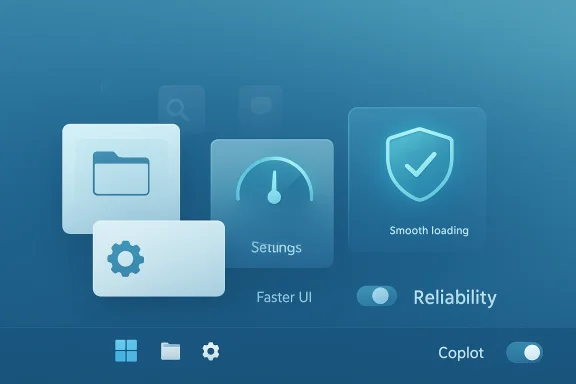
The other half of Microsoft’s message is arguably just as important as the Copilot retreat. The company is reportedly promising more attention to performance, stability, and responsiveness, including faster File Explorer launch times and fewer update disruptions. That is the sort of promise Windows users have heard before, but it remains valuable because these are the features that shape daily satisfaction more than any splashy AI demo.File Explorer is a particularly meaningful symbol. It is one of the most heavily used parts of Windows, and any perception that it is slow or unreliable hits the platform’s credibility hard. If Microsoft can make Explorer feel snappier and more dependable, the payoff may be greater than another round of AI shortcuts nobody asked for.
The unglamorous work that matters most
Windows updates are another long-running pain point. Microsoft’s promise to give users more control over how updates are delivered could help reduce the feeling that the OS is always changing at the worst possible time. That is especially important for business users, who prize predictability and often judge Windows by how often it interrupts their workday.This is where the strategic logic becomes clearer. Users can forgive a lot if the OS is stable, fast, and respectful. They are far less forgiving when it feels slow and overdesigned, or when performance problems are paired with features they never wanted in the first place. Microsoft seems to know that the latter combination is dangerous.
- Faster launch times improve the perception of polish.
- Better update controls can lower workplace disruption.
- A more reliable Explorer boosts everyday productivity.
- Performance wins can soften resistance to future AI features.
- Trust in Windows often begins with mundane things done well.
Consumer vs Enterprise Impact
For consumers, the appeal is obvious. Most home users do not want to feel like their operating system is constantly trying to monetize or upsell them through AI prompts. A quieter Windows, with fewer Copilot reminders and better performance, is likely to feel less intrusive and more premium.Enterprise buyers, however, will evaluate the change differently. Businesses tend to care less about the branding of AI and more about whether the platform is manageable, secure, and consistent across fleets. Microsoft has already framed Copilot in Windows as a matter of choice and control for commercial organizations, which suggests the company understands that enterprise adoption depends on governance as much as capability. (techcommunity.microsoft.com)
Different users, different stakes
Consumers may interpret the new direction as Microsoft finally listening. Enterprises may see it as Microsoft making the product easier to standardize. Both interpretations are positive, but they arise from different needs: one about annoyance, the other about operational discipline. (techcommunity.microsoft.com)That said, businesses could also worry that Microsoft is quietly trimming AI ambition after overpromising in earlier cycles. If the company pulls back on visible features but continues to charge premium prices elsewhere in the Copilot ecosystem, some IT leaders may wonder whether the user experience is being cleaned up while the monetization strategy stays intact.
- Consumers want fewer distractions.
- Enterprises want predictable behavior and policy control.
- Home users judge Windows by feel.
- IT admins judge Windows by manageability.
- AI features must justify both UX and licensing complexity.
AI Fatigue and Public Trust
The timing of Microsoft’s course correction strongly suggests that AI fatigue is not a fringe reaction. Pew’s March analysis makes clear that public concern has grown over time, and that people are much more comfortable with AI as a specialized tool than as an ambient presence in daily life. That distinction is exactly what Windows has been testing, and it may be reaching the limits of user tolerance. (pewresearch.org)The issue is not anti-technology sentiment. Users are not rejecting AI wholesale; they are rejecting lazy AI and uninvited AI. When Microsoft inserts Copilot in contexts that feel forced, the feature risks becoming a symbol of overreach rather than a productivity booster. (pewresearch.org)
Why trust is the scarce resource
Trust is scarce because AI is still a black box to many users. Even when the outcome is useful, the process may feel opaque, overconfident, or unnecessary. That makes the design of entry points especially important: if the trigger feels intrusive, the underlying intelligence does not matter as much. (pewresearch.org)Microsoft’s challenge is to prove that restraint can be a feature. If users feel that Copilot appears only when it is genuinely helpful, the brand becomes more credible. If it appears everywhere, it begins to resemble the very category of software bloat that Windows users have complained about for years.
- Users are more receptive to optional AI than forced AI.
- Transparency matters as much as capability.
- Clutter can damage the perceived quality of the OS.
- Trust grows when software respects user intent.
- AI fatigue makes product discipline more important.
The Linux Factor
The reporting around Microsoft’s changes has already sparked the familiar argument that Windows is trying to prevent people from “exploring alternative Linux options.” That is probably overstated if taken literally, but the instinct behind it is understandable. Every time Windows feels heavier, more promotional, or less respectful of user choice, some fraction of the audience begins to imagine a cleaner alternative.Linux does not need to win the desktop war to benefit from Windows missteps. It only needs to remain visible as the platform for users who value control, minimalism, and transparency. If Microsoft overplays its hand with AI, it hands competitors a narrative advantage, even if the actual migration numbers remain modest.
Competitive pressure is often psychological
This is where product perception becomes market power. A feature that annoys a user for five minutes may not trigger an immediate switch, but it can reshape sentiment over months. In that sense, Microsoft’s new restraint is a defensive move as much as a usability move. (pewresearch.org)There is also a branding complication. Microsoft wants Windows to feel modern, intelligent, and AI-native, but it also wants to avoid the stigma of AI everywhere. Linux distributions, by contrast, can market themselves on the absence of that tension. That contrast alone can be useful to rivals trying to attract disillusioned power users.
- Competitors benefit when Windows feels cluttered.
- Linux gains symbolic strength from simplicity.
- Overexposed AI can create an opening for alternatives.
- Product restraint can be a retention strategy.
- Perception changes faster than market share.
Strengths and Opportunities
Microsoft’s pivot has several strengths if it is executed consistently. First, it aligns the Windows brand with real user feedback rather than with internal AI enthusiasm. Second, it creates room to make Copilot feel more selective and therefore more valuable. Third, it shifts attention back to basics such as speed, reliability, and predictability, which remain the true currency of desktop operating systems.The opportunity is to turn this from a retreat into a refinement. A Windows that surfaces AI only when the context is strong could feel smarter than one that pushes Copilot everywhere. If Microsoft gets the balance right, it may end up with a more trusted product and a better story for both consumers and enterprises.
- Cleaner UI with fewer redundant AI prompts
- Better odds of user trust and adoption
- More polished positioning for Copilot
- Improved Windows reputation on performance
- Stronger fit for enterprise governance
- Less risk of feature fatigue
- A more defensible answer to user backlash
Risks and Concerns
The biggest risk is inconsistency. Microsoft can say it wants to be more intentional, but if AI continues to appear in too many places, users will conclude that the company is simply rebranding the same behavior. Another risk is that trimming visible entry points could make Copilot look weaker just as Microsoft needs it to feel indispensable.There is also the danger of mixed signals. On one hand, Microsoft is reducing unnecessary AI integrations; on the other, it is still deeply invested in Copilot across Windows, Microsoft 365, and its broader AI portfolio. If the company does not explain the product philosophy clearly, users may see a contradiction rather than a correction. That would be costly.
- Users may notice what was removed, not what remains
- Over-correction could blunt genuinely useful AI features
- Mixed messaging could confuse consumers and admins
- Competitors may frame the change as a retreat
- Monetization pressure may still incentivize over-integration
- Performance promises are easy to make and hard to sustain
- AI skepticism could spill into adjacent Microsoft products
Looking Ahead
What matters next is whether Microsoft sustains the new discipline through future Windows builds. If the company pairs fewer Copilot touchpoints with visible improvements to Explorer, updates, the taskbar, and feedback workflows, users may begin to believe the reset is real. If the AI trim comes without tangible quality gains, it will look cosmetic.The more revealing test will be how Microsoft talks about AI over the next two quarters. A product philosophy built around craft and focus will need to show up in release notes, app design, and update behavior, not just in one blog post or memo. That is where credibility is won or lost.
- Watch whether Copilot continues to disappear from more inbox apps
- Monitor whether Windows performance actually improves in Insider builds
- Track how Microsoft positions AI in consumer versus enterprise channels
- Look for changes in update controls and reboot friction
- Pay attention to whether File Explorer becomes measurably faster
Source: AI Business Microsoft Cuts Back on Unnecessary Copilot AI in Windows
