

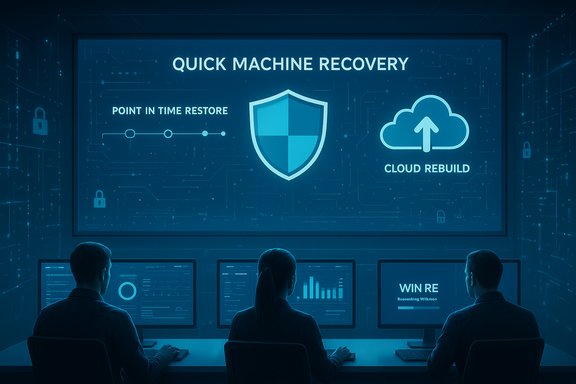
Microsoft's push to make Windows 11 self-healing and faster to recover from large-scale failures entered a new phase at Ignite this year, with the company adding what it calls Point‑in‑time restore (PITR) and Cloud rebuild to a growing suite of recovery tools under the Windows Resiliency Initiative — features designed to shrink downtime, simplify recovery for non‑technical users, and centralize incident response for IT teams.
The Windows Resiliency Initiative (WRI) is Microsoft's platform-level program aimed at preventing, managing, and recovering from endpoint outages that can cascade across organizations. WRI bundles platform hardening, partner requirements, and new recovery tools into a single narrative focused on making Windows devices more resistant to interruptions and dramatically faster to remediate when things break. Microsoft positions WRI as an enterprise-grade response to incidents like the high‑impact boot failures seen during the CrowdStrike rollout incident in 2024 and subsequent update problems that made recovery more difficult for large fleets. One of the headline tools introduced earlier under WRI is Quick Machine Recovery (QMR). QMR leverages the Windows Recovery Environment (WinRE) to connect a failing device to the network, upload diagnostic telemetry, and — crucially — search Windows Update for targeted remediations that can be applied from pre‑boot. QMR is a first‑line effort to resolve widespread boot problems without manual reimaging or onsite repair. Documentation and Microsoft’s technical blog posts describe QMR as a “best‑effort” automated repair process, with IT policy controls available through Intune and other management tools so organizations can opt devices in or out and tune behavior. At Ignite 2025 Microsoft expanded the recovery playbook by unveiling two new capabilities intended to sit alongside QMR: Point‑in‑time restore (PITR) and Cloud rebuild (reported by industry outlets). These features aim to fill two of the most common enterprise recovery gaps: fast rollback to a known-good system state, and a safe, automated full reinstall that preserves data and provisioning without hands‑on imaging. The company says these additions will appear as previews in a forthcoming wave; independent reporting indicates availability as a preview in the first half of 2026, but dates and details remain subject to change. (Microsoft’s public documentation on WRI already clarifies that feature timelines and availability will vary by edition and region.
The Windows Resiliency Initiative is evolving from concept to operational tooling, and Microsoft’s roadmap — from Quick Machine Recovery to the newly announced PITR and Cloud rebuild concepts — signals a deliberate move toward making device outages both less frequent and less painful to fix. For organizations, the takeaway is straightforward: embrace the new capabilities methodically, invest in backup and testing, and guard governance and telemetry policies as you adopt these high‑impact recovery tools. The potential to reduce downtime and the cost of on‑site remediation is real — but realizing that promise safely requires planning, pilot testing, and careful controls.
Source: Neowin Windows 11 is getting new recovery features
 Background / Overview
The Windows Resiliency Initiative (WRI) is Microsoft's platform-level program aimed at preventing, managing, and recovering from endpoint outages that can cascade across organizations. WRI bundles platform hardening, partner requirements, and new recovery tools into a single narrative focused on making Windows devices more resistant to interruptions and dramatically faster to remediate when things break. Microsoft positions WRI as an enterprise-grade response to incidents like the high‑impact boot failures seen during the CrowdStrike rollout incident in 2024 and subsequent update problems that made recovery more difficult for large fleets. One of the headline tools introduced earlier under WRI is Quick Machine Recovery (QMR). QMR leverages the Windows Recovery Environment (WinRE) to connect a failing device to the network, upload diagnostic telemetry, and — crucially — search Windows Update for targeted remediations that can be applied from pre‑boot. QMR is a first‑line effort to resolve widespread boot problems without manual reimaging or onsite repair. Documentation and Microsoft’s technical blog posts describe QMR as a “best‑effort” automated repair process, with IT policy controls available through Intune and other management tools so organizations can opt devices in or out and tune behavior. At Ignite 2025 Microsoft expanded the recovery playbook by unveiling two new capabilities intended to sit alongside QMR: Point‑in‑time restore (PITR) and Cloud rebuild (reported by industry outlets). These features aim to fill two of the most common enterprise recovery gaps: fast rollback to a known-good system state, and a safe, automated full reinstall that preserves data and provisioning without hands‑on imaging. The company says these additions will appear as previews in a forthcoming wave; independent reporting indicates availability as a preview in the first half of 2026, but dates and details remain subject to change. (Microsoft’s public documentation on WRI already clarifies that feature timelines and availability will vary by edition and region. Quick Machine Recovery: What it is and how it works
The problem QMR is designed to solve
Large organizations learned the hard way that an OEM driver or a partner update with a systemic regression can render hundreds or thousands of devices unbootable at once — and that manual, on‑site recovery simply doesn't scale. Quick Machine Recovery addresses the critical pain point where devices repeatedly fail to boot, denying admins remote access to fix them.How Quick Machine Recovery operates
- When a device fails to boot multiple times it will boot into Windows Recovery Environment (WinRE).
- In WinRE, QMR can connect to the network (Ethernet preferred; saved Wi‑Fi credentials may be used) and transmit diagnostic data.
- The device then queries Windows Update or Microsoft’s remediation service for a targeted fix.
- If a remediation is available, it is downloaded and applied from pre‑boot; the device reboots and attempts a normal startup. If unsuccessful, the process can retry or fall back to legacy local repair options.
Configuration and admin controls
- QMR is enabled by default for Windows 11 Home in Microsoft’s rollout model; in Pro, Education, and Enterprise SKUs it is typically disabled by default so organizations can control adoption.
- IT admins can manage QMR via Microsoft Intune (Settings Catalog, RemoteRemediation CSP), Group Policy, or local device configuration tools (for example reagentc.exe for test modes).
- Administrators can preconfigure network credentials and tune scan/retry intervals to increase reliability for unattended remediation attempts.
Strengths and limitations
- Strengths:
- Reduces time to remediation for wide‑scale boot problems.
- Avoids mass reimaging by applying targeted fixes.
- Centralized control via Intune allows managed rollouts and auditing.
- Limitations:
- Depends on network connectivity and availability of a suitable remediation package.
- Described as best‑effort — not a guaranteed fix for every failure.
- Diagnostic data flows to Microsoft during the process; enterprises must assess the privacy/policy implications.
New at Ignite 2025: Point‑in‑time restore (PITR)
What Microsoft said (and what remains to be confirmed)
Industry reporting from recent coverage states Microsoft introduced Point‑in‑time restore (PITR) at Ignite 2025 as part of the Windows Resiliency Initiative. PITR is described as a fast rollback mechanism that can restore a single device — or large groups of devices — to the most recent known‑good state in minutes without extensive troubleshooting. The recovery scope is said to include the operating system, applications, settings, and local files. That approach aims to produce a one‑click‑style rollback that’s accessible both to non‑technical users and IT admins. The initial public reporting indicates PITR will be available as a preview in the first half of 2026. These details were reported in news coverage but full technical documentation and Microsoft’s step‑by‑step guidance were not published in the same level of depth at the time of the first reports; hence some claims remain pending official Microsoft docs for exact RTO/RPO, retention windows, and prerequisites. Note: Microsoft’s Windows Resiliency Initiative materials confirm the focus on prevention, management, and recovery, but PITR-specific product pages were not broadly available at the time of reporting.How PITR appears to work (reported behavior)
- PITR is intended to be fast and localized: roll back the device to the last working snapshot without reimaging.
- The scope includes the OS image, installed applications, system and user settings, and local files — a broader scope than traditional OS-only restores.
- For enterprises, PITR is expected to be scriptable and manageable via Intune, enabling bulk restores with minimal manual interaction.
Why PITR matters
- It targets the most common recovery scenario: a recent change (bad update, driver, or policy) that made a machine unstable.
- It promises a far lower recovery time objective (RTO) than reimaging or manual troubleshooting.
- For knowledge workers, it reduces the need for data recovery services when local files are included in the rollback.
Caveats and open questions
- Retention windows and retention policies were not clearly published in the initial reporting. Enterprises must know the recovery point objective (RPO) window — e.g., how far back in time PITR can restore — before relying on it.
- PITR’s data‑protection model will matter: Is the mechanism snapshot-based, do snapshots live on device or in the cloud, and what are the encryption and integrity guarantees?
- Cross‑device dependencies (e.g., third‑party drivers or software that write to firmware) could complicate a point‑in‑time rollback.
- Until Microsoft publishes official PITR documentation and service limits, organizations should treat timelines and technical promises as preview‑era and test in isolated environments before adoption.
New at Ignite 2025: Cloud rebuild
What Cloud rebuild promises
Cloud rebuild is reported to be a full‑system reinstall capability that performs a fresh install of Windows 11 while preserving or restoring the device’s drivers, provisioning profile, applications, and user data via cloud services. The idea is to let IT administrators or automated workflows trigger a complete reinstall remotely and have the device reprovision itself through the combination of Microsoft Intune, Windows Autopilot, Windows Backup, and OneDrive so the user’s data, apps, and settings are rehydrated automatically. The feature is described as especially useful when a device is so badly corrupted that QMR and other remediation steps fail. Reported preview timing is the first half of 2026. As with PITR, precise technical and licensing requirements were not fully documented in public Microsoft pages at the time of initial reporting; organizations should verify prerequisites and licensing before planning rollouts.Expected workflow
- IT triggers Cloud rebuild for a misbehaving device (remote or via management tools).
- The device receives a restart command into WinRE and a full Windows reinstall begins.
- During or after install, drivers are retrieved and installed automatically (presumably from vendor driver repositories and Windows Update/catalog).
- Microsoft Intune / Windows Autopilot provisions the freshly installed device with policies, applications, and profiles.
- Windows Backup and OneDrive restore user files and local configuration state where applicable.
Value proposition
- Eliminates manual reimaging and onsite rebuild effort for devices that can network‑boot and receive remote commands.
- Accelerates secure, standardized reprovisioning that preserves organizational compliance and reduces user downtime.
- Integrates with existing endpoint management tools so the same automation that provisions new devices can rebuild compromised devices.
Potential constraints and questions
- Network availability and bandwidth — full reinstalls are network‑heavy; organizations must manage bandwidth and connected cache strategies for large fleets.
- Data integrity and consistency — how Cloud rebuild reconciles local-only data that wasn’t backed up to OneDrive or Windows Backup is a practical concern.
- Driver availability — vendor drivers may be required for certain OEM features; devices with unknown or legacy hardware might need manual intervention.
- Licensing and edition restrictions — Cloud rebuild could be limited to certain Windows 11 SKUs (Enterprise, Education) or require specific Microsoft 365/Intune plans. Microsoft’s WRI materials signal that some capabilities are limited to enterprise/editons and Azure‑backed environments, but final licensing terms must be confirmed in official documentation.
Security, privacy, and operational risks: a close look
New recovery capabilities reduce downtime, but they also introduce new attack surfaces and operational considerations. It’s essential to examine risks and the mitigations organizations should plan for.Diagnostic telemetry and remote remediation
- QMR and the new recovery flows depend on transmitting diagnostic telemetry to Microsoft. For regulated industries or organizations with strict telemetry policies, that data flow may require explicit opt‑in, contractual protection, or alternative remediation plans.
- Remediation payloads delivered to devices must be cryptographically signed and verifiable. Microsoft’s approach for QMR uses Windows Update and curated remediation packages; administrators must confirm signature validation and distribution chains.
Centralized control vs. single point of failure
- Intune as the centralized management plane for recovery promises operational efficiency but creates concentration risk. If Intune or related back‑end services are unreachable, some recovery actions may fail or be delayed.
- Ensure alternate recovery methods (offline USB WinRE images, bootable recovery media, and on‑premise imaging servers) are available as fallbacks.
Automated rebuilds and data protection
- Cloud rebuild presumes backups are current (OneDrive, Windows Backup). If local files were not synchronized, automated rebuilds may result in data loss.
- Policies that auto‑trigger rebuilds must be conservative; an automated rebuild invoked by a misdetected failure could cause unnecessary work. Test triggers and ensure approvals for destructive actions in production.
Supply chain and update confidence
- Recovery tools can only be as reliable as the remediation packages and vendor drivers they install. The incidents that sparked WRI (outage caused by a partner update) remain a reminder that update confidence requires rigorous staged deployment and telemetry-driven rollback capability.
- Organizations should align vendor update practices with Microsoft’s MVI‑style partner requirements and maintain their own canary or pilot rings for critical updates.
Least‑privilege and recovery scripts
- Microsoft has indicated Intune can deliver recovery scripts to devices; script execution must follow least-privilege principles and be auditable.
- Ensure administrative consent models, code signing for scripts where possible, and change control processes are in place to limit misuse.
Operational checklist: preparing for QMR, PITR, and Cloud rebuild
The following practical checklist helps IT teams prepare to adopt Microsoft’s new recovery tooling safely.- Inventory and prerequisites
- Verify which devices meet the minimum Windows 11 build and WinRE requirements for QMR and related features.
- Confirm device enrollment status in Microsoft Entra / Intune and Autopilot profiles are in place.
- Policy and confidentiality controls
- Define telemetry consent and data handling policies for diagnostic uploads.
- Configure Intune privacy settings and conditional access for recovery channels.
- Backup hygiene
- Ensure Windows Backup and OneDrive sync policies cover critical user data.
- Establish retention windows and test restores regularly so Cloud rebuild restores reliably. (Treat Cloud restore as a composite of multiple services.
- Network and bandwidth planning
- Plan for staging and Connected Cache strategies to limit WAN impact during mass rebuilds or targeted remediation rollouts. Microsoft has discussed local caching strategies to reduce bandwidth bottlenecks; investigate those options for large estates.
- Testing and validation
- Deploy QMR in a pilot group; test QMR test mode using reagentc.exe and monitor results in update history.
- When PITR and Cloud rebuild enter preview in your tenant, validate a full range of failure modes in a lab before enabling automations widely.
- Fallback procedures
- Maintain offline recovery media, on‑prem imaging servers (if used), and documented manual steps for devices that cannot reach Microsoft services.
- Keep a small subset of devices exempt from auto‑remediation to serve as control samples during incident response.
- Update and vendor coordination
- Coordinate with OEMs and major ISVs so drivers and signed remediation packages are available in the event of a rebuild.
- Maintain a change control window for critical updates and follow a staggered deployment to reduce systemic risk.
What this means for endpoint strategy and ROI
Adopting QMR, PITR, and Cloud rebuild will change endpoint management economics and decision‑making in several ways:- Reduced mean time to recover (MTTR): Automated pre‑boot fixes and fast rollbacks can convert multi‑hour or multi‑day recovery tasks into minutes, improving productivity.
- Lower on‑prem support costs: Fewer onsite visits and reimaging tasks reduce helpdesk load and physical logistics for device recovery.
- Increased reliance on cloud services: Organizations will shift more of their recovery dependency to Microsoft services and associated component ecosystems (Intune, Autopilot, Windows Update, OneDrive).
- Need for better governance: Faster recovery tools require stricter controls, approvals, and auditing to ensure rebuilds and rollbacks are used correctly and safely.
Final analysis: strengths, trade‑offs, and recommended stance
Microsoft’s expanded recovery portfolio marks a meaningful step forward for endpoint resiliency. The strengths are clear: automated pre‑boot remediation through QMR, an ambition to make rollback trivial (PITR), and a way to remotely reinstall and rehydrate devices (Cloud rebuild) all tackle the most painful parts of enterprise endpoint recovery. When these features work as designed they will materially reduce business disruption and simplify the life of IT admins and support staff. At the same time, there are real trade‑offs and open questions:- Data governance: diagnostic data and remote remediation necessarily involve telemetry and cloud interactions that organizations must evaluate for compliance.
- Availability and limits: preview timelines and feature gating (editions, licensing, cloud region availability) mean this will not be an instant cure for all customers.
- Dependence on cloud services: centralization reduces some operational effort but introduces concentration risk if management plane services are impaired.
- Test and validate: automated recovery actions must be validated in representative environments to ensure they don’t unintentionally create cascading actions (for example, an automated rebuild invoked by a misdetected condition).
- Pilot QMR now (or in your next pilot wave) to understand behavior and establish telemetry baselines. QMR’s admin controls and test modes are already usable in many Insider and 24H2 builds; early piloting reduces surprise.
- Treat PITR and Cloud rebuild as valuable but preview technologies until Microsoft publishes full operational and security documentation; don’t yet depend on them as the sole recovery path.
- Strengthen backup discipline (OneDrive / Windows Backup) and test restores frequently; Cloud rebuild and PITR depend on predictable backups to protect user data.
- Harden Intune and management plane access, enable auditing for every remote remediation and rebuild operation, and require approvals for destructive actions.
The Windows Resiliency Initiative is evolving from concept to operational tooling, and Microsoft’s roadmap — from Quick Machine Recovery to the newly announced PITR and Cloud rebuild concepts — signals a deliberate move toward making device outages both less frequent and less painful to fix. For organizations, the takeaway is straightforward: embrace the new capabilities methodically, invest in backup and testing, and guard governance and telemetry policies as you adopt these high‑impact recovery tools. The potential to reduce downtime and the cost of on‑site remediation is real — but realizing that promise safely requires planning, pilot testing, and careful controls.
Source: Neowin Windows 11 is getting new recovery features
