

Windows 11’s built‑in Sandbox has been rendered effectively unusable for a significant number of users after a persistent launch timeout that ends with error code 0x800705B4, and the processblem has spread across multiple Windows builds and community channels without a consistent, safe fix from Microsoft to date.
Windows Sandbox is a lightweight, disposable virtual environment built into Windows 11 that lets users run untrusted apps, test configuration changes, and analyze suspicious files without risking the host system. It’s designed to be fast, ephemeral, and tightly integrated with Windows’ container and virtualization stack — relying on Hyper‑V components, the Virtual Machine Platform, and container storage subsystems to spin up a guarded guest environment in seconds.
When Sandbox works, it’s an excellent security and testing tool: a fresh, isolated desktop that disappears when closed. When it fails to start and times out, however, that capability is gone — and the symptoms reported over the last several weeks make that failure particularly painful for IT pros, security researchers, and everyday users who depend on Sandbox for quick, safe testing.
Immediate diagnostics (safe, low risk)
Microsoft historically addresses these types of failures via one of three channels: a servicing update (monthly cumulative), a targeted out‑of‑band patch, or a Known Issue Rollback in enterprise channels. Given the severity and widespread reporting in public tracker channels, a targeted update or KIR is likely if engineering can isolate a single root cause. Until that happens, affected users must choose between conservative mitigations (alternate sandboxing or temporary rollback of problematic updates in controlled contexts) and heavier recovery steps (in‑place reinstall) when Sandbox is essential.
For now, Windows Sandbox should be treated as unreliable on some recent machines and builds. Users who rely on Sandbox for secure testing should adopt temporary alternatives and treat the issue as a priority to monitor and escalate through official support channels if it affects business workflows.
A durable fix will require Microsoft to publish a clear root‑cause statement and a versioned patch; watch official Windows release health announcements and the Windows‑Sandbox issue tracker for an engineering response and an explicit remediation path.
Source: Windows Central Windows 11’s Sandbox is down for many users due to a persistent timeout bug
 Background
Windows Sandbox is a lightweight, disposable virtual environment built into Windows 11 that lets users run untrusted apps, test configuration changes, and analyze suspicious files without risking the host system. It’s designed to be fast, ephemeral, and tightly integrated with Windows’ container and virtualization stack — relying on Hyper‑V components, the Virtual Machine Platform, and container storage subsystems to spin up a guarded guest environment in seconds.When Sandbox works, it’s an excellent security and testing tool: a fresh, isolated desktop that disappears when closed. When it fails to start and times out, however, that capability is gone — and the symptoms reported over the last several weeks make that failure particularly painful for IT pros, security researchers, and everyday users who depend on Sandbox for quick, safe testing.
What’s happening (symptoms and scope)
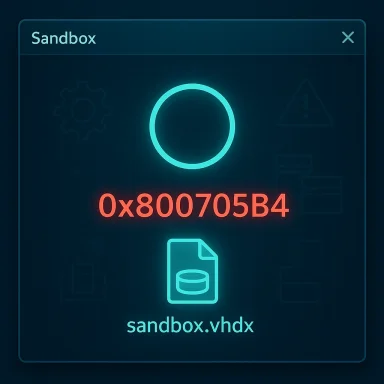
- The visible symptom: Sandbox hangs at its splash/logo screen with a spinning indicator for several minutes (5–10 minutes is commonly reported) and then exits with error 0x800705B4, which corresponds to a timeout: “This operation returned because the timeout period expired.”
- The reported behavior often includes a brief growth of a sandbox virtual disk file (sandbox.vhdx) inside the container storage directory (examples show a temporary growth up to ~1 GB) followed by deletion when the instance fails to initialize.
- Affected Sandbox version: many reports point to Windows Sandbox 0.5.3 (the Store‑updated client) as the version in which the behavior is reproducible.
- Affected Windows builds: reports span multiple builds in the 25H2/24H2 and Dev Channel families. Users have reproduced the timeout on builds associated with the December 2025 and January 2026 updates (examples include builds in the 26200.x and 26100.x series).
- Where it’s been reported: Microsoft’s public GitHub repository for Windows Sandbox, public Microsoft Q&A threads, Reddit threads, dedicated Windows forums, and several independent community reports.
- Early trace: community issue reporting traces this specific timeout error back to early December 2025, with a GitHub report opened that includes step‑by‑step reproduction and the sandbox.vhdx symptom.
Timeline and confirmed technical facts
- December 5, 2025: A public bug report in the Microsoft Windows‑Sandbox repository was opened describing an instance that stalls at the logo for about ten minutes and then errors out with 0x800705B4. The reporter documented that a sandbox.vhdx file would grow and then be deleted as the sandbox attempt failed.
- December 2025 — January 2026: Multiple community reports from Reddit and Microsoft Q&A echoed the same behavior across different machines and builds.
- January 13, 2026: A cumulative security update (commonly referenced by users) was released that coincides with a wave of breakout reports of various app and system regressions; that update is known to have caused other side effects (GPU black screens on certain drivers, app crashes for some users) and has driven Microsoft to issue follow‑up mitigations and an out‑of‑band update for some remote connection issues.
- January 17, 2026: Microsoft released an out‑of‑band update that addressed a particular Remote Desktop sign‑in regression created by the January security update; however, as of the most recent reports, Sandbox timeout regressions continued to be reported on community channels.
Reproduction steps (as reported by multiple users)
The GitHub report and corroborating posts use a consistent sequence that reproduces the problem on affected systems:- Ensure Windows Sandbox is installed (enabled under “Turn Windows features on or off”).
- Launch Windows Sandbox (the app will update itself to the latest Sandbox client version if required).
- The Sandbox logo appears and the spinner persists for several minutes.
- Eventually the session fails with error 0x800705B4.
- Checking C:\ProgramData\Microsoft\Windows\Containers\ContainerStorages often shows a temporary GUID folder with a sandbox.vhdx file that grows and is then removed when the sandbox fails.
What troubleshooting users have tried (and why many attempts fail)
Community troubleshooting has covered the obvious checklist:- Reinstalling Windows Sandbox via “Turn Windows features on or off” (uncheck → reboot → recheck → reboot).
- Running SFC (System File Checker) and DISM (Deployment Image Servicing and Management) to repair corrupted system files.
- Resetting network adapters and the network stack.
- Verifying virtualization is enabled in firmware (VT‑x/AMD‑V) and that Hyper‑V and the Virtual Machine Platform features are present.
- Cleaning up container storage folders and temporary Sandbox artifacts.
- Rolling GPU drivers or removing problematic drivers (in incidents where the January update led to black screens).
- Uninstalling the January security update if users observed correlation with behavioral onset.
- The timeout appears to happen in a very early stage of Sandbox initialization that relies on the host container/VM orchestration; simply reinstalling the Sandbox UI or repairing system files does not touch the failing subcomponent in all cases.
- Some workarounds are environment‑specific. For example, uninstalling a security update can remove the cause for some users, but it’s not a safe general recommendation because uninstalling security patches risks exposure. Likewise, driver rollbacks might help for GPU glitches but won’t fix a container provisioning timeout.
- The community‑documented radical workaround — using Settings > System > Recovery > Reinstall now > “Fix problems using Windows Update” to trigger an in‑place reinstall that preserves files, apps, and settings — has been reported to resolve the problem for at least some users. That procedure effectively performs an in‑place reinstall of the OS image, which can repair corrupted servicing components or reset a problematic servicing stack state. However, it’s heavy-handed and not appropriate for most users as a first‑line fix.
Why this matters (real‑world impact)
- Security testing: Windows Sandbox is frequently the first stop for cautious users and IT professionals to run files or installers in isolation. When the feature is unavailable, that rapid, low‑friction safety net disappears.
- Developer workflows: Developers rely on Sandbox for quick validation without maintaining separate VM images. A broken Sandbox adds friction and forces heavier virtualization tools into common workflows.
- Enterprise and helpdesk: Where teams use Sandbox for triage, the outage multiplies support overhead — more VMs, manual triage, longer response times.
- Confidence in updates: The aggregation of unrelated issues tied to the January 2026 cumulative update (graphics issues, Outlook failures, Remote Desktop authentication failures) has damaged trust for some administrators and users, who now fear that applying security updates will disrupt productivity-critical features. That makes organizations more reluctant to deploy security updates promptly, which in turn increases exposure.
Possible technical root causes (analysis)
While Microsoft has not yet released a definitive root‑cause statement for this specific recurring timeout across multiple builds, the observable indicators point at several likely categories:- Container / VHD provisioning regression: The temporary growth of sandbox.vhdx followed by deletion suggests sandbox disk provisioning starts, then fails during an early initialization stage, forcing cleanup. A regression in the code that creates or maps the sandbox VHD could produce a hang then timeout.
- Component or service initialization timeout: Sandbox depends on a set of host services and COM components that must start and handshake correctly. If a change in a servicing update altered startup timing or a dependency, that could cause the observed long stall and eventual timeout.
- Interactions with the Microsoft Store update model: Windows Sandbox is distributed as a client that can be updated independently (Store‑backed components). A mismatch between the host container code and updated client runtime could create compatibility timing issues.
- Update‑related servicing stack or KIR interaction: Recent updates and the rollouts around them have adjusted servicing components and deployed Known Issue Rollbacks (KIR). If the servicing stack was left in an inconsistent state by a prior update or KIR, a deep orchestration component might fail to start predictably.
- NVMe/storage controller or antivirus conflicts: While not dominant in the reports, storage stack regressions or third‑party security software can cause unexpected VHD file behavior. The broad distribution of reports across multiple hardware vendors makes this less likely as the single root cause.
What users should do now (practical recommendations)
The right approach depends on your environment (personal vs. enterprise) and tolerance for risk.Immediate diagnostics (safe, low risk)
- Confirm prerequisite features:
- Ensure Hyper‑V, Virtual Machine Platform, and Windows Sandbox are enabled in “Turn Windows features on or off.”
- Make sure virtualization is enabled in BIOS/UEFI.
- Check for the symptom files:
- Inspect C:\ProgramData\Microsoft\Windows\Containers\ContainerStorages for temporary GUID folders and sandbox.vhdx growth. Presence of the pattern described above matches the community reports.
- Basic repairs:
- Run sfc /scannow and DISM /Online /Cleanup‑Image /RestoreHealth.
- Reboot and try the Sandbox reinstall flow (uncheck Sandbox → reboot → recheck Sandbox → reboot).
- If Sandbox is mission‑critical and you observe no improvement, open a Microsoft support case and attach logs (Event Viewer under Applications and Services Logs → Microsoft → Windows → Containers and Sandbox-related logs) to help escalate.
- Reinstall the OS in place using Settings → System → Recovery → Reinstall now (the “Fix problems using Windows Update” option) — this reportedly resolved the issue for some users, and it preserves personal files and apps, but it’s essentially an in‑place OS reinstall and should be treated as an advanced recovery step.
- For enterprise fleets, consider using alternative isolated execution tools (managed Hyper‑V VMs, VirtualBox, VMware Workstation, or dedicated sandboxing products) until Microsoft issues a fix.
- If you believe a recent security update correlates with the onset and Sandbox is business‑critical, evaluate the cost/risk of temporarily uninstalling the update — but only after weighing security implications and confirming there is no safer mitigation available. Where an update introduces wider issues, Microsoft often publishes guidance about uninstalling or deploying KIR; follow Microsoft’s official prescriptive guidance for managed environments.
- Apply any out‑of‑band updates Microsoft has released that target related components (for instance, OOB updates addressing other regressions) and ensure your servicing stack is up to date.
- Use your patch management tools to test updates in a controlled staging ring before broad deployment.
- Monitor Windows release health dashboards and deploy Known Issue Rollback (KIR) Group Policy or hotfixes if Microsoft publishes them for this problem.
- Consider blocking the specific problematic update only after formal assessment and documenting the compensating controls that protect endpoints while the update is deferred.
What Microsoft has done so far — and where gaps remain
- Microsoft’s Insider release notes have previously acknowledged Sandbox launch failures with 0x800705B4 in certain Insider flights, and the vendor has documented various known issues across different builds where Sandbox was called out as a possible failure.
- For the January cumulative update that coincided with many related regressions, Microsoft released an out‑of‑band package to fix specific Remote Desktop credential problems and has provided mitigations for other issues — but a widely accepted, fully rolled‑out fix for the Sandbox timeout reported across public channels has not been broadly distributed at the time of writing.
- Microsoft’s public engineering channels (the official Sandbox GitHub issues page) show community reports and open issues but may not yet show a closed, patched status for all variants of the bug. That leaves users reliant on community troubleshooting and heavy measures (in‑place reinstall) in the worst affected cases.
Longer‑term considerations and risk posture
- Repeated regressions in convenience and security features increase operational friction. The more organizations must delay or avoid security updates to preserve functionality, the higher the systemic risk becomes.
- Lightweight tools like Windows Sandbox are particularly vulnerable to subtle regressions in the virtualization and container stacks, because they depend on tight coupling between host services, the Windows Update/servicing stack, and the Store‑distributed client runtime.
- Microsoft’s historical pattern shows that sandbox and defender‑guard features have surfaced related timeout or provisioning issues in prior major updates; that suggests the engineering teams understand the area but underscores the need for better preflight testing where host feature interactions are complex.
- Users and administrators should maintain disciplined backup habits and consider alternative virtualization pathways as contingency.
Quick checklist — safe triage for affected users
- Verify virtualization and OS features: Hyper‑V, Virtual Machine Platform, Windows Sandbox.
- Run SFC and DISM and restart.
- Remove Sandbox (Windows Features) → reboot → reinstall Sandbox → reboot.
- Inspect container storage for sandbox.vhdx patterns (helps confirm the pattern).
- If problem persists, try an in‑place reinstall via Settings → System → Recovery → Reinstall now only after backing up critical data.
- For enterprises, stage updates in a test ring, apply KIR or OOB patches when Microsoft releases them, and use alternate virtualization for critical tasks.
- Keep system and store app updates current; watch official release health notices for a targeted fix.
Final analysis — what to expect next
This is a practical reliability problem with real security‑usability consequences. The available evidence shows the timeout is reproducible and has been widely reported, with a clear community reproduction and early public issue tracking on Microsoft’s own GitHub. The behavior — VHDX creation followed by deletion, extended hang, and a timeout error — points to container provisioning or early initialization failures rather than a surface UI bug.Microsoft historically addresses these types of failures via one of three channels: a servicing update (monthly cumulative), a targeted out‑of‑band patch, or a Known Issue Rollback in enterprise channels. Given the severity and widespread reporting in public tracker channels, a targeted update or KIR is likely if engineering can isolate a single root cause. Until that happens, affected users must choose between conservative mitigations (alternate sandboxing or temporary rollback of problematic updates in controlled contexts) and heavier recovery steps (in‑place reinstall) when Sandbox is essential.
For now, Windows Sandbox should be treated as unreliable on some recent machines and builds. Users who rely on Sandbox for secure testing should adopt temporary alternatives and treat the issue as a priority to monitor and escalate through official support channels if it affects business workflows.
A durable fix will require Microsoft to publish a clear root‑cause statement and a versioned patch; watch official Windows release health announcements and the Windows‑Sandbox issue tracker for an engineering response and an explicit remediation path.
Source: Windows Central Windows 11’s Sandbox is down for many users due to a persistent timeout bug
