Microsoft has done something small on the surface but important in practice: it is giving Windows users a clearer heads-up about the Secure Boot certificate transition that has been looming since the company first warned about it in 2024. The new Windows Security indicators are meant to tell people whether their PC is already protected, still needs a Windows Update-based refresh, or may eventually require firmware help from the device maker. That matters because the old 2011 certificates start expiring in June 2026, and Microsoft wants devices to be updated well before that date. In other words, this is not just a cosmetic change in the app; it is a practical attempt to turn a deep security maintenance task into something ordinary users can actually understand.
Secure Boot has always been one of those Windows security features that most people never think about until something goes wrong. It is part of the UEFI startup chain, checking that early boot components are trusted before Windows fully loads, which makes it one of the most important defenses against bootkits, early-boot tampering, and other malware that tries to hide before antivirus and normal protections are active. Microsoft’s recent support material makes clear that the trust foundation for that chain is now aging out, with certificates originally issued in 2011 approaching expiration in 2026. (support.microsoft.com)
The reason this is happening is simple, if a bit uncomfortable: certificates are not forever. Microsoft’s own guidance says the original Secure Boot certificate set needs to be replaced with 2023-era certificates in both the KEK and DB trust stores. Those updated certificates cover different parts of the boot ecosystem, including Windows boot components, third-party boot loaders, and option ROMs, and Microsoft has been explicit that the old trust chain will not remain viable indefinitely. (support.microsoft.com)
This issue moved from theory to planning in 2024, when Microsoft began publishing guidance for IT administrators and device makers. By 2025, the company was telling enterprises to prepare fleets, test representative hardware groups, and consider diagnostic-data-driven rollout paths. For consumers, the ideal path is quieter: Microsoft-managed updates can deliver the necessary certificate refresh through ordinary Windows Update workflows on supported devices. (techcommunity.microsoft.com)
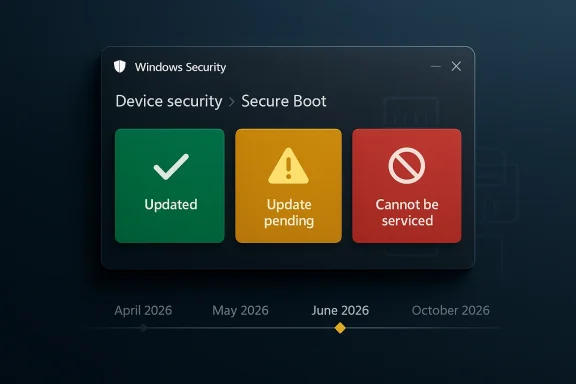
What makes the current moment notable is that Microsoft is now trying to surface the status directly inside the operating system. Instead of assuming users, small businesses, or overworked IT departments will notice the underlying certificate state in logs, the company is translating it into green, yellow, and red indicators in the Windows Security app. That is a meaningful shift, because boot trust changes are the kind of thing users tend to ignore until they are locked out of future protections. (support.microsoft.com)
There is also a larger strategic context here. Microsoft has spent years tightening the Windows startup trust model, but that hardening only works if the ecosystem actually keeps pace. As the company has noted, devices that remain on the old certificates may eventually lose the ability to receive certain boot-related protections, and some third-party components could fail to update or load if they depend on the newer trust chain. That makes the 2026 expiration less of a one-time deadline and more of a rolling security cliff. (support.microsoft.com)
Microsoft also warns that the same status can appear in the Windows Security tray icon, not just inside the Secure Boot page itself. That is important because users tend to see tray badges more often than they open the Device security panel. In practice, this means the warning is more likely to interrupt the normal routine of a typical Windows user, which is exactly the point. (support.microsoft.com)
There is a subtle but important distinction between informational and actionable states. Not every warning means a machine is broken, and not every yellow badge means the user has done something wrong. In many cases, Microsoft simply wants the system kept online and current so the update can finish automatically, which is why the company repeatedly emphasizes installing the latest Windows updates and restarting when prompted. (support.microsoft.com)
The downside is that a clear badge can still oversimplify a messy hardware reality. Different devices will react differently depending on firmware, OEM support, diagnostic-data availability, and whether a newer boot manager is already present. Microsoft’s own support pages make it clear that some devices will be updated automatically, while others will need OEM firmware help or manual remediation. (support.microsoft.com)
This is not only about Windows booting. Microsoft warns that when devices remain on an expired state, they may lose access to boot-related security updates and could face compatibility problems with future operating systems, firmware, hardware, or Secure Boot-dependent software. In plain English, the machine may keep working for a while, but it is slowly drifting out of the supported trust ecosystem. (support.microsoft.com)
That gradual failure mode is exactly why Microsoft is nudging users now. If the update arrives before expiration, the transition is mostly invisible. If it arrives too late, the user may suddenly encounter blocked updates, warnings, or OEM-dependent firmware remediation. Security teams hate surprises, and Microsoft is clearly trying to reduce the number of devices that discover this problem the hard way. (support.microsoft.com)
The timing also matters because Windows 10 has already entered a more constrained support era for many consumer devices. So while the Secure Boot warning is technically separate from Windows 10 end-of-support policy, the two narratives intersect: users who are still on older hardware or older releases have less margin for error and fewer chances to absorb transition problems gracefully.
The company also notes that the process can take time after a device is selected for updates. Its enterprise guidance says to allow for 48 hours and one or more restarts for certificates to apply fully in some cases. That is another clue that this is not a single-file patch but a coordinated trust transition involving firmware state, operating-system state, and boot manager state. (support.microsoft.com)
Microsoft’s support pages also suggest that some devices may already have the new 2023 certificates but still lack the Windows UEFI CA 2023-signed boot manager, which is described as a critical last step. That detail matters because it shows why a device can appear “mostly updated” while still not being fully done. It is a layered migration, not a one-and-done switch. (support.microsoft.com)
This is why Microsoft repeatedly tells users not to disable Secure Boot as a workaround. The company says disabling Secure Boot significantly reduces protection and can create compliance and security risks. In other words, turning off the feature to avoid the update would be treating the symptom while making the underlying device more vulnerable. (support.microsoft.com)
The company’s guidance also warns that CFR is not a silver bullet. It may not work if diagnostic data is unavailable or the devices are not on supported Windows versions, including Windows 10 systems without ESU coverage. That means enterprise admins still need a manual fallback path, especially for locked-down or air-gapped environments. (support.microsoft.com)
Microsoft’s documentation further suggests using registry keys, Group Policy, event logs, and in some cases Windows Configuration System tools to monitor deployment. That is a lot of moving parts for what might look, from the outside, like “just a certificate update.” It is really a trust-state migration across a large and heterogeneous hardware fleet. (support.microsoft.com)
That said, the enterprise story is not purely about avoiding alerts. It is about ensuring a device can continue to receive boot-protection updates over time, especially as Secure Boot-related revocations and mitigations emerge. Microsoft’s documentation is clear that older devices, especially unsupported ones, may need replacement if firmware does not cooperate. (support.microsoft.com)
The support pages also say some devices may receive temporary pauses while Microsoft and partners investigate compatibility issues. That means a warning does not always imply a permanent failure. Sometimes it means Microsoft has deliberately slowed the rollout to avoid breaking affected hardware, which is a reminder that security updates at the firmware layer are only as smooth as the weakest OEM implementation. (support.microsoft.com)
In the most severe cases, a user may be told to contact the device manufacturer. That sounds unhelpful, but it is actually the correct escalation path, because Secure Boot certificates live at the boundary between Microsoft’s platform policy and the OEM’s firmware support. If the firmware cannot accept the new trust state, Windows alone cannot fix it. (support.microsoft.com)
It also gives Microsoft room to let the app do the education work. A yellow badge can prompt a user to let updates run, while a green badge can reassure them they are done. That may not sound like a big deal, but in consumer Windows, reassurance is often half the battle. (support.microsoft.com)
This is especially significant for business hardware with long replacement cycles. Microsoft’s guidance suggests that many newer machines already include the updated certificates, but not all older units do. So the market split is becoming visible: newer hardware is effectively future-proofed, while older fleets may face a support and compliance tax. (support.microsoft.com)
There is also an indirect competitive angle with Linux and dual-boot environments, though Microsoft’s official posture remains focused on Windows. Because Secure Boot trust affects boot loaders and signed EFI components, certificate transitions can ripple across operating systems and boot chains. That makes careful vendor coordination essential, especially for users who want to keep Secure Boot enabled while maintaining flexibility. (support.microsoft.com)
That is a substantial strategic shift, and rivals in the hardware ecosystem will have to keep up. Systems that can’t reliably absorb firmware trust updates will look increasingly dated, even if they still boot and run apps just fine. Security maturity is becoming a differentiator at the hardware lifecycle level, not just at the feature checklist level. (support.microsoft.com)
Another edge case is the device that appears to be updated but is not fully complete. Microsoft’s support material notes that some newer systems may already have the certificates but still need the boot manager signed by the 2023 CA. That can confuse users who assume the certificate work is finished once the firmware gets the new keys. It is not finished until the whole chain is aligned. (support.microsoft.com)
There is also a recovery scenario to keep in mind. Microsoft says that if firmware is reset to default settings and no longer includes the Windows UEFI CA 2023 certificate, Secure Boot may block booting after the OS has already moved to the 2023-signed boot manager. In that case, restoring the missing certificate may require a recovery USB and a guided repair process. That is a sobering reminder that boot trust changes can become very real very quickly when the firmware is touched. (support.microsoft.com)
The tradeoff is predictability. Users and admins want a date and a guarantee, but firmware ecosystems do not always obey neat schedules. Microsoft is balancing deadline pressure against hardware reality, and the yellow warning badge is one way to absorb that tension without forcing everyone into a hard yes-or-no choice. (support.microsoft.com)
The most important thing to watch is whether the rollout stays quiet for mainstream devices while still flagging edge cases accurately. If Microsoft can keep consumer PCs moving through Windows Update while escalating only the truly blocked systems, this will look like a successful security modernization. If the warnings become noisy or inconsistent, people may tune them out just when they matter most.
Source: Neowin Microsoft adds useful warning about upcoming mandatory Windows 11/10 update installation
 Background
Secure Boot has always been one of those Windows security features that most people never think about until something goes wrong. It is part of the UEFI startup chain, checking that early boot components are trusted before Windows fully loads, which makes it one of the most important defenses against bootkits, early-boot tampering, and other malware that tries to hide before antivirus and normal protections are active. Microsoft’s recent support material makes clear that the trust foundation for that chain is now aging out, with certificates originally issued in 2011 approaching expiration in 2026. (support.microsoft.com)The reason this is happening is simple, if a bit uncomfortable: certificates are not forever. Microsoft’s own guidance says the original Secure Boot certificate set needs to be replaced with 2023-era certificates in both the KEK and DB trust stores. Those updated certificates cover different parts of the boot ecosystem, including Windows boot components, third-party boot loaders, and option ROMs, and Microsoft has been explicit that the old trust chain will not remain viable indefinitely. (support.microsoft.com)
This issue moved from theory to planning in 2024, when Microsoft began publishing guidance for IT administrators and device makers. By 2025, the company was telling enterprises to prepare fleets, test representative hardware groups, and consider diagnostic-data-driven rollout paths. For consumers, the ideal path is quieter: Microsoft-managed updates can deliver the necessary certificate refresh through ordinary Windows Update workflows on supported devices. (techcommunity.microsoft.com)
What makes the current moment notable is that Microsoft is now trying to surface the status directly inside the operating system. Instead of assuming users, small businesses, or overworked IT departments will notice the underlying certificate state in logs, the company is translating it into green, yellow, and red indicators in the Windows Security app. That is a meaningful shift, because boot trust changes are the kind of thing users tend to ignore until they are locked out of future protections. (support.microsoft.com)
There is also a larger strategic context here. Microsoft has spent years tightening the Windows startup trust model, but that hardening only works if the ecosystem actually keeps pace. As the company has noted, devices that remain on the old certificates may eventually lose the ability to receive certain boot-related protections, and some third-party components could fail to update or load if they depend on the newer trust chain. That makes the 2026 expiration less of a one-time deadline and more of a rolling security cliff. (support.microsoft.com)
What Microsoft Changed in Windows Security
The headline change is simple: Windows Security can now show a Secure Boot status badge that reflects the certificate state of the device. Microsoft says the feature starts rolling out in April 2026, and by May 2026 it will expand to include additional notifications outside the app, such as system alerts. The company is clearly trying to move this out of the realm of hidden backend maintenance and into a visible user-facing security story. (support.microsoft.com)Badge meanings
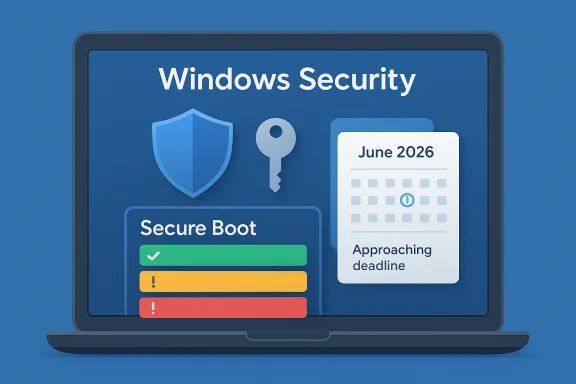
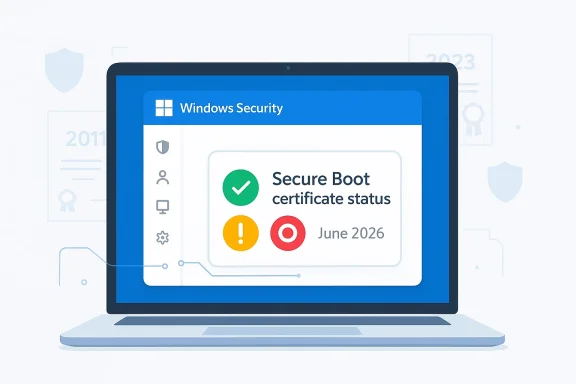
The new status model is designed to be legible at a glance. A green checkmark means the device has received all required Secure Boot certificate updates and the updated boot manager is installed. A yellow exclamation mark means the device still needs attention, usually because it is on an older trust configuration and should be updated through Windows Update. A red stop icon means the device has entered a more serious state where a security update for the Windows boot experience cannot be delivered on the current configuration. (support.microsoft.com)Microsoft also warns that the same status can appear in the Windows Security tray icon, not just inside the Secure Boot page itself. That is important because users tend to see tray badges more often than they open the Device security panel. In practice, this means the warning is more likely to interrupt the normal routine of a typical Windows user, which is exactly the point. (support.microsoft.com)
There is a subtle but important distinction between informational and actionable states. Not every warning means a machine is broken, and not every yellow badge means the user has done something wrong. In many cases, Microsoft simply wants the system kept online and current so the update can finish automatically, which is why the company repeatedly emphasizes installing the latest Windows updates and restarting when prompted. (support.microsoft.com)
Why the visual warning matters
This is a classic case of user-interface design supporting security policy. Microsoft has long known that many users will never read an advisory about KEKs, DBX entries, or UEFI certificate lifecycles, even if those details are critical. By converting the issue into a traffic-light style warning, the company is hoping to raise completion rates without forcing every user to understand the underlying cryptography. That is good security design, even if it is slightly reductive. (support.microsoft.com)The downside is that a clear badge can still oversimplify a messy hardware reality. Different devices will react differently depending on firmware, OEM support, diagnostic-data availability, and whether a newer boot manager is already present. Microsoft’s own support pages make it clear that some devices will be updated automatically, while others will need OEM firmware help or manual remediation. (support.microsoft.com)
- Green: fully updated and no action needed.
- Yellow: update recommended, likely through Windows Update.
- Red: urgent issue; the boot trust chain can no longer be serviced normally.
- Tray icon: overall security status may now reflect Secure Boot state.
- May 2026: broader alerts outside the app begin arriving. (support.microsoft.com)
The June 2026 Expiration Is the Real Deadline
The new warning system is not just housekeeping. It is tied to a hard expiration window that begins in June 2026 for several Microsoft-issued Secure Boot certificates. Microsoft has repeatedly said it is best to update well before that date, because waiting until the deadline risks blocking future boot-related protections and complicating recovery. (support.microsoft.com)What expires, and why it matters
The certificate transition affects several trust anchors, including the Microsoft Corporation KEK CA 2011, the Microsoft UEFI CA 2011, and the Microsoft Windows Production PCA 2011, each with corresponding 2023 replacements. Microsoft says those replacements are necessary to keep the Secure Boot chain working normally and to preserve the ability to sign future boot components. (support.microsoft.com)This is not only about Windows booting. Microsoft warns that when devices remain on an expired state, they may lose access to boot-related security updates and could face compatibility problems with future operating systems, firmware, hardware, or Secure Boot-dependent software. In plain English, the machine may keep working for a while, but it is slowly drifting out of the supported trust ecosystem. (support.microsoft.com)
That gradual failure mode is exactly why Microsoft is nudging users now. If the update arrives before expiration, the transition is mostly invisible. If it arrives too late, the user may suddenly encounter blocked updates, warnings, or OEM-dependent firmware remediation. Security teams hate surprises, and Microsoft is clearly trying to reduce the number of devices that discover this problem the hard way. (support.microsoft.com)
Windows 10 and Windows 11 both matter
One point that users may miss is that this is not a Windows 11-only story. Microsoft’s support material covers Windows 11, Windows 10, and supported server versions, because Secure Boot is a platform trust issue rather than an operating-system marketing issue. That means some Windows 10 devices still in support, including enterprise-managed systems, are part of the same migration path. (support.microsoft.com)The timing also matters because Windows 10 has already entered a more constrained support era for many consumer devices. So while the Secure Boot warning is technically separate from Windows 10 end-of-support policy, the two narratives intersect: users who are still on older hardware or older releases have less margin for error and fewer chances to absorb transition problems gracefully.
- June 2026 is the key expiration window.
- Updated trust anchors are already being distributed through Windows Update.
- Boot-related protections may be limited if the update is delayed.
- Older devices face the highest risk of requiring OEM firmware intervention. (support.microsoft.com)
How the Update Reaches Devices
Microsoft is leaning heavily on automatic delivery for consumer systems. Its guidance says most personal Windows devices will receive the updated Secure Boot certificates through Microsoft-managed updates, with the Windows Security app simply becoming a way to verify that the process completed. If the badge is green, Microsoft’s position is straightforward: no action is needed. (support.microsoft.com)Windows Update is doing more than people realize
This is one of those cases where a normal Patch Tuesday update may carry a lot more than the average user notices. Microsoft has said the updated certificates are delivered through cumulative Windows updates, and the app’s status indicator helps confirm whether the boot manager and certificate refresh have both landed. That means users who stay current are probably already covered. (support.microsoft.com)The company also notes that the process can take time after a device is selected for updates. Its enterprise guidance says to allow for 48 hours and one or more restarts for certificates to apply fully in some cases. That is another clue that this is not a single-file patch but a coordinated trust transition involving firmware state, operating-system state, and boot manager state. (support.microsoft.com)
Microsoft’s support pages also suggest that some devices may already have the new 2023 certificates but still lack the Windows UEFI CA 2023-signed boot manager, which is described as a critical last step. That detail matters because it shows why a device can appear “mostly updated” while still not being fully done. It is a layered migration, not a one-and-done switch. (support.microsoft.com)
Why firmware complicates everything
The biggest complication is that Secure Boot is not just a Windows setting; it is a firmware trust model implemented by the device maker. Microsoft acknowledges that some devices cannot receive automated updates due to hardware or firmware limitations, and in those cases the user may need to contact the OEM for assistance. For older or no-longer-supported devices, that can become a dead end. (support.microsoft.com)This is why Microsoft repeatedly tells users not to disable Secure Boot as a workaround. The company says disabling Secure Boot significantly reduces protection and can create compliance and security risks. In other words, turning off the feature to avoid the update would be treating the symptom while making the underlying device more vulnerable. (support.microsoft.com)
- Microsoft-managed updates handle most consumer PCs.
- Firmware limitations can block automation.
- Some systems need the boot manager refresh as the final step.
- Disabling Secure Boot is not an acceptable workaround. (support.microsoft.com)
Enterprise, IT, and Managed Devices Face the Hardest Work
For home users, the story is mostly about patience and staying current. For enterprise admins, it is a deployment project with rollout policy, telemetry, logging, and exception handling. Microsoft’s IT guidance is explicit that organizations should test representative sample devices, track certificate application, and use the company’s deployment assists where appropriate. (support.microsoft.com)Rollout strategy is the real enterprise challenge
Microsoft says organizations can use diagnostic data and Controlled Feature Rollout to let Microsoft manage parts of the deployment on participating devices. It also explains that groups of devices are bucketed by hardware and firmware similarity so Microsoft can monitor success and pause when problems appear. That sounds elegant in theory, but it only works if the organization is willing to share enough telemetry to make the process useful. (support.microsoft.com)The company’s guidance also warns that CFR is not a silver bullet. It may not work if diagnostic data is unavailable or the devices are not on supported Windows versions, including Windows 10 systems without ESU coverage. That means enterprise admins still need a manual fallback path, especially for locked-down or air-gapped environments. (support.microsoft.com)
Microsoft’s documentation further suggests using registry keys, Group Policy, event logs, and in some cases Windows Configuration System tools to monitor deployment. That is a lot of moving parts for what might look, from the outside, like “just a certificate update.” It is really a trust-state migration across a large and heterogeneous hardware fleet. (support.microsoft.com)
Why managed environments may ignore the app warning
One especially important detail is that the new Secure Boot badge behavior is disabled by default on enterprise-managed Windows client devices and Windows Server, although the in-app status text may still be visible. Microsoft says this is meant to reduce notification noise, and administrators can enable the experience if they want. That design choice makes sense for fleet management, but it also means the consumer-friendly warning model will not be universal. (support.microsoft.com)That said, the enterprise story is not purely about avoiding alerts. It is about ensuring a device can continue to receive boot-protection updates over time, especially as Secure Boot-related revocations and mitigations emerge. Microsoft’s documentation is clear that older devices, especially unsupported ones, may need replacement if firmware does not cooperate. (support.microsoft.com)
- Test representative devices before broad rollout.
- Use telemetry to identify hardware-specific failure patterns.
- Plan manual remediation for unmanaged or air-gapped systems.
- Treat obsolete firmware as a lifecycle risk, not a one-off bug.
- Expect some enterprise devices to suppress the new warning badges by default. (support.microsoft.com)
What the New Warning Means for Everyday Users
For consumers, the best case is almost boring: open Windows Security, check Device security, see a green mark, and move on. Microsoft’s message is that most users will not need to do anything if they are current on updates and connected to the internet. That is reassuring, but it also depends on a very modern Windows habit: letting update plumbing do the work quietly in the background. (support.microsoft.com)Simple guidance for non-technical owners
If a device shows yellow, Microsoft wants the user to connect to the internet, install the latest Windows updates, and restart if prompted. That is the practical path for machines still waiting on the automatic certificate refresh. If the device shows red, the user has entered a category where the current boot configuration cannot be serviced normally and further guidance is needed. (support.microsoft.com)The support pages also say some devices may receive temporary pauses while Microsoft and partners investigate compatibility issues. That means a warning does not always imply a permanent failure. Sometimes it means Microsoft has deliberately slowed the rollout to avoid breaking affected hardware, which is a reminder that security updates at the firmware layer are only as smooth as the weakest OEM implementation. (support.microsoft.com)
In the most severe cases, a user may be told to contact the device manufacturer. That sounds unhelpful, but it is actually the correct escalation path, because Secure Boot certificates live at the boundary between Microsoft’s platform policy and the OEM’s firmware support. If the firmware cannot accept the new trust state, Windows alone cannot fix it. (support.microsoft.com)
Why the timing helps consumers
The timing of the warning rollout is good from a user-experience perspective because it arrives before the expiration date, not after. That gives people a chance to verify status in a calm setting instead of discovering the problem during an emergency boot failure or a security update blockage. Prevention beats recovery, especially when the recovery path may depend on a recovery USB or OEM support. (support.microsoft.com)It also gives Microsoft room to let the app do the education work. A yellow badge can prompt a user to let updates run, while a green badge can reassure them they are done. That may not sound like a big deal, but in consumer Windows, reassurance is often half the battle. (support.microsoft.com)
- Green means nothing to do.
- Yellow means update and restart.
- Red means further remediation is required.
- Internet connectivity matters for the automatic path.
- OEM support may be necessary on older hardware. (support.microsoft.com)
Competitive and Market Implications
Microsoft’s Secure Boot messaging also has broader implications for the PC market. By turning certificate expiration into a visible Windows experience, the company is effectively setting expectations for how OEMs, firmware vendors, and enterprise toolmakers should behave over the next year. That could push the ecosystem toward more proactive firmware maintenance, which is good for security but not always comfortable for vendors with long support tails. (support.microsoft.com)OEMs are now part of the story
The support pages make it clear that some devices will not be fully serviced by Windows Update alone. In those cases, OEM firmware updates are part of the solution, and Microsoft specifically tells users to contact their manufacturer if automation fails. That means device makers now have a renewed obligation to support an aging installed base, especially for systems still expected to remain secure after mid-2026. (support.microsoft.com)This is especially significant for business hardware with long replacement cycles. Microsoft’s guidance suggests that many newer machines already include the updated certificates, but not all older units do. So the market split is becoming visible: newer hardware is effectively future-proofed, while older fleets may face a support and compliance tax. (support.microsoft.com)
There is also an indirect competitive angle with Linux and dual-boot environments, though Microsoft’s official posture remains focused on Windows. Because Secure Boot trust affects boot loaders and signed EFI components, certificate transitions can ripple across operating systems and boot chains. That makes careful vendor coordination essential, especially for users who want to keep Secure Boot enabled while maintaining flexibility. (support.microsoft.com)
The security posture message is strategic
Microsoft is also sending a message about the direction of Windows security: the company wants the operating system to become more self-diagnosing, more self-updating, and more explicit about hidden risk. That matters because the next wave of Windows hardening will not just be about signatures and patches; it will be about whether hardware trust roots can be continuously maintained without user intervention. (support.microsoft.com)That is a substantial strategic shift, and rivals in the hardware ecosystem will have to keep up. Systems that can’t reliably absorb firmware trust updates will look increasingly dated, even if they still boot and run apps just fine. Security maturity is becoming a differentiator at the hardware lifecycle level, not just at the feature checklist level. (support.microsoft.com)
- OEM firmware support is now central to platform security.
- Older fleets may face a larger compliance burden.
- Newer devices have a clear lifecycle advantage.
- Secure Boot is becoming a visible market differentiator.
- Hardware and software vendors will need tighter coordination. (support.microsoft.com)
The Fine Print and Edge Cases
The most interesting parts of Microsoft’s guidance are often the exceptions. Devices with Secure Boot disabled cannot receive the active variables for the new certificates, and toggling Secure Boot off and on can reset settings in undesirable ways. Microsoft is unusually blunt here: if Secure Boot is already on, leave it on. That is a strong clue that the renewal process is sensitive to firmware state and that “just change the setting” is not a safe strategy. (techcommunity.microsoft.com)Why some devices need more validation
Microsoft also says that on some systems there is not yet enough data to classify the device for automatic update. In that case, users may need to visit Microsoft’s Secure Boot guidance page for more information before the update can proceed. That tells us the rollout is still being calibrated against real-world hardware diversity, which is exactly what you would expect for a trust-layer update spanning many OEMs and firmware revisions. (support.microsoft.com)Another edge case is the device that appears to be updated but is not fully complete. Microsoft’s support material notes that some newer systems may already have the certificates but still need the boot manager signed by the 2023 CA. That can confuse users who assume the certificate work is finished once the firmware gets the new keys. It is not finished until the whole chain is aligned. (support.microsoft.com)
There is also a recovery scenario to keep in mind. Microsoft says that if firmware is reset to default settings and no longer includes the Windows UEFI CA 2023 certificate, Secure Boot may block booting after the OS has already moved to the 2023-signed boot manager. In that case, restoring the missing certificate may require a recovery USB and a guided repair process. That is a sobering reminder that boot trust changes can become very real very quickly when the firmware is touched. (support.microsoft.com)
Known issues and pauses are part of the design
Microsoft’s documentation acknowledges that certificate updates can be temporarily paused for certain configurations while compatibility problems are investigated. That sounds like a bug, but it is actually a feature of modern rollout governance. In security terms, a paused update is often preferable to a rushed one that bricks a subset of devices. (support.microsoft.com)The tradeoff is predictability. Users and admins want a date and a guarantee, but firmware ecosystems do not always obey neat schedules. Microsoft is balancing deadline pressure against hardware reality, and the yellow warning badge is one way to absorb that tension without forcing everyone into a hard yes-or-no choice. (support.microsoft.com)
- Secure Boot disabled devices are a special problem.
- Some devices need more data before automatic update.
- A firmware reset can break the updated trust chain.
- Temporary update pauses may be intentional and protective.
- Full completion requires both certificates and boot manager alignment. (support.microsoft.com)
Strengths and Opportunities
Microsoft’s new warning system is a strong example of security UX catching up with a technical migration that would otherwise remain invisible to most users. It also gives enterprises, OEMs, and consumers a clearer shared language for the same underlying problem, which should reduce confusion as June 2026 approaches.- The color-coded status is easy for non-technical users to understand.
- The warning appears before the expiration deadline, not after it.
- Windows Update remains the primary, low-friction delivery path.
- The same system helps users, IT admins, and OEM support teams speak consistently.
- It nudges users toward keeping Secure Boot enabled, which preserves protection.
- The approach encourages better firmware support from device makers.
- It gives Microsoft a way to surface hidden trust-state issues without forcing users into logs. (support.microsoft.com)
Risks and Concerns
The update model is sensible, but it is not risk-free. The biggest danger is complacency: users may see a normal-looking PC and assume nothing is wrong until the certificate expiration starts interfering with future boot protections or security updates. Another concern is the hardware long tail, where older devices may not be able to receive the new trust state cleanly.- Some users may ignore a yellow badge until it becomes a bigger issue.
- Older hardware may require OEM firmware updates that are slow or unavailable.
- Managed environments may suppress the badges, reducing visibility.
- Devices with limited telemetry may not get the smoothest rollout path.
- A firmware reset could cause boot problems if the trust chain is incomplete.
- Air-gapped or locked-down environments may need more manual work.
- Users who disable Secure Boot to “fix” the warning could make security worse. (support.microsoft.com)
Looking Ahead
The next few months will determine whether Microsoft’s strategy works the way it hopes. If the new Windows Security badges help enough users and administrators complete the transition early, the June 2026 expiration may pass with little drama. If not, Microsoft and OEMs could face a wave of last-minute remediation requests, firmware support calls, and frustrated users who only notice the issue once a warning turns red.The most important thing to watch is whether the rollout stays quiet for mainstream devices while still flagging edge cases accurately. If Microsoft can keep consumer PCs moving through Windows Update while escalating only the truly blocked systems, this will look like a successful security modernization. If the warnings become noisy or inconsistent, people may tune them out just when they matter most.
- Watch for broader system alerts outside the Windows Security app beginning in May 2026.
- Monitor whether newer PCs continue to arrive already updated out of the box.
- Track how many older systems need OEM firmware intervention.
- Pay attention to enterprise guidance as managed-device rollouts mature.
- Expect more security communications from Microsoft as the June deadline gets closer. (support.microsoft.com)
Source: Neowin Microsoft adds useful warning about upcoming mandatory Windows 11/10 update installation