

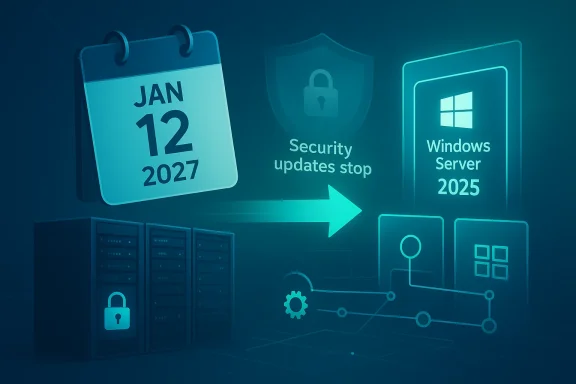
Microsoft’s planned end of support for Windows Server 2016 on January 12, 2027 is more than a calendar note for IT teams; it is a hard operational deadline that will reshape upgrade planning across small businesses, enterprises, and public-sector networks. Microsoft’s own lifecycle guidance now states plainly that after that date it will no longer provide free software updates, technical assistance, or security fixes for Windows Server 2016, and related Microsoft support pages repeat the same cutoff across servicing notes and lifecycle references. For organizations still running the platform, the real issue is not whether support will end, but whether they can migrate in time without creating security gaps, app compatibility problems, or budget shocks. That is why the announcement matters now, even though the deadline is still months away.
Windows Server 2016 shipped as part of Microsoft’s long-term servicing model, which gives organizations a predictable runway but also a fixed expiration date. Mainstream support ended years ago, and the remaining extended support window now closes on January 12, 2027, according to Microsoft’s lifecycle documentation and support pages. Once that date arrives, the platform stops receiving the monthly security and reliability updates that enterprise IT depends on to keep systems compliant and defensible.
That distinction matters because server operating systems are not consumer software that can simply be left to age out quietly. A server often sits at the center of identity, file access, line-of-business apps, print services, remote access, and monitoring. When support ends, the problem is not just that bugs go unfixed; it is that any new vulnerability becomes the customer’s burden to absorb, mitigate, or isolate. Microsoft’s own wording on support pages reflects this by emphasizing the loss of security fixes, technical assistance, and Windows Update coverage after the cutoff.
The timing also puts Windows Server 2016 into a wider retirement wave. Microsoft’s 2027 lifecycle lists show several other products reaching end of support around the same date, including related Windows Server components and management tools, which makes this a coordinated planning problem rather than a single-product issue. For IT departments, this is the kind of deadline that forces inventory work, dependency mapping, and upgrade sequencing well before the final month.
There is another wrinkle: support policy is only one part of the migration story. Microsoft’s current server messaging is increasingly centered on Windows Server 2025 as the newest long-term servicing channel, and the company is steering customers toward later supported releases rather than trying to stretch the life of older platforms indefinitely. That means the end-of-support date is not merely a warning; it is also a push toward a different servicing baseline.
The risk is especially sharp for internet-facing services and internal systems that still depend on older protocols, drivers, or vendor add-ons. If a critical vulnerability appears after January 2027, administrators will be limited to compensating controls, isolation, or third-party support arrangements. Microsoft is effectively saying that the burden of protection shifts away from the vendor and onto the customer.
For many IT departments, the immediate job is to identify every remaining Windows Server 2016 instance and classify what it does. A domain controller, file server, app host, or virtualization node each carries a very different operational risk. One overlooked server can become the point where patch compliance, application continuity, and incident response all collide.
Microsoft’s current messaging encourages customers to move to a later version of Windows Server, with public guidance specifically recommending Windows Server 2019 or newer, and more recent planning material pointing organizations toward Windows Server 2025 as the latest LTSC release. That evolution matters because the migration choice is no longer just “newer than 2016”; it is “what future support horizon do we want after the move?”
The smarter model is phased modernization. First inventory, then compatibility testing, then pilot migration, then production rings. This is boring, but boring is what stable server change looks like. Microsoft’s servicing model rewards that discipline, because it assumes customers will not treat the platform as static forever.
The problem is compounded in mixed fleets. A Windows Server 2016 node may still be deeply integrated with newer management systems, identity providers, backup tools, or endpoint controls. When support ends, the “legacy” server can become the weakest link in a much newer environment.
Windows Server 2025 is especially important here because Microsoft now presents it as the newest LTSC baseline for modern deployment planning. The company’s strategic direction is clear: keep the fleet current, reduce fragmentation, and make servicing more predictable. That is good for Microsoft, but it is also good for customers who can keep pace.
There is also a support-quality argument. Microsoft can only provide strong documentation, known-issue tracking, and release-health guidance if the supported fleet is not too fragmented. When too many old versions remain in circulation, every patch cycle becomes more complex and every known issue harder to triage. The January 2027 cutoff is one way to reduce that complexity.
That is why the same date carries different weight depending on the environment. Home users may experience friction; IT teams experience governance pressure. In a server estate, the retirement of one OS version can affect authentication, storage, remote access, and disaster recovery all at once.
That is why support deadlines are best understood as project start dates, not project end dates. The earlier the planning begins, the more choices remain open.
The best path depends on workload type. File and print servers are often simpler to modernize than legacy line-of-business applications tied to older dependencies. Domain services, hypervisors, and middleware stacks tend to need the most care. In many cases, the real challenge is not the operating system itself but the application ecosystem wrapped around it.
That is why migration is never just a technical decision. It is a business continuity decision. The right choice balances cost, risk, testing effort, and the organization’s appetite for future support runway.
A rebuild is often cleaner and more future-proof. It allows administrators to validate each component, remove dead dependencies, and standardize the image. The downside is that it takes longer and demands better documentation. For organizations with messy historical estates, however, that extra work is often worth it.
That approach can reduce hardware refresh pressure and improve resilience, but it also introduces new costs and management complexity. Egress charges, identity integration, backup design, and policy enforcement all need to be part of the plan. Cloud is not a shortcut; it is a different operational model.
Microsoft’s lifecycle model gives IT teams a clear date, but it does not solve internal discovery. Administrators still need asset inventories, dependency maps, and app-owner signoff. Without those, the migration becomes a guessing game, and guessing is a terrible way to handle infrastructure retirement.
A second issue is environment sprawl. Older servers often live in remote offices, special-purpose VLANs, test labs, or under-documented virtual clusters. Those machines are easy to forget because they are not glamorous, but they are exactly the ones that become unpleasant surprises later.
The trouble is that “stable” and “supported” are not the same thing. A server can be operational while still being one security advisory away from becoming a problem. That difference becomes sharper when a vendor has clearly announced the end of support.
After that comes sequencing. The highest-risk workloads should move first, not last. That is often the opposite of how organizations instinctively behave, because they prefer to start with “easy wins.” But server retirement is about reducing risk, and the riskiest systems deserve the earliest attention.
The security issue is especially acute for systems exposed to authentication, remote management, or external-facing services. Even if segmentation and hardening reduce exposure, the absence of vendor patches leaves gaps that cannot be closed with configuration alone. At some point, a strong firewall is not a substitute for a supported OS.
This is where board-level and compliance-level language starts to matter. Risk acceptance for an unsupported server should be explicit, limited, and temporary. If it is not, the organization is drifting into unmanaged technical debt.
For regulated sectors, that can affect everything from control attestations to cyber-insurance conversations. A server that misses the support deadline may still function perfectly, but it becomes much more difficult to justify from a governance perspective.
The better strategy is to treat isolation as a temporary bridge, not a permanent home. The more systems you leave unsupported, the more you have to compensate with process, and process is never as reliable as vendor servicing.
This matters because server estates are rarely refreshed on a single clean cycle. Some departments are ready to move quickly, while others are stuck waiting on application vendors or line-of-business owners. That creates a staggered spend pattern, which is much harder to manage than a single replacement wave.
There is also a hidden productivity cost when migrations are delayed. Older infrastructure tends to attract more exceptions, more manual work, and more emergency support. That overhead rarely appears in the original cost model, but it is very real.
That underestimation can push projects into the danger zone. Underfunded migrations are the ones most likely to be cut down to the bare minimum, which usually means they are the ones most likely to create future issues.
That is especially valuable where older platforms have become a patchwork of one-off fixes. A well-run migration can actually lower long-term operating cost by reducing exceptions and simplifying support.
Another opportunity is modernization. A Windows Server 2016 migration can be used to update architecture, not just operating systems. That means better patching workflows, cleaner identity design, stronger backup policy, and a more disciplined approach to app ownership. The deadline can become a forcing function for better governance.
A second risk is app compatibility. Some workloads may run fine on Windows Server 2016 but break on later versions because of old drivers, scripts, or vendor packages. If teams do not test early, they can discover these issues when they have the least room to fix them.
For enterprises, the best response is simple: inventory now, test early, and avoid the false comfort of “we still have time.” For smaller organizations, the same principle applies, even if the migration is less formal. If a server still matters enough to keep in production, it matters enough to support properly.
Source: DeSoto County News Microsoft to End Support for Windows Server 2016 in 2027 | DeSoto County News
 Background
Windows Server 2016 shipped as part of Microsoft’s long-term servicing model, which gives organizations a predictable runway but also a fixed expiration date. Mainstream support ended years ago, and the remaining extended support window now closes on January 12, 2027, according to Microsoft’s lifecycle documentation and support pages. Once that date arrives, the platform stops receiving the monthly security and reliability updates that enterprise IT depends on to keep systems compliant and defensible.That distinction matters because server operating systems are not consumer software that can simply be left to age out quietly. A server often sits at the center of identity, file access, line-of-business apps, print services, remote access, and monitoring. When support ends, the problem is not just that bugs go unfixed; it is that any new vulnerability becomes the customer’s burden to absorb, mitigate, or isolate. Microsoft’s own wording on support pages reflects this by emphasizing the loss of security fixes, technical assistance, and Windows Update coverage after the cutoff.
The timing also puts Windows Server 2016 into a wider retirement wave. Microsoft’s 2027 lifecycle lists show several other products reaching end of support around the same date, including related Windows Server components and management tools, which makes this a coordinated planning problem rather than a single-product issue. For IT departments, this is the kind of deadline that forces inventory work, dependency mapping, and upgrade sequencing well before the final month.
There is another wrinkle: support policy is only one part of the migration story. Microsoft’s current server messaging is increasingly centered on Windows Server 2025 as the newest long-term servicing channel, and the company is steering customers toward later supported releases rather than trying to stretch the life of older platforms indefinitely. That means the end-of-support date is not merely a warning; it is also a push toward a different servicing baseline.
What “end of support” really means
End of support is often misunderstood as a symbolic date. In practice, it is the moment at which the economics of running the old platform become materially worse. Security teams lose vendor patches, procurement teams lose a standard support path, and auditors lose a clean answer to the question of whether the server estate is maintained on a supported OS. That last point is usually the one that gets budget attention.The risk is especially sharp for internet-facing services and internal systems that still depend on older protocols, drivers, or vendor add-ons. If a critical vulnerability appears after January 2027, administrators will be limited to compensating controls, isolation, or third-party support arrangements. Microsoft is effectively saying that the burden of protection shifts away from the vendor and onto the customer.
Why the warning is arriving early
Microsoft is not waiting for the final month to raise the alarm. Its support pages, lifecycle pages, and release-health notifications have been carrying the January 12, 2027 date for months, and recent support documents continue to repeat it in bold terms. That is not just bureaucracy; it is a signal that the company wants organizations to begin migration planning now, not after the first failed patch cycle.The 2027 Deadline in Practical Terms
The most important fact for enterprises is that the deadline is fixed, not conditional. Microsoft’s support pages say Windows Server 2016 will no longer receive free updates from Windows Update, technical assistance, or security fixes after January 12, 2027. That means organizations that delay migration are not buying time; they are buying risk.For many IT departments, the immediate job is to identify every remaining Windows Server 2016 instance and classify what it does. A domain controller, file server, app host, or virtualization node each carries a very different operational risk. One overlooked server can become the point where patch compliance, application continuity, and incident response all collide.
Microsoft’s current messaging encourages customers to move to a later version of Windows Server, with public guidance specifically recommending Windows Server 2019 or newer, and more recent planning material pointing organizations toward Windows Server 2025 as the latest LTSC release. That evolution matters because the migration choice is no longer just “newer than 2016”; it is “what future support horizon do we want after the move?”
The difference between delay and deferral
Organizations sometimes treat end-of-support as a future problem that can be deferred in stages. In reality, every month of delay compresses the testing window. If application owners wait until late 2026 to begin validation, they will be forced into rushed cutovers and narrower rollback options. That is how routine migrations become outage-prone projects.The smarter model is phased modernization. First inventory, then compatibility testing, then pilot migration, then production rings. This is boring, but boring is what stable server change looks like. Microsoft’s servicing model rewards that discipline, because it assumes customers will not treat the platform as static forever.
Why the security argument is so strong
Security is the simplest argument for action and the hardest to refute. Once updates stop, administrators lose the most important external control point for reducing exposure. Even if a system is isolated, unsupported software still increases operational overhead, especially when vulnerabilities force emergency exceptions or compensating controls.The problem is compounded in mixed fleets. A Windows Server 2016 node may still be deeply integrated with newer management systems, identity providers, backup tools, or endpoint controls. When support ends, the “legacy” server can become the weakest link in a much newer environment.
- No monthly security patches after the cutoff
- No official bug fixes from Microsoft
- Higher compliance friction during audits
- Greater exposure if a new vulnerability is disclosed
- More pressure to isolate or replace dependent workloads
Why Microsoft Is Pushing Upgrades
Microsoft’s recommendation to move to later Windows Server versions is not just about lifecycle hygiene. It is about simplifying the support burden across a sprawling installed base. A smaller number of active server versions is easier to patch, easier to document, and easier to troubleshoot at scale. That logic is visible in Microsoft’s own lifecycle and release-health pages, which repeatedly steer users toward current releases and away from older ones.Windows Server 2025 is especially important here because Microsoft now presents it as the newest LTSC baseline for modern deployment planning. The company’s strategic direction is clear: keep the fleet current, reduce fragmentation, and make servicing more predictable. That is good for Microsoft, but it is also good for customers who can keep pace.
There is also a support-quality argument. Microsoft can only provide strong documentation, known-issue tracking, and release-health guidance if the supported fleet is not too fragmented. When too many old versions remain in circulation, every patch cycle becomes more complex and every known issue harder to triage. The January 2027 cutoff is one way to reduce that complexity.
Enterprise versus consumer impact
For consumers, end of support usually means a visible nudge: upgrade prompts, replacement advice, or service limitations. For enterprises, the issue is far more consequential. Server migrations involve application testing, service windows, backup validation, directory dependencies, and change approvals that can take months. A consumer can reinstall; an enterprise has to preserve uptime.That is why the same date carries different weight depending on the environment. Home users may experience friction; IT teams experience governance pressure. In a server estate, the retirement of one OS version can affect authentication, storage, remote access, and disaster recovery all at once.
The hidden cost of “we still have time”
It is tempting to think that more than a year before the deadline is plenty. It is not. Procurement cycles, hardware refreshes, virtualization moves, and SaaS replacements all take longer than they should. If an organization waits until the final quarter of 2026, it may discover that the migration path it wants is already constrained by vendor lead times or internal change freezes.That is why support deadlines are best understood as project start dates, not project end dates. The earlier the planning begins, the more choices remain open.
- More time for pilot testing
- More flexibility in budgeting
- Less chance of overlapping with other lifecycle deadlines
- Better odds of catching app incompatibilities early
- Lower risk of rushed emergency upgrades
Migration Choices and Their Tradeoffs
Microsoft recommends moving to a later Windows Server release, with Windows Server 2019 and newer options forming the obvious support path. But “upgrade” can mean several different things in practice. Some organizations will in-place upgrade existing servers; others will rebuild on newer hardware; still others will use the retirement as an opportunity to move selected workloads into Azure or another managed platform.The best path depends on workload type. File and print servers are often simpler to modernize than legacy line-of-business applications tied to older dependencies. Domain services, hypervisors, and middleware stacks tend to need the most care. In many cases, the real challenge is not the operating system itself but the application ecosystem wrapped around it.
That is why migration is never just a technical decision. It is a business continuity decision. The right choice balances cost, risk, testing effort, and the organization’s appetite for future support runway.
In-place upgrade or rebuild?
An in-place upgrade is usually attractive because it seems faster and less disruptive. It can preserve configuration and reduce the amount of manual work. But it also carries risk if the existing server has accumulated years of customizations, deprecated drivers, or vendor-specific agents.A rebuild is often cleaner and more future-proof. It allows administrators to validate each component, remove dead dependencies, and standardize the image. The downside is that it takes longer and demands better documentation. For organizations with messy historical estates, however, that extra work is often worth it.
Cloud and hybrid as an escape hatch
Some workloads do not need to stay on-premises. Microsoft’s broader server strategy has increasingly normalized hybrid management and cloud-connected services, and that gives customers more ways to retire aging hardware without necessarily replacing it one-for-one. The important point is not to “move to cloud” as a slogan, but to move specific workloads where the economics and governance make sense.That approach can reduce hardware refresh pressure and improve resilience, but it also introduces new costs and management complexity. Egress charges, identity integration, backup design, and policy enforcement all need to be part of the plan. Cloud is not a shortcut; it is a different operational model.
Common migration patterns
- Rebuild on Windows Server 2022 or Windows Server 2025 for long-term support.
- Consolidate multiple older servers into fewer virtualized hosts.
- Move selected apps to Azure or a managed platform.
- Replace legacy systems with SaaS alternatives where possible.
- Retire workload components that no longer justify their maintenance cost.
The Enterprise Readiness Problem
The biggest risk in any server retirement is not the deadline itself; it is poor visibility. Many organizations do not know exactly how many Windows Server 2016 systems they still run, who owns them, or which apps depend on them. That uncertainty tends to surface late, usually after the migration budget has already been approved and the cutover plan has been written.Microsoft’s lifecycle model gives IT teams a clear date, but it does not solve internal discovery. Administrators still need asset inventories, dependency maps, and app-owner signoff. Without those, the migration becomes a guessing game, and guessing is a terrible way to handle infrastructure retirement.
A second issue is environment sprawl. Older servers often live in remote offices, special-purpose VLANs, test labs, or under-documented virtual clusters. Those machines are easy to forget because they are not glamorous, but they are exactly the ones that become unpleasant surprises later.
Why legacy servers survive so long
Legacy systems stick around because they work, because they are embedded in critical processes, and because nobody wants to take ownership of the migration risk. That combination can keep a server alive years beyond its intended lifespan. In the short term, leaving it alone feels safer than touching it.The trouble is that “stable” and “supported” are not the same thing. A server can be operational while still being one security advisory away from becoming a problem. That difference becomes sharper when a vendor has clearly announced the end of support.
What IT teams should be doing now
The first job is simple inventory. Then comes workload classification, app dependency testing, and stakeholder mapping. Teams should identify which systems can be upgraded in place, which need rebuilds, and which should be retired or replaced entirely.After that comes sequencing. The highest-risk workloads should move first, not last. That is often the opposite of how organizations instinctively behave, because they prefer to start with “easy wins.” But server retirement is about reducing risk, and the riskiest systems deserve the earliest attention.
- Discover every Windows Server 2016 instance
- Map each server to an owner and business function
- Test critical applications against newer server versions
- Define rollback and backup procedures
- Set migration windows well before late 2026
- Reserve budget for compatibility surprises
Security and Compliance Implications
Unsupported servers create a compliance problem as much as a technical one. Once Windows Server 2016 reaches end of support, organizations will have a harder time defending continued use in audits, insurance reviews, and security assessments. Microsoft’s lifecycle policy becomes the benchmark, and the organization must explain why it is operating outside the supported window.The security issue is especially acute for systems exposed to authentication, remote management, or external-facing services. Even if segmentation and hardening reduce exposure, the absence of vendor patches leaves gaps that cannot be closed with configuration alone. At some point, a strong firewall is not a substitute for a supported OS.
This is where board-level and compliance-level language starts to matter. Risk acceptance for an unsupported server should be explicit, limited, and temporary. If it is not, the organization is drifting into unmanaged technical debt.
Audit pressure is real
Auditors do not usually care how beloved an application is. They care whether the platform is supported, whether patches are current, and whether risk exceptions are documented. The end-of-support date gives them a simple question to ask and gives organizations a much harder question to answer.For regulated sectors, that can affect everything from control attestations to cyber-insurance conversations. A server that misses the support deadline may still function perfectly, but it becomes much more difficult to justify from a governance perspective.
Security updates versus operational exceptions
Some teams assume they can simply isolate an unsupported server and move on. That may work for a very narrow set of scenarios, but it rarely eliminates risk entirely. Legacy systems often need backups, remote access, credential management, and monitoring. Each of those introduces another management path that can fail or be abused.The better strategy is to treat isolation as a temporary bridge, not a permanent home. The more systems you leave unsupported, the more you have to compensate with process, and process is never as reliable as vendor servicing.
Business Impact and Budget Pressure
End-of-support dates often hit finance and operations after IT has already felt the pain. Once Microsoft has publicly announced the cutoff, the clock becomes visible to procurement teams, and that changes the budget conversation. Suddenly there is a deadline to fund upgrades, buy new hardware, or pay for transition services.This matters because server estates are rarely refreshed on a single clean cycle. Some departments are ready to move quickly, while others are stuck waiting on application vendors or line-of-business owners. That creates a staggered spend pattern, which is much harder to manage than a single replacement wave.
There is also a hidden productivity cost when migrations are delayed. Older infrastructure tends to attract more exceptions, more manual work, and more emergency support. That overhead rarely appears in the original cost model, but it is very real.
Budgeting for the migration
Organizations should expect the migration cost to include more than licensing and hardware. Testing, downtime planning, documentation, support contracts, and possibly temporary parallel environments all cost money. If the business assumes the upgrade is just a “server refresh,” it may underfund the real work.That underestimation can push projects into the danger zone. Underfunded migrations are the ones most likely to be cut down to the bare minimum, which usually means they are the ones most likely to create future issues.
The strategic upside of renewal
A forced upgrade can be painful, but it can also be a useful reset. It gives organizations a chance to standardize images, remove zombie systems, and modernize patching practices. For some shops, the best outcome of the Windows Server 2016 retirement may be a smaller and cleaner server estate.That is especially valuable where older platforms have become a patchwork of one-off fixes. A well-run migration can actually lower long-term operating cost by reducing exceptions and simplifying support.
- Opportunity to rationalize server sprawl
- Chance to modernize backup and recovery
- Better standardization of configurations
- Reduced support burden after cleanup
- Improved security posture on newer releases
- Potential to retire obsolete workloads
Strengths and Opportunities
The strongest part of Microsoft’s retirement timeline is clarity. Customers know the date, know the consequences, and know the general direction Microsoft wants them to take. That makes planning possible, which is a real advantage in infrastructure management. It also gives enterprise teams enough time to do this properly rather than improvising under pressure.Another opportunity is modernization. A Windows Server 2016 migration can be used to update architecture, not just operating systems. That means better patching workflows, cleaner identity design, stronger backup policy, and a more disciplined approach to app ownership. The deadline can become a forcing function for better governance.
- Clear, published support cutoff
- Enough lead time for planned migrations
- Stronger security posture on newer versions
- Chance to retire outdated dependencies
- Better alignment with Microsoft’s current server roadmap
- Opportunity to reduce technical debt
- Potential to standardize hybrid or cloud management
Risks and Concerns
The biggest risk is procrastination. Many organizations will be tempted to treat January 2027 as a distant date until it suddenly feels uncomfortably close. That leads to rushed projects, overworked admins, and avoidable mistakes. Support deadlines are easy to ignore right up until they are not.A second risk is app compatibility. Some workloads may run fine on Windows Server 2016 but break on later versions because of old drivers, scripts, or vendor packages. If teams do not test early, they can discover these issues when they have the least room to fix them.
- Late migration planning
- Underestimated compatibility problems
- Budget shortfalls
- Overreliance on unsupported workarounds
- Hidden servers in remote or forgotten environments
- Vendor delays for older applications
- Security exposure if systems are left in place too long
Looking Ahead
The next 18 months will reveal how much technical debt remains hidden inside Windows Server 2016 estates. Expect Microsoft to continue reinforcing the January 12, 2027 deadline in support materials, lifecycle pages, and planning guidance, because that is how the company keeps customers aligned with the supported path. Expect also to see more migration-oriented messaging around later LTSC releases, especially Windows Server 2025, as organizations seek a long-lived target for their upgrades.For enterprises, the best response is simple: inventory now, test early, and avoid the false comfort of “we still have time.” For smaller organizations, the same principle applies, even if the migration is less formal. If a server still matters enough to keep in production, it matters enough to support properly.
What to watch next
- Microsoft’s future migration guidance for Windows Server 2016 customers
- Whether more organizations choose Windows Server 2025 as the landing zone
- Whether app vendors certify older products for later server releases
- How many IT teams delay action until the final year
- Whether cloud or hybrid migration becomes the preferred retirement path
Source: DeSoto County News Microsoft to End Support for Windows Server 2016 in 2027 | DeSoto County News
