

Microsoft’s shutdown bug — the one that turns “Shut down” into an unintended all‑nighter — has widened its footprint: what began as a Windows 11 23H2 problem tied to System Guard Secure Launch now affects a subset of Windows 10 deployments as well. Administrators and power users discovered that after Microsoft’s January security rollup, some machines configured with virtualization‑based protections either refuse to power off or fail to enter hibernation, instead immediately rebooting. Microsoft shipped fast out‑of‑band (OOB) updates to address the issue for many devices, but the company later confirmed a residual population — machines with Virtual Secure Mode (VSM) enabled — still needs a follow‑up fix in a future update.
The regression appeared after Microsoft’s Patch Tuesday cumulative updates on January 13, 2026. Early telemetry and user reports tied the symptom to System Guard Secure Launch — a virtualization‑based early‑boot hardening feature — on Windows 11, version 23H2 devices. Microsoft published an emergency out‑of‑band package (for example, KB5077797 for Windows 11 23H2) on January 17 to mitigate the worst of the failures and later issued additional OOB cumulative packages to broaden the repairs and address collateral problems. Despite that rapid response, Microsoft updated its Release Health guidance to say that some Secure Launch‑capable PCs that also have Virtual Secure Mode (VSM) enabled may still fail to shut down or hibernate; those cases are tagged for remediation in a future Wit.micro
This is not a generic power‑management bug. It is a configuration‑dependent regression that emerges where advanced virtualization‑based security features intersect with the update servicing pipeline and the platform’s power‑state orchestration. That combination — security hardening, offline servicing phases, and platform firmware diversity — created the conditions for the operating system to misapply thintent, producing a restart instead of a power‑off or hibernate.
When Secure Launch and/or VSM are active, they introduce additional virtualization boundaries and timing differences in the boot and shutdown sequences. The January servicing changthe sequencing or state transitions in a way that caused the servicing orchestration to misinterpret or fail to preserve the final power intent. The safe fallback chosen by the orchestrator (in those configurations) was to restart so the offline commits could complete predictably, but that violated the user’s explicit instruction to power off or hibernate.
Put simply: shutdown and hibernation are not atomic UI actions — they are the end point of a complex che OS, firmware, hypervisor, device drivers, and the update servicing stack. Advanced security features change the choreography; when the update altered the sequence and testing didn’t cover certain Secure Launch + VSM permutations, the occupant of that choreography (the servicing stack) sometimes defaulted to restart.
For enterprises, the practical lesson is to treat update validation as an ongoing operational discipline: maintain pilot rings that include hardened configurations (VSM, Secure Launch, secured‑core images), and demand clearer SLAs and remediation s for regressions that affect availability or paid support programs like ESU.
For Microsoft, the episode underscores the need for improved pre‑release validation across virtualization‑hardened configurations and for clearer, time‑bound remediation commitments when advanced security features are implicated in regressions. Visible post‑mortems and improved test matrices will restore confidence faster than ad‑hoc OOB patches alone.
Conclusion: apply the OOB updates where appropriate, inventory Secure Launch/VSM state, train helpdesk on the shutdown workaround, and insist on a clear Microsoft timeline for the VSM fix. Operators who treat this as a configuration and servicing orchestration problem — not merely a patch one — will avoid the worst operational fallout.
Source: TechRepublic Windows Shutdown Bug Spreads to Windows 10, Microsoft Confirms
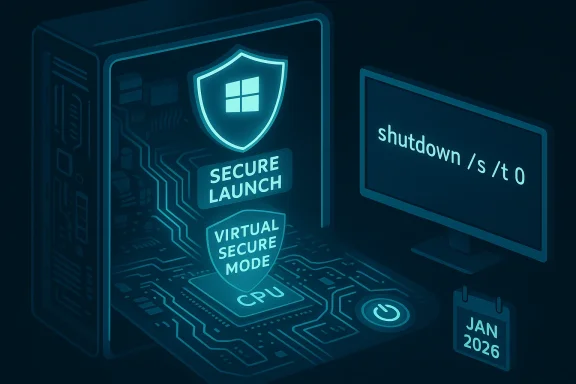 Background / Overview
The regression appeared after Microsoft’s Patch Tuesday cumulative updates on January 13, 2026. Early telemetry and user reports tied the symptom to System Guard Secure Launch — a virtualization‑based early‑boot hardening feature — on Windows 11, version 23H2 devices. Microsoft published an emergency out‑of‑band package (for example, KB5077797 for Windows 11 23H2) on January 17 to mitigate the worst of the failures and later issued additional OOB cumulative packages to broaden the repairs and address collateral problems. Despite that rapid response, Microsoft updated its Release Health guidance to say that some Secure Launch‑capable PCs that also have Virtual Secure Mode (VSM) enabled may still fail to shut down or hibernate; those cases are tagged for remediation in a future Wit.microThis is not a generic power‑management bug. It is a configuration‑dependent regression that emerges where advanced virtualization‑based security features intersect with the update servicing pipeline and the platform’s power‑state orchestration. That combination — security hardening, offline servicing phases, and platform firmware diversity — created the conditions for the operating system to misapply thintent, producing a restart instead of a power‑off or hibernate.
Timeline — what happened and when
- January 13, 2026 — Microsoft shipped January’s cumulative security updates (KB5073455 is the Windows 11 23H2 example highlighted in vendor notes). Field reports quickly surfaced of restart‑on‑shutdown and hibernate failures on some systems.
- January 17, 2026 — Microsoft released out‑of‑band fixes targeted at the most visible regressions; KB5077797 for Windows 11 23H2 explicitly listed the Secure Launch restart symptom as fixed.
- January 21–24, 2026 — Microsoft continued to update KB pages and the Release Health dashboard; a cumulative OOB (for example KB5078132 and other servicing artifacts) folded in a and tracked remaining known issues.
- January 30, 2026 — Release Health was updated to call out that systems with Virtual Secure Mode (VSM) enabled are a remaining affected group andate will address those devices.
What exactly omy in plain English
At the heart of this regression are two related virtualization‑based security technologies:- System Guard Secure Launch — An early‑boot protection that leverages Dynamic Root of Trust for Measurement (DRTM) and virtualization to establish a measured, more tamper‑resistant boot path. It’s commonly used on Secured-core and hardened enterprise images.
- Virtual Secure Mode (VSM) — A runtime virtualization boundary used by features like Credential Guard and Hypervisor‑protected Code Integrity. VSM isolates sensitive processes in an isolated region of memory managed by the hypervisor.
When Secure Launch and/or VSM are active, they introduce additional virtualization boundaries and timing differences in the boot and shutdown sequences. The January servicing changthe sequencing or state transitions in a way that caused the servicing orchestration to misinterpret or fail to preserve the final power intent. The safe fallback chosen by the orchestrator (in those configurations) was to restart so the offline commits could complete predictably, but that violated the user’s explicit instruction to power off or hibernate.
Put simply: shutdown and hibernation are not atomic UI actions — they are the end point of a complex che OS, firmware, hypervisor, device drivers, and the update servicing stack. Advanced security features change the choreography; when the update altered the sequence and testing didn’t cover certain Secure Launch + VSM permutations, the occupant of that choreography (the servicing stack) sometimes defaulted to restart.
Who is affected — scope and scale
This regression is narrow but materially consequential for the affected groups:- Primary exposure: Windows 11, version 23H2 Enterprise and IoT SKUs where Secure Launch is commonly enabled by OEM policy and management profiles. Microsoft’s initial KB and OOB pages targeted those images.
- Broader exposure: Microsoft later expanded the advisory to incluion 22H2 and Windows 10 Enterprise LTSC (2019 and 2021) when those images have VSM** enabled and the January servicing chain is present; this is the population that converted the issue from a Windows 11‑centred outage to a cross‑platform operational concern for enterprises still on Extended Security Updates (ESU) or special servicing channels.
- Less likely: Typical consumer Home and Pro machines are unlikely to be impacted because Secure Launch and VSM are not enabled by default on standard consumer images. However, managed or vendor‑imaged consumer devices that have explicit hardening profiles may still be exposed.
How to tell if your machine is at risk
Before making configurationworkarounds, inventory devices and confirm exposure:- Check installed updates: Settings → Windows Update → Update history; or run an elevated command to list installed packages and look for KB5073455, KB5077797, KB5078132, or 10 KBs.
- Check VBS / Secure Launch state via System Information: run msinfo32.exe and look for Virtualization‑based security entries and System Guard / Secure Launch indicators. Alternatively, use PowerShell: Get‑CimInstance -ClassName Win32_DeviceGuard -Namespace root\Microsoft\Windows\DeviceGuard to script inventory.
- Functional test (on non‑critical machines): attempt a standard Start → Power → Shut down. If the device restarts instead of powering off, you have reproduced the vendor‑documented symptom; save work and proceed cautiously.
Mitigations, fixes and practical steps
Microsoft’s actions and administrator playbook break down into immediate workarounds, targeted OOB packages, and long‑term validation.- Immediate workaround (manual, documented by Microsoft): open an elevated Command Prompt or PowerShell and run:
- shutdown /s /t 0
This forces an immediate shutdown and reliably powers the system off when the Start menu path fails. It is a pragmatic stopgap for affected endpoints while waiting for a full remediation. Microsoft and community threads highlighted this as the standard emergency mitigation. - Out‑of‑band remediation: install Microsoft’s OOB packages — KB5077797 (Windows 11 23H2 OOB) and the subsequent cumulative OOB (for example KB5078132 on January 24) — which resolved the Secure Launch restart cases for many devices. After installing these packages, validate shutdown/hibernate behaviors in a pilot ring that includes virtualization‑hardened configurations and representative OEM firmware.
- VSM still outstanding: machines that have VSM enabled may continue to exhibit the issue even after OOB packages. Microsoft’s Release Health explicitly marks VSM‑enabled systems as awaiting a future update. Administrators should treat those endpoints as still at risk until Microsoft publishes the follow‑on fix.
- Operational safeguards for admins:
- Inventory devices for Secure Launch / VSM before broad deployment of January updates.
- Stage OOB patches in pilot rings that include laptops, kiosk/IoT images, and your most common OEM firmware variants.
- Communicate a forced‑shutdown procedu and battery‑care guidance to end users for affected mobile devices to prevent overnight battery drain.
- Avoid mass uninstall of the January security rollup just to recover shutdown behavior; that caurity mitigations. Prefer targeted OOB deployment or Known Issue Rollback (KIR) artifacts where Microsoft provides them.
Operational impact and real risks
The bug’s population may be smaller than thlled base, but the operational cost is concentrated where it matters:- Battery drain on laptops: failed hibernation or restart loops lead to overnight battery depletion for mobile workers, which is a tangible productivity and support cost.
- Maintenance windows and imaging: scripted shutdowns and hibernation steps used in provisioning, imaging, or unattended maintenance can fail, causing failed deployments and repeated support cycles.
- Kiosk/IoT endpoints: deterministic power states for remote management or scheduled maintenance (POS, kiosks, digital signage) can become unreachable or require physical intervention.
- Perception and trust: repeated update‑related regressions erode IT admin confidence in the update pipeline and increase the cost of staging and testing across diverse hardware/firmware stacks. Multiple emergency OOB updates in short order also shift testing burdens back onto enterprise customers. Independent reporting and forum diagnostics underscore mounting frustration among admins, who expect paid ESU/managed customers to receive more predictable stability.
Critical analysis — what Microsoft did well and where gaps remain
What Microsoft handled well:- Rapid response: shipping an out‑of‑band update within days is the right move when a security rollup introduces availability regressions. The OOB packages addressed the most visible Secure Launch cases quickly and were distributed via the Update Catalog and Windows Update channels for managed deployment. ([support.microsoft.com](January 17, 2026—KB5077797 (OS Build 22631.6494) Out-of-band - Microsoft Support?- Transparent tracking: Microsoft used the Release Health dashboard and KB change logs to document known issues and remediation status, providing timely advisory updates as investigations progressed. That transparency helps admins plan.
- Test coverage for virtualization‑hardened permutations: the VSM expansion of affected systems suggests testing did not sufficiently cover combinations of Secure Launch, VSM, OEM firmware variants, and update servicing edge cases. Enterprise and OEM diversity makease validation hard, but the real‑world fallout shows those permutations should get higher emphasis.
- ETA and communication for VSM fix: Microsoft flagged the remaining VSM cases ut did not publish a firm ETA. For customers paying for ESU or relying on managed images, an actionable remediation timeline and interim operational guidance are crucial.
- Incomplete definitive guidance on architecture/vendor claims: public messaging implying certain CPU vendors are categorically unaffected risks oversimplifying a nuanced, configuration‑dependent problem. Clearer phrasing that centers on Secure Launch/VSM state rather than CPU vendor would reduce misinterpretation.
- Inventory: identify which endpoints have Secure Launch and VSM enabled (msinfo32, PowerShell, or your MDM tooling).
- Patch selectively: deploy KB5077797 and the January OOB packaat represent your fleet’s hardware/firmware diversity; expand only after validating shutdown and hibernate behavior.
- Communicate: give frontline support staff a one‑liner and the forced‑shutdown command (shutdown /s /t 0) to resolve immediate user complaints and prevent battery drain. Train helpdesk to ask about Secure Launch/VSM state before taking other actions.
- Avoid knee‑jerk rollbacks: do not uninstall the January security rollup broadly unless Microsoft explicitly advises it; missing security fixes may expose endpoints to real threats. Prefer targeted KIR or OOB deployment.
- Monitor Release Health: use Microsoft’s Release Health and KB change logs to track the VSM remediation and any OEM firmware advisories that may be relevant. Validate vendor firmware updates where applicable.
Longer‑term implications and takeaways
This incident is a reminder that modern OS protections — which create stronger defenses against firmware and kernel‑level attacks — also complicate servicing and testing. Virtualization‑based security increases attack resistance but expands the test matrix exponentially: firmware variants, hypervisor state, driver stacks, and servicing orbe validated together.For enterprises, the practical lesson is to treat update validation as an ongoing operational discipline: maintain pilot rings that include hardened configurations (VSM, Secure Launch, secured‑core images), and demand clearer SLAs and remediation s for regressions that affect availability or paid support programs like ESU.
For Microsoft, the episode underscores the need for improved pre‑release validation across virtualization‑hardened configurations and for clearer, time‑bound remediation commitments when advanced security features are implicated in regressions. Visible post‑mortems and improved test matrices will restore confidence faster than ad‑hoc OOB patches alone.
Final verdict — what to do right now
- If you run enterprise or specialized images with Secure Launch or VSM: assume exposure and act. Inventory, stage the OOB packages in representative pilot rings, and enforce the forced shutdown workaround where necessary.
- If you are a typical consumer on Home/Pro: you are unlikely to be affected unless you or your OEM explicitly enabled Secure Launch or related VBS features. Confirm your system’s virtualization security state to be sure before taking action.
- Monitor Microsoft’s Release Health and the KB change logs for the VSM remediation and be future fixes across your OEM and firmware diversity. Until Microsoft publishes the VSM patch, treat VSM‑enabled endpoints as still at risk.
Conclusion: apply the OOB updates where appropriate, inventory Secure Launch/VSM state, train helpdesk on the shutdown workaround, and insist on a clear Microsoft timeline for the VSM fix. Operators who treat this as a configuration and servicing orchestration problem — not merely a patch one — will avoid the worst operational fallout.
Source: TechRepublic Windows Shutdown Bug Spreads to Windows 10, Microsoft Confirms
