

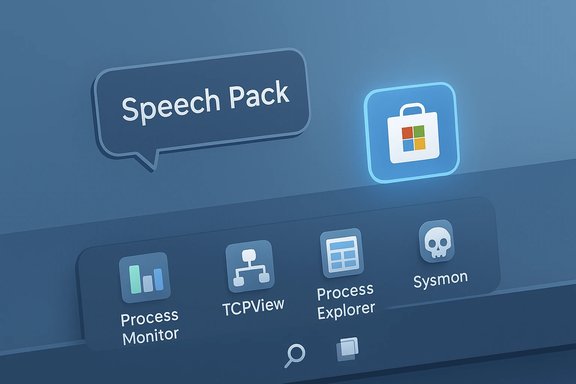
This week’s Microsoft Store roundup spotlights a handful of small-but-useful arrivals and platform-side moves that matter to power users: the open-source RoundedTB taskbar tool, a new Microsoft-delivered Speech Pack entry appearing in the Store, and a batch of incremental Sysinternals updates that quietly improve diagnostic tooling on Windows.
BetaNews’ weekly “Best Windows 10 apps this week” column continues to serve as a discovery feed for compact utilities, games and Store-delivered language/feature components. The latest issue highlights a mixture of lightweight hobby projects and vendor-managed packages — the kind of items that reward short trials rather than immediate deployment across many machines. That editorial framing is useful: these weeklies are signals for readers to investigate, not production-change directives.
Windows remains a layered ecosystem: community projects and independent utilities sit beside first-party Microsoft packages delivered via the Store. That mix is a strength for experimentation but raises governance, update cadence, and security questions that IT pros should weigh before adopting tools beyond the corporate baseline.
Treat the picks as starting points: pilot RoundedTB on non-critical machines, verify speech pack availability against your deployment model, and adopt new Sysinternals releases only after testing against your telemetry and SIEM pipelines. The Microsoft Store isn’t just about flashy new apps — it’s where small, practical improvements and necessary platform components increasingly appear, and a weekly scan of that landscape remains a useful habit for both enthusiasts and IT professionals.
Source: BetaNews Best Windows 10 apps this week
 Background
BetaNews’ weekly “Best Windows 10 apps this week” column continues to serve as a discovery feed for compact utilities, games and Store-delivered language/feature components. The latest issue highlights a mixture of lightweight hobby projects and vendor-managed packages — the kind of items that reward short trials rather than immediate deployment across many machines. That editorial framing is useful: these weeklies are signals for readers to investigate, not production-change directives.Windows remains a layered ecosystem: community projects and independent utilities sit beside first-party Microsoft packages delivered via the Store. That mix is a strength for experimentation but raises governance, update cadence, and security questions that IT pros should weigh before adopting tools beyond the corporate baseline.
Overview of this week’s notable items
- RoundedTB — an open-source tool that adds margins and rounded corners to the Windows taskbar and includes split/dynamic modes.
- Speech Pack — a Microsoft-published Store entry (English (United States) mentioned in the roundup) that appears to be a Store-delivered language/speech component intended to make speech features easier to install or update.
- Sysinternals updates — small but meaningful revisions to Process Monitor, TCPView, Process Explorer and Sysmon that fix bugs and polish UI/behavior.
RoundedTB — what it does and why it matters
What RoundedTB delivers
RoundedTB is a community-built utility that modifies the visible shape and layout of the Windows taskbar without editing system files or requiring administrative privileges. Key features:- Margins — create visible spacing around the taskbar so it appears detached from screen edges.
- Corner radius — control how rounded the taskbar corners appear.
- Split / Dynamic modes — separate the taskbar into segments or let it resize based on icon count; dynamic behavior is more elaborate on newer Windows versions.
The project is open source and maintained via a GitHub repository and Store listing; the repo and release notes document options, known limitations, and compatibility notes.
Strengths
- Non-destructive: RoundedTB runs in user space and does not patch OS binaries; quitting the app reverts changes immediately.
- Customization: It’s one of the simplest ways to cosmetically modernize older Windows taskbar art without investing in commercial shell replacements.
- Community transparency: The source is published, letting advanced users inspect behavior and confirm there's no hidden telemetry.
Practical caveats and risks
- Compatibility: Taskbar composition is one of Windows’ more finicky UI subsystems. RoundedTB lists known issues (auto-hide flicker, limited support for secondary taskbars, and antialiasing limitations) and has been archived in places, so expect occasional regressions on newer builds.
- OS changes: Microsoft may change taskbar internals between feature updates; a community tool that hooks or clips explorer/dwm surfaces can break or cause flicker after an update.
- Support posture: Because it’s a hobby-community project, there’s no enterprise SLA; use it on personal machines or in non-critical environments first.
When to install
- If you want a modest visual refresh and you’re comfortable with occasional troubleshooting, try RoundedTB in a test profile.
- If a device is centrally managed, treat it like any non-standard UI change: pilot in a small ring, validate with standard software (GPU drivers, overlay utilities), and ensure you can remotely remove the app.
Speech Pack — Microsoft’s Store-based language/speech delivery
What BetaNews reported
The roundup flags a new Microsoft app entry — Speech Pack - English (United States) — appearing in the Store, and suggests Microsoft may be moving or experimenting with distributing language/speech components through the Store so they can be updated independently from major OS feature updates.What Microsoft documentation shows
Microsoft has long separated language interface packs and speech features into modular components that can be installed through Settings or via Features on Demand. Official guidance documents explain how speech and text-to-speech languages are installed and how language components (including speech) are delivered and managed on Windows. Those same support pages also document downloadable speech components and voice packages that enable features like Live Captions, Read Aloud and text-to-speech. The presence of Store-listed Speech Pack entries aligns with Microsoft’s direction of modularizing language assets and making them more accessible to users.Why this matters
- Faster updates for speech/voice assets: Delivering speech packs through the Store allows voice models, bug fixes, and new voices to reach devices faster than bundling them inside major OS updates.
- Feature enablement for accessibility and AI features: Live Captions, Read Aloud, Copilot/assistant features and other voice-driven capabilities depend on these downloadable components.
- Installation control for managed devices: IT pros can control language features using existing deployment tools, but Store-based delivery adds another channel to consider when planning feature availability.
Caveats and verification status
- Some community posts and Microsoft Q&A threads show users looking for or troubleshooting Speech Pack entries. Availability or Store searchability may differ by OS version and region; one should verify presence on target devices before assuming a uniform distribution model. If you rely on speech features in production, fallback plans (offline CAB packages or provisioning steps) remain relevant.
Deployment guidance
- Confirm the exact name and SKU of the language component for your deployment image. The Windows Settings path (Time & Language → Language options) remains the most reliable place to see installed components.
- For locked-down environments (Store access restricted), plan to cache or deploy language CAB files directly using deployment tooling or Features on Demand channels.
Sysinternals updates — diagnostics and security tooling
The updates
This week’s roundup notes small updates to several Sysinternals utilities: Process Monitor, TCPView, Process Explorer and Sysmon. The official Sysinternals blog posts list release notes for recent versions, documenting bug fixes such as dark-theme improvements, column-drawing fixes, and crash fixes on particular architectures. These aren’t headline feature drops, but each provides reliability improvements for investigators and administrators.Why admins should care
- Stability: Small bug fixes reduce false positives or crashes during forensic captures and real-time troubleshooting.
- Compatibility with modern builds: As Windows uses newer security primitives (e.g., CET shadow stack reporting) and theme engines, the tools must adapt to display and interpret process metadata correctly.
- Security posture: Sysmon rules and monitoring are central to many EDR/telemetry pipelines. Even stability fixes can prevent monitoring gaps caused by tool crashes.
Suggested action
- Subscribe to the Sysinternals blog feed and maintain an audit process to test new versions before deploying them broadly.
- When updating Sysmon, maintain and version-control your ruleset; verify that new versions do not alter event schema expected by your SIEM.
Evaluating Store-distributed tools: a checklist for readers
When a utility or component surfaces in the Microsoft Store — whether it’s a community UI tweak like RoundedTB or a Microsoft-published speech asset — use this checklist to evaluate it safely:- Publisher identity: Confirm the publisher shown in the Store entry matches the expected author (Microsoft, the named open-source author, or a reputable vendor).
- Update cadence: Check recent update timestamps and release notes; a healthy project will show consistent maintenance or clear archival messaging.
- Permissions and behavior: For Store apps, review requested permissions and whether the app requires runtime elevation; non-admin tools are preferable for cosmetic UI mods.
- Local vs cloud processing: For anything that handles text or audio, determine whether content is processed locally or transmitted to a third party — important for privacy and compliance.
- Rollback plan: Ensure you can remove the app and restore defaults (e.g., RoundedTB explicitly states that closing it reverts changes).
- Testing ring: Pilot new tools in a small group and test them against your standard software stack (GPU drivers, overlays, security agents).
Why small updates and hobby projects still matter
Large OS releases grab headlines, but the day-to-day Windows experience is shaped by dozens of small apps and incremental updates. Two reasons these weekly roundups are useful:- Discovery: The Microsoft Store’s volume hides small gems; curated lists surface items that may materially improve workflow without large investments.
- Signal about platform direction: When Microsoft places a speech asset into the Store or Sysinternals publishes a maintenance update, those moves reveal delivery strategies and maintenance priorities that matter to IT planning.
Security, privacy and support considerations
- Third-party UI tools: Applications that change shell behavior (taskbar hooks, window clipping) can interact poorly with accessibility tools or security products that also instrument UI APIs. Run compatibility checks with screen readers, remote-assist software, and enterprise management agents.
- Store vs OS delivery: Store-delivered components (speech packs, language assets) can improve update cadence, but they introduce an additional distribution surface. Ensure device update policies and Store access controls match organisational compliance needs.
- Telemetry and source code: Prefer open-source or vendor-transparent projects when making a trust decision. For Microsoft-published packages, consult official docs and policy pages for privacy guarantees.
- Backout strategy: Always verify that cosmetic or runtime modifications are reversible without user data loss; keep remote uninstallation and configuration scripts ready for managed environments.
How to try these items safely (step-by-step)
- Create a restore point or snapshot (VM snapshot for workstations used in evaluation).
- Install on a personal or test device first; do not deploy directly to corporate user profiles.
- For RoundedTB:
- Download the Store app or the release ZIP from the project repository.
- Apply modest margin/corner settings and watch for UI flicker or explorer inconsistencies.
- Test with multiple monitors and with apps that use custom flyouts (e.g., system tray utilities).
- For Speech Packs / language components:
- Use Settings → Time & Language → Language & region to inspect installed components. If a Store Speech Pack appears, verify it by name in Settings or Apps.
- If you manage devices centrally, test installing the component with and without Store access — keep offline CABs handy as a fallback.
- For Sysinternals:
- Download the official releases and test them in live troubleshooting sessions. Confirm event schema compatibility with your logging pipeline before deploying new Sysmon builds broadly.
Strengths and limitations of this week’s picks
- Strengths:
- Low-friction experimentation: RoundedTB and similar utilities are easy to try without admin privileges, bringing small usability wins for enthusiasts.
- Faster updates for language features: Store-based speech/language delivery helps users access improved voices and speech fixes quickly.
- Sysinternals maintenance: Small updates reduce edge-case failures during critical investigations.
- Limitations / risks:
- Ephemeral availability: Small Store apps can be delisted or unmaintained; confirm vendor continuity before depending on them.
- Compatibility fragility: UI-modifying utilities are sensitive to OS changes and third-party drivers (GPU overlays, shell extenders).
- Management complexity: Store-delivered system components add a channel to patch management strategies that must be reconciled with existing deployment controls.
Conclusion
This week’s Microsoft Store snapshot — as highlighted in BetaNews’ weekly roundup — is representative of the Store’s role in the Windows ecosystem: a blend of community creativity, first-party modular delivery, and steady maintenance work from vendor tools. RoundedTB showcases how open-source hobby projects can meaningfully change day-to-day interactions with Windows, while the emergence of Speech Pack Store entries signals Microsoft’s intent to modularize speech and language feature delivery. Meanwhile, the quiet but important Sysinternals updates remind administrators that reliability and small bug fixes can have outsized operational impact.Treat the picks as starting points: pilot RoundedTB on non-critical machines, verify speech pack availability against your deployment model, and adopt new Sysinternals releases only after testing against your telemetry and SIEM pipelines. The Microsoft Store isn’t just about flashy new apps — it’s where small, practical improvements and necessary platform components increasingly appear, and a weekly scan of that landscape remains a useful habit for both enthusiasts and IT professionals.
Source: BetaNews Best Windows 10 apps this week
