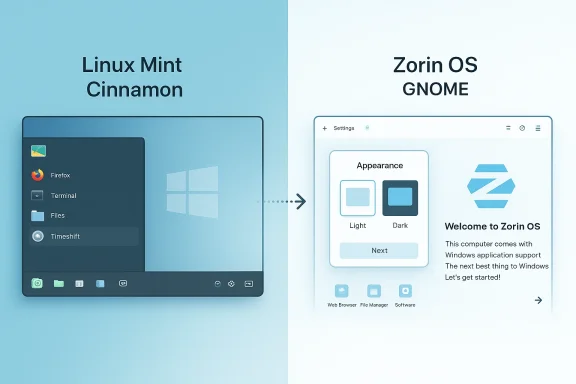
Windows‑to‑Linux migration is no longer a DIY weekend experiment — it’s a practical, well‑supported path for millions of users facing Windows 10’s end of mainstream support, and after hands‑on testing across modern ultrabooks and older desktops the two names you’ll see most in migration conversations are Linux Mint and Zorin OS. The short version: both are excellent, but they pursue different tradeoffs—Zorin OS aims to remove the fear of the first week for Windows refugees with polished onboarding and layout mimicry, while Linux Mint doubles down on predictability, lower resource use, and conservative maintenance. The rest of this feature explains why, verifies the most load‑bearing technical claims, and gives a pragmatic migration playbook so you can choose the right path for your hardware and workflows. rview
Linux Mint and Zorin OS share a common technical ancestry: both are built on Ubuntu LTS bases and therefore inherit Ubuntu’s packaging, driver tooling, and Hardware Enablement (HWE) kernel strategy. That shared foundation explains why both distros “just work” on large classes of Wi‑Fi chipsets, Bluetooth, and modern Intel/AMD GPUs with relatively little manual intervention. But the projects diverge in product philosophy: Mint is conservative and quietly optimized for a Windows‑style desk experience, while Zorin invests in visual cohesion, one‑click layout switching, and migration helpers that explicitly target first‑time switchers.
Both projects have s as Windows 10 reached its end of mainstream support, and reviewers and community threads echo the same practical guidance: test on target hardware, pilot with one machine, and retain a Windows fallback (VM or dual‑boot) for any mission‑critical Windows‑only software.
An Ubuntu LTS base gives both distros a predictable update and security patch cadence, while the HWE mechanism lets LTS‑based distributions ship newer kernels and drivers from interim Ubuntu point releases. Practically, that means a distro built on an LTS base can still include recent kernel releases—improving out‑of‑the‑box recognition for newer Wi‑Fi chips and GPUs—without adopting an unstable upstream. Zorin OS 18 explicitly ships on an Ubuntu 24.04 LTS foundation with a Linux 6.14 kernel in its release line, which explains reviewers’ reports of fewer driver headaches on very recent laptops. Mint’s 22.x line also tracks Ubuntu’s point releases and HWE kernels in its 22.* point releases, giving similar device coverage while keeping Mint’s conservative update posture intact.
A caution on download numbers: projects frequently publicize spikes after major Windows announcements, and press outlets amplify those figures; these are meaningful signals of inter of retention or suitability for specific hardware setups. Verify by piloting on your devices before rolling out.
Conclusion: For the vast majority of Windows refugees who want a friendly, supported replacement today, Zorin OS is the easiest day‑one experience and Linux Mint is the most conservative reliable long‑haul companion—choose the one whose values match your tolerance for change, then test and migrate deliberately.
Source: findarticles.com Linux Mint And Zorin OS Tested Winner Revealed
Linux Mint and Zorin OS share a common technical ancestry: both are built on Ubuntu LTS bases and therefore inherit Ubuntu’s packaging, driver tooling, and Hardware Enablement (HWE) kernel strategy. That shared foundation explains why both distros “just work” on large classes of Wi‑Fi chipsets, Bluetooth, and modern Intel/AMD GPUs with relatively little manual intervention. But the projects diverge in product philosophy: Mint is conservative and quietly optimized for a Windows‑style desk experience, while Zorin invests in visual cohesion, one‑click layout switching, and migration helpers that explicitly target first‑time switchers.
Both projects have s as Windows 10 reached its end of mainstream support, and reviewers and community threads echo the same practical guidance: test on target hardware, pilot with one machine, and retain a Windows fallback (VM or dual‑boot) for any mission‑critical Windows‑only software.
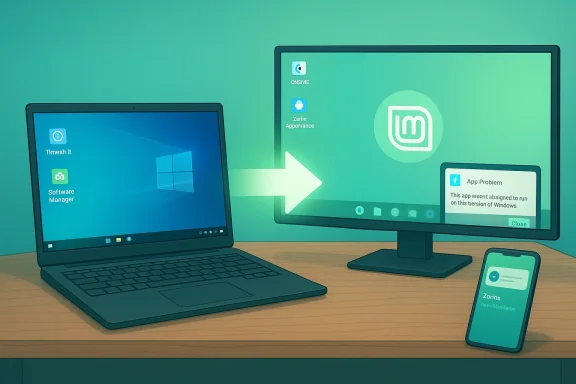 What changed technically (and whytu LTS base, HWE kernels, and why kernel version affects device support
An Ubuntu LTS base gives both distros a predictable update and security patch cadence, while the HWE mechanism lets LTS‑based distributions ship newer kernels and drivers from interim Ubuntu point releases. Practically, that means a distro built on an LTS base can still include recent kernel releases—improving out‑of‑the‑box recognition for newer Wi‑Fi chips and GPUs—without adopting an unstable upstream. Zorin OS 18 explicitly ships on an Ubuntu 24.04 LTS foundation with a Linux 6.14 kernel in its release line, which explains reviewers’ reports of fewer driver headaches on very recent laptops. Mint’s 22.x line also tracks Ubuntu’s point releases and HWE kernels in its 22.* point releases, giving similar device coverage while keeping Mint’s conservative update posture intact. Verified support windows (what you can rely on)
- Zorin OS 18’s published support window and release metadata list Ubuntu 24.04 LTS as the base and security updates through mid‑2029 for that release line. That longer LTS window is useful for people who want a “set it and forget it” desktop that still benefits from modern drivers.
- Linux Mint’s 22.x family has likewise moved to track Ubuntu 24.04 point releases in its 22.0+ updates; the Mint team’s point releases (22.1/22.2/22.3) and external reporting confirm ongoing support into 2029 for the 22 series. That gives Mint users a long maintenance corridor while preserving Mint’s stable, conservative defaults.
First‑run experience and onboarding: the friction you remember
Zorin OS — first hour, built for reassurance
Zorin makes a strong first impression by design. Out of the box you get the Zorin Appearance tool that switches desktop layouts (Windows‑style, macOS‑style, modern GNOME variants) in seconds. Zorin’s installer and desktop are task‑oriented: a “Windows App Support” prompt helps you triage a .exe or .msi by suggesting native replacements, Wine/Bottles workflows, or virtualization when appropriate. Zorin also bundles Zorin Connect for Android integration so phone notifications and file transfers are ready with minimal setup. These elements materially reduce decision fatigue in the first week and are why many reviewers pick Zorin as the best “first off‑ramp” for Windows users.Linux Mint — a “leave it alone” desktop that stays predictable
Linux Mint’s Welcome app and Cinnamon desktop are intentionally conservative: minimal surprises, obvious settings, and a familiar panel/menu/tray layout. Mint bundles Timeshift snapshots for safe rollbacks, a curated Software Manager, and a driver manager that’s both simple and effective. For households and small offices where minimizing support calls matters, Mint’s approach tends f “how do I…?” tickets you’ll receive after the switch.Desktop behavior, everyday usability, and resource tradeoffs
Desktop choices and how they feel in day‑to‑day use
- Linux Mint (Cinnamon) intentionally mirrors classic Windows metaphors: bottom panel, app menu, system tray, and desktop icons. That familiarity is a featurt and a steady UI behavior model.
- Zorin OS (GNOME‑based core/pro) layers polish and animation on top of GNOME and gives a one‑click path to Windows‑like layouts. The result is a very modern, cohesive UI that often “feels finished” from minute one. For users who equate polish wiis matters.
Performance and resource use
Testing and community metrics converge on a consistent theme: Cinnamon on Mint tends to use less RAM at idle than Zorin’s default GNOME‑based desktop, and Mint’s lighter spins (MATE, Xfce) offer excellent performance on older hardware. Zorin counters with a Lite/Xfce edition for low‑spec machines, but among mainstream editions Mint typically has the edge on battery life and snappiness on modest machines. For gaming, both benefit from Proton on Steam and support installing proprietary GPU drivers through GUI tools.App ecosystem and packaging philosophy
- Linux Mint: curated Software Manager, Flatpak integrated by default, Timeshift snapshots included, and an intentional discouragement of Snap on default installs. Mint’s packaging approach prioritizes predictability and rollback safety, which matters in small‑office and family environments.
- Zorin OS: aggregatePT packages alongside Flatpak and Snap, giving the broadest convenient application selection in one place. Zorin’s UX favors discoverability and day‑one convenience—helpful if you want mainstream apps (Spotify, Slack, Zoom) installed quickly.
Privacy and security posture
Neither distribution ships telemetry or advertising by default. Both include simple GUIs for firewall management and rely on Ubuntu’s LTS security updates for the underlying stack. Zorin’s OneDrive integration and other online account connectors do touch third‑party cloud services (as an integrated convenience), so users with strict offline or privacy requirements should audit which optional services are enabled and how credentials are stored. Mint’s stance is intentionally minimal‑telemetry and it avoids pushing cloud integrations aggressively. These are practical differences more than existential ones: both are privacy‑forward compared with typical Windows consumer defaults.Release cadence, community support, and long‑term viability
- Zorin OS 18 is built on Ubuntu 24.04 LTS and lists support into 2029 for that release line; the Zorin team also offers a paid Pro edition (one‑time license) that bundles extra layouts and convenience features. This combination of LTS support and a modest paid tier gives Zorin a sustainable commercial model while keeping the core experience free.
- Linux Mint 22.* releases also track Ubuntu LTS point releases and provide long support windows (22.x support through 2029 was publicly documented in release notes and third‑party coverage). Mint’s funding remains community/donation driven; for organizations that need commercial SLAs, third‑party vendors provide paid support.
Market context: is Linux actually rising on the desktop?
Multiple independent trackers and press summaries based on StatCounter data show that desktop Linux moved from roughly 3–4% global share into the 4%–5% neighborhood in 2024–2025, with some regional peaks (for example, the U.S. crossing the 5% mark in mid‑2025). That shift is small in absolute terms but significant in momentum: the end of Windows 10 support created visible spikes in distro downloads and trials. Treat market share as context—useful for understanding momentum, not as a technical endorsement of any one distro.A caution on download numbers: projects frequently publicize spikes after major Windows announcements, and press outlets amplify those figures; these are meaningful signals of inter of retention or suitability for specific hardware setups. Verify by piloting on your devices before rolling out.
Risks and real migration blockers (what to test early)
- Vendor‑locked peripherals and kernel‑mode drivers: printers, scanners, fingerprint readers, and some professional devidows drivers and are the single largest migration blocker. Test these in a Live USB session.
- Specialized Windows‑only applications: if your workflow depends on kernel‑mode Windows components, anti‑cheat engines, or proprietary Windows-only VPN clients, Linux alone may a Windows VM or keep a dedicated Windows machine for such edge cases.
- Gaming anti‑cheat: Proton and Lutris have closed many gaps, but titles that depend on kernel anti‑cheat modules may remain unplayable without a Windows host. Vortant titles via ProtonDB and a brief live test.
- Cloud sync semantics: OneDrive integration on Zorin (via GNOME Online Accounts) is convenient, but it is not identical to Windows Files On‑Demand selective sync. Validate offline availability if your workflows require local copies.
Practical migration playbook (tested, repeatable)
- Inventory: list critical apps, peripherals, and vendor utilities. Include printer/scanner models, USB dongles, and any kernel‑level drivers.
- Backup: create a full disk image of your Windows drive and export browser bookmarks and mail stores. Keep the image until you’re fully confident.
- Live test: boot both Linux Mint and Zorin OS from USB on the target hardware for at least 24–48 hours. Verify Wi‑Fi, sound, webcam, GPU acceleration, printing, and OneDrive or other cloud mounts.
- Pilot: choose a non‑critical machine or user and run it for a week. Capture breakage and fixes. Keep a Windows VM for stubborn apps.
- Rollout: after a successful pilot, automate images and Timeshift snapshots as your rollback mechanism. Train users with a short checklist (how to install apps, restore snapshots, and contact support).
The verdict — whom each distro serves best
- Choose Zorin OS if: you value the least friction during the first week—a polished UI, one‑click layout switching, migration helpers for Windows installers, and straightforward phone integration. For non‑technical users who equate aesthetic parity with comfort, Zorin’s onboarding is often decisive.
- Choose Linux Mint if: you prioritize a leaner resource footprint, longer‑tracked LTS point releases with conservative updates, and a minimal‑surprise desktop that behaves like classic Windows. Mint is particularly well suited to older hardware, family PCs, and small offices where predictability is the highest priority.
Strengths, weaknesses, and final recommendation
Strengths- Both are Ubuntu‑LTS‑backed, so they inherit a mature package ecosystem and solid driver support.
- Zorin: exceptional onboarding, layout switching, and migration tooling; excellent for first‑timers.
- Mint: conservative update policy, integrated Timeshift snapshots, lighter desktop options forses / Risks
- Hardware or peripheral vendor lock‑in remains the top migration risk; verify prinprint readers, and vendor utilities before committing.
- Gaming edge cases and anti‑cheat kernels may force a Windows fallback for certain titles.
-arketing figures are useful context but not technical certainties—treat them as interest signals and validate through piloting.
- If your priority is the smoothest psychological off‑ramp from Windows—minimal anxiety, immediate familiarity, and fewer early questions—install Zorin OS first.
- If your priority is long‑term stability, smaller resource usage on older hardware, and a conservative maintenance posture, install Linux Mint.
- In practice, you can’t go catastrophically wrong: both protect privacy better than an average unmanaged Windows 10 install and both extend the usable life of aging hardware.
Quick checklist before you flip the switch
- Have you imaged your Windows drive? (Yes/No)
- Did you test critical apps and peripherals from a Live USB for at least 24–48 hours? (Yes/No)
- Do you have a rollback plan (Timeshift + image)? (Yes/No)
- Can you keep a Windows VM for stubborn or mission‑critical Windows apps? (Yes/No)
Conclusion: For the vast majority of Windows refugees who want a friendly, supported replacement today, Zorin OS is the easiest day‑one experience and Linux Mint is the most conservative reliable long‑haul companion—choose the one whose values match your tolerance for change, then test and migrate deliberately.
Source: findarticles.com Linux Mint And Zorin OS Tested Winner Revealed