

Windows is quietly laying the groundwork for a single, OS‑level updater that could one day coordinate almost every app on your PC — but for now it’s an early, partial preview that requires developer buy‑in and careful IT planning.
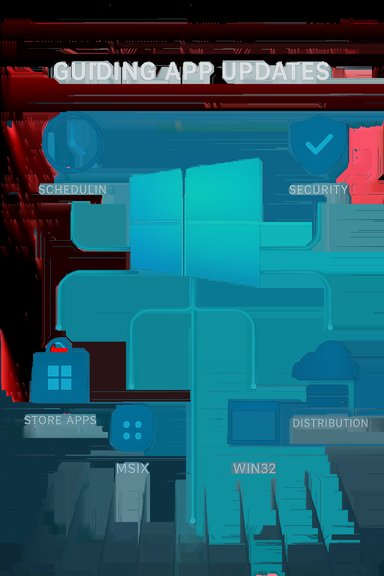
Windows has long suffered from a fragmented update landscape: the OS and drivers come through Windows Update; Store apps update through the Microsoft Store; and a vast sea of Win32 applications maintain their own bespoke updaters. That fragmentation creates operational headaches for IT, leaves gaps in visibility for security teams, and forces users to juggle multiple update UIs. Microsoft’s Unified Update Orchestration Platform (UOP) is an explicit attempt to solve that problem by giving the OS a seat at the orchestration table while still allowing apps to keep their own delivery mechanisms. The recent Windows Insider flight that ships as KB5070316 (Build 26220.7344) begins exposing the plumbing and a user surface for that work: a new Settings → Apps → App updates page and the platform plumbing Microsoft calls the Unified Update Orchestration Platform (UOP). UOP’s goal is straightforward: let apps register with the OS so Windows can schedule, trigger, and report on their updates based on system state (idle vs active), power status, and admin policy — while the app still fetches its update payloads from its own servers. This is not a full launch. Microsoft is enabling UOP in preview for Insiders and offering a private preview for developers, and the shipped bits are deliberately gated and only partially functional while backend services are staged out. Expect gradual rollout behavior and feature flags.
Proceed with pilot projects, insist on testable rollback plans, and keep your current patching tools in place while UOP matures — the foundation is promising, but the ecosystem shift will take time.
Source: PC Gamer Windows may be able to automatically update all your apps for you in the future
 Background and overview
Windows has long suffered from a fragmented update landscape: the OS and drivers come through Windows Update; Store apps update through the Microsoft Store; and a vast sea of Win32 applications maintain their own bespoke updaters. That fragmentation creates operational headaches for IT, leaves gaps in visibility for security teams, and forces users to juggle multiple update UIs. Microsoft’s Unified Update Orchestration Platform (UOP) is an explicit attempt to solve that problem by giving the OS a seat at the orchestration table while still allowing apps to keep their own delivery mechanisms. The recent Windows Insider flight that ships as KB5070316 (Build 26220.7344) begins exposing the plumbing and a user surface for that work: a new Settings → Apps → App updates page and the platform plumbing Microsoft calls the Unified Update Orchestration Platform (UOP). UOP’s goal is straightforward: let apps register with the OS so Windows can schedule, trigger, and report on their updates based on system state (idle vs active), power status, and admin policy — while the app still fetches its update payloads from its own servers. This is not a full launch. Microsoft is enabling UOP in preview for Insiders and offering a private preview for developers, and the shipped bits are deliberately gated and only partially functional while backend services are staged out. Expect gradual rollout behavior and feature flags. How UOP works (the architecture in plain English)
Registration, not replacement
- Apps register themselves with UOP through published APIs (WinRT and PowerShell hooks).
- Once registered, UOP can call into the app to: scan for available updates, trigger downloads, and initiate installs. The app still controls the installation semantics and keeps using its own CDN or backend for the actual update bits. This preserves publishers’ deployment models while adding OS‑level scheduling and observability.
Scheduling and coordination
UOP borrows Windows Update’s scheduling intelligence: it can prefer downloads and installs when the device is idle, on AC, or otherwise in a low‑impact state. That lets Windows spread heavy work across quiet periods and avoid interrupting foreground users with restarts or CPU‑intensive downloads. From an engineering view this is a simple but meaningful change: the OS becomes an orchestrator rather than a monolithic updater.Unified telemetry and history
One important promise is a single update history and centralized logging for app updates that participate in UOP. That gives admins a coherent audit trail for app patch status alongside the OS and driver update history — an operational improvement for compliance and incident response. The OS’s Settings surface will show last checked timestamps and offer a manual Check for updates control for apps that opt in.Packaging support and current limits
- First‑class support targets modern packages: MSIX / APPX and Store‑packaged Win32 apps.
- Microsoft anticipates a model for packaged Win32 apps “provided and updated by” publishers (where metadata lives in the Store but payloads come from publisher servers).
- Traditional MSI/.exe installers and apps that run independent, embedded updaters (for example Steam, Chrome, or Adobe’s legacy updaters) are not automatically covered until publishers opt into the platform or repackage for compatibility.
What actually shipped in preview: user experience and what you’ll see
- A new Settings entry at Settings → Apps → App updates, showing a Last checked timestamp and a Check for updates button.
- A partial orchestration backend enabled for some Insiders; in many cases the UI will be visible while server‑side toggles remain off, so the button may not trigger visible updates yet.
- The Microsoft Store’s automatic app update toggle has been changed: the consumer UI no longer exposes an indefinite “off” switch and instead offers pause intervals (short fixed windows), aligning Store app update behavior more closely with Windows Update’s pause semantics.
Why Microsoft is doing this: the strategic case
- Security and patching hygiene. Centralized discovery reduces the chance that Store‑distributed apps remain unpatched, which lowers exploit surface for a large class of software.
- Operational simplicity. For admins, unified telemetry, scheduling, and logs reduce tool sprawl and give a single control plane for many common app update scenarios.
- User experience. For everyday users, fewer dialogs, fewer separate updaters, and smarter scheduling mean less friction and fewer surprise restarts.
- Resilience on locked‑down devices. Devices that have the Store client removed or blocked by policy can still receive Store‑managed updates via the Settings surface and the underlying orchestrator.
Developer and publisher implications — what they must do
Microsoft is not forcing publishers to change their servers, but there are clear integration steps to make apps first‑class citizens in UOP:- Package choices:
- Adopt MSIX where feasible to get native platform benefits sooner.
- For Win32 apps, consider the “Store‑listed but publisher‑hosted” model (Store metadata, publisher payload) to appear in Windows’ centralized flows.
- Integrate the APIs:
- Register your updater with UOP via the provided WinRT APIs or PowerShell interfaces.
- Expose a scan/install contract so UOP can call your updater and so the OS can report status back to the App updates page.
- Secure your pipeline:
- Sign update binaries, use HTTPS/CDN best practices, and implement robust rollback semantics.
- Provide clear metadata so Windows can audit versioning and delivery success.
- Test and pilot:
- Validate integrations in private preview; Microsoft is running a developer preview and invites product teams to sign up for early access.
- Test staged rollouts, failure modes, and telemetry to ensure the orchestrator’s scheduling won’t inadvertently break user workflows.
Enterprise and IT operations: a checklist for pilots
Enterprises should not flip the switch on UOP fleet‑wide without a plan. Recommended steps:- Create a pilot ring of non‑critical machines or VMs and enroll them in the Windows Insider Dev/Beta channel to observe behavior.
- Inventory critical line‑of‑business apps and flag those that depend on legacy MSI/.exe updaters; these will likely require repackaging or vendor coordination.
- Coordinate with vendors: ask major ISVs whether they plan to support UOP and when. Document vendor roadmaps.
- Test MDM and Group Policy interactions: confirm how Intune, WSUS/SCCM, and existing patch policies interplay with UOP scheduling and reporting.
- Verify rollback and remediation: ensure you retain the ability to halt or roll back updates from vendor management consoles if an app update causes issues.
Security, privacy, and operational risks — a candid assessment
Centralization buys convenience — but it concentrates risk. Key concerns:- Blast radius of bad updates. If many apps rely on a shared orchestration layer, an incorrectly staged or buggy update might be triggered across many endpoints with similar timing semantics. Robust staged rollouts and atomic rollback capabilities are essential.
- Supply chain and attestation. For Windows to orchestrate updates fetched from diverse publisher CDNs, identity, signing, and attestation mechanisms must be airtight; otherwise, the centralized pipeline becomes a tempting target for tampering and spoofing.
- User control vs. security posture. Microsoft’s move to pause‑only auto‑update controls (instead of indefinite off toggles) is security‑first but reduces consumer‑level control. Power users and testing labs may find this annoying.
- Telemetry and privacy questions. Any platform that centralizes status reporting must make clear what telemetry it collects, where it’s sent, and how long records are retained. Enterprises and privacy‑conscious users should demand clarity and controls.
Where UOP helps today — and where it won’t
What UOP can meaningfully change right now:- MSIX/Store‑managed apps gaining a single status UI and more intelligent scheduling.
- Users who have removed the Microsoft Store client (kiosks or locked images) getting visibility and possible update paths for Store‑listed apps.
- Developers using modern packaging seeing near‑immediate benefits from OS scheduling and telemetry improvements.
- Replace vendor‑run update systems for large ecosystems such as Steam, Chrome, or Adobe overnight. Those ecosystems often require deeper vendor cooperation or repackaging.
- Magically update MSI/.exe‑based apps without developer or vendor changes.
- Immediately deliver GA‑level reliability: UOP functions are currently in preview and many backend features remain gated.
UX niceties: “Open with” and AI plumbing arriving at the same time
The same Insider release that brought UOP plumbing also included native support for the Model Context Protocol (MCP) — a specification for agentic AI to connect securely to apps and data — plus UI experiments that change how File Explorer suggests apps for opening files (it may propose Store apps even if you don’t have them installed). On Copilot+ hardware, the MCP integration promises natural‑language file searches inside File Explorer and agent‑driven settings changes. These features belong to an adjacent wave of OS‑level integration that rethinks how the platform surfaces intelligence and discovery. Those AI and discovery features tie into the UOP narrative: if the OS is going to manage app lifecycle and surface app recommendations, it makes sense to also build out richer agent and discovery plumbing — but they also raise the usual governance and privacy questions that agentic features do.Timelines, rollout signals, and what to watch
- Microsoft has not announced a firm public availability (GA) date for UOP. The company is using private previews and Insider builds to iterate and gate backend services. Treat any proposed public timeline without Microsoft confirmation as speculative.
- Signals to watch:
- Wider Insider ring availability where the App updates page becomes functional (not just visible).
- Microsoft publishing developer SDKs, API docs, and onboarding instructions for UOP.
- Major independent software vendors announcing formal support or packaging guidance (MSIX or “provided and updated by” Store metadata).
- Admin and MDM controls showing detailed policy knobs or telemetry export options for enterprise usage.
- For now, the practical path to experiment is: enroll non‑critical test machines in Dev/Beta Insider channels, update the Microsoft Store client to the latest test SKU, and look for Settings → Apps → App updates to appear. Don’t test on production hardware.
Actionable recommendations — for consumers, developers, and IT
- Consumers:
- Expect a more cohesive app update story in the medium term, but don’t rely on UOP to update every app on day one.
- Use proven third‑party package managers (winget, Chocolatey, Ninite) if you want a single pane for non‑Store apps today.
- Developers:
- Evaluate MSIX and the “Store‑listed/publisher‑hosted” model as a fast path to UOP visibility.
- Sign up for the private developer preview and validate WinRT/PowerShell hooks.
- Ensure robust signing and rollback flows; test update telemetry and logging.
- IT / Enterprises:
- Inventory critical apps and identify those that require repackaging.
- Start small with a pilot; validate interplay with Intune, WSUS/SCCM, and existing patch cycles.
- Demand SLA, attestation, and telemetry details from Microsoft and your vendors before relying on UOP in production.
Bottom line — promising foundation, not an instant fix
UOP is a technically sensible, strategic move: it brings the OS into the update conversation without immediately stripping control from developers, and it gives IT a credible path to consolidate visibility and scheduling. The Settings → Apps → App updates page is the visible proof that this orchestration work is real, but the feature is nascent: Microsoft is rolling it out behind feature flags, APIs and developer onboarding are still in private preview, and (critically) no major third‑party ecosystem has yet publicly committed to switching their update flows to UOP in a way that would make it equivalent to a single “update everything” button. For end users the immediate impact is modest but positive: fewer popups and the hope of smarter scheduling. For developers and IT teams, now is the time to evaluate and pilot, not to migrate production fleets. For the Windows platform to realize the full promise of a unified update story, Microsoft will need robust developer tooling, clear security attestations, enterprise‑grade policy controls, and real adoption from major software vendors.Proceed with pilot projects, insist on testable rollback plans, and keep your current patching tools in place while UOP matures — the foundation is promising, but the ecosystem shift will take time.
Source: PC Gamer Windows may be able to automatically update all your apps for you in the future
