

Microsoft is testing one of the most user-friendly changes to Windows Update in years: the ability to keep extending an update pause in 35-day blocks with no stated limit. The change, now appearing first for Windows Insiders in the Dev Channel and the new Experimental Channel, reframes updates as something users can schedule around real life rather than simply endure. It is not a promise that security patches no longer matter, but it is a notable concession that Windows has too often confused “protected” with “interrupted.” If Microsoft carries this design into mainstream Windows 11 builds, it could become one of the most meaningful quality-of-life improvements since Windows Update became central to the operating system.
For more than a decade, Microsoft has treated Windows servicing as a balancing act between security, compatibility, and user patience. The company’s move to Windows as a service brought faster security fixes and fewer giant upgrade events, but it also made update friction a recurring part of daily computing. Users learned to expect unexpected restarts, setup delays, driver surprises, and the familiar power-menu dilemma: shut down now, or be pulled into an update cycle at the worst possible moment.
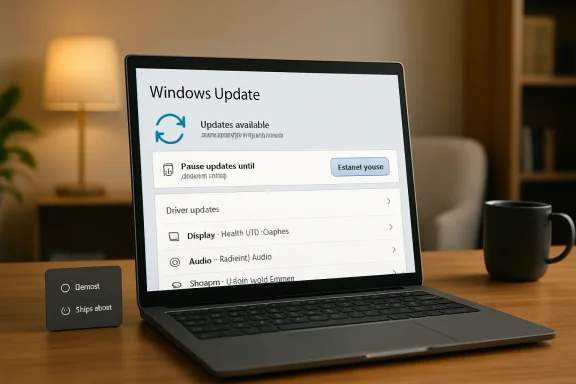
The new update experience tries to tackle that trust problem directly. Microsoft says users will be able to select a calendar date up to 35 days away, then extend the pause again as many times as needed. That is a major philosophical shift because the old pause model effectively forced the device back into scanning and updating after the maximum pause window expired.
The change arrives alongside several related improvements. Users setting up a new PC can skip updates during the out-of-box experience in supported scenarios, the Start menu power controls will keep normal restart and shutdown options visible even when updates are pending, and driver update names will include clearer device-class information. Microsoft is also coordinating driver, .NET, and firmware updates with monthly quality updates to reduce the number of restart events.
Historically, the 35-day pause ceiling existed to stop devices from drifting too far behind on security fixes. That logic still matters, especially as Windows 10 has moved beyond its mainstream consumer support era and Windows 11 has become Microsoft’s primary supported desktop platform. But this preview suggests Microsoft now understands that a rigid update policy can create its own risk: users who distrust updates may seek workarounds, disable services, or delay maintenance in less transparent ways.
That distinction matters because many update conflicts are not solved by one delay. A student may need a laptop stable through exams, a traveler may spend weeks on poor hotel Wi-Fi, and a small business owner may be preparing for a payroll deadline. A single pause window helps, but repeatable control acknowledges that busy periods do not always fit Microsoft’s servicing calendar.
Key implications include:
This also makes the pause feature more transparent. Instead of clicking “pause for one week” multiple times and hoping the math works out, users can choose a target day. That small design choice may do more for trust than a dozen notification tweaks.
A better pause interface should help several groups:
The new skip option recognizes that setup is not always the right moment to patch. A user may be unboxing a device in an airport, preparing a machine for a presentation, or helping a relative get online quickly. In those cases, reaching the desktop first can be more valuable than immediately applying every available package.
The practical sequence becomes clearer:
Under the revised model, users should see distinct choices:
There is also a technical benefit. If users no longer fear that every shutdown might trigger an update, they may be less likely to hard-power machines, close laptop lids at unsafe moments, or disable update mechanisms. Predictability is a security feature when it discourages reckless workarounds.
By identifying the device class, Windows Update gives users a better chance to evaluate risk. A display driver update before a gaming tournament or design deadline feels different from a battery firmware-related package on a laptop with power-management problems. Context changes the decision.
Clearer labels should help users answer basic questions:
Coordinating restart-requiring updates around the monthly quality update is a more coherent model. It acknowledges that the reboot is the scarce resource. Users can tolerate background downloads, but they resent losing control of the session.
This consolidation could improve the experience in several ways:
The better model is graduated urgency. A routine update can wait; an actively exploited vulnerability should be presented differently. If Windows Update treats all patches identically, users cannot make informed decisions.
Security messaging should distinguish among:
Windows Update for Business, Intune, Autopatch, and traditional Group Policy already provide tools for deferring and pausing updates. The question is how the new consumer-facing flexibility maps onto those controls. If Microsoft handles this well, admins could gain a friendlier user experience without sacrificing governance.
Enterprise concerns include:
The indefinite 35-day pause model gives users a reason to stop fighting the system. Instead of searching for ways to break Windows Update, they can use a supported interface. That is better for Microsoft, better for users, and better for the long-term health of the ecosystem.
This trust repair is especially important now because Windows 11 is carrying more responsibility. With Windows 10 no longer the mainstream consumer safe harbor it once was, users who disliked Windows 11’s servicing model have fewer comfortable places to go. Microsoft needs Windows 11 to feel less adversarial.
Consumer goodwill will depend on execution:
That complexity explains why Microsoft has been cautious about letting devices drift too far behind. A fragmented Windows ecosystem is harder to secure and support. But complexity also makes user control more important, because the consequences of a bad update vary dramatically by device.
For rivals, Microsoft’s move narrows a long-standing criticism. Windows critics often point to forced updates as a reason to prefer other platforms. A more respectful Windows Update experience weakens that argument, even if it does not eliminate broader debates over telemetry, ads, account requirements, or AI features.
The ecosystem impact could include:
The Insider audience is also more likely to stress the feature. Enthusiasts will test edge cases, pause repeatedly, compare policy behavior, and report confusing wording. That feedback can help Microsoft refine the mainstream version before it reaches ordinary users.
Important testing questions include:
Watch especially for how Microsoft handles commercial management. If administrators receive granular controls, this could become a rare update change that benefits both consumers and enterprises. If the controls are too blunt, organizations may disable them, limiting the broader impact.
Key things to monitor include:
The broader lesson is that Windows Update can be both protective and respectful. Microsoft does not need to abandon automatic servicing to improve the experience; it needs to make timing, intent, and consequences visible. If this preview survives testing and reaches production with strong defaults and honest warnings, Windows 11 could finally turn one of its most resented chores into a more predictable part of PC ownership.
Source: GIGAZINE Windows Update is getting a major improvement: it can now be paused indefinitely every 35 days.
 Overview
For more than a decade, Microsoft has treated Windows servicing as a balancing act between security, compatibility, and user patience. The company’s move to Windows as a service brought faster security fixes and fewer giant upgrade events, but it also made update friction a recurring part of daily computing. Users learned to expect unexpected restarts, setup delays, driver surprises, and the familiar power-menu dilemma: shut down now, or be pulled into an update cycle at the worst possible moment.The new update experience tries to tackle that trust problem directly. Microsoft says users will be able to select a calendar date up to 35 days away, then extend the pause again as many times as needed. That is a major philosophical shift because the old pause model effectively forced the device back into scanning and updating after the maximum pause window expired.
The change arrives alongside several related improvements. Users setting up a new PC can skip updates during the out-of-box experience in supported scenarios, the Start menu power controls will keep normal restart and shutdown options visible even when updates are pending, and driver update names will include clearer device-class information. Microsoft is also coordinating driver, .NET, and firmware updates with monthly quality updates to reduce the number of restart events.
Historically, the 35-day pause ceiling existed to stop devices from drifting too far behind on security fixes. That logic still matters, especially as Windows 10 has moved beyond its mainstream consumer support era and Windows 11 has become Microsoft’s primary supported desktop platform. But this preview suggests Microsoft now understands that a rigid update policy can create its own risk: users who distrust updates may seek workarounds, disable services, or delay maintenance in less transparent ways.
The Big Change: Pause Windows Update Again and Again
The headline feature is simple: pause updates for up to 35 days, then extend that pause again when the window runs out. Microsoft’s wording indicates there is no practical limit on how many times a user can reset the pause end date. That does not make Windows Update disappear, but it gives users a sanctioned way to control timing without registry hacks, metered-connection tricks, or third-party utilities.Why 35 Days Still Matters
The 35-day number is not new. Windows has long used that figure as a maximum pause period for quality and feature updates in consumer and managed settings. What changes here is the ability to keep choosing another endpoint rather than being forced back into an update scan after the pause expires.That distinction matters because many update conflicts are not solved by one delay. A student may need a laptop stable through exams, a traveler may spend weeks on poor hotel Wi-Fi, and a small business owner may be preparing for a payroll deadline. A single pause window helps, but repeatable control acknowledges that busy periods do not always fit Microsoft’s servicing calendar.
Key implications include:
- Users can plan around known busy periods without fighting the operating system.
- Windows Update remains present rather than hidden or disabled.
- Security responsibility shifts more visibly to the user when pauses are extended repeatedly.
- Microsoft gains goodwill by replacing coercion with clearer choice.
- Insiders become the proving ground for how much flexibility is safe in practice.
A Calendar Instead of a Countdown
The new pause interface uses a calendar-style experience, allowing users to pick a specific date up to 35 days in the future. That sounds cosmetic, but it is a usability improvement with real consequences. Dates are easier to reason about than abstract week counts, especially for people scheduling around travel, school deadlines, presentations, or production work.Control That Matches Real Schedules
A calendar makes Windows Update feel less like a background system timer and more like an appointment. Users already think in dates: the day after a conference, the weekend after exams, the Monday after a client launch. By aligning update controls with that mental model, Microsoft reduces the chance that people will misunderstand when updates resume.This also makes the pause feature more transparent. Instead of clicking “pause for one week” multiple times and hoping the math works out, users can choose a target day. That small design choice may do more for trust than a dozen notification tweaks.
A better pause interface should help several groups:
- Frequent travelers who rely on unreliable networks.
- Students and educators who need predictable devices during exams or classes.
- Creators and developers who cannot risk driver changes during active projects.
- Gamers and streamers who want to avoid performance surprises before events.
- Family tech helpers who maintain PCs for less technical relatives.
Setup Gets a Needed Escape Hatch
Microsoft is also expanding the ability to skip updates during the out-of-box experience, commonly known as OOBE. This is the first-run setup process users see when turning on a new PC or reinstalling Windows. For years, OOBE has been one of the most frustrating places for updates to appear because the user does not yet have a usable desktop.Why OOBE Updates Feel So Painful
A new PC should feel fast, responsive, and welcoming. Instead, many users have experienced a setup flow that stalls for updates before they can install apps, restore files, or adjust settings. Even when the update is technically beneficial, the timing creates a poor first impression.The new skip option recognizes that setup is not always the right moment to patch. A user may be unboxing a device in an airport, preparing a machine for a presentation, or helping a relative get online quickly. In those cases, reaching the desktop first can be more valuable than immediately applying every available package.
The practical sequence becomes clearer:
- Set up the device and reach the desktop quickly.
- Confirm network, account, and app readiness before committing to updates.
- Choose an appropriate update window once the machine is usable.
- Install security and feature updates deliberately rather than under setup pressure.
The Power Menu Finally Stops Setting Traps
One of the most welcome changes is the return of predictable power controls. When updates are pending, Windows has long emphasized Update and restart or Update and shut down, sometimes making users feel that ordinary restart and shutdown actions had been replaced. Microsoft’s new design keeps standard power options available even when update-specific options exist.Four Choices Are Better Than Two
This change addresses a deeply familiar annoyance. You are packing up, leaving a meeting, boarding a flight, or shutting down before a storm, and Windows presents update-laden options exactly when you need speed. Even if a normal shutdown was technically available elsewhere, the power menu often felt like a trap.Under the revised model, users should see distinct choices:
- Restart without installing the pending update.
- Shut down without installing the pending update.
- Update and restart when the user is ready.
- Update and shut down when the user wants maintenance included.
There is also a technical benefit. If users no longer fear that every shutdown might trigger an update, they may be less likely to hard-power machines, close laptop lids at unsafe moments, or disable update mechanisms. Predictability is a security feature when it discourages reckless workarounds.
Clearer Driver Updates Reduce Guesswork
Microsoft says driver update titles will now include the device class, such as display, audio, battery, extension, or storage-related categories. That is a meaningful improvement because driver updates have often appeared with cryptic vendor names, repeated labels, or version strings that provide little context. For enthusiasts and administrators alike, unclear driver metadata can turn a routine update into a guessing game.Why Driver Labels Matter
Drivers sit at the boundary between Windows and hardware. A good driver update can improve battery life, fix crashes, or resolve compatibility issues. A bad driver update can break audio, reduce graphics performance, trigger sleep problems, or destabilize a machine that was previously working well.By identifying the device class, Windows Update gives users a better chance to evaluate risk. A display driver update before a gaming tournament or design deadline feels different from a battery firmware-related package on a laptop with power-management problems. Context changes the decision.
Clearer labels should help users answer basic questions:
- What part of my PC is this update likely to affect?
- Is this update relevant to a problem I am actually having?
- Should I install it now or wait until I have recovery time?
- Could this explain a recent device issue after installation?
- Do I need to compare it with an OEM-provided driver?
Fewer Restarts Through Update Coordination
Microsoft’s other major promise is a less fragmented update rhythm. The company says it is coordinating driver, .NET, and firmware updates with monthly quality updates so they download in the background and install together at a coordinated time. The goal is to reduce the user-visible update experience to roughly one monthly restart for mainstream users who are not seeking previews.Monthly Maintenance as a Better Default
Windows updates have become more varied over time. A typical PC may receive cumulative quality updates, Defender intelligence updates, .NET patches, driver packages, firmware updates, Store app updates, and optional fixes. Even if each category has a rationale, users experience the result as repeated interruption.Coordinating restart-requiring updates around the monthly quality update is a more coherent model. It acknowledges that the reboot is the scarce resource. Users can tolerate background downloads, but they resent losing control of the session.
This consolidation could improve the experience in several ways:
- Fewer surprise restart prompts across the month.
- Less user fatigue from repeated update notifications.
- Cleaner maintenance windows for home and small-office PCs.
- Better alignment with Patch Tuesday expectations for experienced users.
- Reduced confusion over why Windows needs another reboot so soon.
The Security Trade-Off Microsoft Cannot Ignore
The obvious concern is that indefinite 35-day extensions could leave some machines dangerously outdated. Microsoft is trying to soften updates without abandoning its secure by default posture, and that tension runs through the entire announcement. The company wants users to feel in control, but it also needs Windows PCs to receive critical fixes quickly enough to blunt real-world attacks.Flexibility Is Not the Same as Safety
A paused device is not automatically compromised, but the risk grows over time. If a vulnerability is under active exploitation, a user who repeatedly extends pauses may remain exposed long after patches are available. Microsoft will need to design notifications that are firm without becoming the very nagging experience this update is meant to reduce.The better model is graduated urgency. A routine update can wait; an actively exploited vulnerability should be presented differently. If Windows Update treats all patches identically, users cannot make informed decisions.
Security messaging should distinguish among:
- Routine monthly quality updates that improve reliability and close ordinary vulnerabilities.
- Urgent security fixes tied to active exploitation or severe exposure.
- Firmware updates that may require careful power and recovery planning.
- Driver updates that may affect performance or hardware behavior.
- Optional updates that users can safely ignore unless they need a specific fix.
Enterprise IT Gets a Different Puzzle
For enterprise customers, the new Windows Update controls are promising but incomplete. Microsoft has already indicated that more details are coming for commercial customers and administrators. That matters because corporate update management depends on policy, compliance reporting, staged deployments, and predictable exceptions.Admin Policy Must Remain King
In managed environments, user-level pause controls cannot simply override organizational rules. A hospital workstation, financial trading device, classroom lab, or frontline retail system may have strict update requirements. Administrators need to decide whether users can pause updates, how long they can pause them, and whether emergency patches bypass local deferrals.Windows Update for Business, Intune, Autopatch, and traditional Group Policy already provide tools for deferring and pausing updates. The question is how the new consumer-facing flexibility maps onto those controls. If Microsoft handles this well, admins could gain a friendlier user experience without sacrificing governance.
Enterprise concerns include:
- Whether admins can disable repeated user pauses for regulated devices.
- How pause extensions appear in reporting dashboards and compliance views.
- Whether emergency updates can override user-selected pause dates.
- How coordinated firmware and driver installation interacts with OEM validation.
- Whether help desks can remotely identify why a device is behind.
Consumer Trust Is the Real Product
Windows Update is not just a servicing mechanism; it is one of the most visible expressions of Microsoft’s relationship with PC users. When updates go well, nobody notices. When they interrupt work, change drivers, stall setup, or trigger restarts, users blame Windows as a whole.Repairing a Reputation Problem
The new controls are best understood as trust repair. Microsoft has spent years telling users that updates are necessary, and technically that is true. But necessity does not excuse poor timing, unclear choices, or ambiguous buttons.The indefinite 35-day pause model gives users a reason to stop fighting the system. Instead of searching for ways to break Windows Update, they can use a supported interface. That is better for Microsoft, better for users, and better for the long-term health of the ecosystem.
This trust repair is especially important now because Windows 11 is carrying more responsibility. With Windows 10 no longer the mainstream consumer safe harbor it once was, users who disliked Windows 11’s servicing model have fewer comfortable places to go. Microsoft needs Windows 11 to feel less adversarial.
Consumer goodwill will depend on execution:
- The pause option must be easy to find in Settings.
- Warnings must be clear but not manipulative.
- Power-menu choices must remain stable across builds.
- Update history must explain what happened after installation.
- Microsoft must avoid reverting the behavior silently in later releases.
Competitive and Ecosystem Implications
The PC market has changed since Microsoft first normalized forced servicing. Apple, Google, Linux distributions, and mobile platforms all approach updates differently, and users increasingly compare their expectations across devices. Windows still has the hardest job because it supports an enormous variety of hardware, software, drivers, and enterprise workflows.Windows Has the Hardest Compatibility Burden
macOS runs on a narrow set of Apple-controlled hardware. ChromeOS is built around managed simplicity and cloud-first assumptions. Linux offers flexibility, but often shifts responsibility to distributions and users. Windows must update gaming rigs, medical peripherals, industrial controllers, low-cost laptops, custom desktops, and business fleets.That complexity explains why Microsoft has been cautious about letting devices drift too far behind. A fragmented Windows ecosystem is harder to secure and support. But complexity also makes user control more important, because the consequences of a bad update vary dramatically by device.
For rivals, Microsoft’s move narrows a long-standing criticism. Windows critics often point to forced updates as a reason to prefer other platforms. A more respectful Windows Update experience weakens that argument, even if it does not eliminate broader debates over telemetry, ads, account requirements, or AI features.
The ecosystem impact could include:
- OEMs facing fewer support calls from setup-time update frustration.
- Developers gaining more predictable test machines during release windows.
- Gamers delaying risky driver updates before competitive events.
- Small businesses avoiding surprise downtime without disabling updates entirely.
- Microsoft improving Windows 11’s reputation at a critical adoption moment.
Insider Testing and the New Experimental Channel
The rollout is tied to Microsoft’s broader restructuring of the Windows Insider Program. The new Experimental Channel is intended to give early testers access to features that may change, be delayed, or never ship. That makes it an appropriate place to test a Windows Update policy shift with real behavioral consequences.Why Preview Channels Matter Here
Update controls are not just interface elements. They affect patch compliance, support volume, restart behavior, telemetry, and user habits. Microsoft needs to observe how people use repeatable pauses before it unleashes them on hundreds of millions of production devices.The Insider audience is also more likely to stress the feature. Enthusiasts will test edge cases, pause repeatedly, compare policy behavior, and report confusing wording. That feedback can help Microsoft refine the mainstream version before it reaches ordinary users.
Important testing questions include:
- Does repeated pausing create unexpected update backlog problems?
- Do users understand when security exposure increases?
- Do driver and firmware updates coordinate cleanly with quality updates?
- Does OOBE skipping work reliably across hardware types?
- Do power-menu options remain clear in every pending-update state?
Strengths and Opportunities
The strength of Microsoft’s new approach is that it addresses update pain as a human problem, not merely a servicing problem. Windows users do not object to security in principle; they object to losing control at the exact moment they need their PC to be predictable. By combining calendar-based pauses, clearer power options, OOBE skipping, better driver labels, and coordinated restarts, Microsoft has an opportunity to make Windows Update feel less hostile while preserving the basic patching model.- Better user agency through repeatable 35-day pause windows and date-based scheduling.
- Fewer accidental updates thanks to standard restart and shutdown options remaining visible.
- Cleaner first-run setup by allowing supported users to reach the desktop before updating.
- Improved transparency from driver titles that identify the affected device class.
- Reduced restart fatigue by aligning driver, .NET, and firmware updates with monthly quality updates.
- More credible security messaging because users can choose timing without leaving supported update flows.
- A stronger Windows 11 adoption story for users frustrated by forced servicing habits.
Risks and Concerns
The risk is that Microsoft may solve one trust problem while creating another. If users extend pauses indefinitely without understanding the security implications, Windows could see more outdated machines lingering online. The design must therefore make postponement easy, but not invisible; users need clear status, meaningful urgency, and policy safeguards where appropriate.- Long-term patch delay could expose users to known vulnerabilities.
- Emergency update handling may become contentious if Microsoft overrides pauses.
- Enterprise policy conflicts could confuse users if admin settings restrict the new controls.
- Driver coordination may still cause problems if OEM validation lags behind Microsoft delivery.
- OOBE skip behavior could leave new PCs temporarily missing important fixes.
- Notification fatigue may return if warnings become too frequent or too vague.
- Preview uncertainty means some features may change before broad release.
What to Watch Next
The biggest question is when, and in what form, these changes arrive for mainstream Windows 11 users. Microsoft has not announced a general availability date, and Insider features often evolve before release. The safest assumption is that the company will study feedback from Dev and Experimental testers, then refine policy language, admin controls, and security prompts before a wider rollout.Watch especially for how Microsoft handles commercial management. If administrators receive granular controls, this could become a rare update change that benefits both consumers and enterprises. If the controls are too blunt, organizations may disable them, limiting the broader impact.
Key things to monitor include:
- Stable-channel rollout timing for non-Insider Windows 11 devices.
- Administrative policy documentation for Intune, Group Policy, and Windows Update for Business.
- Emergency patch behavior when updates address active exploitation.
- OEM and driver reliability under the coordinated monthly restart model.
- User feedback on whether the power menu finally feels predictable.
The broader lesson is that Windows Update can be both protective and respectful. Microsoft does not need to abandon automatic servicing to improve the experience; it needs to make timing, intent, and consequences visible. If this preview survives testing and reaches production with strong defaults and honest warnings, Windows 11 could finally turn one of its most resented chores into a more predictable part of PC ownership.
Source: GIGAZINE Windows Update is getting a major improvement: it can now be paused indefinitely every 35 days.
