

Windows Vista arrived to a chorus of criticism and ridicule, yet beneath the groovy glass and infuriating UAC prompts it quietly delivered dozens of platform-level technologies that still underpin modern Windows — many of which were overlooked or forgotten as the operating system’s reputation hardened.
Windows Vista reached release milestones late in 2006 and into January 2007, shipping after a protracted development cycle that reset several times and trimmed ambitious Longhorn-era plans. Microsoft positioned Vista as a security- and media-forward successor to Windows XP, but the launch’s harsh compatibility and performance headlines obscured substantial engineering work under the hood. Official messaging and contemporary coverage confirm Vista’s business availability in November 2006 and broad consumer availability on January 30, 2007. Those architectural changes fall into two categories: user-visible features that defined public perception (Aero, glass effects, Flip 3D) and deeper foundational technologies—driver models, audio and search platforms, security mitigations, and caching subsystems—that were evolutionary investments and later became the bedrock of Windows. This article revisits the most consequential of those technologies, verifies their origins and purpose with independent sources, and assesses why many of them have been forgotten even though their technical legacies persist.
Source: baonghean.vn https://baonghean.vn/en/windows-vista-nhung-cong-nghe-nen-tang-quan-trong-bi-lang-quen-10310681.html
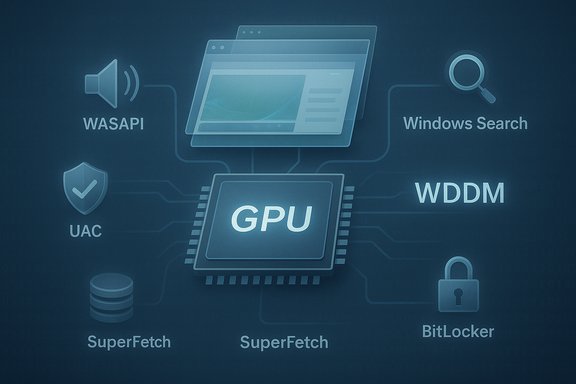 Background / Overview
Windows Vista reached release milestones late in 2006 and into January 2007, shipping after a protracted development cycle that reset several times and trimmed ambitious Longhorn-era plans. Microsoft positioned Vista as a security- and media-forward successor to Windows XP, but the launch’s harsh compatibility and performance headlines obscured substantial engineering work under the hood. Official messaging and contemporary coverage confirm Vista’s business availability in November 2006 and broad consumer availability on January 30, 2007. Those architectural changes fall into two categories: user-visible features that defined public perception (Aero, glass effects, Flip 3D) and deeper foundational technologies—driver models, audio and search platforms, security mitigations, and caching subsystems—that were evolutionary investments and later became the bedrock of Windows. This article revisits the most consequential of those technologies, verifies their origins and purpose with independent sources, and assesses why many of them have been forgotten even though their technical legacies persist.The GPU-first desktop: WDDM, DWM and Direct3D 10
What changed
Vista introduced the Windows Display Driver Model (WDDM) and the Desktop Window Manager (DWM), enabling a composited, GPU-accelerated desktop and support for Direct3D 10. Those pieces moved Windows from a CPU-centric painting model to a modern GPU-first rendering architecture with per-process GPU virtual memory, preemptive GPU scheduling, and better fault isolation.Why it mattered
The architectural separation (user-mode and kernel-mode components, virtualized GPU memory) made it possible to compose the desktop in GPU memory and recover from driver faults without taking down the entire session. Effects such as transparency, live thumbnails, Flip 3D, and smooth animations were not mere cosmetics — they were byproducts of an engine that enabled richer UI composition and smoother graphics across apps and games. Microsoft’s WDDM documentation and independent retrospectives both treat the change as foundational rather than superficial.Tradeoffs and timeline
The long-term gain came at short-term cost: WDDM required vendor driver rewrites, and early driver immaturity contributed to instability and performance complaints that shaped Vista’s reputation. Over subsequent releases Microsoft iterated the model (WDDM 1.1 in Windows 7, later revisions in Windows 8/10/11), but the core design introduced in Vista remains the backbone of Windows graphics.Audio reborn: WASAPI, UAA and APOs
What Vista added
Vista completely reworked the Windows audio stack. The Windows Audio Session API (WASAPI) provided per-application audio sessions with shared and exclusive modes, the Universal Audio Architecture (UAA) standardized high‑definition audio class drivers, and Audio Processing Objects (APOs) provided a hostable effect pipeline for global and per-session audio processing. This replaced the older KMixer-driven kernel-mode pipeline and moved mixing and processing largely into user mode.Why it mattered
For the first time in many years, Windows provided an audio architecture designed for low-latency recording, precise per-application volume, and reliable mixing without forcing third-party drivers into kernel mode. That helped audio applications, professional workflows, and modern multimedia scenarios while improving system resilience (audio faults in user mode are less likely to cause blue screens). Modern Windows audio subsystems are direct descendants of Vista’s design choices.Practical limits
The rewrite created compatibility work for hardware vendors and required new driver certification. As with the graphics shift, the immediate compatibility friction was painful, but the architecture matured and persists.Smarter caching: SuperFetch and ReadyBoost
What Vista added
Vista extended XP’s Prefetcher into SuperFetch, which analyzes long-term usage patterns and proactively primes memory with frequently used pages. It also introduced ReadyBoost, which allowed flash memory (USB sticks, SD cards) to serve as an opportunistic block-cache for small random reads on systems with slow hard drives. These features were meant to change perceived responsiveness without mandatory hardware upgrades.Why it mattered
At a time when many consumer PCs shipped with limited RAM and mechanical HDDs, SuperFetch and ReadyBoost could materially reduce application launch times and I/O stalls. ReadyBoost in particular was a pragmatic, low-cost way to exploit flash’s superior random-read characteristics to improve responsiveness on constrained systems.When they faded
Their relevance diminished as cheap RAM proliferated and SSDs became common. SuperFetch’s behavioral memory management survived and evolved into later heuristics, but ReadyBoost became niche once SSDs removed HDDs’ random-read bottleneck. Still, both features are examples of policy and subsystem design that made Windows adaptive to installed hardware.Search goes native: Windows Search and integrated indexing
What Vista added
Vista built the indexing platform — Windows Search — into the OS, replacing prior Indexing Service variants and integrating instant, indexed search into the Start menu and Explorer. The SearchIndexer service indexed filenames, properties and file contents and exposed extensible filters and protocol handlers for broad coverage.Why it mattered
Search moved from an optional add-on to a core service. The responsiveness of pressing Start and typing a filename or document term became a baseline expectation because the indexer could provide near-instant results. The design also created an extensible platform for future search innovations and, decades later, still underpins local search experiences.A regulatory footnote
The integrated search feature drew antitrust scrutiny and resulted in later adjustments to allow users to choose alternate desktop search providers — a reminder that deep OS-level integration can have regulatory as well as technical consequences.Security re-architected: UAC, ASLR, service hardening, BitLocker
User Account Control (UAC)
UAC changed the privilege model by having administrator accounts run by default with standard tokens and prompting for elevation when needed. It forced a cultural change — developers and users had to avoid “always run as admin” assumptions — and began a trajectory toward least privilege by default. Early UAC prompts were criticized for being noisy; later Windows releases refined prompting behavior and policies.Address Space Layout Randomization (ASLR)
Vista introduced ASLR for system components and added opt‑in support for third-party binaries via the DYNAMICBASE flag. The OS also randomized heap and stack allocations to hinder classic memory‑corruption exploits. Implementation limitations (32‑bit address-space constraints and opt-in requirements) reduced effectiveness compared with later, more pervasive mitigations, but ASLR marked a major platform shift toward baked-in exploit mitigations.Windows service hardening and kernel protections
Vista introduced service hardening (restricting service privileges), expanded DEP/NX controls integration, and — on 64‑bit SKUs — kernel patch protection and driver-signing policies that raised the bar for kernel tampering and rootkit techniques. Those measures collectively reflected a move to defense-in-depth across user and system boundaries.BitLocker: built‑in full-disk encryption
BitLocker, delivered in Vista’s higher SKUs, provided OS-integrated full-volume encryption tied to TPM and secure-boot integrity checks. Initially enterprise-focused and requiring TPM or configuration steps, BitLocker normalized full-disk encryption as an OS capability and set the stage for device encryption practices in later Windows generations.Printing and documents: XPS and the new print path
XML Paper Specification (XPS)
Vista shipped Microsoft’s XML Paper Specification (XPS) and an XPS Viewer, and it rewrote the print pipeline around the XPS spool and rendering model. XPS was intended as a Windows-native fixed-layout format analogous to PDF and later became the basis for the OpenXPS standard.Why it’s forgotten
Although technically sound, XPS never displaced PDF across platforms. Its adoption remained largely Windows-centric, so it’s easier to forget as a cross-platform document standard even though XPS continues to be supported in Windows and in some printing workflows.The feature that never arrived: WinFS and the cost of ambition
The promise
Longhorn-era plans included WinFS, a unified, relational database-like file system intended to make structured data, rich queries and metadata-first experiences a first-class part of the OS. Longhorn’s ambition was to rewrite how applications addressed stored data and to pair a new file model with WinFX, Avalon (WPF) and Indigo (WCF).The reality
WinFS proved technically challenging and heavily dependent on concurrent changes (managed-code CLR integration, new shell designs). As Longhorn was reset and the product re-scoped, WinFS was postponed and ultimately shelved; the work that could be salvaged was folded into other platforms or left for later research. The cancellation shows an important lesson: tightly coupled, cross-cutting platform bets magnify risk, and when one pillar slips, others may be forced to adapt or be dropped.The legacy
Although WinFS never shipped as originally planned, some ideas influenced later search, indexing, metadata and storage designs — but the original WinFS vision remains an often-cited “what if” in Windows history.Forgotten vs. persistent: a critical analysis
What Vista did well (and why that’s underappreciated)
- Architectural modernization: WDDM + DWM moved the desktop to the GPU in a durable way; that model scales across generations.
- Platform audio and search: WASAPI/UAA/APOs and Windows Search created serviceable, extensible subsystems that modern Windows still uses as the foundation.
- Security baseline: UAC, ASLR, service hardening and BitLocker pushed security from optional to default architecture. These measures materially raised the bar against common attack classes and informed later refinements.
Where Vista’s rollout failed perception
- Ecosystem readiness: Requiring new driver models and new hardware expectations (WDDM, UAA) created transitional instability; the ecosystem didn’t move in lock-step, and customers often blamed the OS for hardware or vendor-driver shortcomings.
- UX friction with security: UAC’s early annoyance led many to disable it completely; the lesson was that security must be powerful and carefully designed to avoid habituation.
- Overambition: Features like WinFS demonstrate the risk of tightly interdependent platform bets; when the core assumptions changed, some pillars had to be cut.
Which features were niche or time-limited
- ReadyBoost: Brilliant for the HDD-era, but functionally redundant once SSDs and cheap RAM arrived.
- XPS: Technically competent but failed to unseat PDF as a cross-platform standard; still present in Windows but largely forgotten outside specific workflows.
Verifications, caveats and unverifiable claims
- Major technical claims in this article (WDDM/DWM origin, WASAPI/UAA, SuperFetch/ReadyBoost, Windows Search, ASLR, BitLocker, XPS) are verifiable via Microsoft documentation and long-form technical reviews. Microsoft’s WDDM design guides and the Windows Search platform histories explicitly trace origins to Vista.
- Cross-referencing: the graphics and audio claims are corroborated by Microsoft Learn pages and independent technical reporting (Ars Technica, retrospective coverage), satisfying the standard of at least two independent sources for the most load-bearing statements.
- Unverified or dubious provenance claims should be treated with caution. For example, forum-level assertions that BitLocker was acquired from a company named “Intrinsik” lack reliable documentary evidence in primary Microsoft materials; such provenance claims remain unproven and are flagged here as not verified.
- Temporal caveats: performance benefits for ReadyBoost depend heavily on the device and storage configuration; ASLR effectiveness in Vista was limited by 32‑bit addressing and opt-in requirements; UAC’s UX evolved in later Windows releases. These are documented limits and important context for evaluating each feature’s long-term impact.
Practical takeaway for Windows users and enthusiasts
- When evaluating historic platform changes, distinguish visible features (Aero, Sidebar, new icons) from foundational technologies (driver models, audio/search/security programs). The latter can outlive the UX trends and quietly become the default plumbing of later systems.
- Many of Vista’s forgotten technologies are still relevant: modern Windows’ composited desktop, audio engine, search indexer, and several security mitigations trace lineage back to Vista changes. Removing that lineage from the narrative understates how much of modern Windows’ behavior was set in motion during that release.
- The Vista story is a template for platform engineering tradeoffs: aggressive, coordinated changes can unlock capability but require careful ecosystem management — driver vendors, ISVs, and user-facing UX need a path to adopt the new baseline without breaking the installed base.
Conclusion
Windows Vista’s public reception focused on the visible: glass, sluggish installs, and intrusive prompts. Those narratives obscured a deeper reality: Vista was a major platform reset that introduced enduring foundational technologies — from WDDM and DWM for GPU-driven composition, to a modernized audio stack (WASAPI, UAA, APOs), to indexed Windows Search, to security primitives such as ASLR and BitLocker. Some features, like WinFS, never reached production; others, like ReadyBoost, were pragmatic stopgaps that faded as hardware evolved. The net effect is that Vista’s technical DNA still lives on across Windows releases, even when the operating system itself remains a cultural punchline. Re-examining Vista shows how platform evolution often succeeds quietly: the most important changes show up not in the marketing, but in the infrastructure that makes future UX and security possible.Source: baonghean.vn https://baonghean.vn/en/windows-vista-nhung-cong-nghe-nen-tang-quan-trong-bi-lang-quen-10310681.html
