

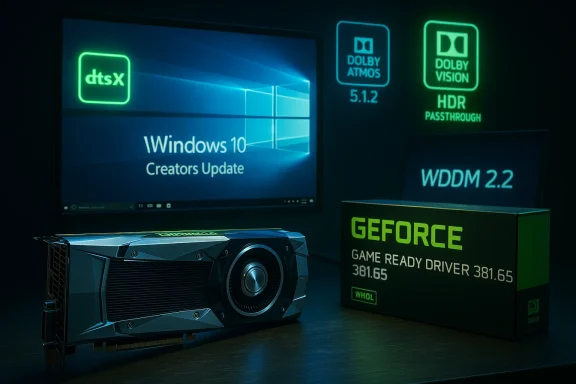
GeForce 381.65 arrived at a pivotal moment in the Windows ecosystem, when NVIDIA, Microsoft, and game publishers were all trying to align a fast-moving graphics stack with the launch of Windows 10 Creators Update. It was a WHQL-certified Game Ready driver released on April 6, 2017, with NVIDIA positioning it as the best option for players jumping into Quake Champions Closed Beta while also preparing systems for the new Windows release that landed just days later. In hindsight, 381.65 is interesting not because it was the biggest driver ever shipped, but because it sat at the intersection of game optimization, new OS graphics plumbing, and an early push toward HDR-capable desktop gaming. (nvidia.com)
Background — full context
The GeForce 381.65 branch belonged to NVIDIA’s long-running practice of releasing Game Ready drivers ahead of major game launches and operating system milestones. NVIDIA described Game Ready drivers as releases tuned up to the last minute for day-one performance and bug fixes, and for 381.65 the headline use case was the Quake Champions Closed Beta. On the NVIDIA driver page, the company also made clear that this release was recommended for users installing Windows 10 Creators Update, which was then about to roll out to consumers on April 11, 2017. (nvidia.com)The Creators Update mattered because it brought a set of graphics and display changes that were more consequential than they first looked. Microsoft’s April 2017 launch notes framed the update as a broad platform release with gaming innovations, while NVIDIA’s own release messaging emphasized support for the new OS as part of the driver’s value proposition. That is where terms like WDDM 2.2 entered the conversation: Creators Update corresponded to Windows 10 build 15063, which Microsoft later documented as the version that introduced WDDM 2.2-related functionality in the display stack. (blogs.windows.com)
Another layer of importance was HDR. In 2017, HDR support on Windows was still in its early phase, but the platform was beginning to formalize detection and display handling for HDR-capable panels. Microsoft’s later documentation for DXGI 1.6 notes that Windows 10 version 1703, the Creators Update, added functionality to detect HDR displays. That does not mean every game instantly became HDR-ready, but it does mean driver quality mattered more than before: the operating system, GPU driver, panel capabilities, and game pipeline all had to cooperate. (learn.microsoft.com)
The original Born2Invest article that circulated around the driver release treated 381.65 as a notable update because it bundled game readiness with forward-looking display support. That framing was not wrong. In 2017, users were no longer buying drivers only to get a few extra frames per second. They were buying into a broader promise: better compatibility, new OS features, smoother screen handling, and the first real steps toward high dynamic range gaming on Windows. (nvidia.com)
What 381.65 actually changed
A Game Ready release centered on Quake Champions
The clearest and most verifiable part of the release is its Game Ready status for Quake Champions Closed Beta. NVIDIA’s launch post says the new 381.65 WHQL drivers were optimized for the beta, which is exactly the sort of target Game Ready drivers are designed to serve. For a high-framerate competitive shooter, even small changes in latency, shader compilation behavior, or frame pacing could matter to players. (nvidia.com)WHQL certification and why it mattered
The WHQL label is not marketing glitter; it signals that the driver passed Microsoft’s Windows Hardware Quality Labs certification process. For users, that usually meant fewer compatibility fears and a stronger sense that the package was fit for broad deployment. In 2017, when Windows 10 was changing the graphics stack quickly, WHQL validation was especially reassuring for people who wanted to update without stepping into an experimental branch. (nvidia.com)Support for the Windows 10 Creators Update
NVIDIA explicitly recommended the driver for users installing the Windows 10 Creators Update, and that recommendation was sensible because Creators Update was a transitional release for graphics and gaming features. Microsoft’s own launch material showed that the update was intended to improve gaming, broadcast, and creative workflows, which meant the driver had to function cleanly across both traditional gaming workloads and the new OS expectations. (nvidia.com)A workstation sibling in the same branch
The same 381 release branch also had a Quadro flavor, labeled R381 U1 (381.65). NVIDIA described it as a Quadro New Feature driver containing the latest branch functionality and targeted at early adopters of the Creators Update. That matters because it confirms 381.65 was not a random one-off gaming package; it was part of a coordinated branch update spanning consumer and professional graphics users. (nvidia.com)Notebooks, desktops, and broad legacy coverage
NVIDIA’s driver page shows support extended across a wide range of GeForce notebook GPUs, from GeForce 10 series mobile parts all the way back through older generations. That broad compatibility reflects an important reality of 2017 NVIDIA driver strategy: the company still had to serve a huge installed base of older hardware while simultaneously adapting to new OS and display technologies. (nvidia.com)WDDM 2.2 in plain English
What WDDM is
WDDM stands for Windows Display Driver Model, the framework Microsoft uses for GPU drivers on Windows. Each major revision changes how the operating system and graphics driver coordinate memory, scheduling, display, and presentation. By the time Windows 10 Creators Update arrived, Microsoft had advanced the model again, and the driver ecosystem had to keep pace. (learn.microsoft.com)Why WDDM 2.2 mattered in 2017
WDDM 2.2 was associated with the Creators Update generation of Windows 10, and its arrival signaled that the platform was maturing beyond the first Windows 10 graphics architecture. The practical value was not simply “version numbers go up,” but that the OS gained improvements in display behavior, efficiency, and support for newer graphics scenarios. That is especially relevant for gaming PCs and notebooks that were expected to switch smoothly between fullscreen, windowed, and HDR-capable experiences. (learn.microsoft.com)The driver’s role in making WDDM useful
A GPU driver does not just “support” WDDM in a checkbox sense; it implements the hooks that let Windows use the model properly. That means if the operating system adds new display detection logic, new desktop composition paths, or updated presentation behavior, the driver must cooperate or the experience becomes unstable. In that sense, the value of 381.65 was partly invisible: it was the plumbing that made the Creators Update graphics stack usable in the real world. (nvidia.com)Legacy hardware, modern OS
One of the hardest things about a driver transition like this is that a single package must accommodate both the latest cards and older notebooks. NVIDIA’s 381.65 release page lists a substantial set of supported notebook GPUs, showing just how much compatibility work a mainstream driver still had to do in the Windows 10 era. That broad support helped make the Creators Update feel like a platform upgrade rather than a hardware replacement cycle. (nvidia.com)HDR support: the feature that hinted at the future
HDR was still early on Windows
Today HDR gaming feels normal enough that we can forget how experimental it felt in 2017. At the time, Windows was only beginning to expose the system-level machinery required for HDR display detection and handling. Microsoft later documented that Windows 10 version 1703 added HDR display detection support in DXGI 1.6, which places 381.65 right in the first wave of drivers meant to work alongside that new capability. (learn.microsoft.com)What HDR support meant for users
For the average user, HDR support meant the driver had to help the PC recognize HDR-capable displays and maintain compatibility as apps and the desktop moved between SDR and HDR contexts. It did not guarantee that every title looked better instantly, but it helped lay the groundwork for richer contrast, brighter highlights, and more lifelike image rendering when paired with suitable displays and content. (learn.microsoft.com)Why driver quality was especially important
HDR is unforgiving when the stack is brittle. If the driver mishandles color spaces, display handoff, or refresh timing, the result can be washed-out images, flicker, or inconsistent brightness. That is why 381.65’s role should be understood as enabling infrastructure rather than a single “HDR on/off” switch. The driver had to cooperate with Microsoft’s updated platform and with whatever early HDR-capable panels users were beginning to buy. (learn.microsoft.com)The long road from 2017 to present-day HDR
NVIDIA’s later work underscores how incremental this journey was. Years after 381.65, NVIDIA continued to expand HDR-related features such as RTX HDR and multi-monitor support in the NVIDIA app and GeForce Game Ready drivers. That arc suggests 381.65 was an early waypoint, not a final destination. The modern HDR feature set exists because the company kept iterating on the same basic idea: make Windows gaming and display behavior more capable without making the user fight the stack. (nvidia.com)The Creators Update connection
Microsoft was changing more than the wallpaper
Windows 10 Creators Update is often remembered for surface-level consumer features like 3D apps and broadcast tools, but for graphics users the deeper story was platform modernization. Microsoft’s release messaging highlighted gaming innovations, improved support for the Windows Game bar in full-screen mode, and a broader push to make Windows a better foundation for new creative and gaming workloads. (blogs.windows.com)Why NVIDIA recommended a driver update
NVIDIA’s recommendation to install 381.65 alongside Creators Update was a prudent compatibility move. Major Windows releases frequently shift the graphics stack in ways that expose bugs in older drivers, and NVIDIA was clearly trying to get ahead of that transition. The company even noted on its Quadro branch page that the release was targeted toward early adopters of Creators Update. (nvidia.com)The practical user experience
For a typical enthusiast, the advice was simple: if you were installing the new Windows release, update the GPU driver at the same time. That reduced the odds of display glitches, game launch issues, or odd behavior with newly enabled features. The fact that NVIDIA published separate consumer and professional branches reinforces the idea that this was a genuine platform transition, not just a routine point release. (nvidia.com)Game broadcasting and creative workflows
Creators Update also mattered because it broadened Windows gaming beyond gameplay alone. Microsoft promoted broadcast and creative tools, and NVIDIA’s driver work had to keep pace with those new use cases. The more the desktop became a place to record, stream, capture screenshots, and use overlays, the more a driver’s stability mattered outside the game window. (blogs.windows.com)Game Ready in the NVIDIA sense
More than performance tuning
The term Game Ready can sound like a simple performance badge, but NVIDIA’s own wording makes it clear the goal was broader: day-one optimizations, bug fixes, and platform readiness for major titles. In 381.65, the immediate title was Quake Champions Closed Beta, but the underlying philosophy was to ship a driver that felt aligned with current hardware, current OS releases, and current games all at once. (nvidia.com)The value of day-one support
For users, the real question was not whether a driver contained a giant new feature. It was whether the driver would let a new game start, run smoothly, and behave correctly on launch day. In competitive shooters, a bad driver can show up as input lag, stutter, or outright instability; in creative workflows, it can show up as capture failures or display oddities. Game Ready releases exist to minimize those risks. (nvidia.com)Why WHQL and Game Ready worked together
A Game Ready driver without broad validation can feel risky. WHQL certification added a layer of trust that made 381.65 more attractive to mainstream users and IT admins who needed to keep systems stable. The combination of Game Ready and WHQL was powerful because it told users that NVIDIA wanted both speed and confidence. (nvidia.com)The broader NVIDIA driver strategy
The same strategy continues in modern driver releases, where NVIDIA still ties updates to game launches, display support, and RTX features. That continuity helps explain why 381.65 is worth revisiting. It is an early example of the model NVIDIA still uses today: ship when the ecosystem changes, not merely when the calendar says it is time. (nvidia.com)Where 381.65 fit in NVIDIA’s product line
Consumer GeForce branch
On the consumer side, 381.65 was the public-facing GeForce Game Ready driver for Windows 10 32-bit in the cited NVIDIA listing, released on April 6, 2017. It was positioned as the download users should grab through GeForce Experience or from NVIDIA’s driver site if they wanted the latest supported package. (nvidia.com)Quadro branch parallel
The Quadro branch, meanwhile, showed that the same release family had workstation implications. NVIDIA framed Release 381 as a new feature branch for workstation environments, with support for Windows 10 Creators Update and a caution that enterprise users should wait for the next ODE branch for broad deployment. That is a classic split between bleeding-edge capability and long-term stability. (nvidia.com)Why that split matters
The split matters because it reveals how NVIDIA thought about driver value in 2017. Gamers wanted the latest title support right away; workstation users wanted predictable behavior and feature continuity. A single branch could serve both audiences, but only if the release notes were clear about who it was for and who should wait. (nvidia.com)The notebook angle
The notebook support list is also revealing. Driver rollouts in that era had to cover mobile GPUs with all their OEM quirks, power states, and hybrid graphics issues. NVIDIA even noted notebook-specific exceptions and reminded users that OEM-certified drivers might be preferable on certain systems. That kind of caution is easy to ignore, but it was essential to making a broad release like 381.65 practical. (nvidia.com)Why the original article still gets attention
It captured an inflection point
The Born2Invest piece resonated because it appeared at a moment when driver updates were becoming more strategic. Users were no longer just tracking whether a release fixed a single game. They were watching for OS support, display evolution, and hints about the next era of PC visuals. (nvidia.com)It blended game and platform news
That mix of game readiness, WDDM 2.2, and HDR support is precisely what made the story notable. Even if many users installed the driver simply to play Quake Champions, the wider significance was that it aligned NVIDIA with Microsoft’s next graphics baseline. (nvidia.com)It reflected the early HDR conversation
In 2017, HDR on Windows was still being defined in real time. Articles like this helped translate technical platform changes into practical advice for enthusiasts. The headline framed the driver as something more than a patch: it was a marker of where PC gaming was heading. (learn.microsoft.com)It remains useful historically
A lot has changed since then, but the story is still a useful historical marker because it shows how the modern driver cycle evolved. In the 2020s, NVIDIA’s driver releases regularly tie together game support, HDR features, display validation, and app integration. GeForce 381.65 was part of the early architecture of that strategy. (nvidia.com)Strengths and Opportunities
Strengths
- Clear game targeting for Quake Champions Closed Beta. (nvidia.com)
- WHQL certification gave the release mainstream credibility. (nvidia.com)
- Creators Update readiness reduced the risk of OS upgrade problems. (nvidia.com)
- Early HDR-era alignment positioned NVIDIA for the next display wave. (learn.microsoft.com)
- Broad notebook support helped a large installed base move forward. (nvidia.com)
- Parallel Quadro branch planning showed disciplined product segmentation. (nvidia.com)
- Strategic timing with Windows 10 Creators Update made the release more relevant than a routine point update. (blogs.windows.com)
Opportunities
- Better messaging around HDR capabilities could have educated users faster.
- More direct explanation of WDDM changes would have helped enthusiasts understand why the update mattered.
- Expanded release-note detail might have reduced confusion around notebook exceptions.
- Tighter integration with display validation could have eased the transition to HDR monitors.
- More visible tooling for gamers and streamers would have matched the Creators Update’s creative ambitions.
- Clearer cross-reference to the Windows update cadence could have encouraged cleaner driver/OS pairing.
- Earlier guidance for OEM notebook owners could have reduced support friction.
Risks and Concerns
Risks
- Operating system transitions are brittle, and early Windows 10 feature updates could expose driver edge cases. (nvidia.com)
- HDR was immature in 2017, so users could misinterpret “support” as fully polished end-to-end behavior. (learn.microsoft.com)
- Legacy hardware coverage increases complexity, especially across notebook and OEM-specific configurations. (nvidia.com)
- Competitive gamers are sensitive to regressions, so a Game Ready release always carries reputational risk if a popular title misbehaves. (nvidia.com)
- Professional users need stability more than novelty, which is why NVIDIA had to separate consumer and Quadro guidance. (nvidia.com)
Concerns
- “Supported” does not always mean “fully optimized.” That distinction matters in early HDR-era drivers.
- A WHQL badge is reassuring, but not a guarantee of a flawless experience on every notebook or OEM build.
- Feature enthusiasm can outpace user understanding, especially when new Windows capabilities arrive in the same month as a game driver.
- Mixed messaging is always a hazard when a release serves both gamers and professionals.
- Older systems may be left behind even when the driver technically supports them, because the platform trend is moving forward.
What to Watch Next
The driver-platform cycle
The biggest thing to watch after releases like 381.65 is whether the pattern repeats: a new Windows capability appears, NVIDIA aligns a driver branch to it, and the ecosystem slowly normalizes the feature. That cycle would become familiar in later years as NVIDIA tied drivers to DLSS, Reflex, RTX HDR, and multi-monitor workflows. (nvidia.com)HDR maturation
HDR support on Windows has been a gradual story, and the early days were about getting the basics right. What came later—better source handling, easier toggles, more flexible app support—built on the foundational work that releases like 381.65 helped establish. (learn.microsoft.com)Windows feature updates and GPU drivers
Whenever Microsoft ships a major feature update, GPU vendors face the same challenge: ensure the graphics stack remains stable while still exposing the new platform features. The Creators Update era is a textbook case of why those coordination efforts matter. (blogs.windows.com)The long memory of driver history
Most users forget the exact driver version they installed years ago. Yet releases like 381.65 are worth remembering because they capture the moment when PC gaming became more than an FPS race. It was also becoming a display-quality race, a compatibility race, and a platform-integration race. (nvidia.com)GeForce 381.65 was never just another incremental driver. It was a bridge release: a WHQL-certified Game Ready update for a major beta test, a practical companion to Windows 10 Creators Update, and an early step toward the HDR and modern display expectations that would define the years that followed. If it did not look revolutionary at the time, that was because its job was more fundamental—quietly preparing the ground so the next wave of PC gaming could arrive without the floor falling out from under it.
Source: born2invest.com https://born2invest.com/?b=style-229973312/
Last edited:
