

Microsoft’s habit of killing and resurrecting desktop widgets has become less a product-development story and more a case study in indecision: from Active Desktop through Vista/7 Gadgets to Windows 8’s Live Tiles and the modern Windows 11 Widgets board, the same idea — putting dynamic, glanceable content on the PC desktop — keeps coming back despite repeated user frustration, security scares, and structural mismatches with how people actually use a PC.
For three decades Microsoft has repeatedly tried to graft a mobile-style “at-a-glance” layer onto the Windows desktop. Each generation arrived with different technologies and promises: HTML and ActiveX-powered content in the 1990s, gadget mini-apps in the Vista era, Live Tiles in Windows 8, and today’s WebView2-backed Widgets board in Windows 11. Each incarnation has failed for overlapping reasons: poor fit with traditional desktop workflows, exploitable architectures, and — increasingly — an economic motive that drives system-level promotion of algorithmic news and search referrals.
This article walks the full arc of those attempts, explains why they keep resurfacing, analyzes the technical and security trade-offs of the modern implementation, and offers practical guidance for users and enterprise IT teams who want a lean, safer desktop experience.
By mid-2012 Microsoft publicly warned customers about vulnerabilities in the Windows Desktop Gadgets platform and released guidance and automated mitigations to disable it. Security authorities flagged gadgets as an attack vector, and Microsoft removed the platform from supported Windows versions shortly thereafter. The removal was a responsible, if belated, acknowledgement that a desktop surface cannot be treated like a free web page with system-level trust.
Every time Microsoft tries to merge mobile-first interaction patterns into the shell without fully reconciling the PC’s unique affordances, the result is the same: disruption to workflows, security regressions, or both. Conversely, when the company treats the desktop as a tool first and a platform second, user confidence grows and features are more likely to stick.
For users: be skeptical and pragmatic. Disable what you don’t need, and insist on workplaces where productivity and security trump algorithmic noise.
For Microsoft: learn the lesson of decades of feedback. Build modular, low-footprint microtools that respect system resources and user choice. If the company wants dynamic content on the desktop, let it be a tool for focused work — not a billboard optimized for clicks.
The desktop doesn’t need to be a dashboard. It’s a workspace. Treat it that way.
Source: How-To Geek Microsoft keeps canceling and reviving this unpopular Windows feature
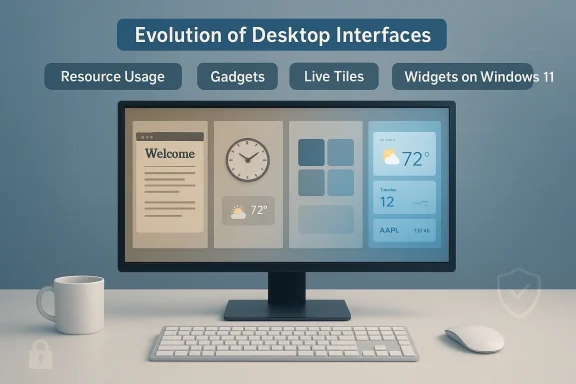 Background / Overview
For three decades Microsoft has repeatedly tried to graft a mobile-style “at-a-glance” layer onto the Windows desktop. Each generation arrived with different technologies and promises: HTML and ActiveX-powered content in the 1990s, gadget mini-apps in the Vista era, Live Tiles in Windows 8, and today’s WebView2-backed Widgets board in Windows 11. Each incarnation has failed for overlapping reasons: poor fit with traditional desktop workflows, exploitable architectures, and — increasingly — an economic motive that drives system-level promotion of algorithmic news and search referrals.This article walks the full arc of those attempts, explains why they keep resurfacing, analyzes the technical and security trade-offs of the modern implementation, and offers practical guidance for users and enterprise IT teams who want a lean, safer desktop experience.
A short history of widgets on Windows
Active Desktop: the first detour toward a web-connected desktop
In the late 1990s Microsoft introduced Active Desktop, a feature that let users display HTML content directly on the desktop. It was ambitious: web content as part of the shell. But the web then relied on browser plugins and ActiveX controls that were notoriously brittle and dangerous. Active Desktop faded as browsers evolved and user expectations about desktop stability took priority.Gadgets and Windows Sidebar: convenience turned liability
Microsoft revived the idea with the Windows Sidebar and Desktop Gadgets in the Windows Vista and Windows 7 era. Gadgets offered small, single-purpose tools — clocks, weather, CPU meters — and for many users they were genuinely useful at first. But the architecture was fatally permissive: gadgets were essentially HTML/JS/CSS applets running with the user’s privileges. That created a remote-code-execution path attackers could weaponize.By mid-2012 Microsoft publicly warned customers about vulnerabilities in the Windows Desktop Gadgets platform and released guidance and automated mitigations to disable it. Security authorities flagged gadgets as an attack vector, and Microsoft removed the platform from supported Windows versions shortly thereafter. The removal was a responsible, if belated, acknowledgement that a desktop surface cannot be treated like a free web page with system-level trust.
Live Tiles and Windows 8: the UX mistake that burned for years
With Windows 8 Microsoft made a brash design choice: replace the classic Start experience with a tile-driven Start screen optimized for touch. Live Tiles were meant to show up-to-the-minute data without opening apps. The problem was twofold: the touch-first interface was ill-suited to keyboard-and-mouse users, and developer support for rich, reliable tile content lagged. Many desktop users found the Start screen disorienting and the tiles noisy or unreliable. Microsoft reversed course in Windows 10 and later removed live tiles altogether in Windows 11, but the experiment left a lasting scar: the company’s vision of a unified mobile/desktop experience clashed with real-world desktop workflows.Widgets in Windows 11: a modern comeback with familiar problems
Windows 11 reintroduced a widgets panel: an overlay that surfaces weather, news, sports, and small applets. The technical underpinnings differ from gadgets — modern widgets are rendered through a WebView host that uses Microsoft Edge’s rendering stack — but many of the same problems remain. Widgets are often buried under full-screen work, they can consume system resources even when unused, and the panel’s content heavily leans on algorithmic news and Microsoft’s own MSN/Bing ecosystem rather than strictly useful productivity tools.Why the idea keeps returning: strategic motives and cognitive mismatches
Microsoft’s persistence in iterating on desktop widgets stems from three overlapping impulses.- Product vision alignment: Microsoft has long tried to blur the line between PC and phone, seeking continuity across devices and an always-updating “surface” that keeps users connected.
- Engagement and monetization: delivering news, promoted content, or search referrals from the desktop opens opportunities to increase time-on-platform and ad/search revenue.
- Platform control: system-level widgets let Microsoft present curated experiences and collect telemetry in environments where third-party apps would otherwise dominate.
- The desktop is visible for a few seconds at login and again at logout; it’s not a constant information surface.
- Users often have dozens of windows, tabs, and maximized apps; a small sidebar of dynamic content is easily obscured.
- Many users tolerate only minimal background processes; features that run hidden processes just to supply intermittent content are perceived as bloat.
The technical reality behind modern widgets: WebView2, background processes, and memory
The modern Widgets board is implemented using a WebView host that leverages the same rendering engine as Microsoft Edge. That choice creates important technical implications.- Each WebView2 instance spawns multiple browser-related processes (browser, renderer, GPU), so resource usage grows with the number of instances and the complexity of content. Microsoft’s WebView2 guidance explicitly notes that multiple instances increase memory and process overhead and recommends sharing a single runtime environment to reduce footprint.
- System components that rely on WebView2 can therefore keep Edge’s rendering subsystems alive even when the user isn’t interacting with them. That’s why users sometimes see msedgewebview2 or similar processes running in the background and consuming hundreds of megabytes of RAM.
- Several user reports and community threads document cases where Widgets, Chat, or third-party apps wrapped in WebView2 spin up background processes that persist after dismissal and can spike memory usage under some conditions.
Security and privacy: why desktop widgets attract risk
History shows that putting web-enabled applets in the shell is a high-risk proposition.- Privilege surface: early gadgets essentially executed web content with the user’s privileges. A malicious gadget or a compromised feed could execute arbitrary code. That risk was real enough for Microsoft to warn customers and recommend disabling the platform in 2012.
- Supply-chain and injection threats: widgets that consume algorithmic feeds or remote content expose the shell to content manipulation. Ad injection, misinformation, or crafted payloads that exploit rendering or script engine bugs can escalate from nuisance to system compromise.
- Privacy trade-offs: a feed-heavy widget panel that surfaces personalized content requires telemetry, interests, and sometimes cross-service linking. For privacy-conscious users and enterprises, that telemetry is not neutral — it’s a potential leak of workspace context and usage signals.
The UX problem: widgets are not mobile home screens
A core reason widget experiments fail on PCs is a simple cognitive mismatch between mobile and desktop behavior.- On a phone, users return to the home screen dozens or hundreds of times a day. Glanceable widgets on a phone are seen and used continually.
- On a PC, users often log in once, open apps, and then work in full-screen or windowed environments for long stretches. The desktop is rarely the focal interaction point.
- Desktop workflows prioritize dense information, fast window switching, and keyboard-driven navigation. Live tiles and widget feeds reward ephemeral browsing and passive consumption — a poor fit for focused productivity.
Business incentives: when features look like channels
There’s a candid explanation for why Microsoft keeps returning to this idea: widgets are a distribution channel.- Algorithmic feeds can promote Microsoft’s content partners and route clicks to Microsoft’s search and ad networks.
- Widgets can be a preinstalled, system-level touchpoint for Microsoft services such as news, weather, and search.
- Keeping users within Microsoft’s surfaces increases opportunities for cross-promotion and data collection.
Practical advice for users and administrators
If you find the Widgets experience intrusive, resource-hungry, or politically fraught, there are sensible mitigations.- Disable or hide the Widgets UI: for many users, hiding the Widgets button in the taskbar settings prevents automatic startup and reduces background WebView2 processes.
- Remove the widget host package: advanced users can remove or disable the widget package via package management or PowerShell commands (exercise caution and understand enterprise policies).
- Use Group Policy or MDM controls in managed environments: IT teams can disable Widgets and similar components centrally to reduce attack surface and telemetry exposure.
- Control the feed and personalization: where possible, limit personalization and sign-ins tied to the widget feed to reduce data sharing.
- For hard control over link opening: third-party utilities exist that can intercept and redirect calls that would otherwise open Microsoft Edge. These tools can restore the expected default-browser behavior in certain scenarios, though they add complexity and their own maintenance considerations.
What Microsoft could do differently — if the company really wants widgets to succeed
If Microsoft is genuinely committed to a useful, non-intrusive widgets story on the desktop, the company needs to address three core problems: relevance, resource efficiency, and trust.- Relevance: focus on productivity-first microapps rather than algorithmic feeds. Think of small, purpose-built tools (timers, clipboard history, pinned notes, quick system monitors) that genuinely save clicks.
- Resource efficiency: stop treating widgets as web pages and instead build a lean native host for system micro-apps. Where WebView2 is necessary, share runtime environments and aggressively minimize background residency.
- Trust and transparency: make personalization opt-in, clearly explain what data is collected, and provide enterprise-grade controls. Don’t put search or ad revenue optimization above user choice.
The recurring paradox: innovation vs. stewardship
Windows is both a platform for innovation and a steward of user productivity. The widget saga is a mirror of Microsoft’s larger tension: the desire to modernize and monetize on one hand, and the responsibility to preserve the desktop as a calm, reliable workspace on the other.Every time Microsoft tries to merge mobile-first interaction patterns into the shell without fully reconciling the PC’s unique affordances, the result is the same: disruption to workflows, security regressions, or both. Conversely, when the company treats the desktop as a tool first and a platform second, user confidence grows and features are more likely to stick.
Final analysis: keep the utility, kill the ad-driven impulse
Widgets need not be a bad idea in principle. Small, curated, local-first shortcuts that surface relevant information without sucking up RAM or hijacking attention can be useful. But the record is clear: the pattern that keeps repeating is a variant of the same error — conflating the desktop with a phone home screen and then layering in content designed to monetize attention.For users: be skeptical and pragmatic. Disable what you don’t need, and insist on workplaces where productivity and security trump algorithmic noise.
For Microsoft: learn the lesson of decades of feedback. Build modular, low-footprint microtools that respect system resources and user choice. If the company wants dynamic content on the desktop, let it be a tool for focused work — not a billboard optimized for clicks.
The desktop doesn’t need to be a dashboard. It’s a workspace. Treat it that way.
Source: How-To Geek Microsoft keeps canceling and reviving this unpopular Windows feature
