

Windows XP’s formal retirement is more than a date on a calendar — it marks the close of a chapter in which Microsoft reinvented the consumer PC by marrying NT-grade stability to mass-market usability, and it offers a useful lens for understanding why some platform experiments fail fast while others age into cultural bedrock. The parallels between XP’s rocky debut and the reception to Windows 8 are striking: both were loudly promoted, initially resisted by parts of the installed base, and judged at launch by a mix of design, compatibility and market timing. Yet, like many platform stories, the real verdict came over years, not weeks — and XP’s long tail teaches practical lessons about compatibility, enterprise inertia, and the market dynamics that shape OS longevity.
For IT leaders and enthusiasts, the takeaways are practical: favor upgrade strategies that respect application compatibility; factor in hardware replacement cycles; and treat long-term security and compliance as first-order costs when deciding to extend the life of an OS. Windows XP’s longevity wasn’t luck — it was the predictable outcome of technical conservatism meeting market dynamics — and that pragmatic lesson remains the most useful legacy of the platform.
Source: BetaNews XP was the Windows 8 of its day -- but things turned out all right in the end
 Background
A global launch in fragile times
Windows XP reached retail availability on October 25, 2001, a coordinated global launch staged across dozens of cities. Microsoft treated the rollout as a marquee moment: Bill Gates hosted the New York launch and Steve Ballmer led the London event at the Royal Festival Hall — an audacious publicity effort given the still-raw context of the September 11 attacks earlier that year. The launch was part product moment, part morale-boosting spectacle, and part industry signal that Microsoft believed the PC era could be re-energized.What Windows XP promised
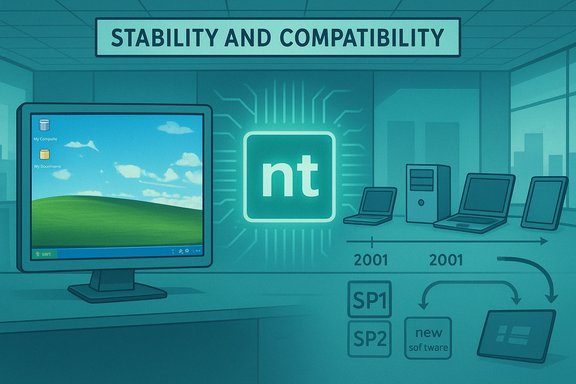
XP’s principal technical promise was consolidation: unify consumer and enterprise code on an NT core to deliver greater stability, better driver and memory management, and a platform that would run both legacy applications and newer, safer software. This was a deliberate shift away from the fragile Windows 9x lineage and a strategic bet that many users — especially enterprises — would value reduced crashes and a predictable upgrade surface. Those engineering choices set the stage for XP’s durability.The rocky early months: skepticism, sales and the “Fisher-Price” critique
Early criticism and slow uptake
XP’s visual redesign — the Luna theme and friendlier defaults — won admirers, but it also drew detractors who mocked the colorful UI as toy-like. Critics predicted failure; adoption in the consumer channel was slower than Microsoft expected. Two factors explain the hesitation: hardware requirements and market conditions. Many existing PCs of the era lacked the RAM or CPU Microsoft recommended for a smooth XP experience, and the global PC market was weakening. The result: cautious upgrade behavior among consumers and businesses.Sales figures, verified
Microsoft and subsequent coverage documented an uneven but ultimately strong commercial performance. The company reported approximately 17 million licenses sold within the first two months after launch, and by the following October it stated that over 67 million copies had been sold through OEM channels and retailers. Those figures were repeated in Microsoft’s earnings disclosures and corroborated by contemporaneous trade coverage. That combination — a slow initial consumer uptake followed by robust OEM distribution — helps explain how XP became ubiquitous despite early resistance.The market context: a contracting PC industry
XP’s debut coincided with one of the PC industry’s weakest periods in decades. Market research firms reported double-digit declines in shipments in 2001: IDC characterized the third quarter as a double-digit decline compared with the prior year (reporting a significant year-over-year drop in Q3), and industry summaries noted sizeable year-long contractions. In that environment, buying a new PC specifically to run a new OS was a real consumer barrier — precisely the dynamic that made XP’s early adoption uneven.Tablets, styluses and a road not (yet) taken
The Tablet PC initiative
Microsoft pushed aggressively on pen input with Windows XP Tablet PC Edition and a class of devices the company called Tablet PCs. Presented as the natural evolution of the laptop — handwriting recognition, digital “ink,” and on-device speech support — the Tablet PC was framed internally as a major milestone in mobile computing. Microsoft’s own messaging and executives (including Alex Loeb, then corporate VP of the Tablet PC division) emphasized versatility and the potential to change how people take notes and collaborate.Why it didn’t replace the laptop
Technical realities undercut the Tablet PC’s broader adoption. Early devices were heavier, more expensive and required stylus-based input that didn’t match the fluidity of later capacitive touchscreens. The app ecosystem and interaction patterns hadn’t matured enough to justify replacing conventional laptops for most users. The Tablet PC effort was prescient in searching for alternative inputs, but it was also ahead of the hardware and consumer preferences that later enabled the smartphone and tablet revolutions led by iOS and Android.Why XP endured: stability, compatibility and enterprise inertia
The NT core and engineering discipline
XP’s adoption in enterprise environments rested on an engineering reality: it was built on the NT kernel, which was designed for stability and professional deployments. That architectural lineage meant fewer blue-screens, better process isolation, and a more predictable platform for business applications. Enterprises that invested in line-of-business software found XP’s compatibility and dependability hard to replace — so many stayed put for years.Backward compatibility as a survival strategy
Microsoft’s long-standing emphasis on backward compatibility worked in XP’s favor. Legacy applications — many of them critical to corporate workflows — continued to run on XP with relatively little friction. Where a platform refuses to run older software smoothly, enterprises face costly migrations; XP’s compatibility smoothed that path and prolonged its tenure on desktops and in kiosks, manufacturing floors and specialized hardware.Service packs, security hardening and trust
Over time, Microsoft released major service packs and security updates (notably SP1, SP2 and SP3) that addressed early issues, hardened the OS, and improved support for newer hardware. Those updates were important in transforming XP from a cautiously received release into the default workplace OS for much of the decade. The company’s steady servicing and the ecosystem’s commitment — ISVs, driver makers and OEMs — all conspired to make XP extraordinarily sticky.The dark side: longevity brings risk
Security exposure after end of support
Operating systems that stay in the wild after a vendor stops shipping security updates become long-lived liabilities. Microsoft ended mainstream support and eventually ceased public security patches for XP on April 8, 2014; after that date XP systems were at elevated risk because newly discovered vulnerabilities would not be fixed for the platform at large. Microsoft and security teams warned that continuing to use unsupported XP increased the chance that attackers would weaponize vulnerabilities revealed in updates for supported Windows releases.Regulatory and compliance implications
Beyond technical risk, unsupported operating systems create compliance and audit exposures for regulated organizations. Healthcare, finance and government entities relying on outdated OS images face a potential inability to meet legal obligations regarding data protection — an important reminder that long platform tails can have real legal and financial consequences.XP vs. Windows 8: parallels, differences and what history really teaches
Superficial similarities
Both XP and Windows 8 debuted into markets that were cautious or skeptical. Each OS introduced a visible UI change that some users disliked (Luna’s friendliness in XP; the tile-first Modern UI in Windows 8). Both products were the subject of vocal criticism at launch and were held to high expectations: XP to restore stability and rejuvenate PC demand, Windows 8 to usher in a touch-first future. The immediate verdicts were negative in some circles, yet the long-term outcomes diverged.Why XP “won” over time and Windows 8 struggled
XP’s structural advantages mattered: it married enterprise-grade architecture to a familiar desktop metaphor. Microsoft’s stewardship — service packs, OEM partnerships, compatibility commitments — plus the enterprise’s slower migration cycles, gave XP the runway it needed to mature into ubiquity. Windows 8’s tectonic UI shift, by contrast, broke strongly held mental models for desktop users; Microsoft tried to bridge desktop and tablet paradigms simultaneously, and that created friction that both consumers and many enterprise IT organizations were unwilling to absorb quickly. Furthermore, the software-service cadence had changed: later Windows versions moved toward more frequent updates and different lifecycle expectations, reducing the likelihood that any single release would remain dominant for a decade.The role of OEM economics and hardware baselines
Another critical difference: the economic context. When XP arrived, many OEMs were still selling PCs that required upgrades to run the new OS comfortably, and the slowing PC market meant purchases were postponed. Over time, PC replacement cycles, OEM bundling and enterprise refresh plans pushed hardware upgrades that favored XP as the default image on new machines. By the time Windows 8 arrived, the device landscape had shifted: smartphones and tablets already held significant mindshare and had set distinct expectations for touch-first interfaces — creating a different set of adoption barriers for Windows 8.Practical lessons for platform makers and IT buyers
- Compatibility matters more than novelty. Backward compatibility and conservative migration paths let enterprises delay disruptive upgrades until the business case and tooling are clear.
- Marketing can't fix a poor migration experience. Big launches (concerts, global events) can generate headlines, but real migration momentum comes from clear admin tooling, application compatibility, and demonstrable ROI.
- Longevity is a double-edged sword. A long-lived OS reduces short-term pain for enterprises but concentrates technical debt and eventual security risk.
- Be realistic about hardware baselines. New OSes that lift hardware requirements impose real purchase costs on users; timing new features to hardware cycles reduces upgrade friction.
- Service cadence matters. Continuous servicing reduces the appeal of monolithic, decade-long versions — but it also forces organizations to rethink patch governance and testing habits.
Where the record is uncertain — and where to be cautious
Not every claim in period coverage or reminiscences is equally verifiable. Anecdotes about personal experiences at launch events or the exact number of attendees are inherently anecdotal and should be treated as such. Historical sales figures reported by Microsoft (for example, early two-month figures and later OEM/retailer totals) are strong directional indicators and are documented in company releases and earnings statements, but granular retail vs. OEM splits are less frequently published and sometimes summarized differently in secondary coverage. Where precise breakdowns matter — retail vs. OEM, upgrade coupons counted as sales, the exact unit definition used by aggregators — treat single-number claims cautiously and look for the underlying financial disclosure or earnings release for full context.Conclusion: XP as method, not myth
Windows XP’s story is a reminder that platform success is often a compound result — engineering choices, partner ecosystems, enterprise buying cycles, and patient servicing all matter. XP’s initial reception was far from a sure win: critics mocked its look, consumers hesitated, and the PC market was soft. Yet the technical foundation (NT lineage), Microsoft’s servicing and OEM partnerships, and the enterprise’s slow churn turned a tentative start into a long running chapter of personal and corporate computing. The comparison to Windows 8 matters exactly because it shows how different the levers are for adoption now: device ecosystems and continuous servicing have replaced the old rhythms, and product teams must balance bold UI moves with the practical realities of compatibility and migration risk.For IT leaders and enthusiasts, the takeaways are practical: favor upgrade strategies that respect application compatibility; factor in hardware replacement cycles; and treat long-term security and compliance as first-order costs when deciding to extend the life of an OS. Windows XP’s longevity wasn’t luck — it was the predictable outcome of technical conservatism meeting market dynamics — and that pragmatic lesson remains the most useful legacy of the platform.
Source: BetaNews XP was the Windows 8 of its day -- but things turned out all right in the end
