

Piriform’s CCleaner update and Microsoft’s flurry of Windows and Surface headlines this week make for an instructive snapshot of two different eras of PC software: the steady evolution of tooling that helps users manage local systems, and the platform-level shifts where privacy, enterprise tooling and social features collide with broader platform strategy. The five items provided for this feature — a CCleaner 5.07 release note, Microsoft’s Windows Backup for Organizations improvements, new social features in the Xbox app for Windows 10, Microsoft’s clarification about Windows 10 data collection, and a Surface AMA focused on Surface 3 — together reveal recurring themes: control vs. convenience, clarity vs. ambiguity in privacy and telemetry, and how vendor messaging shapes adoption decisions for both consumers and IT. The material supplied by the user and public reporting shows both incremental product improvements and larger strategic pivots that matter to Windows power users and admins alike.
Windows and its ecosystem have never been static. From utilities like CCleaner that manage browser start-up items and caches, to Microsoft’s enterprise-directed features in Intune and Windows Update, the Windows landscape alternates between incremental client-side updates and platform-level initiatives that shift how organizations operate.
This piece synthesizes the five supplied news items and correlates the most important technical and policy claims with independent sources. The goal is to provide a clear, verifiable summary and a critical examination of what each change means for end users, IT administrators, and the broader Windows ecosystem.
Source: BetaNews https://betanews.com/article/cclean...t-surface-3-and-nothing-about-surface-pro-4/]
 Background
Windows and its ecosystem have never been static. From utilities like CCleaner that manage browser start-up items and caches, to Microsoft’s enterprise-directed features in Intune and Windows Update, the Windows landscape alternates between incremental client-side updates and platform-level initiatives that shift how organizations operate.This piece synthesizes the five supplied news items and correlates the most important technical and policy claims with independent sources. The goal is to provide a clear, verifiable summary and a critical examination of what each change means for end users, IT administrators, and the broader Windows ecosystem.
CCleaner 5.07: small update, meaningful control for browser users
What changed
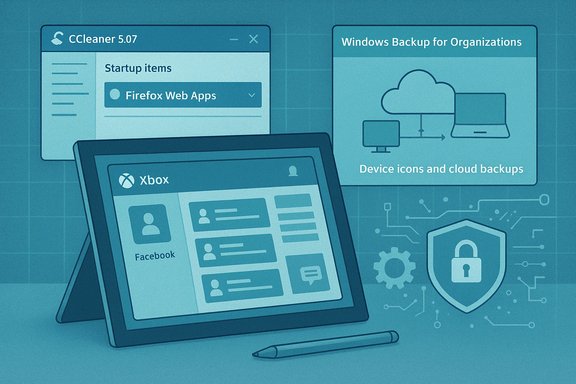
Piriform’s CCleaner 5.07, released as v5.07.5261 on June 25, 2015, added the ability to manage Firefox Web Apps in its Start-up management screen, alongside improvements for Chrome and preliminary support for Microsoft Edge (then codenamed Spartan). The release notes list several other updates — improved Windows 10 Recycle Bin handling, Adobe Reader DC cleaning, and Skip UAC tweaks for domain accounts. The file of release notes included with the material corresponds to the same revision.Why this matters
- Granular startup control: Web Apps in Firefox were a newer artifact in 2015; allowing admins and users to view and remove these items from start-up lists gave power users tighter control over boot behavior and performance.
- Cross-browser hygiene: Cleaning session and cache data for Chrome and Firefox reduces clutter and can mitigate some privacy leak vectors (e.g., stale session tokens), albeit not a substitute for deliberate privacy practices.
- Enterprise tweaks: Improvements to Skip UAC for domain accounts show attention to corporate deployments, where admin consent dialogs and automation matter.
Strengths and limits
- Strength: CCleaner’s incremental update model kept pace with browser engine changes and Windows releases, which is valuable for users dependent on third-party cleanup utilities.
- Risk: Tools that remove or modify start-up items and browser data carry operational risk — accidental removal of necessary entries, or overzealous cleaning that breaks saved states. CCleaner’s design letting users delete Web Apps (but not disable them) underscores the balance between simplicity and safe control: deletion is definitive and can be disruptive if done without backup.
Practical guidance
- Use CCleaner (or any cleaning utility) in analysis or preview mode first.
- Export or document existing startup lists before deleting items that look unfamiliar.
- For corporate environments, test Skip UAC and domain-account behaviors in a pilot group before wide deployment.
Windows Backup for Organizations: enterprise settings backup — not a full image-based backup
The announcement and what it actually delivers
Microsoft’s new Windows Backup for Organizations is positioned as an enterprise-focused backup of Windows settings, personalization, and a manifest of Microsoft Store apps, designed to ease device transitions (refresh, reset, or migrations from Windows 10 to Windows 11). Crucially, it does not perform full disk imaging or file-level disaster recovery; it targets configuration restore to accelerate provisioning during Out-Of-Box Experience (OOBE). Microsoft’s documentation and Intune guidance confirm the feature’s architecture, requirements, periodic backup cadence (every eight days by default), and tenant-managed enablement. Tech press coverage consistently flagged the feature’s naming as potentially confusing — "backup" suggests comprehensive data protection, but the product is purpose-built for configuration and settings restore rather than full content backup. That distinction has real operational implications for IT teams planning migration and incident response strategies.Technical constraints and prerequisites
- Requires Microsoft Entra (Azure AD) join or hybrid join and Intune configuration.
- Backup capability: supported on Windows 10 22H2 and certain Windows 11 builds; restore capability is primarily supported on Windows 11 builds (22H2+), with specific build thresholds documented by Microsoft.
- Restore during OOBE: the restore flow is tenant-wide and must be explicitly enabled in Intune enrollment settings.
- Not supported in certain sovereign clouds and has SKU limitations.
Strengths
- Faster device transitions: For organizations migrating large fleets or reimaging devices, restoring settings and Start menu layout can materially reduce helpdesk friction and user downtime.
- Integration with Intune: Because the restore flow is orchestrated during enrollment, it aligns with modern zero-touch provisioning models.
- Security posture: Backups are subject to tenant access controls and RBAC; data is scoped to Entra identities rather than ad-hoc cloud storage.
Risks and important caveats
- Not a replacement for traditional backup: Relying on Windows Backup for Organizations for data protection is a critical mistake; organizations must maintain separate, proven file and image-level backup solutions for recovery objectives.
- Restore limitations on Windows 10: Some restore capabilities are restricted to Windows 11, which effectively nudges organizations toward adopting Windows 11 for the full feature experience. That product positioning matters given end-of-support timelines for Windows 10.
- Rollout and visibility: Microsoft’s docs warn that the feature may roll out gradually and that admins may not immediately see enrollment settings in all tenants; treat “GA” messaging as contingent on tenant availability and verify in your environment.
Recommendations for IT teams
- Treat Windows Backup for Organizations as configuration portability, not data protection.
- Pilot the feature in a controlled group to evaluate the scope of restored settings and compatibility with existing App/Device policies.
- Maintain parallel image/file backup solutions aligned with your Recovery Time Objective (RTO) and Recovery Point Objective (RPO).
- Validate the restore experience during OOBE scenarios that match your Autopilot and enrollment profiles.
Xbox app social features on Windows 10: social glue and platform convergence
Summary of change
The Xbox app for Windows 10 added social features in its beta: the ability to find and add Facebook friends, voiceover recording for Game DVR, Store integration for purchasing Xbox One titles (including Games with Gold and Deals), and in-app redemption for 25-digit Xbox One codes. The update was targeted at improving cross-device social engagement between Windows 10 PCs and Xbox consoles.Why it matters
- Cross-platform continuity: Bringing Xbox social interactions to Windows helps Microsoft unify the gaming experience between console and PC, moving toward an ecosystem where friends lists, clips and purchases span devices.
- Privacy and data considerations: Linking to external social accounts (Facebook) introduces cross-platform identity and privacy vectors; users should be aware of what account data is shared when linking services.
Strengths and risks
- Strength: Improved discoverability of friends and social sharing increases the stickiness of Microsoft’s gaming ecosystem, benefiting publishers and players who socialize across Xbox Live.
- Risk: Social features that require linking third-party accounts increase the attack surface for impersonation and privacy leakage; optionality and clear consent flows are necessary.
Practical guidance for users
- Review account linking permissions and privacy settings when connecting Xbox Live and Facebook.
- Use the app’s share/privacy controls to manage who can see saved clips and voiceover recordings.
Windows 10 telemetry and privacy messaging: Microsoft pushes back on ad-targeting claims
The claim
Microsoft acknowledged that Windows 10 collects a range of user data — including searches, some diagnostic and usage data, and content used to provide personalization (e.g., for Cortana) — but stated that this data is not used to target advertising. Microsoft’s privacy documentation and updated terms emphasized that content in private email, chats, files, and voice communications would not be used to target ads. Reporting at the time reflected Microsoft’s effort to clarify telemetry purpose and limits.Context and interpretation
- Telemetry types: Windows telemetry includes multiple categories — basic device & health data, enhanced diagnostic data, and optional deeper telemetry for features like Cortana. The collection supports product improvement, security, and personalized experiences.
- Not for ads vs. advertising ecosystem: Microsoft’s statement focused on direct targeting of ads using private content. However, privacy advocates rightly pointed out that data used for personalization or service development can indirectly influence advertising profiles elsewhere in a user’s account ecosystem if data flows cross service boundaries. The distinction is material and requires transparent controls and demonstrable data separation.
Strengths and risks
- Strength: Microsoft’s explicit denial of using private content to target ads was important messaging to reassure privacy-conscious users during Windows 10’s launch window.
- Risk: Ambiguity remains around telemetry definitions and how aggregated or de-identified signals might be repurposed. Users and administrators should demand clear, auditable documentation on telemetry collection, retention, and processing.
Practical steps for users and admins
- Review and configure privacy settings in Windows (diagnostic level, Cortana personalization, and cloud-connected features).
- For enterprises, use Group Policy and MDM to lock down telemetry settings consistent with organizational policies and compliance needs.
- For privacy-sensitive use cases, prefer local alternatives and document what telemetry your environment must allow.
Surface AMA: Surface 3 details, and the absence of Surface Pro 4 information
Key takeaways from the AMA
Microsoft’s Surface team used Reddit AMA sessions to clarify Surface 3 design choices: a three-position kickstand (for size and cost reasons), support for InstantGo/Connected Standby, LTE models later in the cycle, and a decision to keep the pen and some accessories sold separately to preserve base pricing. The team also deflected questions about Surface Pro 4 with short, categorical answers — effectively saying “nothing” about next-gen Pro devices during that session.Why this was noteworthy
- Design trade-offs matter: The switch from “any-angle” kickstand to a three-position hinge reflects how product teams balance engineering tradeoffs (size, cost, manufacturing) against user expectations.
- Accessory strategy: Selling the pen separately reflects a pricing strategy that segments buyers (students vs. prosumers) and enables lower entry price while monetizing add-ons.
- Information control: Microsoft’s insistence on discussing the launched surface (Surface 3) and not future Pro products is a deliberate communications tactic — focus attention on what’s shipping now.
Analysis: marketing, product and consumer impact
- Strength: Transparent AMA answers on support and capabilities helped buyers set expectations for battery life, MCU/SSD performance, and accessory compatibility.
- Risk: Non-answers about future Pro models can fuel speculation and slow upgrade cycles for potential buyers waiting for clarity.
Cross-cutting analysis and final takeaways
Strengths visible across these items
- Incremental feature updates matter: Small updates (CCleaner’s Firefox Web Apps management) provide immediate, tangible control to power users.
- Enterprise tooling is maturing: Windows Backup for Organizations shows Microsoft moving to streamline device lifecycle management within cloud-managed enterprise boundaries.
- User-facing integrations improve continuity: Xbox app social features and Intune-integrated restores exemplify a more connected Microsoft ecosystem where cross-device state is increasingly important.
Risks and persistent concerns
- Nomenclature and expectation mismatch: Names matter. “Backup” implies a full disaster-recovery capability; when that expectation is unmet, it can lead to dangerous operational assumptions. Windows Backup for Organizations is best described as a settings and configuration backup/restore mechanism, not file or image backup.
- Privacy ambiguity: Vendor assurances that personal content is not used for ads help, but they need to be matched with technical, auditable separation and clear telemetry definitions. Administrators should not assume telemetry settings automatically match organizational privacy requirements.
- Tooling risk in the wild: Utilities that delete or alter system and browser artifacts (even seemingly minor items like Web Apps) should be paired with safe defaults, warnings, and exportable logs to prevent unintended breakage.
Actionable checklist for readers
- For home users:
- Use CCleaner’s analysis mode and document startup items before deletion.
- Review Windows privacy settings and minimize enabled cloud-connected personalization when concerned about telemetry.
- For IT admins:
- Treat Windows Backup for Organizations as a configuration portability tool — do not replace established backup and DR solutions with it.
- Pilot the restore experience with a subset of Autopilot/Intune-enrolled devices before broad adoption.
- Lock down telemetry choices using MDM/GPO consistent with compliance regimes and create an inventory of which features require deeper diagnostic levels.
- Evaluate third-party system utilities in images and deployment pipelines to avoid silent disruptions.
Conclusion
The five news items supplied form a compact but revealing mosaic: from the micro (CCleaner’s small but useful feature for Firefox Web Apps) to the macro (Microsoft’s enterprise-focused Backup for Organizations and ongoing privacy dialogues). They illustrate an enduring truth about the Windows ecosystem — changes come at many layers simultaneously. Users get tactical value from tools that address immediate problems, while enterprises must decode vendor messaging and technical specifications to safely adopt platform-level features. Clear naming, precise documentation, and conservative rollout practices remain the best defenses for both consumers and IT teams navigating modern Windows environments.Source: BetaNews https://betanews.com/article/cclean...t-surface-3-and-nothing-about-surface-pro-4/]
