

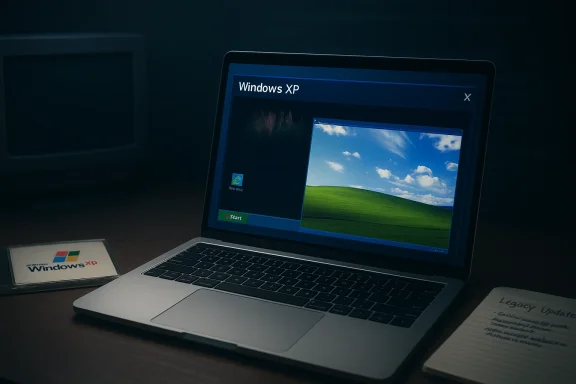
I spent a week pretending the calendar had turned back to 2001 — installing Windows XP inside a macOS virtual machine, chasing faded comforts like the Bliss wallpaper and Winamp visualizations — and what started as a nostalgic exercise quickly turned into a practical lesson about why we moved on: convenience and sentimentality won’t protect you from broken websites, missing security patches, and a stack of compatibility hurdles that turn a fun experiment into a misery loop.
Windows XP landed in retail on October 25, 2001 and for a long time reshaped what a consumer desktop could be: simpler setup, friendlier visuals, and wide application compatibility. Microsoft officially ended extended support for Windows XP on April 8, 2014, which means it stopped providing free security updates and technical assistance after that date. That end‑of‑support milestone radically changed the risk profile for anyone still running the OS on the open internet.
Fast forward to today and XP survives mostly in enthusiast VMs, embedded systems, and a handful of legacy enterprise machines that pay for custom support. Community projects and forks — from update restorers to Chromium forks — exist to keep the old platform usable, but they are band‑aids rather than official remedies. The TechRadar experiment that inspired this piece is one such nostalgia trip: installing XP inside UTM on a Mac, applying community fixes, and trying to live inside that environment for a week. The results are instructive for anyone who wonders whether the “purity” of older Windows versions is still a practical option. (Summary of the TechRadar hands‑on experience follows below.)
Below I unpack the technical facts behind those observations, validate the key claims, and draw out the practical takeaways for readers who want retro computing without hurting themselves.
If you insist on experimenting with XP, follow strict isolation practices:
This is important: the nostalgia is real and it’s meaningful. But oftentimes the user who worships an older UI underestimates the cumulative convenience provided by decades of incremental improvements: search, secure updates, a fast browser engine, robust device drivers, and deep integration with modern cloud services.
The takeaway: nostalgia can be a protest vote against perceived overreach, but it rarely represents a durable long‑term strategy for productive computing. The TechRadar author’s week‑long escape to XP ends the same way most such attempts do — with a return to a modern, patched, and functionally rich OS.
If your goal is nostalgia, a carefully managed VM environment is a delightful, harmless hobby. If your goal is productivity, modern convenience and security — the very things that make Windows 11 exasperating to some — are also the features that let you get work done reliably. The experiment’s conclusion is telling: you can escape to the past for a weekend, but you’ll come back to the present the moment you need to do anything real.
For enthusiasts: run XP in a VM, isolate it, savor Winamp, and remember why the internet evolved. For everyone else: treat XP like a museum exhibit — charming, historically important, but not suitable for daily life in 2026.
Source: TechRadar https://www.techradar.com/computing...-windows-xp-for-a-week-and-it-was-a-disaster/
 Background / Overview
Windows XP landed in retail on October 25, 2001 and for a long time reshaped what a consumer desktop could be: simpler setup, friendlier visuals, and wide application compatibility. Microsoft officially ended extended support for Windows XP on April 8, 2014, which means it stopped providing free security updates and technical assistance after that date. That end‑of‑support milestone radically changed the risk profile for anyone still running the OS on the open internet. Fast forward to today and XP survives mostly in enthusiast VMs, embedded systems, and a handful of legacy enterprise machines that pay for custom support. Community projects and forks — from update restorers to Chromium forks — exist to keep the old platform usable, but they are band‑aids rather than official remedies. The TechRadar experiment that inspired this piece is one such nostalgia trip: installing XP inside UTM on a Mac, applying community fixes, and trying to live inside that environment for a week. The results are instructive for anyone who wonders whether the “purity” of older Windows versions is still a practical option. (Summary of the TechRadar hands‑on experience follows below.)
The experiment, in brief
The TechRadar author ran Windows XP in a VM on macOS (using UTM), then attempted to:- install the operating system,
- bring it up to date using a community updater,
- browse the modern web, and
- run classic productivity and entertainment apps from the 2001 era.
Below I unpack the technical facts behind those observations, validate the key claims, and draw out the practical takeaways for readers who want retro computing without hurting themselves.
Why Windows XP “feels” nostalgic — and why that feeling is misleading
Windows XP’s UI was intentionally friendly: bold colors, rounded controls, and approachable dialog text. That design choice made the OS feel tactile and welcoming. But nostalgia is a surface property. Underneath, the platform has three structural limitations that matter today:- No modern security updates after April 8, 2014, which leaves unpatched vulnerabilities exposed forever unless patched by custom, paid support.
- A web ecosystem that has moved past old browser capabilities (TLS versions, HTML5, modern JavaScript engines), so the stock browser — Internet Explorer 6 — simply cannot render or secure most pages.
- Hardware and virtualization differences: running XP on modern Apple Silicon often requires full emulation and is therefore slow compared to native virtualization on Intel or ARM hosts. UTM and QEMU make this possible, but performance varies by host CPU and configuration.
Verifying the key technical claims from the experiment
1) Windows XP hasn’t been updated in years
Fact check: Microsoft ended extended support for Windows XP on April 8, 2014. That is the official decommission date for free security updates. Users who continue to rely on XP on the open internet run a permanent risk because newly discovered vulnerabilities will not be patched for that OS unless they purchase custom support.2) Running XP in a VM is the practical way to experiment
Fact check: Virtual machines are the recommended method for retro OS experiments because they isolate the old environment from the host. On macOS, UTM (a QEMU front end) is a mature option that supports running older x86 OSes — including Windows XP — but on Apple Silicon it will typically run XP under emulation (slower than virtualization) unless the guest is an ARM build. UTM’s docs and distribution pages explicitly discuss guest support and guest tools for legacy Windows guests.3) Windows Update doesn’t work out of the box; community tools exist
Fact check: Because Microsoft has retired or modified the update infrastructure, stock Windows Update often fails on end‑of‑life OSes. Community projects such as Legacy Update restore the ability to download and install old Microsoft updates, along with helpful wrappers that make the process much easier. The Legacy Update GitHub and website document how the project revives update functionality for XP and other legacy Windows versions. That matches TechRadar’s description of “hours” of patching and the need for third‑party helpers.4) Modern web browsing is largely impossible with IE6; retro proxies and forks can help sometimes
Fact check: Internet Explorer 6 does not support modern TLS versions and lacks HTML5/JavaScript features used by most websites, so loading contemporary pages frequently fails or yields a broken experience. Community workarounds such as FrogFind (a stripped‑down front end that converts modern pages to simpler HTML) or Chromium forks designed to run on XP (like Supermium) try to bridge the gap, but results are mixed and not guaranteed. Supermium is an actively developed Chromium fork aimed explicitly at legacy Windows support; FrogFind is a lo‑fi proxy optimized for very old browsers.Day‑by‑day: what worked, what didn’t (summary of the TechRadar diary)
- Monday (install): Installing XP in a VM is straightforward, and the ritual of entering the CD key and seeing Bliss still carries emotional weight. The VM path is both safer and more practical than trying to run XP on modern bare metal. The UTM docs say as much and recommend guest tools for better integration.
- Tuesday (updates): Getting XP “up to date” required Legacy Update — a community tool that emulates the old Windows Update experience and installs necessary patches. Legacy Update’s documentation shows it can restore update functionality, but the process can be lengthy and fragile.
- Wednesday (search and UI friction): The XP UI assumes mouse navigation; there’s no single‑keystroke omnibox like Windows‑key search, and that small ergonomic change is surprisingly painful for modern workflows. This is less a technical failure than a usability gap — one that modern OS design has fixed.
- Thursday (productivity): Internet Explorer 6 is fragile and most modern sites break. Some retro‑focused resources work (FrogFind) and Chromium forks like Supermium promise compatibility but are not a plug‑and‑play replacement for mainstream Chrome. Office installs may still work in the VM, but licensing and activation can be finicky, and older Office can be unstable on emulated modern hardware.
- Friday (entertainment): Classic apps like Winamp and early PC games can run and deliver nostalgia — but modern media and streaming won’t. The victory of playing a single MP3 is perfectly illustrative: retro software still runs, but modern convenience does not.
Security and privacy: the real cost of nostalgia
Running XP today is not just inconvenient; it’s risky. Microsoft’s security teams and industry analysts warned at the time that XP would become a permanent target once support ended, because attackers reverse‑engineer patches for modern Windows to find vulnerabilities that also affect XP. The risk is structural: without upstream patches, XP accumulates permanent “zero‑day” exposures relative to supported systems. If you connect XP to the internet you should assume it will be compromised eventually.If you insist on experimenting with XP, follow strict isolation practices:
- Use a VM with no shared folders and no bridged network, or put the VM on an isolated host network segment.
- Take snapshots before risky changes.
- Avoid logging sensitive credentials inside the guest.
- Use community update restorers only from reputable repos and verify checksums.
The web and browsers: why IE6 and the modern web don’t mix
Two technical forces collide here: TLS/crypto evolution and modern web platform features.- TLS: The web abandoned legacy SSL/TLS versions following major attacks and protocol weaknesses (POODLE, etc.). Many servers now enforce TLS 1.2+ and modern cipher suites; IE6 and many stock XP libraries either lack that support or require manual hacks. Disabling SSLv3 and older ciphers is a necessary security move for servers but it effectively blocks legacy clients. That’s why modern HTTPS often fails on default XP installs.
- Web platform: HTML5, modern JavaScript engines, CSS features, and complex client‑side frameworks make modern pages impossible to render in very old browsers. Proxy projects (FrogFind) can rewrite pages to simpler HTML, and Chromium forks (Supermnboth are imperfect. Supermium is an example of a community effort to shrink that gap, but even it cannot magically restore the entire modern web experience on obsolete hardware.
Community sentiment and the nostalgia paradox
There’s a surprisingly large and vocal community that enjoys retro computing, and forums are full of tales about ditching new Windows for older versions because they “feel faster” or “are less intrusive.” Those threads reveal a genuine emotional attachment to predictable behavior and low‑noise UIs — a backlash that helps explain why experiments like the TechRadar piece resonate with readers. But alongside praise for the old days, community threads also document the practical pain: app incompatibilities, driver gaps, and the constant need for workarounds. That tension shows up repeatedly in forum archives and user posts.This is important: the nostalgia is real and it’s meaningful. But oftentimes the user who worships an older UI underestimates the cumulative convenience provided by decades of incremental improvements: search, secure updates, a fast browser engine, robust device drivers, and deep integration with modern cloud services.
How today’s Windows 11 complaints connect to the XP nostalgia impulse
One subtext of the TechRadar experiment is a reaction to modern Windows design choices — particularly the growth of AI features (Copilot, Recall) and telemetry concerns. Many users feel Windows 11 has become cluttered with features they didn’t ask for, and that distrust fuels the impulse to “vote with your feet” and try a simpler OS. Recent reporting and community commentary show Microsoft hearing that feedback and, in some cases, adjusting plans — though many users remain skeptical that meaningful course correction will happen.The takeaway: nostalgia can be a protest vote against perceived overreach, but it rarely represents a durable long‑term strategy for productive computing. The TechRadar author’s week‑long escape to XP ends the same way most such attempts do — with a return to a modern, patched, and functionally rich OS.
Practical advice: if you want to play with XP, do it the smart way
If your curiosity needs satisfying, here’s a step‑by‑step checklist to reduce risk and maximize fun:- Use a VM — don’t touch your primary hardware. Tools: UTM on macOS or VirtualBox/VMware on other platforms. UTM is a supported path on macOS for running older Windows guests; consult the official docs for guest tools.
- Keep the VM offline by default. Only connect to the host for controlled transfers or read‑only access.
- If you need updates for the guest, use well‑known community projects (Legacy Update) and verify GitHub releases/checksums before running. These projects can restore Windows Update functionality, but they are community tools — not official security updates.
- For browsing, try FrogFind to access stripped versions of pages, or experiment with Supermium if you want a Chromium‑based experience on XP. Know that DRM streaming and many modern interactive sites will still fail.
- Use snapshots aggressively so you can revert after a crash or malware incident.
- Avoid entering real credentials in the VM. Treat it as a museum piece, not a working tool.
- If your experiment is about UI or performance, consider alternatives that capture the “feel” without the risk: classic skins, third‑party start menus, or sandboxed desktops on a modern OS.
Strengths, weaknesses and the long view
- Strengths of XP (then and now): simple, predictable UI; extremely broad historical app support; great for running single old titles and demos. XP’s minimalism still charms when you only need a few legacy apps.
- Weaknesses: no modern security, broken TLS/crypto for most HTTPS sites, poor or missing drivers for contemporary hardware, and no integrated search or modern UX affordances. These weaknesses create real productivity and security costs that nostalgia doesn’t justify.
- Risk profile: high for internet exposure, moderate for offline hobby use. Community patches mitigate convenience gaps but do not change the fundamental lack of official security patches.
- Cultural angle: XP nostalgia is about control and predictability in an age of telemetry and aggressive feature rollouts. That se and helps explain persistent interest; however, it’s not an argument for using XP as a daily driver in 2026.
Final verdict
The TechRadar week in Windows XP is both an affectionate love letter and a cautionary tale. XP’s aesthetic and interaction model still deliver comfort, but the operating system’s technical limitations are brutally obvious when you try to treat it like a modern platform: the web fails, updates are a DIY project, and even Office can misbehave. Community projects such as Legacy Update and Supermium are impressive feats of reverse engineering and devotion, but they are stopgaps — not replacements for supported software.If your goal is nostalgia, a carefully managed VM environment is a delightful, harmless hobby. If your goal is productivity, modern convenience and security — the very things that make Windows 11 exasperating to some — are also the features that let you get work done reliably. The experiment’s conclusion is telling: you can escape to the past for a weekend, but you’ll come back to the present the moment you need to do anything real.
For enthusiasts: run XP in a VM, isolate it, savor Winamp, and remember why the internet evolved. For everyone else: treat XP like a museum exhibit — charming, historically important, but not suitable for daily life in 2026.
Source: TechRadar https://www.techradar.com/computing...-windows-xp-for-a-week-and-it-was-a-disaster/
