

Microsoft is widening its Copilot footprint again, this time by bringing Microsoft 365 Copilot co-creation into Word for iPhone. The move matters because it pushes AI-assisted drafting further toward mobile workflows, where quick edits and first-pass writing often happen before users ever return to a desktop. But the rollout also carries clear limits, and those constraints are part of the story rather than a footnote. Thurrott’s report frames the feature as meaningful but still bounded, which fits Microsoft’s broader pattern of expanding Copilot in controlled steps rather than with a single disruptive leap rgy has changed fast over the last two years. What began as a chat-style assistant has become a broader productivity layer that now reaches across Word, Excel, PowerPoint, Outlook, OneNote, and the Microsoft 365 Copilot app itself. The company’s own support documentation says Copilot in Word on mobile is meant to help users review documents, generate summaries, suggest questions, and chat about content directly inside Word on iPhone and iPad
That evolution has not happened in a straight line. Microsoft has repeatedly adjusted where Copilot lives, which apps handle editing, and which experiences are available inside the Microsoft 365 Copilot mobile app versus the dedicated Office apps. In February 2026, Microsoft said the mobile app was moving toward an AI-first experience, while editing Word, Excel, and PowerPoint files inside the Microsoft 365 Copilot app would be discontinued in favor of dedicated apps and redirected workflows
At the same time, Microsoft has been making Copilot more deeply integrated inside the actual document experience. Its February 2026 Copilot update said the default Copilot chat experience in Word now allows Copilot to directly edit documents, and that “Edit with Copilot” can turn on automatically when a user starts from a blank document That is an important clue to what is happening now on iPhone: Microsoft is trying to make Copilot feel less like a sidecar and more like part of the writing surface itself.
The iPhone angle matters too. Microsoft has long treated iOS as a serious productivity platform, not just a consumer one. For many users, the phone is where work begins in small bursts: a note, a draft, a reply, a revision, a quick reshaping of text. Bringing Copilot into that moment is strategically significant because it lets Microsoft meet users where they are, rather than waiting until they return to a keyboard and mouse.
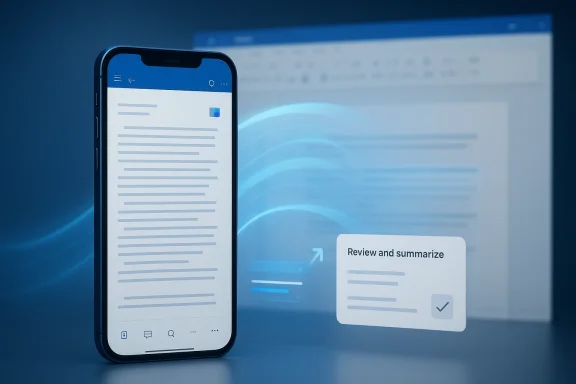
The basic change is simple: Word for iPhone now has new Copilot co-creation functionality. In practice, that means users can begin shaping a document with AI help directly inside Word on the phone instead of moving to a separate chatbot or desktop app. That is especially useful for people who draft on the go, then refine later on a larger screen.
The naming matters here. “Co-creation” is not the same thing as full automation. It suggests a collaborative flow in which Copilot helps create, refine, and format content, while the human remains in charge of the result. Thurrott’s coverage emphasizes exactly that distinction, describing the feature as a new but limited step rather than a full desktop replacement
It also gives Microsoft room to scale slowly. A feature framed as co-creation can start small, gather telemetry, and expand later without having promised impossible parity on day one.
The key point is that this is not a radical reinvention of Word. It is a deliberate extension of an existing pattern: keep the user inside Microsoft 365, reduce friction, and make the AI feature feel native rather than bolted on.
AI features become more compelling when they are available at the moment of need. A desktop assistant can help refine a polished draft, but a mobile assistant can help users get past the blank page. That is a different kind of value, and it is one Microsoft clearly wants to capture.
That is why this release feels intentionally cautious. A limited feature set can be a strength if it keeps the interaction clean.
That matters because Microsoft is trying to build a consistent story across devices. Whether a user is in Word on desktop, Word on the web, or Word on iPhone, the company wants Copilot to feel like the same capability, not three different products wearing the same name. The challenge is that mobile constraints force compromises, and compromises often become the thing users notice most.
That makes the product feel more natural, but it also increases the pressure on Microsoft to keep the experience coherent across its ecosystem.
That makes the iPhone feature more meaningful than it first appears. It is another proof point in Microsoft’s attempt to normalize AI across every surface where work happens.
The central UX question is not whether Copilot can help. It is whether the help feels immediate and understandable. If users have to hunt for the feature, interpret too many prompts, or clean up awkward output, the value drops sharply.
This is especially hard in Word, where the page is already the primary interface. Every extra layer competes with text, formatting, and navigation.
The danger, of course, is that restraint can also look like limitation. If users think the feature is too narrow, they may ignore it. If they think it is broader than it really is, they may feel misled. Microsoft has to manage both expectations at once.
Microsoft’s support materials make clear that Copilot availability depends on the account and subscription context, with work and school users seeing different options than consumer subscribers That distinction matters because it shapes how the feature will be perceived.
That continuity also gives IT teams a familiar governance story. Microsoft’s February 2026 update emphasized admin readiness, connector governance, adoption reporting, and business justification flows for Copilot licensing Those tools matter because enterprises do not just want AI. They want AI with controls.
The consumer challenge is that expectations can get messy. People want the app to “just work,” and they are less likely to care about the licensing subtleties that matter to enterprises. That makes wording, discoverability, and pricing especially important.
Word for iPhone is a useful battlefield because Microsoft owns the productivity workflow even on someone else’s device. Apple controls the hardware and operating system, but Microsoft controls a huge portion of the documents people actually create, review, and exchange.
A useful Copilot feature inside Word makes it less likely that a user will jump to a third-party tool for the same task. It also makes Microsoft 365 look more current without forcing a dramatic redesign.
This is why even a limited rollout matters. It is one more point of gravity pulling work back into Microsoft’s stack.
The question is whether the limitations are understandable enough to feel intentional. If they are, the feature reads like a thoughtful first step. If they are not, users may treat it as a teaser.
It also makes technical sense on mobile, where edge cases can quickly break trust.
Microsoft’s own support language suggests a careful stance: Copilot can help review, summarize, and chat about documents, but editing still follows specific app and subscription boundaries That kind of honesty is necessary, but it also means Microsoft has to keep explaining where the feature begins and ends.
The company’s challenge is to make the feature feel like a reliable helper, not a half-finished experiment.
The mobile story is especially important because Microsoft has also moved to simplify where editing happens. Its support documentation says that inside the Microsoft 365 Copilot mobile app, users can preview files, ask Copilot questions, and then be redirected to Word, Excel, or PowerPoint for editing tasks In other words, Microsoft is separating AI navigation from document editing, then reconnecting them in a more intentional way.
It gives Microsoft more room to tune each experience for the right job.
That is the kind of feature that can quietly increase perceived subscription value. It may not be flashy, but it can be habitual.
The main benefit here is not raw capability. It is continuity.
If Microsoft gets the balance right, this could be one of those quiet features that people use constantly without thinking much about it. That is often the best sign that a product decision worked.
The opportunity is to make mobile Word feel like a smarter, more natural place to begin work. If Microsoft succeeds, it can deepen engagement with Microsoft 365 and create more habits around AI-assisted drafting.
There is also the problem of fragmentation. Microsoft has already spread Copilot across multiple apps, surfaces, and licensing tiers, and that can make the story harder to understand than it needs to be.
The danger is not just failure. It is indifference. A feature that looks impressive in a demo but fades into the background in day-to-day use is often worse than no feature at all because it consumes attention without changing behavior.
If Microsoft can make Word for iPhone feel meaningfully smarter without turning it into a crowded, desktop-like experience, then this could become one of those quiet upgrades that changes habits over time. If it cannot, the feature may remain a niche capability that gets covered in the tech press and then forgotten by most users.
The broader direction is easy to see. Microsoft wants Copilot to feel like a continuous layer across Microsoft 365, from desktop to web to mobile. Word for iPhone is just one part of that effort, but it is an important one because it shows how serious Microsoft is about AI at the edge of work, not just in the center of it.
Source: Thurrott.com copilot-in-word-ios - Thurrott.com
That evolution has not happened in a straight line. Microsoft has repeatedly adjusted where Copilot lives, which apps handle editing, and which experiences are available inside the Microsoft 365 Copilot mobile app versus the dedicated Office apps. In February 2026, Microsoft said the mobile app was moving toward an AI-first experience, while editing Word, Excel, and PowerPoint files inside the Microsoft 365 Copilot app would be discontinued in favor of dedicated apps and redirected workflows
At the same time, Microsoft has been making Copilot more deeply integrated inside the actual document experience. Its February 2026 Copilot update said the default Copilot chat experience in Word now allows Copilot to directly edit documents, and that “Edit with Copilot” can turn on automatically when a user starts from a blank document That is an important clue to what is happening now on iPhone: Microsoft is trying to make Copilot feel less like a sidecar and more like part of the writing surface itself.
The iPhone angle matters too. Microsoft has long treated iOS as a serious productivity platform, not just a consumer one. For many users, the phone is where work begins in small bursts: a note, a draft, a reply, a revision, a quick reshaping of text. Bringing Copilot into that moment is strategically significant because it lets Microsoft meet users where they are, rather than waiting until they return to a keyboard and mouse.
 What Microsoft Changed
The basic change is simple: Word for iPhone now has new Copilot co-creation functionality. In practice, that means users can begin shaping a document with AI help directly inside Word on the phone instead of moving to a separate chatbot or desktop app. That is especially useful for people who draft on the go, then refine later on a larger screen.The naming matters here. “Co-creation” is not the same thing as full automation. It suggests a collaborative flow in which Copilot helps create, refine, and format content, while the human remains in charge of the result. Thurrott’s coverage emphasizes exactly that distinction, describing the feature as a new but limited step rather than a full desktop replacement
Why the wording matters
The phrase co-creation is doing a lot of work. It tells users that Copieplace authorship, but to accelerate it. That framing is both safer and more realistic, especially on mobile, where the app must remain fast and uncluttered.It also gives Microsoft room to scale slowly. A feature framed as co-creation can start small, gather telemetry, and expand later without having promised impossible parity on day one.
- It lowers user expectations to a usable level.
- It keeps a human in the loop.
- It makes the feature easier to explain.
- It reduces the risk of overpromising.
- It fits mobile workflows better than a “write everything” pitch.
The key point is that this is not a radical reinvention of Word. It is a deliberate extension of an existing pattern: keep the user inside Microsoft 365, reduce friction, and make the AI feature feel native rather than bolted on.
Why Mobile Matters Now
Mobile productivity has become much more important than many software vendors assumed a few years ago. Work does not always begin at a desk anymore. It starts in transit, between meetings, after a quick thought, or during a few spare minutes when the user can capture an idea before it disappears. Word for iPhone is valuable precisely because it fits those in-between moments.AI features become more compelling when they are available at the moment of need. A desktop assistant can help refine a polished draft, but a mobile assistant can help users get past the blank page. That is a different kind of value, and it is one Microsoft clearly wants to capture.
The mobile-first workflow
On mobile, the ideal writing tool is not the one with the most features. It is the one that removes the most friction. The best phone apps are fast, predictable, and forgiving. Copilot can help with that, but only if Microsoft avoids turning Word for iPhone into a crowded mini desktop app.That is why this release feels intentionally cautious. A limited feature set can be a strength if it keeps the interaction clean.
- Short bursts of drafting benefit from AI assistance.
- Users often start on phone and finish on PC.
- Smaller screens punish clutter.
- Quick wins matter more than full parity.
- Predictable output matters more than flashy capability.
How This Fits Microsoft’s Copilot Strategy
The Word for iPhone update is not isolated. It sits inside a much larger transition from Copilot as an assistant to Copilot as a productivity layer. Microsoft’s own February 2026 update showed a pattern of direct document editing in Word, expanded Copilot access points in the mobile app, and broader admin controls for Copilot readiness and adoptionThat matters because Microsoft is trying to build a consistent story across devices. Whether a user is in Word on desktop, Word on the web, or Word on iPhone, the company wants Copilot to feel like the same capability, not three different products wearing the same name. The challenge is that mobile constraints force compromises, and compromises often become the thing users notice most.
From assistant to embedded workflow
This shift is subtle but important. Early Copilot messaging focused on chat, summaries, and drafting help. The newer approach is more embedded and more operational: Copilot should be present where the document is being edited, not merely where the questions are being asked.That makes the product feel more natural, but it also increases the pressure on Microsoft to keep the experience coherent across its ecosystem.
- Copilot becomes part of the document surface.
- Editing becomes a first-class AI action.
- The app feels more unified.
- The mobile experience becomes more strategically important.
- The value of Microsoft 365 subscriptions becomes easier to justify.
That makes the iPhone feature more meaningful than it first appears. It is another proof point in Microsoft’s attempt to normalize AI across every surface where work happens.
The User Experience Challenge
Mobile AI is unforgiving. On a phone, users have less patience for vague controls, inconsistent results, or interactions that require too many taps. A feature can be powerful in theory and still fail if it feels slow or confusing in practice. Microsoft knows this, which is why the company appears to be rolling out the Word for iPhone experience with obvious guardrails.The central UX question is not whether Copilot can help. It is whether the help feels immediate and understandable. If users have to hunt for the feature, interpret too many prompts, or clean up awkward output, the value drops sharply.
Clarity over complexity
The best mobile AI tools are almost invisible in use. They reduce effort without demanding attention. That means Microsoft has to keep Copilot’s presence obvious enough to discover, but subtle enough not to overwhelm the document itself.This is especially hard in Word, where the page is already the primary interface. Every extra layer competes with text, formatting, and navigation.
- The AI should be easy to invoke.
- The result should be easy to review.
- The user should retain clear control.
- Changes should be reversible.
- The interaction should not break momentum.
The danger, of course, is that restraint can also look like limitation. If users think the feature is too narrow, they may ignore it. If they think it is broader than it really is, they may feel misled. Microsoft has to manage both expectations at once.
Enterprise vs Consumer Impact
This release lands differently depending on who is using it. For enterprise users, the main value is continuity. Employees move between phone, laptop, and browser constantly, and Microsoft wants Word to remain the place where that work stays anchored. For consumers, the value is simpler: faster drafting, easier rewriting, and a more useful app during the many short moments when people write on their phones.Microsoft’s support materials make clear that Copilot availability depends on the account and subscription context, with work and school users seeing different options than consumer subscribers That distinction matters because it shapes how the feature will be perceived.
Enterprise: workflow continuity and governance
In the enterprise, this feature is really about keeping users inside Microsoft 365. If someone starts a draft on iPhone, Microsoft wants the same document to feel alive later on desktop, with Copilot still available at the next step.That continuity also gives IT teams a familiar governance story. Microsoft’s February 2026 update emphasized admin readiness, connector governance, adoption reporting, and business justification flows for Copilot licensing Those tools matter because enterprises do not just want AI. They want AI with controls.
- Better cross-device continuity.
- More reasons to keep Microsoft 365 as the default stack.
- Easier adoption messaging for IT.
- More visibility into Copilot usage.
- Stronger subscription justification.
The consumer challenge is that expectations can get messy. People want the app to “just work,” and they are less likely to care about the licensing subtleties that matter to enterprises. That makes wording, discoverability, and pricing especially important.
Competitive Implications
Microsoft is not only competing with office suites here. It is also competing with standalone AI chat apps, mobile writing tools, and the broader intelligence layers from Apple and Google. The real contest is about which company can make AI feel native in the place where people already work.Word for iPhone is a useful battlefield because Microsoft owns the productivity workflow even on someone else’s device. Apple controls the hardware and operating system, but Microsoft controls a huge portion of the documents people actually create, review, and exchange.
Why this strengthens Microsoft’s moat
The advantage is not that Microsoft is first with every feature. It is that Microsoft has distribution, file compatibility, and enterprise trust. That combination is hard for rivals to match.A useful Copilot feature inside Word makes it less likely that a user will jump to a third-party tool for the same task. It also makes Microsoft 365 look more current without forcing a dramatic redesign.
- Stronger lock-in across Microsoft 365.
- Less incentive to use a separate writing app.
- Better retention across devices.
- More visible AI value for subscribers.
- A stronger competitive story on Apple hardware.
This is why even a limited rollout matters. It is one more point of gravity pulling work back into Microsoft’s stack.
Limitations Are the Story
The limits on the feature are not just implementation details; they define what this launch actually means. Microsoft appears to be moving carefully, and that caution is probably deliberate. In a space where users are already skeptical of AI hype, partial functionality can be better than an overconfident promise.The question is whether the limitations are understandable enough to feel intentional. If they are, the feature reads like a thoughtful first step. If they are not, users may treat it as a teaser.
Why restraint can be smart
Microsoft has repeatedly shown that it prefers staged AI rollouts. The company often starts with a narrower, reviewable experience, then expands once it has enough feedback and telemetry. That approach fits the current Copilot cycle well.It also makes technical sense on mobile, where edge cases can quickly break trust.
- Smaller launches are easier to stabilize.
- Controlled access helps gather useful feedback.
- Limited scope reduces support complexity.
- Clear boundaries lower the risk of misuse.
- Partial availability can still be highly valuable.
Microsoft’s own support language suggests a careful stance: Copilot can help review, summarize, and chat about documents, but editing still follows specific app and subscription boundaries That kind of honesty is necessary, but it also means Microsoft has to keep explaining where the feature begins and ends.
The company’s challenge is to make the feature feel like a reliable helper, not a half-finished experiment.
Broader Microsoft 365 Context
This update lands at a time when Microsoft is reworking how Copilot appears across the entire Microsoft 365 family. In February 2026, the company highlighted direct editing in Word, mobile widgets, improved adoption reporting, connectors, admin readiness, and broader AI access points across the productivity stack That is not a random collection of changes. It is a coordinated push to make Copilot visible, useful, and governable.The mobile story is especially important because Microsoft has also moved to simplify where editing happens. Its support documentation says that inside the Microsoft 365 Copilot mobile app, users can preview files, ask Copilot questions, and then be redirected to Word, Excel, or PowerPoint for editing tasks In other words, Microsoft is separating AI navigation from document editing, then reconnecting them in a more intentional way.
The app stack is becoming more modular
That modularity is a real shift. Instead of forcing everything into one giant mobile app, Microsoft is now using dedicated Office apps, preview layers, and AI helpers together. The result may be a little more fragmented, but it is also more defensible from a UX and platform perspective.It gives Microsoft more room to tune each experience for the right job.
- The Copilot app becomes the AI entry point.
- Word remains the document editor.
- OneDrive handles file browsing.
- Previewers handle quick inspection.
- Copilot handles assistance and generation.
What This Means for Microsoft 365 Subscribers
For subscribers, the most immediate benefit is practical. Word for iPhone becomes more useful in the kinds of real-life moments that define modern work. A user can start a memo in a car, refine a paragraph in a waiting room, or reshape an outline before a meeting without waiting to get back to a laptop.That is the kind of feature that can quietly increase perceived subscription value. It may not be flashy, but it can be habitual.
The subscription story gets stronger
Microsoft has long relied on Microsoft 365 as its core productivity engine, and Copilot is now part of the pitch. Mobile AI deepens that pitch by making the service feel more omnipresent. The more places Copilot shows up, the harder it is for users to see Microsoft 365 as just a desktop bundle.The main benefit here is not raw capability. It is continuity.
- The feature makes mobile Word feel more modern.
- It gives users a reason to stay in Microsoft’s ecosystem.
- It extends Copilot’s usefulness beyond the desktop.
- It improves the value proposition for frequent writers.
- It can increase adoption of related Microsoft 365 tools.
If Microsoft gets the balance right, this could be one of those quiet features that people use constantly without thinking much about it. That is often the best sign that a product decision worked.
Strengths and Opportunities
Microsoft’s move has several strengths that are easy to miss if the discussion focuses only on what the feature cannot do yet. The strategic value is not just in the new button; it is in the way it reinforces Microsoft’s broader productivity model and gives the company another place to prove Copilot’s usefulness.The opportunity is to make mobile Word feel like a smarter, more natural place to begin work. If Microsoft succeeds, it can deepen engagement with Microsoft 365 and create more habits around AI-assisted drafting.
- Better first-draft speed on the device people already carry.
- Stronger Microsoft 365 stickiness across phone and desktop.
- Clearer AI value for subscribers who use Word frequently.
- A more coherent Copilot story across Microsoft 365 apps.
- Less friction for quick writing, edits, and rewrites.
- More mobile relevance for a flagship desktop-era app.
- A useful test bed for refining AI UX under tight constraints.
Risks and Concerns
The biggest risk is that the rollout feels too limited to matter. Microsoft can get hurt not only by bad AI output, but by expectations that outrun the product. If users hear “Copilot co-creation” and then encounter a narrow or inconsistent experience, they may write the feature off quickly.There is also the problem of fragmentation. Microsoft has already spread Copilot across multiple apps, surfaces, and licensing tiers, and that can make the story harder to understand than it needs to be.
- Users may not discover the feature easily.
- Partial availability may feel like a teaser.
- Licensing boundaries may confuse consumers.
- Inconsistent behavior across apps may erode trust.
- Mobile UI clutter could hurt adoption.
- AI output may still require too much cleanup.
- Different experiences across Word, Excel, and Outlook may weaken the brand.
The danger is not just failure. It is indifference. A feature that looks impressive in a demo but fades into the background in day-to-day use is often worse than no feature at all because it consumes attention without changing behavior.
Looking Ahead
The most important question now is how quickly Microsoft widens the feature set and how clearly it communicates the boundaries. A good mobile AI feature does not need to do everything on day one, but it does need to feel discoverable, dependable, and worth using again.If Microsoft can make Word for iPhone feel meaningfully smarter without turning it into a crowded, desktop-like experience, then this could become one of those quiet upgrades that changes habits over time. If it cannot, the feature may remain a niche capability that gets covered in the tech press and then forgotten by most users.
The broader direction is easy to see. Microsoft wants Copilot to feel like a continuous layer across Microsoft 365, from desktop to web to mobile. Word for iPhone is just one part of that effort, but it is an important one because it shows how serious Microsoft is about AI at the edge of work, not just in the center of it.
- Wider availability of Copilot co-creation in Word for iPhone.
- Possible spillover into other Microsoft 365 mobile apps.
- Ongoing changes to licensing and feature gating.
- More admin controls for enterprise rollout.
- User feedback on speed, clarity, and output quality.
- Refinements to the mobile Copilot UX.
- Tighter integration across Microsoft 365’s app stack.
Source: Thurrott.com copilot-in-word-ios - Thurrott.com
Last edited:
