

I swapped Windows’ Start menu for the open‑source launcher Wox and, after a week of heavy use, it’s clear why so many Windows power users treat these keyboard‑first launchers as essential — immediate responsiveness, better local search, and a plugin ecosystem that turns app launching into a keyboard-driven workflow. The catch: not all versions are equal. The stable Wox 1.4 builds today deliver a snappy, low‑overhead replacement for the Start menu, while the ambitious Wox 2.0 rewrite is promising but still rough around the edges in public beta. This piece explains what Wox gets right, where it falls short compared with rivals like Flow Launcher and Raycast, how to set it up safely, and what to watch for as the project evolves.
Windows’ Start menu has been the most visible interface battleground in recent years. Many users complain about lack of density, forced layouts, and sluggish Windows Search, and the community has long responded with alternatives — from Microsoft PowerToys Run to full Start replacements like Start11 and ExplorerPatcher. These alternatives trade the default UI constraints for faster app launches, better keyboard workflows, and extensible plugin ecosystems. That broader trend explains why keyboard launchers remain an active corner of the Windows tooling ecosystem.
Why replace the Start menu? The reasons are practical:
Conclusion
Replacing the Start menu with an open‑source launcher is one of the highest‑impact tweaks a Windows power user can make. Wox gives you the core ingredients — speed, extensibility, and a light touch on system resources — while the v2 roadmap promises a modernized future. The ecosystem includes capable rivals (Flow Launcher, Raycast, PowerToys Run), so the smart approach is pragmatic: adopt Wox 1.4 for reliable speed now, experiment with Flow or Raycast if you need richer plugin experiences or a more polished UI, and treat Wox 2.0 as an exciting but not yet production‑ready evolution.
Source: XDA I tried replacing the Start menu with an open-source launcher, and it's a huge upgrade
 Background
Windows’ Start menu has been the most visible interface battleground in recent years. Many users complain about lack of density, forced layouts, and sluggish Windows Search, and the community has long responded with alternatives — from Microsoft PowerToys Run to full Start replacements like Start11 and ExplorerPatcher. These alternatives trade the default UI constraints for faster app launches, better keyboard workflows, and extensible plugin ecosystems. That broader trend explains why keyboard launchers remain an active corner of the Windows tooling ecosystem.Why replace the Start menu? The reasons are practical:
- Faster app and file launches with a single hotkey.
- Reduced friction compared with clicking, scrolling, and hunting through pinned tiles.
- Extensibility via plugins for translation, file search, calculators, and shell commands.
- Ability to integrate third‑party fast file indexers like Everything for near‑instant file discovery.
Overview: What Wox is today
Wox is an open‑source, keyboard‑focused launcher that began life as a Windows alternative to the likes of Alfred (macOS) and Launchy. It has historically been lightweight and fast, with a plugin architecture that supports Python and JavaScript for custom extensions. The project maintains an active GitHub organization and both a classic stable series (v1.4.x) and a major 2.0 rewrite intended to be cross‑platform and modernized. Key points at a glance:- Stable lineage: v1.4 is mature, widely used, and optimized for Windows performance. The v1.4.1196 build includes multiple query and indexing speed improvements.
- v2 ambitions: Wox v2.0 is a full rewrite with cross‑platform support, a revamped plugin system, an integrated plugin/theme store, and AI features; beta releases exist but are labeled as potentially buggy.
- Plugin platform: Supports Python and JavaScript plugins, plus community repositories for many integrations (Everything, Google Translate, browser bookmarks, color pickers, etc..
Hands‑on: speed, plugins, and day‑to‑day use
Fast app launching and search responsiveness
In everyday use, Wox behaves like a much faster Start menu. With the toggle hotkey (customizable), typing the first letters of an app name yields near‑instant results. The combination of local indexing and efficient fuzzy matching is the cornerstone of the speed advantage. The stable v1.4 builds in particular emphasize startup and query performance improvements — the release notes highlight substantial speed work for program and file indexing. That speed is not magic: Wox leverages efficient indexing and can be paired with Everything (the file indexer) to deliver file results that Windows Search often lags on. Where Windows Search can be slow to surface results or get bogged down by network/OneDrive contexts, Everything provides a dedicated, lightning‑fast index that Wox plugins can query. Flow Launcher and PowerToys Run have similar Everything integrations, which is why launchers consistently outperform the Start menu for local file discovery.Plugins: useful built‑ins and a sprawling ecosystem
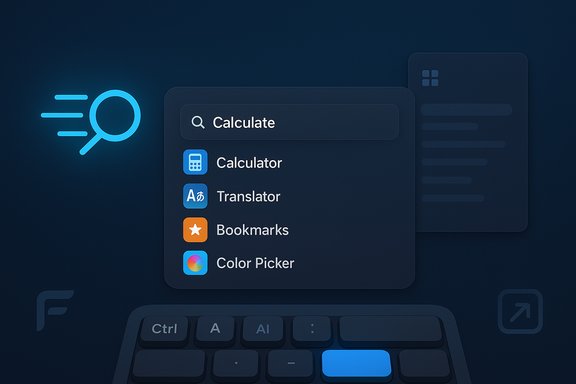
Out of the box, Wox includes several practical plugins:- Application and file launching
- Browser bookmarks opening (point Wox at your browser’s bookmarks folder)
- Inline calculator
- Color picker
- Shell integration for direct command execution
- Integration points for Everything
Wox 1.4 (stable) vs Wox 2.0 (beta): the tradeoffs
Wox 1.4 — the pragmatic choice
- Performance: Fast and dependable on Windows. Release notes for the 1.4 series call out multiple query and startup optimizations; these builds are recommended for Windows users who want stability.
- Maturity: Many community plugins target v1.x; expected behaviors and quirks are documented across forums.
- Limitations: Plugin discovery and management feel dated; UI and cross‑platform ambitions are limited compared with the v2 roadmap.
Wox 2.0 — ambition meets early instability
- What’s new: Cross‑platform support, a modern UI, a built‑in plugin and theme store, improved plugin platform supporting JS and Python, and AI‑friendly commands.
- Known issues: Beta releases explicitly warn of bugs and performance problems on Windows — some users report severe sluggishness or broken features in early betas. Until v2 stabilizes, the recommendation for production machines is to stick with v1.4.
- Why try it: v2 is the future direction: if you want to help test, report bugs, and shape the ecosystem, opt into v2 betas on non‑critical machines.
How Wox compares to Flow Launcher and Raycast
Flow Launcher
- Strengths: Rich plugin architecture, a polished plugin store, and deep integration with Everything (although the integration has its own historical issues and periodic bugs). Flow is praised for displaying search results inline and supporting richer plugin actions (search previews, inline results, etc.. That inline‑first plugin UX is an area where Flow can outshine Wox’s older plugin model.
- Weaknesses vs Wox: On some setups, Flow’s Everything integration has produced bugs or indexing pitfalls; users occasionally need to reconfigure or reindex. Flow’s UI feels more modern in plugin browsing and store features, depending on the version.
Raycast (Windows beta)
- Strengths: Raycast established itself on macOS as a very polished, extensible, and fast launcher. Its Windows beta aims to bring the same high polish and tight integrations (file search, clipboard history, AI commands). If Raycast’s Windows rollout is something you can run, it can be an even more polished alternative to both Wox and Flow. However, Raycast is a commercial startup — its model and updates differ from open‑source community projects.
- Real‑world concerns: Raycast’s Windows rollout has seen some antivirus/Defender false positives and early beta stability issues reported by users — a reminder that any new system‑level launcher can trigger security products or experience growing pains during platform expansion.
Security, privacy, and plugin trust
Open extensibility is a double‑edged sword. Wox’s plugin ecosystem includes many community plugins, but not every plugin is guaranteed open source or actively maintained. That matters for two reasons:- Supply chain risk: Plugins can execute arbitrary code (Python/JS), so running unvetted plugins from unknown authors introduces risk.
- Antivirus/defender flags: Launchers and deep shell tools occasionally trigger security products because they hook into system features or execute installers. Raycast’s Windows beta experienced false positives with some endpoint solutions, showing how quickly security posture can block a launcher in corporate environments.
- Prefer plugins with code repositories you can inspect (GitHub), or plugins published by known maintainers.
- Run new launchers in a non‑critical account or VM to validate behavior before committing to them.
- Keep backups or a System Restore point before changing shell behavior.
Practical setup: replacing the Start menu with Wox (step‑by‑step)
- Backup: create a System Restore point or image before changing shell behavior.
- Install Wox stable (recommended): download the latest v1.4 stable release from the project releases page and use the full installer if offered. The v1.4 branch emphasizes query and startup performance improvements.
- Configure hotkey: set your preferred toggle (e.g., Alt+Space) in Wox settings so it feels integrated.
- Integrate Everything (optional but recommended for file search):
- Install Everything (Voidtools) separately.
- Point the Wox/Explorer plugin to your Everything instance or enable the Everything plugin inside Wox.
- Verify indexing and test file searches.
Note: Flow Launcher and other launchers also rely on Everything; some historical issues have required reindexing or configuration tweaks. - Add essential plugins: calculator, Google Translate, bookmarks, a color picker, and any package‑manager helpers you want. Prefer plugins that link to GitHub or an official repo.
- Tweak themes: Wox uses XAML theme files; the website has a simple theme builder for color choices and downloadable theme files you can drop in. If you want finer control (transparency, blur), edit the theme XAML manually or wait for v2’s theme store.
- Test app launching and shell commands: configure Wox’s shell integration and test launching terminal commands to confirm the environment is correct.
Troubleshooting common issues
- If Wox doesn’t show expected apps or file results: force a reindex of the programs/plugin cache and verify Everything (if used) is running and reachable.
- Sluggishness in beta builds: switch back to v1.x for daily use. v2 betas may report “known issues” in GitHub releases.
- Plugin not working: try disabling/uninstalling the plugin, then reinstall. Look for plugin issues on the plugin’s repository or the Wox issue tracker.
- Antivirus blocks: whitelist the launcher in Defender or your endpoint product after validating the binary and checksum. Keep a copy of the release signature or verify the official GitHub release assets.
Community and development trajectory
Wox’s GitHub activity shows a project actively being modernized: v2 aims to broaden platform support and create a better plugin/theme discovery experience. That direction addresses some of the older UX pain points: plugin discovery, lack of source links, and theme handling. The tradeoff is the usual open‑source one: rapid change invites instability during rewrites. If you prefer a polished, minimal risk approach, stay on v1.4 until v2 reaches a stable release. Community sentiment across forums reinforces the demand for Start replacements and keyboard launchers. Multiple community projects (ExplorerPatcher, Start11, Flow, PowerToys Run) coexist because they serve slightly different users — open‑source vs commercial, launcher vs shell patch, plugin‑first vs Start‑style replacement. That ecosystem diversity is healthy, but it also means you should pick the tool that best matches your trust model and update cadence.Final verdict: where Wox fits in your workflow
Wox (v1.4) deserves a place in the toolkit of any Windows power user who prioritizes speed and keyboard workflows. It delivers:- Real productivity gains over the default Start menu for app launching and local file search.
- Extensibility through plugins that can replace small daily tasks (calculator, translate, bookmarks).
- Lightweight performance on stable releases.
Quick checklist before you switch
- Create a System Restore point. (Do this first.
- Use Wox v1.4 on production machines; treat v2 as beta.
- Install Everything if you need fast file search.
- Vet plugins: prefer ones with public source repositories.
- Expect occasional Defender flags with low‑level launchers — maintain a recovery plan.
- Join the Wox GitHub discussions if you want to help shape the plugin store and beta improvements.
Conclusion
Replacing the Start menu with an open‑source launcher is one of the highest‑impact tweaks a Windows power user can make. Wox gives you the core ingredients — speed, extensibility, and a light touch on system resources — while the v2 roadmap promises a modernized future. The ecosystem includes capable rivals (Flow Launcher, Raycast, PowerToys Run), so the smart approach is pragmatic: adopt Wox 1.4 for reliable speed now, experiment with Flow or Raycast if you need richer plugin experiences or a more polished UI, and treat Wox 2.0 as an exciting but not yet production‑ready evolution.
Source: XDA I tried replacing the Start menu with an open-source launcher, and it's a huge upgrade
