

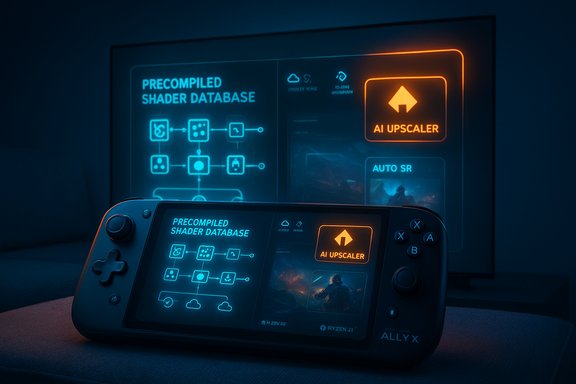
Microsoft’s plan to turn the Xbox Ally into something closer to a true next‑generation, console‑grade gaming experience on Windows 11 is both ambitious and pragmatic — a roadmap that blends system‑level AI features, console‑style precompiled shader delivery, and a flurry of quality‑of‑life updates aimed at making handheld Windows gaming feel less like a PC puzzle and more like an Xbox experience.
The recent roadmap for the Xbox Ally family lays out a clear engineering trajectory: reduce first‑run friction, recover performance and battery life, and deliver a more consistent console‑like experience across handheld and docked play. Key pillars of this plan are Advanced Shader Delivery (precompiled, device‑targeted shaders), Automatic Super Resolution (Auto SR) leveraging an on‑device NPU, AI‑driven game capture features, and a set of UX improvements for docking, external displays, cloud saves, and removable storage handling. These updates are being framed as both hardware‑specific (taking advantage of the Ryzen AI Z2 Extreme in the Ally X) and as platform improvements that will eventually flow to other Windows 11 gaming handhelds.
Below is a detailed, verified breakdown of what’s coming, why it matters for Windows 11 handheld gamers, and where potential risks or gaps remain.
Microsoft’s guidance for the Xbox Ally roadmap recognizes that the solution isn’t purely faster silicon — it’s system‑level changes that make Windows behave more like a console where appropriate. The result is a hybrid approach: use cloud tooling and platform APIs to deliver precompiled runtime assets, and use on‑device AI silicon to smooth visuals and capture highlights without developer intervention.
The catch is that these benefits are realized only when platform, OEMs, storefronts, and developers align. Early adopters will enjoy measurable gains, but full realization will be incremental and dependent on wider ecosystem uptake. Users should be optimistic but cautious: expect real improvements over the next year, but also expect iteration, occasional regressions, and detailed change notes to track as features arrive.
For Windows 11 handheld gamers, the roadmap signals a meaningful shift toward an experience that finally understands the priorities of handheld play: fast load times, reliable save syncs, battery‑friendly performance, and smooth transitions to the TV. If Microsoft and its partners deliver on these promises — and address the privacy and operational risks — the Xbox Ally roadmap could be the template that finally makes PC handhelds a mainstream, user‑friendly gaming platform.
Source: Windows Central https://www.windowscentral.com/gaming/xbox/xbox-ally-2026-update-roadmap-improvements-next-gen/
 Overview
The recent roadmap for the Xbox Ally family lays out a clear engineering trajectory: reduce first‑run friction, recover performance and battery life, and deliver a more consistent console‑like experience across handheld and docked play. Key pillars of this plan are Advanced Shader Delivery (precompiled, device‑targeted shaders), Automatic Super Resolution (Auto SR) leveraging an on‑device NPU, AI‑driven game capture features, and a set of UX improvements for docking, external displays, cloud saves, and removable storage handling. These updates are being framed as both hardware‑specific (taking advantage of the Ryzen AI Z2 Extreme in the Ally X) and as platform improvements that will eventually flow to other Windows 11 gaming handhelds.Below is a detailed, verified breakdown of what’s coming, why it matters for Windows 11 handheld gamers, and where potential risks or gaps remain.
Background: Why this matters for handheld Windows gaming
Handheld gaming on Windows sits at an awkward intersection: Windows offers a vast game library and PC flexibility, but it also inherits the unpredictability of PC drivers, countless configurations, and workflows designed for mouse and keyboard. That friction shows up as long “compiling shaders” load screens, stutters, awkward controller navigation in desktop‑oriented dialogs, and clumsy docking behavior when you attach a handheld to a TV.Microsoft’s guidance for the Xbox Ally roadmap recognizes that the solution isn’t purely faster silicon — it’s system‑level changes that make Windows behave more like a console where appropriate. The result is a hybrid approach: use cloud tooling and platform APIs to deliver precompiled runtime assets, and use on‑device AI silicon to smooth visuals and capture highlights without developer intervention.
Advanced Shader Delivery: precompiled shaders and faster load times
What it is
Advanced Shader Delivery is a DirectX/Windows platform feature that lets Microsoft deliver precompiled, device‑targeted shader caches with a game so the runtime doesn’t need to compile thousands of shaders locally at first launch. The system creates a device‑specific Precompiled Shader Database (PSDB) from a State Object Database (SODB) capture and delivers that alongside game installs. On compatible handhelds, that means drastically reduced first‑run load times and fewer shader‑compile stutters during gameplay.Why it matters
- Faster time‑to‑play: First launch and level load times that previously spent minutes compiling shaders can be reduced by large factors.
- Lower battery use: Moving heavy compile work off the device saves CPU time and battery during the game’s first run.
- Smoother gameplay: Less runtime compilation lowers micro‑stutter during the early phases of play sessions.
How it will roll out
This capability is launching on Xbox‑branded handhelds first, where Microsoft and partners can control target driver/compiler pairs. The tooling (Agility SDK, SODB collection and offline compilers) is designed so developers and storefronts can eventually produce PSDBs for more games and devices.Developer and ecosystem implications
- Developers can optionally integrate SODB collection into build pipelines to maximize shader coverage and avoid missing edges that would otherwise trigger local compile. Over time, this can push PC games toward a more predictable, console‑like startup profile.
- Storefronts and device makers will need to participate in PSDB distribution if they want the full benefit.
Potential caveats and risks
- Driver updates: If GPU drivers change, precompiled shader caches can become invalidated and will need updates; the system intends to detect and update them, but that introduces operational dependencies.
- Backend complexity: Relying on cloud‑side compilation introduces additional infrastructure and coordination between platform, OEMs, and GPU vendors.
- Partial coverage: Not every title will have complete SODB captures initially, so some titles may still compile shaders locally.
Automatic Super Resolution (Auto SR) on Xbox Ally X
What Auto SR does
Automatic Super Resolution (Auto SR) is a system‑level AI upscaler that runs on the Ally X’s onboard Neural Processing Unit (NPU). It allows games to render internally at a lower, more battery‑friendly resolution while the NPU upscales frames to the display resolution in real time — boosting frame rates and reducing GPU load without requiring explicit developer integration.Why it’s significant
- Higher effective performance: Titles that are GPU‑bound can get a meaningful FPS uplift while preserving image fidelity closer to native.
- No developer work required: Because it’s implemented at the OS/driver level and powered by the NPU, many games can benefit automatically.
- Optimized for handheld thermals and battery: Running the GPU at lower internal resolution reduces power draw and heat, which is crucial on handhelds.
Hardware dependency and exclusivity
Auto SR is tied to NPU presence — currently available only on the Ally X model that ships with the AMD Ryzen AI Z2 Extreme and its integrated neural engine. That means Auto SR is a hardware feature, not a generic Windows option for all handheld PCs.Practical trade‑offs
- Upscaling artifacts can appear in some titles; quality will vary by game and internal rendering characteristics.
- Auto SR may introduce slight latency overhead depending on pipeline integration, though the design aims to keep this negligible.
- Titles that already implement their own high‑quality upscalers may see less benefit.
AI‑powered capture: automatic highlight reels and smarter DVR
What’s changing
The Ally X’s NPU will enable automated gameplay analysis: detecting “epic” moments, clipping them to short highlight reels, and offering a fast way to share captures. This promises an always‑on, low‑effort capture experience that leverages on‑device AI to identify meaningful content without storing massive video files constantly.Why it helps
- Reduced friction for sharing: Players won’t need to remember to manually record clips; the system surfaces highlights.
- Battery/storage conscious: On‑device heuristics can optimize when to save and what resolution to capture.
- Potential for auto‑edited montages: The NPU could assemble short reels, trimming and presenting highlights ready for sharing.
Issues to watch
- Privacy and telemetry: Automated capture and AI analysis raise questions about what data is processed locally versus sent to cloud services.
- Storage and sync: The capture workflow must integrate cleanly with OneDrive and Windows capture folders; early implementations have shown sync quirks when users try to auto‑store captures to cloud folders.
- Control and false positives: Users will want easy controls to disable or curate auto captures to avoid unwanted sharing or storage use.
Docking and TV experience: making Windows plug‑and‑play like a console
Problems today
Windows docking is mouse‑centric and often defaults to extended desktop modes, which can consume GPU resources and confuse controller navigation when the handheld is attached to a TV. For a true console‑like experience, hooking up the Ally should be seamless: controller pairing, display output selection, and performance modes should be obvious and single‑button friendly.Planned improvements
Microsoft intends to optimize the docking experience on Xbox Ally hardware: improved display output handling (duplicate vs. extend), intuitive controller pairing for couch play, and optimized performance profiles when docked. The end goal is a low‑friction transition between handheld and big‑screen gaming.What to expect in practice
- A simplified UI path to choose duplicate/fullscreen output and select performance modes for docked play.
- Better auto‑detection of TVs and external displays with recommended resolutions and refresh rates.
- Controller reconnection and pairing flows designed for quick couch sessions.
Limitations
- Docking behavior is influenced by external display EDID and drivers — some odd TV/monitor combinations may still require troubleshooting.
- Third‑party docks and hubs may behave inconsistently until vendors update firmware or drivers.
Cloud saves and sync indicators: closing a long‑standing transparency gap
The gap
PC players often lack a clear indicator that a save file has been successfully uploaded to the cloud. This ambiguity can lead to overwritten progress when switching devices or powering down prematurely.Roadmap items
The platform roadmap calls for a cloud save upload indicator and more reliable sync behavior — even when devices enter low power states. The idea is to mirror the level of save‑sync transparency players expect from other platforms (for example, the Steam ecosystem).Current status and caveats
Early signs of a cloud sync indicator are appearing in preview builds for insiders, but the feature and its reliability are still maturing. Players should be cautious: until the indicator is widely rolled out and battle‑tested, save‑sync conflicts and upload failures remain a risk.MicroSD and external storage management: a simpler flow
Today’s problem
Expanding storage with a microSD card is supported, but setup and game installation flows often force users out to the Desktop or require manual registry of folder permissions — a poor fit for a full‑screen, controller‑first handheld UX.Planned changes
An improved external storage device flow inside the Xbox full‑screen experience is on the roadmap. This aims to let users format, set default install locations, and manage microSD storage from the full‑screen UI without needing a mouse and keyboard.Hardware note
The Ally models ship with UHS‑II microSD readers and vendor‑branded microSD and SSD options targeted for the platform; real‑world performance will depend on card class, controller support, and whether microSD Express is used.Polishing the UI, performance and sleep behavior
Input and navigation consistency
Windows 11 still surfaces occasional UX quirks on controller navigation, inconsistent text input behavior, and bloatware that can interfere with the seamless experience Xbox users expect. The roadmap signals optimizations to the full‑screen Xbox UI to streamline library vs. store behaviors and reduce fragmentation.Performance and UI lag
Reported sluggishness in the Xbox full‑screen UI — especially during launches and exits — will be targeted by Microsoft. Improvements are expected both on the system side (scheduling, background tasks) and through optimizations to the Xbox app and shell.Sleep and power states
Windows' sleep/hibernation behavior has historically been flaky on some hardware. The roadmap calls for more robust low‑power state syncs (so cloud saves sync while in standby) and more predictable resumes, essential for handhelds where quick sleep is a common battery‑saving strategy.Critical analysis: strengths, trade‑offs and risks
Strengths
- Platform thinking: Tackling shader stutter, upscaling, capture, and docking at the OS and platform level is the right strategy to bridge PC flexibility and console predictability.
- Leverage of new silicon: Using the NPU in the Ally X for Auto SR and capture is a strong value proposition that scales with hardware evolution.
- Developer tooling: The State Object Database tooling and Agility SDK give developers a pathway to ship far better first‑run experiences on Windows.
Trade‑offs
- Hardware fragmentation and exclusivity: Some improvements (Auto SR, NPU highlights) are tied to specific silicon and will not be available to every Windows handheld, creating a tiered experience.
- Operational dependency: Precompiled shader delivery introduces cloud and device orchestration. If the backend fails, or if driver variants proliferate, players could see mismatched caches or fallback behavior.
- Quality variability: Upscalers and automated capture are heuristics — not every game will benefit equally and some could regress visually.
Risks and user concerns
- Privacy and telemetry: Automated highlight capture and AI analysis are powerful but must be transparently controllable; users will want local‑only processing options and clear privacy settings.
- Cloud dependence: PSDBs and cloud tooling increase platform dependence on online infrastructure for what used to be local operations.
- Incomplete ecosystem uptake: The full benefit requires buy‑in from developers, publishers, storefronts, and hardware vendors; adoption will take time.
- Unverified items: A small number of roadmap items — particularly the cloud sync indicator’s final implementation details and some microSD UX flows — are currently reported in preview and remain subject to change as the platform matures.
Practical recommendations for buyers and builders
For prospective Ally owners
- If you value plug‑and‑play console‑like handheld experience and want AI features like Auto SR, the Ally X (with NPU) is the only model that will deliver those specific benefits.
- Expect a mix: some games will feel instantly polished thanks to shader precompilation and Auto SR; others may still require updates from developers.
- Keep capture workflows conservative initially: don’t rely on auto‑upload to cloud storage until sync behavior stabilizes.
For developers and publishers
- Start instrumenting SODB collection as part of build and QA cycles to maximize shader coverage and deliver responsive first‑run experiences.
- Test Auto SR and other system scalers to ensure visual fidelity under upsampling; integrate toggles where necessary.
- Consider the Alloy of platform features — PSDBs, cloud sync, and playback capture — as new vectors for QA and support.
For third‑party handheld vendors
- Align driver and firmware channels to make PSDB distribution predictable.
- Expose simple UX primitives (display mode selection, quick pairing, default storage) so OEMs don’t leave these behaviors to app teams.
What remains unresolved
- The timeframe for rolling Advanced Shader Delivery across non‑Ally Windows handhelds is not immediate; broad uptake depends on ecosystem tools and developer adoption.
- Cloud save sync polishing is in preview stages in some channels; users should expect iterative fixes rather than a one‑shot rollout.
- The balance between on‑device AI processing and telemetry/backing cloud resources is undecided; strong local‑processing guarantees will be important to address privacy needs.
Conclusion
Microsoft’s Xbox Ally update roadmap paints a coherent, pragmatic path toward making Windows 11 handheld gaming feel more like a console without abandoning the flexibility of PC. Advanced Shader Delivery and Auto SR are the most consequential changes: one reduces the age‑old pain of shader compilation, the other gives handheld hardware a generational uplift in usable performance through the NPU. Complementary improvements — smarter capture, better docking, cloud save indicators, and microSD UX refinements — round out a plan focused on polish and friction elimination.The catch is that these benefits are realized only when platform, OEMs, storefronts, and developers align. Early adopters will enjoy measurable gains, but full realization will be incremental and dependent on wider ecosystem uptake. Users should be optimistic but cautious: expect real improvements over the next year, but also expect iteration, occasional regressions, and detailed change notes to track as features arrive.
For Windows 11 handheld gamers, the roadmap signals a meaningful shift toward an experience that finally understands the priorities of handheld play: fast load times, reliable save syncs, battery‑friendly performance, and smooth transitions to the TV. If Microsoft and its partners deliver on these promises — and address the privacy and operational risks — the Xbox Ally roadmap could be the template that finally makes PC handhelds a mainstream, user‑friendly gaming platform.
Source: Windows Central https://www.windowscentral.com/gaming/xbox/xbox-ally-2026-update-roadmap-improvements-next-gen/
