

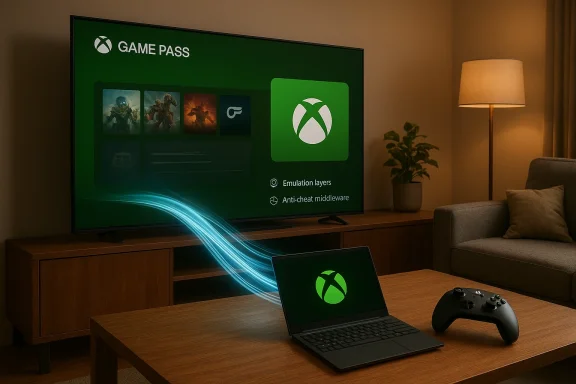
Microsoft’s slow-but-steady merger of Xbox and Windows just moved from experiment to platform strategy: this spring Microsoft is rolling a controller‑first, full‑screen Xbox Mode into Windows 11 while simultaneously deepening the Xbox PC app’s integration — including a native Arm build that unlocks local Game Pass installs on a growing number of Windows‑on‑Arm machines. What looks like a UI change is, in reality, a cross‑stack rearrangement that touches runtime emulation, anti‑cheat middleware, shader delivery, and the way games are discovered, installed and launched on PCs.
Microsoft has been threading Xbox services and console ergonomics into Windows for years, but until recently those efforts were piecemeal: cloud streaming in the Xbox app, Game Pass discovery, and occasional console UI experiments for handheld OEMs. The newest phase is both broader and deeper — a system posture that turns eligible Windows 11 devices into a console‑style playing field while keeping the full Windows desktop underneath. That posture first appeared as a handheld‑focused “Full Screen Experience” and is being rebranded and expanded to more PCs as Xbox Mode with a staged availability beginning in April.
At the same time, Microsoft has closed a practical gap for Windows on Arm by shipping an Arm‑native Xbox PC app. That move lets many Game Pass titles be installed and run locally on Arm Windows 11 devices, rather than existing as cloud‑only options — a milestone that required improvements across emulation, drivers, and middleware like anti‑cheat. Microsoft’s messaging around compatibility has claimed a high proportion of the Game Pass catalog is playable on Arm hardware, reflecting months of engineering coordination. Readers should note the exact percentage figures and dates of those claims are company statements and may change as compatibility work continues.
This required three engineering threads to converge:
For the market this looks like:
The benefits are tangible: simpler, console‑friendly UX for mainstream players, more meaningful Game Pass experiences on handhelds, and developer tooling to reduce shader stutter and load times. The risks are equally real: increased platform defaults favoring Microsoft’s storefront, fragmentation in performance across hardware, privacy and telemetry concerns, and additional QA burdens for developers.
For players, IT managers, and developers, the sensible posture is neither reflexive excitement nor reflexive resistance. Instead, verify: test the experience on your target devices, audit default privacy and telemetry settings, and follow middleware and studio compatibility updates closely. The rollout that begins in April will answer many practical questions, but the broader implications for choice, competition and the shape of PC gaming are only beginning to crystallize.
Source: Digg Microsoft says that Windows 11 Xbox mode, a controller-first, full-screen gaming interface, will begin rolling out in April and work across all PC form factors | gaming
 Background
Microsoft has been threading Xbox services and console ergonomics into Windows for years, but until recently those efforts were piecemeal: cloud streaming in the Xbox app, Game Pass discovery, and occasional console UI experiments for handheld OEMs. The newest phase is both broader and deeper — a system posture that turns eligible Windows 11 devices into a console‑style playing field while keeping the full Windows desktop underneath. That posture first appeared as a handheld‑focused “Full Screen Experience” and is being rebranded and expanded to more PCs as Xbox Mode with a staged availability beginning in April.At the same time, Microsoft has closed a practical gap for Windows on Arm by shipping an Arm‑native Xbox PC app. That move lets many Game Pass titles be installed and run locally on Arm Windows 11 devices, rather than existing as cloud‑only options — a milestone that required improvements across emulation, drivers, and middleware like anti‑cheat. Microsoft’s messaging around compatibility has claimed a high proportion of the Game Pass catalog is playable on Arm hardware, reflecting months of engineering coordination. Readers should note the exact percentage figures and dates of those claims are company statements and may change as compatibility work continues.
What Microsoft is shipping and why it matters
Xbox Mode: a controller‑first session posture for Windows 11
Xbox Mode is more than a themed skin. It’s a full‑screen, controller‑oriented session that boots into a streamlined Xbox PC app shell and minimizes desktop overhead. On handhelds this is presented as a bootable, living‑room‑style interface designed to reduce latency, hide power‑hungry background services, and make navigation with a gamepad feel natural.- Controller navigation as first class: UI flows, focus behavior, and text entry are optimized around controllers rather than touch or mouse/keyboard.
- Streamlined runtime: The shell trims desktop services to reclaim CPU/GPU/thermal headroom on thermally constrained devices.
- Unified launcher: It presents the Xbox PC app as the front door for Game Pass, installed games, and aggregated libraries.
Xbox PC app on Arm: local installs and compatibility momentum
Historically, Windows on Arm lagged in PC gaming because the Xbox PC app and many third‑party launchers were x86‑first. Rolling out a native Arm version of the Xbox PC app closes that gap: Game Pass subscribers can now discover, download and — where compatible — play many titles locally on Arm‑powered devices, while Xbox Cloud Gaming remains a fallback.This required three engineering threads to converge:
- Improved emulation and binary translation layers on Windows on Arm.
- Middleware and anti‑cheat vendors shipping Arm‑aware builds.
- Graphics driver work to ensure supported GPUs on Arm platforms deliver expected performance.
Developer tooling and graphics improvements
To complement Xbox Mode and the Arm app, Microsoft is bundling developer‑facing features meant to address long running PC pain points:- Advanced Shader Delivery: Aimed at reducing shader compilation stutters by delivering precompiled or on‑demand shader variants closer to the runtime.
- Shader and asset streaming integration: Tools that reduce load times and lower shader compilation spikes that break immersion on less powerful devices.
- Consolidated telemetry and packaging hooks for easier multi‑platform testing and deployment.
User benefits: what players and owners gain
For everyday players and handheld owners the changes can yield immediate improvements.- Cleaner, console‑like experience: For casual players, Xbox Mode removes the mental overhead of desktop navigation and presents a familiar, TV‑first interface.
- Better battery and thermal handling on handhelds: By trimming nonessential services and emphasizing a single, efficient shell, handheld Windows devices can see measurable gains in sustained framerate and battery life.
- Local play on Arm: Owners of Snapdragon‑class and other Arm‑based Windows PCs can now install and run many Xbox PC/Game Pass titles locally instead of relying solely on cloud streaming. This expands where Game Pass becomes a meaningful, native gaming service on smaller devices.
- Aggregated library visibility: The Xbox PC app’s evolving role as a centralized launcher reduces the need to switch between multiple storefronts to find and launch installed titles.
Developer and platform implications
Microsoft’s push influences how studios and middleware makers work.From console parity to PC‑first shipping guidance
At recent developer events and briefings, Microsoft’s practical message has been clear: build for PC first if you want wide Xbox distribution. The company is nudging developers to adopt tooling and rendering pipelines that better map to both PC and Xbox hardware while leveraging the Xbox Mode front door to reach players who consume games like console audiences. For developers, this means:- Evaluating shader pipelines and precompilation strategies.
- Ensuring Windows builds support Arm where practical, or fall back gracefully.
- Testing anti‑cheat and anti‑tamper systems on Arm and in trimmed runtime states.
Anti‑cheat and middleware: the unsung lift
Many high‑profile PC gaming gaps on Arm were technical rather than philosophical — anti‑cheat systems, driver interfaces, and middleware needed Arm builds and validation. Microsoft’s work to encourage or coordinate Arm‑aware middleware is crucial for enabling local installs and play. This is delicate; anti‑cheat systems are often closed, security‑sensitive binaries that require vendor involvement and thorough testing. The pace of title compatibility will therefore be gated by third‑party readiness as much as Microsoft’s platform changes.Risks, tradeoffs and areas to watch
Every strategic platform shift brings tradeoffs. The Xbox‑centric orientation of Windows 11 delivers benefits, but it also surfaces risks that both consumers and the industry should weigh.1) UI and platform convergence can reduce choice
Making the Xbox PC app the default full‑screen front door and shipping an Xbox Mode risks turning Windows into a console‑like experience by design. For players who prefer open PC flexibility — multi‑client workflows, modding, and third‑party storefronts — this can feel like a narrowing of default behavior even when alternatives remain possible. Microsoft has emphasized aggregation and compatibility, but the user experience defaults matter in practice.2) Fragmentation and performance variability
Shipping a new session posture and a raft of developer tools does not eliminate hardware heterogeneity. Users will still see a wide range of performance outcomes across:- High‑end x86 desktops and laptops.
- Thin, battery‑efficient Arm notebooks and handhelds.
- Hybrid devices with unusual thermal envelopes.
3) Privacy and telemetry concerns
Microsoft’s broader Copilot and Game Bar initiatives have already raised privacy questions. Independent checks revealed that the Gaming Copilot overlay has, in some configurations, captured screenshots and extracted on‑screen text — and, unless users opt out, transmitted that content back to Microsoft for model training. Any tighter Xbox‑Windows fusion increases the surface area for telemetry and background collection, especially if system services are repurposed to support rapid game switching or cloud features. Those practices must be transparent and opt‑in to maintain user trust.4) Anti‑trust and store dynamics
An Xbox Mode that emphasizes Microsoft’s own storefront and subscription into a seamless default could attract regulatory and developer scrutiny. Even if Microsoft continues to support third‑party storefronts, the combination of a privileged front door, subscription incentives, and platform control will be watched closely by competition watchdogs and smaller publishers. The historical pattern — default placement plus favored integration — is exactly the sort of behavior regulators look at when evaluating platform leverage.5) Security and update complexity
A new session posture that trims services to optimize battery and thermal behavior must still preserve security protections and update pathways. Handhelds and thin devices are often used outside managed networks, and updates to anti‑cheat, DRM, or system components can have outsized operational impacts if not coordinated well with OEMs and middleware vendors.OEM and market strategy: the handheld arms race
Microsoft’s Xbox Mode didn’t appear in a vacuum. OEM partners like ASUS (with the ROG Xbox Ally family) have been co‑engineering handhelds that showcase a console‑style shell and long battery life. Community ports and Insider builds have already pushed the full‑screen experience onto existing hardware, accelerating early testing and public scrutiny. That dynamic — OEMs shipping purpose‑built hardware while the community experiments on existing devices — is reshaping the handheld PC market into a contest between controller-first Windows and lean Linux-based handheld interfaces.For the market this looks like:
- A stronger Windows presence in the handheld segment versus SteamOS‑first rivals.
- Greater emphasis on OEM‑Microsoft coordination for firmware, drivers, and bundled experiences.
- Potential segmentation where some handhelds are marketed as “Xbox‑optimized” while others pursue more open ecosystems.
Practical guidance for readers and IT leads
If you manage PCs or are deciding whether to buy an Xbox‑centric handheld or laptop, here’s a short checklist for practical evaluation:- Confirm your target device’s hardware (x86 vs Arm) and read hands‑on reviews focused on sustained performance and compatibility.
- If you rely on specific games, check whether their developers and anti‑cheat vendors have shipped Arm‑aware builds or published compatibility notes.
- Evaluate privacy settings for Copilot, Game Bar and Xbox overlays; default opt‑ins matter and can be altered.
- For multiuser or managed environments, test Xbox Mode and the trimmed runtime in a staging environment to identify any security or update regressions.
- Watch the staged rollout timeline — Microsoft has signaled an April broadening for Xbox Mode — and plan purchases or deployments around the post‑rollout stability window.
How reliable are the claims? Where to apply caution
Microsoft’s statements are supported by public announcements and developer briefings, but several operational details should be treated cautiously:- Compatibility percentages (for example, claims about what portion of Game Pass is compatible on Arm) come from Microsoft partner communications and are prone to change as testing widens and new titles update. Treat such figures as progress markers, not guarantees.
- Performance expectations will vary by title and by OEM thermal design; claiming “parity” with x86 is premature for many AAA titles.
- Privacy behaviors reported by independent testers around Gaming Copilot (screenshots and OCR transmission) underscore the need to verify default telemetry settings on any shipped device. Users and IT teams should audit telemetry toggles rather than accept defaults.
The strategic picture: why Microsoft is doing this
Microsoft’s Xbox integration into Windows 11 serves multiple strategic goals simultaneously:- It increases engagement with Xbox services and Game Pass across more devices, capturing time that might otherwise be spent on consoles or other PC storefronts.
- It helps Microsoft control a consistent player experience from console to handheld to laptop, smoothing the developer path for cross‑release titles.
- It preserves Windows’ relevance in a market where device types — from thin notebooks to pocketable handhelds — are proliferating and where consumers increasingly expect seamless subscription and cloud integration.
Conclusion
Microsoft’s decision to bake a controller‑first Xbox Mode into Windows 11 and to ship a native Xbox PC app on Arm is a consequential step toward a more unified Xbox‑Windows ecosystem. The technical work behind it — emulation improvements, Arm‑aware anti‑cheat builds, shader delivery enhancements — reflects a real engineering commitment to making PC and handheld gaming feel more like console experiences without surrendering the openness of Windows.The benefits are tangible: simpler, console‑friendly UX for mainstream players, more meaningful Game Pass experiences on handhelds, and developer tooling to reduce shader stutter and load times. The risks are equally real: increased platform defaults favoring Microsoft’s storefront, fragmentation in performance across hardware, privacy and telemetry concerns, and additional QA burdens for developers.
For players, IT managers, and developers, the sensible posture is neither reflexive excitement nor reflexive resistance. Instead, verify: test the experience on your target devices, audit default privacy and telemetry settings, and follow middleware and studio compatibility updates closely. The rollout that begins in April will answer many practical questions, but the broader implications for choice, competition and the shape of PC gaming are only beginning to crystallize.
Source: Digg Microsoft says that Windows 11 Xbox mode, a controller-first, full-screen gaming interface, will begin rolling out in April and work across all PC form factors | gaming
