

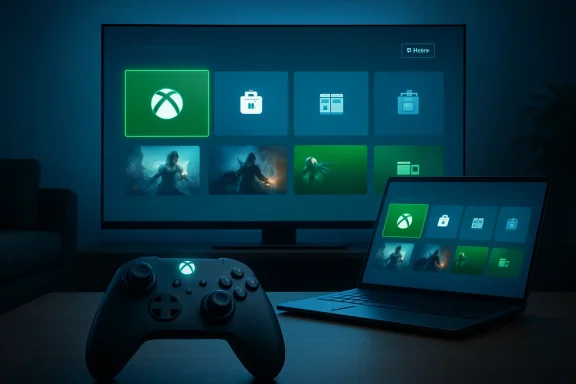
Microsoft began rolling out Xbox mode on April 30, 2026, to Windows 11 PCs in select markets, bringing a controller-optimized, full-screen Xbox interface to laptops, desktops, tablets, and handheld gaming PCs through a gradual update tied to Windows and the Xbox app. This is not a new operating system, and it is not a console magically appearing inside a PC tower. It is Microsoft’s latest attempt to make Windows feel less like Windows when the user’s hands are on a controller. The stakes are larger than a launcher: Xbox mode is a bet that the future of Xbox is not a box under the television, but a familiar layer stretched across every screen Microsoft can reach.
For decades, Windows has been the default home of PC gaming and the default enemy of relaxed PC gaming. It is powerful, open, and endlessly compatible, but it is also a desktop operating system built around windows, taskbars, cursors, notifications, driver prompts, store updates, launchers, and the assumption that a keyboard is never far away.
Xbox mode exists because Microsoft can no longer pretend that this is good enough. The company’s own framing is careful: it calls the feature a console-inspired experience, not a console replacement. But the premise is unmistakable. When someone picks up a controller, they do not want to negotiate with the Windows shell before reaching a game.
That tension has been obvious for years on handheld gaming PCs. Devices like the ROG Ally, Lenovo Legion Go, and MSI Claw proved that Windows could run the games players wanted, including titles that struggle on Linux-based devices because of anti-cheat or launcher dependencies. They also proved that Windows, left to its own habits, is an awkward handheld citizen.
Xbox mode is Microsoft’s answer to that embarrassment. It does not remove Windows from the equation. It hides the parts of Windows that break the spell.
Its first real proving ground was handheld gaming PCs, where the problem was impossible to ignore. A Windows desktop on a seven-inch touchscreen is technically functional in the same way a spreadsheet is technically readable from across a conference room. It can be done, but nobody should mistake it for good design.
Microsoft’s November 2025 expansion of the full-screen experience to more Windows handhelds and Insider builds for broader PC form factors was the preview of this week’s move. The April 2026 rollout turns that experiment into a mainstream Windows 11 feature, at least in select markets and on a staggered schedule.
That staggered language matters. Microsoft is not throwing a switch for every Windows 11 gamer at once. Some users can download the experience immediately, while others in eligible markets will see it arrive over the coming weeks. The company wants the symbolism of a launch without the support nightmare of a universal day-one flip.
Microsoft says Xbox mode gives players a controller-friendly interface for browsing and launching games, switching between Xbox mode and the Windows desktop, and accessing an aggregated library that includes Game Pass and installed games from major PC storefronts. That aggregation is the important promise. If Xbox mode only launched Microsoft Store and Game Pass titles, it would be a branded kiosk. If it can reliably surface Steam, Epic, Battle.net, GOG, Ubisoft Connect, and other PC games without making the user think about plumbing, it becomes something more useful.
The challenge is that PC gaming’s openness is also its mess. Every storefront has its own updater, login state, overlay, save system, DRM assumptions, and tendency to demand attention at precisely the wrong moment. Microsoft can put a beautiful console-style interface on top of that chaos, but the chaos does not disappear simply because the home screen looks calmer.
This is where Xbox mode will be judged. A full-screen home UI is easy to admire in screenshots. It is harder to love when a game opens a secondary launcher, a cloud-save conflict dialog, a driver warning, or a Windows permission prompt that expects a mouse.
That distinction lines up with Microsoft’s broader Xbox strategy. The company has spent years telling players that Xbox is not only a console, but an ecosystem spanning console hardware, Windows PCs, cloud gaming, mobile devices, smart TVs, Game Pass, and cross-buy initiatives like Xbox Play Anywhere. Xbox mode brings that idea down from marketing language into the operating system itself.
The pitch is simple: your PC can become more Xbox-like when you want it to. Not permanently, not exclusively, and not at the cost of PC flexibility. But enough that a living-room desktop, a gaming laptop connected to a television, a tablet with a controller, or a handheld PC can boot the user into something less fussy than the desktop.
This is Microsoft’s most plausible path forward because it avoids a fight it cannot win cleanly. Windows will not become SteamOS. Xbox consoles will not become open PCs. But Windows can borrow the posture of a console when the moment calls for it, and Xbox can become the wrapper that makes that borrowing feel intentional.
Valve’s advantage was focus. SteamOS is designed around the gaming session first, with the desktop available as a secondary mode. Windows does the inverse. It gives users everything, then asks gaming interfaces to carve out a comfortable corner.
Xbox mode is Microsoft trying to correct that inversion without abandoning Windows. The user can still jump back to the Windows 11 desktop, which is both a strength and an admission. Microsoft knows PC gamers value access to mods, utilities, alternate stores, Discord, browsers, capture tools, emulators, and all the weird edge cases that make PC gaming PC gaming.
But the default emotional experience matters. If a handheld or living-room PC starts by reminding the user that it is a computer, Microsoft loses ground to devices that start by feeling like game machines. Xbox mode is an effort to make Windows less apologetic in that first impression.
The company’s problem is that openness is not the same as coherence. A Windows PC can run almost anything, but the user pays for that flexibility in maintenance, unpredictability, and interface seams. Xbox mode is useful precisely because Windows is too open to feel consistently polished on its own.
The best version of this feature respects that bargain. It should make the common path simple without punishing users who need to leave it. Launch a Game Pass title, resume a recent game, browse installed games, and switch to the desktop when it is time to tweak a mod manager or install a fan patch. That is a reasonable division of labor.
The worst version would be a glossy funnel that privileges Microsoft’s services while treating the rest of the PC ecosystem as tolerated clutter. Microsoft says Xbox mode includes installed games from leading PC storefronts. Players will quickly find out how generous that promise is in practice.
Xbox mode gives Microsoft a new front door. A full-screen interface that places Game Pass alongside recently played and installed games changes the context from “open an app to browse a subscription” to “start gaming from an Xbox environment where the subscription is already present.” That is subtle, but platform strategy is built from subtle defaults.
This does not mean every Xbox mode user becomes a Game Pass subscriber. PC gamers are famously resistant to being herded, and many have libraries too large and fragmented to move into a single ecosystem. But Microsoft does not need total conversion. It needs more moments where Game Pass feels native to the PC gaming session instead of adjacent to it.
The more Xbox mode becomes the place users begin, the more Microsoft can shape what they notice. Recently played titles, cloud gaming entries, Play Anywhere games, perks, recommendations, and subscription catalog updates all become part of the surface area. That is why this feature matters.
Any new shell-like mode raises questions for managed environments. Can it be disabled? Can it be controlled by policy? How does it interact with kiosk scenarios, shared devices, classroom labs, esports rooms, and corporate laptops where gaming features are not wanted? Microsoft’s consumer-first rollout language leaves those operational details outside the spotlight.
For most businesses, Xbox mode will be noise rather than crisis. It does not appear to replace the Windows desktop, and users must receive the update before using it. But IT administrators have learned to watch optional-feeling Windows features carefully, because “another way to use the PC” can become another thing to explain, block, support, or audit.
There is also a subtler management issue: identity. Xbox experiences intersect with Microsoft accounts, Game Pass subscriptions, Store entitlements, and consumer services that may sit uneasily on work-managed machines. If Microsoft wants Xbox mode to remain a gamer feature, it should give administrators clean controls before the help desk tickets arrive.
Windows users know this rhythm well. Feature rollouts now arrive through a blend of Windows Update, app updates, regional gates, eligibility checks, controlled feature rollout mechanisms, and “get the latest updates as soon as they are available” toggles. The result is a Windows ecosystem where two fully updated PCs can sit side by side and still expose different features.
For enthusiasts, that can be maddening. The most interested users are often the least patient, and they will hunt for settings, registry keys, Insider channels, app versions, and hidden feature flags if the official rollout does not reach them quickly. Microsoft should expect that behavior because it trained this audience over years of gradual Windows feature delivery.
The company’s advice is simple: enable the setting to receive the latest updates as soon as they are available. That is useful, but it is not a guarantee. The real message is that Xbox mode is now in the public-release pipeline, not merely an Insider curiosity.
Windows is excellent when the user is close to the screen with precise input. It becomes far less elegant when the user is ten feet away on a couch, holding a controller, or balancing a handheld. Xbox mode exists to make Windows respond to a different physical posture.
That is why the feature’s controller-optimized interface matters more than its branding. A usable couch interface is not just bigger tiles. It needs predictable focus movement, readable text at distance, fast resume paths, sensible back behavior, minimal modal interruptions, and a way to recover gracefully when something outside the curated experience intrudes.
Microsoft has decades of Xbox console UI experience to draw from, but PC is harder because PC is less controlled. On a console, Microsoft owns the assumptions. On Windows, it owns the shell but not the whole gaming stack. Xbox mode must therefore be both confident and humble: confident enough to feel like a console, humble enough to step aside when PC reality demands it.
What happens when a game needs a Visual C++ redistributable? What happens when Steam asks for a login? What happens when an anti-cheat update fails, a Bluetooth controller disconnects, a cloud save conflicts, HDR misbehaves, or Windows Update wants a restart? These are not edge cases in PC gaming. They are the weather.
The console illusion can survive occasional friction if the system handles it gracefully. It cannot survive if users are repeatedly dumped into tiny dialogs, desktop windows, or mouse-only prompts with no obvious route back. The worst possible Xbox mode experience would be one where the user feels trapped between a console UI that cannot solve a problem and a desktop UI that was never meant for the couch.
Microsoft’s advantage is that it can iterate. Xbox mode is not burned into fixed hardware for a generation. It can improve through app updates, Windows updates, Store integration, Game Bar improvements, and feedback from users who will be quick to document every irritation. The question is whether Microsoft treats those irritations as polish issues or as core platform work.
The living-room PC never disappeared, but it never became mainstream in the way enthusiasts once imagined. It was too fiddly for casual users and too computer-like for people who simply wanted to play. Steam Big Picture helped, but it lived inside Steam. Xbox mode has the potential advantage of sitting closer to Windows itself.
That proximity is both practical and political. If Microsoft can make a Windows 11 PC feel like an Xbox when connected to a TV, it strengthens the argument for buying or building a PC instead of a console. If it can make a handheld feel less like a compromised laptop, it strengthens the argument for Windows-based portables against SteamOS devices.
This does not eliminate the console. The Xbox Series X and Series S still offer simplicity, known performance targets, and a cheaper entry point than most gaming PCs. But Xbox mode helps Microsoft blur the boundary in the one direction it cares most about: making Xbox services feel native on hardware Microsoft did not have to sell.
Xbox mode fits that ambiguity better than a traditional console announcement would. It gives Microsoft a way to improve the Windows gaming experience without declaring that Windows is becoming Xbox or that Xbox hardware is going away. It turns the brand into a mode, an interface, and a service surface.
That is a very Microsoft solution. Rather than simplify the product map, the company builds a layer across it. Sometimes that produces bloat and confusion. Sometimes, when the layer solves a real user problem, it produces leverage.
Xbox mode is promising because the user problem is real. Windows gaming has needed a better controller-first shell for years. The open question is whether Microsoft can resist overloading that shell with corporate objectives before it earns player trust.
That simplicity hides the complexity underneath. The feature depends on Microsoft coordinating Windows, Xbox app behavior, regional availability, storefront integration, controller input, and gradual rollout telemetry. It is easy to write “available today” and harder to make that sentence true across the messy universe of Windows hardware.
Still, the fact that Xbox mode is coming to laptops, desktops, and tablets matters. Microsoft is no longer treating the console-style PC interface as a handheld-only accommodation. It is treating it as a general Windows gaming posture.
That is the right call. A controller-first experience should not be limited to devices with built-in controls. The moment a desktop tower connects to a television, or a laptop lands on a coffee table with an Xbox controller paired, the same problem appears.
The best sign for the feature would be users choosing to remain in Xbox mode for entire sessions because leaving it feels unnecessary. That means game discovery works, library aggregation works, controller navigation works, and the escape hatch to desktop is available without being constantly required. It means Xbox mode becomes a habit rather than a novelty.
The danger is that players try it once, admire the idea, then return to Steam Big Picture, Playnite, handheld vendor software, or the plain desktop because those options better match their library and routines. PC gamers are pragmatic. They will use whatever gets them into games with the least friction, brand loyalty notwithstanding.
Microsoft has one structural advantage: it controls Windows. If Xbox mode becomes better integrated with the OS than third-party shells can be, it can offer conveniences competitors cannot easily duplicate. But that same control raises expectations. Users will be less forgiving of rough edges from the company that owns the platform underneath.
Source: Xbox Wire Xbox Mode Begins Rolling Out to Players on Windows 11 PCs Today - Xbox Wire
 Microsoft Finally Admits the Desktop Is the Wrong Doorway for Couch Gaming
For decades, Windows has been the default home of PC gaming and the default enemy of relaxed PC gaming. It is powerful, open, and endlessly compatible, but it is also a desktop operating system built around windows, taskbars, cursors, notifications, driver prompts, store updates, launchers, and the assumption that a keyboard is never far away.Xbox mode exists because Microsoft can no longer pretend that this is good enough. The company’s own framing is careful: it calls the feature a console-inspired experience, not a console replacement. But the premise is unmistakable. When someone picks up a controller, they do not want to negotiate with the Windows shell before reaching a game.
That tension has been obvious for years on handheld gaming PCs. Devices like the ROG Ally, Lenovo Legion Go, and MSI Claw proved that Windows could run the games players wanted, including titles that struggle on Linux-based devices because of anti-cheat or launcher dependencies. They also proved that Windows, left to its own habits, is an awkward handheld citizen.
Xbox mode is Microsoft’s answer to that embarrassment. It does not remove Windows from the equation. It hides the parts of Windows that break the spell.
The Handheld Experiment Becomes a Windows Strategy
The feature Microsoft is now calling Xbox mode began life under the more literal name full screen experience. That name was clumsy, but it described the idea honestly: a full-screen Xbox environment on top of Windows, optimized for controller navigation and quick game launching.Its first real proving ground was handheld gaming PCs, where the problem was impossible to ignore. A Windows desktop on a seven-inch touchscreen is technically functional in the same way a spreadsheet is technically readable from across a conference room. It can be done, but nobody should mistake it for good design.
Microsoft’s November 2025 expansion of the full-screen experience to more Windows handhelds and Insider builds for broader PC form factors was the preview of this week’s move. The April 2026 rollout turns that experiment into a mainstream Windows 11 feature, at least in select markets and on a staggered schedule.
That staggered language matters. Microsoft is not throwing a switch for every Windows 11 gamer at once. Some users can download the experience immediately, while others in eligible markets will see it arrive over the coming weeks. The company wants the symbolism of a launch without the support nightmare of a universal day-one flip.
Xbox Mode Is a Launcher, but Launchers Are Where Platforms Fight Now
It is tempting to dismiss Xbox mode as “just another launcher.” That would be technically fair and strategically naïve. In modern gaming, the launcher is not merely the thing that starts the game; it is the storefront, the library, the recommendation engine, the subscription funnel, the identity layer, and the place where platform owners try to own the first minute of the session.Microsoft says Xbox mode gives players a controller-friendly interface for browsing and launching games, switching between Xbox mode and the Windows desktop, and accessing an aggregated library that includes Game Pass and installed games from major PC storefronts. That aggregation is the important promise. If Xbox mode only launched Microsoft Store and Game Pass titles, it would be a branded kiosk. If it can reliably surface Steam, Epic, Battle.net, GOG, Ubisoft Connect, and other PC games without making the user think about plumbing, it becomes something more useful.
The challenge is that PC gaming’s openness is also its mess. Every storefront has its own updater, login state, overlay, save system, DRM assumptions, and tendency to demand attention at precisely the wrong moment. Microsoft can put a beautiful console-style interface on top of that chaos, but the chaos does not disappear simply because the home screen looks calmer.
This is where Xbox mode will be judged. A full-screen home UI is easy to admire in screenshots. It is harder to love when a game opens a secondary launcher, a cloud-save conflict dialog, a driver warning, or a Windows permission prompt that expects a mouse.
Microsoft Wants Xbox to Mean Continuity, Not Hardware
The branding shift from full screen experience to Xbox mode is more than cosmetic. “Full screen experience” described a feature. “Xbox mode” describes a state of the device.That distinction lines up with Microsoft’s broader Xbox strategy. The company has spent years telling players that Xbox is not only a console, but an ecosystem spanning console hardware, Windows PCs, cloud gaming, mobile devices, smart TVs, Game Pass, and cross-buy initiatives like Xbox Play Anywhere. Xbox mode brings that idea down from marketing language into the operating system itself.
The pitch is simple: your PC can become more Xbox-like when you want it to. Not permanently, not exclusively, and not at the cost of PC flexibility. But enough that a living-room desktop, a gaming laptop connected to a television, a tablet with a controller, or a handheld PC can boot the user into something less fussy than the desktop.
This is Microsoft’s most plausible path forward because it avoids a fight it cannot win cleanly. Windows will not become SteamOS. Xbox consoles will not become open PCs. But Windows can borrow the posture of a console when the moment calls for it, and Xbox can become the wrapper that makes that borrowing feel intentional.
The Steam Deck Forced the Issue Without Being Named
Microsoft does not need to mention Valve for Valve’s influence to be obvious. The Steam Deck changed expectations around PC gaming interfaces by proving that a PC library could feel appliance-like. It did not make compatibility perfect, and it did not erase the value of Windows, but it made the traditional Windows handheld experience look unfinished.Valve’s advantage was focus. SteamOS is designed around the gaming session first, with the desktop available as a secondary mode. Windows does the inverse. It gives users everything, then asks gaming interfaces to carve out a comfortable corner.
Xbox mode is Microsoft trying to correct that inversion without abandoning Windows. The user can still jump back to the Windows 11 desktop, which is both a strength and an admission. Microsoft knows PC gamers value access to mods, utilities, alternate stores, Discord, browsers, capture tools, emulators, and all the weird edge cases that make PC gaming PC gaming.
But the default emotional experience matters. If a handheld or living-room PC starts by reminding the user that it is a computer, Microsoft loses ground to devices that start by feeling like game machines. Xbox mode is an effort to make Windows less apologetic in that first impression.
The Openness Pitch Cuts Both Ways
Microsoft is leaning hard on the idea that Xbox mode preserves the openness of PC gaming. That is the right message for WindowsForum readers, because nobody who understands Windows wants a locked-down console skin that breaks everything interesting about the platform.The company’s problem is that openness is not the same as coherence. A Windows PC can run almost anything, but the user pays for that flexibility in maintenance, unpredictability, and interface seams. Xbox mode is useful precisely because Windows is too open to feel consistently polished on its own.
The best version of this feature respects that bargain. It should make the common path simple without punishing users who need to leave it. Launch a Game Pass title, resume a recent game, browse installed games, and switch to the desktop when it is time to tweak a mod manager or install a fan patch. That is a reasonable division of labor.
The worst version would be a glossy funnel that privileges Microsoft’s services while treating the rest of the PC ecosystem as tolerated clutter. Microsoft says Xbox mode includes installed games from leading PC storefronts. Players will quickly find out how generous that promise is in practice.
For Game Pass, This Is a Front Door Problem
Game Pass has always had a discovery problem on PC. The service may be valuable, but the Xbox app on Windows has had to compete against Steam’s gravitational pull, years of user habit, and the simple fact that most PC players already know where their library lives.Xbox mode gives Microsoft a new front door. A full-screen interface that places Game Pass alongside recently played and installed games changes the context from “open an app to browse a subscription” to “start gaming from an Xbox environment where the subscription is already present.” That is subtle, but platform strategy is built from subtle defaults.
This does not mean every Xbox mode user becomes a Game Pass subscriber. PC gamers are famously resistant to being herded, and many have libraries too large and fragmented to move into a single ecosystem. But Microsoft does not need total conversion. It needs more moments where Game Pass feels native to the PC gaming session instead of adjacent to it.
The more Xbox mode becomes the place users begin, the more Microsoft can shape what they notice. Recently played titles, cloud gaming entries, Play Anywhere games, perks, recommendations, and subscription catalog updates all become part of the surface area. That is why this feature matters.
IT Pros Should See the Consumer Feature With Enterprise Eyes
At first glance, Xbox mode is not an enterprise story. It is a gaming interface for consumer PCs, not a management console or security baseline. But Windows features rarely stay confined to the audience Microsoft’s marketing department had in mind.Any new shell-like mode raises questions for managed environments. Can it be disabled? Can it be controlled by policy? How does it interact with kiosk scenarios, shared devices, classroom labs, esports rooms, and corporate laptops where gaming features are not wanted? Microsoft’s consumer-first rollout language leaves those operational details outside the spotlight.
For most businesses, Xbox mode will be noise rather than crisis. It does not appear to replace the Windows desktop, and users must receive the update before using it. But IT administrators have learned to watch optional-feeling Windows features carefully, because “another way to use the PC” can become another thing to explain, block, support, or audit.
There is also a subtler management issue: identity. Xbox experiences intersect with Microsoft accounts, Game Pass subscriptions, Store entitlements, and consumer services that may sit uneasily on work-managed machines. If Microsoft wants Xbox mode to remain a gamer feature, it should give administrators clean controls before the help desk tickets arrive.
The Rollout Language Is Doing a Lot of Work
Microsoft says Xbox mode is beginning today in select markets and expanding to more players in those markets over the next several weeks. That wording is deliberately elastic. It lets the company claim availability while giving engineering teams room to throttle, pause, and adjust.Windows users know this rhythm well. Feature rollouts now arrive through a blend of Windows Update, app updates, regional gates, eligibility checks, controlled feature rollout mechanisms, and “get the latest updates as soon as they are available” toggles. The result is a Windows ecosystem where two fully updated PCs can sit side by side and still expose different features.
For enthusiasts, that can be maddening. The most interested users are often the least patient, and they will hunt for settings, registry keys, Insider channels, app versions, and hidden feature flags if the official rollout does not reach them quickly. Microsoft should expect that behavior because it trained this audience over years of gradual Windows feature delivery.
The company’s advice is simple: enable the setting to receive the latest updates as soon as they are available. That is useful, but it is not a guarantee. The real message is that Xbox mode is now in the public-release pipeline, not merely an Insider curiosity.
The Controller Is the Real Interface Boundary
The important dividing line here is not desktop versus handheld, or PC versus console. It is controller versus keyboard and mouse.Windows is excellent when the user is close to the screen with precise input. It becomes far less elegant when the user is ten feet away on a couch, holding a controller, or balancing a handheld. Xbox mode exists to make Windows respond to a different physical posture.
That is why the feature’s controller-optimized interface matters more than its branding. A usable couch interface is not just bigger tiles. It needs predictable focus movement, readable text at distance, fast resume paths, sensible back behavior, minimal modal interruptions, and a way to recover gracefully when something outside the curated experience intrudes.
Microsoft has decades of Xbox console UI experience to draw from, but PC is harder because PC is less controlled. On a console, Microsoft owns the assumptions. On Windows, it owns the shell but not the whole gaming stack. Xbox mode must therefore be both confident and humble: confident enough to feel like a console, humble enough to step aside when PC reality demands it.
The Feature Will Live or Die in the Annoying Moments
Nobody will judge Xbox mode solely by how it opens Forza, Halo, Minecraft, or a freshly installed Game Pass title. They will judge it when something goes wrong.What happens when a game needs a Visual C++ redistributable? What happens when Steam asks for a login? What happens when an anti-cheat update fails, a Bluetooth controller disconnects, a cloud save conflicts, HDR misbehaves, or Windows Update wants a restart? These are not edge cases in PC gaming. They are the weather.
The console illusion can survive occasional friction if the system handles it gracefully. It cannot survive if users are repeatedly dumped into tiny dialogs, desktop windows, or mouse-only prompts with no obvious route back. The worst possible Xbox mode experience would be one where the user feels trapped between a console UI that cannot solve a problem and a desktop UI that was never meant for the couch.
Microsoft’s advantage is that it can iterate. Xbox mode is not burned into fixed hardware for a generation. It can improve through app updates, Windows updates, Store integration, Game Bar improvements, and feedback from users who will be quick to document every irritation. The question is whether Microsoft treats those irritations as polish issues or as core platform work.
This Is Also a Living-Room PC Play
Handhelds are the obvious story, but the broader Windows 11 PC rollout may matter more. Xbox mode makes sense on gaming laptops and desktops connected to televisions, where Windows has long been powerful but inelegant.The living-room PC never disappeared, but it never became mainstream in the way enthusiasts once imagined. It was too fiddly for casual users and too computer-like for people who simply wanted to play. Steam Big Picture helped, but it lived inside Steam. Xbox mode has the potential advantage of sitting closer to Windows itself.
That proximity is both practical and political. If Microsoft can make a Windows 11 PC feel like an Xbox when connected to a TV, it strengthens the argument for buying or building a PC instead of a console. If it can make a handheld feel less like a compromised laptop, it strengthens the argument for Windows-based portables against SteamOS devices.
This does not eliminate the console. The Xbox Series X and Series S still offer simplicity, known performance targets, and a cheaper entry point than most gaming PCs. But Xbox mode helps Microsoft blur the boundary in the one direction it cares most about: making Xbox services feel native on hardware Microsoft did not have to sell.
Microsoft’s Hardware Ambiguity Becomes a Software Advantage
The strangest thing about Xbox in 2026 is that Microsoft’s hardware message can seem both muddled and freeing. The company still sells consoles, partners on handhelds, pushes cloud gaming, releases more games across platforms than it once did, and insists that Xbox is an ecosystem rather than a single device category.Xbox mode fits that ambiguity better than a traditional console announcement would. It gives Microsoft a way to improve the Windows gaming experience without declaring that Windows is becoming Xbox or that Xbox hardware is going away. It turns the brand into a mode, an interface, and a service surface.
That is a very Microsoft solution. Rather than simplify the product map, the company builds a layer across it. Sometimes that produces bloat and confusion. Sometimes, when the layer solves a real user problem, it produces leverage.
Xbox mode is promising because the user problem is real. Windows gaming has needed a better controller-first shell for years. The open question is whether Microsoft can resist overloading that shell with corporate objectives before it earns player trust.
The Update Button Is Only the Beginning
For users who want Xbox mode as soon as possible, the official path is familiar: open Settings, go to Windows Update, and enable the option to get the latest updates as soon as they are available. Once Microsoft lights up the feature for a given device and market, the user should be able to enter Xbox mode directly and begin using the full-screen experience.That simplicity hides the complexity underneath. The feature depends on Microsoft coordinating Windows, Xbox app behavior, regional availability, storefront integration, controller input, and gradual rollout telemetry. It is easy to write “available today” and harder to make that sentence true across the messy universe of Windows hardware.
Still, the fact that Xbox mode is coming to laptops, desktops, and tablets matters. Microsoft is no longer treating the console-style PC interface as a handheld-only accommodation. It is treating it as a general Windows gaming posture.
That is the right call. A controller-first experience should not be limited to devices with built-in controls. The moment a desktop tower connects to a television, or a laptop lands on a coffee table with an Xbox controller paired, the same problem appears.
The Real Test Will Be Whether Players Choose to Stay
Microsoft can make Xbox mode available. It cannot make players use it.The best sign for the feature would be users choosing to remain in Xbox mode for entire sessions because leaving it feels unnecessary. That means game discovery works, library aggregation works, controller navigation works, and the escape hatch to desktop is available without being constantly required. It means Xbox mode becomes a habit rather than a novelty.
The danger is that players try it once, admire the idea, then return to Steam Big Picture, Playnite, handheld vendor software, or the plain desktop because those options better match their library and routines. PC gamers are pragmatic. They will use whatever gets them into games with the least friction, brand loyalty notwithstanding.
Microsoft has one structural advantage: it controls Windows. If Xbox mode becomes better integrated with the OS than third-party shells can be, it can offer conveniences competitors cannot easily duplicate. But that same control raises expectations. Users will be less forgiving of rough edges from the company that owns the platform underneath.
The Xbox Home Screen Moves Into Windows
The practical read on today’s rollout is straightforward, but the strategic read is bigger.- Xbox mode began rolling out on April 30, 2026, for Windows 11 PCs in select markets, with availability expanding gradually over the following weeks.
- The feature brings a controller-optimized, full-screen Xbox interface to laptops, desktops, tablets, and handheld gaming PCs rather than limiting the experience to dedicated handhelds.
- Microsoft is positioning Xbox mode as a way to preserve PC openness while giving players a more console-like path into Game Pass, recent games, and installed titles from major storefronts.
- The feature’s success will depend less on its home screen than on how well it handles launchers, updates, dialogs, controller disconnects, and other routine PC gaming interruptions.
- For IT administrators, Xbox mode is not an emergency, but it is another consumer Windows surface that will need clear controls in managed environments.
Source: Xbox Wire Xbox Mode Begins Rolling Out to Players on Windows 11 PCs Today - Xbox Wire
