

Microsoft began rolling out Xbox Mode for Windows 11 on April 30, 2026, bringing a full-screen, controller-first gaming interface to select Windows 11 PCs in supported markets before a wider expansion over the following weeks. The pitch is simple: turn the PC into something that behaves more like a console without giving up the PC underneath. The stakes are larger than a launcher redesign, because Microsoft is trying to make Windows feel native on the devices where Windows has often felt most out of place. Xbox Mode is not the death of the desktop; it is Microsoft admitting that the desktop cannot be the only front door.
For decades, Windows has been the most flexible gaming platform and one of the least graceful gaming environments. It can run an absurd range of hardware, storefronts, drivers, overlays, mods, anti-cheat systems, emulators, chat apps, capture tools, and controller utilities. That openness is the reason PC gaming keeps winning. It is also the reason PC gaming can feel like a tax form when all you wanted was to play Forza from a sofa.
Xbox Mode is Microsoft’s latest attempt to put a console-shaped mask over that complexity. It presents a full-screen Xbox-style home experience, prioritizes controller navigation, surfaces recent games, integrates Game Bar, and attempts to gather installed titles from Xbox, Game Pass, and other PC storefronts into a more coherent library. It is the same basic promise Steam Big Picture made years ago, now arriving from the company that owns Windows, Xbox, Game Pass, and the operating-system APIs under nearly every PC game.
That last point matters. Valve had to build around Windows. Microsoft can, at least in theory, build through it. Xbox Mode does not merely compete with Steam Big Picture or third-party launchers like Playnite; it tries to make a Windows gaming session feel like a first-party Microsoft environment rather than a bunch of windows behaving badly on a television.
The timing is not accidental. Windows handhelds have exposed the problem with almost comic clarity. Devices like the ROG Ally, Legion Go, MSI Claw, and their successors proved that Windows can run PC games in a portable shell, but also proved that Windows was never designed around thumbsticks, seven-inch screens, battery anxiety, suspended sessions, and people who do not want to tap tiny system dialogs with a finger.
The handheld category forced Microsoft to confront problems desktop users had normalized. The Windows taskbar is not a game launcher. The Start menu is not a living-room interface. A UAC prompt is not a reasonable interruption when a player is holding a controller on a couch. The system tray, multi-launcher updates, login pop-ups, scaling weirdness, and foreground focus bugs are not charming signs of PC freedom when they appear on a device trying to compete with a Steam Deck or Nintendo Switch.
Microsoft’s move to extend Xbox Mode to desktops, laptops, and tablets shows that the company understands the same problem exists beyond handhelds. Plenty of users already connect gaming PCs to televisions. Plenty of laptops spend time docked. Plenty of tablets and convertibles are physically capable of playing games but ergonomically awkward once Windows asks for a mouse.
This is where Xbox Mode becomes more than a handheld feature. It is Microsoft’s answer to a question that has hovered over Windows gaming for years: can the PC become console-like when the user wants it to, without becoming console-locked when the user does not? The company’s answer is a mode, not a separate operating system. That is both its strength and its limitation.
That distinction will disappoint anyone expecting miracles. A cleaner interface can reduce friction, but it cannot erase shader compilation, driver issues, anti-cheat conflicts, storefront authentication, background updaters, or games that simply behave badly outside their preferred launcher. PC gaming’s mess lives below the launcher as much as above it.
Still, interface layers matter. A good front end changes the emotional texture of a device. Steam Deck’s genius was never that Linux suddenly became simple; it was that Valve made the default path feel coherent. Desktop mode remained available, but most users did not have to live there. Xbox Mode is Microsoft chasing that same psychological switch: the sense that the machine is for games first until the user decides otherwise.
That is why the ability to slip back to the standard Windows desktop is central rather than incidental. Microsoft cannot and should not remove the PC from the PC. Users still need Discord, browsers, mods, launchers, peripheral tools, productivity apps, capture workflows, and troubleshooting access. The better Xbox Mode becomes, the more it can serve as the front door while Windows remains the workshop behind it.
That person may be using a desktop connected to a television, a handheld on a train, a tablet with a kickstand, or a laptop plugged into a hotel-room TV. In each case, the standard Windows interaction model becomes a liability. Pointer precision, small targets, window management, background notifications, and keyboard-first assumptions all get in the way.
A controller-first interface changes what a Windows PC can plausibly be. It lets the Xbox button become a gateway rather than a mere overlay trigger. It makes recent games and library browsing feel immediate. It lowers the chance that a session starts with alt-tabbing, resizing, signing in, dismissing a launcher, or hunting for the right executable.
The irony is that Microsoft has been building the pieces of this for years. Game Bar already gave Windows a console-adjacent overlay. The Xbox app already gave Game Pass a PC home. Windows already supported controllers, cloud saves, Auto HDR, and a growing stack of gaming features. Xbox Mode is the act of arranging those pieces into a room that makes sense from ten feet away.
If Xbox Mode can make those games appear together in a single controller-friendly view, it solves a real annoyance. Recent games should be recent games, not recent games from one corporate storefront. A launcher that only treats Microsoft’s ecosystem as first-class would feel like advertising. A launcher that acknowledges the messy reality of PC libraries has a chance to become useful.
But Microsoft must be careful with the word unified. A game appearing in one view is not the same as being managed by one system. Updates may still come from Steam. Authentication may still come from Ubisoft. Cloud saves may still depend on a publisher service. Controller layouts may still vary. Some games will launch cleanly, while others will throw the user into a second interface or a desktop prompt at the worst possible moment.
That does not make the effort pointless. It just means Xbox Mode’s credibility will depend on how honestly it handles the seams. The best version of this product does not pretend PC gaming is tidy. It gives users a reliable way to start from a tidy place and recover gracefully when the mess appears.
That does not mean Xbox Mode is hostile to other stores. In fact, it cannot afford to be. Windows’ value to gamers comes from breadth, and Microsoft knows that a walled-garden PC interface would be rejected by the very audience it needs to win over. But Microsoft can still benefit enormously from being the organizer of the room.
The company’s long-term gaming strategy increasingly treats Xbox as a service layer rather than a single box under the television. Consoles still matter, but the brand now stretches across cloud streaming, PC Game Pass, cross-buy libraries, handheld partnerships, and Windows itself. Xbox Mode makes that strategy visible. It says the Xbox experience is not confined to Xbox hardware.
That is a risky message for the traditional console business, but it is also a pragmatic one. The next gaming fight is not only about who sells the most boxes. It is about who owns the default interface when a player picks up a controller. Valve owns that moment on Steam Deck and increasingly on living-room PCs. Sony owns it on PlayStation. Nintendo owns it on Switch. Microsoft wants Windows to stop surrendering it.
Windows handheld makers have been competing with that lesson unevenly. Their devices often have strong chips, bright screens, broad game compatibility, and access to every major PC storefront. Yet they have also carried the overhead of Windows, both technically and emotionally. A faster handheld can still feel worse if the first five minutes are spent wrestling with a desktop.
Xbox Mode is Microsoft’s answer to that reputational problem. It gives OEMs a cleaner story: this is a Windows device that can behave like a gaming device from the moment you pick it up. It also gives Microsoft a way to keep partners from drifting toward alternative operating systems or custom Linux builds that imitate SteamOS more aggressively.
But Valve’s advantage is not merely interface polish. SteamOS benefits from a vertically integrated experience around Steam, Proton, Deck Verified ratings, and hardware-specific tuning. Microsoft has more hardware diversity to support and more legacy expectations to preserve. Xbox Mode can improve Windows gaming, but it inherits the challenge of making a universal platform feel bespoke.
For living-room PCs, the appeal is even clearer. Enthusiasts have built console-replacement rigs for years, only to rely on Steam Big Picture, custom launchers, wireless keyboards, remote desktop apps, or sheer tolerance for inconvenience. Xbox Mode gives those users an official Microsoft path into a full-screen gaming environment that does not begin with the Windows desktop.
That could matter to families as much as enthusiasts. A PC under a television is intimidating if every launch requires the user to understand Windows. It becomes more plausible if the default experience resembles an Xbox console and the desktop is available only when needed. Microsoft does not need every household to replace an Xbox with a PC; it just needs Windows to feel less absurd in rooms where consoles have historically made more sense.
There is also a workplace-adjacent angle for IT pros and power users. A mode-based interface suggests a future where Windows can present different shells for different contexts. Gaming is the obvious test because it has a passionate audience and a clear controller requirement. But the underlying idea — that Windows should adapt more dramatically to posture, input, and intent — has implications beyond games.
Early expectations should be modest. A full-screen Xbox environment may reduce some background clutter and streamline launch paths, but it does not automatically rewrite Windows scheduling, memory behavior, driver overhead, or game engine performance. If a title is CPU-bound, GPU-bound, poorly optimized, or shader-stutter prone, Xbox Mode alone will not save it.
Microsoft appears to understand that the surrounding gaming stack must keep evolving. Features such as Auto SR previews on capable handheld hardware, docking improvements, automatic TV gaming modes, and better Game Bar integration point to a broader attempt to improve the Windows gaming appliance experience. Those additions matter because the interface is only one layer of trust.
For enthusiasts, the danger is hype. If Xbox Mode is sold as a performance revolution and behaves like a launcher, backlash will be swift. If it is sold as a cleaner way to get into and out of games, with performance-related features arriving where hardware and software support them, users are more likely to judge it fairly.
For managed environments, the key questions will be policy, discoverability, and user expectation. Admins will want to know whether Xbox Mode can be disabled, whether Game Bar policies continue to apply, how Microsoft Store and Xbox app restrictions interact with the experience, and whether the interface creates support tickets from users who accidentally enter a full-screen environment on a non-gaming device.
There is nothing inherently wrong with Windows gaining a consumer gaming shell. The issue is Microsoft’s long habit of blending consumer discovery with professional devices. A feature that delights a handheld owner can irritate an admin if it appears without clear controls, documentation, or predictable rollout behavior.
This is where Microsoft’s phased rollout helps but does not absolve it. “Select markets” and gradual availability reduce blast radius for consumers, yet IT pros prefer explicitness over vibes. If Xbox Mode becomes a normal part of Windows 11, it needs normal administrative affordances. Optional consumer delight should not become mandatory enterprise noise.
There is a sensible reason for that. A gaming shell touches too many variables to flip on globally without telemetry and staged expansion. Microsoft needs to see how it behaves across GPUs, controllers, storefronts, display configurations, tablets, laptops, desktops, handhelds, and living-room setups. A bad launch here would reinforce every complaint about Windows as a gaming appliance.
The downside is confusion. Some users will read that Xbox Mode is available and not see it. Others will see settings move, app updates arrive separately, or instructions differ by device type. Enthusiast forums will fill the gap with registry edits, region speculation, Insider-channel advice, and half-correct workarounds.
Microsoft can reduce that frustration with plain messaging. Say what markets are included. Say what device requirements apply. Say whether users need Xbox app updates, Windows updates, Store updates, or specific Game Bar versions. Say which features are public and which remain Insider previews. The cleaner the interface becomes, the less patience users will have for a messy activation story.
That is harder than it sounds. PC games are not console games with one certification path and one hardware target. They are a vast archive of old assumptions and new dependencies. Some expect launchers. Some expect keyboard input. Some spawn configuration windows. Some dislike overlays. Some require anti-cheat services that behave differently across updates. Some simply were not designed for controller-first navigation outside gameplay.
Xbox Mode’s job is not to make every PC game perfect. Its job is to make the common path dramatically better while leaving escape hatches for the weird path. The most PC-friendly console interface is not the one that hides every knob. It is the one that keeps the knobs out of the way until the user asks for them.
That balance will define whether power users embrace or ignore it. If Xbox Mode is too shallow, enthusiasts will stick with Steam, Playnite, or custom setups. If it is too controlling, PC gamers will reject it as console creep. If it is calm, fast, reversible, and respectful of non-Microsoft libraries, it has a real shot.
Source: TechEBlog - Xbox Mode on Windows 11 Turns Every PC Into a Dedicated Gaming Hub
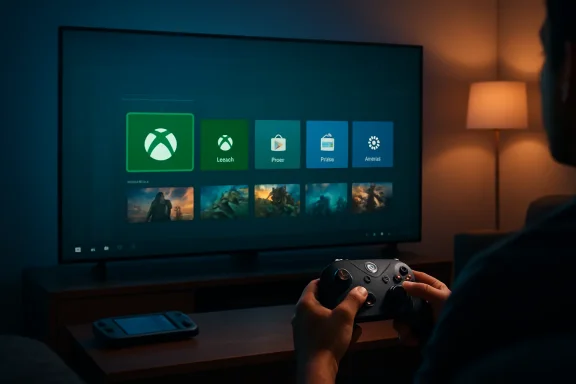 Microsoft Finally Stops Pretending the Desktop Is a Couch Interface
For decades, Windows has been the most flexible gaming platform and one of the least graceful gaming environments. It can run an absurd range of hardware, storefronts, drivers, overlays, mods, anti-cheat systems, emulators, chat apps, capture tools, and controller utilities. That openness is the reason PC gaming keeps winning. It is also the reason PC gaming can feel like a tax form when all you wanted was to play Forza from a sofa.Xbox Mode is Microsoft’s latest attempt to put a console-shaped mask over that complexity. It presents a full-screen Xbox-style home experience, prioritizes controller navigation, surfaces recent games, integrates Game Bar, and attempts to gather installed titles from Xbox, Game Pass, and other PC storefronts into a more coherent library. It is the same basic promise Steam Big Picture made years ago, now arriving from the company that owns Windows, Xbox, Game Pass, and the operating-system APIs under nearly every PC game.
That last point matters. Valve had to build around Windows. Microsoft can, at least in theory, build through it. Xbox Mode does not merely compete with Steam Big Picture or third-party launchers like Playnite; it tries to make a Windows gaming session feel like a first-party Microsoft environment rather than a bunch of windows behaving badly on a television.
The timing is not accidental. Windows handhelds have exposed the problem with almost comic clarity. Devices like the ROG Ally, Legion Go, MSI Claw, and their successors proved that Windows can run PC games in a portable shell, but also proved that Windows was never designed around thumbsticks, seven-inch screens, battery anxiety, suspended sessions, and people who do not want to tap tiny system dialogs with a finger.
The Handheld Was the Test Lab, Not the Destination
Xbox Mode’s public story begins with handhelds, but its strategic destination is bigger. Microsoft and Asus used the ROG Xbox Ally line to showcase a more console-like Windows gaming path, with the full-screen Xbox experience acting as the visible layer over the same unruly PC foundation. That made sense: if any Windows device needed a cleaner front end, it was a handheld.The handheld category forced Microsoft to confront problems desktop users had normalized. The Windows taskbar is not a game launcher. The Start menu is not a living-room interface. A UAC prompt is not a reasonable interruption when a player is holding a controller on a couch. The system tray, multi-launcher updates, login pop-ups, scaling weirdness, and foreground focus bugs are not charming signs of PC freedom when they appear on a device trying to compete with a Steam Deck or Nintendo Switch.
Microsoft’s move to extend Xbox Mode to desktops, laptops, and tablets shows that the company understands the same problem exists beyond handhelds. Plenty of users already connect gaming PCs to televisions. Plenty of laptops spend time docked. Plenty of tablets and convertibles are physically capable of playing games but ergonomically awkward once Windows asks for a mouse.
This is where Xbox Mode becomes more than a handheld feature. It is Microsoft’s answer to a question that has hovered over Windows gaming for years: can the PC become console-like when the user wants it to, without becoming console-locked when the user does not? The company’s answer is a mode, not a separate operating system. That is both its strength and its limitation.
A Console Skin Can Hide Windows, But It Cannot Abolish It
The most important thing to understand about Xbox Mode is what it is not. It is not a new Xbox operating system for PCs. It is not a stripped-down gaming build of Windows. It is not a magic performance profile that turns a midrange laptop into a console. It is, fundamentally, a full-screen experience layered onto Windows 11.That distinction will disappoint anyone expecting miracles. A cleaner interface can reduce friction, but it cannot erase shader compilation, driver issues, anti-cheat conflicts, storefront authentication, background updaters, or games that simply behave badly outside their preferred launcher. PC gaming’s mess lives below the launcher as much as above it.
Still, interface layers matter. A good front end changes the emotional texture of a device. Steam Deck’s genius was never that Linux suddenly became simple; it was that Valve made the default path feel coherent. Desktop mode remained available, but most users did not have to live there. Xbox Mode is Microsoft chasing that same psychological switch: the sense that the machine is for games first until the user decides otherwise.
That is why the ability to slip back to the standard Windows desktop is central rather than incidental. Microsoft cannot and should not remove the PC from the PC. Users still need Discord, browsers, mods, launchers, peripheral tools, productivity apps, capture workflows, and troubleshooting access. The better Xbox Mode becomes, the more it can serve as the front door while Windows remains the workshop behind it.
The Controller Is the Real Audience
Microsoft’s marketing will talk about laptops, desktops, tablets, and handhelds, but the true target is not a form factor. It is a posture. Xbox Mode is designed for the person who is not sitting upright at a desk with one hand on a mouse and the other on a keyboard.That person may be using a desktop connected to a television, a handheld on a train, a tablet with a kickstand, or a laptop plugged into a hotel-room TV. In each case, the standard Windows interaction model becomes a liability. Pointer precision, small targets, window management, background notifications, and keyboard-first assumptions all get in the way.
A controller-first interface changes what a Windows PC can plausibly be. It lets the Xbox button become a gateway rather than a mere overlay trigger. It makes recent games and library browsing feel immediate. It lowers the chance that a session starts with alt-tabbing, resizing, signing in, dismissing a launcher, or hunting for the right executable.
The irony is that Microsoft has been building the pieces of this for years. Game Bar already gave Windows a console-adjacent overlay. The Xbox app already gave Game Pass a PC home. Windows already supported controllers, cloud saves, Auto HDR, and a growing stack of gaming features. Xbox Mode is the act of arranging those pieces into a room that makes sense from ten feet away.
The Unified Library Is the Promise Microsoft Must Not Overstate
The most appealing part of Xbox Mode is the idea of a unified library. PC gamers do not own one library; they own a federation of grudges. Xbox, Steam, Epic, GOG, Battle.net, Ubisoft Connect, EA app, itch.io, standalone installers, modded executables, cloud shortcuts, and ancient games rescued from backup drives all coexist on the same machine with varying degrees of cooperation.If Xbox Mode can make those games appear together in a single controller-friendly view, it solves a real annoyance. Recent games should be recent games, not recent games from one corporate storefront. A launcher that only treats Microsoft’s ecosystem as first-class would feel like advertising. A launcher that acknowledges the messy reality of PC libraries has a chance to become useful.
But Microsoft must be careful with the word unified. A game appearing in one view is not the same as being managed by one system. Updates may still come from Steam. Authentication may still come from Ubisoft. Cloud saves may still depend on a publisher service. Controller layouts may still vary. Some games will launch cleanly, while others will throw the user into a second interface or a desktop prompt at the worst possible moment.
That does not make the effort pointless. It just means Xbox Mode’s credibility will depend on how honestly it handles the seams. The best version of this product does not pretend PC gaming is tidy. It gives users a reliable way to start from a tidy place and recover gracefully when the mess appears.
Game Pass Gets a Better Front Door, and That Is the Business Case
Xbox Mode is also a Game Pass machine. Microsoft may frame the feature as a general gaming interface, but the commercial gravity is obvious. A full-screen Xbox home on Windows puts Game Pass in the most privileged position possible: not as one app among many, but as the default environment a player enters when they decide to game.That does not mean Xbox Mode is hostile to other stores. In fact, it cannot afford to be. Windows’ value to gamers comes from breadth, and Microsoft knows that a walled-garden PC interface would be rejected by the very audience it needs to win over. But Microsoft can still benefit enormously from being the organizer of the room.
The company’s long-term gaming strategy increasingly treats Xbox as a service layer rather than a single box under the television. Consoles still matter, but the brand now stretches across cloud streaming, PC Game Pass, cross-buy libraries, handheld partnerships, and Windows itself. Xbox Mode makes that strategy visible. It says the Xbox experience is not confined to Xbox hardware.
That is a risky message for the traditional console business, but it is also a pragmatic one. The next gaming fight is not only about who sells the most boxes. It is about who owns the default interface when a player picks up a controller. Valve owns that moment on Steam Deck and increasingly on living-room PCs. Sony owns it on PlayStation. Nintendo owns it on Switch. Microsoft wants Windows to stop surrendering it.
The Steam Deck Shadow Is Everywhere
Microsoft does not need to say “Steam Deck” for the comparison to hang over every Xbox Mode screenshot. Valve demonstrated that PC gaming could be made approachable through a console-like shell without abandoning the PC’s deeper flexibility. It also demonstrated that operating-system design, suspend behavior, store integration, shader management, and input consistency matter as much as raw compatibility.Windows handheld makers have been competing with that lesson unevenly. Their devices often have strong chips, bright screens, broad game compatibility, and access to every major PC storefront. Yet they have also carried the overhead of Windows, both technically and emotionally. A faster handheld can still feel worse if the first five minutes are spent wrestling with a desktop.
Xbox Mode is Microsoft’s answer to that reputational problem. It gives OEMs a cleaner story: this is a Windows device that can behave like a gaming device from the moment you pick it up. It also gives Microsoft a way to keep partners from drifting toward alternative operating systems or custom Linux builds that imitate SteamOS more aggressively.
But Valve’s advantage is not merely interface polish. SteamOS benefits from a vertically integrated experience around Steam, Proton, Deck Verified ratings, and hardware-specific tuning. Microsoft has more hardware diversity to support and more legacy expectations to preserve. Xbox Mode can improve Windows gaming, but it inherits the challenge of making a universal platform feel bespoke.
Tablets and Living-Room PCs May Benefit More Than Microsoft Admits
The obvious winners are handhelds, but tablets and living-room PCs could quietly become Xbox Mode’s most interesting test cases. A Windows tablet has always been caught between identities: too desktop-like to be an iPad, too touch-compromised to be a laptop, and too awkward to be a console. A controller-first gaming shell gives it one more credible role.For living-room PCs, the appeal is even clearer. Enthusiasts have built console-replacement rigs for years, only to rely on Steam Big Picture, custom launchers, wireless keyboards, remote desktop apps, or sheer tolerance for inconvenience. Xbox Mode gives those users an official Microsoft path into a full-screen gaming environment that does not begin with the Windows desktop.
That could matter to families as much as enthusiasts. A PC under a television is intimidating if every launch requires the user to understand Windows. It becomes more plausible if the default experience resembles an Xbox console and the desktop is available only when needed. Microsoft does not need every household to replace an Xbox with a PC; it just needs Windows to feel less absurd in rooms where consoles have historically made more sense.
There is also a workplace-adjacent angle for IT pros and power users. A mode-based interface suggests a future where Windows can present different shells for different contexts. Gaming is the obvious test because it has a passionate audience and a clear controller requirement. But the underlying idea — that Windows should adapt more dramatically to posture, input, and intent — has implications beyond games.
Performance Claims Will Decide Whether Enthusiasts Trust It
The current rollout should be judged primarily as an interface release. That is not a criticism; interface work is real work. But PC gamers are trained to ask a harder question: does it make games run better?Early expectations should be modest. A full-screen Xbox environment may reduce some background clutter and streamline launch paths, but it does not automatically rewrite Windows scheduling, memory behavior, driver overhead, or game engine performance. If a title is CPU-bound, GPU-bound, poorly optimized, or shader-stutter prone, Xbox Mode alone will not save it.
Microsoft appears to understand that the surrounding gaming stack must keep evolving. Features such as Auto SR previews on capable handheld hardware, docking improvements, automatic TV gaming modes, and better Game Bar integration point to a broader attempt to improve the Windows gaming appliance experience. Those additions matter because the interface is only one layer of trust.
For enthusiasts, the danger is hype. If Xbox Mode is sold as a performance revolution and behaves like a launcher, backlash will be swift. If it is sold as a cleaner way to get into and out of games, with performance-related features arriving where hardware and software support them, users are more likely to judge it fairly.
Enterprise IT Will See Another Consumer Shell to Control
WindowsForum readers know the other side of any shiny Windows feature: someone has to manage it. Xbox Mode is aimed at consumers, but Windows 11 devices do not neatly divide between home and work anymore. Gaming laptops show up in small businesses. BYOD machines join work accounts. Shared family PCs become homework stations by day and gaming hubs by night.For managed environments, the key questions will be policy, discoverability, and user expectation. Admins will want to know whether Xbox Mode can be disabled, whether Game Bar policies continue to apply, how Microsoft Store and Xbox app restrictions interact with the experience, and whether the interface creates support tickets from users who accidentally enter a full-screen environment on a non-gaming device.
There is nothing inherently wrong with Windows gaining a consumer gaming shell. The issue is Microsoft’s long habit of blending consumer discovery with professional devices. A feature that delights a handheld owner can irritate an admin if it appears without clear controls, documentation, or predictable rollout behavior.
This is where Microsoft’s phased rollout helps but does not absolve it. “Select markets” and gradual availability reduce blast radius for consumers, yet IT pros prefer explicitness over vibes. If Xbox Mode becomes a normal part of Windows 11, it needs normal administrative affordances. Optional consumer delight should not become mandatory enterprise noise.
The Rollout Strategy Shows Microsoft Has Learned Some Caution
Microsoft’s Windows feature rollouts have often suffered from a mismatch between ambition and trust. Users hear about a new feature, toggle “get the latest updates,” and then discover that availability depends on region, app version, hardware class, account state, controlled feature rollout timing, Store updates, Insider channels, or some combination of all of the above. Xbox Mode appears to follow that modern Windows pattern: real, but staggered.There is a sensible reason for that. A gaming shell touches too many variables to flip on globally without telemetry and staged expansion. Microsoft needs to see how it behaves across GPUs, controllers, storefronts, display configurations, tablets, laptops, desktops, handhelds, and living-room setups. A bad launch here would reinforce every complaint about Windows as a gaming appliance.
The downside is confusion. Some users will read that Xbox Mode is available and not see it. Others will see settings move, app updates arrive separately, or instructions differ by device type. Enthusiast forums will fill the gap with registry edits, region speculation, Insider-channel advice, and half-correct workarounds.
Microsoft can reduce that frustration with plain messaging. Say what markets are included. Say what device requirements apply. Say whether users need Xbox app updates, Windows updates, Store updates, or specific Game Bar versions. Say which features are public and which remain Insider previews. The cleaner the interface becomes, the less patience users will have for a messy activation story.
The Best Version of Xbox Mode Is Boring in the Right Ways
A successful Xbox Mode will not be the one that makes headlines every week. It will be the one that disappears into habit. Press the Xbox button, see the right games, launch one, suspend or switch cleanly, return later, and never think about the shell unless something goes wrong.That is harder than it sounds. PC games are not console games with one certification path and one hardware target. They are a vast archive of old assumptions and new dependencies. Some expect launchers. Some expect keyboard input. Some spawn configuration windows. Some dislike overlays. Some require anti-cheat services that behave differently across updates. Some simply were not designed for controller-first navigation outside gameplay.
Xbox Mode’s job is not to make every PC game perfect. Its job is to make the common path dramatically better while leaving escape hatches for the weird path. The most PC-friendly console interface is not the one that hides every knob. It is the one that keeps the knobs out of the way until the user asks for them.
That balance will define whether power users embrace or ignore it. If Xbox Mode is too shallow, enthusiasts will stick with Steam, Playnite, or custom setups. If it is too controlling, PC gamers will reject it as console creep. If it is calm, fast, reversible, and respectful of non-Microsoft libraries, it has a real shot.
Microsoft’s Gaming PC Finally Gets a Front Door
The practical lesson from this rollout is not that every Windows 11 PC has suddenly become an Xbox. It is that Microsoft has finally given Windows gaming a first-party living-room posture, and that posture will matter more as PCs become handheld, docked, touch-first, and couch-adjacent.- Xbox Mode began rolling out on April 30, 2026, in select markets, with broader availability expected over the following weeks.
- The feature is best understood as a full-screen, controller-first Windows gaming interface rather than a separate gaming operating system.
- The experience builds on work first proven on Windows handhelds, especially devices in the ROG Xbox Ally orbit.
- The unified library idea is powerful, but Microsoft still has to manage the messy reality of third-party launchers, updates, authentication, and storefront behavior.
- The biggest near-term beneficiaries are likely handheld users, living-room PC owners, and anyone who wants to use a Windows device primarily with a controller.
- The long-term test is whether Microsoft can make Xbox Mode feel reliable and optional, not promotional and intrusive.
Source: TechEBlog - Xbox Mode on Windows 11 Turns Every PC Into a Dedicated Gaming Hub
