

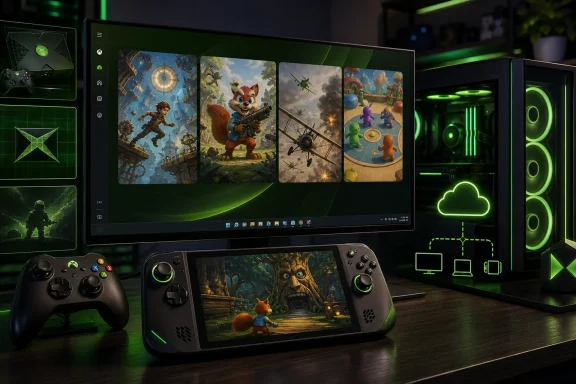
Microsoft has opened a new chapter in its long-running compatibility strategy with XBOX Backward Compatibility on PC, an early-release program that brings selected original Xbox games to Windows 11 PCs and supported gaming handhelds. The initiative begins with only four titles, but its importance is far greater than the size of that launch library: Microsoft is positioning PC backward compatibility as the start of a broader game-preservation effort designed to keep older Xbox experiences playable across modern hardware.
The first games are BLiNX: The Time Sweeper, Conker: Live and Reloaded, Crimson Skies: High Road to Revenge, and Fuzion Frenzy. They can be purchased for PC, are included across Xbox Game Pass plans, and support Xbox Play Anywhere, Xbox Cloud Gaming, PC, console, and handheld play where available.
For Windows gamers, this is not merely another batch of retro re-releases. It is the first official attempt to carry compatible original Xbox software into the Windows ecosystem as a distinct PC experience. That distinction matters. It signals that Microsoft sees the Xbox app, Windows 11, handheld PCs, cloud streaming, and Xbox consoles as connected parts of one platform rather than isolated destinations.
Backward compatibility has long been one of Xbox’s strongest platform arguments. Microsoft built a reputation for preserving selected Xbox 360 and original Xbox titles through the Xbox One and Xbox Series X|S generations, often improving visual clarity, loading behavior, filtering, or frame pacing while retaining the original game design.
The new XBOX Backward Compatibility on PC program applies that philosophy to a new target: modern Windows hardware. Microsoft is not simply asking players to stream old games from the cloud or remote-play them from a console. Instead, the supported games are now offered as PC-accessible titles through the Xbox ecosystem.
That approach puts classic Xbox software alongside native Windows games in a player’s library. A gaming desktop, laptop, mini PC connected to a television, or handheld such as the ROG XBOX Ally and ROG XBOX Ally X can now become a legitimate home for selected original Xbox releases.
The language around the rollout is important. Microsoft calls the launch an early release, meaning the four-game catalog should be understood as a technical and commercial foundation rather than a final measure of the program’s ambition. The company has committed to bringing more Xbox games to PC over time, but it has not published a public roadmap identifying future titles, release windows, or the ultimate size of the catalog.
That lack of a roadmap creates uncertainty, yet it also reflects the difficult realities of game preservation. Bringing an older game forward is rarely as simple as placing an original disc image in a modern store. Licensing, music rights, publisher approvals, middleware dependencies, multiplayer services, regional availability, and quality assurance all complicate the process.
The game matters because it represents the kind of catalog title that often becomes difficult to access legally as hardware generations pass. It may not be the most commercially dominant game from the original Xbox library, but its appearance demonstrates that Microsoft’s PC preservation effort is not initially limited to blockbuster franchises.
For collectors and retro enthusiasts, that is an encouraging sign. A preservation program has more value when it includes games with a distinctive identity, not only titles that already have frequent remasters or annual sequels.
Conker’s inclusion is especially meaningful because classic licensed humor, music, and presentation-heavy games can be difficult to revive. Such releases often require rights reviews that can limit preservation efforts even when the underlying technology is available.
It also makes clear that Xbox Backward Compatibility on PC is not confined to titles that feel historically “safe.” The program is willing to acknowledge a more eccentric side of Xbox history, which could be a promising signal for fans hoping for similarly unconventional games in the future.
Its arrival on PC makes practical sense. Flight and vehicle games benefit immediately from the range of displays, controllers, graphics settings, and input options available to Windows users. A game designed around aerial freedom is particularly well suited to widescreen monitors, large televisions, and portable devices.
More importantly, Crimson Skies shows how backward compatibility can become more than nostalgia. A well-preserved title can fill a genre gap in a modern catalog. There are comparatively few arcade-focused air-combat games with the personality and accessibility of High Road to Revenge, making its return valuable for players who never owned the original hardware.
It is an especially sensible fit for PC handhelds and living-room Windows setups. A handheld can act as a portable party machine, while a Windows 11 PC connected to a television can replicate a traditional console environment with controllers attached.
The game also illustrates one of the less-discussed benefits of a backward compatibility program: it can preserve social play formats, not merely individual campaigns. The ability to keep a local multiplayer game usable matters when so many classic experiences were designed around people sharing a screen in the same room.
The available enhancements include:
A 4x resolution scaling option should improve image clarity substantially on suitable hardware, particularly for games whose original assets and geometry scale well. Anisotropic filtering can sharpen texture detail at oblique viewing angles, while enhanced anti-aliasing may reduce visible jagged edges that become more apparent on modern displays.
However, these features should not be confused with a full remake or remaster. They are best understood as compatibility enhancements, not wholesale visual reworks. Character models, original art direction, animation systems, interface elements, and level design remain products of their time. That preservation is part of the appeal, but it also means the results may look uneven on very large 4K displays.
That promise will be welcomed by players who value a unified Xbox profile across devices. Achievements are not essential to preservation, but they add a modern layer of continuity: classic games can sit beside new releases in a player’s Xbox history rather than feeling like disconnected museum pieces.
Still, this is an area where expectations should remain measured. Microsoft has stated that Achievements will come to select original Xbox games. That wording does not guarantee every future backward-compatible release will receive them, nor does it establish a release schedule for individual titles.
This is exactly the kind of cross-device ownership model Microsoft has been building through Xbox Play Anywhere. In its best form, the idea is simple: purchase once, play across compatible Xbox and Windows hardware, with saves and progress able to follow the player.
For users who have accumulated a large digital Xbox library over many years, that model has real practical value. It reduces platform friction and makes a Windows gaming PC feel more like a continuation of an existing Xbox investment.
But there is a critical caveat: this is digital-license compatibility, not a universal physical-media solution.
Owners of original Xbox discs do not automatically gain PC access through this announcement. Inserting a physical original Xbox game disc into a Windows PC is not a supported method for unlocking, installing, or validating a backward-compatible game. The program does not convert physical ownership into a corresponding digital entitlement.
That limitation is not a minor footnote. It is one of the biggest boundaries of Microsoft’s preservation message.
Many original Xbox owners built their collections before digital storefronts became the default. Their games may be sitting on shelves in perfectly usable condition, but those discs are not currently a ticket into the new PC compatibility program.
This creates a divide between two groups:
That is a meaningful preservation risk. Digital storefront availability can change, licenses can be delisted, publishers can disappear, and platform policies can evolve. A physical disc is not a complete preservation solution on its own, especially when servers and proprietary hardware are involved, but it remains a durable record of a purchase and a piece of software history.
Microsoft has reportedly explored ways to convert some physical ownership into digital access in the past, but no original Xbox disc-to-digital system has been announced as part of XBOX Backward Compatibility on PC. Until such a system exists, the program should be described accurately: it preserves and extends access to supported digital Xbox titles, rather than preserving every player’s existing original Xbox collection.
The 8GB RAM baseline is entirely normal for a Windows 11 gaming environment, while the recommended six-core CPU guidance likely reflects the desire for stable emulation or compatibility performance alongside the background load of a full modern operating system.
There is one point that deserves caution: the Radeon model listed in the published recommended specification appears unusual and should be checked in the Xbox app or official support documentation before making a hardware purchase. Prospective buyers should avoid treating a single compatibility table as a shopping guide, particularly when the recommended GPUs span several generations and architectures.
For most players with a midrange gaming PC from the past several years, the practical test will be straightforward: install the Xbox app, ensure Windows 11 and graphics drivers are current, and review the title’s store page for supported-device information.
Classic console games are naturally well suited to portable systems. Their controller-first design, compact session structure, and menu systems can often translate better to handheld hardware than mouse-driven PC games. A title such as Fuzion Frenzy or Crimson Skies feels immediately at home with built-in controls, while Conker: Live and Reloaded benefits from the familiarity of an Xbox-style layout.
Microsoft’s wider Windows 11 gaming work reinforces this direction. Xbox mode aims to deliver a controller-optimized, fullscreen Xbox-like interface on compatible Windows PCs and handhelds while preserving access to the desktop and the broader openness of Windows.
Together, Xbox mode and backward compatibility make a clearer case for Windows handhelds as more than portable PC game launchers. They can become all-in-one machines for current Game Pass releases, conventional PC games, cloud streaming, cross-device Xbox purchases, and now selected original Xbox classics.
This remains a competitive advantage over more closed portable ecosystems. Windows has the disadvantage of greater complexity, but it offers a vast range of stores, peripherals, games, modding tools, and productivity capabilities. Microsoft’s challenge is to make that flexibility feel as immediate as a console.
A successful Xbox game preservation program for PC can provide several benefits:
Yet Microsoft must overcome several risks if it wants the initiative to become a credible long-term preservation platform.
The company’s forthcoming hardware ambitions reinforce that point. Xbox has already indicated that its next-generation plans are designed around closer relationships between console and PC gaming. Backward compatibility on Windows 11 gives that strategy a practical foundation: Xbox history can now begin moving toward the same multi-device environment as Xbox’s present.
For Microsoft, the commercial logic is clear. Classic games can generate renewed sales, increase the appeal of Xbox Game Pass, give old franchises a new audience, and encourage players to remain inside the Xbox account ecosystem. The preservation language is meaningful, but it also aligns with platform retention and subscription strategy.
For players, the benefit is more immediate. A Windows PC can now serve not only as a place to play the newest releases, but also as a growing archive of officially supported Xbox software. That is especially valuable for users who have moved away from dedicated consoles, adopted handheld PCs, or prefer gaming from a laptop connected to a living-room display.
Its greatest strength is not any individual setting or feature. It is the decision to treat classic Xbox games as software worth carrying into the PC and handheld future. Microsoft is beginning to connect its legacy catalog to the devices where an increasing number of players now spend their gaming time.
The weaknesses are equally clear: the program is digital-first, physical original Xbox discs are not supported as ownership credentials, the opening selection is tiny, and Microsoft has not yet committed to a detailed release schedule. Preservation cannot be judged by messaging alone; it will depend on the breadth of the catalog, the durability of entitlements, the quality of compatibility, and the company’s willingness to solve difficult licensing and physical-media challenges.
Even so, this is a consequential first step for Windows gaming. If Microsoft follows through with regular, well-supported additions, Xbox Backward Compatibility on PC could become one of the most important bridges between console history and the modern Windows 11 gaming ecosystem.
The first games are BLiNX: The Time Sweeper, Conker: Live and Reloaded, Crimson Skies: High Road to Revenge, and Fuzion Frenzy. They can be purchased for PC, are included across Xbox Game Pass plans, and support Xbox Play Anywhere, Xbox Cloud Gaming, PC, console, and handheld play where available.
For Windows gamers, this is not merely another batch of retro re-releases. It is the first official attempt to carry compatible original Xbox software into the Windows ecosystem as a distinct PC experience. That distinction matters. It signals that Microsoft sees the Xbox app, Windows 11, handheld PCs, cloud streaming, and Xbox consoles as connected parts of one platform rather than isolated destinations.
 Overview: Xbox Backward Compatibility Moves Beyond the Console
Backward compatibility has long been one of Xbox’s strongest platform arguments. Microsoft built a reputation for preserving selected Xbox 360 and original Xbox titles through the Xbox One and Xbox Series X|S generations, often improving visual clarity, loading behavior, filtering, or frame pacing while retaining the original game design.The new XBOX Backward Compatibility on PC program applies that philosophy to a new target: modern Windows hardware. Microsoft is not simply asking players to stream old games from the cloud or remote-play them from a console. Instead, the supported games are now offered as PC-accessible titles through the Xbox ecosystem.
That approach puts classic Xbox software alongside native Windows games in a player’s library. A gaming desktop, laptop, mini PC connected to a television, or handheld such as the ROG XBOX Ally and ROG XBOX Ally X can now become a legitimate home for selected original Xbox releases.
The language around the rollout is important. Microsoft calls the launch an early release, meaning the four-game catalog should be understood as a technical and commercial foundation rather than a final measure of the program’s ambition. The company has committed to bringing more Xbox games to PC over time, but it has not published a public roadmap identifying future titles, release windows, or the ultimate size of the catalog.
That lack of a roadmap creates uncertainty, yet it also reflects the difficult realities of game preservation. Bringing an older game forward is rarely as simple as placing an original disc image in a modern store. Licensing, music rights, publisher approvals, middleware dependencies, multiplayer services, regional availability, and quality assurance all complicate the process.
The Four Launch Games and Why They Matter
Microsoft’s opening lineup is modest, but it has been chosen carefully. Each title represents a different side of the original Xbox era, from platform experimentation to character-driven action, aviation combat, and local multiplayer.BLiNX: The Time Sweeper
BLiNX: The Time Sweeper was one of the original Xbox’s most unusual first-party-era experiments. Its central mechanic allowed players to manipulate time through a vacuum-like device, creating a blend of platforming, puzzle solving, and action that was ambitious for its era.The game matters because it represents the kind of catalog title that often becomes difficult to access legally as hardware generations pass. It may not be the most commercially dominant game from the original Xbox library, but its appearance demonstrates that Microsoft’s PC preservation effort is not initially limited to blockbuster franchises.
For collectors and retro enthusiasts, that is an encouraging sign. A preservation program has more value when it includes games with a distinctive identity, not only titles that already have frequent remasters or annual sequels.
Conker: Live and Reloaded
Conker: Live and Reloaded brings one of Xbox’s most recognizable cult classics into the new program. The game is an Xbox remake and expansion of Conker’s Bad Fur Day, combining animated-platformer presentation with adult humor, cinematic parody, action sequences, and a notoriously irreverent tone.Conker’s inclusion is especially meaningful because classic licensed humor, music, and presentation-heavy games can be difficult to revive. Such releases often require rights reviews that can limit preservation efforts even when the underlying technology is available.
It also makes clear that Xbox Backward Compatibility on PC is not confined to titles that feel historically “safe.” The program is willing to acknowledge a more eccentric side of Xbox history, which could be a promising signal for fans hoping for similarly unconventional games in the future.
Crimson Skies: High Road to Revenge
Crimson Skies: High Road to Revenge is arguably the most strategically significant title in the initial selection. The alternate-history aerial combat game has long been remembered as one of the original Xbox’s standout exclusives, combining arcade flight controls, cinematic mission design, stylized aircraft, and a setting that remains distinctive decades later.Its arrival on PC makes practical sense. Flight and vehicle games benefit immediately from the range of displays, controllers, graphics settings, and input options available to Windows users. A game designed around aerial freedom is particularly well suited to widescreen monitors, large televisions, and portable devices.
More importantly, Crimson Skies shows how backward compatibility can become more than nostalgia. A well-preserved title can fill a genre gap in a modern catalog. There are comparatively few arcade-focused air-combat games with the personality and accessibility of High Road to Revenge, making its return valuable for players who never owned the original hardware.
Fuzion Frenzy
Fuzion Frenzy rounds out the opening catalog as a reminder that local multiplayer remains an important part of Xbox’s heritage. The party-game collection is built around competitive mini-games, quick matches, and a style of couch multiplayer that has become less common as modern games increasingly prioritize online services and ongoing content models.It is an especially sensible fit for PC handhelds and living-room Windows setups. A handheld can act as a portable party machine, while a Windows 11 PC connected to a television can replicate a traditional console environment with controllers attached.
The game also illustrates one of the less-discussed benefits of a backward compatibility program: it can preserve social play formats, not merely individual campaigns. The ability to keep a local multiplayer game usable matters when so many classic experiences were designed around people sharing a screen in the same room.
What Players Actually Get on Windows 11
Microsoft is not presenting these releases as untouched archival images. The company says the games preserve their original gameplay while receiving PC-specific options intended to improve usability on contemporary displays and hardware.The available enhancements include:
- Up to 4x resolution upscaling
- VSync support
- Fullscreen and windowed display modes
- Anisotropic filtering
- Enhanced anti-aliasing
- Customizable language settings
- Customizable audio settings
A 4x resolution scaling option should improve image clarity substantially on suitable hardware, particularly for games whose original assets and geometry scale well. Anisotropic filtering can sharpen texture detail at oblique viewing angles, while enhanced anti-aliasing may reduce visible jagged edges that become more apparent on modern displays.
However, these features should not be confused with a full remake or remaster. They are best understood as compatibility enhancements, not wholesale visual reworks. Character models, original art direction, animation systems, interface elements, and level design remain products of their time. That preservation is part of the appeal, but it also means the results may look uneven on very large 4K displays.
Achievements Are Coming, Not Yet Fully Here
Microsoft has also confirmed plans to add Achievements to select original Xbox games on both console and PC later in the year. The initial four games are expected to receive Achievement support in the coming months.That promise will be welcomed by players who value a unified Xbox profile across devices. Achievements are not essential to preservation, but they add a modern layer of continuity: classic games can sit beside new releases in a player’s Xbox history rather than feeling like disconnected museum pieces.
Still, this is an area where expectations should remain measured. Microsoft has stated that Achievements will come to select original Xbox games. That wording does not guarantee every future backward-compatible release will receive them, nor does it establish a release schedule for individual titles.
Digital Ownership Carries Forward—With an Important Limitation
One of the strongest aspects of the program is that existing digital console licenses for the four launch games can carry over to PC and supported handhelds. Players who already own an eligible digital version on console do not need to buy the game again simply to play it through the Windows Xbox app.This is exactly the kind of cross-device ownership model Microsoft has been building through Xbox Play Anywhere. In its best form, the idea is simple: purchase once, play across compatible Xbox and Windows hardware, with saves and progress able to follow the player.
For users who have accumulated a large digital Xbox library over many years, that model has real practical value. It reduces platform friction and makes a Windows gaming PC feel more like a continuation of an existing Xbox investment.
But there is a critical caveat: this is digital-license compatibility, not a universal physical-media solution.
Owners of original Xbox discs do not automatically gain PC access through this announcement. Inserting a physical original Xbox game disc into a Windows PC is not a supported method for unlocking, installing, or validating a backward-compatible game. The program does not convert physical ownership into a corresponding digital entitlement.
That limitation is not a minor footnote. It is one of the biggest boundaries of Microsoft’s preservation message.
The Physical Media Problem Has Not Been Solved
Digital delivery makes classic games easier to distribute across PCs, consoles, cloud infrastructure, and handhelds. It also makes patches, language options, entitlements, and feature updates easier to manage. Yet a digital-only approach cannot fully replace the ownership model represented by physical discs.Many original Xbox owners built their collections before digital storefronts became the default. Their games may be sitting on shelves in perfectly usable condition, but those discs are not currently a ticket into the new PC compatibility program.
This creates a divide between two groups:
- Players who own an eligible digital license
- Players who own only an eligible physical disc
That is a meaningful preservation risk. Digital storefront availability can change, licenses can be delisted, publishers can disappear, and platform policies can evolve. A physical disc is not a complete preservation solution on its own, especially when servers and proprietary hardware are involved, but it remains a durable record of a purchase and a piece of software history.
Microsoft has reportedly explored ways to convert some physical ownership into digital access in the past, but no original Xbox disc-to-digital system has been announced as part of XBOX Backward Compatibility on PC. Until such a system exists, the program should be described accurately: it preserves and extends access to supported digital Xbox titles, rather than preserving every player’s existing original Xbox collection.
System Requirements: Reasonable, but Worth Reading Closely
XBOX Backward Compatibility on PC requires Windows 11. Microsoft’s published minimum requirements are relatively approachable for a modern PC or handheld, though they still exclude many older low-end systems.Minimum requirements
- Operating system: Windows 11
- Memory: 8GB RAM
- Processor: At least four CPU cores, including Intel Core i3-8100, AMD Ryzen 3 1200, or AMD Ryzen Z2 A Processor
- Graphics: Nvidia GeForce GTX 950, AMD Radeon RX 550, Intel UHD 770, or Intel Arc A310
- Drivers: Current versions specified by Microsoft for the program
Recommended configuration
- Operating system: Windows 11
- Memory: 8GB RAM
- Processor: Six cores and 12 threads, including Intel Core i5-10400, AMD Ryzen 5 3600, or AMD Ryzen AI Z2 Extreme
- Graphics: Nvidia GeForce GTX 1070 Ti, Intel Arc A770, or the Radeon recommendation listed in Microsoft’s published specifications
- Graphics memory: 8GB VRAM
- DirectX: DirectX 12 API with Hardware Feature Level 11
The 8GB RAM baseline is entirely normal for a Windows 11 gaming environment, while the recommended six-core CPU guidance likely reflects the desire for stable emulation or compatibility performance alongside the background load of a full modern operating system.
There is one point that deserves caution: the Radeon model listed in the published recommended specification appears unusual and should be checked in the Xbox app or official support documentation before making a hardware purchase. Prospective buyers should avoid treating a single compatibility table as a shopping guide, particularly when the recommended GPUs span several generations and architectures.
For most players with a midrange gaming PC from the past several years, the practical test will be straightforward: install the Xbox app, ensure Windows 11 and graphics drivers are current, and review the title’s store page for supported-device information.
Why Windows Handhelds Are Central to the Strategy
The inclusion of the ROG XBOX Ally and ROG XBOX Ally X is not incidental. Microsoft’s backward compatibility announcement arrives as Windows handheld gaming becomes a more important part of the broader PC market.Classic console games are naturally well suited to portable systems. Their controller-first design, compact session structure, and menu systems can often translate better to handheld hardware than mouse-driven PC games. A title such as Fuzion Frenzy or Crimson Skies feels immediately at home with built-in controls, while Conker: Live and Reloaded benefits from the familiarity of an Xbox-style layout.
Microsoft’s wider Windows 11 gaming work reinforces this direction. Xbox mode aims to deliver a controller-optimized, fullscreen Xbox-like interface on compatible Windows PCs and handhelds while preserving access to the desktop and the broader openness of Windows.
Together, Xbox mode and backward compatibility make a clearer case for Windows handhelds as more than portable PC game launchers. They can become all-in-one machines for current Game Pass releases, conventional PC games, cloud streaming, cross-device Xbox purchases, and now selected original Xbox classics.
This remains a competitive advantage over more closed portable ecosystems. Windows has the disadvantage of greater complexity, but it offers a vast range of stores, peripherals, games, modding tools, and productivity capabilities. Microsoft’s challenge is to make that flexibility feel as immediate as a console.
A Preservation Effort With Real Potential—and Real Constraints
The strongest part of Microsoft’s announcement is the acknowledgment that game libraries are personal histories. Players do not necessarily separate a decades-old game from their modern collection simply because it ran on an older console. They remember the progress, the characters, the multiplayer nights, and the sense of discovery.A successful Xbox game preservation program for PC can provide several benefits:
- Keeps selected Xbox games commercially available
- Reduces dependency on aging original hardware
- Expands access across desktops, laptops, and handhelds
- Preserves legacy titles in the Xbox account ecosystem
- Adds modern display and graphics controls
- Encourages publishers to revisit dormant catalog games
- Strengthens the value of Xbox Play Anywhere and Game Pass
Yet Microsoft must overcome several risks if it wants the initiative to become a credible long-term preservation platform.
The catalog could grow too slowly
Four titles are a promising pilot, not a definitive library. Players will judge the program by the cadence, diversity, and reliability of additions over the next several months and years. A preservation initiative that adds only a handful of games annually may generate excitement, but it will not substantially address the huge gap between the original Xbox catalog and the titles officially playable on modern hardware.Licensing remains a major obstacle
The most requested classic games are often the hardest to re-release. Music tracks, vehicle brands, sports leagues, film tie-ins, and third-party middleware can all create barriers. Microsoft should be transparent when a game cannot return because rights cannot be cleared, rather than allowing silence to imply technical indifference.Digital access can still be fragile
A game being available digitally today does not guarantee permanent availability. Storefront policies, publishing agreements, regional restrictions, and corporate changes can all affect access. The best version of Xbox preservation would combine digital convenience with clear ownership rights, dependable redownload support, and stronger consideration for physical-media owners.Compatibility quality must remain high
PC gamers will reasonably expect reliable controller support, stable performance, good handling of high-resolution displays, sensible scaling behavior, and clear troubleshooting resources. Backward compatibility has value only when the experience is convenient enough that players choose it over unofficial alternatives.What This Means for the Future of Xbox on PC
Microsoft’s backward compatibility announcement is best understood as part of a larger platform shift. Xbox is increasingly defined less by a single box under the television and more by an account, library, services layer, cloud capability, Windows integration, and portable hardware ecosystem.The company’s forthcoming hardware ambitions reinforce that point. Xbox has already indicated that its next-generation plans are designed around closer relationships between console and PC gaming. Backward compatibility on Windows 11 gives that strategy a practical foundation: Xbox history can now begin moving toward the same multi-device environment as Xbox’s present.
For Microsoft, the commercial logic is clear. Classic games can generate renewed sales, increase the appeal of Xbox Game Pass, give old franchises a new audience, and encourage players to remain inside the Xbox account ecosystem. The preservation language is meaningful, but it also aligns with platform retention and subscription strategy.
For players, the benefit is more immediate. A Windows PC can now serve not only as a place to play the newest releases, but also as a growing archive of officially supported Xbox software. That is especially valuable for users who have moved away from dedicated consoles, adopted handheld PCs, or prefer gaming from a laptop connected to a living-room display.
Conclusion
XBOX Backward Compatibility on PC begins with a deliberately small but meaningful set of original Xbox games: BLiNX: The Time Sweeper, Conker: Live and Reloaded, Crimson Skies: High Road to Revenge, and Fuzion Frenzy. The launch brings improved graphics controls, Windows 11 support, Xbox Play Anywhere integration, Game Pass availability, cloud options, and a promise of Achievements for the first four titles in the months ahead.Its greatest strength is not any individual setting or feature. It is the decision to treat classic Xbox games as software worth carrying into the PC and handheld future. Microsoft is beginning to connect its legacy catalog to the devices where an increasing number of players now spend their gaming time.
The weaknesses are equally clear: the program is digital-first, physical original Xbox discs are not supported as ownership credentials, the opening selection is tiny, and Microsoft has not yet committed to a detailed release schedule. Preservation cannot be judged by messaging alone; it will depend on the breadth of the catalog, the durability of entitlements, the quality of compatibility, and the company’s willingness to solve difficult licensing and physical-media challenges.
Even so, this is a consequential first step for Windows gaming. If Microsoft follows through with regular, well-supported additions, Xbox Backward Compatibility on PC could become one of the most important bridges between console history and the modern Windows 11 gaming ecosystem.
References
- Primary source: Tom's Hardware
Published: 2026-07-22T16:09:52+00:00
Microsoft announces Xbox Backward Compatibility for PC — will let gamers play classic console games on PCs and handhelds | Tom's Hardware
Including the new Xbox ROG Ally lineupwww.tomshardware.com - Related coverage: windowscentral.com
Halo: Campaign Evolved is the star of Xbox Game Pass' 2nd July wave of new games, alongside an original RPG by Game Freak and a classic id Software FPS | Windows Central
Halo: Campaign Evolved, Beast of Reincarnation, id Software's Heretic + Hexen games, and more will make their Xbox Game Pass debuts later this monthwww.windowscentral.com - Related coverage: gamesradar.com
Upcoming Xbox Series X games for 2026 and beyond | GamesRadar+
Here are all of the upcoming Xbox Series X games landing in 2026 and beyond, from Fable to Gears of War: E-Daywww.gamesradar.com - Related coverage: news.xbox.com
Play More of the Games You Love, Wherever You Play with XBOX Backward Compatibility on PC - XBOX Wire
Today, we’re introducing XBOX Backward Compatibility on PC, making it easier to play classic XBOX games from the past across PC and handhelds, including the ROG XBOX Ally and XBOX Ally X.news.xbox.com - Related coverage: gematsu.com
Xbox Backward Compatibility on PC announced; four titles now available - Gematsu
Xbox has announced Xbox Backward Compatibility on PC, making classic Xbox games from the past playable across PC and PC-based handhelds.www.gematsu.com - Related coverage: gamedeveloper.com
Microsoft launches Xbox backward compatibility for PC
Microsoft is culminating a month of layoffs with some very different news as it launches Xbox backward compatibility for PC, starting out with four games.www.gamedeveloper.com