

Microsoft has pushed a firmware update that adds Bluetooth Low Energy (LE) Audio support to the latest Xbox Wireless Headset, promising lower latency, better battery life, and richer voice chat — plus a Windows-only preview that lets you share game audio across multiple Bluetooth accessories.
The Xbox Wireless Headset received a quiet but significant refresh in October 2024: improved microphone hardware with auto‑mute and voice isolation, expanded battery life (advertised at up to 20 hours), and Bluetooth 5.3 connectivity aimed at better cross‑platform use with consoles, PCs, and phones. Microsoft positioned that model as the current, cross‑platform headset for Xbox and Windows gaming. The December 2025 firmware addition is explicitly targeted at that refreshed 2024 model; the update appears to be firmware only and does not change the headset’s hardware. Microsoft says the firmware is available via the Xbox Accessories app on console and on Windows 11 devices, and that the features rely on Windows-level LE Audio support where applicable.
That said, the update is a platform play more than a miracle fix. The quality of the LE Audio experience on your machine will still depend on your PC’s Bluetooth hardware, OEM drivers, and the maturity of Windows’ own feature rollouts. Users who want the absolute best latency or the longest Bluetooth battery life should look for device‑level specs and independent test results; for most players, the update promises noticeable practical improvements in voice clarity and battery behavior that justify installing the firmware and testing the new features on compatible Windows 11 systems.
Source: Windows Report Xbox Wireless Headset Gets Bluetooth LE Audio Support & Better Battery Life With Latest Update
 Background
The Xbox Wireless Headset received a quiet but significant refresh in October 2024: improved microphone hardware with auto‑mute and voice isolation, expanded battery life (advertised at up to 20 hours), and Bluetooth 5.3 connectivity aimed at better cross‑platform use with consoles, PCs, and phones. Microsoft positioned that model as the current, cross‑platform headset for Xbox and Windows gaming. The December 2025 firmware addition is explicitly targeted at that refreshed 2024 model; the update appears to be firmware only and does not change the headset’s hardware. Microsoft says the firmware is available via the Xbox Accessories app on console and on Windows 11 devices, and that the features rely on Windows-level LE Audio support where applicable. What this update actually adds
Microsoft’s announcement and contemporaneous coverage boil the changes down to four headline improvements:- Bluetooth LE Audio support for the headset’s Bluetooth radio, enabling newer Bluetooth audio behaviors on compatible Windows 11 PCs and devices.
- Lower latency under LE Audio compared with legacy Bluetooth Classic audio paths, improving lip‑sync and reaction timing in fast action and competitive games.
- Better battery efficiency in Bluetooth usage modes due to the low‑energy profile, which Microsoft says will extend play time between charges. This is a firmware‑level optimization paired with protocol advantages in LE Audio.
- Super wideband stereo voice (the Windows 11 “super wideband stereo” feature) so voice chat can remain full‑bandwidth stereo while the mic is active — removing the historical compromise that forced mono, low‑fidelity voice when using a headset mic.
Why LE Audio matters to gamers and PC users
Bluetooth LE Audio is not just marketing jargon — it’s a protocol shift with tangible engineering benefits that directly affect gaming audio.What LE Audio brings
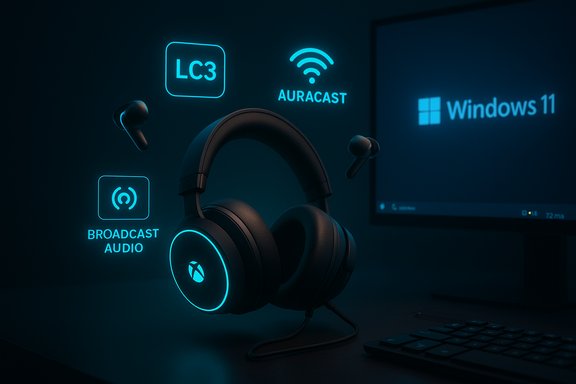
- LC3 codec: LE Audio commonly uses the new LC3 codec, which is more efficient than SBC/AAC at similar or better perceived quality at lower bitrates. That means better quality for the same radio bandwidth or similar quality with reduced power draw.
- Lower power consumption: LE Audio is designed to reduce energy use per stream, which translates to longer battery life for truly wireless earbuds and headsets while in Bluetooth mode. Microsoft explicitly cites improved power efficiency as a reason users will see longer sessions between charges after the update.
- Multi‑stream & Auracast/Ambient broadcast: LE Audio adds multi‑streaming and broadcast capabilities (sometimes surfaced as Auracast) that let one transmitter serve multiple receivers or provide separate streams to left and right earbuds for improved synchronization. Windows’ shared audio/preview is a direct example of this capability being leveraged on PCs.
Why this impacts voice chat and competitive play
Historically, Bluetooth on Windows has had to choose between two profiles: A2DP (high‑quality stereo audio without mic) and HFP/HSP (hands‑free mic support with poor mono voice quality). LE Audio enables super wideband stereo so the headset can keep stereo game audio and a bidirectional mic at higher fidelity simultaneously. For competitive gamers and streamers, that means clearer comms without sacrificing positional or environmental audio cues.Compatibility: who gets what, and what you’ll need
Not every PC or accessory will instantly unlock every feature. Microsoft is clear about prerequisites; here’s the compatibility checklist distilled and verified across multiple reports.- Firmware update: You must have the latest Xbox Wireless Headset (October 2024 model) and update it through the Xbox Accessories app on Xbox or Windows. The update is firmware only and delivered through Microsoft’s accessory app ecosystem.
- Bluetooth LE Audio: Requires a Windows 11 device that supports Bluetooth LE Audio (hardware + OS stack + drivers). Many devices with Bluetooth 5.2+ will support LE Audio, but hardware support is not guaranteed simply by Bluetooth version — driver and OEM firmware matter.
- Super wideband stereo voice: Requires Windows 11 version 24H2 or later and audio driver support from your PC manufacturer. That feature is rolling out on Windows first and coming to supported handhelds like the ROG Xbox Ally and ROG Xbox Ally X.
- Shared audio (Broadcast Audio): At launch, shared audio is a preview limited to Windows Insiders on select Copilot+ devices; general availability depends on the wider Windows rollout and OEM driver updates.
How to apply the update (step‑by‑step)
Microsoft distributes the firmware via the Xbox Accessories app. The general steps are:- Install or open the Xbox Accessories app on your Xbox Series X|S, Xbox One, or Windows 11 PC.
- Connect and power on the Xbox Wireless Headset. Ensure Bluetooth or the Xbox Wireless connection is active so the app can detect the headset.
- In the app, select the headset and check for firmware updates. If the LE Audio firmware is available for your unit, the app will present an update prompt and guide you through the process.
- After the update completes, verify Windows 11 Bluetooth settings for LE Audio device pairing and driver status. If you want Broadcast/Shared audio preview, enroll in Windows Insider channels as required and confirm the Quick Settings tile is present.
Real‑world expectations vs. marketing claims
Microsoft’s messaging focuses on qualitative gains — “lower latency,” “better battery life,” “richer chat audio” — but it does not publish hard numbers for latency reductions or battery gains that result specifically from this firmware. Independent, controlled tests will be necessary to quantify the improvements in milliseconds of latency or percentage increase in battery life for Bluetooth use cases. For now, the most authoritative claims are Microsoft’s own and the Windows 11 engineering summaries about LE Audio. Be cautious about these points:- Latency: LE Audio can reduce Bluetooth transport latency, especially when paired with multi‑stream and optimized drivers. However, actual latency is influenced by the PC’s Bluetooth controller, driver stack, game audio pipeline, and app-level buffering. Expect improvements, but don’t assume near‑wireless‑dongle levels of latency without independent tests.
- Battery life: Microsoft promises better efficiency in Bluetooth mode after the update. That’s consistent with LE Audio’s design, but the headset’s advertised battery figures remain dependent on usage patterns, radio mode (Xbox Wireless protocol vs. Bluetooth), and volume levels. Microsoft did not publish a new numeric battery spec tied to LE Audio.
The Windows angle: super wideband stereo and shared audio explained
Microsoft’s Windows 11 team has been actively rolling out LE Audio features across 24H2 and later builds. Two Windows features are particularly important for headset users:Super wideband stereo
This Windows feature preserves high‑quality stereo playback while the headset microphone is active. It replaces the old fallback to narrowband mono when the mic was engaged. For gamers on PC, that keeps music, positional cues, and ambient effects intact during voice chat. The capability requires OS 24H2+ and OEM driver support.Shared audio / Broadcast Audio (preview)
Windows implements a curated shared audio flow that leverages LE Audio’s broadcasting/multicast capabilities. The current preview allows streaming to two LE Audio receivers simultaneously through the Quick Settings tile in supported Insider builds and on supported hardware. Microsoft’s Xbox messaging uses the term Broadcast Audio when describing how the updated headset can be used with Windows’ shared audio preview. Expect the experience to expand as more OEMs ship compatible Bluetooth stacks and drivers.Hands‑on testing guidance and methodology
For readers wanting to evaluate the update for themselves, here’s a practical, reproducible test plan that balances subjective listening with objective checks.- Baseline capture: Before updating firmware, measure baseline latency and battery drain while playing a fixed test loop (e.g., a 10‑minute recorded gameplay clip, fixed volume). Note voice‑chat clarity while using a server or party chat.
- Update and re‑test: Apply the firmware update, reconnect, and run the identical loop. Compare perceived lip‑sync, voice clarity, and runtime to failure. Use a stopwatch and volume‑matched settings to keep results comparable.
- Objective latency: Use a phone camera recording at 240 fps or better to capture an audio‑to‑visual event with a fixed reference (gunshot + muzzle flash, or a clap) and measure the offset between visual event and perceived audio. Repeat with Xbox Wireless vs. a low‑latency dedicated wireless dongle for reference.
- Voice quality: Record voice chat (local loopback or a remote partner) and compare frequency response and SNR before/after the update. Super wideband stereo should show a higher band‑limit and clearer stereo imaging where applicable.
Market implications and competitor context
Microsoft’s move to enable LE Audio on its first‑party headset is strategic: Xbox is doubling down on Windows cross‑play and handhelds, making the Xbox Wireless Headset a single‑solution accessory across console, PC, and (eventually) Xbox‑branded handhelds such as the ROG Xbox Ally and Ally X. That enhances Microsoft’s ecosystem value proposition and reduces friction for players who already own the headset. However, LE Audio is already being adopted by many PC and audio manufacturers. Samsung, Google, Sony, and others have been active in Auracast/LE implementations. Microsoft’s update helps the Xbox headset remain competitive, but it does not singularly define the space — OEMs and headphones makers will continue raising the bar with native LE Audio hardware and tuned drivers.Risks, limitations, and privacy considerations
There are practical and privacy tradeoffs to be aware of before enthusiastically enabling broadcast or shared audio features.- Hardware fragmentation: Not all Bluetooth 5.2/5.3 devices support LE Audio in practice. Older controllers or laptops with vendor‑locked stacks may not unlock the new features even with drivers installed. Users should check OEM driver pages and Windows compatibility tools.
- Driver lag: Broad availability depends on PC and chipset vendors updating drivers. Some users may be waiting months for manufacturer support, particularly on older laptops.
- Broadcast privacy: Auracast‑style broadcasting can create public audio hotspots. While Windows’ “Shared audio (preview)” is a curated paired experience, future public broadcasts could be discoverable by nearby devices. Users should be mindful of when and where they enable broadcasting features.
- Interference & sync: Shared audio across multiple receivers requires careful synchronization; environments with high RF congestion or mixed Bluetooth chipsets can introduce dropouts or lip‑sync issues. Multi‑device playback is impressive when it works, but it increases the surface area for wireless problems.
Practical recommendations
- If you use the Xbox Wireless Headset primarily on console, update the firmware anyway — the update is free and won’t remove Xbox features. The LE Audio improvements apply when the headset is used on Windows, but there’s no downside to keeping firmware current.
- For Windows PC users, confirm your machine’s Bluetooth stack supports LE Audio — check OEM driver pages and the Windows Bluetooth settings for LE Audio device profiles. If you depend on crisp voice chat for esports or teamwork, wait for validated driver support on your PC model before planning competitive use.
- If you want to try shared audio, enroll in the Windows Insider preview channel on a supported Copilot+ PC and test with two known‑good LE Audio accessories. Keep expectations modest: the feature is in preview and hardware support is still expanding.
Conclusion
This firmware update is an important practical step: it brings modern Bluetooth LE Audio behavior to Microsoft’s own headset, and it plugs the Xbox Wireless Headset into the broader Windows 11 LE Audio roadmap — including super wideband stereo and shared audio experiences. The change is as strategic as it is technical: Microsoft is aligning its audio accessory ecosystem with Windows’ LE Audio advances to make a single headset viable across console, PC, and emerging handheld hardware.That said, the update is a platform play more than a miracle fix. The quality of the LE Audio experience on your machine will still depend on your PC’s Bluetooth hardware, OEM drivers, and the maturity of Windows’ own feature rollouts. Users who want the absolute best latency or the longest Bluetooth battery life should look for device‑level specs and independent test results; for most players, the update promises noticeable practical improvements in voice clarity and battery behavior that justify installing the firmware and testing the new features on compatible Windows 11 systems.
Source: Windows Report Xbox Wireless Headset Gets Bluetooth LE Audio Support & Better Battery Life With Latest Update
