

Microsoft has quietly rolled a firmware update that adds Bluetooth Low Energy (LE) Audio support to the Xbox Wireless Headset, giving the 2024 revision of Microsoft's gaming headset a meaningful set of wireless audio improvements — better battery life, lower latency, and higher-quality voice chat — and aligning the peripheral with the modern LE Audio ecosystem now gaining traction across Windows and mobile devices.
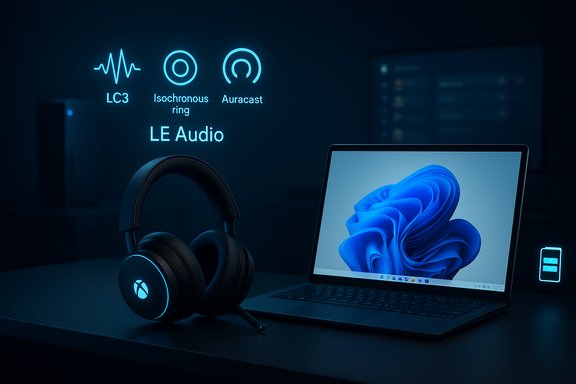
The Xbox Wireless Headset was refreshed in October 2024 as Microsoft’s modern, more affordable, and broadly compatible first‑party gaming headset. The 2024 model brought features such as Dolby Atmos support, longer battery life, on‑ear controls, and Bluetooth 5.3 for standard wireless connectivity across consoles, PCs, and mobile devices. LE Audio is the Bluetooth SIG’s successor audio architecture to the legacy Classic Bluetooth audio stack. It introduces the LC3 codec (Low Complexity Communications Codec), isochronous channels for synchronized multi‑sink playback, and the Auracast broadcast model for one‑to‑many audio distribution. LE Audio’s design focus is better perceived audio quality at much lower bitrates, improved power efficiency, and new modes of sharing and accessibility, especially for hearing devices. The Xbox firmware update leverages these LE Audio primitives to deliver concrete benefits to headset users on Windows and handheld devices.
If the industry aligns, LE Audio will become the default approach for wireless audio across phones, handhelds, laptops, and consoles — enabling true‑to‑life voice chat, energy‑efficient multi‑sink playback, and more accessible public audio experiences. Microsoft’s update to a mainstream headset is a practical signal that the platform transition is underway, not merely theoretical.
For early adopters the update is an immediate win; for IT teams and conservative gamers, the sensible approach is to pilot and measure with representative hardware before replacing wired workflows in mission‑critical contexts. In any case, this firmware refresh cements LE Audio’s role in the next generation of wireless gaming audio and makes the Windows‑Xbox‑handheld audio story markedly more compelling.
Source: TechPowerUp Microsoft updates the Xbox Wireless Headset with Bluetooth LE Audio
 Background
The Xbox Wireless Headset was refreshed in October 2024 as Microsoft’s modern, more affordable, and broadly compatible first‑party gaming headset. The 2024 model brought features such as Dolby Atmos support, longer battery life, on‑ear controls, and Bluetooth 5.3 for standard wireless connectivity across consoles, PCs, and mobile devices. LE Audio is the Bluetooth SIG’s successor audio architecture to the legacy Classic Bluetooth audio stack. It introduces the LC3 codec (Low Complexity Communications Codec), isochronous channels for synchronized multi‑sink playback, and the Auracast broadcast model for one‑to‑many audio distribution. LE Audio’s design focus is better perceived audio quality at much lower bitrates, improved power efficiency, and new modes of sharing and accessibility, especially for hearing devices. The Xbox firmware update leverages these LE Audio primitives to deliver concrete benefits to headset users on Windows and handheld devices. What Microsoft shipped: features and user-facing changes
Microsoft’s December update for the Xbox Wireless Headset is packaged as a firmware refresh available through the Xbox Accessories app on console and Windows. The company highlights four headline benefits enabled by LE Audio:- Lower latency for Bluetooth playback compared with Classic Bluetooth pathways, helping keep game audio better synchronized with on‑screen action.
- Improved battery life, owing to LE Audio’s more efficient codec and radio use.
- Super wideband stereo voice, a Windows-integrated mode that preserves stereo media while providing higher‑quality voice chat (reducing the old “music goes to mud when the mic opens” tradeoff).
- Compatibility with Windows Shared Audio (preview) and broadcast‑style workflows — enabling scenarios like streaming audio to multiple LE Audio sinks from one Windows 11 host.
- Open the Xbox Accessories app on your console or a Windows 11 device.
- Connect the Xbox Wireless Headset and check for an available firmware update.
- Apply the firmware update and reboot the headset if prompted.
Microsoft’s announcement makes clear the update targets the latest Xbox Wireless Headset (2024) — the 2021 edition is not covered by this LE Audio firmware refresh.
Technical deep dive: what LE Audio brings and why it matters
Bluetooth LE Audio is a standards‑level overhaul of how audio is encoded and transported over Bluetooth. The most relevant technical pieces for gamers and PC users are:- LC3 codec: LC3 delivers improved subjective audio quality at lower bitrates than legacy codecs like SBC. That efficiency reduces radio airtime and device power draw, which translates into longer battery life on headsets and mobile hosts.
- Isochronous Channels (ISO): ISO channels are the transport primitive that makes synchronized, deterministic audio distribution possible. They are essential for sending the same stream to multiple receivers without audible drift.
- TMAP / multi‑stream and “super wideband stereo”: New profiles such as TMAP let stereo media and telephony coexist on the same connection so that a mic can be active without collapsing the media path to low‑quality mono. Microsoft’s “super wideband stereo” implementation in Windows 11 is the OS‑side complement that keeps stereo quality during voice chat.
- Auracast / Broadcast Audio: LE Audio also enables broadcast scenarios where a single transmitter can feed many passive receivers — useful for venue audio, assistive listening, or OS‑level shared audio features. Microsoft’s Shared Audio preview on Windows uses LE Audio broadcast/unicast primitives to stream the same audio to two compatible headsets in sync.
Compatibility and requirements — the real constraints
This is not a universal “make everything better” refresh that magically fixes older hardware. The benefits of the update depend on the entire chain of support:- The firmware update applies to the 2024 Xbox Wireless Headset; Microsoft has explicitly excluded the 2021 model from this LE Audio firmware release. Confirm your SKU before updating.
- Host support matters. To unlock Windows’ advanced modes (super wideband stereo, Shared Audio preview), you need a Windows 11 device with LE Audio support in the Bluetooth controller and drivers. Microsoft’s Shared Audio preview is also gated in early testing to particular Copilot+ PCs and Windows Insider builds as the company coordinates driver and firmware rollouts with OEMs.
- Windows version and driver prerequisites. Features such as super wideband stereo were introduced alongside Windows 11 24H2 and subsequent Insider builds. Driver exposure from OEMs is often required; a Windows update alone may not expose LE Audio without the vendor’s Bluetooth driver and firmware updates.
- Accessory-level limitations. Even when a headset advertises Bluetooth 5.3, that does not guarantee full LE Audio or LC3 support without an explicit firmware implementation. The ecosystem will be mixed for months, and different headset models can behave differently in synchronization and latency.
How to update and verify LE Audio functionality
Practical steps to update and validate the new firmware:- Connect the Xbox Wireless Headset to an Xbox console or a Windows 11 PC using the Xbox Accessories app.
- Check the app’s firmware section and apply the update if available. Always follow any app‑presented instructions and allow the headset to reboot.
- On Windows, verify your Bluetooth stack reports LE Audio functionality: look for LE Audio toggles and “Use LE Audio when available” UIs in Settings > Bluetooth & devices. If the toggle is missing, your PC or drivers likely aren’t exposing LE Audio yet.
- Update your PC’s Bluetooth drivers from the OEM (not just generic drivers) and update headset firmware through the manufacturer’s app if additional firmware versions are required.
- If you want to try multi‑sink Shared Audio on Windows, enroll a compatible Copilot+ PC in the Windows Insider Program (Dev or Beta channel) and confirm the required Insider build or driver exposure. Shared Audio is still a preview and initially limited to a specific compatibility roster.
Real‑world impact: what users should expect
- Battery life: LC3’s efficiency typically reduces radio airtime. In practice, expect modest improvements in headset battery life during Bluetooth use, though the actual gain depends on host implementation and usage patterns. Microsoft specifically calls out better battery life as a benefit of the update.
- Latency: LE Audio can reduce Bluetooth latency compared with older Classic profiles in many workloads, but latency remains device‑dependent. Hardware, firmware, and driver buffering policies still define the real latency floor for competitive use. For gamers seeking the lowest possible latency, wired or vendor‑specific RF solutions may still be preferable.
- Voice chat quality: The “super wideband stereo” work in Windows prevents the old quality collapse when a microphone becomes active; users should notice clearer, more natural voice in game chat and conferencing apps when the full LE Audio path is present. That improvement is platform‑dependent and requires both the headset and host to support the full LE Audio stack.
- Shared listening and accessibility: The update makes the Xbox Wireless Headset compatible with Windows’ Shared Audio preview and Auracast-style experiences, enabling new social and accessibility use cases, such as sending the same audio to multiple LE Audio devices or assisting users with hearing devices. Expect practical limits — the current Windows Shared Audio preview is restricted to two simultaneous Bluetooth LE sinks and to selected host hardware in the Insider program.
Strengths — why this matters
- Standards-based upgrade: By adopting LE Audio through a firmware update, Microsoft aligns the headset with an industry standard (LC3 / ISO / Auracast) rather than locking users into a proprietary Microsoft-only solution. That encourages cross‑platform interoperability as the surrounding ecosystem adopts LE Audio.
- Tangible user benefits: The trio of better battery life, potentially lower latency, and improved voice fidelity address long-standing pain points for Bluetooth gaming headsets and make wireless PC play more viable without sacrificing voice quality.
- Future-facing for Windows and handhelds: Microsoft explicitly links the firmware update to Windows LE Audio work and the growing handheld ecosystem (for example, the ROG Xbox Ally family), suggesting Microsoft expects gaming to be cross‑device and that run‑time parity between console, PC, and handheld will be a competitive differentiator.
Risks, caveats and the support burden
- Ecosystem fragmentation: LE Audio’s benefits only materialize when headset firmware, PC Bluetooth controller firmware, OS drivers, and application stacks all expose and honor the new primitives. That multi‑party coordination means early adoption will be spotty and often require firmware and driver updates from OEMs. Microsoft’s decision to gate some of the Windows functionality to Copilot+ hardware in Insider builds is a pragmatic response to that reality.
- Latency variability and sync quirks: Synchronized multi‑sink playback depends on the accessory processing pipeline. Differences in DSP, ANC, or buffering strategies between two headsets can generate perceptible offsets in multi‑listener scenarios, limiting Shared Audio’s usefulness for finely lip‑synced video watching in some device pairings.
- Incomplete coverage of older models: The update does not magically extend LE Audio features to older SKU variants. If you own the 2021 Xbox Wireless Headset model, this update will not apply. Buyers and IT managers need to check SKU details before assuming compatibility.
- Support complexity for IT and help desks: Troubleshooting LE Audio issues can require coordination across headset makers, chipset vendors, OEMs, and Microsoft. Enterprises piloting LE Audio for shared‑listening or assistive deployments should expect an elevated support load during the early adoption window.
Practical guidance: recommendations for users, buyers and IT teams
- For curious consumers: Update the Xbox Wireless Headset via the Xbox Accessories app and try LE Audio with a modern Windows 11 laptop or handheld that advertises LE Audio/LC3 support. If you want to experiment with Shared Audio on Windows, join the Windows Insider program and test on the documented Copilot+ preview devices before relying on it for important events.
- For gamers who value lowest latency: Validate the headset‑to‑host latency in your actual workflows. Competitive players should continue to prefer wired USB/headset solutions or low‑latency RF headsets until you can confirm the LE Audio path meets your needs in practice.
- For fleet/IT procurement: Add explicit LE Audio/LC3 support and firmware‑update commitments to purchasing specs if you plan to deploy Bluetooth headsets broadly. Pilot the update across representative hardware, maintain wired fallbacks for mission‑critical audio, and coordinate driver rollouts with OEM vendors.
- For headset vendors and OEMs: The platform‑level adoption of LE Audio by Microsoft increases the commercial case for shipping firmware updates enabling LC3 and ISO channels — and for exposing robust diagnostic telemetry for synchronization and latency. Microsoft’s update shows the business case is real.
What remains unverified or device‑dependent
A few specific performance claims are inherently device‑dependent and should be treated with caution:- Precise latency figures for a given headset + host pairing are not guaranteed by standards alone; the Bluetooth SIG supplies targets, but real‑world latency is shaped by vendor firmware and driver buffer policies. If you need exact latency thresholds for pro workflows, measure them directly with your specific hardware and host.
- The practical battery life improvement attributable to LE Audio will vary by usage pattern (ANC on/off, transmit power, codec bitrate settings) and host power management. Microsoft describes improved battery life as a benefit, but the delta will be specific to each user’s scenario.
The bigger picture: why this matters for Windows and gaming peripherals
Microsoft’s firmware update for the Xbox Wireless Headset is notable because it demonstrates platform‑level convergence: the PC and console ecosystems are now moving toward a common Bluetooth audio future. Windows’ LE Audio plumbing (including super wideband stereo and Shared Audio preview) and Microsoft’s decision to push LE Audio to a first‑party headset combine to accelerate adoption and put pressure on OEMs and accessory makers to ship compatible firmware and drivers.If the industry aligns, LE Audio will become the default approach for wireless audio across phones, handhelds, laptops, and consoles — enabling true‑to‑life voice chat, energy‑efficient multi‑sink playback, and more accessible public audio experiences. Microsoft’s update to a mainstream headset is a practical signal that the platform transition is underway, not merely theoretical.
Conclusion
The Xbox Wireless Headset firmware update brings the device into the LE Audio era and offers gamers and Windows users a clean path to better battery life, potentially lower latency, and superior voice chat fidelity — provided they have LE Audio‑capable hosts and up‑to‑date drivers. Microsoft’s move is a pragmatic, standards‑first step that both advances the state of PC gaming audio and highlights the ecosystem work still required: coordinated firmware, chipset updates, and OEM driver exposure.For early adopters the update is an immediate win; for IT teams and conservative gamers, the sensible approach is to pilot and measure with representative hardware before replacing wired workflows in mission‑critical contexts. In any case, this firmware refresh cements LE Audio’s role in the next generation of wireless gaming audio and makes the Windows‑Xbox‑handheld audio story markedly more compelling.
Source: TechPowerUp Microsoft updates the Xbox Wireless Headset with Bluetooth LE Audio
