

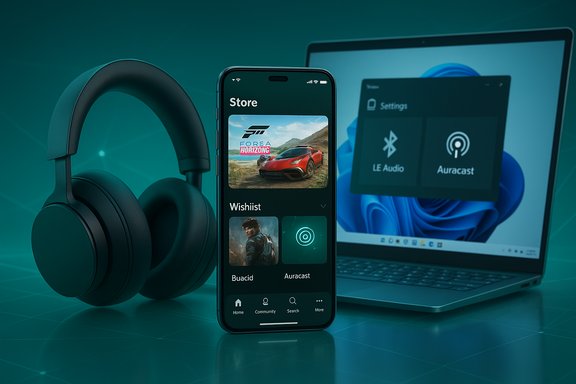
Microsoft’s quiet December updates finally plug two long‑standing gaps in the Xbox ecosystem: a true in‑app Store tab and wishlist support for the Xbox mobile app, and a firmware refresh that brings Bluetooth Low Energy (LE) Audio to the refreshed Xbox Wireless Headset — a change that directly ties the headset into Windows 11’s new audio roadmap and the emerging LE Audio ecosystem.
Across 2025 Microsoft has been steadily shifting Xbox from a console‑centric brand to an integrated, software‑first platform that spans consoles, Windows PCs and mobile devices. The two updates announced in mid‑December are small on their face — a UI addition and a firmware flash — but they are meaningful because they reduce friction in commerce on mobile and future‑proof a high‑volume first‑party accessory for modern Bluetooth audio standards. The official Xbox communications outline the changes and their intent, while independent outlets and hands‑on coverage add practical context about availability and limitations. These moves matter for three reasons:
Combined, these moves do three things:
Those wins are tempered by the classic realities of cross‑vendor standards adoption: benefits will arrive unevenly, reliance on OEM drivers will complicate support, and independent benchmarking is needed to quantify battery and latency improvements. For most consumers the changes are net positive: easier mobile shopping and noticeably better Bluetooth audio in many scenarios. For competitive players, enterprises and support teams, a cautious, measured rollout with wired fallbacks and pilot testing remains the prudent path.
The updates are rolling now; if you own the refreshed Xbox Wireless Headset, update via the Xbox Accessories app and test LE Audio on a Windows 11 machine with current OEM drivers. If you use the Xbox mobile app, check the Store tab (beta on Android first) and try the wishlist to centralize your shopping across devices.
Source: iPhone in Canada Xbox Mobile App and Xbox Wireless Headset Receive Long-Awaited Updates | iPhone in Canada
 Background / Overview
Across 2025 Microsoft has been steadily shifting Xbox from a console‑centric brand to an integrated, software‑first platform that spans consoles, Windows PCs and mobile devices. The two updates announced in mid‑December are small on their face — a UI addition and a firmware flash — but they are meaningful because they reduce friction in commerce on mobile and future‑proof a high‑volume first‑party accessory for modern Bluetooth audio standards. The official Xbox communications outline the changes and their intent, while independent outlets and hands‑on coverage add practical context about availability and limitations. These moves matter for three reasons:- They improve everyday user flows: browsing, wishing, buying, and listening across devices with fewer redirects.
- They align first‑party hardware with cross‑platform standards (LC3 / ISO / Auracast), reducing the need for proprietary, vendor‑locked audio stacks.
- They expose a classic vendor trade‑off: benefits arrive via ecosystem coordination (OS, drivers, chipset, headset firmware), so real‑world gains will vary by hardware and software combination.
What Microsoft shipped — the essentials
Xbox mobile app: a proper Store tab and wishlist
Microsoft added a dedicated Store tab inside the Xbox mobile app so users can discover and buy games, search for add‑ons, join Xbox Game Pass and add titles to a Wishlist — all from the app itself. This closes a usability gap that previously forced some commerce flows outside the app and into a browser or web view. The feature launched through a phased rollout (beta channels first on Android, then iOS) and wishlist items sync across devices when you’re signed into the same Microsoft account. Why this is important:- It reduces friction for impulse purchases and Game Pass conversions.
- It centralizes DLC and add‑on discovery (a previously awkward workflow).
- It keeps more commerce and telemetry inside Microsoft’s ecosystem — a strategic revenue and retention win.
Xbox Wireless Headset: Bluetooth LE Audio via firmware
The refreshed Xbox Wireless Headset (the October 2024 revision, not the original 2021 SKU) received a firmware update delivered through the Xbox Accessories app that enables Bluetooth LE Audio (LE Audio) features when paired to compatible Windows 11 hosts. Microsoft’s highlights for the firmware include:- Lower latency in Bluetooth audio paths compared with some Bluetooth Classic flows.
- Improved battery life through the more efficient LC3 codec.
- Super wideband stereo voice, which preserves stereo fidelity while the microphone is active.
- Broadcast / Shared audio (preview) on Windows 11, enabling a PC to stream one audio source to multiple compatible LE Audio sinks (currently in Windows Insider preview on select Copilot+ PCs).
LE Audio: the technical picture (concise explainer)
To assess what the firmware actually changes, it helps to understand the LE Audio building blocks:- LC3 codec: A modern, low‑complexity codec that delivers similar or better perceived audio quality than legacy codecs at much lower bitrates, reducing radio airtime and power draw.
- Isochronous Channels (ISO): Timed channels that make synchronized multi‑sink playback feasible for features such as Auracast-style broadcasts.
- Auracast / broadcast primitives: One‑to‑many audio streaming modes, useful for public audio broadcasts, assistive listening and Shared audio scenarios.
- Super wideband stereo (Windows feature): A Windows 11 innovation that allows stereo media playback to continue at high sampling rates even while the headset microphone is active — removing the old A2DP vs HFP trade‑off.
Verifying key technical claims
Multiple authoritative sources confirm the core claims Microsoft published:- Microsoft’s official Xbox Wire post spells out the Store tab and the headset firmware details, including platform requirements such as Windows 11 LE Audio support and Windows 11 version 24H2 (or later) for super wideband stereo.
- Independent outlets (The Verge, Tom’s Hardware) reported hands‑on and platform‑level confirmations that LE Audio and super wideband stereo are real Windows 11 features and that the Xbox Wireless Headset update enables those features for the October 2024 model. These articles emphasize that the improvements are qualitative but meaningful for voice and media fidelity.
- Android Authority and other mobile‑focused outlets independently verified the Store tab rollout on Android beta channels and noted wishlist support.
How to get the update — step‑by‑step
- Update or install the Xbox Accessories app on your Xbox console or Windows 11 PC.
- Pair your Xbox Wireless Headset to the device via Bluetooth or Xbox Wireless as appropriate.
- Open Xbox Accessories, select the headset, and check for firmware updates.
- Apply the firmware update and allow the headset to reboot as prompted.
- On Windows, confirm LE Audio exposure in Settings > Bluetooth & devices; look for LE Audio or associated labels. If LE Audio doesn’t appear, verify OEM Bluetooth drivers are current and that you’re on a Windows 11 build that includes LE Audio plumbing.
- Confirm the headset SKU — the firmware targets the refreshed October 2024 Xbox Wireless Headset, not the 2021 SKU. Updating the wrong model will not add LE Audio functionality.
- For Shared audio and some super wideband features, you may need a Windows Insider build on selected Copilot+ hardware. These are gated previews and not yet broadly available.
Hands‑on testing suggestions (how to measure improvements)
Controlled testing separates subjective impressions from measurable differences. Recommended quick checks:- Battery baseline:
- Run a 60‑minute gameplay loop at a fixed volume and headset settings prior to update.
- Repeat the same loop after the firmware update with identical settings to compare battery drain.
- Latency measurement:
- Use a high‑frame‑rate smartphone (240 fps+) to record a on‑screen visual event (muzzle flash, UI beep) and a synced audio cue.
- Measure audio‑to‑visual offset before and after the firmware update.
- Voice quality:
- Record a fixed phrase or a standardized voice sample in party chat with a friend both before and after the firmware update and compare clarity and stereo presence.
- Shared audio:
- Pair a second LE Audio device to a Windows 11 PC enrolled in Insider builds (if available) and test synchronized playback. Expect possible offsets; behavior will vary with headsets and OEM drivers.
Strengths — where Microsoft got this right
- Standards alignment: Rolling LE Audio via firmware (LC3/ISO/Auracast) is a forward‑compatible approach that promotes interoperability across vendors instead of locking users into a proprietary Microsoft audio stack. This lowers friction for cross‑platform audio use.
- Tangible day‑to‑day wins: The updates target concrete user pain points — poor voice clarity when the mic activates, limited Bluetooth battery life, and fragmented storefront flows on mobile. Each fix improves everyday usability.
- Low friction for owners: Firmware updates via the Xbox Accessories app mean owners don’t need to buy new hardware to access modern LE Audio features (assuming they have the October 2024 headset).
Risks, caveats and support considerations
- Ecosystem fragmentation: LE Audio benefits only materialize with full end‑to‑end support: headset firmware, PC Bluetooth controller firmware, OS drivers, and apps must all cooperate. Early adopters will see spotty compatibility depending on OEM drivers and Bluetooth chipsets.
- No universal numbers: Microsoft’s messaging is qualitative: “better battery life” and “lower latency” without numeric claims. Independent verification is required to quantify gains for competitive or professional users.
- Shared audio sync quirks: Synchronized multi‑sink playback depends on how different devices buffer and process audio. Expect occasional offsets, especially when pairing non‑identical headsets. For tightly lip‑synced video, test before relying on Shared audio in public or critical situations.
- Privacy / broadcast concerns: Auracast‑style broadcast features can make discoverable audio hotspots in public if not curated properly. Microsoft’s Shared audio preview is currently a paired experience, but users should remain mindful of enabling broadcasts in public spaces.
- Competitive play caveat: Serious competitive gamers who require the lowest possible latency should retain wired or RF options until they validate that the LE Audio path meets their specific latency budgets. The LE Audio improvements are promising, but wired still has predictable, minimal latency.
Strategic analysis — what Microsoft is signaling
These two updates together signal a deliberate, incremental strategy: make Xbox a seamless software and services layer that treats Windows and mobile as first‑class platforms. The Store tab on mobile reduces friction in discovery and purchase funnels, helping Microsoft keep more commerce within its ecosystem. The LE Audio firmware demonstrates a standards‑forward approach to hardware modernization that benefits Windows users and handhelds (such as ROG Xbox Ally devices) without forcing mass hardware upgrades.Combined, these moves do three things:
- Reinforce Windows as an anchor platform for Xbox experiences.
- Lower the marginal cost of cross‑device parity (firmware upgrades instead of new hardware purchases).
- Increase short‑term support complexity, because benefits depend on multiple independent parties (MS, OEMs, Bluetooth chipset vendors).
Recommendations — practical guidance for different audiences
- For general consumers:
- Update the Xbox Accessories app and apply the firmware if you own the October 2024 Xbox Wireless Headset.
- Try LE Audio on a modern Windows 11 PC that advertises LE Audio / LC3 support; expect improved voice clarity and modest battery gains.
- Use the new Xbox mobile app Store tab and Wishlist for coordinated account management across devices.
- For competitive gamers and streamers:
- Keep a wired USB or low‑latency RF solution for important sessions until you measure acceptable end‑to‑end latency for your setup.
- Run latency tests (high‑frame‑rate capture) and verify voice chat consistency during tournament‑style sessions.
- For IT and procurement:
- Require LC3/LE Audio support and firmware update commitments when specifying Bluetooth headsets for fleets.
- Pilot the firmware update across representative hardware before wide deployment; expect more complex support workflows during early adoption.
- For reviewers and technical testers:
- Publish controlled measurements of latency and battery life before and after the firmware flash, using standardized volumes, ANC settings and identical host driver versions.
- Verify Shared audio synchronization across identical and mixed device pairings and report offset ranges and dropout behavior.
What remains unverified or requires follow‑up
- Exact battery life improvements and latency reductions are not provided as single‑number claims by Microsoft. These will depend on host drivers, chipset firmware and use case; independent tests are required to quantify real‑world deltas. Treat Microsoft’s battery and latency claims as directional until those tests are published.
- Full public availability of Shared audio features will depend on Windows Insider testing and OEM driver updates; the feature is currently limited to select Copilot+ PCs in preview. Wider rollout timing remains unspecified.
The consumer takeaway — short version
- The Xbox mobile app now has a native Store tab and Wishlist functionality, making game discovery and purchases on mobile easier and more integrated with your Xbox account.
- The October 2024 Xbox Wireless Headset can be updated via the Xbox Accessories app to support Bluetooth LE Audio, unlocking better power efficiency, potential latency improvements, and Windows 11‑specific features like super wideband stereo and Shared audio (preview) on compatible PCs. Expect variable results depending on drivers and hardware.
Final assessment
Microsoft’s December updates are practical, strategic and user‑centric: a mobile Store tab closes a persistent usability gap, while LE Audio firmware future‑proofs a widely distributed first‑party accessory without forcing new hardware purchases. Both changes fit the broader shift toward a service‑first Xbox that treats Windows and mobile as equal citizens in the gaming ecosystem.Those wins are tempered by the classic realities of cross‑vendor standards adoption: benefits will arrive unevenly, reliance on OEM drivers will complicate support, and independent benchmarking is needed to quantify battery and latency improvements. For most consumers the changes are net positive: easier mobile shopping and noticeably better Bluetooth audio in many scenarios. For competitive players, enterprises and support teams, a cautious, measured rollout with wired fallbacks and pilot testing remains the prudent path.
The updates are rolling now; if you own the refreshed Xbox Wireless Headset, update via the Xbox Accessories app and test LE Audio on a Windows 11 machine with current OEM drivers. If you use the Xbox mobile app, check the Store tab (beta on Android first) and try the wishlist to centralize your shopping across devices.
Source: iPhone in Canada Xbox Mobile App and Xbox Wireless Headset Receive Long-Awaited Updates | iPhone in Canada
