

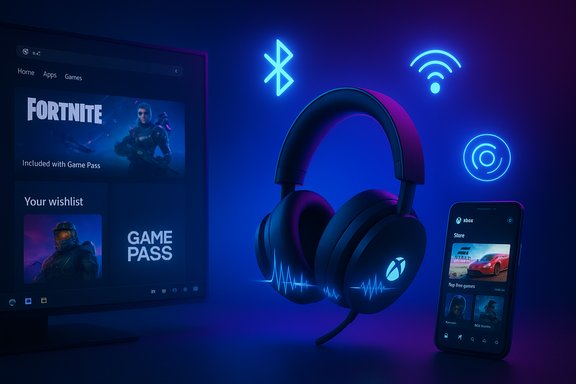
Microsoft’s December Xbox update quietly ties two threads that have been pulling Xbox closer to Windows and mobile: a firmware push that brings Bluetooth Low Energy (LE) Audio to the refreshed Xbox Wireless Headset, and a long‑requested expansion of the Xbox mobile app with a proper Store tab and wishlist features. The combination is small on face value — a firmware flash and an app UI change — but together they underline a strategic shift: Xbox is increasingly a software and services play that treats Windows and phones as first‑class platforms, not merely add‑ons to the console experience.
Microsoft relaunched a revised Xbox Wireless Headset in October 2024 with refreshed hardware, improved microphones, Bluetooth 5.3 support, and an extended battery life spec of up to 20 hours. That hardware refresh created a natural target for firmware enhancements that could unlock newer Bluetooth standards without requiring consumers to buy new headsets. At the same time, the Xbox mobile app has slowly been gaining purchase and content functions since earlier in the year; the new Store tab completes a missing user flow — discovering and buying games directly on mobile. Microsoft’s official December announcement frames the changes as convenience and quality upgrades: easier discovery and purchasing on mobile, and “top‑tier audio performance” on Windows devices via the headset firmware. Independent outlets and hands‑on coverage corroborate the same key points while adding practical detail and testing context.
Practical next steps are simple: update the Xbox Accessories app, verify your headset SKU, install the firmware, and test LE Audio on a supported Windows 11 device. Keep expectations measured: Microsoft’s claims are directional and promising, but the industry needs controlled, independent tests to quantify latency and battery gains. Meanwhile, the mobile Store tab should make buying and tracking Xbox content easier than ever. The update is less a flashy pivot and more a steadying move — aligning hardware, platform, and commerce around a unified Xbox experience that increasingly treats Windows and mobile as first‑class partners.
Source: thewincentral.com Xbox December Update brings Mobile and Audio Improvements.
 Background
Microsoft relaunched a revised Xbox Wireless Headset in October 2024 with refreshed hardware, improved microphones, Bluetooth 5.3 support, and an extended battery life spec of up to 20 hours. That hardware refresh created a natural target for firmware enhancements that could unlock newer Bluetooth standards without requiring consumers to buy new headsets. At the same time, the Xbox mobile app has slowly been gaining purchase and content functions since earlier in the year; the new Store tab completes a missing user flow — discovering and buying games directly on mobile. Microsoft’s official December announcement frames the changes as convenience and quality upgrades: easier discovery and purchasing on mobile, and “top‑tier audio performance” on Windows devices via the headset firmware. Independent outlets and hands‑on coverage corroborate the same key points while adding practical detail and testing context. What landed in the December update — the essentials
- Xbox mobile app: a dedicated Store tab (browse, purchase games, add‑ons, and join Game Pass) plus wishlist functionality and add‑on search inside the app. Beta rollout began on Android, with iOS following. Wishlist items sync across devices.
- Xbox Wireless Headset firmware update: enables Bluetooth LE Audio behaviors when paired to compatible Windows 11 hosts. Expected benefits called out by Microsoft include lower latency, better battery life, super wideband stereo voice (stereo voice chat while the mic is active), and Broadcast/Shared audio preview (Windows 11 feature to stream a single audio source to multiple LE Audio sinks). Firmware distribution is handled through the Xbox Accessories app on console and Windows.
- Requirements and caveats: LE Audio functions require a host that supports Bluetooth LE Audio (LC3, isochronous channels). Super wideband stereo needs Windows 11 version 24H2 or later plus OEM audio driver support; Shared audio is currently a Windows Insider preview on select devices. Microsoft does not publish single‑number latency or battery improvements.
Xbox mobile app: the Store tab and why it matters
A missing piece, finally added
The Xbox mobile app has long been a companion — social features, remote installs, and basic library access — but one friction point remained: buying games from mobile typically redirected users to a browser or required workarounds. The new Store tab changes that by putting storefront discovery and purchasing into the app itself, and by enabling wishlist management directly in mobile. That parity matters for impulse purchases, Game Pass discovery, and unified account workflows. Android beta users are already seeing the change; iOS users will get it later.What this enables for users and Microsoft
- For users: faster discovery, one‑tap purchases, and wishlist sync across consoles, PC, and mobile. The ability to search for add‑ons directly in the app reduces a historically clumsy DLC workflow. These are convenience wins that reduce friction between browsing and owning.
- For Microsoft: keeping more commerce inside the Xbox ecosystem on mobile improves conversion rates and helps preserve Microsoft’s data and retention paths rather than sending users to third‑party storefronts. This matters in a world where subscription and cross‑device ownership are increasingly central to revenue strategy.
Practical notes for readers
- If you’re an Android beta user, check the Xbox Beta app for the new Store tab. For most users, the rollout will be phased; patience is advised if the tab doesn’t appear immediately. Wishlist syncing typically requires signing into the same account across devices.
- The mobile Store focuses on Xbox console and PC content (including Game Pass subscriptions and add‑ons), not necessarily native mobile games. This is an important distinction for those expecting a storefront similar to Google Play or the App Store.
The Xbox Wireless Headset firmware: what LE Audio actually brings
LE Audio in a nutshell
Bluetooth LE Audio is the Bluetooth SIG’s next‑generation audio architecture built around the LC3 codec and isochronous channels. Its core design goals are improved perceived audio quality at lower bitrates, better power efficiency (longer battery life), and support for broadcast/multicast audio (Auracast) so a single source can stream to many receivers with time‑synchronized playback. For headsets and PC gaming, that can mean clearer audio, longer sessions between charges, and new shared‑listening use cases.Headset impact: Microsoft’s claims verified
Microsoft and multiple outlets say the fresh Xbox Wireless Headset firmware enables:- Lower latency compared with some Bluetooth Classic paths, which can improve lip‑sync and responsiveness in games. This is host‑ and implementation‑dependent; exact numbers were not published.
- Better battery life in Bluetooth modes because LC3 reduces bitrate and radio airtime. Again, Microsoft’s announcement is qualitative — the company offers no universal percentage uplift. Independent benchmarking will be necessary to quantify real‑world gains on specific hosts and ANC usage.
- Super wideband stereo voice on Windows 11: a Microsoft/Windows feature that preserves stereo fidelity for media while the microphone is active, overcoming the historical A2DP vs HFP trade‑off that forced low‑bitrate mono voice when the mic was used. This is a valuable upgrade for group voice chat and clarity.
- Shared audio (preview): Windows 11 Insiders can test broadcasting a PC audio stream to multiple LE Audio sinks simultaneously. This leverages Auracast‑style primitives and is useful for local multiplayer, dual listeners, or accessibility workflows. Availability is gated and currently limited to select hardware and Insider channels.
Which headset model gets the update?
Important clarification: the firmware upgrade targets the refreshed Xbox Wireless Headset introduced in October 2024, not the original 2021 SKU. Owners should confirm their headset SKU in the Xbox Accessories app before applying updates.Technical compatibility: the ecosystem puzzle
What your PC/handheld must support
- Windows 11 host that implements LE Audio primitives (LC3 codec, isochronous channels) — platform support is evolving and in many cases required Windows 11 version 24H2 or later for the super wideband stereo experience. Shared audio currently requires Insider builds on supported Copilot+ devices.
- Compatible Bluetooth controller and chipset firmware — many vendors need to publish drivers that expose the ISO channels and LC3 capabilities. Generic Microsoft drivers may not be sufficient on all devices.
- OEM audio driver support — super wideband stereo and some advanced Windows‑side integrations require manufacturers to enable audio stack features. Expect staggered availability across laptop and handheld makes.
- For handhelds like the ROG Xbox Ally family, Microsoft notes super wideband stereo compatibility is “coming soon,” implying additional OEM updates are required. Test before expecting immediate availability.
Real‑world consequences
The practical upshot is an ecosystem dependency: the headset firmware is a necessary but not sufficient condition for full LE Audio benefits. Users will often need BIOS/firmware updates, OEM Bluetooth driver updates, and the latest Windows servicing updates to see consistent results. This creates a rollout pattern that is patchy at first and gradually improves as vendors update drivers.How to get the update and practical steps
- Install or update the Xbox Accessories app on your Xbox console or Windows 11 PC. Connect the headset and look for a firmware notification inside the app. Microsoft delivers the firmware through this app flow.
- Confirm you own the October 2024 revision of the Xbox Wireless Headset (the update targets the newer SKU). The Xbox Accessories app will indicate model details.
- On Windows, check Settings > Bluetooth & devices for LE Audio indicators after updating the headset. If LE Audio isn’t visible, check your PC manufacturer’s support page for Bluetooth driver updates.
- To try Shared audio (preview): enroll a supported PC in the Windows Insider program and enable the Quick Settings tile when available or follow the Windows Insider guidance. Expect this to be restricted to select Copilot+ and preview‑eligible hardware.
Testing, measuring, and what reviewers should publish
Microsoft’s claims are meaningful but qualitative. Reviewers and community testers should publish controlled measurements to help buyers separate expectation from reality. Useful measurements include:- Objective latency: record a visual cue (gunshot flash or audio trigger visible on screen) with a high‑frame‑rate camera and measure audio offset before and after the firmware update. Repeat across host devices.
- Battery runtime: run standardized playback at fixed volume and ANC settings to compare pre‑ and post‑firmware battery life.
- Voice quality: A/B test party chat with identical network and codec settings to verify super wideband stereo fidelity claims.
- Shared audio sync: pair two LE Audio sinks and test sync during video playback; measure offsets and dropouts.
Strengths: what Microsoft did well
- Standards alignment — enabling LE Audio via firmware is future‑proof and promotes cross‑vendor interoperability, rather than locking users into a proprietary Microsoft ecosystem. This allows third‑party devices and Windows features to interoperate as LE Audio adoption grows.
- Practical user value — the update targets real pain points: voice quality when using the mic, battery life for Bluetooth sessions, and the ability to share audio streams. These map directly to scenarios gamers and PC users care about.
- Low friction delivery — shipping the firmware through the existing Xbox Accessories app reduces friction for owners; no hardware replacement is required to get many benefits.
- Mobile commerce parity — adding a Store tab and wishlist to the mobile app closes an obvious user experience gap and helps Microsoft own more of the consumer’s purchase funnel.
Risks, fragmentation, and unanswered questions
- Ecosystem fragmentation — LE Audio benefits are visible only when headset firmware, PC Bluetooth controller firmware, OEM audio drivers, and Windows builds all cooperate. Early rollout will be spotty and customer support queries may span multiple vendors.
- Quantified gains not published — Microsoft promises improved battery life and lower latency but provides no single numeric uplift. Reporters and consumers should treat these as qualitative claims until independent tests provide numbers.
- Privacy and broadcast concerns — Auracast‑style broadcast audio can create discoverable “audio hotspots.” Microsoft presently limits Shared audio to paired or preview flows, but users should be mindful of privacy when broadcasting in public spaces.
- Competitive play caution — competitive gamers still seeking the absolute lowest latency should validate end‑to‑end timings before relying on Bluetooth; wired USB or dedicated low‑latency RF options remain preferred for professional or tournament play.
- Support burden for enterprises — organizations that provision headsets should require LE Audio and firmware‑update commitments from vendors, and run pilot tests before wide deployment. The regression surface across drivers and hardware could complicate mass rollouts.
Practical advice for readers
- Update your headset firmware through the Xbox Accessories app and verify model SKU before updating.
- If you plan to test LE Audio, update your Windows 11 to the latest cumulative releases, confirm OEM Bluetooth drivers are current, and check the Windows Insider channel notes for Shared audio (preview) if you intend to try that feature.
- For streamers and competitive gamers: keep a wired fallback for critical sessions until you measure acceptable latency on your exact hardware stack.
- For IT and procurement: add LC3/LE Audio and firmware update roadmaps to purchasing specifications; pilot across representative hardware before deploying broadly.
The broader signal: Xbox as cross‑device platform
Taken together, the mobile Store addition and headset firmware update are emblematic of a larger strategic posture: Microsoft is leaning into a software‑first, cross‑device Xbox where Windows and mobile are central partners, not afterthoughts. Delivering LE Audio via firmware aligns a mass‑market first‑party accessory with Windows 11’s evolving audio roadmap, while the mobile Store tab reduces friction in the purchase lifecycle and strengthens Xbox’s end‑to‑end presence. This is consistent with Microsoft’s recent moves to make Windows a first‑class host for Xbox features such as the Full Screen Experience and Copilot integrations on handhelds. This strategy has tangible upside: consumers keep one accessory across console, PC, and handheld; Microsoft captures more commerce and engagement; and Windows benefits from a richer accessory ecosystem. The downside is that it increases cross‑vendor dependency and support complexity — a trade‑off Microsoft seems willing to accept in pursuit of cross‑platform cohesion.Conclusion
The December update is a compact but telling package: a firmware flash and a mobile UI change that together reinforce Xbox’s cross‑device ambitions. For owners of the updated October 2024 Xbox Wireless Headset and for Windows 11 users with compatible hardware, LE Audio offers real potential — clearer voice chat, longer battery life, and synchronized shared listening — but the experience will vary until host drivers and OEM support catch up. The mobile Store tab is a straightforward and welcome usability fix that closes a persistent gap in the Xbox companion experience.Practical next steps are simple: update the Xbox Accessories app, verify your headset SKU, install the firmware, and test LE Audio on a supported Windows 11 device. Keep expectations measured: Microsoft’s claims are directional and promising, but the industry needs controlled, independent tests to quantify latency and battery gains. Meanwhile, the mobile Store tab should make buying and tracking Xbox content easier than ever. The update is less a flashy pivot and more a steadying move — aligning hardware, platform, and commerce around a unified Xbox experience that increasingly treats Windows and mobile as first‑class partners.
Source: thewincentral.com Xbox December Update brings Mobile and Audio Improvements.
