• Thread Author
Zendesk’s latest move to embed its AI-first Resolution Platform into Microsoft’s Copilot and Agent 365 ecosystem promises to change how IT, HR and Finance teams deliver employee service — bringing ticketing, knowledge and action workflows directly into the apps employees use every day while leaning on Microsoft’s tenant-level governance to manage security, identity and audit trails.

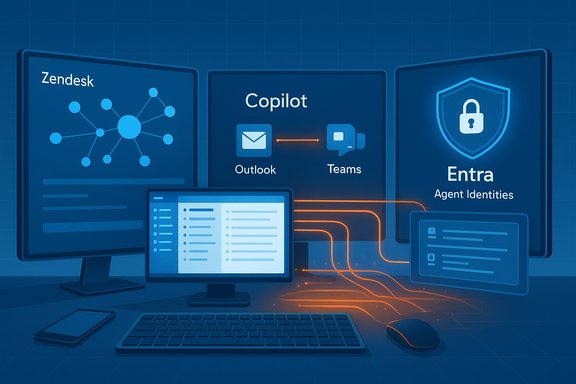
A futuristic IT dashboard showing Zendesk, Copilot, and Entra across connected devices.Background / Overview​

Zendesk announced two headline integrations on November 18, 2025: becoming a launch partner for Microsoft Agent 365, and shipping Zendesk Agent for Microsoft 365 Copilot, a connector that surfaces Zendesk support actions directly inside Microsoft 365 apps. The company says the Copilot connector will be available from the Zendesk Marketplace beginning November 21. Microsoft positions Agent 365 as a tenant-scoped control plane for agentic AI — a registry, lifecycle manager and governance layer that treats agents as first-class identities (registered in Microsoft Entra), enforces least-privilege access, and provides telemetry and observability for agent activity. Copilot and the Agent Store act as the in-app discovery and execution surface for those agents. That architectural split — platform governance + partner domain expertise — is the central premise for the Zendesk collaboration. In short: Zendesk supplies the knowledge graphs, ticketing workflows and action builders; Microsoft supplies the tenant control plane, identity and Copilot UI where employees interact with those capabilities. The vendors frame this as a governance-first route to in-flow employee service that reduces context switching and increases adoption while preserving security and auditability.

What Zendesk announced — the essentials​

  • Microsoft Agent 365 partnership: Zendesk is a launch partner, enabling Zendesk AI agents to be registered, governed and observed inside Microsoft’s Agent 365 control plane. The feature set emphasizes identity, token scoping, logging and model/provider restrictions.
  • Zendesk Agent for Microsoft 365 Copilot: A Copilot connector that lets employees submit tickets, check statuses, add notes and escalate directly from Outlook, Teams or other Microsoft 365 surfaces. Zendesk states this will be available from the Zendesk Marketplace on November 21.
  • Strategic framing: Zendesk argues this pairing brings the company’s Resolution Platform (knowledge graph, AI agents, Action Builder) into Microsoft’s supervised agent ecosystem — promising faster resolutions, higher agent productivity, and auditable workflows for IT, HR and Finance teams.
Both vendors emphasized the governance narrative: “govern agents like employees” — agents should have Entra identities, least-privilege permissions, auditable logs and tenant-level policy enforcement. That’s the foundational security claim behind the integration.

Technical anatomy — how the pieces fit​

Agent 365: the control plane​

Microsoft’s Agent 365 provides:
  • A registry of agents, including Entra-registered agent identities.
  • Access control and token-scope enforcement to limit what agents can read or write.
  • Telemetry and observability surfaces intended for SIEM ingestion and audit trails.
  • An Agent Store for discovery and deployment inside Microsoft 365 Copilot.
This model is designed so tenants can treat agents the same way they treat human identities: registration, role binding, monitoring and deprovisioning. That matters for regulated environments where auditability and least-privilege are non-negotiable.

Zendesk’s mapping: Resolution Platform → agent primitives​

Zendesk connects its platform to Agent 365 and Copilot by exposing:
  • Knowledge connectors (Zendesk KB and knowledge graphs) to Copilot Studio as tenant-grounded knowledge sources.
  • Action builders that map ticketing workflows (create, update, escalate) to agent-enabled actions.
  • Autonomy gates where write actions require a human approval or explicit tenant-configured policy.
Key technical checkpoints for IT teams:
  • Confirm agent identity lifecycle (how agents register, rotate credentials and get decommissioned).
  • Verify connector scopes and whether Copilot searches are permission-aware (users must only see content they’re authorized to access).
  • Ensure logging is immutable and routed into your SIEM/monitoring stack.
  • Validate synch windows and refresh cadence for Zendesk KB content in Copilot Studio.

Security, compliance and governance — what’s promised and what to verify​

Both vendors stress a governance-first approach: agent identities, Entra integration, and auditable agent actions. Microsoft documents Agent 365 capabilities explicitly around registry, access control and visualization — all designed to plug into existing tenant controls. Zendesk highlights that the integration will use Microsoft’s security and compliance tools to manage agent behavior. Those are important foundations, but they’re not a substitute for tenant-level validation. What IT teams must verify before rollout:
  • Which LLM/model provider is used for each flow and whether model routing respects tenant policy (Microsoft routes some tasks to Anthropic or OpenAI lineage models in specific scenarios — tenants must confirm routing).
  • Whether permission-aware search is enforced so Copilot never surfaces content a user is unauthorized to see.
  • Data residency and connector behaviors for sensitive sources (SharePoint, Exchange, HR systems) — verify what metadata is sent to model providers and whether that crossing is permitted by corporate data policy.
  • Audit ingestion into SIEM and a plan for anomalous-behavior alerts (hallucination detection, unusual write operations).
Caveat: vendor marketing often emphasizes governance controls — but the effectiveness of those controls depends on tenant configuration, token-scoping discipline, and operational monitoring. Treat the out-of-the-box posture as a starting point, not a turnkey guarantee.

Operational considerations — people, processes and knowledge hygiene​

The functional gains are straightforward: reduce context switching, let employees file and track tickets where they already work, and use AI to triage or draft responses. But success requires sustained operational work:
  • Knowledge hygiene: AI agents rely on the quality of your KB and knowledge graph. Inaccurate, contradictory or stale articles produce plausible but wrong outputs. Schedule regular KB reviews, use automated detection for stale articles, and define ownership for content updates.
  • Human-in-the-loop gates: For any action touching entitlements, payroll, access provisioning or finance, require explicit human approvals. Keep write operations limited during early pilots.
  • Observability and incident playbooks: Integrate agent telemetry into your SIEM and pen-test the approval and rollback flows. Run tabletop exercises for hallucination or erroneous-action incidents.
  • Change management: Embed user-facing guidance directly in agent descriptions and Copilot prompts. Train frontline teams on when to trust agent suggestions and when to escalate.

Practical 30–90 day rollout plan (recommended)​

  • Day 0–30: Define 2–3 low-risk pilot workflows (password resets, PTO inquiries, invoice status checks). Provision a non-production tenant and register a Zendesk agent in Agent 365 with read-only scopes.
  • Day 30–60: Run a closed pilot with a small business unit; measure accuracy, escalation rates, and agent telemetry. Require manual approval for any ticket-write operation during this phase.
  • Day 60–90: Expand the pilot scope to additional teams (HR or Finance with non-sensitive workflows), tune KB sync cadence, and evaluate end-user adoption metrics and SLA improvements. Integrate logs into SIEM and set alert thresholds for anomalous agent actions.
  • Ongoing: Quarterly KB hygiene audits, monthly model/version reviews, and a continuous improvement loop for prompts and actions. Maintain exportable copies of knowledge graphs and action definitions in neutral formats to avoid vendor lock-in.

Measured benefits — realistic expectations​

Zendesk and Microsoft both cite faster resolutions, higher agent productivity and auditable workflows as primary benefits. Those are credible outcomes when:
  • Agents are well-scoped and limited to high-frequency, low-risk tasks.
  • KB quality is high and synchronization to Copilot Studio is timely.
  • Governance is enforced and observability is in place so anomalies are detected early.
Important caution: vendor statements about SLA or time-savings are contextual and implementation-dependent. Published vendor or analyst percentages should be validated against internally measured KPIs in a pilot before committing to broad rollout. Several independent analysts and vendor reports agree the productivity prize is real — but non-trivial to realize without disciplined operations.

Vendor positioning and competitive context​

Zendesk’s public materials frame the integration as an extension of its Resolution Platform and Employee Service suite — a push to be the primary provider of employee-facing service automation across both Zendesk and Microsoft surfaces. The vendor claims this consolidates knowledge and workflows into Microsoft 365 while preserving Zendesk’s service orchestration capabilities. Microsoft’s broader strategy since Ignite has been to make Copilot and an agent ecosystem the connective tissue of daily work — Agent 365, Copilot Studio, the Agent Store and tenant controls all support that vision. The practical effect: platform-level governance combined with partner vertical expertise (Zendesk, Adobe, etc. creates a default enterprise pattern that favors deep Microsoft integration. That has benefits — but also increases coupling to Microsoft’s agent stack. Business implications:
  • For organizations heavily invested in Microsoft 365, the integration lowers friction and accelerates time-to-value for in-flow employee service.
  • For multi-platform shops or those worried about vendor lock-in, it raises the cost of migration and portability unless neutral export options are preserved.

Risks, failure modes and mitigations​

  • Overconfidence in autonomy: Agents that perform write operations (provisioning, payroll changes) can cause liability if insufficient checks exist. Mitigation: enforce approval gates and limit write scopes initially.
  • Knowledge drift and hallucinations: Even with good KB, models can hallucinate. Mitigation: require human verification for sensitive outputs, instrument hallucination detection and log incidents for retraining.
  • Model routing surprises: Tenants must confirm which model vendors process which flows — some tasks may route to Anthropic or OpenAI lineage models depending on Microsoft routing. Mitigation: request tenant-level documentation from Microsoft and freeze providers for regulated workflows.
  • Operational complacency: Without continuous monitoring and a clear incident playbook, agentic systems will drift into risky states. Mitigation: operationalize monitoring and run regular incident drills.
  • Vendor coupling and portability: Deep embedding in Microsoft’s Agent 365 reduces friction but increases dependency. Mitigation: maintain exports of knowledge graphs, action definitions and runbooks in neutral formats.

Verification of key claims (what we checked)​

  • Zendesk publicly announced the two integrations and availability timing on November 18, 2025, stating the Copilot connector will be listed in the Zendesk Marketplace on November 21. This appears in Zendesk’s press release and in its newsroom article.
  • Microsoft documents Agent 365 as a control plane for agent registry, access control and telemetry on its product pages; the vendor messaging matches the governance model Zendesk describes.
  • Vendor quotes attributed to Craig Flower (Zendesk CIO) and Srini Raghavan (Microsoft CVP, Copilot & Agents Ecosystem) are present in Zendesk’s press release and in syndicated press listings. These are direct vendor statements; independent verification beyond verbatim quotes requires vendor confirmation (e.g., media transcripts) but the quotes are published in the official releases.
Where claims are implementation- or tenant-dependent (for example, model routing, latency of KB syncs, and specific SLA improvements), those require tenant-level verification and pilot metrics. Such operational claims are labeled and discussed as conditional in vendor materials and independent reporting.

Takeaway for IT, HR and Finance leaders​

  • Treat the Zendesk + Microsoft integration as a capability platform, not a switch you flip and forget. The technical plumbing (Agent 365, Copilot connectors, Entra identity binding) is necessary but not sufficient for safe, reliable service automation.
  • Start small: pick high-frequency, low-risk workflows and pilot with human-in-the-loop controls. Measure accuracy, escalation rates, and operational cost savings — then expand conservatively.
  • Require tenant-level confirmations for model routing, connector scopes, and KB sync cadence — these technical details materially affect compliance and accuracy.
  • Operationalize observability from day one: integrate agent telemetry into SIEM, set alerting thresholds for anomalous behavior, and maintain a clear rollback path.

Conclusion​

Zendesk’s announcement marks a logical next step in moving employee service into the flow of work: by combining Zendesk’s Resolution Platform with Microsoft’s Agent 365 governance and Copilot surfaces, enterprises gain a powerful route to reduce context switching, speed resolution and retain auditable control over agentic actions. The combination is compelling for organizations already committed to Microsoft 365, and it aligns with Microsoft’s broader push to make Copilot and agent primitives the connective tissue of daily work. That promise is real — but it is conditional. Achieving measurable productivity gains depends on disciplined governance, rigorous KB hygiene, staged pilots, and continuous monitoring. Where those operational disciplines exist, the Zendesk + Microsoft integration can become a meaningful productivity multiplier; where they do not, the integration risks operational noise, hallucinations and compliance headaches. The prudent path is clear: validate tenant capabilities, pilot conservatively, instrument observability, and treat agent outputs as auditable artifacts rather than final answers.

Source: HRTech Series Zendesk to Deliver Secure, AI-Powered Employee Service Solutions Through Expanded Microsoft Integration
 

Zendesk’s decision to embed its AI-driven Resolution Platform inside Microsoft’s new agent ecosystem promises to push employee service into the flow of daily work — but the real test will be governance, knowledge quality, and careful rollout rather than marketing claims of instant productivity gains.

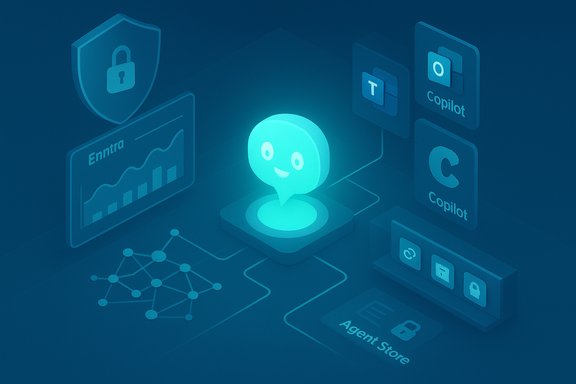
Glowing blue chatbot avatar amid futuristic AI and security icons.Background / Overview​

Zendesk announced two headline integrations with Microsoft: becoming a launch partner for Microsoft Agent 365 and shipping Zendesk Agent for Microsoft 365 Copilot, a connector that surfaces Zendesk ticketing and support workflows directly inside Microsoft 365 apps. The integrations are presented as part of Zendesk’s broader Resolution Platform strategy to bring AI agents, knowledge graphs, and auditable workflows into employee service for IT, HR and Finance teams.
Microsoft positions Agent 365 as a tenant-scoped control plane — a registry, lifecycle manager and governance layer that treats agents as first-class identities (registered in Microsoft Entra), enforces least-privilege access, and provides telemetry and observability for agent activity. Copilot and the Agent Store act as the in-app discovery and execution surface where employees find and interact with agents. Zendesk maps its knowledge bases, action builders, and AI-driven workflows into those primitives so that ticketing, status checks, and escalations can occur without leaving Outlook, Teams, or Copilot contexts.
Zendesk says the Copilot connector will be listed in the Zendesk Marketplace and available to install beginning November 21, with the public announcement and joint vendor messaging rolling out in mid‑November. These dates and the launch partner positioning are part of the vendors’ launch narrative. Readers should treat availability windows and exact licensing conditions as tenant‑specific and verify in their admin consoles.

What exactly was announced?​

Two distinct integrations with different roles​

  • Microsoft Agent 365 launch partnership — Zendesk is a launch partner, enabling Zendesk AI agents to be registered, governed and observed within Microsoft’s Agent 365 control plane. This positions Zendesk agents as directory-like objects with auditable identities and scoped connectors.
  • Zendesk Agent for Microsoft 365 Copilot — a Copilot connector that surfaces Zendesk support actions (create tickets, check status, attach files/notes, escalate) inside Microsoft 365 apps (Outlook, Teams, Copilot surfaces). The goal is to reduce context switching by letting employees submit and track requests from the tools they already use.
These two pieces — a governance/control plane and an in‑product execution surface — are intentionally complementary: Microsoft supplies identity, telemetry and tenant governance; Zendesk supplies domain expertise in ticketing, knowledge graphs and action builders.

What Zendesk claims it delivers​

Zendesk frames the integration as delivering measurable benefits for employee service:
  • Faster ticket resolution and reduced time to triage.
  • Improved agent productivity through AI-assisted summarization and draft replies.
  • Auditable workflows and compliance controls under Microsoft’s governance umbrella.
  • Reduced platform switching for users and support teams.
These are credible outcomes in principle, but they depend heavily on implementation discipline and the quality of knowledge grounding behind the AI — more on that below.

How the pieces fit technically​

Agent 365: the control plane​

Agent 365 acts as the tenant-scoped management layer that:
  • Registers agents and assigns them Entra-based identities.
  • Applies least‑privilege access and short‑lived token controls.
  • Captures telemetry and provides visualization and auditing surfaces for SIEM integration.
  • Offers an Agent Store for publishing and distributing partner/tenant agents.
Treating agents like managed identities is a foundational change: it moves governance from ad-hoc scripts and third‑party bots to a lifecycle model IT already understands (provision, access reviews, deprovision).

Copilot + Agent Store: the UI and distribution surface​

Copilot is the in‑app surface where agents are discovered and used. The Agent Store (M365 Agent Store) allows tenants to approve, request, and pin agents for use inside Word, Excel, Outlook, Teams and the Copilot app. Partners like Zendesk publish connectors to that store so organizations can expose trusted agent actions inside their tenant.

Zendesk’s Resolution Platform mapping​

Zendesk brings three technical primitives to Microsoft’s agent ecosystem:
  • Knowledge connectors: mapping Zendesk KB and knowledge graphs into Copilot Studio as grounding sources.
  • Action builders: translating Zendesk workflows (create/update/escalate tickets) into agent-executable actions.
  • Autonomy gates: configurable approval flows and policy checks to require human sign-off before sensitive write actions.
These integrations rely on sync windows and permission-aware search so that Copilot only surfaces authorization‑appropriate content to users. Validate those sync cadences and permission models before trusting outputs in regulated workflows.

Why this matters: operational value and strategic fit​

Embedding employee service in Microsoft 365 is not a new idea, but the combination of Agent 365’s governance primitives and Copilot’s in‑flow UI materially changes the calculus for enterprises:
  • Adoption friction falls because employees don’t leave Outlook or Teams to file requests.
  • Consistency rises as tenants can reuse the same Zendesk workflows, approvals and KB across multiple surfaces.
  • Auditability improves when agent actions live in tenant telemetry and SIEM pipelines.
For organizations already standardized on Microsoft 365, the integration reduces integration work and speeds pilots; for multi‑platform shops, it increases coupling to Microsoft’s agent stack — an important strategic consideration.

Strengths and credible benefits​

  • Governance-first architecture: Agent 365’s identity and lifecycle controls give security and compliance teams a familiar control surface for agents. Entra identities, conditional access and logging are all strong primitives that help contain agent risk if configured correctly.
  • Reduced context switching: surfacing ticket creation and tracking inside Outlook, Teams and Copilot increases the likelihood of employee adoption and speeds routine requests, particularly for high-volume IT, HR and Finance workflows.
  • Hybrid model choice and interoperability: Microsoft’s multi-model routing and Azure AI Foundry mean tenants can choose or restrict models (Anthropic, OpenAI lineage, tenant-hosted models) for particular tasks — useful when compliance demands specific model provenance.
  • Observability and telemetry: centralized dashboards, activity traces and alerts provide the forensic and compliance data many regulated organizations require. Agent 365’s telemetry pipeline is explicitly built to feed SIEMs and security dashboards.

Risks, failure modes and practical mitigations​

The platform strengths do not eliminate operational risk. The following are the most important failure modes and how organizations should mitigate them.

1. Hallucinations and grounding failures​

Generative outputs must be explicitly grounded to trusted sources. Even with KB connectors, stale content or mis‑scoped agents can surface inaccurate or sensitive information.
Mitigations:
  • Require human verification for any sensitive or regulatory output.
  • Schedule regular KB hygiene and sync audits.
  • Instrument hallucination incident logging and feedback loops into KB retraining.

2. Model routing surprises and data residency questions​

Microsoft’s multi-model routing can route flows to different providers (OpenAI, Anthropic, or tenant-chosen models). That affects where data is processed and which compliance regimes apply.
Mitigations:
  • Lock model providers for regulated workflows.
  • Require vendor documentation for model routing per tenant.
  • Include model-provider checks in procurement and runbook exercises.

3. Over‑privileged autonomous actions​

Agent 365 can permit agents to perform write operations (ticket updates, provisioning) — a powerful capability that amplifies both benefit and risk.
Mitigations:
  • Start with read-only or draft workflows; escalate to write-capable agents only after a pilot and risk assessment.
  • Enforce approval gates for any high-impact actions.
  • Use short‑lived token scopes and least‑privilege service principals.

4. Marketplace and supply chain risk​

Agents published in the Agent Store or Zendesk Marketplace are third‑party code. Poorly designed connectors can leak data or circumvent tenant policies.
Mitigations:
  • Vet partner agents before listing in tenant catalogs.
  • Run static security reviews and dependency scans on published connectors.
  • Isolate agent testing in non‑production tenants and integrate with conditional access quarantine controls.

5. Vendor coupling and portability​

Deep embedding in Microsoft’s agent stack can create migration friction and potential lock‑in.
Mitigations:
  • Maintain neutral exports of knowledge graphs, action definitions and runbooks.
  • Use standard formats where possible and document data flows for exit planning.

Practical rollout checklist for IT leaders​

A pragmatic 30–90 day phased plan dramatically reduces risk and builds measurable outcomes.
  • Day 0–30: Identify 2–3 low‑risk pilot workflows (password resets, PTO inquiries, invoice status checks). Register a Zendesk agent in Agent 365 with read‑only scopes and instrument telemetry.
  • Day 30–60: Run a closed pilot with a small business unit; require manual approval gates for write actions; measure accuracy, escalation rates, and agent telemetry ingest into SIEM.
  • Day 60–90: Expand to additional teams with tuned KB sync cadences and documented runbooks; automate alerts for anomalous agent behavior and integrate findings into a continuous improvement loop.
Ongoing governance:
  • Quarterly KB hygiene audits.
  • Monthly model/version reviews.
  • Incident playbooks and quarterly drills for hallucination or data‑exposure incidents.

Licensing, availability and admin controls — what to verify​

Vendor materials state the Zendesk Copilot connector will be available via Zendesk Marketplace from November 21, but tenants should not assume instant availability or identical licensing across regions and subscriptions. Confirm the following in your tenant:
  • Agent availability in your Microsoft 365 tenant and whether Admin approval is required for Agent Store installs.
  • Licensing requirements for Microsoft 365 Copilot and any Zendesk subscription tiers needed to enable the connector.
  • Admin controls for token scopes, data connectors, and whether you can constrain model providers for sensitive flows.
Where vendor statements include percentage improvements or SLA claims, treat those as vendor-provided metrics and validate with a pilot in your environment before extrapolating to enterprise ROI.

Industry context and vendor strategy​

Microsoft’s broader agent strategy is to make Copilot the connective tissue of daily work: Copilot Studio for authoring, Azure AI Foundry for runtime and model orchestration, Agent Store for distribution, and Agent 365 as the administrative control plane. Partners like Zendesk bring vertical workflows and deep domain expertise into that platform model. This creates a default enterprise pattern where deep Microsoft integration becomes the path of least resistance for in‑flow service automation.
For Zendesk, the integration is strategic: it embeds the Resolution Platform into the apps employees already use and positions Zendesk as the go‑to partner for enterprise employee service within Microsoft’s ecosystem. For Microsoft, partner agents broaden Copilot’s practical reach and fill vertical gaps faster than Microsoft building every domain-specific agent itself. The tradeoff for enterprises is often between speed of deployment and the long‑term costs of deeper platform coupling.

Final assessment: realistic expectations and editorial verdict​

The Zendesk–Microsoft tie‑up is a logical and compelling next step in the evolution of enterprise employee service. When implemented responsibly, it can reduce context switching, raise agent productivity, and provide the audit trails regulated industries need. The technical architecture — Agent 365’s identity-first governance plus Copilot’s in‑app surfaces — is a sensible design that addresses many of the concerns that stalled earlier bot programs.
However, the success of these integrations will not be automatic. The three gating factors that will determine outcomes are:
  • Knowledge quality and sync discipline: AI agents are only as good as the data they are grounded on. Regular KB hygiene and well‑scoped connectors are non‑negotiable.
  • Governance and lifecycle maturity: Agent identities, conditional access, token scoping and telemetry must be operationalized and audited regularly. Agent 365 supplies the primitives, but organizations must enact processes.
  • Staged operational rollout: Start small, measure accuracy and user impact, and only expand write-capable autonomy after proving safety and compliance.
Vendors will understandably tout fast time‑to‑value and productivity gains; enterprises should anchor expectations to pilot data and avoid wholesale automation of high‑risk processes before controls are proven.

Conclusion​

Zendesk’s integration into Microsoft’s Agent 365 and Copilot ecosystem is a strategically sensible move that brings service workflows into the flow of work and wraps them in a governance model enterprises need. The offering blends in‑app convenience with tenant-level governance, but realizing the promised productivity and compliance benefits requires disciplined knowledge management, staged pilots, and clear model/provider controls.
For IT leaders planning to adopt the Zendesk Agent for Microsoft 365 Copilot, the operational playbook is straightforward: start with low‑risk pilots, enforce strict approval gates for write actions, instrument telemetry into your SIEM, and maintain exportable runbooks and KB snapshots to avoid lock‑in. Those steps separate vendor promises from deliverable outcomes and make the difference between an expensive experiment and a measurable service automation success.

Source: IT Brief UK Zendesk integrates AI-powered tools into Microsoft 365
 

Zendesk’s latest move to embed its AI-powered service into Microsoft’s growing “agentic” ecosystem is both strategic and inevitable: the company is now a launch partner for Microsoft Agent 365 and is shipping a Zendesk Agent for Microsoft 365 Copilot that embeds ticketing and employee service workflows directly into Microsoft 365 apps, promising in-flow support, centralized governance, and tighter security integration across enterprise environments.

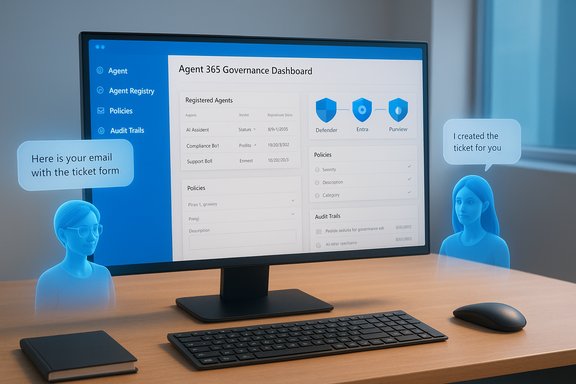
Blue holographic assistants flank a monitor displaying the Agent 365 Governance Dashboard.Background​

The race to put AI “in the flow of work” has accelerated in 2025, with Microsoft pushing an agent-first vision for productivity and enterprise automation. Microsoft’s Agent 365 is positioned as a control plane for AI agents — a governance, security, and observability layer that sits above agent runtimes to inventory, manage, and audit agent activity across Microsoft 365. That control-plane model aims to stop agent sprawl, provide scoped access to tools, and log every agent action for compliance teams. Zendesk’s announcement on November 18, 2025, builds on that trajectory. The company described two products in this partnership: (1) Zendesk as a launch partner for Microsoft Agent 365, enabling Zendesk AI agents to be managed within Microsoft’s control plane; and (2) Zendesk Agent for Microsoft 365 Copilot, a Copilot extension that lets employees submit tickets, check status, add notes, and escalate issues without leaving Outlook, Teams, or other Microsoft 365 apps. Zendesk says the Copilot integration became available via the Zendesk Marketplace on November 21, 2025. This development sits inside a broader ecosystem shift. Microsoft has been expanding Copilot with agentic capabilities — Agent Mode, Office Agent tooling, and integrations that permit external ISVs and platforms to ship agents into Microsoft 365 contexts. The goal is clear: make AI assistants first-class participants in workplace workflows while offering enterprises the governance features they demand.

What Zendesk and Microsoft are delivering​

Two integration pillars​

  • Microsoft Agent 365 integration: Zendesk AI agents can be registered, controlled, and monitored inside Microsoft’s Agent 365 control plane. This includes the ability to manage which agentic tools (MCP servers, connectors) are available to particular agents, and to leverage Microsoft security and compliance tooling for runtime protection. Zendesk frames this as enabling autonomous agent management (e.g., automated ticket triage and resolution) while preserving enterprise governance.
  • Zendesk Agent for Microsoft 365 Copilot: A Copilot extension or app that embeds Zendesk employee service capabilities directly into Microsoft 365 interfaces. Employees can create incidents, update requests, check resolution status, and escalate tickets without leaving the app where they’re working. Zendesk positions this as a productivity and context-preservation play: fewer context switches, faster service, and fewer steps to resolve common HR, IT, and Finance issues.

Key platform capabilities Microsoft supplies (used by Zendesk)​

  • Centralized registry and inventory of agents via Microsoft Entra identities and Agent 365 registry, helping IT discover and track agent usage across the tenant.
  • Security and observability integrated with Microsoft Defender, Microsoft Entra, and Microsoft Purview to provide runtime protection, advanced hunting, DLP, and audit trails for agent actions.
  • Admin control for MCP servers and tooling exposures via the Microsoft 365 admin center, enabling enterprise policy enforcement and blocking of unapproved tooling.

Why this matters to enterprises​

Bringing Zendesk into Microsoft’s agent ecosystem addresses three persistent problems for IT, HR, and Finance teams:
  • Reduced context switching: embedding support interactions inside Outlook, Teams, and Office means employees don’t have to break flow to open a separate ticketing portal; this improves productivity and reduces friction in high-volume employee service interactions. Zendesk and Microsoft argue this will reduce mean time to resolution and improve satisfaction. Those are vendor claims that require validation in each environment, but the in‑flow model is consistently tied to measurable reductions in process latency.
  • Governance and compliance at scale: Agent 365’s control-plane features are explicitly designed to give security and compliance teams visibility into agent behavior, enforce policies, and prevent data leakage via scoped permissions, DLP, and audit logs. For regulated industries, that level of auditability is often the gating factor for production use of agentic AI.
  • Interoperability across platforms: The Agent 365 model and Microsoft’s open stance on agent development mean ISVs and platforms (including Zendesk, ServiceNow, and others) can plug into a common governance layer, enabling organizations to unify oversight across heterogeneous agent deployments rather than managing an island for every vendor. ServiceNow announced similar Agent 365 integrations in the same timeframe, illustrating the multi‑vendor ecosystem Microsoft expects to support.

Strengths of Zendesk’s integrations​

  • Native experience for employees: Embedding Zendesk into Microsoft 365 Copilot and apps reduces friction and is a natural extension for organizations standardized on Microsoft productivity tools. That in‑flow convenience is a practical advantage for adoption and first-contact resolution rates.
  • Enterprise-grade security controls: Because the integration relies on Agent 365 and Microsoft’s security stack (Defender, Entra, Purview), enterprises don’t have to trade off agility for compliance — they can make agentic features available while keeping centralized governance and DLP policies in place. This is especially relevant for regulated sectors where audit trails and least‑privilege access are mandatory.
  • Reduced integration burden: For IT teams that already run Microsoft 365 at scale, deploying Zendesk as a Copilot extension and managing Zendesk agents through Agent 365 should be simpler than building custom connectors or maintaining standalone middleware. That lowers operational overhead and speeds time to value.
  • Part of a broader ecosystem: Microsoft’s vision encourages multiple vendors to bring agents into a common management plane, which reduces vendor silos and supports cross-platform orchestration and governance across Zendesk, ServiceNow, and other enterprise platforms.

Risks, unknowns, and limitations​

  • Vendor claims vs. empirical outcomes: Zendesk’s statements about faster resolution times, better productivity, and scale are valid use-case value propositions, but they are marketing claims until validated in customers’ environments. Each organization should treat these as hypotheses to be tested in a pilot rather than guaranteed outcomes. Run measurable pilots with control groups before changing SLAs or resourcing models.
  • Data leakage and contextual exposure: Even with DLP and scoped permissions, agents acting on user context (email, files, calendar) present new surface area for accidental exposure. The technical controls described by Microsoft (runtime observability, payload checks, policy enforcement) are important, but they require correct configuration, ongoing monitoring, and integration with corporate DLP and legal hold processes. Organizations must verify that sensitive fields are redacted and that logs meet their retention and eDiscovery needs.
  • Agent sprawl and shadow agents: Agent 365 includes discovery and a registry, but enterprises that allow broad agent creation risk untracked agents performing actions beyond intended scope. The registry is a mitigation; governance and change-control processes are still necessary to prevent shadow agents and runaway automations.
  • Licensing and access complexity: Microsoft’s Copilot ecosystem has licensing tiers and preview programs (Agent Mode and Office Agent rollouts have been staged through Frontier preview channels), and integration availability may vary by plan and region. Gatekeepers should budget for licensing costs and clarify which Microsoft and Zendesk plans are required for full functionality. WindowsCentral reporting and Microsoft messaging indicate some agentic capabilities initially require a Copilot license and participation in preview programs; customers should confirm entitlements with their account teams.
  • Vendor lock-in and platform dependency: Tight integrations with Microsoft Agent 365 make Microsoft the arbiter of runtime controls, which is powerful but also centralizes operational dependency. Organizations should assess their tolerance for that dependency and design exit paths, data export strategies, and fallback processes in case supplier terms, pricing, or technology directions change.

Practical rollout checklist for IT leaders​

  • Governance foundation
  • Establish an AI governance board with representation from IT, security, legal, HR, and compliance.
  • Define acceptable use policies for agentic assistants and document escalation paths for incidents.
  • Licensing and entitlement verification
  • Confirm Microsoft 365 licensing and Copilot entitlements required to use Agent 365 and any preview programs.
  • Confirm Zendesk product editions required for the Resolution Platform features you intend to use.
  • Secure-by-design configuration
  • Register and manage Zendesk agents in Agent 365 using scoped Microsoft Entra identities.
  • Limit access to MCP servers (Outlook, Teams, SharePoint, etc. to only needed agents and apply principle of least privilege.
  • Data protection and DLP
  • Integrate agent action monitoring with Microsoft Purview and Defender advanced hunting.
  • Define data redaction rules for PII and sensitive fields; test payload inspection to prevent leaks.
  • Pilot and measure
  • Start with a constrained pilot (one business unit) and measure mean time to resolution, ticket volume, agent satisfaction, and error rates.
  • Use a control group to compare outcomes and validate vendor claims about productivity gains.
  • Audit and observability
  • Configure logging, SIEM alerts, and an audit cadence to review agent actions weekly for the first three months, then monthly.
  • Validate that logs satisfy legal hold and eDiscovery requirements.
  • Human-in-the-loop controls
  • Define thresholds or guardrails where human approval is required for actions that alter data, move money, or change access rights.
  • Train frontline agents and stakeholders on reviewing and overriding agent-suggested actions.
  • Vendor and ecosystem mapping
  • Map all integrated vendors (Zendesk, Microsoft, ServiceNow if present) and define ownership of security, incident response, and data retention responsibilities.

Technical considerations for architects​

Identity and permissions​

Agent 365 relies heavily on Microsoft Entra for identifying and scoping agent identities. Architects must model agent identities like service principals with least-privilege scopes and rotate credentials/keys appropriately. Use conditional access where supported and closely monitor consent grants for any MCP servers.

Observability and telemetry​

Integrating agent telemetry with Microsoft Defender and a SIEM is critical. Agents will call MCP tools; every tool call should be logged with context (agent identity, caller user, parameters, and outcome). Architect for high-cardinality logs and ensure retention policies match compliance needs.

Tools and MCP servers​

Agents interact with Microsoft services through MCP servers (mail, calendar, Teams, SharePoint, OneDrive). Organizations should certify and allow only vetted MCP servers, apply rate limits, and define payload size or action restrictions for higher-risk servers.

Interoperability and cross-platform orchestration​

If you run multiple backend platforms (Zendesk, ServiceNow, internal ticketing), design orchestration layers that provide canonical state and avoid race conditions: an agent should not create duplicate tickets across platforms. If multiple vendors integrate with Agent 365, ensure consistent mapping of ticket IDs, statuses, and escalation states.

Competitive landscape and market implications​

Zendesk’s integration is not an isolated event; multiple service-platform vendors are racing to integrate into Microsoft’s agent control plane. ServiceNow has publicly announced Agent 365 integrations and enhancements that connect its Now Assist and AI Control Tower with Microsoft’s Foundry and Copilot Studio, aiming for a similar promise of governance + action orchestration. This multi‑vendor momentum suggests enterprises will soon manage agentic AI across several service platforms from a single Microsoft-backed governance layer. For customers, this ecosystem evolution can be positive—more choice and richer orchestration—but it increases the need for a deliberate vendor strategy. Organizations should avoid buying single-point solutions without assessing cross-vendor interoperability, data ownership, and long-term operational models.

Four recommendations for procurement and security teams​

  • Treat agentic integrations as platform purchases, not single-feature add-ons. Negotiate terms around data portability, incident response responsibilities, and audit access.
  • Insist on a documented shared-responsibility model with both Microsoft and Zendesk for agent runtime behavior, security controls, and breach notification timelines.
  • Require a measurable pilot plan (KPIs and acceptance criteria) before expanding to large populations; include rollback and throttling controls.
  • Invest early in observability and SIEM integration; auditability is the differentiator between a secure rollout and a compliance nightmare.

What to test in a pilot​

  • Accuracy and hallucination rates: How often does the Zendesk agent suggest incorrect ticket routing or inaccurate knowledge-base answers?
  • Escalation fidelity: When escalations are triggered via Copilot, does ticket metadata, context, and attachments persist consistently in Zendesk?
  • Privacy boundaries: Verify that agent calls do not transmit restricted fields (e.g., social security numbers, legal case details) into third-party processing.
  • Performance: Measure agent latencies for common operations (create ticket, check status, attach note) under realistic user loads.
  • Governance workflows: Confirm that an admin can block an MCP server globally and that blocked servers cause agents to fail safely without leaking data.

Long-term implications​

The architectural pattern Microsoft is promoting — a secure control plane for agents combined with first‑class in‑app experiences — will reshape how employee services are delivered. If governance, DLP, and observability prove robust in enterprise deployments, agents will increasingly carry out low-risk, high-volume tasks autonomously while humans focus on complex and exception cases. The net effect could be meaningful productivity gains and reduced ticket volumes for routine issues, but only under disciplined governance and continuous monitoring. At the platform level, vendors like Zendesk that move quickly to support the agent control plane will benefit from being the default service experience inside productivity apps, but they’ll also be judged on how transparently and safely they use user context. That transparency — and the enterprise’s ability to audit and control agent behavior — will determine trust and adoption over the next 12–24 months.

Final assessment​

Zendesk’s launch‑partner status with Microsoft Agent 365 and the Zendesk Agent for Microsoft 365 Copilot integration represent a pragmatic step toward the future of in‑flow employee service. For organizations aligned with Microsoft 365, the integration reduces integration friction and promises familiar workflows for employees while leveraging Microsoft’s governance and security primitives. However, outcomes will depend on execution. The benefits Zendesk and Microsoft describe — faster resolutions, higher productivity, secure scaling of AI assistants — are plausible, but they are vendor-claimed and should be validated in controlled pilots with measurable KPIs. Security and compliance teams must be deeply involved from day one to prevent misconfigurations, data leakage, and unmanaged agent sprawl. The Microsoft Agent 365 control plane provides strong tooling, but those tools must be actively used and audited. For CIOs and IT leaders planning deployments: treat this as a platform change, not just a feature toggle. Prepare governance, invest in observability, negotiate clear contractual protections, and run disciplined pilots. Done right, Zendesk in Microsoft’s agent ecosystem can streamline employee service and reduce friction; done poorly, it can create new compliance headaches and operational blind spots. The next year will show which organizations gain measurable value and which will need to rework their guardrails.

Source: SMEStreet Zendesk and Microsoft Expand Partnership With AI Service Integrations
 

Zendesk’s announcement that it will bring its AI-driven Employee Service capabilities directly into Microsoft’s new agent ecosystem marks a significant step toward mainstreaming agentic AI inside everyday productivity tools — and it raises as many governance and security questions as it promises productivity gains.

Tech collage with Zendesk, Outlook, and Teams icons around a glowing user avatar on circuitry.Background​

Zendesk this week confirmed it is a launch partner for Microsoft Agent 365 and that it will publish a Zendesk Agent for Microsoft 365 Copilot integration in the Zendesk Marketplace, available beginning November 21. Zendesk frames the integrations as an extension of its Zendesk Resolution Platform and Employee Service Suite, designed to let employees submit and manage IT, HR, and Finance requests without leaving Outlook, Teams, or other Microsoft 365 apps. Microsoft unveiled Agent 365 at Microsoft Ignite as a tenant-scoped “control plane” for managing AI agents across an organization: a registry, access-control templates, telemetry/visualization, interoperability with apps and data, and security controls that are designed to reduce agent sprawl and surface “shadow agents.” Agent 365 is available to customers through Microsoft’s Frontier/preview program while other Copilot and agent features are rolling out across the Microsoft 365 footprint. Taken together, the two vendors’ messaging positions Zendesk as both an embedded support surface inside Microsoft 365 Copilot and as a managed participant inside Microsoft’s agent governance layer. That combination targets two enterprise priorities: frictionless in‑flow support for employees, and centralized governance and auditing for IT and security teams.

What exactly was announced?​

Two integrations, two roles​

  • Zendesk + Microsoft Agent 365 (launch partner role): Zendesk says its AI agents can be managed inside Microsoft Agent 365, enabling Microsoft’s tenant-level registry and access-control mechanisms to govern Zendesk AI agents, ticket automations, and knowledge access. This places Zendesk agents under Microsoft’s Entra-based identity and policy framework for agents.
  • Zendesk Agent for Microsoft 365 Copilot (in-flow experience): A Copilot-enabled connector listed in the Zendesk Marketplace lets employees perform support actions — submit tickets, check status, add notes, escalate — directly from Microsoft 365 apps. The integration is designed to remove context switches and reduce mean time to resolution. Zendesk says the Copilot connector will be available November 21.

Key product names and platform relationships (consistent naming)​

  • Microsoft Agent 365 — the control plane / registry and governance layer for agents.
  • Microsoft 365 Copilot — Microsoft’s productivity assistant, now extended with Agent Modes and Copilot Studio.
  • Zendesk Resolution Platform — Zendesk’s AI-first service platform that powers the Zendesk agents and knowledge graph.
  • Zendesk Agent for Microsoft 365 Copilot — the installable integration that surfaces Zendesk actions inside Microsoft apps.
  • Zendesk Marketplace — the distribution point for the Copilot connector, per Zendesk’s announcement.

Why this matters: business and technical implications​

Faster, in-flow employee service​

Bringing ticket submission, status checks, and escalation into the flow of work addresses a familiar productivity problem: employees avoid help desks because opening a ticket is disruptive. Embedding these actions in Outlook, Teams, or Copilot removes that friction and reduces the cognitive cost of getting help, which should raise ticket accuracy and speed of resolution. Zendesk and Microsoft both highlight faster resolution times and increased agent productivity as primary benefits.

Governance, auditability, and enterprise controls​

Microsoft’s pitch for Agent 365 centers on treating agents as first-class identities with lifecycle management, role-based access, policy templates, and discovery/quarantine features. For enterprises with stringent compliance and data protection needs, that control plane is the critical counterweight that makes agentic workloads auditable and (the vendors say) manageable at scale. Zendesk positions its Resolution Platform to map into that governance model so that AI-driven actions on tickets remain traceable.

Practical ROI drivers​

  • Reduced time-to-resolution (fewer context switches).
  • Lower agent load through automation of routine actions.
  • Faster knowledge discovery using Zendesk’s Knowledge Graph and generative search.
  • More consistent process execution via Action Builder and Copilot-triggered workflows.

Technical and licensing considerations​

Licensing and program access​

Microsoft’s Agent 365 and many agentic features are initially available via the Frontier early-access program and depend on Microsoft 365 Copilot entitlements for in-app agent functionality. This means organizations need to confirm licensing and program eligibility before expecting immediate roll‑out. Zendesk’s Copilot connector is distributed via the Zendesk Marketplace, but successful use also requires tenant-level configuration on the Microsoft side.

Identity and access flow​

Agent 365 uses Microsoft Entra to register and identify agents, and enforces least privilege by limiting an agent’s access only to required resources. For a Zendesk agent to act on behalf of a user — e.g., to create or modify tickets — that agent will need scoped access rights that must be mapped to Zendesk functions. Administrators will have to approve permissions and map Microsoft tenant policies to Zendesk roles.

Data flows and grounding​

Copilot and Agent 365 emphasize grounding agents with Work IQ and company data so agents’ outputs are consistent with internal policies and documents. Zendesk’s Knowledge Graph and Knowledge Builder are intended to be the service-side source of truth for resolution logic, but enterprises must verify where data is stored, how context is passed to agents, and whether sensitive fields are excluded from generative flows. This is a core configuration and security task.

Security, privacy, and governance — risk analysis​

Strengths in the joint approach​

  • Centralized control plane. Agent 365 provides a single registry and policy model to discover, inventory, and quarantine agents — a major advantage over point solutions that can create "agent sprawl." Microsoft’s integration with Defender, Entra, Intune, and Purview aims to provide cross‑stack protection and audit trails.
  • Policy templates and least-privilege enforcement. Agent policies and adaptive access reduce the blast radius if an agent is compromised. Microsoft’s visibility features make it easier for security teams to surface anomalies.
  • Vendor collaboration on governance. Zendesk positioning its agents inside Agent 365 suggests vendors are aligning to enterprise security expectations rather than allowing siloed, ungoverned AI to proliferate.

Residual risks and attack surface​

  • Data exfiltration and over-privileged agents. Any autonomous agent that can access multiple services and create or modify tickets is a potential exfiltration pathway. Misconfigured permissions or permissive integrations could leak credentials, user data, or sensitive ticket content externally.
  • Hallucinations and incorrect actions. Generative agents can produce plausible but incorrect actions (e.g., escalate the wrong ticket, change fields incorrectly). Logs and QA processes must exist to catch and revert harmful automated actions.
  • Shadow agents and third-party integrations. Microsoft’s registry and shadow‑agent discovery are defensive; however, the ecosystem includes third-party agents and vendors (e.g., ServiceNow, Adobe, Workday). Organizations will need policies for third-party agent vetting and continuous monitoring.
  • Supply‑chain and model provenance. Some Copilot experiences allow customers to choose model providers (OpenAI, Anthropic, etc.. Organizations must decide model sourcing, data residency, and whether enterprise contracts include model vetting and logging provisions.

How to mitigate risks — an operational checklist​

  • Require Agent 365 registration for all agents and enforce quarantine rules for unsanctioned agents.
  • Apply least‑privilege policies and use role-based access templates for agents that interact with Zendesk.
  • Configure sensitivity filters to exclude PII and regulated data from generative prompts and Copilot context windows.
  • Enable comprehensive logging and integrate agent telemetry with SIEM and Microsoft Security Copilot.
  • Use post‑action QA sampling and Custom QA tooling to continuously score and validate automated actions.

Operational use cases: who benefits and how​

IT Service Management​

  • Self-service ticket creation from Outlook or Teams reduces ticket backlog.
  • Copilot-triggered triage can automatically route tickets and pre-fill fields, cutting handling time.
  • Asset-linked agents can escalate warranty or procurement requests from the ticket context.

HR and Employee Experience​

  • Employees can request time-off, enrollments, or payroll investigations directly from Microsoft 365 apps, with Copilot summarizing eligibility and required forms.
  • Agents can pre-validate requests against HRIS systems before creating human review tasks.

Finance and Procurement​

  • Routine approvals (reimbursements, small purchases) can be initiated and tracked through Copilot, with escalation paths embedded in Zendesk workflows and auditable trails in Agent 365.

Contact center and field service​

  • Zendesk’s voice AI and contact center enhancements can work alongside Agent 365 policies to handle common spoken queries and then create structured Zendesk tickets for downstream teams.

Competitive landscape and vendor positioning​

Zendesk’s move is not unique in seeking deep Microsoft 365 integration. Competitors such as ServiceNow, Salesforce, and specialized ITSM vendors are similarly investing in Copilot-connected experiences and agent governance. What differentiates Zendesk is the explicit mapping of its Resolution Platform — knowledge graph, Action Builder, and AI agents — into Microsoft’s agentic governance model. Enterprises evaluating vendors should weigh:
  • Depth of Microsoft 365 integration (in-app UI vs connector).
  • Maturity of the vendor’s knowledge graph and generative search.
  • How well the vendor’s governance and audit trails map to Agent 365 controls.
  • Commercial terms for Copilot, agent hosting, and model usage.

Claims verification and cautionary notes​

  • Zendesk’s press material states that the Resolution Platform powers “nearly 5 billion issues resolved annually” and projects an AI Annual Recurring Revenue (ARR) figure near $200 million for the year. These figures are company disclosures and should be treated as vendor-provided metrics and projections rather than independently audited facts. Enterprises should request detailed metrics and verification when sizing vendor promises against procurement decisions. Flag: company-reported metrics and forecasts.
  • Microsoft’s Agent 365 availability and the requirement for Copilot licensing: Microsoft documents show Agent 365 and many agent features are rolling out through the Frontier/preview channels and that Copilot licensing is required for in‑app agent modes. Organizations should verify eligibility for Frontier access and plan licensing budgets accordingly. Flag: availability varies by program and license.
  • Model selection and provenance: Microsoft documentation indicates multiple model providers may be available in Copilot Studio (OpenAI, Anthropic variants). Model choice can have material impacts on behavior, cost, and compliance. Enterprises must confirm their tenant configuration and any contractual protections around model usage and data handling. Flag: model selection may differ by tenant and by Microsoft supply-chain decisions.

Implementation roadmap for enterprise IT​

  • Inventory existing Help Desk and employee service touchpoints and map which workflows should be surfaced inside Microsoft 365 Copilot.
  • Confirm Microsoft 365 Copilot licensing requirements and Frontier/Agent 365 access for your tenant.
  • Pilot the Zendesk Copilot connector with a small HR or IT group, enabling Agent 365 registration and least-privilege policies for the test agents.
  • Configure Zendesk Knowledge Graph filters and Knowledge Builder to ensure only appropriate content is exposed to Copilot prompts.
  • Integrate agent telemetry with Microsoft Security Copilot and your SIEM to capture agent behavior and anomalies.
  • Define rollback and human‑in‑the-loop steps for any automated actions that could materially alter data or approvals.

Practical checklist: Minimum controls before going live​

  • Agent registry enabled and active in Agent 365.
  • Role-based policy templates enforced for Zendesk agents.
  • Data sensitivity filters and redaction for Copilot context.
  • Audit logging turned on and ingested into security monitoring.
  • Custom QA turned on for automated actions with score thresholds for escalation.
  • Clear SLA and remediation contracts with Zendesk for agent behavior issues.

Final assessment: strengths, open questions, and recommendation​

Zendesk’s integration with Microsoft Agent 365 and the Copilot experience is strategically aligned with what many enterprises have been asking for: in-flow employee support plus a governance model to manage agentic AI risk. For organizations that already standardize on Microsoft 365 and use Zendesk for employee service, the integration promises real productivity gains and simpler workflows. Zendesk’s Resolution Platform capabilities (knowledge graph, Action Builder, no-code connectors) complement Microsoft’s agent governance primitives in a way that can reduce time-to-resolution and give security teams the controls they require. However, the combination is not a turnkey solution. Key open questions for buyers include licensing and early-access constraints (Frontier program), third-party model provenance and data residency, and operational readiness to monitor and audit agent activity at scale. Vendor statements around usage volumes and revenue targets are company-provided and should be validated during procurement. Caution: verify vendor claims, confirm license entitlements, and enforce strict governance policies before broad rollout. For CIOs and IT leaders planning deployments, the recommended course is to pilot with narrow, well-scoped workflows (password resets, FAQ automation, status checks), validate the agent registry and quarantine flows, and then scale iteratively with continuous QA and security telemetry integration. If executed with discipline, the Zendesk + Microsoft approach can accelerate employee service automation while keeping enterprise risk under control.
The Zendesk-Microsoft collaboration is a clear signal that vendors expect agentic AI to become embedded inside the productivity fabric rather than exist as a separate layer. The technical architecture — agent registry + in‑flow Copilot connectors + vendor knowledge graphs — is promising, but the success of deployments will depend on governance discipline, accurate grounding of agents, model controls, and the willingness of security and IT teams to treat agents as managed, auditable identities rather than ephemeral chatbots. The next 12 months of early access pilots will reveal whether this model delivers secure, measurable productivity gains at enterprise scale.

Source: CXOToday.com Zendesk to Deliver Secure, AI-Powered Employee Service Solutions Through Expanded Microsoft Integration
 

Back
Top