

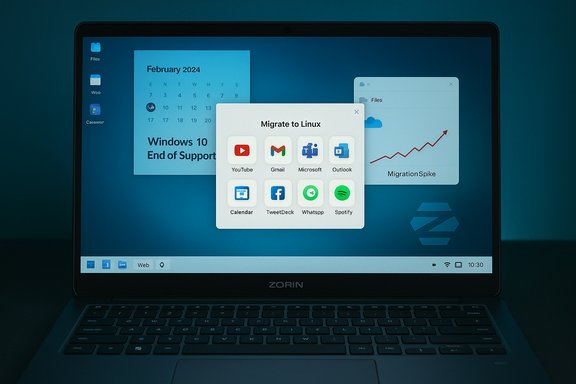
Zorin OS 18 landed on the very day Microsoft ended free support for Windows 10, and within a little over 48 hours the project celebrated more than 100,000 downloads — a launch spike that has turned a thoughtful desktop release into one of the most-discussed migration stories of the year.
Zorin OS has long marketed itself as a migration‑friendly Linux desktop for users leaving Windows or macOS: familiar layouts, one‑click visual themes, and tools designed to reduce retraining time. Zorin OS 18 continues that strategy while adding a number of platform and productivity features aimed squarely at users who face the practical choice created by Windows 10’s end‑of‑support date of October 14, 2025. This release is built on an Ubuntu LTS foundation and ships with a newer Hardware Enablement kernel to improve device compatibility. Under the hood are modern components — a 6.14 series Linux kernel, PipeWire audio, GNOME‑based UI customizations, and a series of migration utilities that target common Windows friction points such as OneDrive file access and Windows application compatibility. Why the timing matters: Microsoft’s decision to end mainstream support for Windows 10 created an immediate calendar‑driven upgrade problem for tens — perhaps hundreds — of millions of PCs that do not meet Windows 11’s hardware gates. Independent market analysis has estimated the scale of devices at risk in the hundreds of millions, shaping the urgency of alternatives that can extend device life without forced hardware refreshes.
That said, the release does not eliminate all migration work. Enterprises with mission‑critical Windows apps, specialized hardware dependencies, or strict compliance requirements should proceed via measured pilots, verified management tooling, and robust rollback plans. Technical teams must validate printers, scanners, conditional access flows, and any certified vendor drivers before a broad rollout.
Zorin OS 18 answers a timely problem with practical engineering and clear product focus. The early download surge is a credible sign that many Windows 10 holdouts are actively testing alternatives; whether this curiosity converts into long‑term adoption will hinge on install success rates, support models, and how well Zorin and the broader Linux ecosystem address the remaining edge cases.
For readers evaluating options today: test before you commit, pilot at scale only after careful verification, and treat the 100k downloads milestone as a directional signal — not proof of a mass migration. Zorin OS 18 is a strong, pragmatic candidate to keep older PCs secure and useful, but any migration should be planned, measured, and reversible until you have confirmed the key workflows for your users.
Source: LXer: Linux News LXer: Linux News
 Background / Overview
Zorin OS has long marketed itself as a migration‑friendly Linux desktop for users leaving Windows or macOS: familiar layouts, one‑click visual themes, and tools designed to reduce retraining time. Zorin OS 18 continues that strategy while adding a number of platform and productivity features aimed squarely at users who face the practical choice created by Windows 10’s end‑of‑support date of October 14, 2025. This release is built on an Ubuntu LTS foundation and ships with a newer Hardware Enablement kernel to improve device compatibility. Under the hood are modern components — a 6.14 series Linux kernel, PipeWire audio, GNOME‑based UI customizations, and a series of migration utilities that target common Windows friction points such as OneDrive file access and Windows application compatibility. Why the timing matters: Microsoft’s decision to end mainstream support for Windows 10 created an immediate calendar‑driven upgrade problem for tens — perhaps hundreds — of millions of PCs that do not meet Windows 11’s hardware gates. Independent market analysis has estimated the scale of devices at risk in the hundreds of millions, shaping the urgency of alternatives that can extend device life without forced hardware refreshes. What changed in Zorin OS 18 — headline features
Zorin OS 18 is more than a cosmetic refresh. The release advances both UX and platform compatibility with features aimed at reducing migration friction for Windows users:- Refreshed visual language — a lighter default theme palette, rounded/floating panel, and tuned contrast to modernize the desktop experience without alienating long‑time Windows users.
- Expanded desktop layouts — the Zorin Appearance tool now includes additional Pro‑only layouts (Compact, Linux Mint‑like, elementary‑like) plus the familiar Windows‑style arrangements that help users transfer muscle memory quickly.
- Web Apps utility — a built‑in tool that converts web services into desktop launchers (Office 365, Google Docs, Photoshop Web, etc., making cloud‑first workflows behave more like native apps.
- OneDrive integration — GNOME Online Accounts integration enables browsing and opening OneDrive files directly in the Files app, closing a major continuity gap for Microsoft 365 users. Note: this is mount/browse behavior rather than a Windows‑exact selective sync.
- Migration assistant & installer detection — an installer scanner that recognizes a large set of common Windows installers and suggests the least disruptive path: native Linux equivalent, Web App, Wine wrapper, or virtualization. Coverage and community reporting place the recognition set in the 150–170 installer range.
- Windows app compatibility improvements — Zorin bundles an updated Wine runtime (reported as Wine 10 in launch coverage) and integrates tooling to make running many Windows programs easier. This is not a guarantee of parity, but it materially improves the "can I keep using X?" discovery process.
- Platform updates — the distribution is based on Ubuntu 24.04 point release lineage, ships with a modern kernel (6.14 series in general release images), and uses PipeWire as the default audio server for better Bluetooth and multimedia behavior.
The download spike: what the numbers actually show
Zorin Group publicly announced that Zorin OS 18 reached 100,000 downloads in a little over two days, and the project added that 72% of those downloads originated from Windows systems, describing it as the distro’s “biggest launch ever.” That announcement — amplified by mainstream tech outlets — is the clearest, attributable metric we have for early interest. A few important caveats for interpreting that metric:- Downloads ≠ installations. An ISO download may be tried in a virtual machine, used to create an installer USB and later abandoned, or simply counted multiple times if users re‑download. Treat the number as an early interest indicator, not a measure of sustained migration or active users.
- Geography & origin reporting. Zorin’s announcement reported that 72% of downloads came from Windows devices — a meaningful sign that Windows users were actively investigating alternatives — but the public data doesn’t disclose region, retention, or successful install rates.
- Amplified claims exist. At least one secondary outlet reported a larger figure (200,000 downloads in two days) that cannot be traced back to an official Zorin statement and should be treated as unverified amplification.
Why Zorin’s approach is pragmatically smart
Zorin’s design and feature choices address three classic migration blockers:- Familiarity: a Windows‑friendly layout lowers cognitive cost and shortens the training window for non‑technical users.
- Cloud continuity: OneDrive browsing and Web Apps maintain access to Microsoft 365 workflows without forcing immediate retraining or manual file migrations.
- App compatibility triage: a migration assistant plus a modern Wine runtime turns "Will my app work?" from an abstract fear into an actionable plan — native app, web app, compatibility layer, or VM.
Technical validations — what’s verifiable now
To avoid repeating marketing claims without verification, here are the release anchors that independent reporting and documentation consistently confirm:- Zorin OS 18 stable/beta was publicly announced to coincide with Windows 10’s end‑of‑support timeframe (mid‑October 2025).
- The release is based on Ubuntu 24.04 point‑release lineage and ships with a Hardware Enablement kernel from the 6.14 series in general release images.
- PipeWire is used as the default audio backend. Web Apps and OneDrive browsing (via Online Accounts) are integrated as first‑class features.
- Zorin publicly reported the 100,000 downloads milestone and the Windows‑origin percentage figure on social platforms; mainstream outlets republished those announcements.
Risks, trade‑offs, and the hard limits of migration
Zorin OS 18 materially reduces frictions, but it is not a magical one‑click replacement for every Windows‑centred workflow. Key risks remain and deserve explicit attention:- Application compatibility: Wine and Proton have improved immensely, but complex, licensed, or hardware‑accelerated Windows apps (professional Adobe plugins, CAD suites, industry‑specific vertical apps) often require virtualization or dedicated Windows hosts. Zorin’s installer detection helps triage but cannot fully replace Windows for certain workloads.
- Peripheral drivers & firmware: printers, scanners, fingerprint readers, certain docking stations, and niche peripherals may lack vendor drivers on Linux. Where hardware vendors have not released Linux drivers, workarounds are sometimes possible but not guaranteed.
- Enterprise authentication & conditional access: corporate SSO, conditional MFA, or bespoke SAML/OAuth flows can behave differently in Linux environments and may require configuration changes or vendor engagement. Community testers flagged intermittent GNOME Online Accounts quirks during pre‑release testing.
- Security & compliance: regulated environments and certified hardware stacks cannot simply be swapped without validation against compliance regimes and vendor SLAs. Large‑scale migrations require imaging, management tooling, and a verified support plan.
- Gaming & anti‑cheat: while Proton and Valve’s work have opened gaming opportunities on Linux, some titles with anti‑cheat systems remain problematic. Gamers should test their specific titles before committing.
Practical migration checklist — for home users and IT teams
- Back up everything. Create a full disk image or verified cloud backups before touching the device.
- Test via Live USB or VM. Boot Zorin OS 18 from a USB drive and validate OneDrive access, critical web apps, printers, and audio/video devices.
- Run the migration assistant. Use the installer detection tool to triage your most important Windows installers and document the recommended path.
- Validate critical workflows. Test mail clients, conferencing (Teams/Zoom), device passthrough for webcams and audio, and any line‑of‑business web apps.
- Stage a pilot. Deploy to a small group for 7–14 days and capture breakage, support requests, and training needs.
- Prepare fallbacks. Keep a verified Windows image and a rollback plan; maintain Windows VMs for apps that must remain on Windows.
- Consider support. For scale deployments, choose a support partner, or purchase vendor support where available; Zorin Pro purchases also fund the project and may include purchase‑time support options.
Market and environmental implications
The calendarized end of Windows 10 support is not only a technical event — it is an economic and environmental moment. Analysts warned that Microsoft’s hardware gating for Windows 11 could render hundreds of millions of devices economically unattractive to refurbish in a Windows ecosystem, potentially increasing e‑waste unless alternative OS options are adopted. Zorin OS 18’s positioning — a user‑friendly gateway to a modern, supported OS for older hardware — addresses both the cost and sustainability angles: keeping devices in use longer helps households and reduces waste. However, the scale of any long‑term migration and its real impact on e‑waste will depend on retention and operational success, not just download counts.How reliable are the early signals?
The early data points are strong indicators of curiosity and an actionable demand signal: Zorin’s 100k+ downloads and the reported majority originating from Windows systems are meaningful. But good journalistic and operational discipline requires we separate interest from adoption. The most important follow‑up metrics to watch in coming months are:- Completed installs and active daily users (by region and use case).
- Retention and repeat usage rates (how many downloaders keep the OS as their daily driver).
- Enterprise and institutional pilot outcomes (schools, councils, charities).
- Hardware/driver exception rates and the frequency of required virtualized Windows fallbacks.
Final analysis — who should move, and who should wait
Zorin OS 18 is one of the most convincing migration‑focused desktop releases in recent memory. For many home users, educators, charities, and small organizations that rely mostly on web apps and Microsoft 365, it will be a high‑value option to retain secure, supported software on existing hardware. Its combination of familiar UI, OneDrive integration, Web Apps, and installer triage lowers the psychological and operational barriers that have historically kept many users inside Windows.That said, the release does not eliminate all migration work. Enterprises with mission‑critical Windows apps, specialized hardware dependencies, or strict compliance requirements should proceed via measured pilots, verified management tooling, and robust rollback plans. Technical teams must validate printers, scanners, conditional access flows, and any certified vendor drivers before a broad rollout.
Zorin OS 18 answers a timely problem with practical engineering and clear product focus. The early download surge is a credible sign that many Windows 10 holdouts are actively testing alternatives; whether this curiosity converts into long‑term adoption will hinge on install success rates, support models, and how well Zorin and the broader Linux ecosystem address the remaining edge cases.
For readers evaluating options today: test before you commit, pilot at scale only after careful verification, and treat the 100k downloads milestone as a directional signal — not proof of a mass migration. Zorin OS 18 is a strong, pragmatic candidate to keep older PCs secure and useful, but any migration should be planned, measured, and reversible until you have confirmed the key workflows for your users.
Source: LXer: Linux News LXer: Linux News
