

Zorin OS 18 arrived at the worst possible moment for Microsoft’s desktop ambitions — and for a sizable slice of Windows users that moment became an opportunity to walk away from built‑in AI “helpers,” telemetry anxiety, and forced hardware upgrades.
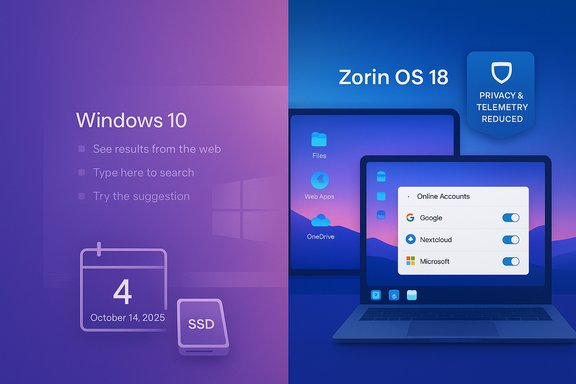
Zorin OS 18 is a deliberately migration‑focused Linux distribution built on an Ubuntu 24.04 LTS foundation and timed to coincide with Windows 10’s end‑of‑support deadline. The Zorin Group published the release on October 14, 2025 and followed with a November announcement that the new release had been downloaded about one million times in a little over a month — with the project reporting that roughly 78% of downloads originated from Windows systems. That combination of timing and positioning has framed Zorin 18 as the clearest beneficiary of the post‑Windows‑10 migration moment. This article summarizes the critical claims put forward by a recent piece arguing Zorin 18 is “the way out” of Microsoft’s AI push, then verifies the technical facts, analyzes strengths and limitations, and provides practical guidance for readers who are seriously considering replacing Windows with Zorin OS 18 or using it alongside Windows in a hybrid setup. The reporting below cross‑references Zorin’s official materials, independent reviews, and contemporaneous coverage of Microsoft’s AI features so readers can weigh benefits, risks, and realistic expectations.
Source: Techaeris Zorin OS 18 Might Be The Way Out Of Microsoft's AI Nightmare
 Background / Overview
Zorin OS 18 is a deliberately migration‑focused Linux distribution built on an Ubuntu 24.04 LTS foundation and timed to coincide with Windows 10’s end‑of‑support deadline. The Zorin Group published the release on October 14, 2025 and followed with a November announcement that the new release had been downloaded about one million times in a little over a month — with the project reporting that roughly 78% of downloads originated from Windows systems. That combination of timing and positioning has framed Zorin 18 as the clearest beneficiary of the post‑Windows‑10 migration moment. This article summarizes the critical claims put forward by a recent piece arguing Zorin 18 is “the way out” of Microsoft’s AI push, then verifies the technical facts, analyzes strengths and limitations, and provides practical guidance for readers who are seriously considering replacing Windows with Zorin OS 18 or using it alongside Windows in a hybrid setup. The reporting below cross‑references Zorin’s official materials, independent reviews, and contemporaneous coverage of Microsoft’s AI features so readers can weigh benefits, risks, and realistic expectations.What the Techaeris piece said — quick summary
- Zorin OS 18 is faster and more responsive than Windows on the author’s test machines and is optimized to revive older hardware.
- It offers a Windows‑familiar UI and a low learning curve, with one‑click layout switching that mimics Windows 7, Windows 10/11, or macOS.
- Privacy is presented as a central advantage: the distro is framed as free of background AI telemetry like Microsoft’s Copilot and Recall.
- Practical migration aids include OneDrive browsing in the Files app, a Web Apps (PWA) conversion tool, an updated Wine runtime for Windows app compatibility, and Zorin Connect for Android phone integration.
- Zorin’s Core edition is free; Pro is a one‑time paid edition (commonly listed around $47.99) with extra layouts and bundled applications.
Verification: the provable facts
Release timing, base, kernel and support window
- Zorin OS 18 was released on October 14, 2025 and is explicitly built on an Ubuntu 24.04 LTS base. Zorin’s technical details page lists Linux kernel 6.14 and a support window that extends through at least mid‑2029.
Download milestone and Windows‑origin metric
- The Zorin Group posted a blog update on November 18, 2025 celebrating “1 million downloads in just over a month” for Zorin OS 18 and noting that “over 78%” of those downloads originated from Windows systems. This is a publisher‑issued milestone that independent outlets amplified. The figure is verifiable as an announced metric but must be interpreted carefully (see analysis below).
Technical plumbing and compatibility stacks
- Zorin 18 ships with updated user‑space plumbing common to modern Ubuntu‑based desktops: PipeWire for audio, GNOME Online Accounts integration for cloud services, and a bundled Windows App Support runtime that is based on Wine 10 (the Wine project’s 10.x series shipped earlier in 2025 and brought significant Wayland and Vulkan improvements). Independent coverage confirms Wine 10’s capabilities and Zorin’s inclusion of a modern compatibility stack.
Zorin editions and pricing
- Zorin provides multiple editions: Core (free), Education, Pro (paid), and a Lite variant for older hardware. The official Pro page lists a one‑time purchase price of $47.99, which includes extra desktop layouts, bundled creative and productivity apps, and an installation support option.
Windows 10 end of support
- Microsoft’s own lifecycle pages confirm Windows 10 reached the end of mainstream support on October 14, 2025. Microsoft documents what that change means in practice (security updates and standard support cease for mainstream consumer SKUs unless ESU is purchased). That calendar event is the practical catalyst behind increased interest in migration alternatives.
Why Zorin OS 18 looks compelling right now
1) Low friction for Windows users
Zorin’s deliberate UX choices directly reduce the largest psychological barrier to switching: unfamiliarity. The Zorin Appearance tool and Layout Switcher let users pick a desktop arrangement that looks and behaves much like Windows with a single click. The immediate effect is reduced training overhead and faster first‑day productivity for non‑technical users who only need routine web, office, and media tasks.2) Cloud continuity for Microsoft 365 users
Zorin integrates OneDrive via GNOME Online Accounts so users can browse and open OneDrive documents directly from the Files app. Combined with the Web Apps utility that converts frequently used web services (Office 365, Teams, Google Docs) into desktop‑like launchers, Zorin preserves much of the Microsoft 365 workflow without requiring an incumbent Windows install. This is a major practical win for households and small orgs that are web‑first.3) Revives older hardware
A modern HWE kernel (6.14 in Zorin’s builds) plus careful desktop optimizations makes Zorin 18 noticeably snappier on a wide range of hardware — especially when paired with SSDs or the Lite (XFCE) edition on very low‑end machines. Reviewers consistently report faster boot and app responsiveness versus equivalent Windows 10/11 installs on older equipment.4) Improved Windows app compatibility
Wine 10 is a meaningful technical improvement: Wayland work, Vulkan/Direct3D enhancements, HiDPI scaling fixes, and expanded architecture support materially raise the odds that many consumer Windows .exe applications and games will run without a VM. Zorin pairs that runtime with an installer‑triage assistant that proposes native, PWA, Wine, or VM options per app. That reduces the “will it run?” anxiety.5) Reasonable commercial model for support
The Pro edition’s one‑time price is a modest amount compared with buying new hardware or purchasing extended Windows support — and the Zorin team packages Pro to include optional installation support, which can matter to users who want a vendor‑backed path off Windows.The Microsoft “AI nightmare” and privacy context
The Techaeris piece frames Zorin as an escape from Microsoft’s AI push — primarily Copilot and the Recall feature — which some users view as intrusive. There’s a basis for concern: Recall captures periodic snapshots of screen activity to create searchable context for Copilot, and although Microsoft says it is opt‑in, local, and encrypted, the feature generated industry pushback and some app authors (Signal, Brave, AdGuard) implemented mitigations or blocking behavior to protect users’ privacy. That debate has been public and sustained. Microsoft’s official position is that Recall is off by default and includes multiple protections (Windows Hello gated access, local encryption bound to TPM, opt‑in controls). But the design — continuous screenshotting for retrospective AI search — inevitably triggers privacy trade‑offs that many users find uncomfortable. The presence of opt‑out controls reduces immediate legal risk, but it does not eliminate perception problems. Does Zorin solve that problem? The operating model of a mainstream Linux desktop — open source components, transparent update channels, no forced Copilot/Recall equivalent running by default, and a smaller surface area for vendor telemetry in many distros — does provide a practical reduction in vendor‑level AI telemetry exposure. Zorin markets itself as privacy‑respecting and positions OneDrive/Web Apps as opt‑in cloud choices rather than enforced platform hooks. That makes the “escape” argument credible for users primarily worried about Microsoft’s local AI telemetry model. Caveat: “privacy‑respecting” is a broad marketing term; readers should validate specifics for their threat model (see the Risks section).Limitations and risks — what Zorin 18 will not magically fix
Zorin OS 18 lowers adoption friction but it is not a one‑click panacea. These are the principal tradeoffs and edge cases readers must test and plan for:- Downloads ≠ installs ≠ retention. One million downloads is an impressive interest metric, but downloads can represent trials, repeated ISO fetches, live‑USB tests, or VM experiments. Zorin’s announced metric is a genuine signal of demand; it does not, by itself, prove permanent migration at scale. Organizations should plan pilots and measure active device counts before making policy changes.
- Application parity remains the single largest blocker. Office suites, browsers and many creative tools have mature Linux equivalents or web versions, but specialized Windows line‑of‑business (LOB) applications, device drivers for niche hardware (some scanners, medical or industrial peripherals), and certain professional audio/video toolchains rely on vendor Windows drivers and may not work acceptably under Wine or Proton. For mission‑critical workloads, virtualization or retained Windows hosts will remain required for the near term.
- Peripherals and docking stations can be finicky. Multi‑monitor docking, proprietary GPU features, and vendor firmware utilities sometimes require vendor support that Linux drivers do not replicate. Test any docking station, multi‑monitor workflow, or vendor‑specific peripheral in a Live USB session before committing.
- Enterprise management and conditional access. Large organizations depend on MDM, group policies, enterprise SSO, conditional access flows and vendor SLAs. Zorin’s consumer focus means those enterprise management features may require third‑party tooling and can increase operational friction compared with a Windows image managed through Microsoft Intune and AD. Pilot, plan, and budget for support.
- Privacy claims deserve scrutiny. Zorin markets itself as privacy‑respecting, and default installs avoid the kind of built‑in AI telemetry Windows ships with. However, third‑party components (the default inclusion of Brave as browser in some builds, use of GNOME Online Accounts for cloud mounts) introduce nuanced data flows. The claim “no telemetry at all” is often stated in community posts but should be validated against the distro’s privacy documentation and specific package policies if you have strict auditing requirements. Do not assume “privacy‑first” equals zero data collection without verification.
Practical migration checklist (for home users and small orgs)
- Create a full backup of the Windows device (image + file sync).
- Make a Zorin OS 18 Live USB and boot the target hardware — do not install yet.
- Verify basic functionality in the Live session: Wi‑Fi, Bluetooth, audio, webcam, printers and docking stations.
- Sign into OneDrive via Settings → Online Accounts and test the Files→OneDrive experience (note: this is a mount/browse model; verify offline needs).
- Run the Zorin migration assistant and scan your list of Windows installers; note which apps the assistant recommends running as native, PWA, Wine, or VM.
- For mission‑critical Windows apps, create a Windows VM (VirtualBox, QEMU, VMware) and validate licensing and performance.
- If deploying to multiple users, pilot with 10–30 devices for 30–90 days, capture support metrics, and refine rollout documentation.
For power users and gamers
- Wine 10 and Proton improvements materially improve compatibility for many titles, but anti‑cheat systems and kernel‑level drivers remain the primary show‑stoppers for some games. Consult ProtonDB, Lutris and community trackers for title‑specific guidance before switching.
- For creative professionals who rely on DaVinci Resolve, Affinity apps, or other Linux‑friendly titles, native Linux versions or AppImage bundles may work well; confirm GPU acceleration, color‑management, and hardware encoding pipelines before switching a production workstation.
What this means for Microsoft and the broader PC market
- The Windows 10 EoL calendar created a visible behavioral inflection point. For cost‑sensitive segments (education, non‑profits, refurbishers, price‑constrained households), a polished migration candidate like Zorin 18 reduces the friction of switching and makes Linux a practical alternative to paying for ESU or buying new hardware.
- For Microsoft, the optics matter: aggressive AI integration that some users perceive as intrusive — even when opt‑in and local — can accelerate migration interest among users who prioritize control and minimal vendor data collection. But large enterprise and regulated workloads remain anchored to Windows due to ISV support, vendor drivers, and enterprise management investments.
Verdict — when Zorin OS 18 is the right move
Zorin OS 18 is a thoughtfully engineered, timely desktop release that removes many of the practical blockers for Windows → Linux migration: familiarity, cloud continuity and a stronger Windows app compatibility story. For web‑first users, small businesses, schools, and households with non‑specialized software needs, Zorin 18 is an excellent, low‑cost option to extend hardware life and reclaim control over telemetry and vendor‑level AI intrusions. It is not, however, a universal cure: enterprises, specialist workflows, and users dependent on vendor‑supplied Windows drivers or kernel‑level features should treat Zorin as a strong component of hybrid strategies rather than a full replacement. In every case the right path is the same: test, pilot, measure results, and keep a documented rollback path.Final takeaways and recommended next steps
- Zorin OS 18 is a serious migration candidate that addresses the three practical anxieties most people have when leaving Windows: learning curve, file continuity, and app compatibility. If those are your primary concerns, Zorin’s combination of Ubuntu LTS base, modern kernel, OneDrive mount, Web Apps, and an updated Wine runtime makes trying it low risk.
- If privacy from Microsoft’s AI features is your primary motivation, Zorin does reduce exposure to Copilot/Recall‑style behaviors by virtue of being an independent Linux desktop that does not ship with those Microsoft AI services by default. However, privacy is not automatic: review Zorin’s privacy documentation, audit your chosen apps (including default browser choices), and test cloud integration behaviors for offline access needs.
- Organizations and power users should run small scale pilots, validate all peripherals and line‑of‑business applications, and budget for virtualization fallbacks where necessary. Downloads are a strong interest signal — but successful, low‑support migrations require operational planning.
Source: Techaeris Zorin OS 18 Might Be The Way Out Of Microsoft's AI Nightmare
