📎 AI Summary:
The forum thread discusses how to customize the Windows 8 Preview to resemble the traditional Windows 7 start menu, as the default Windows 8 interface lacks a start button. The original poster shares a step-by-step guide with multiple links for refining and configuring the start menu to be more familiar and efficient. Overall, the tone is helpful and focused on practical customization tips for Windows 8 users.
Thread Author
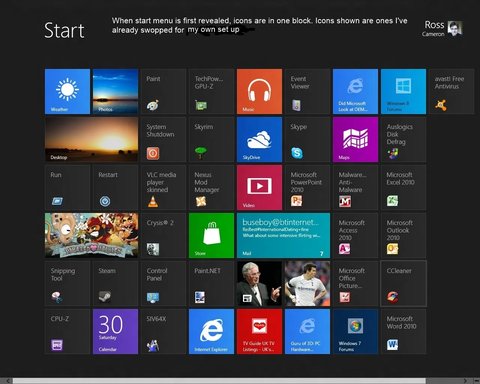
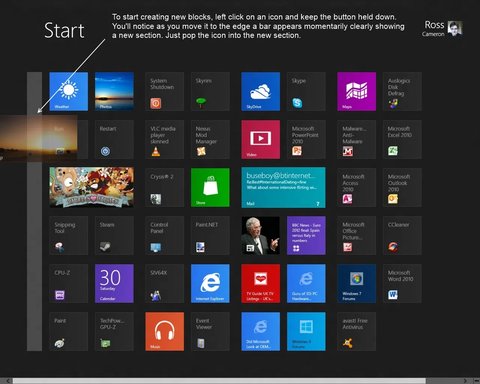
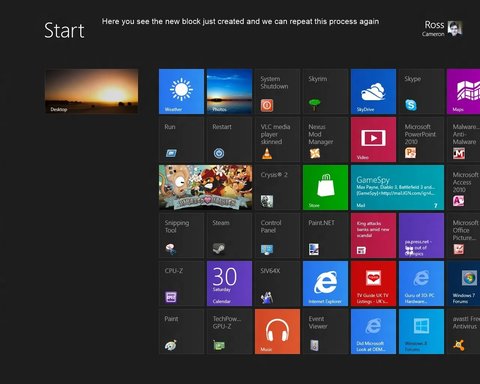
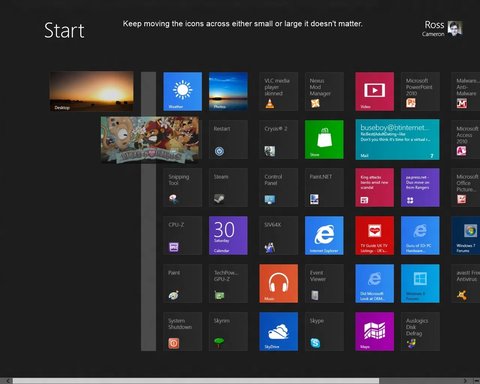
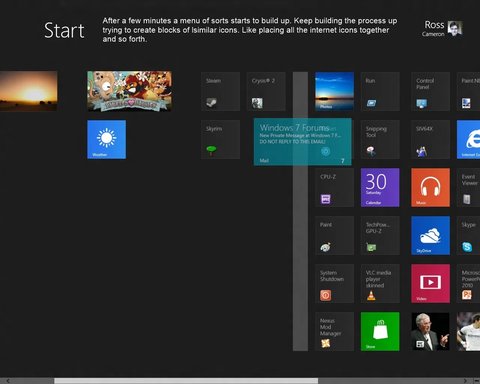
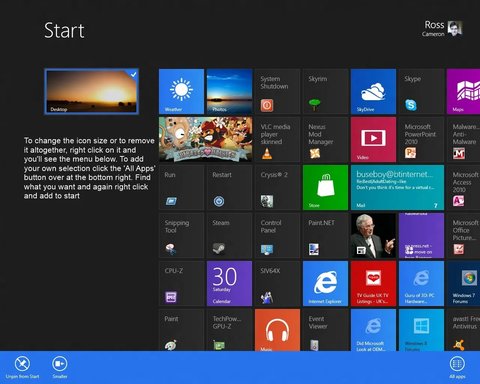
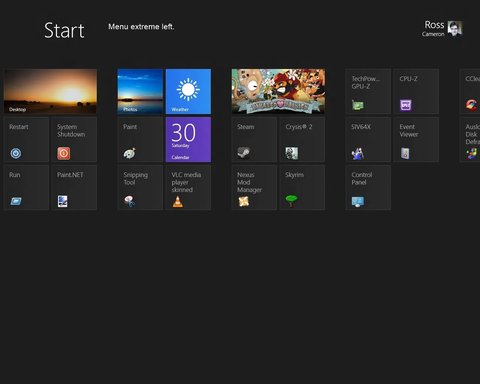
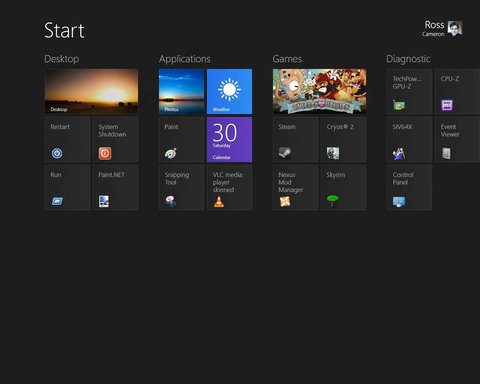
So you just installed Windows 8 Preview and have discovered the Start screen but no 'Start menu' or button as such. Well this guide will show you how to quickly configure your Start screen as if it was your old Win 7 start menu. This is by no means the only way and is just one way of using Windows 8.

Link Removed

Link Removed

Link Removed

Link Removed

Link Removed

Continued next post...


Attachments

  • Start.webp
    Start.webp
    91.1 KB · Views: 962
    Microsoft Defender: No threats detected Scan details
  • creating new block.webp
    creating new block.webp
    80.8 KB · Views: 730
    Microsoft Defender: No threats detected Scan details
  • Block created.webp
    Block created.webp
    74.9 KB · Views: 666
    Microsoft Defender: No threats detected Scan details
  • repeat process.webp
    repeat process.webp
    64.8 KB · Views: 703
    Microsoft Defender: No threats detected Scan details
  • further progress.webp
    further progress.webp
    57 KB · Views: 708
    Microsoft Defender: No threats detected Scan details

kemical

Essential Member
Member details
Joined
Aug 28, 2007
Messages
36,163
Thread Author #2
Refining the menu further...

Link Removed

Link Removed

Link Removed

Continued next post..
 

Attachments

  • icon tweaks.webp
    icon tweaks.webp
    90.1 KB · Views: 1,289
    Microsoft Defender: No threats detected Scan details
  • Start menu right.webp
    Start menu right.webp
    53.9 KB · Views: 597
    Microsoft Defender: No threats detected Scan details
  • start menu left.webp
    start menu left.webp
    41.6 KB · Views: 604
    Microsoft Defender: No threats detected Scan details
Last edited by a moderator:

kemical

Essential Member
Member details
Joined
Aug 28, 2007
Messages
36,163
Thread Author #3
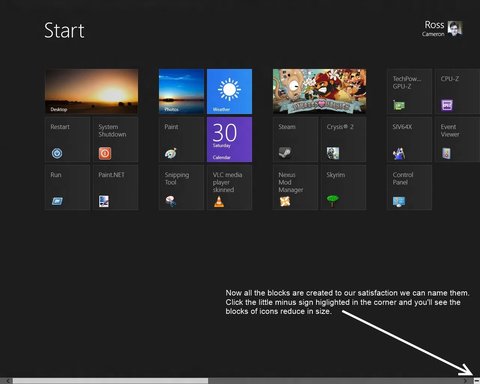
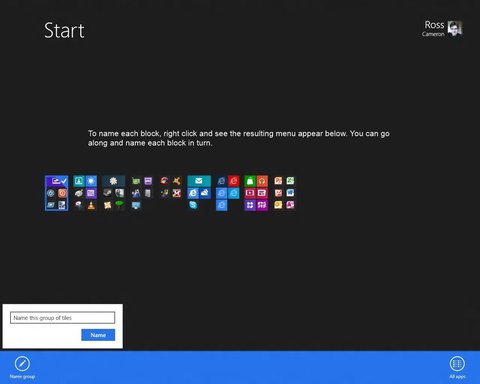
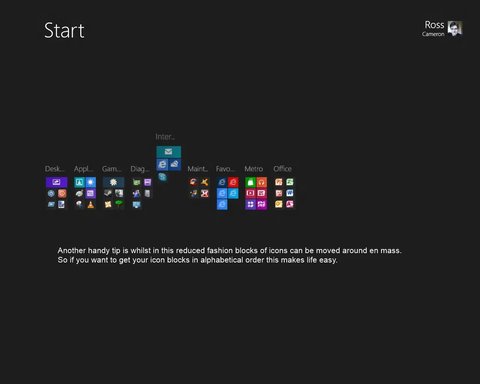
Yet more refining:

Link Removed

Link Removed

Link Removed


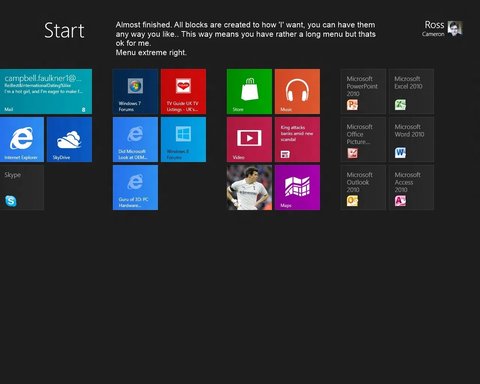
So this is my menu. Plain and simple whilst being extremely fast with almost everything to hand. The Restart and Shutdown icons are easily available via the web but if you really struggle to find them ask me and I'll send.

Link Removed
 

Attachments

  • my start.webp
    my start.webp
    41.7 KB · Views: 619
    Microsoft Defender: No threats detected Scan details
  • Click this.webp
    Click this.webp
    51.7 KB · Views: 449
    Microsoft Defender: No threats detected Scan details
  • naming blocks.webp
    naming blocks.webp
    29.7 KB · Views: 569
    Microsoft Defender: No threats detected Scan details
  • moving blocks.webp
    moving blocks.webp
    28 KB · Views: 506
    Microsoft Defender: No threats detected Scan details
Last edited by a moderator: