Hi all,
I hope you can help me to solve my problem:
The Bluescreens began after i installed Windows 7 64Bit Ultimate on my Computer, before that i had used Windows 7 32 bit Ultimate and i hadn't any problems. I installed the latest driver for all my components, but this didn't help. I also ran Memtest86+ with no ram errors. The Bluescreens appears often when I'm playing Starcraft 2 or Battlefield Bad Company 2.
Here are the my System Specs:
Motherboard: Gigabyte GA-870A-UD3
Processor: AMD Phenom II X4 955
Graphic Card: AMD Readon HD 6870
Memory: Geil Value Plus DDR3 PC3 1066 1333MHZ 4GB Kit
Power supply: Cougar SE 400
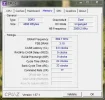
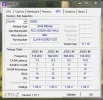
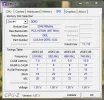
I have attached the minidump files, the RAMMon-SPD-Info, an the CPU-Z Memory InfosLink Removed
I hope you can help me to solve my problem:
The Bluescreens began after i installed Windows 7 64Bit Ultimate on my Computer, before that i had used Windows 7 32 bit Ultimate and i hadn't any problems. I installed the latest driver for all my components, but this didn't help. I also ran Memtest86+ with no ram errors. The Bluescreens appears often when I'm playing Starcraft 2 or Battlefield Bad Company 2.
Here are the my System Specs:
Motherboard: Gigabyte GA-870A-UD3
Processor: AMD Phenom II X4 955
Graphic Card: AMD Readon HD 6870
Memory: Geil Value Plus DDR3 PC3 1066 1333MHZ 4GB Kit
Power supply: Cougar SE 400
I have attached the minidump files, the RAMMon-SPD-Info, an the CPU-Z Memory InfosLink Removed