📎 AI Summary:
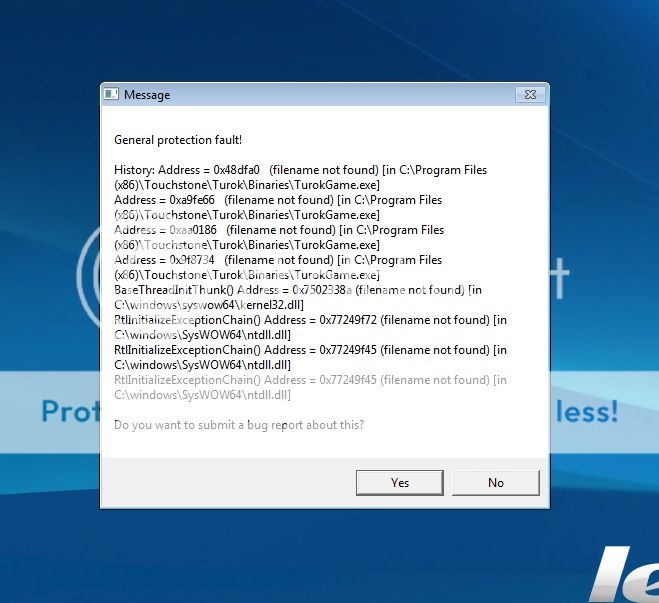
The forum thread revolves around a user experiencing errors when launching the game Turok, with the initial posts including screenshots of the error messages. The user seeks help on fixing the issue. A responder suggests that installing games outside the default Program Files folder, such as on a different drive or directory, can prevent such errors, implying that the problem may be related to Windows security restrictions or improper installation practices. The overall sentiment indicates that the issue stems from the installation location of the game, and the suggested solution is to install games in alternative directories for proper functionality.

Solution
Basic windows 1:01 = don't install programs (games) in the c: /programs folder... I know that sounds retarded but that is what happens when you put a crack head in charge.

Uninstall it then make a new directory on D: games or if you only have a c drive then c:games… as long as it is outside the programs files, folder windows security should leave it alone.

Nuttavete

New Member
Joined
Oct 30, 2014
Messages
12
Thread Author #2
When ever I tried to launch Turok i always get this message:

http://i447.photobucket.com/albums/qq199/Nuttawet/turok_zps3e6dc91a.jpg

turok_zps3e6dc91a.jpg


How to fix this problem?
 

ussnorway

Windows Forum Team
Staff member
Joined
May 22, 2012
Messages
4,598
Basic windows 1:01 = don't install programs (games) in the c: /programs folder... I know that sounds retarded but that is what happens when you put a crack head in charge.

Uninstall it then make a new directory on D: games or if you only have a c drive then c:games… as long as it is outside the programs files, folder windows security should leave it alone.
 

Solution